
VGA Extender Over Cat5e/6 VGA Male to RJ45 Ethernet Lan Extender Converter
4.2Editor score
Extends signal up to 60m
No external power required
Plug and play setup
This guide compares the top Cat5 to VGA converters for extending video signals over Ethernet cables in offices and homes.
Finding the right Cat5 to VGA converter helps you extend video signals over long distances without losing quality. These devices allow you to use standard Ethernet cables instead of bulky VGA wires for better flexibility.
We evaluated ten popular models based on range, build quality, and ease of use. Each option offers unique benefits for different needs ranging from simple home setups to professional environments.
Each pick highlights key strengths and potential limitations to help you choose wisely. Prices may change over time so check current listings before making your final purchase decision today.
4.2Editor score

4.3Editor score

4.5Editor score
Below you will find a side by side comparison of all ten products reviewed in this guide to help you quickly identify the right model for your needs.




This VGA over Cat5 extender provides a reliable way to transmit video signals over long distances using standard Ethernet cables. It holds a solid 4.3 rating from users who appreciate its ease of setup and strong build quality.
We may earn a commission when you buy through this link, at no additional cost to you.
The unit uses high quality imported chips to ensure that the input and output match exactly. This helps maintain HD picture quality and reduces noise or ghosting that can occur with longer VGA cables.
While it supports audio transmission which many basic models do not, you must ensure you use proper power adapters and a good quality Cat5e or Cat6 cable for the best results at maximum range.
This product is ideal for office presentations or classroom setups where you need to extend signals up to 328 feet without investing in expensive fiber optics or wireless systems.
The imported chips ensure the video signal remains crisp and clear over long distances which is essential for detailed graphics or text readability.
The galvanized alloy shell offers protection against dust and static while also helping with rapid cooling during continuous use.
We may earn a commission when you buy through this link, at no additional cost to you.
This extender offers a cost effective solution for users who need to extend VGA signals without spending much. It comes with a high rating of 4.2 for its simplicity and lack of power requirements.
We may earn a commission when you buy through this link, at no additional cost to you.
The device eliminates ghosting and noise with a built-in chip that keeps the input and output identical. It supports resolutions up to 1080p making it suitable for most standard displays.
While it does not carry audio signals and has a shorter range of 60 meters, these limitations are acceptable for basic video-only applications where cost is a primary concern.
You should choose this if you need a simple reliable link between a computer and a monitor over a short distance and want to avoid extra power cables.
Because it does not need an external power supply it is easier to set up in locations where outlets are scarce or hard to reach.
The small metal body ensures durability and heat dissipation while keeping the overall setup lightweight and unobtrusive.
We may earn a commission when you buy through this link, at no additional cost to you.
StarTech is known for reliable AV hardware and this extender delivers high quality video over Ethernet up to 250 feet. It holds a strong rating and comes with everything you need for a complete installation.
We may earn a commission when you buy through this link, at no additional cost to you.
It supports resolutions up to 1920×1200 at 150 feet ensuring that text and graphics remain crisp even at maximum distances. The hardware only solution means no software installation is ever required.
While it is more expensive than generic options the bundled VGA cable and mounting brackets add value. You are paying for brand reliability and consistent performance in professional environments.
This kit is best for businesses or industrial settings where uptime and video quality are critical and you want to minimize the risk of signal failure.
The kit includes transmitter receiver VGA cable and mounting brackets so you can install everything immediately without buying extra parts separately.
Its design allows use in harsh environments making it suitable for tradeshow displays or digital signage where reliability is paramount.
We may earn a commission when you buy through this link, at no additional cost to you.
The Jaremite extender is designed for high performance video transmission over Ethernet cables up to 100 meters. It offers excellent resolution support including 1920×1440 at 60Hz for clear visuals.
We may earn a commission when you buy through this link, at no additional cost to you.
It uses high quality imported chips to maintain signal fidelity and suppress common mode noise. The galvanized alloy shell provides protection against environmental factors and helps with cooling.
You must ensure proper power connections and use shielded Ethernet cables to avoid screen flicker. This unit also supports audio which adds value compared to simpler video only extenders.
Consider this model if you need high resolution support and audio in one package for multimedia or professional video applications that demand reliable signal quality.
Supporting resolutions up to 1920×1440 ensures that detailed images and text remain sharp even when extended over long distances.
The built-in chips handle common mode noise to maintain a stable picture without interference from nearby electronic devices.
We may earn a commission when you buy through this link, at no additional cost to you.
This product offers two simple adapters to convert VGA ports to RJ45 connectors for use with standard Ethernet cables. It is rated well for its simplicity and ease of use in short distance scenarios.
We may earn a commission when you buy through this link, at no additional cost to you.
It requires no external power and is designed to work within a range of 1 to 15 meters. This makes it perfect for short runs where a full extender kit would be overkill.
While it does not amplify signals it helps save money by allowing you to use thinner and more flexible Cat5 cables instead of long rigid VGA cables.
You should buy this if you only need to move a monitor a short distance and want to avoid buying an expensive active extender kit for basic connectivity.
The thinner RJ45 cable is much easier to route through tight spaces compared to traditional VGA cables which are bulky and stiff.
At a low cost this adapter set provides a budget friendly way to adapt existing equipment without requiring power sources or complex setup.
We may earn a commission when you buy through this link, at no additional cost to you.
These adapters allow you to use Cat5 or Cat6 cables to extend VGA signals over short distances up to 10 meters. They are simple passive devices that do not require external power or drivers.
We may earn a commission when you buy through this link, at no additional cost to you.
The package includes two adapters which allows you to connect both the source and the display to Ethernet cables. This setup helps reduce cable clutter and makes routing easier in tight spaces.
User ratings suggest that while they work for basic tasks the range is limited and signal quality may degrade if you push beyond the recommended distance.
This is a good option for users who need to connect a projector or monitor nearby using existing network cabling infrastructure without buying active hardware.
Because these adapters do not use power they are simple to install anywhere without needing to find a nearby power outlet for operation.
Using thin RJ45 cables instead of VGA cables reduces the risk of tripping and makes it easier to hide wires behind walls or desks.
We may earn a commission when you buy through this link, at no additional cost to you.
The QVS VB-C5 kit supports signal transmission up to 100 meters with high resolution capabilities up to 1600×1200 at shorter distances. It is designed for professional applications requiring stable video over long cable runs.
We may earn a commission when you buy through this link, at no additional cost to you.
It includes sync filter technology and equalization to maintain signal integrity over Cat5e or Cat6 cables. This helps reduce distortion and ensures that the display receives a clean image.
The unit meets FCC and CE compliance standards which is important for commercial installations where regulatory requirements must be followed strictly for safety and performance.
Choose this kit if you need reliable long distance extension for projectors or monitors in large spaces like classrooms or conference rooms.
Sync filter adjusts signal levels to maintain a stable image even when cable runs are long and prone to interference.
Meeting FCC and CE standards ensures that this kit is safe and reliable for use in commercial and public environments.
We may earn a commission when you buy through this link, at no additional cost to you.
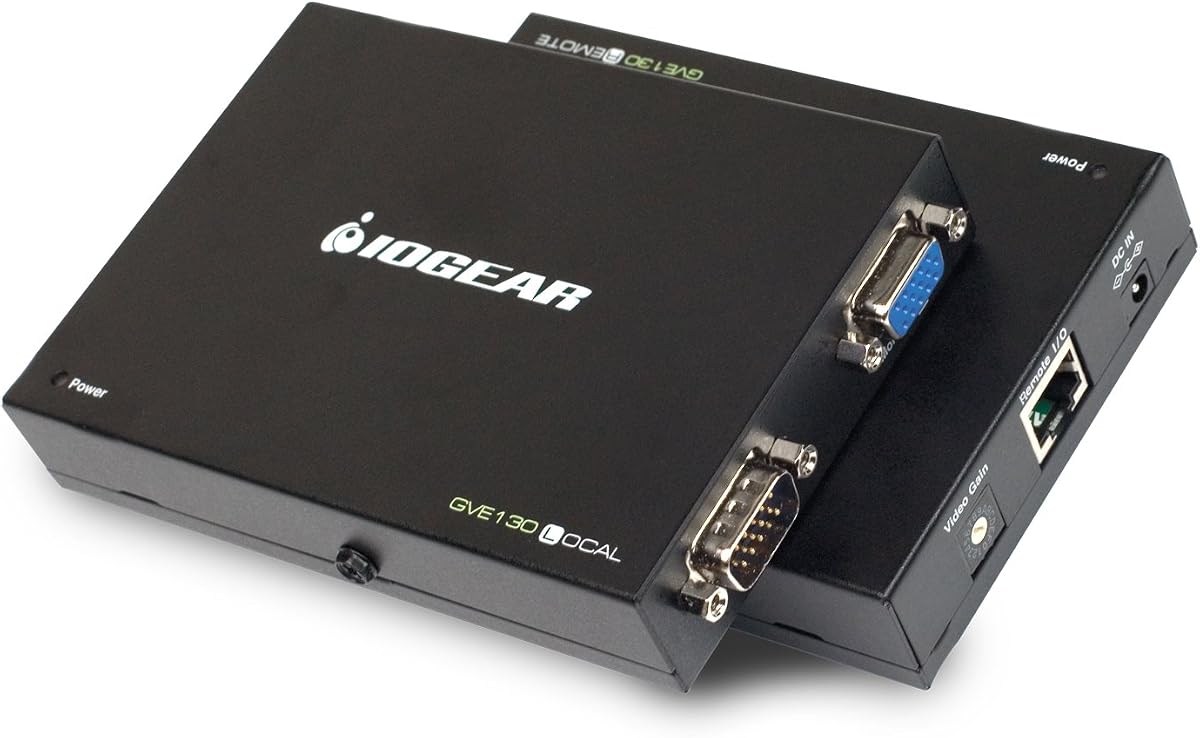
This extender from IOGEAR is designed to support VGA signals over distances up to 500 feet which is significantly longer than many standard kits. It works with PC Mac Sun and Linux systems.
We may earn a commission when you buy through this link, at no additional cost to you.
The unit features 16 position adjustable video gain control which helps optimize signal quality for different cable lengths and display requirements. It also supports DDC for better monitor communication.
While there is no current user rating data the specifications suggest this is a high end solution for complex setups requiring long runs and multi OS support.
This kit is best suited for enterprise environments or technical setups where you need to connect monitors across large distances with reliable performance.
The 16 position gain control lets you fine tune the video signal to ensure clarity and stability across different cable lengths.
Supporting multiple operating systems means you can use this extender in mixed environments with different types of computers and displays.
We may earn a commission when you buy through this link, at no additional cost to you.
These adapters transmit VGA signals over Cat5 or Cat6 cables for short distances up to 100 feet. They come as a pair which allows you to connect source and display easily without extra hardware.
We may earn a commission when you buy through this link, at no additional cost to you.
The setup is passive and does not require any power supply making it easy to integrate into existing cabling. It supports standard video devices like computers DVRs and game consoles.
While the range is not suitable for large rooms it works well for connecting a personal media device to a nearby monitor using network cables already in place.
Choose this set if you need an inexpensive and simple way to extend VGA video slightly without the complexity of active extender kits.
Since no power is needed you can install these adapters in locations far from power outlets which increases placement flexibility.
The suggested applications include media centers and game consoles making these adapters ideal for home entertainment setups with short distances.
We may earn a commission when you buy through this link, at no additional cost to you.
This extender supports transmission up to 394 feet using solid copper Cat6 cables which provides one of the longest ranges available. It is designed for large control rooms and auditoriums.
We may earn a commission when you buy through this link, at no additional cost to you.
It delivers uncompressed real-time transmission with zero latency making it suitable for live monitoring and events where timing matters. Audio is integrated via 3.5mm jacks on both units.
The aluminum alloy housing ensures durability and heat dissipation for continuous operation. You must use solid copper cable to achieve the full range as CCA cables may cause signal loss.
Pick this model if you need to span very long distances while maintaining high quality video and audio for professional presentations or monitoring systems.
Uncompressed transmission ensures that there is no perceptible delay which is crucial for gaming or live event monitoring.
Using solid copper Cat6 cable is necessary for full range performance ensuring signal integrity across the entire distance.
We may earn a commission when you buy through this link, at no additional cost to you.
Selecting the right converter depends on your specific needs regarding distance quality and budget. Consider these factors before making your purchase decision.
The maximum distance your converter can support is critical because different models range from 10 meters to over 300 feet. Always choose a model that exceeds your expected cable length to ensure signal stability.
Pick a converter with enough range to cover your distance plus extra margin to prevent signal degradation.
Higher resolution support ensures that your display looks sharp even when using a VGA connection over long distances. Look for models supporting at least 1920×1080 for modern displays.
Ensure your chosen unit matches the resolution of your source and display to avoid blurry text or images.
Some converters carry audio signals while others are video only. If you need sound along with video choose a model that includes audio input and output jacks.
Check specifications carefully because many basic models do not support audio transmission over Ethernet.
Active extenders require external power adapters which means you need access to electrical outlets near both transmitter and receiver. Passive adapters need no power but have limited range.
Choose passive models if outlets are scarce or active models for longer distances where signal amplification is needed.
Most converters work best with solid copper Cat5e or Cat6 cables while copper clad aluminum cables may cause signal loss at longer distances. Using the right cable type is essential for performance.
Invest in quality Ethernet cables to ensure that you get the best performance from your converter.
Metal housing provides better heat dissipation and durability compared to plastic units especially in environments where devices run continuously for hours.
Look for models with metal shells if you plan to leave the device running for long periods.
Plug and play models that do not require software or drivers are much easier to set up. Avoid units that need complex configuration unless you need advanced features.
Select simple setups to save time and reduce troubleshooting when installing the converter.
Budget models offer basic functionality for short distances while premium kits include cables mounting brackets and better support. Balance your needs against your budget carefully.
Consider total cost including cables and power adapters when comparing prices across different products.
Connect the transmitter to your video source using a VGA cable and the receiver to your display with another VGA cable. Then connect both units using a standard Ethernet cable and apply power if required.
Ensure that all cables are fully seated and tightened to prevent flickering or signal loss. Use high quality solid copper Ethernet cables for best results especially at longer distances.
Keep the devices in a well ventilated area to allow heat dissipation. If you do not need the converter for long periods turn it off to extend the lifespan of the components.
Some models support audio while others are video only. Check the specifications to confirm audio capability before purchasing. Look for 3.5mm audio jacks on the units to verify support.
Solid copper Cat5e or Cat6 cables work best for these converters. Copper clad aluminum cables may cause signal loss at longer distances. Using quality cables ensures stable performance.
Active extenders require power adapters while passive adapters do not. Longer range models typically need power to amplify the signal. Check the specific product details for power requirements.
Distances range from 10 meters to over 300 feet depending on the model. Always choose a unit with range exceeding your needs. Proper cabling and power affect maximum distance.
Most converters support up to 1920×1080 or higher which works with many modern displays. Check resolution limits before buying to ensure compatibility with your specific monitor or projector.
Yes some models support zero latency transmission suitable for gaming. Look for low latency specifications if you plan to use the converter with interactive content or fast action games.
Most models are plug and play and do not require drivers. Hardware solutions are typically simpler to install. Verify driver requirements on the product page before purchase.
Cat6 cables have better shielding and bandwidth which can improve signal quality over longer distances. Either works for short runs but Cat6 is recommended for extending close to maximum range.
We reviewed ten converters ranging from simple adapters to professional kits. The top picks offer different benefits depending on your budget and performance requirements for video extension.
Prioritize range resolution support and build quality when selecting a model. Ensure you have compatible cables and power sources to maximize the performance of your chosen converter.
Prices and availability change frequently so always verify current listings before buying. Choose the model that best fits your specific setup for reliable long distance video transmission.