
Triplett 8150 CamView IP Pro
4.1Editor score
Compact lightweight design
HDMI and BNC ports
Ookla speed test built in
Choosing the right CCTV test monitor is essential for security installers who need reliable tools to verify camera functionality on site. A good monitor supports multiple formats and offers accurate diagnostics.
We compared ten professional models based on screen quality, connectivity options, and built-in testing tools. Our analysis focuses on features that matter most during installation and maintenance tasks.
Each pick highlights specific strengths like PoE power output, TDR cable testing, or high resolution displays. Please note that prices may change over time so check current listings before purchasing.
4.1Editor score

4.5Editor score

4.4Editor score
As an Amazon Associate we earn from qualifying purchases.
The following comparison table lists all ten models side by side with their core specifications. This helps you quickly identify which device matches your specific installation needs and budget requirements.


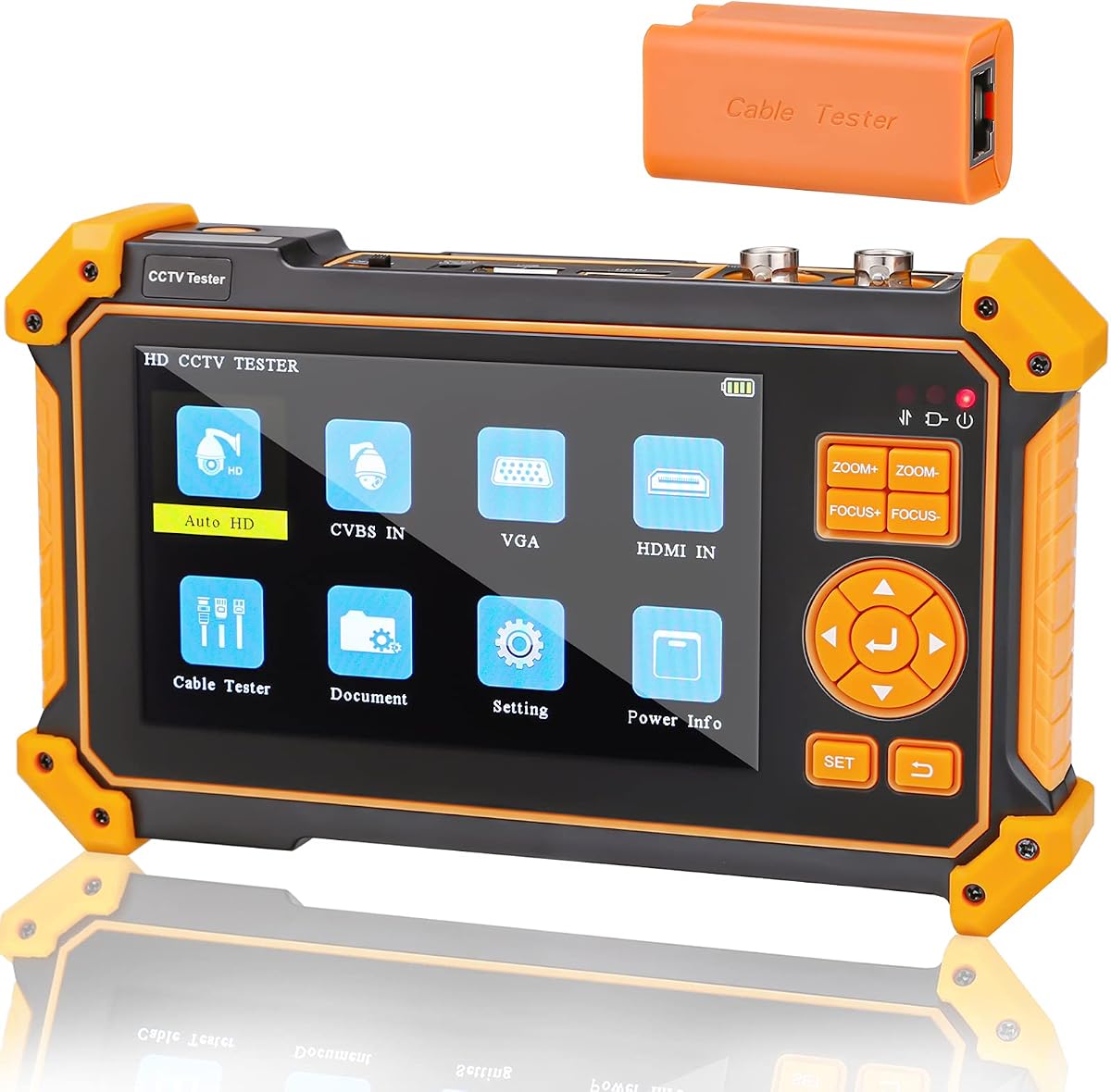
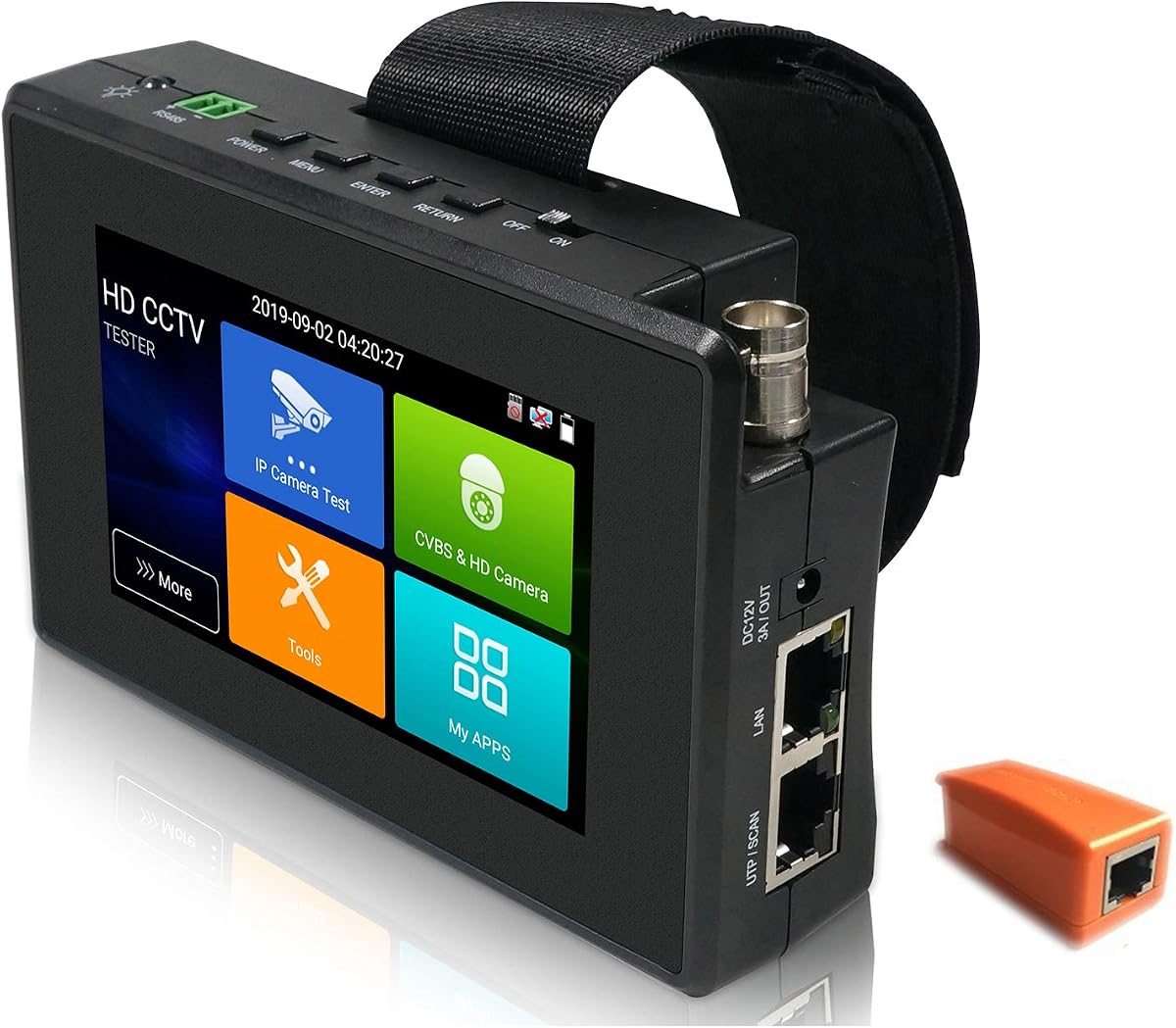
The Rsrteng CCTV Camera Tester stands out as the top choice for professional installers due to its exceptional 8K support and robust power capabilities. It holds a solid 4.5 rating from users who value its versatility across modern IP and analog systems.
We may earn a commission when you buy through this link, at no additional cost to you.
Its standout feature is the ability to handle cameras up to 32MP resolution alongside standard 8MP analog formats. This future proof design ensures you can test the latest high resolution cameras without needing a new device soon.
While it offers advanced tools like the Gigabit SFP module for fiber testing, this comes at a higher cost. The extra weight and price may be unnecessary for simple residential jobs but are worth it for large commercial projects.
Installers working on large scale projects or dealing with high resolution cameras should buy this model for its comprehensive toolset and reliability. It remains the strongest option for professionals who need every diagnostic tool in one handheld unit.
Testing cameras up to 32MP ensures your tool remains useful as security resolution standards continue to increase over the years.
The built in SFP module port allows you to test optical fiber networks directly without carrying separate diagnostic equipment.
We may earn a commission when you buy through this link, at no additional cost to you.
This model delivers premium features for technicians who require the highest performance available. With 8K support and a built in color bar generator it provides exceptional utility for calibrating analog and digital systems accurately.
We may earn a commission when you buy through this link, at no additional cost to you.
The device supports full 8K IP testing alongside robust analog capabilities which covers nearly every camera type currently on the market. Professional tools like the color bar generator help ensure signal integrity and proper setup.
Its premium nature means a higher cost and significant weight compared to entry level options. However for professionals who bill by the hour the efficiency gains from having all diagnostic tools integrated justify the investment.
Buy this if you need the best performance and comprehensive testing capabilities for commercial installations. It is ideal for technicians who frequently work with fiber optics and require precise calibration tools on site.
The included color bar generator allows you to test signal path integrity by sending known video signals through the camera system.
Built in tools like DHCP server and trace route provide deep network insight without needing additional laptop based software.
We may earn a commission when you buy through this link, at no additional cost to you.
Triplett offers a reliable and compact solution for technicians who value simplicity and portability. This unit supports standard formats and includes essential tools without the complexity of high end models.
We may earn a commission when you buy through this link, at no additional cost to you.
It works well with IP analog and various coaxial formats including TVI CVI and AHD cameras. The device is particularly known for its lightweight build which reduces fatigue during long installation days.
The main trade off is the lack of high resolution support beyond 1080p and fewer advanced networking tools. For basic testing tasks however this model provides sufficient functionality at a much lower cost.
Buy this if you need a dependable portable tool for standard residential jobs or quick maintenance calls. It is perfect for technicians who prefer simplicity over advanced diagnostic capabilities.
The straightforward interface allows new technicians to start testing cameras immediately without needing to read complex manuals.
Its compact form factor makes it easy to carry in a pocket or small tool bag during mobile service calls.
We may earn a commission when you buy through this link, at no additional cost to you.
This model features a large 8 inch screen that provides excellent visibility in bright outdoor conditions. It supports high power PoE output which is essential for PTZ cameras and other demanding devices.
We may earn a commission when you buy through this link, at no additional cost to you.
The device offers strong compatibility with IP cameras up to 12MP and analog systems. Its large touch interface makes navigating menus and viewing video feeds comfortable even while wearing gloves.
While it lacks 8K support the 12MP resolution covers most current commercial needs. The size makes it heavier to carry which might be a downside for technicians moving between many sites daily.
Buy this if you prioritize screen visibility and high power output for PTZ camera testing. It suits installers who need a clear view of feeds without an external monitor.
The 8 inch screen allows you to see fine details in video feeds without needing a separate monitor setup.
Supporting up to 90W PoE means you can power large PTZ units directly from the tester during setup.
We may earn a commission when you buy through this link, at no additional cost to you.
This device stands out for including specialized tools like a video level meter and visual fault locator for fiber. It supports 8K resolution and offers a wide array of network diagnostic features.
We may earn a commission when you buy through this link, at no additional cost to you.
The tester handles IP analog and coaxial formats seamlessly making it versatile for mixed system environments. Its battery capacity is robust ensuring long runtime during full day installations.
The inclusion of specialized tools adds value but the device can be complex to navigate for beginners. The weight and bulk are significant and might not be ideal for light residential tasks.
Buy this if you need specialized testing tools like VFL and video level meter in one device. It is best for professional installers handling complex mixed media systems.
The integrated visual fault locator helps identify breaks in fiber cables without carrying a separate tool.
With a large battery you can work for extended periods without needing to recharge during a project.
We may earn a commission when you buy through this link, at no additional cost to you.
This model offers a compact footprint that fits easily into tight workspaces. It supports 4K IP cameras and provides essential PoE output along with WiFi capabilities for network diagnostics.
We may earn a commission when you buy through this link, at no additional cost to you.
The device includes a 4 inch touchscreen which is sufficient for basic viewing but may lack detail for high res testing. It remains a strong choice for installers needing portability above all else.
While it covers modern formats like 4K and analog HD it lacks the power output of larger models. The small screen can be hard to read in direct sunlight compared to bigger units.
Buy this if you need a portable unit for quick checks or residential installs. It works best for technicians who move frequently between sites and value lightweight gear.
Its small size makes it easy to carry in a shirt pocket or small bag for quick service calls.
Built in WiFi and hotspot creation allow you to test wireless cameras without needing extra routers.
We may earn a commission when you buy through this link, at no additional cost to you.
This unit stands out for its rotating screen feature that improves usability when cables are connected to the bottom. It supports up to 4K IP cameras and provides strong network diagnostics tools.
We may earn a commission when you buy through this link, at no additional cost to you.
The device covers both IP and analog formats making it suitable for mixed environments. Its screen rotation helps when mounting or accessing ports in awkward positions during installation.
While it offers solid functionality the screen resolution is lower than premium models which may affect detail visibility. This is a minor trade off for the ergonomic benefits it provides.
Buy this if you need versatile tools and better ergonomics at a reasonable price. It suits installers handling diverse camera types who value ease of use.
Rotating the screen allows you to access ports comfortably without twisting your wrist or moving the device.
IP scan and discovery tools make it easy to locate and configure cameras on the network quickly.
We may earn a commission when you buy through this link, at no additional cost to you.
This model is ideal for technicians who primarily work with analog and coaxial HD systems. It supports HDMI input allowing it to double as a display for DVRs and NVRs during debugging.
We may earn a commission when you buy through this link, at no additional cost to you.
The device covers 8MP TVI CVI and AHD formats alongside standard analog. It includes UTP cable testing which helps identify issues without separate equipment.
It does not support IP cameras which limits its use for mixed systems. The screen is not touch which may slow down navigation compared to modern touch interfaces.
Buy this if you focus on analog and HDMI based systems and need HDMI input capability. It is best for legacy system upgrades or DVR focused work.
HDMI input allows you to use the monitor to test DVRs directly without needing a separate display.
Built in UTP testing helps locate cable faults quickly reducing troubleshooting time significantly.
We may earn a commission when you buy through this link, at no additional cost to you.
This is a straightforward tool designed specifically for analog coaxial cameras without IP complexity. It supports up to 8MP in HD formats and includes essential PTZ controls.
We may earn a commission when you buy through this link, at no additional cost to you.
The unit works well for basic maintenance and installation of analog systems. It features a clean display and simple controls that are easy to learn.
It lacks IP support which limits use in network based systems. The screen resolution is modest but adequate for basic video verification tasks.
Buy this if you work mainly with analog systems and want a simple reliable tool. It is perfect for technicians who prefer simplicity and value.
The device focuses on delivering reliable analog testing without complex menus or unnecessary features.
Its affordable price makes it an excellent entry point for technicians building their toolkit budget.
We may earn a commission when you buy through this link, at no additional cost to you.
This unit is designed for entry level technicians working with analog cameras. It offers Auto HD detection and UTP testing to streamline basic installation tasks.
We may earn a commission when you buy through this link, at no additional cost to you.
It handles up to 4K 8MP analog formats well and provides necessary PTZ control. The interface is straightforward allowing quick setup for new users.
Lack of IP support is a significant limitation for network cameras. It is suitable only for coaxial based systems and simple maintenance work.
Buy this if you need a low cost tool for analog systems. It is best for beginners or those focusing solely on legacy camera setups.
Auto HD detection identifies camera types quickly saving time during setup and testing phases.
Low price makes it accessible for new installers to test analog setups without large investment.
We may earn a commission when you buy through this link, at no additional cost to you.
Selecting the right CCTV test monitor requires evaluating several technical factors to match your specific work needs.
Ensure the device supports all camera formats you encounter including IP analog TVI CVI and AHD. Some units are limited to analog only while others cover both IP and analog seamlessly. Check resolution support to ensure it handles current 4K or higher standards.
Look for comprehensive format support to avoid carrying multiple devices. Matching the device to your most common camera types saves time and money.
A clear bright screen is essential for outdoor work in direct sunlight. Touchscreens offer easier navigation but non touch screens can be durable. Higher resolution displays help detect image artifacts or focus issues accurately.
Prioritize screen visibility in outdoor conditions. A good display improves efficiency by reducing eye strain during long testing sessions.
PoE output allows you to power IP cameras directly without extra adapters. Check wattage ratings to ensure it supports high power PTZ cameras if needed. Some models offer 30W while others support up to 90W.
Select a model with sufficient wattage for your camera types. High power output reduces cable clutter and simplifies setup.
Built in cable testers like TDR and UTP diagnostics help locate faults quickly. These tools save time by identifying broken wires or shorts without separate equipment. Look for models that display cable length and fault location.
Choose a device with integrated cable testing to reduce tool count. This capability streamlines troubleshooting on busy job sites.
Advanced network tools like IP scan ping and DHCP servers help configure and troubleshoot IP cameras. These features are vital for large network systems. Check if the device supports WiFi hotspot creation for wireless testing.
Ensure network tools match your workflow needs. Robust diagnostics speed up configuration and reduce installation time.
Long battery life is essential for all day jobs without access to power outlets. Look for models with at least 8 hours of runtime. Check if the battery is replaceable or easily charged.
Choose a device with sufficient runtime to last full workdays. Extended battery life prevents interruptions during critical installation phases.
Lightweight compact designs reduce fatigue when moving between sites. Consider the weight and dimensions especially if you carry many tools. Some models are designed to fit in pockets while others are bulkier.
Balance features with portability based on your typical job environment. A lighter unit improves mobility during frequent travel.
Prices vary widely based on features and build quality. Determine which features you truly need versus those that are optional. Higher end models offer advanced tools but entry level ones suffice for basic tasks.
Select a device that fits your budget while meeting core requirements. Avoid paying for unused capabilities.
Always remove protective films from battery compartments before first use. Connect cameras to the appropriate ports like BNC or RJ45. Use the touchscreen or buttons to navigate to the correct video mode.
Keep the device charged before starting work. Use the PoE function to power cameras when needed. Perform cable tests by connecting to network or coaxial cables to verify integrity.
Store the unit in a protective case when not in use. Avoid exposing the screen to sharp objects. Update firmware if available to ensure optimal performance and security.
Yes standard analog monitors cannot display IP camera feeds. You need a test monitor with IP testing capabilities that supports network protocols and often includes PoE power output for direct connection.
PoE output allows the tester to supply power to IP cameras through the Ethernet cable. This eliminates the need for separate power adapters during testing and installation which saves time and simplifies connections.
Many modern testers support 4K resolution for both IP and analog formats. Always check the product specs to confirm the maximum resolution supported since lower end models may be limited to 1080p only.
Touchscreens are convenient for quick navigation and menu selection but non touch models work well with button controls. Choose based on personal preference as both types offer similar testing functionality.
Yes built in cable testers identify wiring faults without separate tools. They save time by detecting shorts or breaks directly which is essential for efficient troubleshooting during installation.
Most professional units last between 6 and 12 hours on a full charge. For extended work choose models with larger battery capacity or consider carrying a spare charged battery.
The Rsrteng CCTV Camera Tester leads our list with its high resolution support and powerful diagnostics ideal for professionals. The Triplett model offers a reliable lightweight option for simpler tasks while WANLUTECH provides premium features for those who demand top performance.
Prioritize compatibility with your most common camera formats and consider screen visibility for outdoor work. Battery life and portability are also key factors if you frequently move between multiple sites daily.
Always check current listings for availability and ensure you select the right model for your specific technical requirements. This guide provides a solid foundation for choosing a tool that meets your professional needs.