
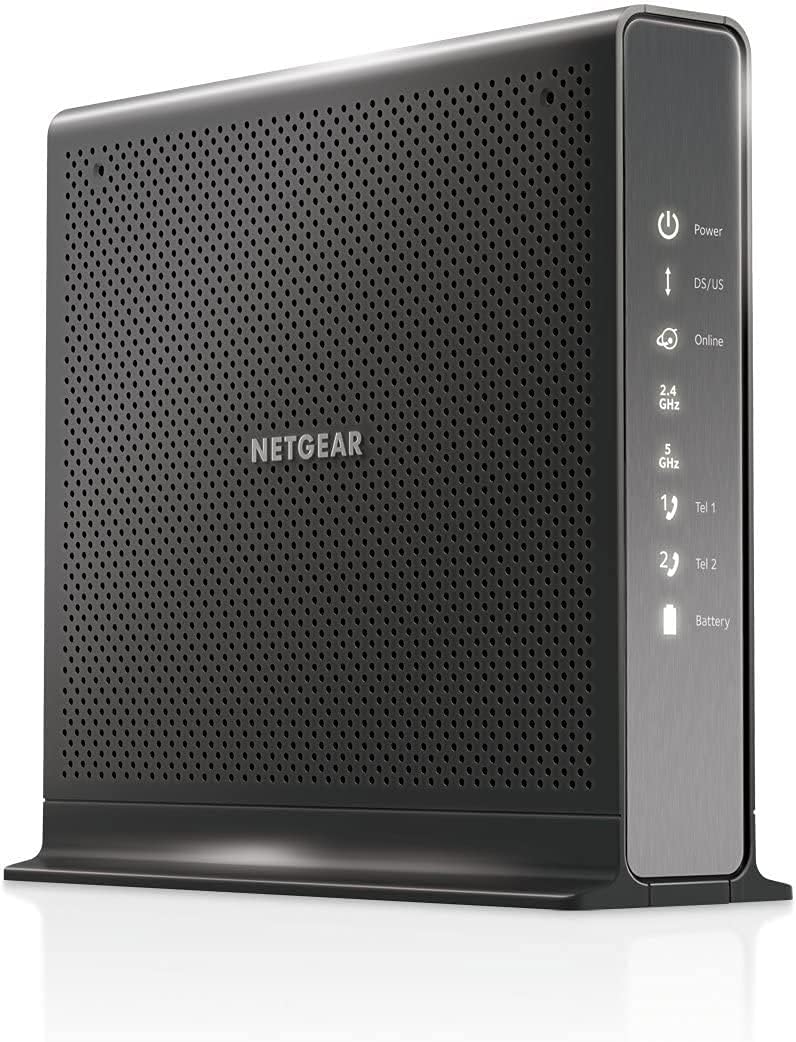
NETGEAR Nighthawk C7000
4.2Editor score
AC1900 Wi-Fi 5
DOCSIS 3.0
Four Gigabit ports
This guide compares the top ten cable modem and Wi-Fi router combo units to help you find the best device for your home network needs.
Choosing a reliable cable modem and Wi-Fi router combo can simplify your home network setup while reducing monthly rental fees. These all-in-one devices combine the functionality of two separate pieces of hardware into a single compact unit designed for efficient performance.
We evaluated ten leading models based on speed capabilities, coverage area, device capacity, and compatibility with major internet service providers. Our analysis focuses on real-world performance metrics and user feedback to ensure you select a unit that matches your specific connectivity requirements.
Each pick below highlights key strengths and potential limitations to help you make an informed decision. Prices and availability change frequently so please verify current details before purchasing to ensure you get the best value for your investment.
4.2Editor score

4.1Editor score

3.9Editor score
The following table provides a side-by-side overview of the top ten cable modem and Wi-Fi router combo units available in the current market to help you compare their core specifications at a glance.





The NETGEAR Nighthawk CAX30 stands out as a top contender for modern home networks combining advanced DOCSIS 3.1 technology with Wi-Fi 6 capabilities. It holds a solid rating from users who appreciate its ability to handle high-speed internet plans while providing robust wireless coverage across medium to large homes.
We may earn a commission when you buy through this link, at no additional cost to you.
This device delivers speeds up to 2.7 Gbps which is ideal for households with multiple streaming devices, gamers, and remote workers. The dual-band AX2700 router ensures efficient bandwidth distribution and supports over twenty-five connected devices simultaneously without significant slowdowns during peak usage times.
While the unit is pricier than older Wi-Fi 5 options the investment pays off in future-proofing and performance stability. The main trade-off is the lack of a USB 3.0 port which might limit external storage options for some users compared to previous Nighthawk models.
Homeowners seeking a reliable all-in-one solution that balances speed and coverage should strongly consider this model. It is compatible with major providers like Xfinity and Spectrum making it a versatile choice for most cable internet subscribers looking to eliminate monthly rental fees.
This model leverages OFDMA and MU-MIMO to improve network efficiency especially when multiple devices are active at once.
Built-in WPA3 encryption and firewall protection help safeguard your home network from external threats and unauthorized access.
We may earn a commission when you buy through this link, at no additional cost to you.
The NETGEAR Nighthawk C7000 offers a compelling balance of performance and value for households with moderate bandwidth needs. With a strong user rating it is known for consistent performance on cable plans up to 800 Mbps while providing reliable coverage for average-sized homes.
We may earn a commission when you buy through this link, at no additional cost to you.
Featuring AC1900 Wi-Fi 5 technology this combo supports up to 1.9 Gbps combined speeds. The inclusion of a USB 2.0 port adds flexibility for connecting external storage or printers while the four Gigabit Ethernet ports ensure stable wired connections for gaming consoles or desktop computers.
The primary limitation is its reliance on the older Wi-Fi 5 standard which may not fully utilize future speed upgrades from ISPs. However for most current users the performance remains adequate and the lower cost makes it an attractive option for budget-conscious consumers.
This unit is an excellent choice for those who want to save on rental fees without sacrificing essential functionality. It works seamlessly with providers like Xfinity and Cox and the Nighthawk app makes network management straightforward for users of all skill levels.
This model delivers consistent speeds for everyday tasks like streaming and browsing at a fraction of the cost of newer Wi-Fi 6 models.
The combination of Ethernet and USB ports allows for flexible device connections beyond just wireless devices.
We may earn a commission when you buy through this link, at no additional cost to you.
The renewed version of the NETGEAR Nighthawk CAX30 provides access to advanced DOCSIS 3.1 and Wi-Fi 6 features at a reduced price point. It shares the same technical specifications as the new unit making it an attractive option for shoppers looking to maximize value without compromising on performance.
We may earn a commission when you buy through this link, at no additional cost to you.
Users report reliable connectivity and speeds that match the demands of modern households including 4K streaming and online gaming. The link aggregation feature allows for optimized wired speeds for devices that support this function enhancing the utility of the included Ethernet ports.
Buying a renewed product means the unit has been inspected and tested but it may not carry the full new product warranty. This trade-off is generally acceptable for tech-savvy users who understand the value proposition and are comfortable with refurbished electronics.
This option is ideal for those who want the latest connectivity standards but are price-sensitive. It remains compatible with major ISPs and offers the same coverage area and device capacity as the new model ensuring you get the best features for your budget.
These units undergo rigorous testing to ensure they meet original factory specifications before being resold to customers.
Link aggregation allows for combining Ethernet ports to support higher wired speeds for compatible high-performance devices.
We may earn a commission when you buy through this link, at no additional cost to you.
This variant of the NETGEAR Nighthawk CAX30 includes a USB 3.0 port which distinguishes it from other models in the lineup. The device maintains the high-performance characteristics of the CAX30 series with strong support for gaming and high-bandwidth applications across the home.
We may earn a commission when you buy through this link, at no additional cost to you.
The inclusion of USB 3.0 allows for fast file transfers and better support for external drives which is useful for media servers. Combined with OFDMA technology the router efficiently manages network traffic to reduce latency and improve responsiveness during online activities.
While it shares the same core architecture as other CAX30 models the addition of USB 3.0 makes it more versatile for power users. The main drawback is the physical size which requires a dedicated space and may not fit well in smaller entertainment centers.
Gamers and power users who need both wireless speed and fast wired options will find this model highly suitable. It ensures that gaming consoles and PCs can stay connected with minimal lag while other family members stream or browse simultaneously.
The USB 3.0 port allows for high-speed external storage which can be used for network-attached storage solutions.
The DOCSIS 3.1 modem ensures you get the full speed from your ISP plan without bottlenecks from older hardware.
We may earn a commission when you buy through this link, at no additional cost to you.
The ARRIS Surfboard G34 combines robust DOCSIS 3.1 modem capabilities with AX3000 Wi-Fi 6 in a compact and modern design. It is engineered to handle ultrafast streaming and gaming loads up to 2.5 Gbps making it suitable for high-bandwidth households seeking space efficiency.
We may earn a commission when you buy through this link, at no additional cost to you.
This model offers a clean and simple footprint with clear LED indicators for quick status checks. The Wi-Fi 6 network delivers up to 3 Gbps wireless performance which ensures smooth connectivity even when multiple devices are active in the same vicinity.
Although it has a slightly lower user rating compared to some competitors the unit remains reliable for daily use. The lack of extensive features like USB ports or advanced app control might be a limitation for some users who desire more granular network management.
For users prioritizing a tidy setup and high-speed potential this device offers a strong value proposition. It works with major providers like Xfinity and Spectrum and is certified for reliability across various internet plans in the US market.
The compact footprint allows the device to fit easily on shelves or in tight spaces without cluttering your living area.
Support for speeds up to 2.5 Gbps ensures your network can handle future plan upgrades without needing a new modem.
We may earn a commission when you buy through this link, at no additional cost to you.
The renewed version of the NETGEAR Nighthawk C7000 offers an economical entry point into the world of combo modems without sacrificing core functionality. It retains the same capabilities as the new unit including support for up to 800 Mbps plans and solid coverage for most homes.
We may earn a commission when you buy through this link, at no additional cost to you.
This model supports around thirty connected devices which makes it a strong candidate for families with multiple smart gadgets. The AC1900 Wi-Fi ensures decent throughput for standard streaming and browsing tasks while the USB port adds basic connectivity options for peripherals.
As a renewed product it provides significant cost savings compared to buying new but comes with a different warranty profile. The performance remains consistent with the original specs so users can expect reliable operation for everyday internet needs without technical surprises.
Budget-conscious buyers seeking a dependable unit for standard cable plans will find this option highly effective. It is compatible with major providers and offers a practical solution for reducing rental fees while maintaining stable home connectivity.
Supporting up to thirty devices allows households to connect numerous smart TVs, phones, and IoT devices without performance loss.
The renewed status provides a cost-effective way to access a proven performer that has stood the test of time in many homes.
We may earn a commission when you buy through this link, at no additional cost to you.
The NETGEAR Nighthawk CAX80 delivers premium performance with AX6000 Wi-Fi 6 and a 2.5GbE port making it a powerhouse for demanding home networks. It is built to handle high-speed plans up to 2 Gbps while offering extensive coverage suitable for larger homes with multiple floors.
We may earn a commission when you buy through this link, at no additional cost to you.
This device supports over thirty connected devices and covers up to 2500 square feet ensuring reliable connectivity throughout large living spaces. The 2.5GbE port allows for ultra-fast wired connections which is ideal for network storage or high-end desktop PCs requiring maximum bandwidth.
While the feature set is impressive the high price might not be justified for average users with moderate internet needs. Additionally the complexity of advanced settings can be overwhelming for casual users who prefer straightforward plug-and-play solutions.
Tech enthusiasts and power users seeking top performance will find this model well worth the investment. It ensures that no part of the home network becomes a bottleneck whether for high-definition streaming or heavy data downloads across multiple users.
The inclusion of a 2.5GbE port future-proofs your wired network to handle speeds exceeding traditional Gigabit Ethernet limits.
With a range of 2500 square feet this device ensures strong signals reach even the farthest rooms in larger houses.
We may earn a commission when you buy through this link, at no additional cost to you.
The NETGEAR Nighthawk C7100V is designed specifically for users who require home phone service alongside their internet connection. It supports Xfinity Voice plans and includes two phone ports allowing for dual-line setup while maintaining reliable AC1900 Wi-Fi for everyday tasks.
We may earn a commission when you buy through this link, at no additional cost to you.
This device handles internet plans up to 600 Mbps which is sufficient for most streaming and browsing needs. The integration of voice services simplifies the setup process by combining modem router and phone functions into a single unit reducing cable clutter at the wall outlet.
The main limitation is its specialized nature which means it may not be as versatile for non-voice plans compared to standard modems. However for households needing VoIP phone support from their cable provider this unit offers a seamless and convenient solution.
Users with Xfinity Voice plans should consider this model to simplify their home network infrastructure. It ensures both internet and phone services remain stable and connected through a single device that is certified for reliability with the provider.
The two voice ports allow for connecting multiple phones directly to the router for easy landline service without extra equipment.
Combining data and voice services into one box reduces the number of devices needed for home connectivity.
We may earn a commission when you buy through this link, at no additional cost to you.
The NETGEAR C6250 is an entry-level combo unit ideal for smaller homes or basic internet plans. It supports cable plans up to 300 Mbps and delivers AC1600 Wi-Fi speeds ensuring reliable connectivity for streaming and web browsing without unnecessary complexity.
We may earn a commission when you buy through this link, at no additional cost to you.
With only two Gigabit Ethernet ports it is best suited for households with limited wired needs. The compact design makes it easy to place in small spaces while the simple setup process allows users to get online quickly without technical hurdles.
While it lacks the advanced features of higher-end models it serves its purpose well for standard usage. The main trade-off is the lower speed limit which may not be sufficient for households with many simultaneous high-bandwidth activities.
This device is perfect for single occupants or small families with moderate internet requirements. It offers a straightforward and cost-effective way to eliminate rental fees while maintaining stable connectivity for everyday tasks.
The small form factor ensures it fits easily into any room without taking up much space on a shelf or desk.
Compatible with major providers like Xfinity and Spectrum it offers a flexible solution for various cable internet plans.
We may earn a commission when you buy through this link, at no additional cost to you.
The ARRIS SBG7600AC2 is a reliable traditional combo modem offering solid performance for homes with cable plans up to 800 Mbps. It combines DOCSIS 3.0 technology with AC2350 Wi-Fi to ensure efficient handling of multiple devices and consistent streaming quality across the home.
We may earn a commission when you buy through this link, at no additional cost to you.
With four Gigabit Ethernet ports it offers flexibility for wired connections which is beneficial for devices that require stable network access. The SURFboard Central app provides user-friendly monitoring and control features that simplify network management for all family members.
While it uses older Wi-Fi 5 technology it remains a strong performer for standard household needs. The main drawback is the requirement to check compatibility with your specific provider which adds a small step before purchase but ensures optimal performance.
This device is an excellent choice for those seeking a well-tested and trusted solution from a reputable brand. It offers a balanced mix of speed and connectivity options that suits most average households looking to replace rental equipment.
ARRIS has sold hundreds of millions of modems making this unit a proven performer in homes across the country.
Having four Ethernet ports allows multiple devices to connect via cable which improves stability and speed for gaming or desktops.
We may earn a commission when you buy through this link, at no additional cost to you.
Selecting the right combo unit requires considering several factors to ensure compatibility and performance match your home needs.
Before purchasing any combo unit verify that it is certified to work with your specific internet service provider. Most units list approved providers on the packaging or product page so check this information carefully. Using an unapproved device can lead to activation failures or unstable connections.
The DOCSIS standard determines the maximum speed your modem can handle on the cable network. DOCSIS 3.1 is recommended for speeds above 400 Mbps and future-proofs your network for plan upgrades. Older DOCSIS 3.0 models are sufficient for lower speed tiers but may limit performance later.
Wi-Fi 6 (AX) offers better performance in congested areas and supports more devices efficiently compared to Wi-Fi 5 (AC). Consider your total connected device count when choosing the Wi-Fi speed rating. Higher speed classes like AX2700 or AX6000 provide better headroom for large households.
The coverage rating indicates how much square footage the router can effectively service. Larger homes may require models with higher power ratings or additional accessories like range extenders. Check the manufacturer specifications to ensure the unit matches your home size.
Some combo units include multiple Gigabit Ethernet ports which allow for stable wired connections for desktops or gaming consoles. If you need to connect many wired devices look for a model with at least four ports. USB ports add flexibility for external storage or printers.
Look for extra features like parental controls guest networks and security suites that help manage your home network. Apps that allow remote management and monitoring can simplify daily network tasks. Ensure the included security features match your privacy and protection needs.
Compare the upfront cost against the savings from eliminating monthly rental fees to determine how quickly the investment pays off. Higher-end models cost more but offer better performance and future-proofing for larger households. Balance your budget with the performance you actually need for daily use.
Modern combo units should include WPA3 encryption and built-in firewalls to protect your home network from intrusions. Check if the device supports regular automatic firmware updates to keep security patches current. A device with strong security standards ensures your connected devices remain safe.
Regularly check for firmware updates through the admin interface to ensure optimal performance and security. Reboot the device every few weeks to clear memory and maintain stable connections. If issues arise try unplugging the unit for thirty seconds before plugging it back in.
No a combo unit replaces both a standalone modem and router so you only need one device. This simplifies your setup by reducing cables and equipment needed for your home network. You save space and money since you avoid two separate rentals or purchases.
Not every combo unit works with every provider so always verify compatibility before purchasing. Most devices list compatible providers such as Xfinity Spectrum and Cox on their product page. Using an incompatible unit can lead to activation issues or unstable connections.
You can save approximately 150 to 170 dollars per year by avoiding monthly equipment rental fees. The upfront cost of a combo unit typically pays for itself within the first year of ownership. These savings accumulate over time making your own equipment a smart financial choice.
Many modern combo units support high speeds and low latency ideal for gaming and streaming. Models with DOCSIS 3.1 and Wi-Fi 6 offer the best performance for demanding applications. Always check the speed ratings to match your internet plan requirements.
Some combo units support voice services while others do not so check the product details carefully. Models like the C7100V are specifically designed to handle voice lines alongside internet data. Ensure your ISP supports voice integration with the combo device you choose.
Most combo units last between three to five years before technology advances make them obsolete. Regular maintenance and firmware updates can help extend the useful life of your device. Consider upgrading sooner if your internet plan speeds outpace the device capabilities.
Your Wi-Fi speed should match the number of devices and their usage habits in your home. Larger households with 4K streaming and gaming should opt for higher speed classes like AX2700 or AX3000. Smaller households may find AC1900 or AC1600 sufficient for basic needs.
Prices and availability may change so always check current listings for the most up-to-date pricing before making your purchase. Investing in a reliable combo unit provides long-term value and simplifies your home network setup significantly.