
Acer Nitro ED300C X1
4.3Editor score
200Hz refresh rate
1ms response time
AMD FreeSync Premium
Finding an affordable ultrawide monitor can transform your workspace without breaking the bank. These displays offer immersive screens that boost productivity and entertainment, making them ideal for gamers and professionals alike.
We evaluated ten leading models based on panel technology, refresh rates, connectivity options, and ergonomic features. Our analysis focuses on real-world performance and value to ensure you get the most for your investment.
Each pick highlights specific strengths and trade-offs to match your unique needs. Prices fluctuate frequently, so checking current listings is essential before making your final decision to secure the best deal available.
4.3Editor score

4.2Editor score

4.6Editor score
As an Amazon Associate we earn from qualifying purchases.
This side-by-side comparison outlines the key specifications and unique features of each selected monitor to help you make an informed decision based on your specific requirements.



The SANSUI 34-Inch Curved Gaming Monitor stands out for its impressive 200Hz refresh rate and sharp UWQHD resolution. It delivers a highly responsive experience suitable for competitive gaming and fast-paced content.
We may earn a commission when you buy through this link, at no additional cost to you.
Its Fast VA panel ensures quick response times and deep contrast while maintaining rich colors. The AI-powered features like Blue light reduction and Crosshair provide practical benefits for extended usage sessions.
While it lacks integrated speakers, the extensive port selection and ergonomic flexibility make up for it. Users might notice slight viewing angle limitations typical of VA panels but the performance compensates well.
This monitor is ideal for gamers seeking high frame rates on a budget. It balances speed, resolution, and advanced features to create a compelling package for enthusiasts.
AI features like Crosshair and Sniper Scope help players aim better during competitive matches without needing external overlays.
Two HDMI 2.1 ports and DP 1.4 support high bandwidth for consoles and PCs ensuring future-proof connections.
We may earn a commission when you buy through this link, at no additional cost to you.
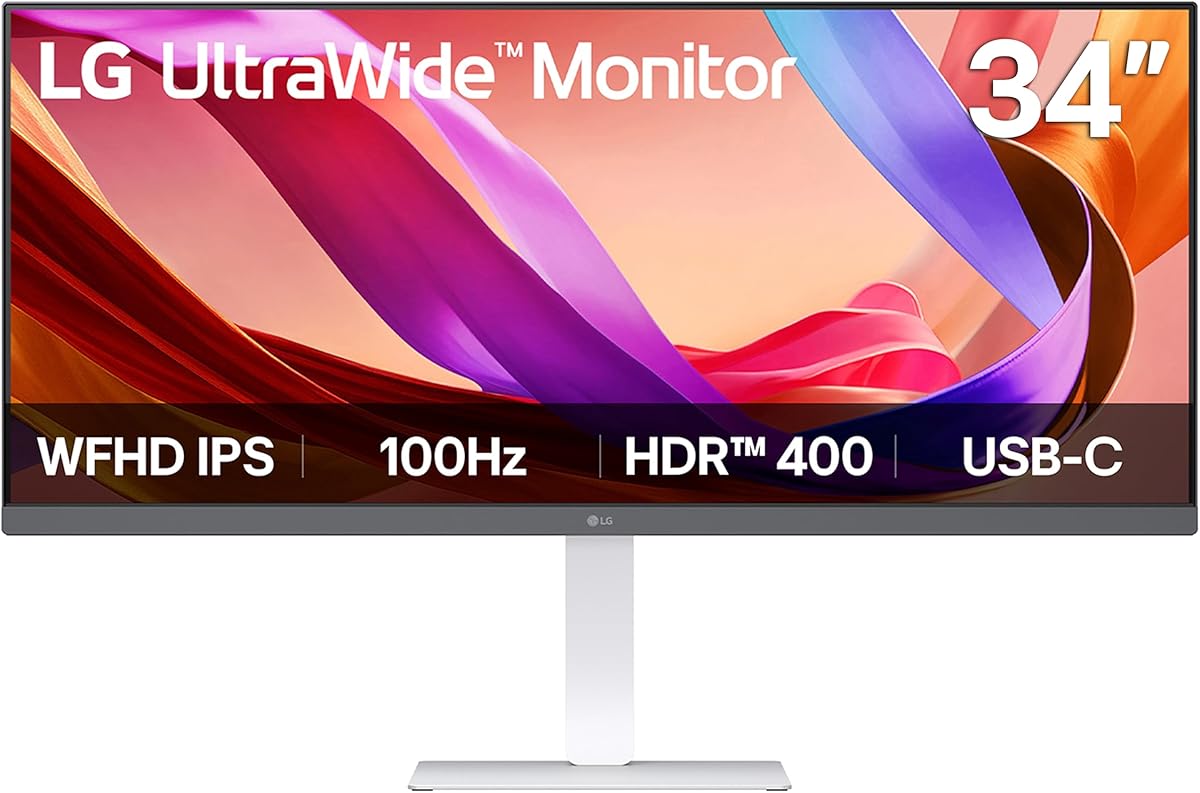
The LG 34U530A-W is designed for professionals needing reliable multitasking capabilities. Its IPS panel ensures consistent colors across wide angles which is crucial for design work.
We may earn a commission when you buy through this link, at no additional cost to you.
USB Type-C simplifies setup by handling power and video through one cable. The Switch app allows quick window splits enhancing productivity during busy workdays.
Although the resolution is standard Full HD on a 34-inch screen, the clarity remains sufficient for most office tasks. Some users might prefer QHD for text sharpness.
This model is best for office environments or creative workflows. It prioritizes usability and ergonomics making it a strong choice for daily productivity.
The Switch app lets you split the screen into six sections streamlining complex tasks without needing multiple monitors.
Reader Mode and eye care features reduce strain during long reading sessions ensuring comfort throughout the day.
We may earn a commission when you buy through this link, at no additional cost to you.
The MSI PRO MP341CQ offers a well-rounded feature set for both work and gaming. Its UWQHD resolution provides sharp details while the 120Hz refresh rate ensures smooth motion.
We may earn a commission when you buy through this link, at no additional cost to you.
Eye-care features like TUV certification help reduce fatigue during long sessions. The monitor supports firmware updates keeping it compatible with newer GPUs over time.
While speakers are included they are not high-fidelity which is common at this price point. The contrast ratio remains a standout feature making dark scenes look deep.
This is a great middle-ground option for mixed use. It delivers reliable performance and good ergonomics without compromising on essential specs.
Eye-Q Check tool helps you optimize display settings for healthier viewing habits reducing long-term strain on your eyes.
VESA mountability allows you to use third-party arms freeing up desk space for a cleaner workspace layout.
We may earn a commission when you buy through this link, at no additional cost to you.
The LG 34WR55QK-B combines premium build quality with impressive visual fidelity. Its curved design creates a natural viewing experience that pulls you into the content.
We may earn a commission when you buy through this link, at no additional cost to you.
HDR10 support enhances dynamic range making images pop with vibrant colors. The USB Type-C port supports power delivery keeping your laptop charged while working.
A 5ms response time is adequate for general use but might feel slow for competitive shooters. However, the overall package justifies the higher price for many.
This is ideal for professionals or media consumers wanting top-tier visuals. It balances luxury features with practical utility effectively.
OnScreen Control software simplifies display settings allowing quick adjustments via mouse clicks instead of physical buttons.
Adjustable height and tilt ensure you can find the perfect viewing angle reducing physical discomfort over time.
We may earn a commission when you buy through this link, at no additional cost to you.
This model features an IPS panel known for accurate colors and wide viewing angles. It is perfect for creative work where color fidelity is non-negotiable.
We may earn a commission when you buy through this link, at no additional cost to you.
The 96W USB-C power delivery allows charging high-performance laptops with a single cable. This reduces cable clutter significantly on your desk.
While the refresh rate is standard it handles motion smoothly for most casual gaming and video. The built-in speakers add convenience for quick calls.
Creative professionals will appreciate the color performance. It delivers a professional-grade experience in a versatile package.
With USB-C handling both video and power you can dock your laptop easily without needing separate power bricks.
Built-in DepthSound speakers provide clear audio for meetings or media playback without extra peripherals.
We may earn a commission when you buy through this link, at no additional cost to you.
Samsung prioritizes eye comfort here with features like Ambient Light Sensor and Eye Saver Mode. These adjust brightness automatically reducing strain during long hours.
We may earn a commission when you buy through this link, at no additional cost to you.
The 1 billion color depth creates rich HDR visuals that look vivid. Borderless bezel design minimizes distractions making multitasking more immersive.
A static contrast ratio of 3000:1 offers decent black levels for an IPS-like experience. However, it lacks USB-C charging which might be a drawback for some.
This is excellent for office workers concerned about eye health. It combines practical features with a sleek modern design.
The ambient light sensor adjusts screen brightness based on room lighting ensuring comfort without manual adjustments.
PIP and PBP modes allow you to view two sources simultaneously maximizing screen real estate efficiently.
We may earn a commission when you buy through this link, at no additional cost to you.
This variant of the S50GC focuses on design with thin bezels enhancing the visual continuity. It is great for multi-monitor setups where gaps matter.
We may earn a commission when you buy through this link, at no additional cost to you.
AMD FreeSync keeps gameplay smooth by syncing the monitor with your GPU. Eye care features ensure comfort during extended periods of work or play.
It offers similar performance to other models in its class but the design sets it apart. Users wanting a sleek look will find this appealing.
Ideal for those who value aesthetics alongside performance. It delivers a clean aesthetic without compromising on essential features.
Thin bezels create a seamless look especially useful in dual monitor configurations for a unified workspace.
AMD FreeSync ensures tear-free gaming by matching refresh rates dynamically with your graphics card output.
We may earn a commission when you buy through this link, at no additional cost to you.
CRUA delivers exceptional value with a 165Hz IPS panel at a budget price. It combines color accuracy with high refresh rates for a versatile experience.
We may earn a commission when you buy through this link, at no additional cost to you.
The IPS panel ensures vibrant colors and good viewing angles. Speakers are included which is rare at this price point adding convenience.
While it lacks USB-C the HDMI and DP connections cover most modern devices. The stand tilt helps reduce glare but lacks full ergonomic adjustment.
This is perfect for gamers on a budget. It proves you do not need to overspend for high performance features.
Get 165Hz refresh and UWQHD resolution without the high cost usually associated with premium gaming monitors.
Built-in speakers reduce cable clutter by handling basic audio needs without external headphones or speakers.
We may earn a commission when you buy through this link, at no additional cost to you.
This Acer Nitro model pushes refresh rates to 200Hz making it one of the fastest options available. It prioritizes speed and responsiveness for competitive gaming.
We may earn a commission when you buy through this link, at no additional cost to you.
FreeSync Premium ensures smooth gameplay without tearing. The curved screen enhances immersion wrapping visuals around your peripheral vision.
Resolution is standard Full HD which means text may look less sharp. However for gaming this screen prioritizes motion and fluidity over clarity.
Best for FPS gamers needing low input lag. It provides a smooth experience at an attractive price point.
200Hz refresh rate ensures fluid motion critical for fast-paced shooters and racing simulations.
1800R curve wraps around your eyes reducing strain during extended gaming marathons.
We may earn a commission when you buy through this link, at no additional cost to you.
KTC offers a unique HVA panel that delivers excellent contrast and deep blacks. This makes dark scenes in movies and games look rich and detailed.
We may earn a commission when you buy through this link, at no additional cost to you.
The fully ergonomic stand allows tilt swivel pivot and height adjustments. This flexibility ensures you can position the screen perfectly for any desk.
While KTC is a newer brand their warranty promises reliable support. The 180Hz rate balances speed and visuals effectively for most users.
This is great for those prioritizing contrast. It offers premium features often found in more expensive displays.
HVA panels deliver 4000:1 contrast creating deeper blacks than typical IPS monitors for immersive visuals.
Adjustable stand supports tilt pivot swivel and height ensuring optimal viewing posture for comfort.
We may earn a commission when you buy through this link, at no additional cost to you.
Selecting the right monitor involves balancing specs with needs. This section covers key factors to consider before buying.
Resolution defines how sharp your images and text appear. Ultra Wide Full HD (2560 x 1080) is budget friendly but text may look less sharp on a 34-inch screen. Ultra Wide QHD (3440 x 1440) offers better clarity and more detail making it preferable for productivity and gaming.
Look for QHD if you read text often or do creative work.
Panel type determines color and contrast. IPS offers best color accuracy and viewing angles. VA delivers deeper blacks and higher contrast. TN is fastest but worst color.
Pick IPS for color work or VA for dark movie rooms.
Refresh rate measures how many images display per second. Higher rates like 165Hz or 200Hz make motion smoother for gaming. Standard 60Hz or 75Hz works for general tasks.
Choose high rates for competitive gaming or fast-paced games.
Response time is how fast a pixel changes color. Faster times like 1ms reduce ghosting and blur during movement. Slower times cause smearing in fast scenes.
Select low response times for gaming or sports content.
Ports allow connecting your devices. HDMI is common for all devices. DisplayPort supports higher resolutions and refresh rates. USB-C simplifies setup with single cable charging.
Ensure your PC has matching ports before buying.
Ergonomic features help adjust height tilt and swivel. Proper positioning reduces strain on your neck and back during long sessions.
Pick models with full height adjustment for comfort.
Extras like HDR improve dynamic range. FreeSync or G-Sync reduce screen tearing. OnScreen tools allow quick multitasking setups.
Choose features that match your specific workflow needs.
Set up your monitor in a stable spot away from direct sunlight to prevent glare. Clean the screen with a soft microfiber cloth to avoid scratches.
Use built-in tools like Picture-in-Picture to manage windows efficiently. Adjust height and tilt to align with your eye level for comfort.
Update firmware regularly to maintain performance and compatibility. Avoid exposing the unit to extreme temperatures or moisture.
A 34-inch monitor requires about 24 inches of width. Most standard desks can accommodate it comfortably. It provides ample screen space without overwhelming a normal office setup.
Curved screens wrap around your vision offering a more immersive feel. Flat panels are easier to use for precise design work. Choose based on preference and desk setup.
Most support Macs via HDMI or USB-C. Some require adapters for older Macs. Check port compatibility to ensure seamless connection without extra cables.
Yes they provide wider fields of view in games. Higher refresh rates ensure smooth motion during play. Look for adaptive sync to avoid screen tearing.
High resolutions may need a capable GPU. Entry cards can run these monitors at lower refresh rates. Check GPU specs to match resolution needs.
Use a dry microfiber cloth to remove dust. Avoid spraying liquid directly on the screen. This protects the coating and prevents damage.
USB-C with power delivery can handle both video and charging. It simplifies connections especially for laptops. Check wattage to ensure your laptop charges fully.
Yes especially models with IPS panels. They offer accurate colors required for design tasks. Ensure sRGB coverage is high for professional results.
These ten options provide a range of features suitable for different users. From high refresh gaming to ergonomic office setups there is a model for every need.
Prioritize resolution and panel type based on your primary activities. Gaming benefits from speed while creative work requires color accuracy.
Always verify current availability before purchasing. Prices and stock change frequently so checking listings ensures you secure the best deal available.