
Dell Optiplex 9020 Desktop Computer
3.6Editor score
Intel Quad-Core i5 Processor
8GB DDR3 RAM Memory
20 inch Monitor Included
This guide compares the top desktop computers for kids including all-in-one and tower bundles with performance specs storage and durability for students and
Finding the right desktop computer for kids can be challenging given the variety of options available today. You need a machine that balances performance for schoolwork and entertainment with durability and ease of use for young users.
We have evaluated ten reliable desktop bundles ranging from compact all-in-one units to powerful tower setups. Each option was selected based on processor speed memory capacity storage type and included peripherals to ensure they meet family needs.
Each pick highlights key specifications and real-world usability notes to help you decide quickly. Please note that availability and pricing fluctuate regularly so verify current details before making your final purchase decision.
3.6Editor score

4.5Editor score

4.3Editor score
Here is a side-by-side look at the top ten desktop bundles reviewed in this guide. We compare their key specifications and included accessories so you can find the right fit for your child needs school and play needs.




This refurbished Dell desktop offers a complete bundle including a monitor and RGB accessories for under a moderate budget. It features an Intel Quad-Core i5 processor capable of handling standard homework and light media consumption smoothly.
We may earn a commission when you buy through this link, at no additional cost to you.
The 8GB DDR3 RAM allows for multiple browser tabs and basic apps to run without significant lag. Users benefit from a clean Windows 11 Pro installation without preloaded bloatware which helps maintain system responsiveness over time.
While the storage capacity is modest compared to modern standards it is sufficient for storing school documents and smaller game installs. The main trade-off is the use of older memory technology which limits heavy multitasking potential.
It is an excellent choice for families seeking a no-frills reliable system for basic computing tasks. The included RGB bundle adds a touch of personalization that younger users often appreciate in their setup.
The package includes essential peripherals like a monitor and RGB mouse which reduces the need for separate purchases.
All units come with a 90-day warranty ensuring protection against unexpected hardware issues during initial use.
We may earn a commission when you buy through this link, at no additional cost to you.
This HP all-in-one system stands out for its sleek design and modern connectivity features. It is built to serve as a central hub for both home study and light entertainment tasks with ease.
We may earn a commission when you buy through this link, at no additional cost to you.
The 21.5-inch display offers sharp text and vibrant colors thanks to its anti-glare VA panel. Students will appreciate the comfortable viewing angles and clarity provided during long reading or writing sessions.
A unique feature is the 8-in-1 docking hub which allows expansion through an SD card for extra storage space. This flexible approach keeps the desk tidy while still offering room for growing file collections.
It is highly recommended for families who value a clean setup with minimal cable clutter. The combination of performance and visual quality makes it a top contender for young learners today.
An included SD card expands total storage capacity for larger media files or additional apps without replacing the drive.
The system includes USB-C and multiple USB-A ports allowing easy connection to printers and external devices.
We may earn a commission when you buy through this link, at no additional cost to you.
This refurbished HP desktop brings powerful specs to the table including a generous 16GB of RAM. It is designed to handle multitasking efficiently so users can switch between apps without slowdowns.
We may earn a commission when you buy through this link, at no additional cost to you.
The 1TB hard drive offers ample room for storing large video projects or extensive photo albums. The 22-inch monitor provides a wide workspace for creative tasks or immersive gaming sessions.
RGB lighting on the keyboard and mouse adds a stylish element that appeals to younger users. However the reliance on a traditional hard drive means boot times are slower compared to SSD systems.
It suits households that need substantial storage and memory for demanding applications. The renewed status ensures value but buyers should inspect the physical condition upon arrival.
With 16GB of RAM this system supports heavy multitasking without noticeable lag even with many tabs open.
One terabyte of storage ensures you can keep years of digital memories and large software installations locally.
We may earn a commission when you buy through this link, at no additional cost to you.
This Dell bundle distinguishes itself with a massive 2TB hard drive for extensive data storage. It is ideal for families with large media libraries or heavy file usage patterns.
We may earn a commission when you buy through this link, at no additional cost to you.
The 16GB RAM ensures smooth operation across multiple applications and browser windows. The included monitor and RGB peripherals provide a full workspace right out of the box.
Performance remains consistent for daily tasks though the older processor generation may struggle with newer high-end software. The hard drive also takes longer to boot the system compared to SSD models.
It is best suited for users who prioritize storage space over raw processing speed. The renewed warranty gives peace of mind for those looking for budget friendly bulk storage.
Two terabytes of space allows for unlimited downloads and video storage without constant file management.
A complete set of RGB accessories saves time and effort setting up a functional workstation immediately.
We may earn a commission when you buy through this link, at no additional cost to you.
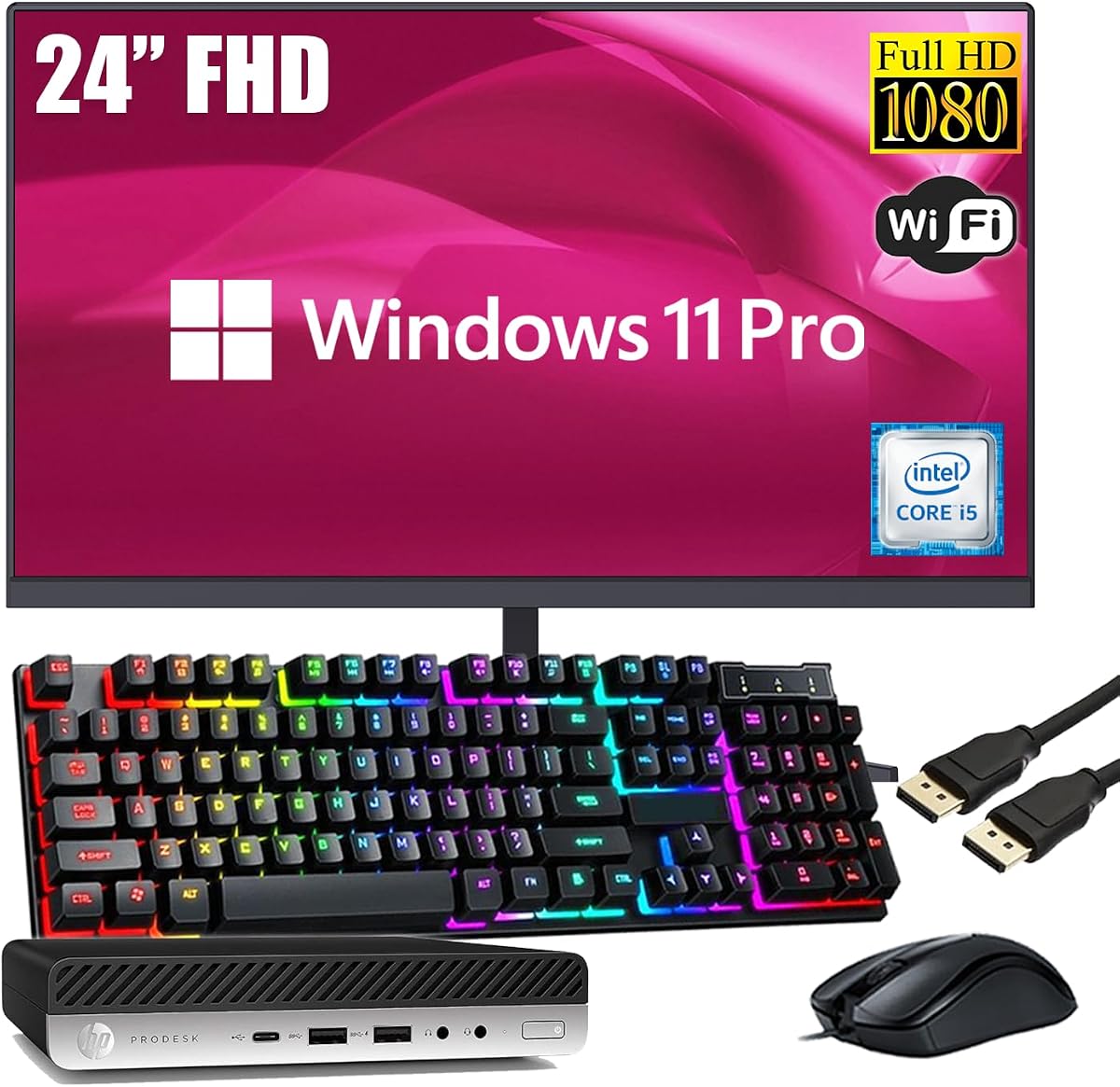
This HP compact desktop combines an 8th Gen i5 processor with a fast SSD for responsive performance. It is a practical option for families needing quick boot times and reliable daily use.
We may earn a commission when you buy through this link, at no additional cost to you.
The 24-inch monitor provides a spacious viewing area that is great for reading and video streaming. The inclusion of modern WiFi 6 ensures stable internet connections for online classes and gaming.
RGB peripherals and a webcam are included making this a ready-to-use package for home schooling. The small form factor saves desk space but may limit future hardware customization options.
It is recommended for users who value speed and connectivity in a small package. The SSD ensures applications launch quickly which is a significant advantage for impatient young learners.
A 500GB solid state drive provides much faster data access than traditional hard drives for smoother workflow.
Built-in WiFi 6 and Bluetooth keep the system connected to modern networks and wireless peripherals seamlessly.
We may earn a commission when you buy through this link, at no additional cost to you.
The mini form factor makes this system ideal for small desks or tight study spaces. It delivers solid performance for general tasks while keeping the physical footprint minimal on the desk.
We may earn a commission when you buy through this link, at no additional cost to you.
The SSD ensures quick system startup and fast access to files and applications. A 24-inch monitor is included providing clear visuals for homework and casual media consumption.
The pre-built nature of the bundle simplifies the setup process significantly. Users just need to connect the cables and power up to begin using the computer immediately.
This option is best for users who prioritize space saving and convenience over heavy customization. The USB-C port adds modern connectivity for future expansion and data transfer needs.
The mini desktop fits easily on any desk or shelf saving valuable workspace for books and notes.
The SSD provides fast boot times so you spend less time waiting and more time working.
We may earn a commission when you buy through this link, at no additional cost to you.
This Lenovo all-in-one system focuses on efficiency with a lightweight processor and fast storage. It is well-suited for daily home office tasks and educational activities that require quick access.
We may earn a commission when you buy through this link, at no additional cost to you.
The 23.8-inch display offers crisp visuals with anti-glare properties for comfortable use. Wireless peripherals are included which helps keep the workspace free from unnecessary cable clutter.
The 16GB RAM ensures smooth multitasking across productivity apps and media players. Storage is fast though limited in capacity compared to traditional hard drives for large archives.
It is a strong choice for students needing a clean and modern setup. The combination of SSD speed and wireless connectivity makes it practical for daily study routines.
Wireless keyboard and mouse reduce cable clutter allowing for a cleaner desk arrangement.
A PCIe SSD ensures files open quickly and the system boots up faster than HDD models.
We may earn a commission when you buy through this link, at no additional cost to you.
This Lenovo model stands out for its borderless display and high-speed storage capabilities. It offers a visually immersive experience that is perfect for media consumption and creative work.
We may earn a commission when you buy through this link, at no additional cost to you.
The NVMe SSD provides lightning-fast boot times and data transfer speeds. Combined with 16GB of RAM it handles demanding multitasking scenarios with ease and stability.
The sleek design reduces desk clutter while maintaining a professional look. Users benefit from a built-in HD webcam making video calls and online classes convenient without extra hardware.
It is recommended for users seeking a premium all-in-one solution for home and study. The high-quality screen and fast performance make it a worthwhile investment for long-term use.
The borderless display with 99% sRGB accuracy delivers stunning colors for media and creative tasks.
The NVMe SSD ensures applications launch instantly and files transfer at high speeds.
We may earn a commission when you buy through this link, at no additional cost to you.
This budget friendly Dell package offers essential computing capabilities for basic tasks. It includes a smaller monitor which fits well on compact desks where space is at a premium.
We may earn a commission when you buy through this link, at no additional cost to you.
The inclusion of a DVD drive is a rare feature in modern systems useful for physical media and legacy software. The Intel Quad Core processor ensures steady performance for web browsing and document editing.
It is ideal for users who need a simple reliable system without extra features. The Windows 11 Pro upgrade ensures modern security features are available for safer internet use.
This option is best for entry-level setups where cost efficiency is a priority. The 90-day warranty provides basic protection for the renewed hardware components.
A built-in DVD drive allows for reading older discs and physical media without external drives.
The 19-inch monitor saves significant desk space making it perfect for tight corners.
We may earn a commission when you buy through this link, at no additional cost to you.
The Lenovo IdeaCentre brings a modern touch with its efficient processor and quality IPS display. It is designed to be a reliable daily driver for students and home workers alike.
We may earn a commission when you buy through this link, at no additional cost to you.
The 512GB SSD provides ample fast storage for essential apps and files. WiFi 6 ensures stable and quick internet connections which is vital for online learning and streaming.
Wireless peripherals are included creating a tidy and organized workspace immediately. The anti-glare screen helps reduce eye strain during long study sessions.
This model is a great fit for families wanting a contemporary all-in-one without breaking the bank. The balance of speed and visuals makes it a solid long-term solution.
The IPS anti-glare screen offers wide viewing angles and accurate colors for all users.
USB-C support allows for fast data transfer and compatibility with future accessories.
We may earn a commission when you buy through this link, at no additional cost to you.
Choosing the right desktop requires balancing performance durability and ease of use. Here are the key factors to consider before making your decision.
The processor acts as the brain of the computer affecting how fast tasks are completed. For students a Quad-Core i5 or newer N100 chip is usually sufficient for multitasking.
Look for at least 3GHz boost speeds to ensure smooth performance during video calls or light creative apps.
RAM determines how many programs can run simultaneously without slowing down. Eight gigabytes is a standard baseline while 16GB provides extra headroom for heavy users.
Choose 16GB if the child plans to run many tabs or creative software at the same time.
Solid State Drives are significantly faster than Hard Disk Drives for booting up and loading apps. SSDs improve overall system responsiveness and user satisfaction.
Prioritize SSDs if possible but ensure the capacity is large enough for storing school files and media.
A clear display protects eyes during long study sessions and improves readability. Look for Full HD resolution and anti-glare coatings.
Larger screens like 24 inches offer more workspace but ensure the desk has enough space.
Modern systems should include WiFi 6 and Bluetooth to connect to routers and peripherals wirelessly. USB ports should include at least one Type-C for versatility.
Check for enough ports to connect printers external drives and headsets without needing hubs.
Refurbished units are cost-effective but come with warranties that vary by seller. A 90-day warranty is standard for renewed hardware to cover initial failures.
Always check return policies and seller ratings before purchasing certified refurbished computers.
Bundles that include a monitor keyboard and mouse save time and money on separate purchases. Ensure the peripherals match the style and quality preferences.
RGB accessories add fun but verify they work well with the operating system.
Windows 11 is the latest standard offering better security and interface features. Ensure the system is fully installed and ready to use upon arrival.
A clean installation without bloatware improves performance and reduces potential security risks.
Always place the computer on a flat stable surface away from direct sunlight or heat sources to maintain optimal internal temperature.
Use a surge protector to safeguard sensitive components from power spikes and lightning strikes during storms.
Keep the keyboard and screen clean by gently wiping them with a soft dry cloth and avoiding harsh chemicals.
Yes certified refurbished computers undergo strict testing to ensure functionality and safety. They often come with warranties and are a cost-effective way to access quality hardware.
Most of the listed bundles include Windows 10 or 11 pre-installed. Verify the listing to confirm the operating system version before purchase.
Many tower models allow RAM upgrades but all-in-one units often do not. Check the specific model details if future upgrades are a priority.
A screen between 22 and 24 inches provides a comfortable viewing experience for reading and writing without taking up too much desk space.
An SSD offers faster boot times and quicker file access which keeps the user engaged and productive. It is generally preferred over HDD for daily school work.
For basic schoolwork and media a 500GB drive is sufficient. Larger families or those with extensive media may prefer 1TB or more.
We reviewed ten desktop bundles ranging from budget friendly refurbished units to premium all-in-one systems for families.
Prioritize SSD storage and at least 8GB of RAM to ensure smooth performance for homework and entertainment tasks.
Verify current availability and warranty details on the product pages before finalizing your purchase.