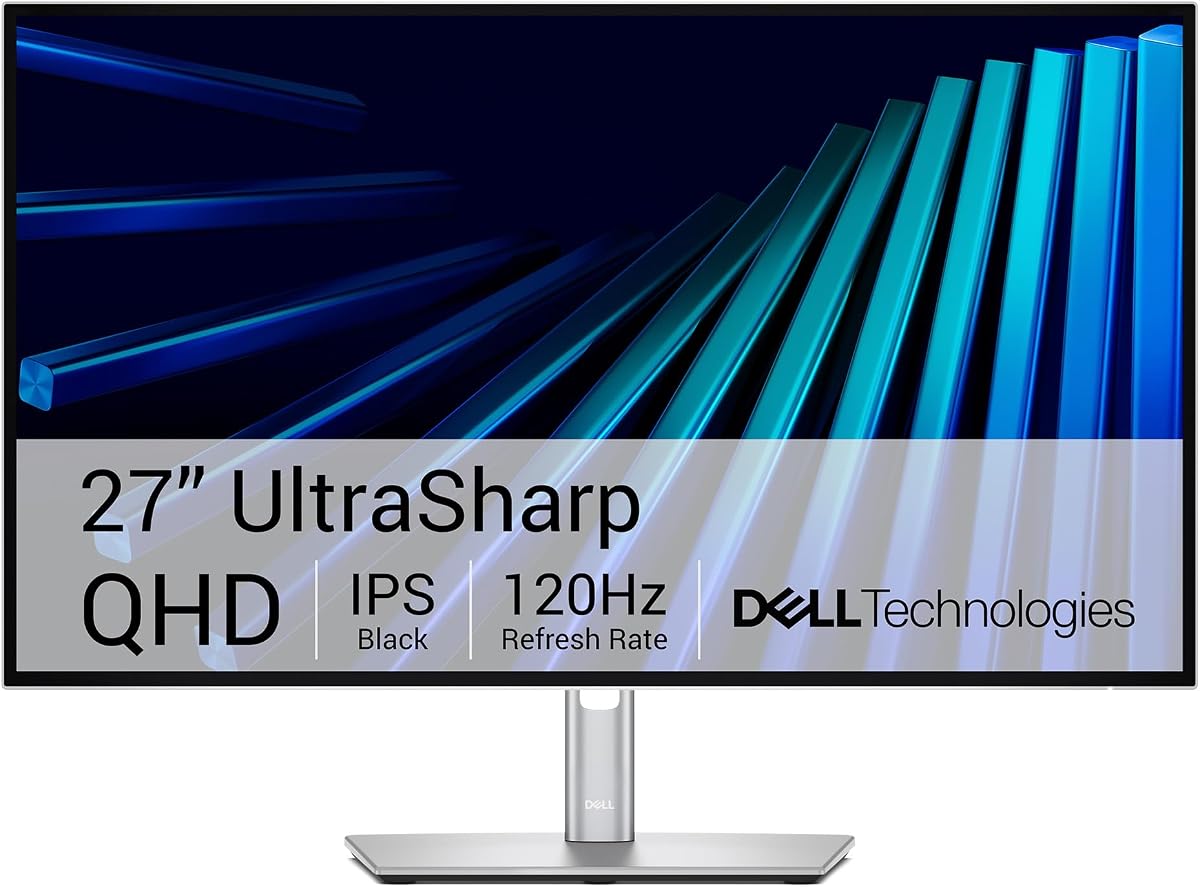
Dell UltraSharp 27 Thunderbolt Hub Monitor – U2726DER, QHD
5.0Editor score
98% Display P3 coverage
Thunderbolt hub connectivity
Built-in KVM switch support
Finding the right computer monitors for MacBook Pro is essential for unlocking the full potential of your Apple laptop. A great external display enhances productivity, creativity, and entertainment by offering larger screen real estate and sharper visuals than the built-in screen ever could.
We have carefully evaluated ten standout models based on resolution, color accuracy, connectivity options, and ergonomic design. Each product was selected to ensure seamless integration with macOS, delivering reliable performance for work, design, and gaming without compromising on quality or comfort.
This guide highlights the unique strengths of every pick so you can make an informed decision that matches your specific workflow. Please note that availability and details may change over time, so checking the latest information before purchasing is always recommended for the best experience.
5.0Editor score

4.5Editor score

4.7Editor score
As an Amazon Associate we earn from qualifying purchases.
The following table provides a side-by-side comparison of all ten monitors to help you quickly identify which model aligns with your needs for resolution, refresh rate, and connectivity features.



The LG 27UP850K-W stands out as a top contender for MacBook Pro users seeking high fidelity visuals and robust connectivity. With a 4K UHD IPS panel and support for 95% DCI-P3 color gamut, it delivers vibrant and true-to-life images that are crucial for creative work and media consumption. The integrated USB-C port provides up to 90W of power delivery, allowing you to charge your laptop while connecting to the display with a single cable. This seamless integration makes it an ideal choice for professionals who value efficiency and visual quality in their workspace setup.
We may earn a commission when you buy through this link, at no additional cost to you.
A major strength of this monitor is its comprehensive port selection, which includes USB-C, HDMI, DisplayPort, and USB 3.0 ports. This variety ensures compatibility with various peripherals and legacy devices without the need for extra adapters. The built-in stereo speakers equipped with Waves MaxxAudio provide decent audio quality for video calls and casual media playback. Additionally, the Switch app transforms your screen into a multitasking hub, enabling you to split the display into multiple sections or launch video calls with simple hotkeys, significantly boosting productivity during long work sessions.
While the monitor excels in many areas, there are some trade-offs to consider. The speakers, while functional, may not satisfy audiophiles or those requiring immersive sound for gaming and entertainment. Furthermore, adaptive sync capabilities are somewhat limited compared to dedicated gaming monitors, which might be a drawback for competitive gamers. However, for general productivity and content creation, these limitations are negligible. The ergonomic stand allows for height tilt and pivot adjustments, ensuring you can find a comfortable viewing angle throughout the day.
In conclusion, the LG 27UP850K-W is highly recommended for MacBook Pro users who prioritize color accuracy and versatile connectivity. It offers a balanced combination of performance, features, and usability that caters well to professionals and creatives alike. Whether you are editing photos watching movies or managing complex projects, this monitor provides a reliable and high-quality display experience. We suggest considering this model if you need a versatile all-in-one solution that integrates smoothly with your Mac ecosystem.
This monitor also features a user-friendly interface that simplifies navigation through its various settings and modes. The Black Stabilizer and Dynamic Action Sync technologies enhance visibility in dark scenes and reduce input lag respectively, which can be beneficial for casual gaming or immersive viewing. The VESA DisplayHDR 400 certification ensures that content with high dynamic range is rendered with appropriate brightness and contrast levels. These features collectively contribute to a versatile viewing experience that adapts to different types of content and usage scenarios effectively.
Ergonomics play a significant role in long-term comfort and the stand on this model is designed to support flexible positioning. The ability to adjust height tilt and pivot ensures that you can maintain a healthy posture even during extended work hours. The slim bezel design also minimizes distractions and creates a more immersive viewing environment. Overall, the combination of visual fidelity, connectivity options, and ergonomic design makes this monitor a strong choice for anyone looking to upgrade their setup with a reliable external display.
With 95% DCI-P3 color gamut expression, this monitor ensures that colors are rendered accurately and vividly. This is essential for photo and video editing where precise color representation is critical to the final output quality.
The USB-C port with 90W power delivery allows you to connect your MacBook Pro using just one cable. This simplifies your desk setup by transmitting video data and charging your laptop simultaneously without additional adapters.
We may earn a commission when you buy through this link, at no additional cost to you.
The Dell UltraSharp 27 Thunderbolt Hub Monitor represents the pinnacle of professional display technology for Mac users. Its factory-calibrated color accuracy with 98% Display P3 coverage ensures that your photos videos and designs look exactly as intended. This level of precision is unmatched in many consumer-grade monitors and makes it a favorite among designers and creative professionals. The Thunderbolt hub functionality allows for high-speed data transfer and video output through a single connection, streamlining your workflow significantly.
We may earn a commission when you buy through this link, at no additional cost to you.
One of the most notable features of this monitor is the built-in KVM switch which enables you to control two different machines with a single keyboard and mouse. This is incredibly useful for users who need to switch between a personal laptop and a work device seamlessly. The light ash finish and virtually borderless screen contribute to a refined aesthetic that looks clean on any desk. The ergonomic stand supports various adjustments to ensure comfort during long work sessions.
While the monitor is priced at a premium level, the features it offers justify the investment for serious professionals. The QHD resolution provides sharp and clear visuals although some users might prefer 4K for detailed work. However, the color accuracy and connectivity options more than make up for this. The Dell Display and Peripheral Manager app allows for easy fine-tuning of settings to match your specific needs and workflow requirements.
In summary, this monitor is an ideal choice for those who demand the highest standards of color fidelity and connectivity. It is particularly beneficial for creators and executives who need a reliable and high-performance display. The combination of Thunderbolt technology, KVM switching, and exceptional color accuracy makes it a standout product in its class. We highly recommend it for professionals who value quality and efficiency in their daily work.
The monitor also features a smooth 120Hz refresh rate which enhances the visual experience for both work and light gaming. Deep blacks and rich contrast contribute to sharper details and seamless transitions. The anti-glare coating helps maintain visibility in bright environments without compromising color accuracy. These elements combine to create a viewing experience that is both comfortable and visually striking throughout the day.
For users managing multiple devices, the KVM functionality is a game-changer that reduces cable clutter and improves productivity. The ability to switch between computers instantly saves time and effort. The Thunderbolt hub also supports high-speed peripheral connections ensuring that your external drives and other accessories perform at their best. This comprehensive approach to connectivity and display quality makes the monitor a versatile tool for any professional workspace.
Factory calibration ensures that colors are accurate out of the box. This eliminates the need for additional calibration tools and saves time for professionals who need reliable visuals immediately.
Thunderbolt connectivity provides fast data transfer and video output in one cable. This simplifies your setup and supports high-speed peripherals for an efficient workflow.
We may earn a commission when you buy through this link, at no additional cost to you.
The Dell 24 Plus Monitor offers an exceptional balance of performance and affordability making it a top budget choice for MacBook Pro users. With a 144Hz refresh rate and 1ms response time, it provides a smooth and tear-free viewing experience that is ideal for both work and gaming. The FHD resolution is clear and sharp for everyday tasks while the integrated dual 3W speakers add convenience for audio playback. This monitor delivers solid performance without the premium price tag of higher-end models.
We may earn a commission when you buy through this link, at no additional cost to you.
Ergonomics are well considered in this design with full height tilt pivot and swivel adjustability. This flexibility ensures that you can position the screen for optimal comfort and reduce strain during long sessions. The TUV-certified eye comfort features help reduce harmful blue light emissions while maintaining image quality. The sleek Ash White design adds a modern touch to any workspace and complements the aesthetic of Apple devices effectively.
While the resolution is limited to FHD, the high refresh rate compensates by delivering fluid motion and quick response times. This makes it a great choice for users who prioritize smooth visuals over ultra-high detail. The AMD FreeSync technology further enhances the experience by synchronizing the refresh rate with your graphics card to minimize tearing. For general productivity and casual gaming, this monitor is a reliable and cost-effective option.
In conclusion, the Dell 24 Plus is a highly recommended budget monitor that does not compromise on essential performance features. It is particularly well-suited for students or professionals who need a responsive display without breaking the bank. The combination of high refresh rate adjustable stand and eye comfort features makes it a versatile choice. We believe it offers excellent value for anyone looking to upgrade their setup economically.
The monitor also supports HDMI connectivity which is widely compatible with various devices and setups. The Dell Display and Peripheral Manager app allows you to optimize the performance of your workspace further. This software integration enhances usability and provides additional control over display settings. The overall design and functionality make it a practical addition to any desk environment.
For users seeking a reliable and responsive display at an accessible price point, this monitor stands out as a strong contender. The ability to adjust the screen to your preferred position ensures comfort throughout the day. The smooth motion handling and eye care features contribute to a pleasant viewing experience. Overall, it is a solid investment for those who value performance and ergonomics in a budget-friendly package.
The 144Hz refresh rate ensures fluid visuals during fast-paced tasks. This is beneficial for gaming and scrolling through content without motion blur or lag.
Full adjustability allows you to find the perfect viewing angle. This helps reduce neck and eye strain during long work sessions.
We may earn a commission when you buy through this link, at no additional cost to you.
The Dell 27 Monitor S2725QC offers a compelling mix of 4K resolution and high refresh rate for a competitive price. With 99% sRGB coverage and IPS technology, it delivers vibrant and accurate colors suitable for general creative tasks. The 120Hz refresh rate ensures smooth visuals which is beneficial for both productivity and casual gaming. The USB-C connectivity with 65W power delivery simplifies your desk by allowing a single cable to handle video and charging.
We may earn a commission when you buy through this link, at no additional cost to you.
ComfortView Plus technology reduces harmful blue light emissions to ensure all-day comfort without sacrificing color accuracy. This feature is particularly useful for users who spend long hours in front of the screen. The 1500:1 contrast ratio and HDR readiness provide excellent depth and detail in images and videos. The re-engineered sound quality also adds value by providing detailed audio through the built-in speakers.
While the power delivery is limited to 65W which may not fully charge high-performance laptops, it is sufficient for most use cases. The 4ms response time is adequate for general use but might not satisfy competitive gamers. However, the overall balance of features makes it a solid choice for everyday work and media consumption. The FreeSync Premium support helps reduce screen tearing for a smoother visual experience.
In summary, this monitor is a great option for those who want 4K clarity and high refresh rate without a high price tag. It is particularly well-suited for users who value color accuracy and eye comfort. The single cable connectivity is a significant convenience factor for modern setups. We recommend it for professionals and students looking for a versatile and capable display.
The monitor also supports easy connectivity options that help keep your desk organized. The vibrant colors and detailed sound contribute to an immersive viewing experience. The overall design is sleek and fits well in various workspace environments. This combination of visual quality and usability makes it a reliable choice for daily tasks.
For users seeking a balance of resolution and refresh rate, this monitor delivers strong performance. The ComfortView Plus ensures eye comfort during extended use. The single cable setup reduces clutter and improves efficiency. Overall, it is a practical and high-quality display for a variety of needs.
The 4K UHD display provides sharp visuals with vibrant colors. This is ideal for detailed work and high-quality media consumption.
USB-C with 65W power delivery allows for simple connectivity. This reduces cable clutter and keeps your workspace organized.
We may earn a commission when you buy through this link, at no additional cost to you.
The BenQ MA270UP is specifically designed to enhance the MacBook experience with exclusive color tuning and controls. Its Mac Color Match feature ensures that the monitor reproduces the vibrant P3 wide color gamut accurately for both MacBook Pro and Air. The dual USB-C ports deliver 90W power delivery and allow for expanded connectivity with additional devices. This makes it a seamless extension of your Apple ecosystem.
We may earn a commission when you buy through this link, at no additional cost to you.
Integrated MacBook Controls allow you to adjust brightness and volume directly from your MacBook keyboard for increased convenience. This feature simplifies daily interactions with the monitor and eliminates the need for separate settings menus. The versatile connectivity includes HDMI and USB-C ports to support various peripherals. The adjustable stand supports height tilt swivel and pivot for maximum comfort during long sessions.
While the monitor is optimized for Mac users, it may not offer the same level of versatility for other platforms. The response time is average which is suitable for general use but not for competitive gaming. However, the focus on color accuracy and Mac integration makes it a standout choice for Apple users. The single USB-C cable connection simplifies setup and charging.
In conclusion, this monitor is highly recommended for MacBook users who want a display that integrates seamlessly with their device. The Mac-specific features and color tuning provide a superior viewing experience tailored to Apple content. The connectivity options ensure that you can expand your setup efficiently. We believe it is a great investment for those who prioritize Mac compatibility.
The monitor also supports height and tilt adjustments to ensure ergonomic comfort. The P3 color gamut brings brilliant color to life for creative work. The overall design is sleek and complements the look of MacBook devices. This combination of features makes it a reliable and user-friendly display for daily use.
For Apple users seeking a dedicated external screen, this monitor offers excellent integration and performance. The integrated controls and color calibration provide a smooth user experience. The versatile connectivity ensures compatibility with various devices. Overall, it is a strong choice for enhancing your MacBook setup.
Exclusive color tuning ensures accurate P3 colors for macOS content. This is essential for creative work and media that relies on color precision.
Adjust brightness and volume directly from the MacBook keyboard. This simplifies daily use and improves workflow efficiency.
We may earn a commission when you buy through this link, at no additional cost to you.
The Philips 241V8LB is a reliable choice for everyday tasks and multi-monitor setups. Its VA panel produces brighter whites and deeper blacks resulting in true-to-life images. The 100Hz refresh rate provides smooth visuals that are comfortable for extended viewing. The bezel-free design on three sides enhances the immersive experience and makes it easy to set up a seamless multi-monitor configuration.
We may earn a commission when you buy through this link, at no additional cost to you.
Flicker-free technology and EasyRead mode protect your eyes during long reading sessions. This is particularly beneficial for office workers who spend hours on documents. The wide viewing angles ensure consistent colors even when viewed from an offset angle. The compact design saves desk space while providing clear Full HD visuals for all your media needs.
While the connectivity options are limited compared to premium models, it covers the basics for most users. The FHD resolution is sufficient for general productivity but may not satisfy detailed creative work. However, the combination of comfort features and affordability makes it a strong contender for budget-conscious buyers. The VA panel contrast enhances the viewing experience significantly.
In summary, this monitor is a solid pick for users who need a dependable and comfortable display. It is particularly well-suited for office environments and general home use. The flicker-free technology and wide viewing angles contribute to a pleasant experience. We recommend it for those who value eye comfort and simplicity.
The minimalist design also allows for a clean and organized workspace. The crisp clarity ensures that details are visible in videos and documents. The overall value proposition is strong for the price point. This combination of features makes it a practical addition to any desk setup.
For users seeking a reliable everyday monitor, this option delivers consistent performance. The focus on eye comfort and clear visuals is beneficial for productivity. The bezel-free design supports seamless setups. Overall, it is a practical and high-value display for general use.
Flicker-free technology and EasyRead mode reduce eye strain. This is important for users who work with documents and text for long periods.
The bezel-free design creates a seamless multi-monitor setup. This enhances the visual experience and saves desk space.
We may earn a commission when you buy through this link, at no additional cost to you.
The LG 27US500-W is a versatile monitor that delivers 4K UHD clarity and HDR10 compatibility for immersive content. Its 90% DCI-P3 color gamut ensures vivid colors that bring images to life. The Onscreen Control app allows you to customize your workspace by splitting the display or adjusting options with ease. The ergonomic stand supports tilt adjustments for optimal positioning during daily use.
We may earn a commission when you buy through this link, at no additional cost to you.
Reader Mode and Flicker Safe features reduce eye strain during extended viewing. The borderless design enhances the visual experience and provides a modern look. The mix of HDMI and DisplayPort ensures compatibility with various devices. This makes it a solid choice for users who want a balance of performance and comfort.
While the refresh rate is lower than gaming-focused models, it is sufficient for most productivity tasks. The speaker system is basic but functional for simple audio needs. However, the overall visual quality and color performance make it a compelling option. The Switch App offers convenient control for multitasking.
In conclusion, this monitor is recommended for users who prioritize 4K clarity and color accuracy. It is well-suited for creative professionals and general office work. The ergonomic design and comfort features enhance the user experience. We believe it offers excellent value for its capabilities.
The monitor also supports HDR content for enhanced dynamic range in videos. The color gamut expression brings brilliance to creative work. The overall design is sleek and fits well in various environments. This combination of features makes it a reliable and high-quality display.
For users seeking a versatile 4K display, this monitor delivers strong visual performance. The app control and ergonomic stand add convenience. The borderless design enhances the viewing experience. Overall, it is a practical choice for professional and personal use.
The 4K UHD display supports HDR10 for vibrant visuals. This is ideal for watching movies and working with detailed graphics.
The app allows easy customization of the workspace. This improves productivity by simplifying layout changes.
We may earn a commission when you buy through this link, at no additional cost to you.
The BenQ PD2706QN is tailored for professionals who require consistent and accurate color reproduction. With 95% P3 and 100% sRGB coverage along with factory calibration, it ensures Delta E less than or equal to 2 for precise matching. The ICCsync feature automatically matches profiles between Mac and monitor for seamless transitions. The 90W USB-C connectivity simplifies setup and charging.
We may earn a commission when you buy through this link, at no additional cost to you.
The Nano Matte panel diffuses ambient light to preserve contrast and reduce glare. This is beneficial for design sessions where visibility is critical. The adjustable stand allows for height tilt pivot and swivel to create a comfortable environment. The daisy chain support enhances multi-monitor setups by reducing cable clutter.
While it offers QHD resolution which is sharp but not 4K, the focus on uniformity and accuracy is a strength. The 100Hz refresh rate provides smooth visuals for everyday tasks. However, the Mac-ready features may limit its appeal to other users. The anti-glare coating ensures clear visibility in bright environments.
In conclusion, this monitor is an excellent choice for designers and editors who prioritize color consistency. The ICCsync and factory calibration provide reliable performance. The ergonomic design supports comfortable long sessions. We recommend it for Mac users seeking professional-grade visuals.
The monitor also supports height adjustments for optimal positioning. The uniformity ensures that colors are consistent across the screen. The overall design is sleek and functional. This combination of features makes it a reliable tool for creative professionals.
For users seeking color accuracy, this monitor delivers strong results. The anti-glare panel enhances visibility. The daisy chain support supports expandable setups. Overall, it is a practical choice for professional workflows.
ICCsync ensures color profiles match across devices. This prevents discrepancies during workflow transitions and improves efficiency.
Factory calibration ensures accurate color out of the box. This saves time and effort for creative professionals.
We may earn a commission when you buy through this link, at no additional cost to you.
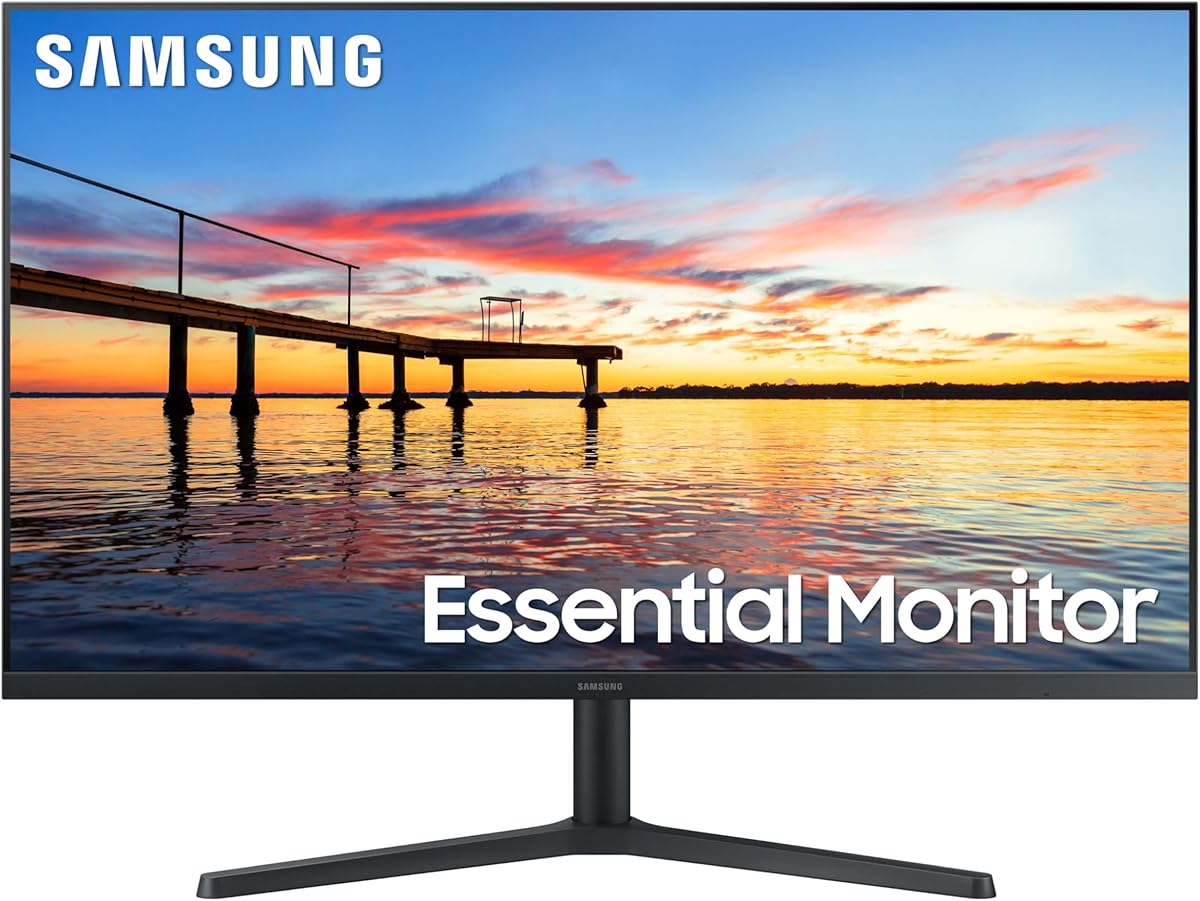
The Samsung 32-inch Flat Monitor offers a large screen experience at an accessible price point. Its three-sided borderless display provides a modern aesthetic that complements multi-monitor setups. The AMD FreeSync keeps the refresh rate in sync to reduce image tearing. The 75Hz refresh rate ensures smooth visuals for general tasks and casual gaming.
We may earn a commission when you buy through this link, at no additional cost to you.
Advanced eye comfort technology minimizes emitted blue light and removes flicker to reduce strain. This makes it suitable for extended use in home or office environments. The Game Mode optimizes settings for vivid color and contrast. The seamless design creates a virtually gapless view without distractions.
While the refresh rate is standard compared to high-performance models, it is sufficient for everyday use. The resolution options are basic but functional for general productivity. However, the large screen size and eye care features make it a strong contender for budget buyers. The AMD FreeSync enhances visual smoothness.
In summary, this monitor is a great option for those who want a large display without spending much. It is well-suited for casual use and multitasking. The eye care features ensure comfort during long sessions. We recommend it for users prioritizing screen size and value.
The monitor also supports synchronized action for smooth visuals in fast scenes. The borderless design enhances the overall aesthetic. The overall performance is solid for the price. This combination of features makes it a practical choice for daily needs.
For users seeking a large screen display, this monitor provides good value. The eye care technology reduces strain. The seamless design improves the viewing experience. Overall, it is a reliable and affordable display.
The 32-inch display provides ample real estate for multitasking. This is beneficial for working on multiple windows simultaneously.
Eye Saver Mode minimizes blue light to reduce strain. This ensures comfort during long work hours.
We may earn a commission when you buy through this link, at no additional cost to you.
The LG 27U631A-B provides a balanced mix of QHD resolution and smooth visuals. Its IPS technology delivers vibrant and vibrant visuals even at wider angles. The 100Hz refresh rate ensures fluidity in motion. The HDR10 support enhances picture quality for vivid color and detail. The Switch app allows customization of multitasking views.
We may earn a commission when you buy through this link, at no additional cost to you.
Reader Mode and Flicker Safe features help reduce eye fatigue during extended reading. The USB Type-C with 15W power delivery offers basic connectivity for charging. The virtually borderless design keeps focus on the screen. The ultra-slim stand maximizes desk efficiency for an organized workspace.
While the power delivery is limited to 15W which is not sufficient for charging laptops effectively, the display quality compensates. The QHD resolution provides sharp visuals for general work. However, the contrast ratio is average. The dynamic action sync enhances gameplay response.
In conclusion, this monitor is a solid choice for users who want a sharp display with smooth motion. It is well-suited for office work and casual entertainment. The ergonomic design supports comfortable positioning. We recommend it for users seeking a reliable everyday monitor.
The monitor also supports multiple device connections for flexible workflows. The borderless design improves the overall aesthetic. The overall performance is consistent for daily tasks. This combination of features makes it a practical and high-value display.
For users seeking QHD clarity, this monitor delivers solid performance. The eye care features are beneficial for productivity. The slim stand improves desk organization. Overall, it is a practical choice for various needs.
The QHD resolution provides sharp visuals for detailed work. This is beneficial for reading and design tasks.
Reader Mode and Flicker Safe reduce eye strain. This ensures comfort during long sessions.
We may earn a commission when you buy through this link, at no additional cost to you.
Selecting the right monitor requires balancing resolution connectivity and ergonomics to suit your workflow. Below are key factors to consider before making your final decision.
Resolution determines the sharpness and detail of your display. For creative work, 4K monitors like the LG 27UP850K-W offer superior clarity for photo and video editing. For general office tasks, a QHD resolution like that in the BenQ PD2706QN is a great middle ground. Screen size also impacts productivity; larger screens like the 32-inch Samsung model allow more window space for multitasking.
In summary, choose 4K for creative precision and QHD for balanced performance. Screen size should align with your desk space and multitasking needs.
Color accuracy is vital for designers and content creators. Look for monitors with 95% or higher DCI-P3 coverage like the Dell UltraSharp 27 to ensure colors match your Mac's display. Models with factory calibration and uniformity technology save you time by delivering accurate colors out of the box.
In summary, prioritize DCI-P3 coverage and factory calibration for professional color work.
MacBook Pro laptops rely heavily on USB-C and Thunderbolt ports. Monitors with USB-C that support power delivery (PD) allow you to connect using a single cable for video and charging. High-power models like the Dell 27 offer 90W PD which can charge most laptops. Ensure the monitor also has HDMI or DisplayPort if you use other devices.
In summary, prioritize USB-C with high power delivery for a clean and efficient setup.
Refresh rate affects how smooth motion appears on screen. For general productivity, a standard 60Hz is sufficient. However, if you do casual gaming or want smoother scrolling, look for rates of 100Hz or higher like the Dell 24 Plus at 144Hz. Response time measures how quickly pixels change color with 1ms to 4ms being ideal for fast-moving content.
In summary, higher refresh rates improve fluidity and response time reduces motion blur.
A monitor with a fully adjustable stand is essential for comfort during long work hours. Look for options that support height tilt pivot and swivel adjustments. This allows you to align the screen with your eyes and posture. Brands like LG and BenQ often include robust stands that facilitate these movements.
In summary, ensure the stand allows flexible positioning to reduce neck and eye strain.
Some monitors offer special features tailored for Mac users. The BenQ MA270UP includes Mac Color Match and keyboard brightness controls. These features simplify your workflow and ensure a seamless experience. Look for models that support macOS settings adjustments and provide dedicated software for customization.
In summary, check for Mac-specific tuning and integration features to enhance usability.
While external speakers are often preferred, built-in speakers add convenience for quick tasks. Monitor speakers like those on the Dell 27 offer decent quality for video calls. However, they rarely match dedicated audio systems. If audio is a priority, consider models with enhanced sound features or plan to connect external speakers.
In summary, evaluate built-in speaker quality but plan for external audio if needed.
Long hours in front of a screen can cause eye strain. Look for monitors with flicker-free technology and low blue light modes like ComfortView Plus. These features reduce harmful light emissions without compromising image quality. TUV certification ensures that the monitor meets safety standards for eye comfort.
In summary, prioritize flicker-free and blue light reduction features for health and comfort.
To get the most out of your monitor, connect it using the recommended cable for best performance. For most MacBook models, use a USB-C cable to support video and power delivery simultaneously. Ensure that your macOS display settings are adjusted to match the monitor's resolution for optimal sharpness.
Clean the screen regularly with a soft microfiber cloth to prevent scratches. Avoid using harsh chemicals or abrasive materials that can damage the coating. For stubborn spots, lightly dampen the cloth with water. Also, avoid touching the screen with your fingers as oils can reduce clarity over time.
To extend the lifespan of your monitor, adjust the brightness levels to match your ambient lighting. Using built-in eye comfort features like night mode can reduce strain during evening hours. Finally, ensure your stand is stable and your desk is level to prevent accidental falls or wobbling.
For most users, a 4K resolution like that of the LG 27UP850K-W provides the best balance of sharpness and performance. It ensures text is crisp and creative work is accurate. For general office use, QHD options are also sufficient and may be more affordable.
Using a USB-C monitor simplifies your setup by allowing a single cable to handle video and charging. While not strictly necessary, it is highly recommended for MacBook Pro users to reduce cable clutter and maintain a clean workspace.
Yes, many gaming monitors like the Dell 24 Plus offer high refresh rates and fast response times that are useful for smooth scrolling and casual gaming. However, ensure they have good color accuracy and the right connectivity for your workflow.
Most monitors include on-screen display (OSD) menus to adjust color temperature and gamma. For better integration, install the manufacturer's software like the Dell Display and Peripheral Manager. This allows you to fine-tune settings directly from your Mac.
Blurriness often occurs when the resolution is not set correctly in macOS. Check your display preferences and select the native resolution of the monitor. Using a cable that supports the monitor's full bandwidth also helps ensure clear visuals.
It depends on your model. Most MacBook Pro laptops benefit from 90W or higher to charge while in use. However, models with lower power requirements can function with 65W options like the Dell 27 Monitor S2725QC.
For professional work, calibrate your monitor every few months to maintain accuracy. Factory-calibrated monitors like the BenQ PD2706QN stay consistent longer but may still benefit from occasional recalibration using a colorimeter for critical tasks.
We have reviewed ten exceptional monitors that cater to a wide range of needs from budget-friendly FHD options to high-end 4K displays. The LG 27UP850K-W and Dell UltraSharp 27 lead in performance and color accuracy, making them ideal for professionals. For those prioritizing value, the Dell 24 Plus and Philips 241V8LB offer reliable everyday experiences.
When choosing your ideal monitor, consider your primary use case and connectivity requirements. If you need seamless Mac integration and high color fidelity, models like the BenQ MA270UP and Dell U2726DER are strong candidates. For casual users or students, monitors with high refresh rates and affordability may be more practical for daily tasks.
We hope this guide helps you select a display that enhances your productivity and enjoyment. Keep in mind that features and prices change frequently so checking the latest specifications is always wise. Investing in the right monitor will significantly improve your overall computing experience and workspace efficiency.