
SANSUI 24 Inch Curved 160Hz Gaming Monitor
4.4Editor score
160Hz refresh rate FHD VA panel
1500R curvature for immersive viewing
HDMI 2.0 and DP 1.4 ports
Finding the right curved 160Hz gaming monitor transforms your setup by blending immersive visuals with smooth performance for competitive and casual play alike.
We compared ten real models based on refresh rate, curvature, panel quality, and features to help you choose the best fit for your screen and budget needs.
Each pick highlights key specs and pros to guide your decision and note that availability and pricing may shift so verify details before purchasing your new screen.
4.4Editor score
4.5Editor score

4.6Editor score
As an Amazon Associate we earn from qualifying purchases.
This side-by-side comparison highlights key differences across the top ten curved 160Hz gaming monitors to help you weigh panel size, refresh rates, and features quickly.






The SANSUI 24 Inch Curved 160Hz Gaming Monitor offers a budget-friendly entry into high refresh rate gaming with solid performance for its size and price point.
We may earn a commission when you buy through this link, at no additional cost to you.
Its 160Hz refresh rate and 1ms MPRT response time deliver smooth motion in fast-paced games while the 1500R curve wraps visuals to your field of view.
Trade-offs include no speakers and a basic stand which is acceptable given the cost but may require extra peripherals for audio and ergonomic adjustments.
Buy this if you want an affordable 24 inch curved monitor with 160Hz speed for competitive gaming without spending premium dollars on extra features.
The 160Hz refresh rate and 1ms MPRT response time help reduce motion blur and stutter during fast-paced action games for clearer tracking of targets and movements.
The 1500R curvature bends the screen to match natural human vision so you can focus better on gameplay without constant eye scanning across a flat panel.
We may earn a commission when you buy through this link, at no additional cost to you.
This 27 inch model gives you more screen real estate than the 24 inch version while keeping the same 160Hz refresh rate and curved design for immersion.
We may earn a commission when you buy through this link, at no additional cost to you.
Key strengths include a 4000:1 contrast ratio and HDR support which make dark scenes in games and movies look richer and more detailed on this VA panel.
Trade-offs are minor but HDR only works via HDMI and the lack of speakers means you will need headphones or external audio for full immersion.
Pick this if you want a bigger 27 inch screen with strong contrast and HDR support without paying a premium for top-tier brand names.
The 4000:1 contrast ratio delivers deeper blacks and brighter highlights than typical IPS panels which improves visibility in dark game environments and cinematic scenes.
Built-in game assistant features like crosshair, timer, and black level adjustment help you optimize settings for FPS and RTS games without tweaking external software.
We may earn a commission when you buy through this link, at no additional cost to you.
The SANSUI 24 Inch Curved Gaming Monitor delivers strong color accuracy with 97 percent DCI-P3 coverage and a 160Hz refresh rate for smooth gameplay performance.
We may earn a commission when you buy through this link, at no additional cost to you.
Standout features include a Kensington lock slot for security and VESA compatibility for mounting as well as a wide 178 degree viewing angle for better off-center use.
Trade-offs include a basic tilt-only stand and no built-in audio so expect to use separate speakers or headphones and consider a monitor arm for better height adjustment.
Choose this model if color accuracy and security features matter to you alongside gaming performance and you want a compact 24 inch setup with strong color specs.
The 97 percent DCI-P3 coverage ensures vibrant and precise colors which benefits photo editing video work and content creation alongside casual gaming tasks.
A Kensington lock slot helps secure the monitor in shared spaces while VESA mounting allows flexible placement on arms or stands to fit your desk layout.
We may earn a commission when you buy through this link, at no additional cost to you.
This CRUA monitor stands out by offering 4K UHD resolution on a 32 inch curved panel which delivers sharp visuals and deep immersion when paired with a capable graphics card.
We may earn a commission when you buy through this link, at no additional cost to you.
Strengths include built-in speakers to minimize cable clutter and HDMI 2.1 support for next-gen console compatibility as well as 120 percent sRGB coverage for vibrant content.
Trade-offs involve the high GPU power needed to drive 4K at 160Hz and a higher price tag but the resolution and connectivity make it a strong pick for enthusiasts.
Invest in this if you want 4K clarity on a large curved screen and have the hardware to support high refresh rates at ultra-high resolution for gaming.
HDMI 2.1 support enables higher bandwidth for next-generation consoles so you can enjoy 4K content and smooth frame rates without bottlenecks during gameplay.
Integrated speakers provide convenient sound without extra cables or desktop space and are ideal for casual gaming streaming or quick media playback sessions.
We may earn a commission when you buy through this link, at no additional cost to you.
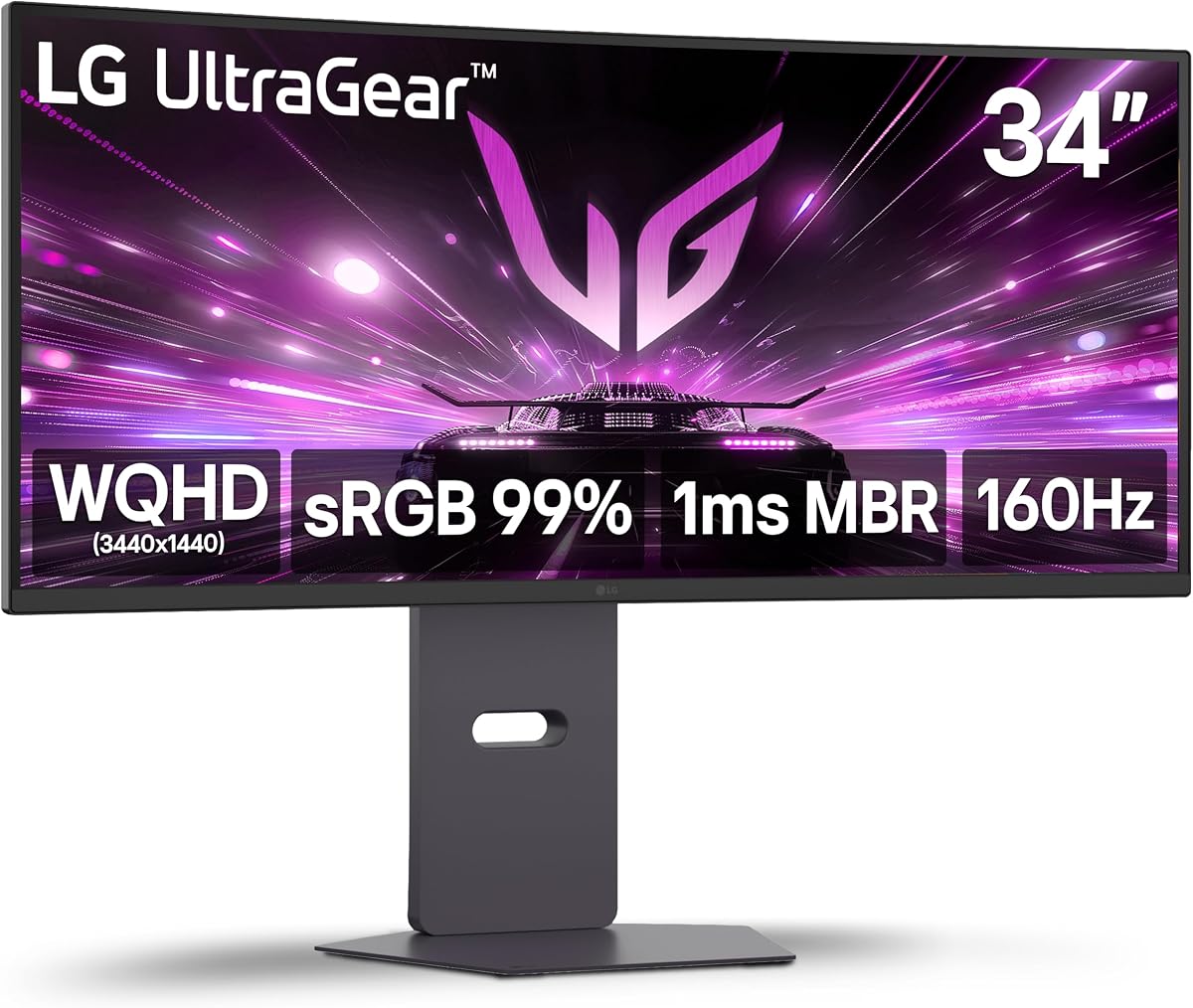
The LG 34G600A-B combines ultrawide WQHD resolution with a 160Hz refresh rate and premium ergonomic features for a balanced high-end gaming experience across tasks.
We may earn a commission when you buy through this link, at no additional cost to you.
Its strengths include FreeSync Premium HDR10 support and an adjustable stand that offers height swivel and tilt for comfort during long gaming or work sessions at the desk.
Trade-offs include a WQHD resolution rather than 4K and a higher price but the combination of performance ergonomics and color accuracy makes it a well-rounded choice.
Select this if you want a polished ultrawide experience with robust ergonomic support and high fidelity visuals for both gaming and multimedia use without compromises.
The stand offers height swivel and tilt adjustments which reduce neck strain during long sessions and help you align the screen to your natural viewing position.
Dynamic Action Sync reduces input lag for faster reactions and helps keep gameplay responsive and crisp during competitive matches or timed action sequences.
We may earn a commission when you buy through this link, at no additional cost to you.
This renewed LG Ultragear model offers the same premium ultrawide WQHD curved panel and 160Hz refresh rate as the new version at a lower price for budget-conscious buyers.
We may earn a commission when you buy through this link, at no additional cost to you.
Strengths include full certification testing and warranty support which provide confidence in quality while delivering the same ergonomic stand and HDR10 performance as new units.
Trade-offs include potential cosmetic wear and limited stock availability but for most users the performance and reliability match brand-new models closely enough to justify savings.
Buy this if you want premium LG ultrawide performance without paying full price and are comfortable with a certified refurbished unit backed by warranty protection.
Each renewed unit undergoes full testing and certification to ensure it meets LG standards for performance and reliability so buyers can trust the monitor's operation.
You get high refresh rates HDR and ergonomic adjustments at a lower cost than new models which helps maximize value without sacrificing gaming or work experience.
We may earn a commission when you buy through this link, at no additional cost to you.
The Samsung Odyssey G55C stands out with its 1000R curvature that matches the natural human field of view for deeper immersion in games and media on a 32 inch panel.
We may earn a commission when you buy through this link, at no additional cost to you.
Key strengths include a 165Hz refresh rate 1ms response time and Eye Saver Mode which reduces blue light and flicker during extended use for comfortable marathon sessions.
Trade-offs involve the aggressive curve that may require adjustment for productivity tasks and lack of USB hub ports but the visual immersion and performance are compelling for gamers.
Choose this if you want maximum immersion from a curved panel and value eye comfort features alongside high refresh rates for competitive and casual gaming setups.
The 1000R curvature wraps the display to your natural field of view so you can focus more on gameplay details without eye strain from tracking across a wide flat screen.
Eye Saver Mode and flicker-free technology help reduce strain during long gaming or work sessions which supports better focus and comfort over extended usage periods.
We may earn a commission when you buy through this link, at no additional cost to you.
This Sceptre ultrawide monitor delivers 180Hz refresh rates and WQHD resolution on a 34 inch curved panel for fast fluid visuals and extra screen space for multitasking.
We may earn a commission when you buy through this link, at no additional cost to you.
Strengths include built-in speakers 99 percent sRGB coverage and a luminous LED backcover which adds a modern touch to your desk without requiring external audio gear.
Trade-offs include a basic stand with tilt-only adjustments and no height or swivel options but the performance and ultrawide format offer compelling value for the price.
Select this if you want ultrawide productivity and gaming performance with high refresh rates and stylish lighting effects without spending a premium on ergonomic stands.
The 21:9 aspect ratio provides roughly thirty percent more horizontal screen space which helps you manage multiple windows or timelines without needing dual monitors.
The luminous LED backcover offers customizable ambient lighting that matches your gaming setup vibe and enhances visual appeal during dark room sessions.
We may earn a commission when you buy through this link, at no additional cost to you.
The Alienware AW3425DWM delivers premium performance with an 180Hz refresh rate 1ms response time and robust HDR plus color specs for high fidelity gaming across genres.
We may earn a commission when you buy through this link, at no additional cost to you.
Key strengths include hardware-based low blue light technology VESA AdaptiveSync and 95 percent DCI-P3 coverage which deliver vibrant visuals and reduced strain during marathon sessions.
Trade-offs are limited to premium pricing and the need for a capable GPU to maximize refresh rates but the build quality and performance justify the investment for enthusiasts.
Choose this if you want the fastest ultrawide curved experience with top-tier color and motion specs plus a durable build designed for serious gaming and content work.
The 180Hz refresh rate paired with 1ms response time keeps motion crisp and input lag low so you gain a competitive edge in fast-paced multiplayer games.
VESA DisplayHDR 400 certification and 95 percent DCI-P3 coverage ensure vivid colors and better contrast for HDR content and high fidelity game visuals.
We may earn a commission when you buy through this link, at no additional cost to you.
The AOC CU34G4H stands out with up to 200Hz refresh rate via DisplayPort 1.4 and 0.3ms MPRT response time for the fastest motion clarity in this review.
We may earn a commission when you buy through this link, at no additional cost to you.
Strengths include an ergonomic stand with height tilt and swivel plus multiple ports and Adaptive-Sync which deliver versatile connectivity and smooth gameplay across PCs.
Trade-offs include the need for DisplayPort 1.4 to reach full speed and HDR readiness rather than full HDR certification but the performance and adjustability remain strong.
Pick this if you prioritize raw refresh rate speed and motion clarity and have the hardware to support 200Hz via DisplayPort for ultra-smooth gaming.
Up to 200Hz refresh rate and 0.3ms MPRT response time minimize motion blur and stutter so you can track fast movements and react quicker than on lower refresh screens.
The stand includes height tilt and swivel adjustments which help you set a comfortable viewing position and reduce strain during long gaming or work sessions.
We may earn a commission when you buy through this link, at no additional cost to you.
Selecting the right curved 160Hz gaming monitor involves balancing panel size, resolution, curvature, and features to fit your desk space and performance needs.
Screen size ranges from 24 inches for compact desks to 34 inches for ultrawide setups while resolution choices like FHD or WQHD impact sharpness and GPU demand.
Pick a size that fits your desk distance and pair it with a resolution your graphics card can drive smoothly at high refresh rates for consistent performance.
A 160Hz refresh rate delivers smoother motion than standard 60Hz panels and look for 1ms or faster response times to minimize ghosting and motion blur in fast games.
Higher refresh rates improve competitive gameplay but ensure your PC or console can output frames at that speed to avoid bottlenecks or wasted performance.
Curvature measured as 1000R to 1800R affects how much the screen wraps around your view with tighter curves offering deeper immersion on larger ultrawide panels.
Choose a curvature that matches your desk depth and viewing habits since very tight curves may distort flat content for productivity or reading tasks.
VA panels offer high contrast and deep blacks ideal for dark games while IPS panels provide wider viewing angles and better color consistency for creative work.
Check sRGB or DCI-P3 coverage ratings to ensure vibrant accurate colors and prefer HDR support if you watch high dynamic range content on your monitor.
Adaptive Sync standards like FreeSync or G Sync eliminate screen tearing by matching the monitor refresh rate to your GPU output which smooths gameplay during frame drops.
Select a monitor with the sync technology compatible with your graphics card to enjoy tear-free gaming without additional costs or hardware upgrades.
Look for HDMI 2.0 or 2.1 and DisplayPort 1.4 ports to support high refresh rates and resolutions while USB hubs add convenience for peripherals like keyboards or cameras.
Verify the cable type and port version match your devices to avoid bandwidth limits that cap refresh rates or resolution at lower settings.
Adjustable stands with height tilt and swivel help you align the screen to your eye level which reduces neck strain and improves comfort during long sessions.
VESA mounting compatibility lets you use third-party arms or wall mounts if the built-in stand lacks flexibility or consumes too much desk space.
Features like built-in speakers blue light filters and crosshair overlays enhance convenience while build quality and warranty terms affect long-term reliability and support.
Prioritize features that match your use case such as audio for streaming or eye comfort modes for long work sessions to maximize daily value.
Set up your monitor using the included cables and ensure your graphics card driver supports the 160Hz refresh rate by selecting it in the display settings.
Use adaptive sync features like FreeSync to prevent tearing and adjust in-game settings to match the monitor refresh rate for consistent smooth performance.
Clean the curved screen with a soft microfiber cloth and avoid harsh chemicals to protect the coating while keeping the stand and vents dust-free for longevity.
A curved 160Hz gaming monitor combines a wrapped display for immersion with fast refresh rates for smooth motion which helps reduce eye strain and improves reaction times in competitive games.
Yes to fully benefit from 160Hz your GPU must deliver high frame rates in your games but lower settings or dynamic scaling can help achieve smooth performance on weaker hardware.
HDR adds better contrast and brighter highlights which enhances visuals in supported games but results vary by panel brightness and local dimming so check reviews before expecting cinematic quality.
DisplayPort 1.4 generally provides more bandwidth than HDMI 2.0 for 160Hz at high resolutions so use DisplayPort when possible to avoid capped refresh rates on some models.
A 1500R curve bends more sharply than 1800R which offers tighter immersion on ultrawides but may distort flat content while 1800R is subtler and works better for mixed use.
Yes many curved gaming monitors have good color coverage and contrast for creative tasks but check sRGB or DCI-P3 ratings if precise color accuracy is critical for your workflow.
The top picks highlight a range of options from budget 24 inch models to premium 34 inch ultrawides each delivering 160Hz speed and curved immersion for different needs and setups.
Prioritize screen size resolution and ergonomics based on your desk space and use case while matching your GPU capabilities to refresh rates for consistent performance across games.
Always check current availability and confirm port support before buying since settings and pricing can change and the best fit depends on your hardware and daily workflow needs.