
ASUS Chromebook Plus CX34
3.8Editor score
Intel Core i3-1215U
256GB UFS Storage
14-inch FHD display
Chromebooks for AI represent a new generation of laptops designed to leverage on-device and cloud-based artificial intelligence tools. These devices integrate Google AI Pro features directly into the operating system, enabling users to generate content, summarize text, and enhance images with minimal effort.
We compared ten leading models based on processor performance, memory capacity, storage options, and specific AI-enabled features like Gemini integration and AI-powered video call enhancements. Each device was evaluated for its ability to handle modern creative and productivity tasks efficiently.
This guide provides detailed reviews of each model, highlighting their strengths and limitations for various use cases. Prices and availability may change frequently, so please verify current details before making a purchase decision to ensure you get the best value.
3.8Editor score

4.9Editor score

4.5Editor score
As an Amazon Associate we earn from qualifying purchases.
The following table provides a side-by-side comparison of all ten Chromebooks for AI featured in this guide. It highlights key specifications such as processor type, memory, storage, and display resolution to help you quickly identify the model that best fits your specific workflow needs and budget constraints.




The Acer Chromebook Plus 514 stands out as the top recommendation for users seeking powerful AI capabilities in a portable laptop. With a 4.9-star rating, it delivers exceptional performance thanks to the Intel Core i3-1315U processor and 8GB of LPDDR5 RAM, ensuring smooth multitasking even with AI applications running in the background.
We may earn a commission when you buy through this link, at no additional cost to you.
Its standout feature is the inclusion of 12 months of Google AI Pro at no cost, providing access to advanced Gemini tools like Nano Banana, Veo, and integrated features in Gmail and Docs. The device also includes 5TB of cloud storage, which is invaluable for creators working with large media files or extensive documentation that requires AI summarization and organization.
While the 256GB SSD is adequate for most users, those working with massive local datasets might find storage constraints over time. However, the generous cloud storage offsets this limitation significantly. The Wi-Fi 7 connectivity ensures future-proof speeds for downloading large AI models or streaming 4K content without buffering issues during collaborative sessions.
This Chromebook is ideal for professionals and students who rely heavily on Google Workspace tools and AI-enhanced productivity features. Whether you need to convert handwriting to text or remove photo distractions, this device offers the best balance of performance, AI integration, and value available today.
Built-in Gemini features allow seamless document summarization, creative image generation, and smart writing assistance directly within Google Docs and Gmail.
Support for Wi-Fi 7 ensures ultra-fast wireless speeds and lower latency, critical for cloud-based AI tasks and high-definition video conferencing.
We may earn a commission when you buy through this link, at no additional cost to you.
The ASUS Chromebook Plus CX34 offers an accessible entry point for users wanting to explore AI-enhanced computing without breaking the bank. Despite its budget-friendly positioning, it includes the essential Google AI Pro subscription for 12 months, enabling access to Gemini features that can boost productivity through smart writing assistants and creative tools.
We may earn a commission when you buy through this link, at no additional cost to you.
Powered by the Intel Core i3-1215U processor, it handles everyday tasks efficiently, making it suitable for students or casual users who need reliable performance for web-based work. The 14-inch Full HD NanoEdge display provides a clear viewing experience, while the 8GB RAM ensures that multiple tabs and applications can run simultaneously without significant slowdowns.
Storage is handled via 256GB UFS, which offers faster read-write speeds than traditional eMMC but may still feel limited compared to SSDs in higher-end models. The build quality focuses on portability, making it a great companion for commuting or studying in various locations. Users should note that while functional, it lacks some of the premium features found in more expensive options.
This model is perfect for those who prioritize AI access and portability over raw performance or long-term local storage needs. It serves as an excellent starter Chromebook for AI applications, allowing users to experiment with generative AI tools before investing in more hardware.
Access to Google One AI Premium plan brings advanced Gemini tools for writing and design directly to this budget-friendly device.
The 8GB RAM configuration ensures smooth operation of modern web apps and basic AI tasks without unnecessary lag.
We may earn a commission when you buy through this link, at no additional cost to you.
For users who require more screen real estate for complex tasks, the Acer Chromebook Plus 515 offers a spacious 15.6-inch Full HD display that enhances productivity when using AI tools. Its design balances portability with workspace, making it ideal for those who need to view multiple documents or media files side-by-side during AI-assisted workflows.
We may earn a commission when you buy through this link, at no additional cost to you.
This model includes a 12-month trial of Google AI Pro featuring NotebookLM, a tool designed to help users interact with their own documents to find insights and answer questions. The Intel Core i3-1305U processor supports smooth multitasking, while the LPDDR5X memory ensures that system responsiveness remains high even during intensive browsing sessions.
While it lacks the Wi-Fi 7 of the 514 model, Wi-Fi 6E still provides robust connectivity for most users. The touch display adds an intuitive layer of interaction, especially useful when navigating creative apps or reviewing visual content. However, the increased size means it is slightly heavier, which might affect portability for daily commuters.
This Chromebook is best suited for home office users or students who spend significant time at a desk. The combination of a larger screen and AI-powered document tools makes it a strong choice for research and content creation tasks where visual clarity and screen space are paramount.
NotebookLM allows users to upload personal documents and ask questions, revolutionizing research and study workflows with AI assistance.
The 15.6-inch IPS touch screen provides vibrant visuals and precise touch control for detailed creative work.
We may earn a commission when you buy through this link, at no additional cost to you.
The acer Chromebook Plus Spin 714 represents the pinnacle of premium Chromebook performance with its Intel Core Ultra 5 115U processor. This chip includes a dedicated NPU for AI tasks, unlocking advanced on-device AI experiences that are more efficient and private than cloud-only solutions. It is a top-tier choice for power users who demand the fastest processing speeds.
We may earn a commission when you buy through this link, at no additional cost to you.
Its premium status is further validated by Thunderbolt 4 support, which allows for ultra-fast data transfers and connection to multiple high-resolution external displays. The 14-inch WUXGA touchscreen offers a crisp visual experience, while the antimicrobial Gorilla Glass adds a touch of durability and hygiene. The backlit keyboard ensures comfortable typing even in dim lighting conditions.
While the 256GB SSD is smaller than some competitors, the high-end build quality and specialized hardware justify the investment for professionals. Users will appreciate the 120Hz refresh rate on the display for smoother scrolling and animations, enhancing the overall interactive experience. The device balances raw power with refined aesthetics perfectly.
This model is ideal for professionals who need a reliable, high-performance device for creative work and heavy multitasking. If you value premium materials, advanced connectivity options, and the latest AI hardware capabilities, the Spin 714 delivers an unmatched experience in the Chromebook category.
The dedicated neural processing unit accelerates AI workloads efficiently, providing faster responses and better battery efficiency.
Connect to high-speed peripherals and dual 4K displays effortlessly, making it a robust workstation for creative pros.
We may earn a commission when you buy through this link, at no additional cost to you.
This specific variant of the Acer Chromebook Plus 514 addresses the storage concerns of previous models by offering a generous 512GB SSD. This is a significant upgrade for users who need to store large media files, applications, or local datasets alongside their cloud-based AI tools. The Intel i3-N355 processor ensures reliable performance for daily tasks and AI interactions.
We may earn a commission when you buy through this link, at no additional cost to you.
The device includes a dedicated Quick Insert key that leverages AI to generate high-resolution images instantly, streamlining creative workflows. Built to MIL-STD 810H standards, it is designed to withstand harsh conditions, making it an excellent choice for students or professionals who travel frequently. The 1080p webcam with privacy shutter adds an extra layer of security during video calls.
While the processor is slightly less powerful than the 1315U, it remains capable of handling most modern Chrome OS features and AI applications smoothly. The 512GB storage eliminates the need for external drives for many users, providing peace of mind when working on extended projects. Battery life and charging speed are also optimized for all-day portability.
This model is perfect for those who prioritize storage capacity and durability over maximum processing speed. It balances the features of a premium device with a rugged build, ensuring that your data is safe and accessible regardless of your environment or travel habits.
Create stunning visuals instantly with the Quick Insert key, turning ideas into reality without leaving your document or app.
MIL-STD 810H certification ensures the device can handle drops and shocks, ideal for students and travelers.
We may earn a commission when you buy through this link, at no additional cost to you.
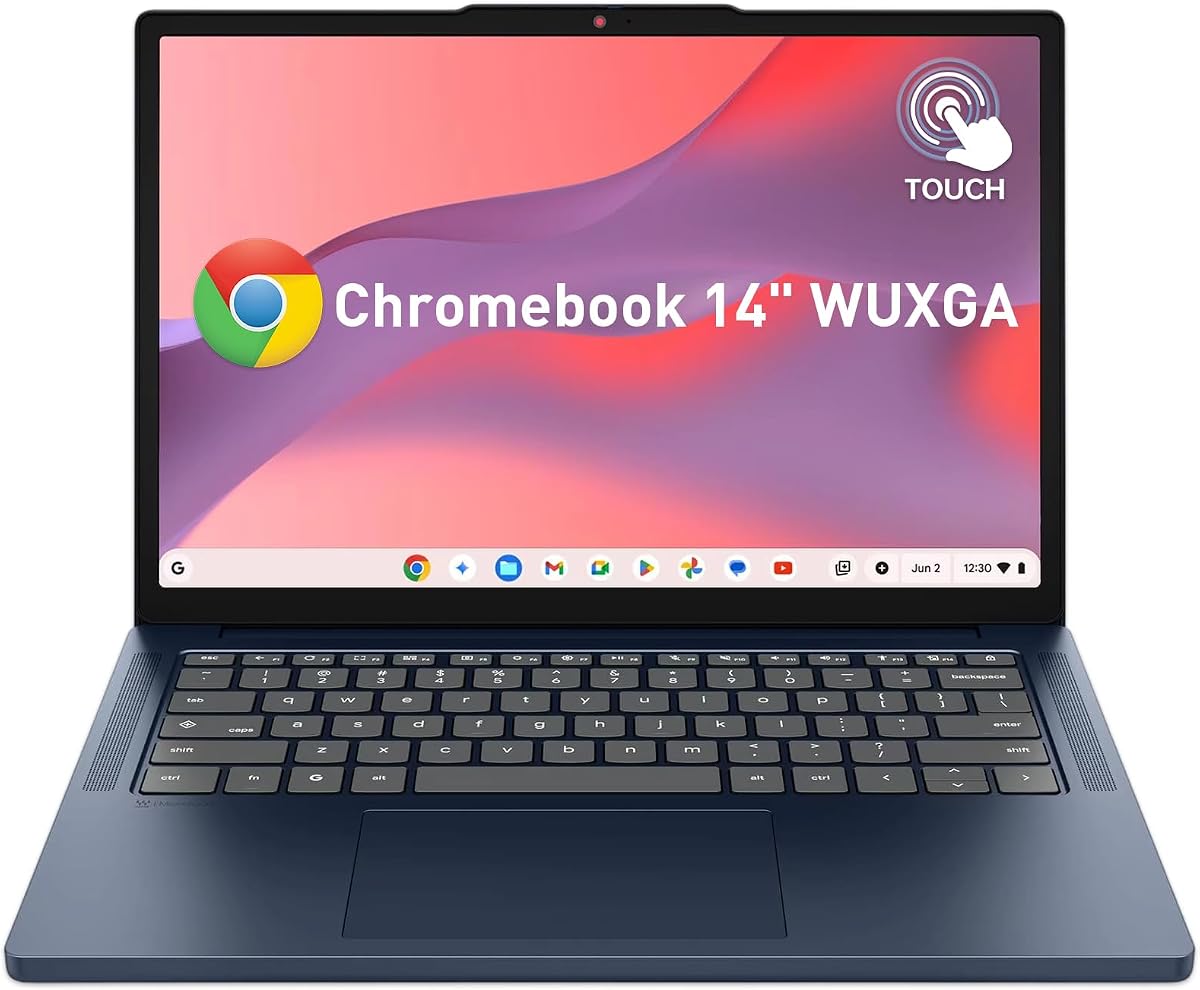
The Lenovo 2026 Chromebook 14 is engineered specifically for students, offering a perfect balance of affordability and essential features. It has achieved a 5.0-star rating, reflecting high user satisfaction among its target demographic. The MediaTek Kompanio 540 processor provides sufficient power for educational tasks and basic AI tool usage.
We may earn a commission when you buy through this link, at no additional cost to you.
Its 14-inch WUXGA touchscreen with anti-glare coating reduces eye strain during long study sessions, while the Waves MaxxAudio stereo speakers enhance audio quality for lectures and video calls. The device is incredibly lightweight at just 2.99 lbs, making it easy to carry in a backpack between classes or to the library without fatigue.
While the 64GB storage and 4GB RAM are modest, they are optimized for cloud-first workflows typical of Chrome OS users. Students relying on Google Drive and web applications will find the internal storage limitations less impactful. Privacy is also prioritized with a physical camera shutter, ensuring safe virtual interactions during remote learning or study groups.
This Chromebook is ideal for K-12 students or those in higher education who need a reliable, portable device for academic work. The combination of a high-quality display, excellent audio, and a lightweight form factor makes it a top choice for educational environments.
Waves MaxxAudio technology delivers immersive sound, making lectures and media consumption engaging and clear.
Weighing under 3 lbs, this laptop fits easily in any backpack, ensuring you are ready for class anywhere.
We may earn a commission when you buy through this link, at no additional cost to you.
This variant of the Acer Chromebook Plus 514 offers a strong value proposition for users who want high storage capacity without paying premium prices. The 512GB SSD ensures ample room for files and apps, while the 8GB LPDDR5X memory supports efficient multitasking. The Intel i3-N355 processor delivers reliable performance for standard productivity and AI tasks.
We may earn a commission when you buy through this link, at no additional cost to you.
Durability is a key feature, with a MIL-STD 810H rating that protects against drops and spills. This makes it a robust choice for active users who need a laptop that can withstand daily wear and tear. The display provides vibrant visuals, and the white backlit keyboard allows for comfortable typing in various lighting conditions.
Connectivity includes Wi-Fi 6E and Bluetooth 5.3, ensuring fast and stable wireless connections. While the webcam is standard, the privacy shutter adds necessary security for video conferencing. The device supports up to three external monitors, expanding workspace possibilities for power users who need a multi-screen setup.
For those seeking a balance of storage, durability, and price, this Chromebook is an excellent option. It serves well for home offices, educational settings, and general productivity needs without compromising on essential performance metrics.
Military-grade durability ensures the device survives accidental drops, making it perfect for active lifestyles.
Support for up to three external monitors enhances productivity for users managing complex workflows.
We may earn a commission when you buy through this link, at no additional cost to you.
The acer Chromebook Plus 514 in this configuration offers a standard yet capable setup for everyday users. With the Intel Core 3 N355 processor and 8GB of RAM, it handles web browsing, document editing, and basic AI tools with ease. The 512GB SSD provides ample storage space for personal files and applications.
We may earn a commission when you buy through this link, at no additional cost to you.
Its 14-inch WUXGA display offers sharp visuals and touch functionality, enhancing interaction with modern web applications and touch-friendly apps. The inclusion of Wi-Fi 6E and Bluetooth 5.3 ensures that the device remains connected with speed and stability. This makes it a reliable option for home and office environments where consistent performance is key.
While it may not feature the latest Ultra processors, it delivers reliable performance for the average user. The design is sleek and modern, fitting well into professional settings. It is a solid choice for those who need a trustworthy daily driver without requiring specialized high-end hardware.
This model is ideal for general users who prioritize storage and display quality over raw processing power. Whether for remote work or personal use, it provides a smooth and responsive experience that meets the demands of modern computing tasks.
The responsive touch display enhances usability, making navigation and content creation more intuitive.
With 512GB SSD storage, users have plenty of space for local files without needing external drives.
We may earn a commission when you buy through this link, at no additional cost to you.
This Acer Chromebook Plus 514 variant features the AMD Ryzen 3 7320C processor, offering a solid alternative for users who prefer AMD architecture. It supports fast multitasking and efficient power consumption, contributing to impressive battery life of up to 12 hours. This makes it an excellent companion for travelers or long study sessions without access to a power outlet.
We may earn a commission when you buy through this link, at no additional cost to you.
The WUXGA display ensures sharp visuals, while the spill-resistant keyboard adds a layer of practicality for daily use. The OceanGlass Touchpad provides a smooth and durable interface, reducing the risk of fingerprints or scratches over time. Connectivity options include Wi-Fi 6E, ensuring fast wireless speeds for streaming and browsing.
However, the 128GB storage is relatively limited compared to other models in this guide. Users will need to rely heavily on cloud storage for larger media files or extensive document libraries. The FHD camera with AI-enhanced video tools ensures clear and professional video calls even in less-than-ideal lighting conditions.
This model is suitable for users who prioritize battery life and AMD performance over local storage capacity. It is a reliable, efficient machine that supports productivity and entertainment with its robust battery and responsive touchpad.
Up to 12 hours of battery ensures you can work or study all day without needing a charger.
Spill-resistant keyboard and durable touchpad ensure the device withstands daily wear and accidents.
We may earn a commission when you buy through this link, at no additional cost to you.
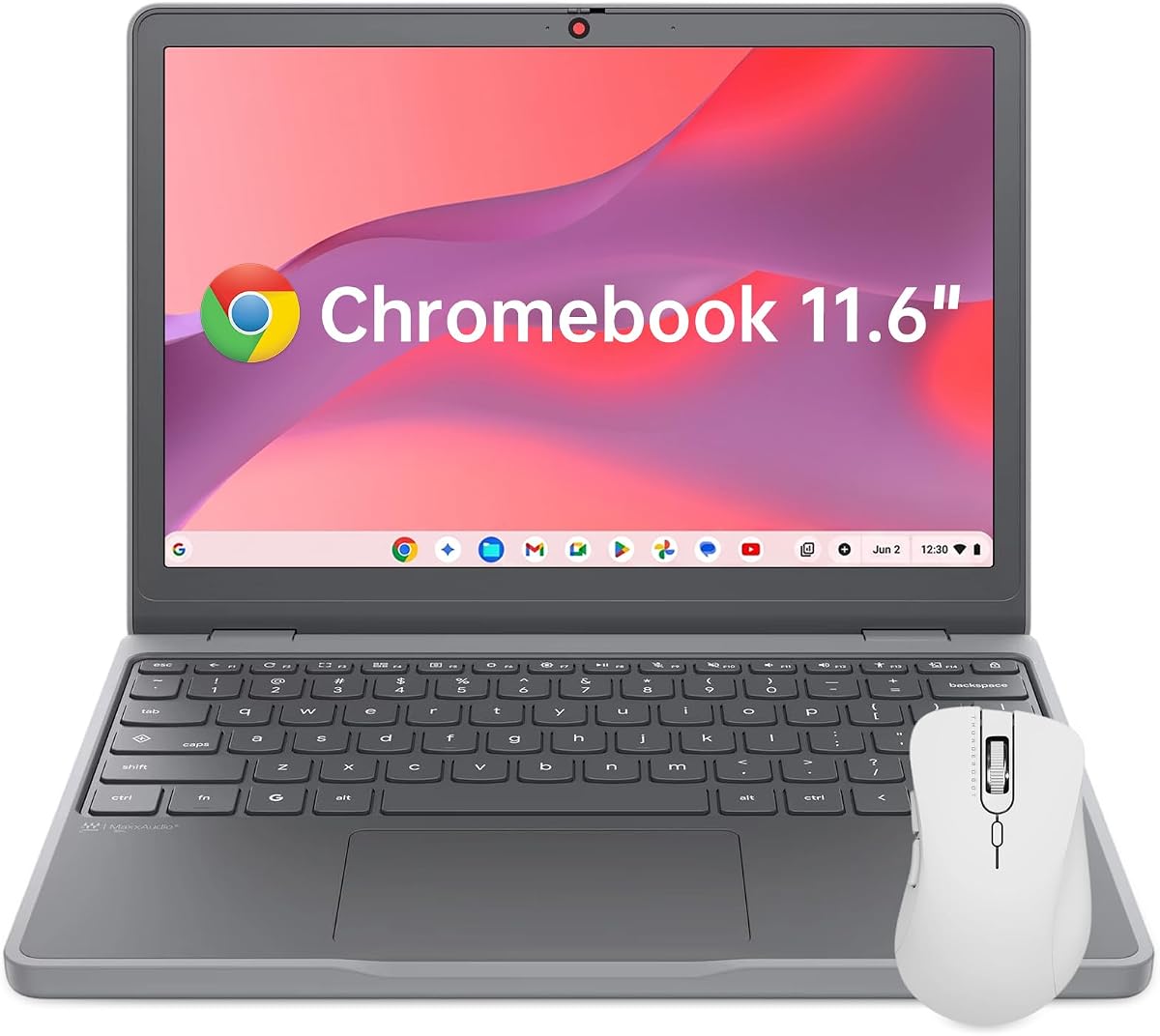
The Lenovo Chromebook 11.6 is designed for ultimate portability, making it the smallest and lightest option in this roundup. At just 2.69 lbs, it slips effortlessly into any bag, perfect for quick trips, classroom use, or travel. The Intel N150 processor provides efficient performance for essential web tasks and light AI applications.
We may earn a commission when you buy through this link, at no additional cost to you.
Its 11.6-inch IPS display is compact yet sufficient for reading and browsing. The device is built with rugged TPU corners and passes MIL-STD durability tests, ensuring it can survive daily bumps and drops. The Google H1 Security Chip offers enhanced protection for your data, making it a secure choice for students and professionals.
Storage is limited to 64GB UFS, but this is compensated by strong cloud integration. The dual USB-C ports support charging and display output, adding versatility despite the small form factor. While not intended for heavy multitasking, it excels as a secondary device for reading, browsing, and light productivity on the go.
This Chromebook is ideal for users who need a travel companion or a secondary device for basic tasks. Its portability and durability make it a standout choice for those who value convenience and reliability in a compact package.
Weighing only 2.69 lbs, this laptop fits easily in any bag for effortless travel and daily commute.
Built-in H1 Security Chip and MIL-STD testing ensure your data and device remain safe anywhere.
We may earn a commission when you buy through this link, at no additional cost to you.
Selecting the right Chromebook for AI involves evaluating processor capabilities, memory, storage, and specific AI features. This guide outlines the most critical factors to consider before making your purchase.
Modern AI tasks benefit from dedicated neural processing units (NPUs) found in newer Intel Core Ultra chips. These processors handle AI workloads more efficiently than standard CPUs, offering faster responses and better battery life when running local AI models.
Look for models with Core Ultra or comparable recent-generation processors to ensure your device remains relevant for future AI software updates.
Running AI applications alongside multiple browser tabs requires sufficient memory. While 4GB is the minimum, 8GB is recommended for smooth multitasking and responsive AI integration in productivity tools.
Choose a model with at least 8GB of LPDDR5 or LPDDR5X RAM to avoid slowdowns when using Google AI Pro features.
AI tools often generate large files or require storage for offline access. SSDs are faster and more reliable than UFS or eMMC storage. A minimum of 256GB is advisable, though 512GB offers more flexibility for local data.
Prioritize models with SSDs over UFS to ensure faster boot times and quicker application launches.
Fast internet is essential for cloud-based AI tools. Wi-Fi 6E or Wi-Fi 7 support ensures high-speed downloads and low latency during collaborative sessions or file transfers.
Select a device with the latest Wi-Fi standard to guarantee stable connections for cloud AI services.
AI tools often involve visual editing or text-heavy workflows. A high-resolution display with anti-glare coating improves readability and reduces eye strain during extended use.
Look for WUXGA or Full HD displays with touch capability for better interaction with modern applications.
Portable use requires long battery life to handle AI tasks throughout the day. Models offering 10 to 12 hours of battery life are ideal for students and professionals who work away from power outlets.
Check battery ratings and charging speed to ensure your device supports all-day productivity without frequent recharging.
Chromebooks with Google AI Pro trials provide access to advanced features like Gemini Advanced and NotebookLM. Ensure the device supports the latest Chrome OS updates to utilize these tools effectively.
Verify that the manufacturer includes a subscription trial to maximize the AI potential of your new Chromebook.
Physical durability matters for users who travel or use the device in varied environments. MIL-STD certified chassis and spill-resistant keyboards offer peace of mind against accidental damage.
Choose a build quality that matches your lifestyle needs, especially if you frequently carry your laptop on the go.
To get the most out of AI features, ensure your Chrome OS is fully updated. Regular updates often include new Gemini integrations and performance improvements that enhance your workflow.
Clean your device regularly using a microfiber cloth to prevent dust buildup on the screen and keyboard. Avoid harsh chemicals, as they can damage the protective coatings on the display and chassis.
Extend battery life by adjusting brightness settings and closing unused tabs when not in use. This ensures your Chromebook maintains performance during heavy AI tasks and extends its overall lifespan.
Most AI tools like Gemini and NotebookLM require an internet connection to function fully. However, Chrome OS updates have introduced some offline capabilities for basic AI text generation. Always check specific app requirements for offline functionality before relying on them without Wi-Fi.
Many Chromebooks in this guide come with a 12-month free trial of Google One AI Premium. This includes access to advanced Gemini tools and extra cloud storage. After the trial, you must subscribe separately to continue using these premium features.
Most Chromebooks have onboard RAM that cannot be upgraded. Storage upgrades are limited to models with expandable SSD slots. Before purchasing, check the manufacturer specifications to see if the memory or storage is soldered or replaceable.
Chromebooks include built-in Titan C2 or Google H1 security chips that protect data at the hardware level. Additionally, Chrome OS verifies system integrity regularly. For AI tools, data is processed securely within Google's infrastructure, ensuring privacy and safety.
Yes, models like the Acer Chromebook Plus 514 and Spin 714 are designed for professional use with high-end processors and connectivity options. They support Microsoft 365 and Adobe apps, making them suitable for complex workflows and remote collaboration.
The AUE date indicates when your Chromebook will no longer receive software updates. Most modern Chromebooks have an AUE date at least 6 to 7 years from release. Check the specific model details to ensure long-term support for your device.
AI features like Gemini assist with summarizing text, generating images, and organizing documents automatically. This saves time on routine tasks and allows you to focus on creative or strategic work, significantly boosting overall productivity.
The Lenovo Chromebook 11.6 and Acer Chromebook Plus 514 models with durable builds are excellent for travel. Their lightweight designs and long battery life ensure you can work comfortably on planes or in coffee shops without constant charging.
We have explored ten diverse Chromebooks for AI, highlighting their unique strengths and capabilities. From the powerful Intel Core Ultra options to affordable budget-friendly choices, there is a device suited for every user and requirement.
Prioritize your needs regarding storage, display quality, and specific AI features when making a decision. For most users, the balance of performance and AI integration found in the Acer Chromebook Plus 514 makes it a top contender across various scenarios.
Remember that prices and specifications can change rapidly in the tech market. Always verify the latest details and current pricing before purchasing to ensure you secure the best deal available today.