
Dell Tower Desktop
4.4Editor score
Intel Core Ultra 7 Processor
32GB RAM Capacity
Multiple Monitor Support
This guide compares the best desktop computers for home use in October 2026, evaluating performance, storage, connectivity, and reliability for families and
Finding the right desktop computer for home use requires balancing performance, size, and value. Whether you need a machine for remote work, online learning, or family entertainment, the market offers diverse options tailored to specific needs. This guide explores ten top models that excel in reliability and functionality for modern households.
We evaluated each desktop based on processing power, memory capacity, storage speed, and connectivity options. Our analysis focuses on real-world usability for home offices, students, and general family tasks. By comparing specifications and user feedback, we identified models that deliver consistent performance without unnecessary complexity or bloat.
Each selection highlights unique strengths, from compact designs to robust multitasking capabilities. While specific configurations may vary, these systems represent the current leaders in home computing reliability. Please note that availability and pricing can change frequently, so verify details before making your final purchase decision today.
4.4Editor score

4.5Editor score

4.0Editor score
This side-by-side comparison highlights the core specifications of each selected desktop computer. By reviewing processor types, memory amounts, and storage solutions, you can quickly identify which system aligns with your specific home computing requirements and budget constraints.




This Dell Slim Desktop stands out as a top choice for home use due to its balance of performance and space efficiency. Rated highly for productivity, it leverages Intel Core Ultra technology to handle daily tasks smoothly. The design prioritizes accessibility, making it simple to maintain or upgrade components over time.
We may earn a commission when you buy through this link, at no additional cost to you.
The inclusion of built-in AI capabilities enhances responsiveness for creative and administrative work. Its ability to connect multiple monitors supports multitasking environments, ideal for home offices. Security is robust with hardware TPM, ensuring data protection without complex software setups.
While the 512GB SSD is fast, it may fill quickly with large media libraries. Users requiring extensive local storage might need external solutions. However, for typical home workflows, the speed and reliability offset this limitation effectively.
This model is ideal for professionals or families needing a reliable, compact workstation. It offers a sleek look that fits any decor while delivering solid performance. For those valuing ease of use and future-proofing, it remains a strong recommendation today.
Built-in AI accelerates common tasks, reducing wait times for applications and workflows.
Removable panels allow quick access to internals without special tools or expertise.
We may earn a commission when you buy through this link, at no additional cost to you.
The Dell Tower Desktop offers premium performance for users demanding more power. With 32GB of RAM and an Ultra 7 processor, it handles intensive multitasking with ease. Its architecture supports seamless integration into advanced home office setups requiring multiple screens.
We may earn a commission when you buy through this link, at no additional cost to you.
Performance is a key strength here, particularly for content creation or data analysis. The tool-less design ensures that upgrades remain straightforward as needs evolve. Security features align with enterprise standards, providing peace of mind for sensitive home business data.
The main trade-off involves size and cost. It occupies more desk space than slim alternatives. However, for those needing raw power and expandability, these factors are often acceptable compromises for superior efficiency.
This system is best for power users or small businesses operating from home. It delivers professional-grade capabilities in a consumer-friendly package. If performance and expandability are your priorities, this tower provides exceptional value.
32GB RAM ensures smooth operation even with dozens of open applications and tabs.
Hardware TPM chip and physical lock slots protect data effectively against theft or access.
We may earn a commission when you buy through this link, at no additional cost to you.
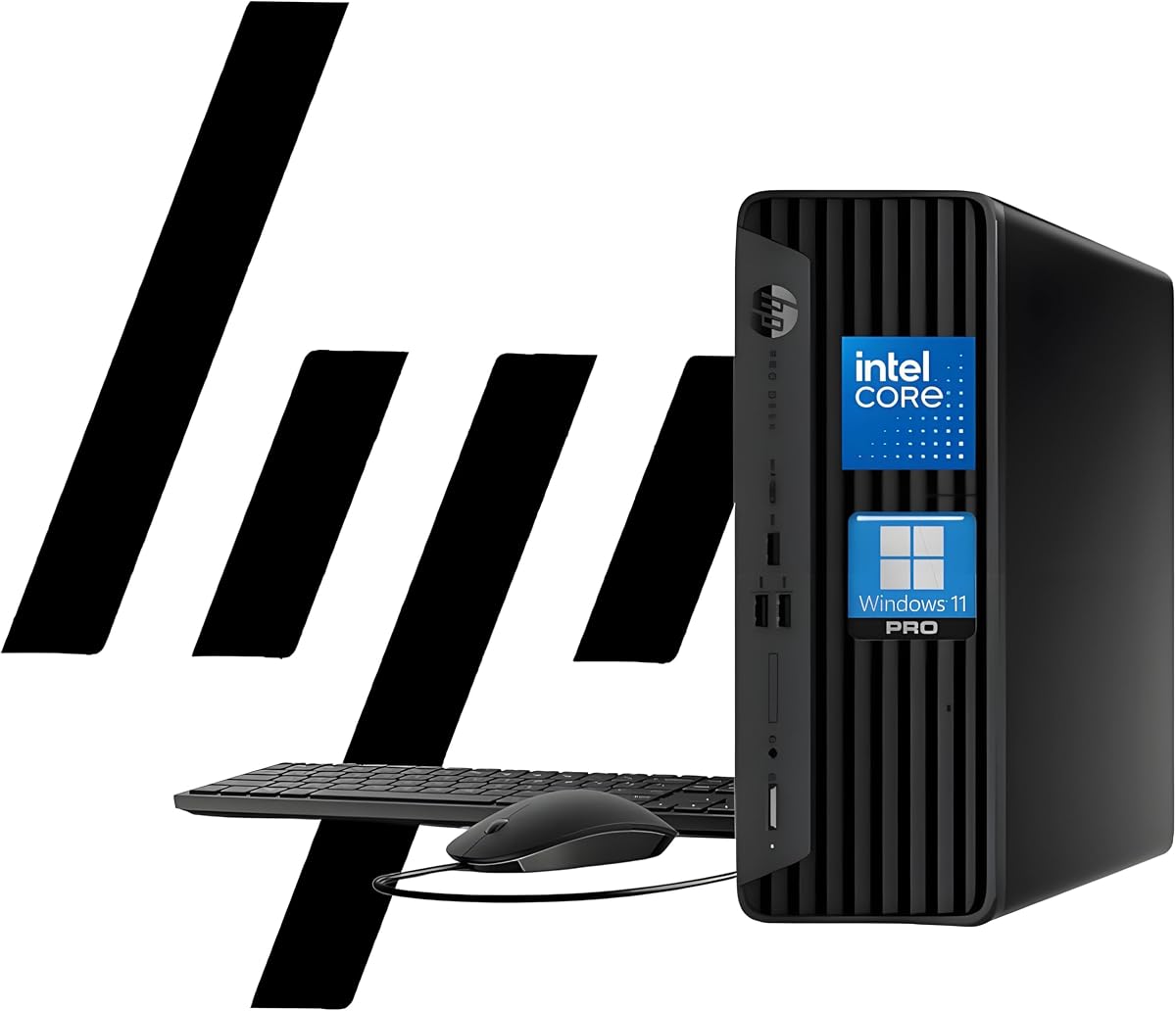
This HP desktop provides exceptional value for students and budget-conscious professionals. The 8-core processor and 16GB RAM handle everyday computing needs efficiently. It comes fully equipped with peripherals, allowing immediate use upon unboxing.
We may earn a commission when you buy through this link, at no additional cost to you.
Storage is a major advantage, with a 1TB SSD offering ample room for files and applications. Boot times are quick, and multitasking is fluid for schoolwork or home management. WiFi 6 ensures stable internet connectivity for video calls and downloads.
The processor is slightly older, but still capable for most non-gaming tasks. Graphics are basic, so intensive rendering might be limited. For general productivity and learning, these constraints rarely impact the user experience negatively.
It suits families or students needing a complete, ready-to-use solution. The balance of cost and performance makes it a practical choice. If you need a reliable machine for education and light work, this model delivers well.
Keyboard and mouse included means you can start working immediately without extra purchases.
1TB PCIe SSD ensures rapid file access and large storage capacity for all projects.
We may earn a commission when you buy through this link, at no additional cost to you.
This HP tower is designed for versatile household use, from homework to streaming. Its dedicated graphics support casual gaming and video playback, enhancing entertainment options. The compact design fits easily on desks or shelves without overwhelming the space.
We may earn a commission when you buy through this link, at no additional cost to you.
Performance is solid for general tasks, with 16GB RAM preventing lag during typical usage. Connectivity includes USB Type-C for modern devices. The system runs quietly, making it suitable for living rooms or study areas alike.
Storage is limited compared to some peers, which may require external drives for media libraries. While it runs Windows 11 Pro, this adds features often unused at home. Still, the hardware quality ensures long-term reliability.
It is an excellent pick for families needing a shared computer. The balance of performance, size, and features supports multiple users well. If space and noise are concerns, this model offers a thoughtful solution.
Dedicated graphics enable smooth video playback and light gaming for all ages.
USB Type-C port supports latest devices and fast data transfers for external drives.
We may earn a commission when you buy through this link, at no additional cost to you.
This refurbished Dell Optiplex offers exceptional specs for the price. With 32GB of RAM, it handles multitasking better than many newer budget systems. The 1TB SSD ensures fast boot times and plenty of space for files.
We may earn a commission when you buy through this link, at no additional cost to you.
While the processor is from an earlier generation, it remains effective for standard office and web tasks. The inclusion of Windows 11 Pro adds security and management features often missing in cheaper models. It is sourced from a trusted refurbisher, ensuring quality checks.
The main limitation is the age of the hardware, which may not support the latest demanding software. However, for general home or light business use, it performs admirably. The price-to-performance ratio is hard to beat.
It is ideal for budget-focused buyers needing high memory capacity. If you prioritize RAM and storage over raw CPU speed, this is a smart choice. For frugal shoppers, it represents significant value.
32GB RAM allows smooth switching between heavy applications without slowdowns.
Sold by a major authorized refurbisher with warranty and tech support included.
We may earn a commission when you buy through this link, at no additional cost to you.
The HP ProDesk 400 G9 excels in compactness and reliability. Designed for business use, it fits easily on desks while supporting powerful configurations. The 32GB RAM makes it capable of heavy multitasking despite the small form factor.
We may earn a commission when you buy through this link, at no additional cost to you.
It supports dual 4K displays, useful for financial or data review work. Security includes TPM 2.0 and Wolf Security for protection against threats. The build quality is robust, engineered for daily enterprise use.
The processor is entry-level, which limits high-end creative work. However, for office tasks, it is perfectly adequate. The trade-off for size and reliability is worth it for many professionals.
This unit is best for home offices needing a reliable, space-saving solution. It balances performance with practicality. If you need a sturdy, quiet machine for daily business, it delivers solid value.
Small form factor weighs under 9 pounds, fitting easily in tight spaces.
Supports dual 4K displays for expansive screen real estate and clarity.
We may earn a commission when you buy through this link, at no additional cost to you.
This Dell tower features the latest DDR5 memory, offering faster data access than DDR4. Paired with a 14th Gen processor, it delivers responsive performance for modern tasks. The 1TB SSD ensures rapid loading and ample storage.
We may earn a commission when you buy through this link, at no additional cost to you.
It supports dual 4K monitors, ideal for data analysis or content review. Connectivity includes USB Type-C and latest WiFi standards. The thermal design maintains system longevity, ensuring stability over time.
The i3 processor is capable but not for extreme loads. Still, for most users, the speed is sufficient. DDR5 ensures the system stays relevant longer than older memory types.
It is best for those seeking the latest tech standards at home. The memory and storage specs are excellent. If future-proofing is your goal, this model offers strong performance.
DDR5 RAM provides faster speeds and efficiency compared to older generation memory.
USB Type-C and HDMI 2.1 ensure compatibility with latest displays and devices.
We may earn a commission when you buy through this link, at no additional cost to you.
This HP desktop delivers consistent performance for small business needs. The 12th Gen i5 processor handles applications smoothly. It includes lifetime access to Office 365 on the web, reducing software costs.
We may earn a commission when you buy through this link, at no additional cost to you.
Setup is straightforward with included keyboard and mouse. Connectivity is comprehensive, with eight USB ports and multiple video outputs. The design supports professional environments with reliable uptime.
Storage is standard, which may require management for large media files. Graphics are basic, suitable for standard tasks but not heavy rendering. For business workflows, these limits are rarely an issue.
It is ideal for home offices and small enterprises. The inclusion of essential software adds value. If you need a dependable tool for daily work, this is a solid pick.
Lifetime Office 365 on the web access saves subscription fees for users.
Eight USB ports and multiple video outputs accommodate many peripherals easily.
We may earn a commission when you buy through this link, at no additional cost to you.
The Lenovo IdeaCentre features a 10-core processor that enhances multitasking efficiency. DDR5 memory ensures smooth handling of multiple applications. It includes essential accessories and connectivity for modern home use.
We may earn a commission when you buy through this link, at no additional cost to you.
The Intel Ultra 5 chip offers balanced performance for daily tasks. Wi-Fi 6E provides fast, stable wireless connections. The design is practical, with multiple USB ports for peripherals.
Storage is moderate, so external drives may be needed for large collections. The VGA port supports older monitors but HDMI is preferred. Still, the core performance is strong for the price.
This is a great choice for users wanting balanced specs. It handles typical home office tasks with ease. If you value efficiency and modern standards, this model is a strong contender.
10-core design allows better multitasking than standard dual or quad-core processors.
Wi-Fi 6E and multiple USB ports ensure fast wireless and peripheral connections.
We may earn a commission when you buy through this link, at no additional cost to you.
This Dell Pro Tower is a secure option for professional home work. It comes with Windows 11 Pro and physical lock features. DDR5 RAM ensures quick responses for everyday tasks.
We may earn a commission when you buy through this link, at no additional cost to you.
The i3 processor provides reliable performance for standard office applications. Connectivity supports dual monitors for expanded workspace. The design is compact yet robust for daily use.
Performance is not for heavy graphical workloads. For productivity and security, it excels. The high rating indicates user satisfaction with stability and reliability.
It is best for those prioritizing safety and stability. If you need a secure, dependable workstation for work, this model serves well. It is a practical choice for serious users.
Kensington lock slot and padlock loop protect hardware from physical theft.
High customer ratings reflect consistent performance and durability for home business.
We may earn a commission when you buy through this link, at no additional cost to you.
Selecting the right desktop involves weighing several critical factors to ensure long-term satisfaction. This section outlines key elements to consider when evaluating systems for your specific needs.
The processor (CPU) determines how quickly the system handles tasks. Look for modern generations like Intel Core Ultra or latest i5/i7 models for speed. Higher core counts help with multitasking and background processes.
Choose a CPU that matches your workload intensity.
RAM impacts how many applications run simultaneously without lag. 16GB is a good standard for most home users. For heavy multitasking, 32GB offers better longevity.
Prioritize 16GB or more for smooth operation.
SSDs provide faster boot times and file access compared to HDDs. Aim for at least 512GB of space for comfort. Larger capacities reduce the need for external drives.
Select SSD storage for speed and reliability.
Ensure the system has enough ports for your devices. USB-C, HDMI, and DisplayPort are essential for modern setups. Wi-Fi 6 ensures stable internet connectivity.
Check for adequate ports before purchasing.
Consider the physical footprint of the tower. Small Form Factor (SFF) saves desk space. Larger towers offer better airflow and upgrades.
Choose size based on your workspace constraints.
Windows 11 Home is standard for consumers. Pro adds security features for business users. Ensure the OS fits your licensing needs.
Verify OS edition matches your requirements.
Reliable support can save time if issues arise. Look for onsite service options if available. Check the warranty duration for coverage.
Prioritize systems with strong support.
Models with DDR5 memory and modern sockets offer longer life. Consider upgradability when buying. This protects your investment over time.
Look for features that extend usability.
Start by placing your desktop in a well-ventilated area to prevent overheating. Keep vents clear of dust and debris. Regular cleaning with compressed air maintains airflow efficiency.
Update your operating system and drivers regularly to ensure security and performance. Use antivirus software to protect against malware. Avoid installing unnecessary applications to reduce clutter.
Backup important files to external drives or cloud storage. This safeguards data against hardware failures. Power off the system properly to avoid file corruption during updates.
The best choice depends on your specific needs. For general use, the Dell Slim Desktop offers great value. For heavy workloads, the Dell Tower Desktop excels. Always match specs to your tasks.
Most home users manage fine with 16GB. However, if you multitask heavily or edit media, 32GB provides better performance. Assess your typical workload before deciding.
Yes, SSDs offer significantly faster boot and load times. They are more durable due to lack of moving parts. For home computers, SSDs are the preferred standard today.
With proper care, a desktop can last five to seven years. Regular cleaning and software updates extend this lifespan. Hardware upgrades can refresh performance mid-cycle.
Many towers allow RAM and storage upgrades. Slim models may be more limited. Check the specific model's manual for component access details before buying.
Home OS is for standard users. Pro adds features like remote desktop and BitLocker encryption. Pro is useful for business or security-focused home environments.
This guide highlights diverse options to suit varying home needs. From the versatile Dell Slim Desktop to the powerful Tower model, there is something for everyone. Focus on what matters most to your workflow.
Prioritize processing power and memory for long-term satisfaction. Ensure connectivity matches your peripheral needs. A well-matched system saves money over time by avoiding quick obsolescence.
Always verify current availability and features before purchasing. Prices and stock change frequently. Choosing the right model ensures a reliable computing experience for years to come.