
Razer Laptop Cooling Pad Adaptive Smart
4.4Editor score
Intelligent fan speed control
Airtight pressure chamber design
Three magnetic frames included
Gaming laptops generate significant heat during intense sessions. A dedicated cooling fan helps maintain optimal temperatures for sustained performance and hardware longevity.
We evaluated ten top-rated cooling solutions based on airflow, noise, compatibility, and user feedback. Each option offers unique features tailored to MSI gaming systems.
Every pick highlights key specifications and real-world benefits. Note that availability and pricing may change over time. Check current listings before purchasing.
4.4Editor score

5.0Editor score

4.4Editor score
As an Amazon Associate we earn from qualifying purchases.
This side-by-side comparison highlights the key specifications and features of the top ten cooling fans designed for MSI gaming laptops to help you find the perfect match.
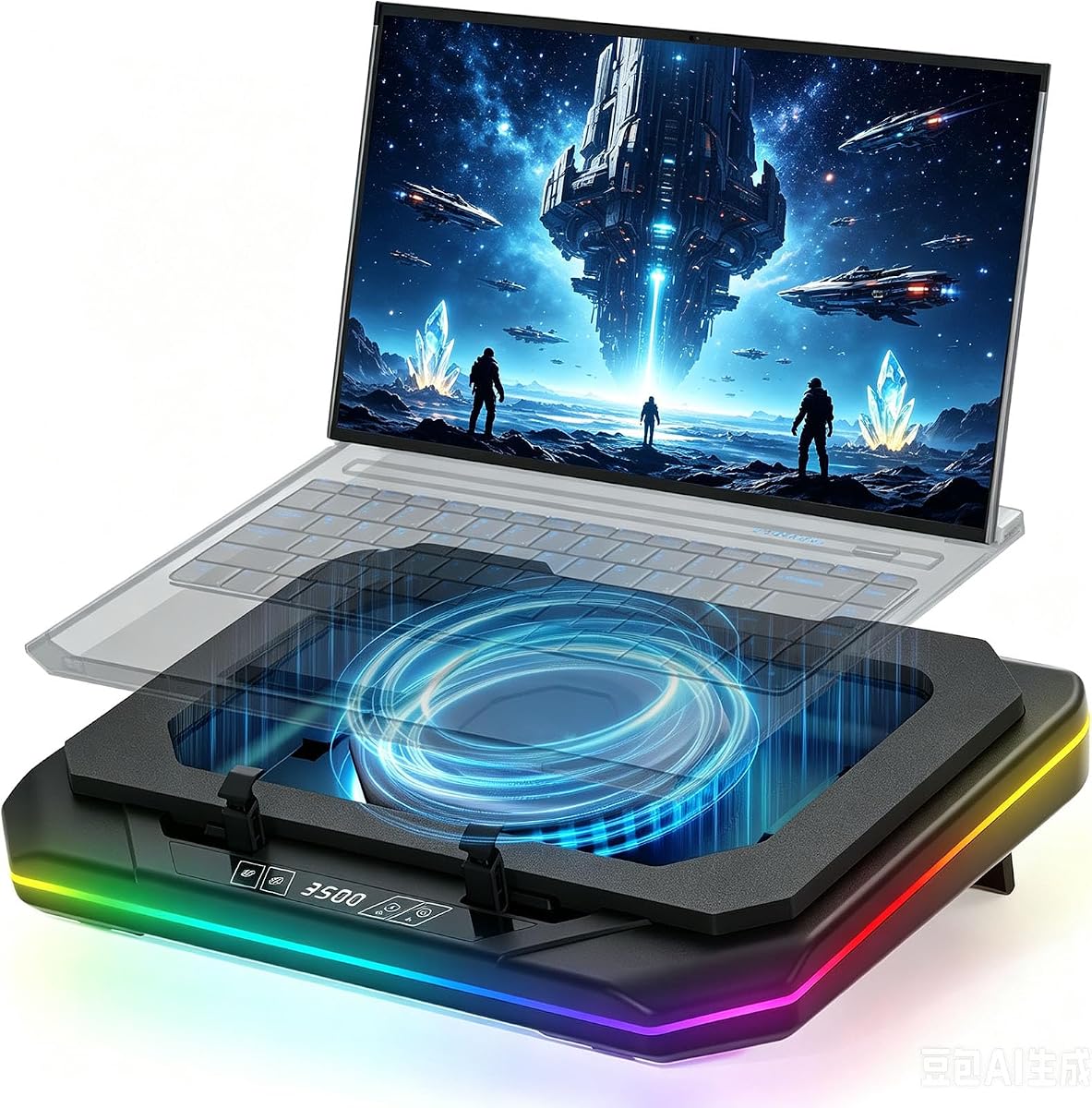


The Razer Laptop Cooling Pad Adaptive Smart stands out as a premium cooling solution with intelligent fan control that adjusts speeds automatically based on system load. With a strong rating of 4.4 stars, it delivers reliable thermal management for demanding gaming scenarios. The airtight pressure chamber ensures efficient airflow directed into the laptop intake.
We may earn a commission when you buy through this link, at no additional cost to you.
Key strengths include the 140mm brushless fan capable of spinning up to 3000 RPM which significantly reduces CPU and GPU temperatures. The inclusion of three magnetic frames allows compatibility with laptops ranging from 14 to 18 inches. You can customize fan curves via Razer Synapse to balance noise and cooling performance according to your needs.
Trade-offs involve the higher price compared to standard cooling pads and the requirement to use Razer Synapse for full feature customization. However these are acceptable given the advanced thermal performance and build quality. The 3-port USB Type-A hub adds practical value by expanding connectivity options for peripherals.
This cooling pad is ideal for gamers and professionals who own high-end MSI laptops and seek top-tier thermal management without manual intervention. The remappable multi-function buttons enhance usability by allowing quick adjustments without interrupting your workflow. For those prioritizing performance and features, this is a strong investment.
Automatic fan speed adjustments ensure your laptop stays cool under varying workloads without manual input.
The built-in USB hub lets you connect webcams controllers or drawing tablets without using native laptop ports.
We may earn a commission when you buy through this link, at no additional cost to you.
The havit HV-F2056 Laptop Cooling Pad offers a practical and portable solution for cooling MSI laptops between 15.6 and 17 inches. It holds a solid 4.4 star rating for its balance of affordability and performance. The slim design makes it easy to carry along with your laptop for travel or study sessions.
We may earn a commission when you buy through this link, at no additional cost to you.
It features three ultra-quiet fans that create a noise-free environment allowing you to focus on gaming or work without distraction. The metal mesh provides a stable carrying surface while doubling as an ergonomic stand with two adjustable height settings to improve posture. An extra USB port allows connecting additional devices conveniently.
The main trade-off is that it supports only laptops within a specific size range and lacks aesthetic features like RGB lighting. These limitations are acceptable considering its budget-friendly price and portability. The warm tip about USB-C adapters is useful for users with newer devices needing compatibility.
This cooling pad is perfect for students or travelers who need reliable cooling without bulk. Its ergonomic design helps reduce neck strain during long sessions. If you value simplicity and portability over advanced features the havit HV-F2056 is an excellent choice for everyday use.
Two adjustable height settings let you customize the viewing angle to reduce neck and back fatigue.
Ultra-quiet fans ensure the cooling pad does not interfere with your audio or concentration during use.
We may earn a commission when you buy through this link, at no additional cost to you.
This cooling pad is designed specifically for MSI gaming laptops including the Raider 18 HX series and offers exceptional heat dissipation with a powerful turbofan. It boasts a perfect 5.0 star rating reflecting user satisfaction with its cooling performance. The high-end appearance matches the premium build of MSI gaming systems.
We may earn a commission when you buy through this link, at no additional cost to you.
Key strengths include the turbofan spinning between 800 and 3500 RPM which reduces CPU and GPU temperatures by up to 40 degrees in 90 seconds. Retractable side panels prevent slipping while foldable footrests support laptops from 14 to 18 inches. The RGB surround light strip adds customizable lighting effects for a full gaming atmosphere.
The noise level can reach 60 dB at highest speed which is louder than normal conversation so sensitive users should adjust settings carefully. This trade-off is acceptable given the significant cooling performance improvements. The dust filtration mesh helps keep internal components clean reducing maintenance frequency.
This pad is ideal for serious gamers who prioritize performance and aesthetics. The USB hub with Type-C input supports external devices like keyboards and hard drives. If you own an MSI gaming laptop and want powerful cooling with style this product delivers outstanding results.
The turbofan technology quickly reduces temperatures improving system stability during intense gaming or rendering tasks.
RGB lighting with six adjustable modes enhances the visual experience and matches your gaming setup.
We may earn a commission when you buy through this link, at no additional cost to you.
This cooling pad targets MSI Vector and Creator series laptops and delivers exceptional cooling performance with a high-power turbofan. It holds a perfect 5.0 star rating for its effectiveness in handling demanding workloads. The design is both cool and high-end fitting well with premium gaming setups.
We may earn a commission when you buy through this link, at no additional cost to you.
It features a turbofan capable of reducing temperatures by 40 degrees in 90 seconds which ensures stable performance during extended gaming sessions. The retractable side panels prevent slippage while the foldable footrests accommodate laptops from 14 to 18 inches. RGB lighting offers six modes for a customized gaming vibe.
Noise can be noticeable at maximum speed but lowering the setting keeps it quiet during normal tasks. This is a reasonable trade-off for the cooling power provided. The USB hub supports external peripherals adding convenience to your workspace setup.
Ideal for creators and gamers who need reliable thermal management for large MSI laptops. The dust filtration mesh protects internal fans reducing maintenance. If you value performance and aesthetics this cooling pad is a top choice for MSI users.
Fits laptops from 14 to 18 inches making it versatile for various MSI models and other brands.
Multiple RGB modes allow you to personalize the lighting to match your gaming room setup.
We may earn a commission when you buy through this link, at no additional cost to you.
The Kootek Laptop Cooling Pad features five built-in fans that provide extensive coverage for laptops ranging from 12 to 17 inches. It maintains a 4.4 star rating thanks to its quiet operation and ergonomic design. The blue LEDs add a subtle visual touch without overwhelming the workspace.
We may earn a commission when you buy through this link, at no additional cost to you.
Key strengths include whisper-quiet fans that create an interference-free environment for focus. Two on-off switches let you control fan combinations for customizable airflow. Six adjustable height settings enable optimal viewing angles reducing neck strain. The dual USB hub connects additional devices without clutter.
The lack of variable speed control means you select fan combinations instead of fine-tuning RPM. This is acceptable for users who want simplicity. The stoppers on the front prevent laptops from slipping ensuring safety during use.
This cooling pad suits students and casual gamers who need reliable cooling without complexity. The ergonomic stand function is a bonus for long sessions. If you want multiple fans and height options at a reasonable price Kootek delivers value.
Six height settings let you raise your laptop screen to a comfortable angle for better posture.
Connect extra devices like mice or drives without using your laptop ports for cleaner setup.
We may earn a commission when you buy through this link, at no additional cost to you.
The ChillCore Laptop Cooling Pad features nine cooling fans to deliver aggressive thermal relief for laptops between 15.6 and 19.3 inches. It holds a 4.2 star rating and stands out for its vibrant RGB lighting and LCD display. The design focuses on maximum cooling and customizable aesthetics.
We may earn a commission when you buy through this link, at no additional cost to you.
It includes an LCD display that shows current fan speed for easy monitoring. The 9 fans are equipped with capacitor components to reduce noise making it nearly quiet even on max settings. Ten RGB modes allow you to create a cool game atmosphere with various lighting options.
The large footprint means it requires significant desk space which may be an issue for smaller setups. This is a trade-off for the increased cooling capacity. The eight height stands let you find a comfortable angle for extended use.
This pad is great for gamers who prioritize visual flair and cooling power. The LCD display and multiple modes offer control. If you want extensive RGB and fan variety ChillCore provides a feature-rich option for gaming laptops.
The LCD readout lets you see fan speed in real time for intuitive control without guessing.
Capacitor components reduce noise so the pad stays quiet even when running at high speeds.
We may earn a commission when you buy through this link, at no additional cost to you.
The llano V12 Ultra offers intelligent AI temperature control via Myth.cool software making it a standout for smart cooling. It has a 4.5 star rating for its efficiency and design. The turbo-pressure cooling fan delivers up to 22°C temperature reduction in lab tests.
We may earn a commission when you buy through this link, at no additional cost to you.
Smart modes auto-adjust fan speeds based on workload while manual control is available via a built-in scroller. The 5.5-inch fan with memory-foam seal pressurizes airflow into the laptop intake. Ergonomic design includes three adjustable tilt options to alleviate neck strain during long sessions.
Software dependency might be a hurdle for users who prefer hardware-only control. This is acceptable given the precision. The removable dust filter simplifies maintenance and extends the life of both cooler and laptop.
This pad suits professionals and gamers who want automated thermal management. The 36W adapter ensures robust performance without draining laptop power. If you value intelligence and comfort the V12 Ultra is a powerful choice.
Software adjusts fan speeds automatically based on your laptop's workload for optimal efficiency.
Three tilt options help you customize the viewing angle to reduce shoulder and neck fatigue.
We may earn a commission when you buy through this link, at no additional cost to you.
The llano V12 Gaming Cooling Pad uses a 5.5-inch turbo booster fan to reduce temperatures by up to 44°C in 90 seconds. It holds a 4.4 star rating for performance and build. The scroll wheel provides precise airflow adjustment for fine-tuned control.
We may earn a commission when you buy through this link, at no additional cost to you.
It features a 3-port USB hub for peripheral connectivity though not for charging. The integrated dust filtration mesh protects internal fans extending laptop lifespan. RGB lighting has 10 modes and 4 colors with a touch-mute button for quick adjustments.
The lack of USB charging means you cannot power devices directly from the hub which limits some use cases. This is minor compared to cooling power. The adjustable tilt angles improve comfort for long sessions.
Ideal for gamers needing rapid cooling without breaking the bank. The scroll wheel offers intuitive control. If you want performance and RGB value the V12 Gaming is a strong option for MSI laptops.
A scroll wheel allows instant airflow adjustments without navigating menus or pressing multiple buttons.
High-density filters capture debris keeping internal components clean and extending device lifespan.
We may earn a commission when you buy through this link, at no additional cost to you.
This quiet turbo fan cooling pad offers versatile cooling for laptops from 12 to 19 inches including MacBooks and gaming systems. It holds a 4.5 star rating for its balanced performance. The sealed airflow design directs air efficiently to cool hardware at lower quieter speeds.
We may earn a commission when you buy through this link, at no additional cost to you.
It features adjustable fan speeds from 800 to 2600 RPM for gaming or quiet work. The spring-loaded bracket auto-grips your laptop while USB output ports power accessories. RGB modes with memory let you save preferred lighting effects for convenience.
The USB-C power means you may need a separate adapter for full turbo power which is a small inconvenience. The slim build aids portability but may feel less sturdy than heavier units. This is acceptable given the price.
Perfect for users needing a universal cooler for multiple devices. The ergonomic stand function improves posture. If you want quiet cooling with flexible compatibility this pad is a great all-rounder.
Supports devices from 12 to 19 inches making it useful for gaming laptops MacBooks and ultrabooks.
Multiple adjustable angles replace a separate riser improving typing comfort and airflow simultaneously.
We may earn a commission when you buy through this link, at no additional cost to you.
The llano Gaming Laptop Cooler V12 supports laptops from 15 to 21 inches with a robust 5.5-inch turbo external fan. It has a 4.4 star rating for performance and durability. A temperature drop of 44°C in 90 seconds ensures steady operation during demanding tasks.
We may earn a commission when you buy through this link, at no additional cost to you.
Real-time LED display shows fan speed for instant adjustments. Sturdy double non-slip baffles secure heavy laptops while adjustable height reduces neck strain. The package includes a mouse pad and dust filter adding value to the purchase.
Its size makes it less portable for travelers and the higher price reflects the large support capacity. These are acceptable for desktop setups. The LED display offers clear control without guesswork.
Ideal for owners of large gaming laptops who need substantial cooling. The included mouse pad adds convenience. If you have a 15 to 21 inch laptop the V12 provides reliable support and cooling.
Designed for laptops up to 21 inches making it perfect for high-end gaming models and workstations.
The LED screen shows fan speed in real time enabling precise control and monitoring during use.
We may earn a commission when you buy through this link, at no additional cost to you.
Selecting the right cooling fan involves balancing performance size and features. This guide breaks down key factors to help you find the best option for your MSI laptop.
Look for cooling pads with high RPM fans and sealed airflow designs. Products claiming 20 to 40 degree temperature drops in under two minutes indicate strong thermal management capabilities.
Prioritize fans with turbo capabilities and adjustable speeds to handle peak loads without overheating.
Ensure the cooling pad supports your laptop size. Many models fit 15 to 17 inches while others accommodate up to 19 or 21 inches for larger gaming systems.
Check for adjustable feet or retractable side panels to secure your MSI laptop and prevent slippage during use.
Noise is a major factor for office environments or quiet spaces. Look for descriptions mentioning whisper-quiet operation or fans below 50 dB for comfortable use.
Products with adjustable fan speeds allow you to lower RPMs during light tasks to reduce audible disturbance.
Metal mesh surfaces provide stability while plastic may flex under heavy laptops. Consider weight if you plan to travel with the cooling pad regularly.
Slim designs are easier to pack but may offer less airflow than bulky units with multiple fans.
USB hubs add convenience by expanding connectivity. RGB lighting enhances aesthetics but may not affect performance. LED displays help monitor fan speeds directly.
Choose cooling pads that offer memory settings so your preferences are saved automatically when powered on.
Dedicated power adapters ensure fans run at full speed without draining laptop battery. USB-only models are convenient but may lack power for turbo modes.
Check if the cooling pad supports USB-C input for modern connectivity options with your MSI laptop.
Removable dust filters extend the life of both the cooling pad and laptop. Easy access to internal fans simplifies cleaning and ensures consistent airflow over time.
Models with self-cleaning features or sealed designs reduce the frequency of required maintenance significantly.
Budget options offer basic cooling while premium models include smart software control and high-end materials. Balance cost against the cooling benefits you need for your usage patterns.
Look for manufacturer warranties up to two years to protect your investment against defects or failures.
Position the cooling pad on a flat surface and plug it into a USB port or power adapter. Place your MSI laptop on top ensuring the intake vents align with the fans for optimal airflow.
Adjust the fan speed or mode based on your activity. Use higher settings for gaming and lower settings for browsing to balance cooling and noise levels.
Regularly clean the dust filters and fan blades with a soft cloth or compressed air. This prevents debris buildup and maintains cooling efficiency over time.
Yes cooling pads with sealed airflow and turbofans can reduce temperatures by up to 40 degrees. They improve airflow directly to internal intakes preventing thermal throttling and boosting performance during intense use.
Most cooling pads support laptops from 12 to 19 inches but check specific size limits before buying. Some models are designed specifically for MSI gaming series like Raider or Vector for optimal fit.
Choose a cooling pad with adjustable fan speeds and set it to a lower RPM during normal use. Look for models under 50 dB for minimal disturbance while still maintaining safe operating temperatures.
Many pads include USB-C power inputs or come with adapters. Check product descriptions for USB-C compatibility before purchasing to ensure you can connect without extra accessories.
Clean the dust filters every two weeks to prevent airflow blockage. Use compressed air to remove debris from fan blades and ensure the cooling pad operates efficiently.
No using an external cooling pad does not void your warranty. It helps maintain safe operating temperatures which can extend the lifespan of your MSI laptop and protect internal components.
For gaming use the highest fan speed available to maximize heat dissipation. Many pads allow you to save custom profiles so you can switch modes quickly depending on your workload.
We have reviewed ten top cooling fans tailored for MSI gaming laptops from budget options to premium smart pads. Each picks offers unique strengths in thermal performance noise and features.
Prioritize models with sealed airflow and adjustable fan speeds for the best balance of cooling and comfort. Choose the size that matches your laptop to ensure secure placement and maximum efficiency.
Prices and availability can change frequently so check current listings on Amazon before finalizing your purchase. Find the cooling fan that fits your needs to keep your MSI system running smoothly.