
Creality Falcon 10W Laser Engraver Machine
4.2Editor score
72W Effective Power Output
15.7 Inch Workspace Area
Compatible with LightBurn
Choosing the right laser engraver can transform your creative projects into professional-quality results. Creality offers a wide range of machines tailored for hobbyists and professionals alike, balancing power, precision, and safety. Understanding the differences between models helps you invest wisely in the tool that fits your specific needs.
We have analyzed ten distinct Creality Laser Engraver options based on their technical specifications, user ratings, and unique features. Our comparison looks at engraving speed, laser power, safety certifications, and software compatibility to ensure a comprehensive overview. This list covers everything from compact desktop units to fully enclosed industrial-grade machines.
Each pick in this guide highlights key strengths and potential limitations to give you a clear picture of what to expect. Whether you need high-speed production or precise detailing, there is a model here designed to meet your demands. Please note that pricing and availability can change frequently, so check current listings before purchasing.
4.2Editor score

4.7Editor score

4.2Editor score
As an Amazon Associate we earn from qualifying purchases.
The following table provides a side-by-side comparison of all ten Creality Laser Engraver models evaluated in this guide. It highlights key specifications such as laser power, operating speed, safety features, and unique capabilities to help you distinguish between the various options available on the market today.




The Creality Falcon A1C 10W AI Laser Engraver stands out with its intelligent workflow designed to streamline creative projects. Rated highly by users, this machine combines safety and speed in a compact package suitable for various environments. Its standout quality is the integration of AI tools that assist in design preparation and execution.
We may earn a commission when you buy through this link, at no additional cost to you.
Key strengths include the AI One-Tap Engraving feature which converts photos into artwork instantly. The AI camera provides precise positioning with 0.1mm accuracy, reducing material waste from misalignment. Auto focus ensures the laser height is correct for different materials without manual intervention. The interchangeable laser platform allows you to swap heads for different tasks, extending the machine's versatility over time.
While the workspace is compact, it is sufficient for many projects like signs and gifts. The smaller area might limit large production runs compared to full-sized units. However, the speed of 15,000mm/min compensates for this by completing tasks quickly. The Class 1 safety enclosure means no goggles are needed during normal operation, which is a significant convenience.
This model is ideal for beginners and experienced creators who value ease of use and safety. The expandable ecosystem supports attachments like smoke purifiers and rotary tools. If you need a reliable, safe, and smart engraver for a home or classroom, the A1C offers excellent value and performance.
Benefit-focused subheading
AI tools simplify complex design tasks for faster creation.
The AI assistant recommends settings and optimizes layouts automatically.
Fully enclosed structure meets Class 1 requirements for eye safety.
We may earn a commission when you buy through this link, at no additional cost to you.
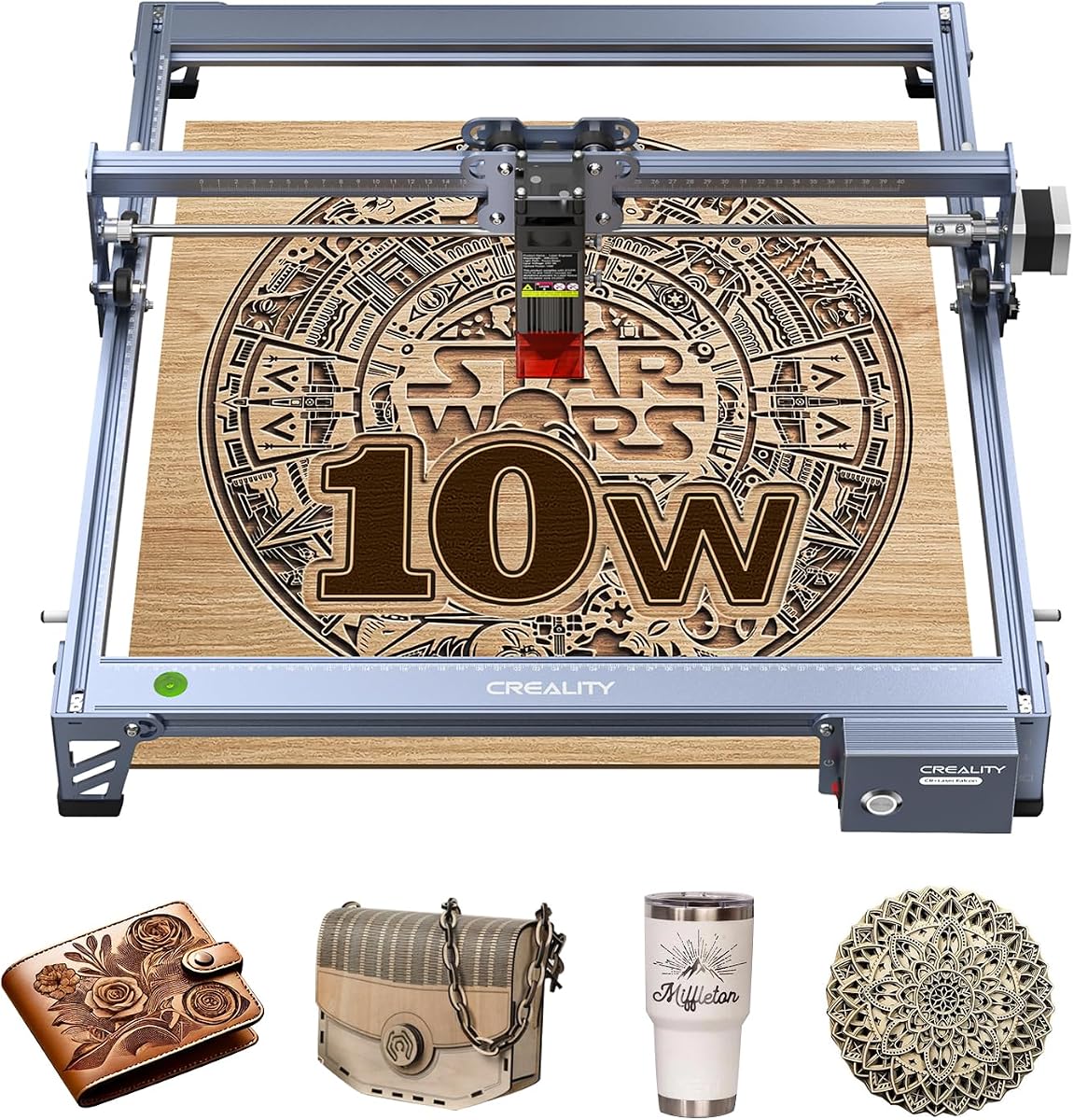
The Creality Falcon 10W Laser Engraver Machine is a powerful option for those seeking high performance without a high price tag. It delivers an effective power of 72W which is impressive for its class. This machine is designed to handle a wide variety of materials with precision and speed.
We may earn a commission when you buy through this link, at no additional cost to you.
Its 0.06mm compressed spot laser module allows for intricate detailing and accurate cuts. The workspace measures 15.7 by 16.3 inches which accommodates larger items compared to compact units. It cuts through 12mm wood and 5mm black acrylic in a single pass showing its cutting capability. The anti UV filter reduces harmful rays by 97% adding a layer of safety for users.
While it lacks the full enclosure of higher end models it includes goggles for protection. Users need to manage setup manually which can be a learning curve for beginners. However the compatibility with LightBurn and LaserGRBL offers flexibility for software preferences. The offline SD card feature allows for creation without a computer connection.
This engraver is perfect for hobbyists and small businesses looking to start laser cutting. The balance of power and price makes it a strong contender in the budget category. If you prioritize cutting speed and software flexibility over enclosure, this model is a wise choice.
Benefit-focused subheading
High power output allows for fast and deep cuts.
Works with over 200 materials including wood and leather.
Compatible with major engraving software on multiple OS.
We may earn a commission when you buy through this link, at no additional cost to you.
The Creality Falcon A1 Pro 20W Laser Engraver is designed for users who demand speed and power. With a total output of 180W it can handle thick materials efficiently. The touchscreen interface and app control make it accessible and convenient for modern workflows.
We may earn a commission when you buy through this link, at no additional cost to you.
It features a sleek smartphone style touchscreen that allows cable-free operation. The HD camera with autofocus ensures precise positioning in just 3 seconds. Engraving speeds reach 600mm/s which is three times faster than traditional models. The enclosed design blocks smoke and noise creating a cleaner workspace environment.
Although it is a premium option the efficiency gains can justify the cost for professionals. The safety features including emergency stop and lid-open halt provide peace of mind. Users can monitor progress remotely via the app which aids in multitasking. However extra modules like the IR laser must be bought separately for specific metal tasks.
This machine is ideal for small businesses and seasoned designers needing high throughput. The pre-assembly reduces setup time allowing for immediate project start. If you need a robust machine with advanced controls and speed the A1 Pro is a top-tier choice.
Benefit-focused subheading
Touchscreen and app control enable seamless operation.
Real-time monitoring from anywhere increases productivity.
Blocks 99% of light for safe operation without goggles.
We may earn a commission when you buy through this link, at no additional cost to you.
The CREALITY FALCON A1 10W laser engraver combines smart features with ease of use. It comes ready to use straight out of the box with pre-set optimal parameters. This reduces the trial and error often associated with laser engraving. The Falcon Design Space software integrates creative browsing and device control seamlessly.
We may earn a commission when you buy through this link, at no additional cost to you.
A key feature is the graphic outline extraction which converts designs into engraving paths automatically. The smart camera provides a full-frame view for easy locking onto objects. Speeds reach 600mm/s thanks to the CoreXY motion system. The Class 1 safety enclosure filters 99% of radiation ensuring a safe environment.
While the software is robust there are limitations regarding compatible panels. The 500mm honeycomb panel is not supported which limits workspace expansion for some. Cutting acrylic is also restricted as it requires a coated surface. Users should consider these constraints before purchase to ensure they fit specific project needs.
This model is great for those who want a user-friendly experience with smart tools. The pre-set parameters help beginners achieve success quickly. If you prioritize ease of use and software features the A1 is a reliable option.
Benefit-focused subheading
Smart camera eliminates manual tweaking of position.
Falcon Design Space offers intuitive editing for all levels.
Auto-lock and emergency stop features protect users.
We may earn a commission when you buy through this link, at no additional cost to you.
This Creality Laser Engraver machine offers a strong balance of power and precision for DIY enthusiasts. It features a 0.06mm super fine spot focus which enables detailed engraving. The workspace dimensions of 17 by 16 inches provide ample room for various projects.
We may earn a commission when you buy through this link, at no additional cost to you.
The machine uses a steel shaft wheel guide rail design for stability. It can cut 5mm basswood and 3mm black acrylic in one pass. Connectivity options include Wi-Fi USB and SD card for flexible data transfer. The anti-UV filter helps protect eyes during operation.
Assembly takes roughly 10 to 20 minutes which is straightforward for most users. The focusing plate included with the laser head simplifies adjustments. However it lacks the advanced AI features found in newer models. It is a solid choice for those who prefer simplicity and direct control.
Ideal for users who want a reliable machine without complex software dependencies. The compatibility with LightBurn allows for professional workflow options. If you value precision and a spacious workspace this model is a dependable pick.
Benefit-focused subheading
Multiple connection options ensure flexible data transfer.
Tools not required for focus adjustment.
Anti UV filter reduces harmful rays effectively.
We may earn a commission when you buy through this link, at no additional cost to you.
The Creality Falcon2 Pro S 22W laser engraver is designed for professional batch production. It delivers 22W optical output capable of cutting thick materials like 15mm basswood. The integrated enclosure and flame detector enhance safety significantly for industrial use.
We may earn a commission when you buy through this link, at no additional cost to you.
Auto Focus and Auto Cut Through features compensate for material variations. This ensures consistent results without manual intervention. The flame detector and safety lock provide multiple layers of protection. A built-in debris drawer simplifies cleaning after operation.
While it offers high power the lower user rating suggests potential complexity. It may require more technical knowledge to operate effectively. The design targets small studios and sole traders rather than casual hobbyists. Users should weigh the need for power against the learning curve.
This machine is best for those needing reliable throughput in a professional setting. The safety features are comprehensive to prevent accidents. If you prioritize industrial capabilities over simplicity consider the Pro S.
Benefit-focused subheading
Flame detector ensures safe operation in workshops.
Fireproof fiber cover isolates smoke and dust.
Debris drawer reduces maintenance frequency.
We may earn a commission when you buy through this link, at no additional cost to you.
The Creality Falcon A1C 10W Mini Laser Engraver offers portability without sacrificing features. It supports a quick-swap design for changing modules in 15 seconds. This flexibility allows users to adapt to different materials and tasks easily.
We may earn a commission when you buy through this link, at no additional cost to you.
Speeds of up to 15,000mm/min ensure fast project completion. The auto focus adjusts height automatically eliminating manual calibration. Compatibility with 300+ materials expands creative possibilities. Software offers AI image generation and material recognition tools.
Its compact design fits easily into living rooms or classrooms. This makes it great for educators or mobile makers. However the workspace size limits larger projects. It is a perfect tool for those who need flexibility and mobility.
Ideal for users who want a versatile desktop machine. The safety features and software support enhance usability. If you need a portable engraver with AI capabilities the Mini A1C is a strong choice.
Benefit-focused subheading
Quick swap design supports rapid module changes.
Portable design allows movement between spaces.
Material recognition simplifies setup process.
We may earn a commission when you buy through this link, at no additional cost to you.
This variant of the Creality Falcon A1 Pro 20W focuses on interface usability. It comes with a smart touchscreen that simplifies everyday tasks. The interface allows quick access to history files with a single tap.
We may earn a commission when you buy through this link, at no additional cost to you.
The HD smart camera provides real-time previews for precise placement. Air assist helps ensure clean cuts with fewer passes. The enclosure blocks 99% of laser radiation for safety. It handles 10mm basswood with smooth edges efficiently.
The design targets users who value ease of operation. The lack of cables due to touchscreen operation is a plus. However it shares similar specs with other Pro models. If you prefer direct touch control over PC software this is a solid option.
Ideal for those who want a modern interface experience. The air assist and camera features enhance cut quality. If you prioritize a smooth user experience this model is worth considering.
Benefit-focused subheading
Air assist ensures smooth clean cut edges.
Smart touchscreen reduces dependency on cables.
Live camera preview aids precise alignment.
We may earn a commission when you buy through this link, at no additional cost to you.
The Creality Falcon A1C Mini emphasizes AI driven workflow tools. It includes image generation and extraction to help users design. The software library assists with material recognition and visual positioning.
We may earn a commission when you buy through this link, at no additional cost to you.
Speeds up to 15,000mm/min allow for quick turnaround. The support for three laser heads makes it versatile. Class 1 safety ensures safe use without goggles. Auto focus adjusts the laser height automatically.
This machine is perfect for those who want tech features. The software simplifies the engraving process significantly. However it requires a computer or app connection for full functionality. It is great for users who enjoy digital creativity.
Ideal for tech-savvy users and educators. The AI features reduce barriers to entry. If you value software integration and speed the A1C Mini is a great pick.
Benefit-focused subheading
AI software generates images for engraving.
AI assistant helps with layout and settings.
Flame detection stops operation automatically.
We may earn a commission when you buy through this link, at no additional cost to you.
The Creality Laser Engraver Falcon A1 emphasizes safety and speed. It requires zero assembly which is rare for this class of machine. This allows for immediate use right out of the box. The six safety protections ensure secure operation in any environment.
We may earn a commission when you buy through this link, at no additional cost to you.
With speeds up to 600mm/s it is one of the faster units. It maintains 0.01mm precision for detailed work. The Class 1 laser safety compliance means no goggles are needed. It can cut 5mm wood in a single pass.
The intuitive operation makes it ideal for beginners. Users select a model and let auto material recognition handle the rest. While it is pricier the safety and ease of use justify the cost. It is a top pick for those prioritizing reliability and protection.
Ideal for home users and classrooms where safety is paramount. The durability and speed support long term use. If you value peace of mind and fast results this is a strong choice.
Benefit-focused subheading
Zero assembly means immediate use.
Emergency stop and safety lock included.
Belt tensioning prevents slippage.
We may earn a commission when you buy through this link, at no additional cost to you.
Selecting the right laser engraver involves understanding key factors like power, speed, and safety. This guide breaks down the most important considerations to help you make an informed decision.
Laser power determines the thickness of materials the machine can cut. Higher wattage allows for faster cutting and deeper engraving on dense materials like wood and acrylic. For light engraving on paper or leather lower power is sufficient.
Speed is measured in mm/min and affects how quickly projects are completed. Faster machines are better for batch production and high-volume tasks. However precision is also key so look for balanced models.
Safety is critical when working with lasers. Look for Class 1 enclosed designs that filter out harmful rays. Emergency stop buttons and flame detectors add extra layers of protection.
Ensure the machine supports software you are comfortable with. Many models work with LightBurn or LaserGRBL which offer advanced tools. Proprietary software can simplify setup for beginners.
The workspace size limits the dimensions of materials you can engrave. Larger projects need bigger beds or rotary attachments. Consider future needs before purchasing a compact unit.
Smart cameras assist in positioning designs accurately on the material. Auto focus systems adjust the laser height automatically saving time. This is vital for precise alignment on uneven surfaces.
Air Assist blows air on the cut area to reduce burns and improve clarity. It helps remove debris from the cut line. This feature is common in models designed for clean cuts.
Connectivity like USB Wi-Fi or SD card affects data transfer methods. Wi-Fi allows wireless control which adds convenience. Check if the machine supports offline storage if needed.
After use clean the debris drawer and inspect the lens for dust. Store the machine in a dry place to prevent corrosion. Regular maintenance ensures longevity and consistent performance over time.
Yes but standard blue laser modules work best on dark or coated metals. For bare metals like aluminum use the optional infrared module available for specific models. Always test settings on a scrap piece first.
For Class 1 enclosed models like the A1 you do not need goggles during normal operation. However open models like the standard Falcon recommend using the provided UV protective goggles. Safety always depends on the specific model.
Most models come with proprietary software like Falcon Design Space. They also support industry standard programs like LightBurn for advanced users. Download drivers before starting to avoid issues.
Use a lint-free cloth with isopropyl alcohol to wipe the lens gently. Ensure the machine is off and unplugged before cleaning. Dust can affect focus and burn quality.
Avoid engraving PVC or materials containing chlorine as they release toxic fumes. Mirrored materials are also prohibited as they reflect the laser beam. Always check material safety data before cutting.
Yes many Falcon models support optional rotary accessories for cylindrical objects. Check the specific compatibility list before buying. This allows for engraving on bottles and cups.
Remember to check current listings for the most accurate details and offers. Availability and pricing can change often on online marketplaces. Investing in the right tool will elevate your creative projects significantly.