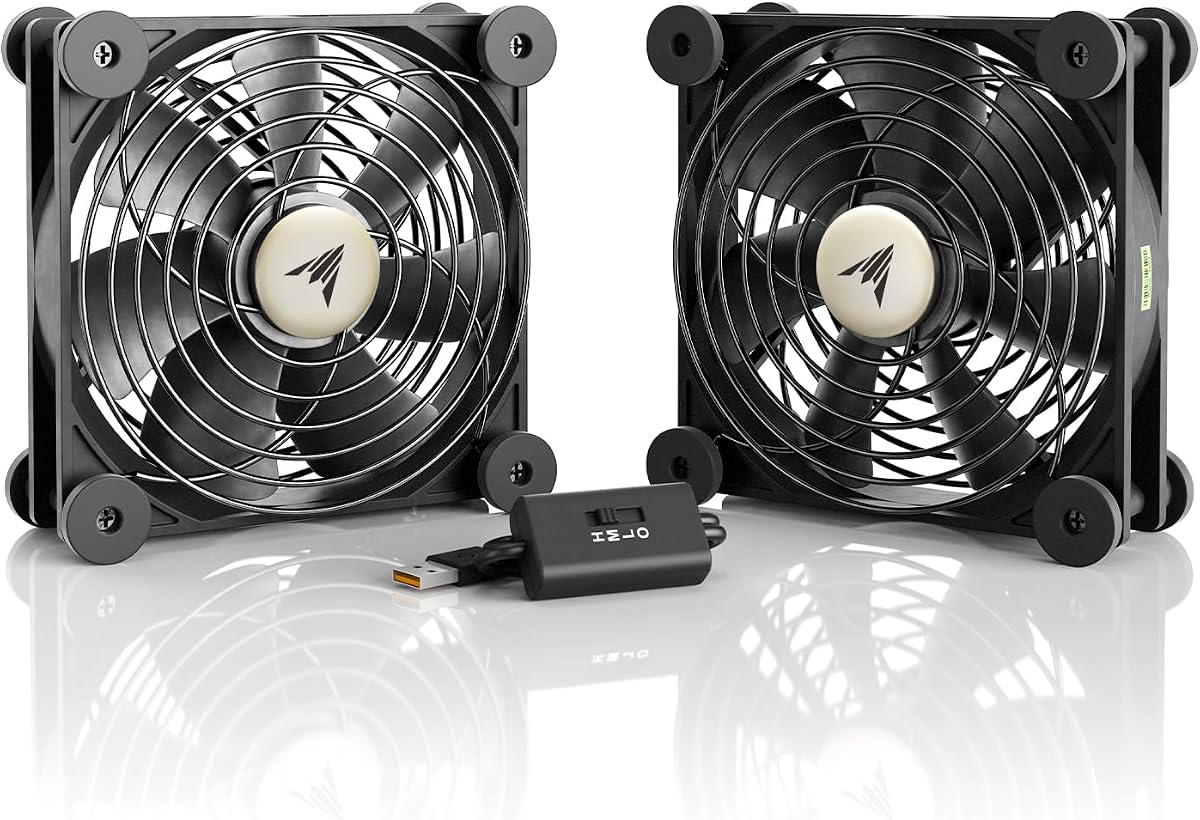
AC INFINITY MULTIFAN S7
4.7Editor score
Ultra quiet operation
USB powered convenience
Multi speed controller
This guide compares the top cooling fans for AV receivers to help you prevent overheating and ensure reliable performance for your home theater system.
Keeping your AV receiver cool is essential for maintaining sound quality and preventing hardware failure. A dedicated cooling fan helps dissipate heat generated during heavy use.
We have analyzed ten top-rated cooling solutions specifically designed for AV equipment. Our comparison focuses on noise levels, airflow capacity, and ease of installation.
Each product entry details key features, pros, and cons to help you make an informed decision. Please note that availability and pricing may change over time.
4.7Editor score

4.8Editor score

4.4Editor score
The following table provides a side by side comparison of all ten selected cooling fans. Review the specifications to find the model that best fits your AV cabinet or setup.
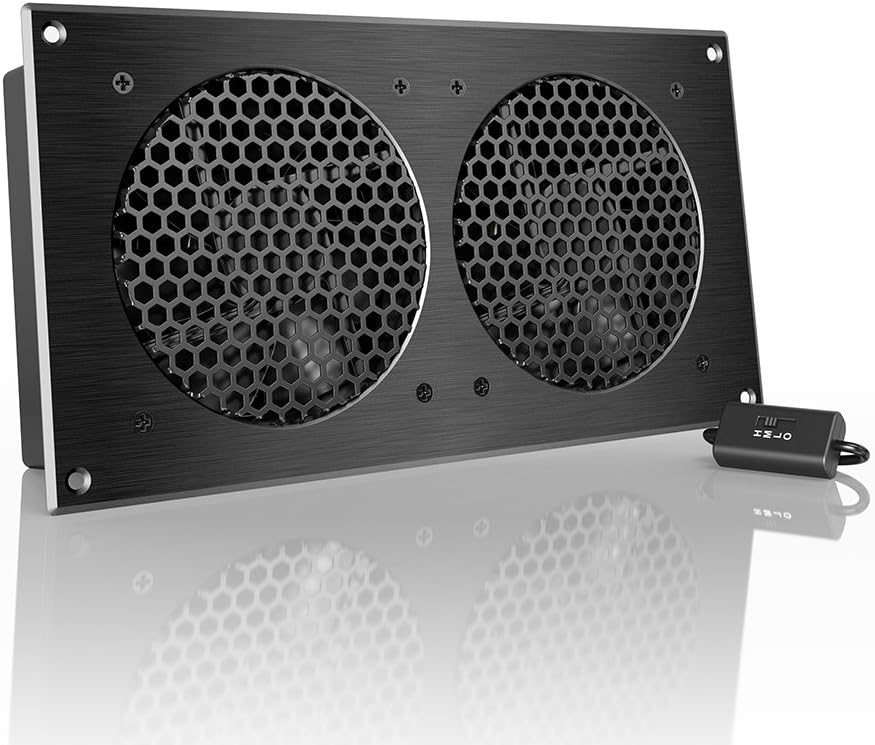


The AC INFINITY AIRCOM S7 stands out as the top choice for AV receiver cooling. It achieves a high rating of 4.8 based on user feedback and performance data.
We may earn a commission when you buy through this link, at no additional cost to you.
This system features two dual ball bearing fans with PWM controlled motors. These components ensure minimal noise while moving 140 CFM of air effectively.
The top exhaust design directs heat away from sensitive equipment. Thermal triggers allow automatic activation based on temperature conditions.
Buyers seeking reliable cooling for expensive AV gear should consider this model. It balances performance and silence better than most competitors.
Four speed control options let you fine tune airflow to match your specific cooling needs.
Programming features two thermal trigger modes to automatically cool components when heat rises.
We may earn a commission when you buy through this link, at no additional cost to you.
The AC INFINITY MULTIFAN S7 offers excellent value for those on a budget. It maintains a strong 4.7 rating among users.
We may earn a commission when you buy through this link, at no additional cost to you.
This fan uses ultra-quiet UL-certified USB fans designed for electronics. A multi-speed controller sets the optimal noise and airflow levels.
Dual ball bearings ensure a lifespan of 67,000 hours. The design allows the fans to be laid flat or stand upright.
It is ideal for users who need basic cooling without spending much. The USB power makes installation simple and flexible.
USB plug can power the fan through ports found behind popular AV electronics and game consoles.
Dimensions of 4.7 by 4.7 by 1 inch per fan save space in tight enclosures.
We may earn a commission when you buy through this link, at no additional cost to you.
The Noctua NV-FS2 represents the premium end of the cooling market. It brings renowned PC cooling quality to AV equipment.
We may earn a commission when you buy through this link, at no additional cost to you.
An award-winning NF-A12x25 PWM fan provides superior ventilation efficiency. NV-MPG1 gaskets reduce vibrations to offset design ensures optimal acoustics.
A compact NA-FC1 fan controller allows adjusting speed from max airflow to near silent operation. The power supply works with US and UK sockets.
Users willing to invest in top tier quality will appreciate this set. It is designed for placement underneath or beside devices.
NV-MPG1 gasket and NV-MPP1 pads are made from extra-soft silicone to reduce vibrations.
NV-PS1 power supply includes plug adaptors for EU, US, and UK type sockets.
We may earn a commission when you buy through this link, at no additional cost to you.
This AC powered fan offers true plug and play convenience for cooling. It does not require adapters for standard wall outlets.
We may earn a commission when you buy through this link, at no additional cost to you.
A premium brushless motor delivers powerful airflow while remaining quiet. The built-in speed controller lets you adjust airflow from gentle breeze to max power.
The slim 120mm form factor fits virtually anywhere. It includes a protective metal finger guard and a 5-foot power cord.
It is a practical solution for AV receivers that sit near power sources. Users value the ability to adjust RPM for specific needs.
Turn down for silent operation or crank up for maximum heat exhaust during summer days.
Screw it onto vents or use zip ties for wire shelf mounting in tight spaces.
We may earn a commission when you buy through this link, at no additional cost to you.
This cooling fan is designed for installation without drilling holes in furniture. It utilizes existing door gaps for ventilation.
We may earn a commission when you buy through this link, at no additional cost to you.
It delivers up to 77.12 CFM airflow to improve ventilation in enclosed spaces. The USB 5V plug and play power works with many sources.
The built-in speed controller lets you adjust airflow based on cooling needs. It is versatile for home theater cabinets and electronics enclosures.
Renters or those protecting expensive furniture will find this useful. It balances cooling power with non destructive installation methods.
Install cooling without cutting holes or damaging your cabinet with the slim door-gap design.
Powered by a standard USB 5V connection to work with power banks and adapters.
We may earn a commission when you buy through this link, at no additional cost to you.
This cabinet cooling fan features a slim design for tight spaces. It helps reduce heat around AV receivers and networking equipment.
We may earn a commission when you buy through this link, at no additional cost to you.
Mounts securely using existing cabinet gaps or vents without drilling. The USB powered convenience allows for simple plug-and-play operation.
Quiet cooling performance provides efficient airflow with low operating noise. It is suitable for AV cabinets and entertainment centers.
Users with narrow cabinets where traditional fans fail will benefit. The wide electronics compatibility covers most common setup needs.
Ultra-slim profile fits narrow cabinets, media consoles and equipment enclosures.
Powered by a standard 5V USB connection for adapters or compatible devices.
We may earn a commission when you buy through this link, at no additional cost to you.
This gap cooling solution fits snugly against the inner edge of cabinet doors. It provides high-efficiency cooling without a single drill bit.
We may earn a commission when you buy through this link, at no additional cost to you.
Setup takes under 60 seconds with included non-destructive mounting brackets. Engineered for home theater environments to remain virtually silent.
It effectively pulls heat away from AV receivers and game consoles. Optimized for tight spaces where standard fans fail.
Perfect for anyone who values their furniture's integrity. The USB-powered versatility works with wall adapters and AV receivers.
Suitable for renters, DIY enthusiasts, and anyone who values their furniture.
Engineered to pull heat away from AV receivers and server racks efficiently.
We may earn a commission when you buy through this link, at no additional cost to you.
This dual USB cooling fan is ideal for electronics like routers and consoles. It uses 140mm case fan efficiency for quiet cooling.
We may earn a commission when you buy through this link, at no additional cost to you.
Customize airflow with low, medium, and high settings via the 3-speed control. It works with any USB PC fan port including AV receivers.
The compact 11 by 5.5 by 1 in size allows flexible placement. Sleeve bearings help maintain operation in tight spaces.
Users looking for a dual fan solution for multiple devices will like it. The universal USB compatibility makes daisy-chaining easy.
Perfect USB powered fan for cabinet use or computer cooling fan needs.
Works with any USB PC fan port found behind electronics and game consoles.
We may earn a commission when you buy through this link, at no additional cost to you.
This 240mm fan unit cools receivers and other AV electronics effectively. Dual 120mm fans move ample air to cool multiple devices.
We may earn a commission when you buy through this link, at no additional cost to you.
It features a multi-speed controller for optimal noise and airflow levels. The low setting runs near-silent while the high setting delivers max airflow.
A durable hydraulic bearing motor ensures long-lasting quiet cooling for 24/7 operation. The slim design fits in crowded shelves.
Users needing more airflow than a single 120mm fan can offer will benefit. The USB extension cable with inline switch adds convenience.
Dual 120mm fans move ample air to cool multiple devices simultaneously.
Low setting runs near-silent while high delivers max airflow for high-load gear.
We may earn a commission when you buy through this link, at no additional cost to you.
This fan system is designed for cooling cabinets that require minimal noise. It features a CNC machined aluminum frame with a brushed black finish.
We may earn a commission when you buy through this link, at no additional cost to you.
The multi-speed controller sets the fan speed to optimal noise and airflow levels. Powered by wall outlet or USB port with a Turbo Adapter.
It contains dual ball bearings and delivers 104 CFM of airflow. The dimensions are suitable for standard cabinet vents.
Users needing a stylish and quiet cabinet cooling solution should look here. It balances performance with aesthetic appeal for home theaters.
Contains a CNC machined aluminum frame with a modern brushed black finish.
Included Turbo Adapter increases performance by 25% when needed.
We may earn a commission when you buy through this link, at no additional cost to you.
Choosing the right cooling fan involves evaluating airflow, noise, and installation requirements. These factors ensure your AV receiver stays cool without disrupting your home theater experience.
Airflow is measured in cubic feet per minute (CFM). Higher CFM means more air moves through the receiver to carry away heat. For high-end receivers, aim for at least 100 CFM to handle thermal loads effectively.
Check the CFM rating against the heat output of your receiver to ensure adequate cooling.
Noise is measured in decibels (dBA). A fan under 20 dBA is ideal for living rooms where audio quality matters. Noisy fans can interfere with dialogue or music playback during movies.
Prioritize models rated below 20 dBA for silent operation in home theaters.
Fans can be USB powered or AC wall outlet powered. USB fans are versatile but rely on the receiver having free ports. AC fans provide constant power without using receiver ports.
Choose USB for simplicity or AC for independent operation depending on available ports.
Mounting options include top exhaust, door gaps, or rack mounting. No-drill options preserve furniture value while standard mounting provides secure placement. Assess your cabinet space before selecting.
Select installation type that matches your cabinet design and furniture protection needs.
Adjustable speed controls allow you to balance noise and cooling. Full control lets you run fans silent during movies and full power during high heat. Look for multi-speed controllers.
Multi-speed controls ensure you have flexibility for different usage scenarios.
Ball bearings last longer than sleeve bearings in continuous operation. Dual fans often move more air than single units. Quality construction ensures durability over years of use.
Opt for dual ball bearings and robust materials for long-term reliability.
Some fans have thermal triggers that activate based on temperature. This automatic control saves energy and reduces noise when cooling is not needed. It is a smart feature for efficiency.
Look for thermal triggers if you want automated temperature-based fan control.
The physical size must fit your cabinet vent or space. Slim designs help where clearance is limited. Measure the space before purchasing to ensure the fan fits properly.
Verify dimensions match your available vent or space for proper fit.
Place the fan so that air flows into or out of the receiver vents properly. Ensure the intake side faces cooler air and the exhaust side faces away from hot zones.
Clean the fan blades regularly to prevent dust buildup. Dust reduces airflow efficiency and increases noise over time. Use compressed air to remove debris safely.
Monitor your receiver temperatures after installation. If the fan seems insufficient, check the orientation or consider a higher CFM model. Proper use extends equipment life.
Yes, maintaining lower operating temperatures helps prevent thermal stress on internal components. Over time this reduces the risk of overheating failures and extends hardware longevity.
Most quality fans operate under 20 decibels which is below typical TV volume. High-quality fans use silent motors to avoid distracting sounds during quiet scenes.
Some fans plug into USB ports on the receiver or wall outlets. USB powered fans draw power from the device while AC fans need a dedicated socket.
Cleaning every three to six months is recommended. Dust accumulation reduces airflow efficiency. Use compressed air or a soft brush to remove buildup.
A fan with at least 100 CFM is ideal for most receivers. Higher wattage units may require fans with 140 CFM or more for adequate heat dissipation.
Yes but ensure there is adequate exhaust ventilation. Fans should pull air through the cabinet to prevent heat from becoming trapped inside the enclosure.
Ball bearings generally last longer and perform better in continuous operation. Sleeve bearings may be cheaper but have shorter lifespans in demanding conditions.
Thermal triggers activate fans only when heat rises. This automation saves power and reduces noise when the receiver is idle or running cool.
The AC INFINITY AIRCOM S7 stands out as the top choice due to its high airflow and quiet operation. It balances performance and silence better than most alternatives.
For budget-conscious users the AC INFINITY MULTIFAN S7 offers reliable cooling at a lower cost. It provides sufficient airflow for most standard AV setups.
Prices and availability may change over time so check current listings before purchasing. Choose the model that best fits your cabinet and cooling needs.