
CORSAIR RS120 ARGB 120mm PWM Fans Triple Pack
4.6Editor score
Low Noise Airflow
Daisy Chain PWM Control
Magnetic Dome Bearing
Compare the top ten Corsair case fans for 2026 featuring ARGB lighting, PWM control, and high static pressure to optimize cooling and aesthetics.
Choosing the right cooling solution is vital for any PC builder. Corsair case fans offer reliable performance and vibrant lighting. You need to balance airflow, noise, and price when selecting new components.
We evaluated ten distinct models based on specifications and user feedback. Our analysis focuses on airflow efficiency, build quality, and lighting customization. This list helps you find the best fan for your specific setup.
Each pick highlights unique features like reverse rotors or chain links. We explain why certain models excel in different scenarios. Remember that prices fluctuate, so check current listings before buying.
4.6Editor score

4.7Editor score

4.6Editor score
This table provides a quick side by side overview of the ten featured fans. Review the key specifications like size, bearing type, and connectivity options to compare performance metrics easily.

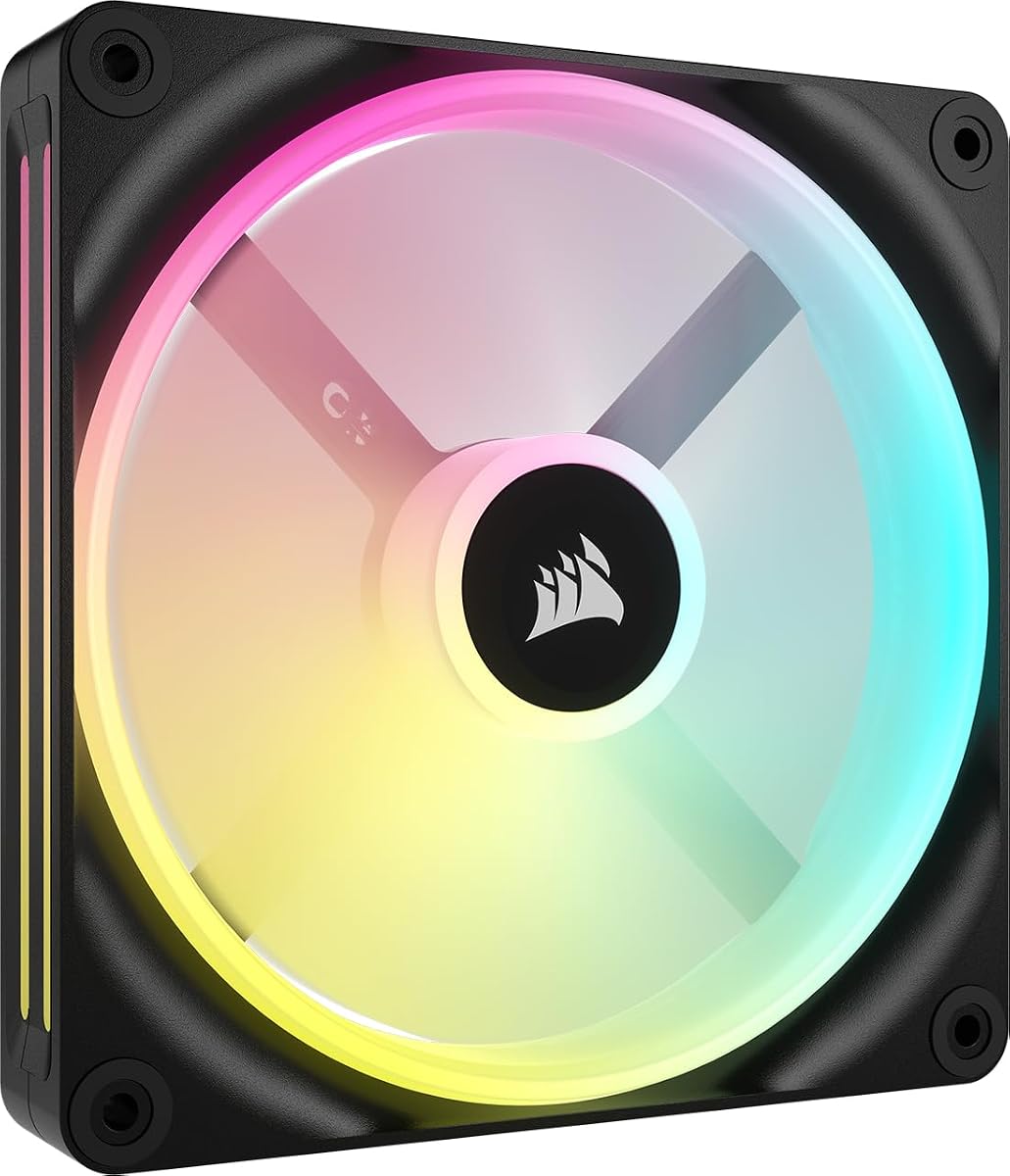


The CORSAIR RS120 ARGB fans offer exceptional value for builders on a budget. With a solid rating of 4.6 stars, these fans deliver reliable cooling without breaking the bank. They feature daisy chain connectivity that simplifies cable management significantly.
We may earn a commission when you buy through this link, at no additional cost to you.
Performance is strong with up to 72.8 CFM of airflow and speeds reaching 2100 RPM. The magnetic dome bearing ensures smooth operation and longevity. AirGuide technology focuses airflow on critical components efficiently. Lighting is customizable via motherboard ARGB headers.
While these fans are excellent, they lack some advanced features found in higher end models. They do not include a dedicated hub for simplified lighting control. The design is functional but less visually striking than premium options.
This fan is ideal for budget builds needing decent airflow and RGB. It balances cost and performance well for standard cases. We recommend this triple pack for anyone prioritizing value over premium aesthetics.
The daisy chain feature allows multiple fans to connect via a single cable. This reduces clutter and makes installation much faster for users.
AirGuide vanes direct air precisely to hot components. This increases cooling efficiency without requiring higher fan speeds.
We may earn a commission when you buy through this link, at no additional cost to you.
The CORSAIR iCUE Link LX120 RGB fans represent the pinnacle of cable management and aesthetics. Rated at 4.6 stars, these fans are designed to look stunning while cooling effectively. The included Link System Hub eliminates complex wiring harnesses entirely.
We may earn a commission when you buy through this link, at no additional cost to you.
Each fan boasts dual light loops with 18 LEDs for brilliant lighting effects. The magnetic dome bearing keeps noise low even at high speeds. AirGuide technology ensures efficient airflow for heat dissipation. PWM control allows precise speed adjustments via software.
The main trade-off is the higher price point compared to standard fans. Setting up the Link ecosystem requires initial familiarity. However the clean look and ease of use justify the investment for enthusiasts.
These fans are perfect for users wanting a premium, clean setup. The hub simplifies installation for complex builds. We highly recommend this pack for those who value aesthetics and simplicity.
Two separate light loops create a dynamic visual effect. This adds depth and complexity to your build lighting.
A single hub connects all fans and lighting. This reduces cable clutter significantly inside the case.
We may earn a commission when you buy through this link, at no additional cost to you.
The Corsair RS120-R ARGB fans are our top pick for their reverse rotor design. With a 4.7 rating, they ensure the RGB ring is visible even when mounted as intake. This solves a common aesthetic issue in PC building.
We may earn a commission when you buy through this link, at no additional cost to you.
These fans provide up to 65.8 CFM of airflow and high static pressure for radiators. The magnetic dome bearing ensures silent operation during light loads. Zero RPM mode stops the fans completely when cooling needs are low. Wiring is simplified with daisy chain options.
While excellent, they lack the advanced hub features of the LX series. Users must rely on motherboard ARGB headers for lighting control. The white finish might also show dust more than black options.
We recommend these fans for builds prioritizing visible lighting. They look stunning in white case builds. This pick balances performance and aesthetics perfectly for most users.
Fans stop spinning under low load to reduce noise. This extends component life and keeps the system silent.
Blades spin backwards to hide the motor hub. This ensures the RGB lighting ring remains fully visible.
We may earn a commission when you buy through this link, at no additional cost to you.
The black version of the RS120-R ARGB fans offers the same reverse rotor benefits as the white model. With a 4.6 rating, these fans blend seamlessly into dark builds. The motor hub is hidden while the RGB ring shines brightly.
We may earn a commission when you buy through this link, at no additional cost to you.
Performance matches the white version with 65.8 CFM airflow and static pressure. Magnetic dome bearings ensure quiet operation. Zero RPM mode helps reduce noise during idle. Daisy chain connections simplify the cabling process significantly.
Like the white variant, these fans lack a dedicated hub. Lighting requires a compatible motherboard header. The black finish helps hide dust better than lighter colors.
We recommend these for dark themed builds. They provide great value and aesthetics. This pack is ideal for users needing intake fans with visible lighting.
The black frame matches most PC cases perfectly. It creates a cohesive look without distracting from other components.
Connect multiple fans with one cable. This reduces clutter behind the motherboard tray.
We may earn a commission when you buy through this link, at no additional cost to you.
The Corsair iCUE Link QX140 RGB is a powerful 140mm fan designed for high airflow. Rated at 4.4 stars, it supports up to 82.5 CFM of air movement. It is compatible with the Link ecosystem for clean wiring setups.
We may earn a commission when you buy through this link, at no additional cost to you.
It features exclusive Time Warp lighting mode for unique visual effects. The magnetic dome bearing ensures quiet performance even at high speeds. Zero RPM mode eliminates noise during low loads. Bridge connectors allow easy chaining with other QX fans.
Being a single unit, it requires separate purchase for a full case setup. The hub is sold separately which adds to the cost. The larger size limits compatibility to specific cases.
We recommend this fan for top or rear exhaust positions. It moves a lot of air efficiently. This unit is best for users expanding their cooling system.
Exclusive lighting effect supported by the Link Hub. It creates a distinct strobing visual style.
Moves more air with slower speeds than smaller fans. This reduces overall system noise levels.
We may earn a commission when you buy through this link, at no additional cost to you.
The CORSAIR iCUE Link LX120-R RGB is a premium triple pack with a link hub. With a 4.7 rating, these fans combine reverse aesthetics with advanced wiring. The hub simplifies the setup process significantly.
We may earn a commission when you buy through this link, at no additional cost to you.
Dual light loops provide bright and customizable RGB effects. The magnetic dome bearing minimizes friction and noise. QuikTurn screws make installation easier and faster. AirGuide technology ensures focused airflow for efficient cooling.
The price is higher than standard packs due to the hub. Users must install software to unlock full features. The link system requires specific hardware compatibility.
We recommend this kit for users wanting a complete hub solution. It is ideal for white or dark builds. This pack offers the best blend of looks and convenience.
Special screws allow quick installation without tools. This speeds up the build process significantly.
Connect all fans to one central hub. This reduces cable clutter and simplifies RGB control.
We may earn a commission when you buy through this link, at no additional cost to you.
The CORSAIR iCUE Link RX140 MAX RGB is a thick 140mm fan for high static pressure. Rated at 4.5 stars, it moves up to 102.9 CFM of air. The 5mm thicker blade enhances cooling performance significantly.
We may earn a commission when you buy through this link, at no additional cost to you.
This fan is designed for high density radiators and obstructions. It spins slower to produce the same airflow as thinner fans. The magnetic dome bearing keeps noise low. PWM control allows precise speed management via software.
The thicker profile may not fit all cases or radiators. It requires a Link hub for full feature support. The cost is higher than standard 140mm fans.
We recommend this fan for extreme cooling needs. It works well with thick radiators. This unit is best for users prioritizing airflow over aesthetics.
Increases cooling performance without higher speeds. It allows for quieter operation at high CFM.
Pushes air through dense radiators effectively. It maintains performance even with restricted airflow.
We may earn a commission when you buy through this link, at no additional cost to you.
The CORSAIR RS120 MAX is a thick 120mm fan built for high static pressure. With a 4.6 rating, it offers excellent cooling for radiators. The 30mm thickness allows for larger blades and better airflow.
We may earn a commission when you buy through this link, at no additional cost to you.
It features Liquid Crystal Polymer construction for durability and rigidity. This reduces vibration and increases performance. AirGuide technology directs airflow efficiently. PWM control allows precise speed adjustments via software.
The thick design might limit case compatibility. It does not feature RGB lighting. The cost is higher than standard thin fans.
We recommend this fan for radiator use. It maintains high performance under resistance. This unit is ideal for silent high performance builds.
Strong material reduces blade vibration. This leads to smoother and more durable operation.
Provides larger surface area for cooling. It allows for better static pressure performance.
We may earn a commission when you buy through this link, at no additional cost to you.
The CORSAIR iCUE Link RX140 RGB is a powerful 140mm fan for general cooling. With a 4.7 rating, it offers up to 95.7 CFM of airflow. It features Link connectivity for simplified cable management.
We may earn a commission when you buy through this link, at no additional cost to you.
This fan delivers high static pressure for radiator use. The magnetic dome bearing ensures quiet operation. RGB lighting provides vivid effects visible from the side. PWM control allows precise speed adjustments via software.
Being a single unit it requires separate purchases for more fans. The hub is sold separately which adds to the cost. Compatibility depends on Link system support.
We recommend this fan for users expanding their setup. It provides excellent airflow and looks. This unit is ideal for high performance builds.
Pushes air through dense radiators effectively. It maintains performance even with restricted airflow.
A window in the frame reveals side lighting. This adds depth to the RGB effects.
We may earn a commission when you buy through this link, at no additional cost to you.
The Corsair iCUE LINK QX140 RGB Starter Kit includes two fans and a hub. It offers a cost effective way to start the Link ecosystem. The white finish matches popular builds well.
We may earn a commission when you buy through this link, at no additional cost to you.
This kit simplifies cable management significantly with the hub. The 140mm fans move a lot of air quietly. Users get a complete solution without buying separate components. The Link system allows for synchronized lighting control.
As a renewed item, condition may vary from brand new. It is sold as a double kit which limits expansion options. Check warranty details before purchase for peace of mind.
We recommend this kit for entry level Link users. It provides essential components for a new build. This option is ideal for users wanting to simplify their wiring.
Includes essential hardware to start Link wiring. It simplifies setup for new users.
Cost effective way to get premium features. Items are tested for functionality before sale.
We may earn a commission when you buy through this link, at no additional cost to you.
Selecting the right fans requires considering several factors. We break down the key specs and features to help you make the best choice for your build.
Corsair offers fans in 120mm and 140mm sizes. Ensure your case supports these dimensions before buying. Larger fans typically move more air with less noise.
Check your case manual for supported sizes. 120mm is standard but 140mm is quieter. Verify space around fans to avoid cable interference.
Airflow fans are best for case exhaust and intake. They move air quickly to cool components. Static pressure fans are designed for radiators.
Choose airflow fans for general cooling. Pick static pressure fans for liquid cooling. Match the fan to its specific location.
Bearing type affects noise and longevity. Corsair uses Magnetic Dome bearings for quiet operation. These reduce friction and extend fan life.
Look for models with Magnetic Dome bearings. This ensures silence and durability. Check dB ratings for noise sensitivity.
RGB fans come with various lighting features. Some use motherboard headers while others use hubs. Dual loops provide more complex visuals.
Choose based on your lighting preference. Hubs offer easier control than headers. Ensure your motherboard supports RGB standards.
Cable management varies between models. Daisy chain fans reduce clutter significantly. Link hubs simplify complex builds further.
Consider daisy chain for standard builds. Pick Link hubs for cleaner setups. Check what connectors are included.
PWM fans allow precise speed control via software. Corsair fans offer ranges up to 2400 RPM. Zero RPM mode stops fans during low loads.
Choose PWM for quiet operation. Check RPM max for performance. Ensure Zero RPM support if silence is key.
Material quality affects durability and performance. Some fans use Liquid Crystal Polymer for rigidity. This reduces vibration and noise.
Look for durable materials like LCP. This ensures long term reliability. Check frame quality before purchase.
Reverse fans hide the motor hub for better looks. The lighting ring stays visible on intake. This creates a seamless aesthetic effect.
Choose reverse fans for visible lighting. They look best as intake. Check if the motor is hidden properly.
Install fans securely using provided screws. Ensure airflow direction matches your case plan. Intake fans usually face inward.
Connect fans to headers or hubs correctly. Use daisy chain to reduce cables. Check BIOS settings for RPM control.
Clean fans regularly to remove dust. Use compressed air to blow dust out. This prevents noise and maintains performance.
Corsair fans offer superior build quality and features like RGB and smart control. They often include advanced bearings for quieter operation. While more expensive, they provide better performance and aesthetics.
120mm fans are standard and fit most cases. 140mm fans move more air at lower speeds. They are quieter but require specific case support.
Standard RGB fans use motherboard headers. Link fans require a hub for simplified control. Hubs reduce cables but add cost to your build.
Reverse fans spin backwards to hide the motor hub. This ensures the RGB lighting ring is visible on intake. It creates a cleaner and more seamless look.
Use airflow fans for case exhaust and intake. Use static pressure fans for radiators. Static pressure pushes air through resistance more effectively.
Yes Corsair fans use iCUE software for control. You can adjust speeds and RGB settings. Ensure you have compatible drivers installed.
We reviewed ten top options for Corsair case fans in 2026. The RS120-R ARGB offers the best reverse aesthetic. The LX120 RGB is the best premium choice.
Consider your specific needs like airflow, noise, and RGB. Choose Link for simplicity or daisy chain for value. Match the fan to your case layout.
Check current prices as they fluctuate. Compare options to fit your budget and build. Always verify compatibility before purchasing.