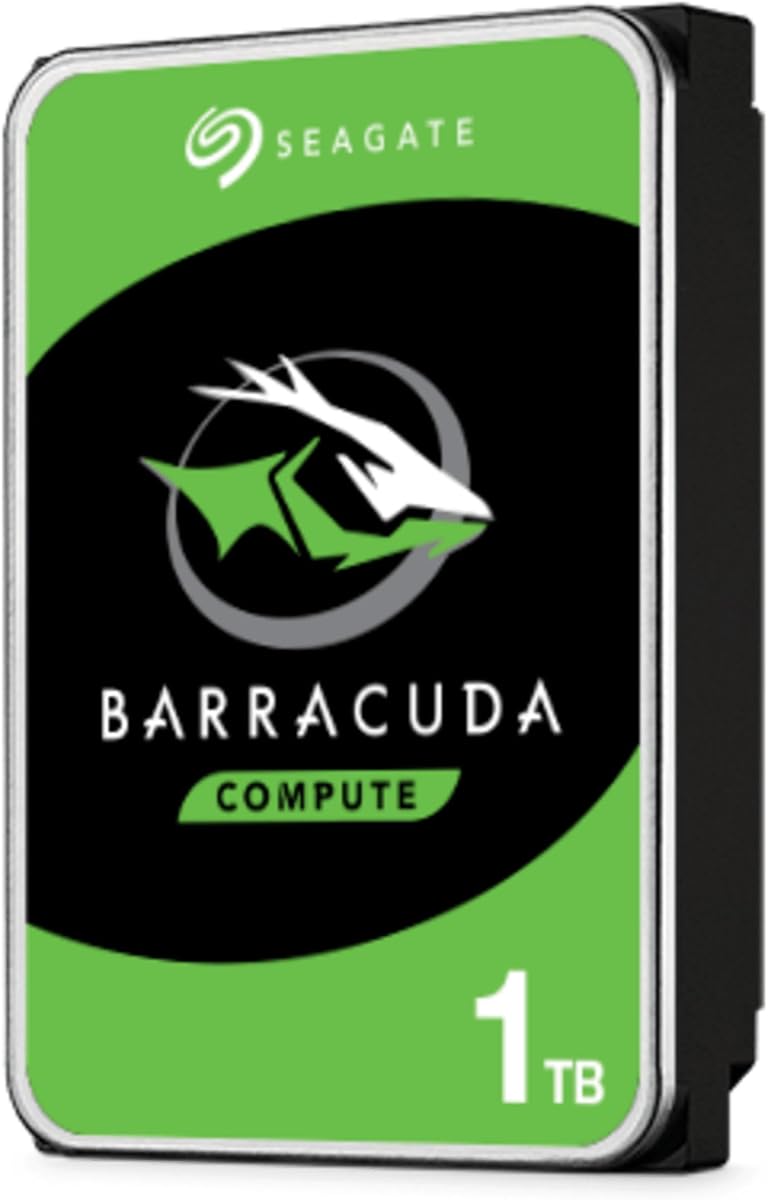
Seagate BarraCuda 1TB Internal Hard Drive HDD – 3.5 Inch SATA 6 Gb/s 7200 RPM 64MB Cache for Computer Desktop PC (ST1000DM010)
4.6Editor score
Fast 7200 RPM spindle speed
64MB cache for burst performance
Reliable SATA 6 Gb/s interface
Finding a reliable storage solution is crucial for any desktop setup. A 7200 Rpm HDD Hard Drive offers a balance of speed and capacity for everyday tasks and gaming workloads without breaking the bank.
We analyzed ten leading models based on performance metrics, cache sizes, and user feedback. Each entry was selected for its ability to deliver consistent 7200 RPM spindle speeds across various desktop and enterprise scenarios.
This guide breaks down every model to help you find the right fit for your specific needs. Please note that availability and pricing fluctuate frequently so check current details before purchasing your new drive.
4.6Editor score

4.6Editor score

4.4Editor score
As an Amazon Associate we earn from qualifying purchases.
This section provides a side-by-side look at all ten selected drives. Compare their capacities, cache sizes, and warranties to determine which model aligns best with your performance requirements and budget constraints.




This drive stands out as a top contender for general desktop use. It carries a strong 4.6 rating from users who appreciate its proven reliability and fast 7200 RPM speeds. The BarraCuda brand is known for balancing cost and performance effectively.
We may earn a commission when you buy through this link, at no additional cost to you.
Its key strength lies in the optimized read/write caching which helps maintain smooth performance during heavy multitasking. Whether you are editing videos or gaming this drive delivers consistent throughput that outpaces slower 5400 RPM alternatives significantly.
The main trade-off is the modest 64MB cache compared to higher-end models. While sufficient for most users power demanding workloads might benefit from a larger buffer. This is an acceptable compromise given the price point and target market.
We recommend this drive for anyone building a gaming PC or updating an older desktop. It provides the right blend of speed and storage for everyday applications without needing enterprise-level features or premium pricing structures.
Backed by two decades of innovation this drive offers confidence in long-term storage stability for critical data and applications.
Designed for easy installation the packaging minimizes waste and ensures you can start using your storage upgrade immediately upon arrival.
We may earn a commission when you buy through this link, at no additional cost to you.
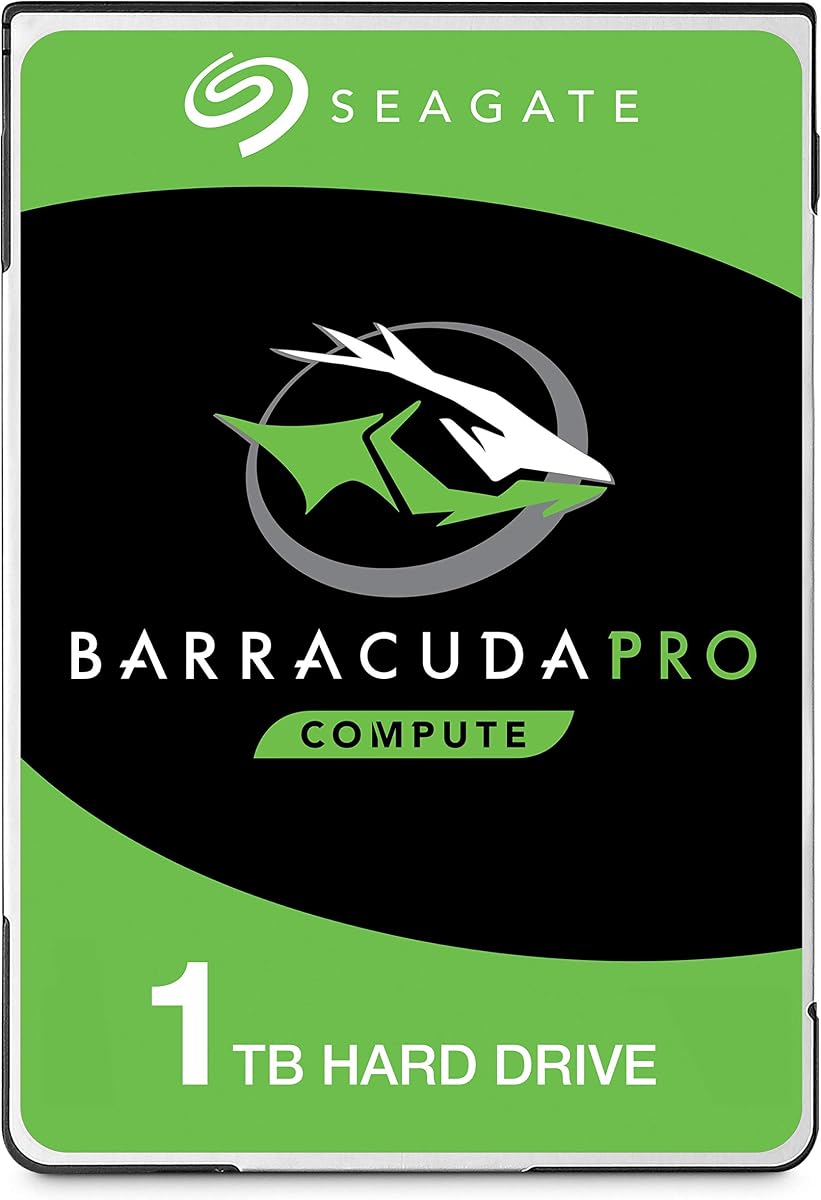
This Pro model offers a significant boost in cache size which is crucial for handling large files efficiently. With a 4.6 rating it appeals to professionals who need reliability in a smaller 2.5 inch form factor for laptops or compact desktops.
We may earn a commission when you buy through this link, at no additional cost to you.
The standout feature is the inclusion of five-year limited warranty and two-year Rescue Data Recovery Services. This peace of mind is invaluable for users working on critical projects where data loss could be catastrophic or expensive to fix.
One trade-off is the physical size which limits compatibility with standard 3.5 inch desktop bays without adapters. While versatile this drive is optimized for mobility and space constraints which might not suit every desktop build scenario perfectly.
We recommend this drive for creative professionals needing fast access to project files on portable systems. The extra cache and recovery tools justify the cost for those who prioritize data security and performance over bulk storage capacity.
The 128MB cache allows for smoother editing of music and video files by reducing read write bottlenecks during intensive workflows.
Enjoy long-term peace of mind with the included Rescue Data Recovery Services which protect your valuable assets from unexpected drive failures.
We may earn a commission when you buy through this link, at no additional cost to you.
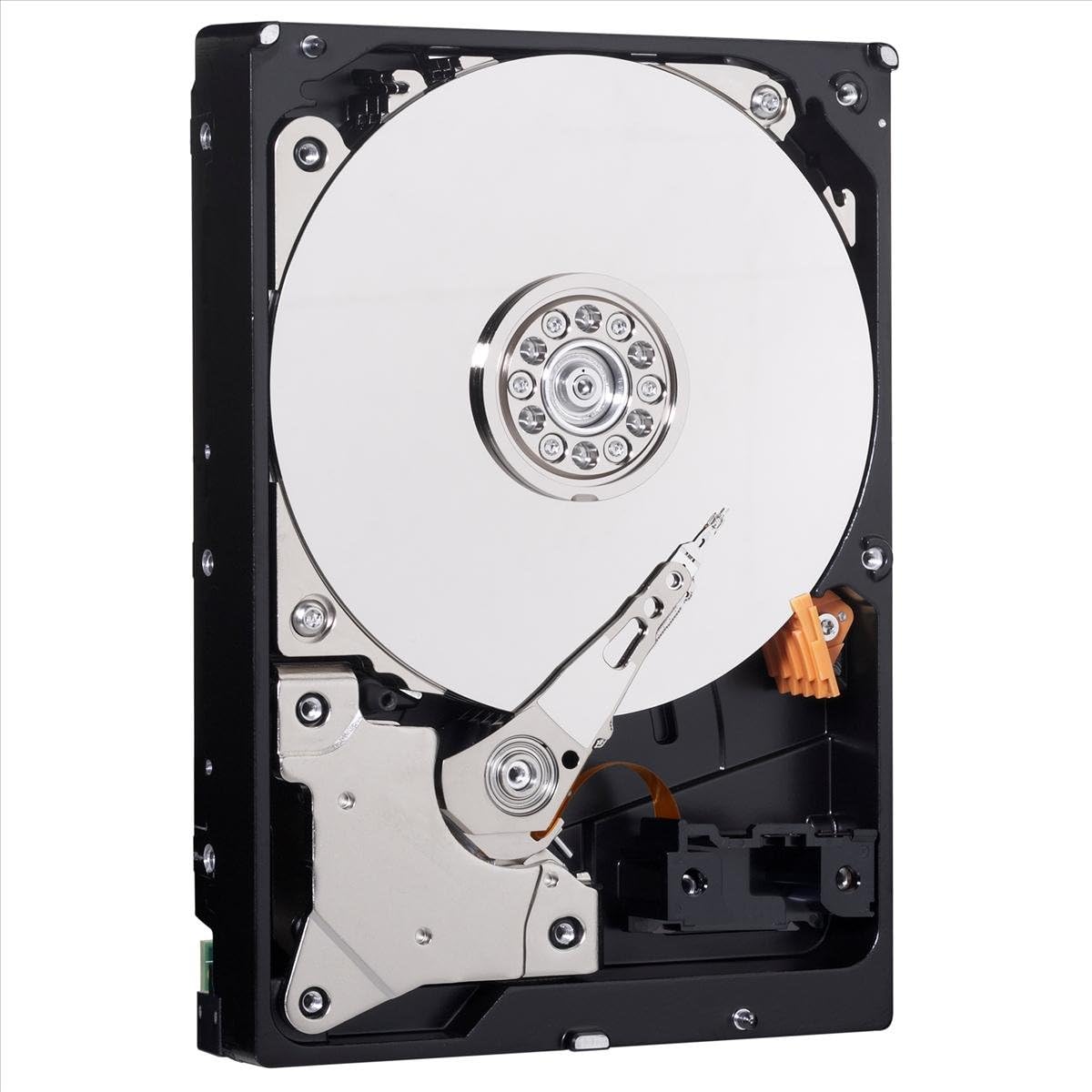
WD Black drives are engineered specifically for gamers and creative professionals who need high performance storage. This model holds a 4.4 rating from users who value the consistent speed and reliability required for modern large-scale game installations.
We may earn a commission when you buy through this link, at no additional cost to you.
Key strengths include StableTrac and Dynamic Cache Technology which increase reliability and optimize performance under load. These features ensure that your system remains responsive even when accessing large files or running multiple applications simultaneously without lag.
The trade-off is the price which is higher than standard Blue or Green series drives. However the five-year limited warranty supports this cost by providing long-term protection that matches the premium build quality and performance expectations.
We recommend this drive for gaming rigs and workstations where speed and stability are paramount. It is an ideal choice for those who want a dedicated performance drive that can handle demanding applications without compromise or downtime.
Designed for gamers and system builders this drive delivers the throughput needed for fast load times and smooth gameplay experiences.
StableTrac technology secures the disk platters to reduce vibration and improve reliability during high-demand operations like rendering or gaming.
We may earn a commission when you buy through this link, at no additional cost to you.
This model is highly rated by users who prioritize raw capacity and reliability without unnecessary frills. With a remarkable 4.9 rating it represents a solid choice for those needing a dependable 2TB drive for general storage purposes.
We may earn a commission when you buy through this link, at no additional cost to you.
It leverages the standard 6 Gb/s SATA interface ensuring compatibility with almost any modern desktop system. The 7200 RPM spindle speed ensures that data access remains quick even with large volumes of files stored on the drive.
The main trade-off is the lack of specialized features like recovery services or extended warranties found in other models. For users focused solely on storage utility and simplicity this straightforward approach is often more than sufficient.
We recommend this drive for users looking to expand their library of games or media files efficiently. It offers a high degree of trust based on user feedback and fits well into any standard desktop case with minimal hassle.
The 6 Gb/s interface ensures fast data transfer rates compatible with most modern motherboards for efficient file management.
Users consistently rate this model highly for its stable performance and ability to hold large amounts of data without issues.
We may earn a commission when you buy through this link, at no additional cost to you.
The WD SE drive is built for environments where reliability under stress is key. With a 4.4 rating it suits users who need a drive that can handle constant operation in multi-drive arrays or high-vibration settings without performance degradation.
We may earn a commission when you buy through this link, at no additional cost to you.
Key strengths include RAFF technology which enhances vibration tolerance ensuring stable operation in complex storage systems. This makes it an excellent choice for network attached storage or small servers where multiple drives might interact mechanically.
One trade-off is the package which often excludes mounting hardware or cables. Users may need to purchase these separately which adds to the total setup time but ensures you have the specific tools needed for your chassis.
We recommend this drive for home servers or NAS setups requiring robust performance. It delivers the right blend of reliability and capacity for storing critical data while maintaining a low total cost of ownership over time.
RAFF technology ensures stable operation in multi-drive environments by mitigating the effects of mechanical vibration on performance.
The WD SE series delivers the right blend of performance and capacity keeping your total cost of ownership low for bulk storage.
We may earn a commission when you buy through this link, at no additional cost to you.
This XT model was a popular choice for users needing high capacity and speed in an older standard format. It holds a 4.4 rating among users who needed to upgrade from slower 5400 RPM drives or 1TB capacities at the time.
We may earn a commission when you buy through this link, at no additional cost to you.
Its standout quality is the combination of 2TB capacity with 7200 RPM performance which was significant when released. The 64MB cache optimizes burst performance ensuring smooth data transfer rates for large media files or game installations.
The trade-off is that this is a legacy model which may be harder to find new. For users building retro systems or needing specific form factors this drive remains a reliable option despite its age in the market.
We recommend this drive for users upgrading older desktops where compatibility is a concern. It provides a solid jump in capacity and speed without the need for modern NVMe or complex configurations in standard SATA systems.
This drive combines high capacity with top-end desktop performance making it a powerful choice for demanding desktop applications.
The 64 MB cache optimizes burst performance and reduces data throughput bottlenecks for smoother file access and editing.
We may earn a commission when you buy through this link, at no additional cost to you.
This drive offers a compelling balance of cost and performance for budget-conscious builders. With a 4.6 rating it is a trusted choice for those needing a basic upgrade to their desktop storage without overspending on extra features.
We may earn a commission when you buy through this link, at no additional cost to you.
It relies on the proven BarraCuda technology which ensures that you get consistent performance for music video or photo editing tasks. The 7200 RPM speed keeps system responsiveness high compared to older slower drives found in many PCs.
The main trade-off is the shorter two-year warranty compared to some premium models. However for most general users this period covers the expected lifespan of typical storage workloads without significant risk of failure.
We recommend this drive for students or casual users needing a cost-effective storage solution. It provides reliable access to files and media at a price point that fits easily into a limited budget for PC upgrades.
This model serves as the go-to SATA hard drive solution for nearly every PC application from gaming to media editing.
Confidently rely on internal hard drive technology backed by 20 years of innovation for consistent daily performance.
We may earn a commission when you buy through this link, at no additional cost to you.
This drive is a classic entry-level option for those needing basic storage at a low price. It holds a 4.4 rating for its ability to provide reliable 7200 RPM performance even with a smaller cache size than newer models.
We may earn a commission when you buy through this link, at no additional cost to you.
It features IntelliSeek which calculates optimum seek speeds to lower power consumption and noise. This makes it a good choice for quiet desktop environments where energy efficiency and reduced fan noise are priorities for daily use.
The trade-off is the 500GB capacity which fills up quickly with modern games and software. Users will likely need to manage space carefully or pair this drive with external storage for large media libraries and backups.
We recommend this drive for secondary storage or basic system boot drives. It offers stable performance for everyday computing tasks without the premium cost of larger capacity or high-speed enterprise drives.
IntelliSeek calculates optimum seek speeds to lower power consumption noise and vibration for a quieter computing experience.
Advanced algorithms monitor your drive continuously so it stays in optimum health providing early warnings of potential issues.
We may earn a commission when you buy through this link, at no additional cost to you.
This model stands out due to its substantial 256MB cache which significantly aids in burst performance. With a 4.7 rating it appeals to users who need to move large files quickly or run applications from this drive regularly.
We may earn a commission when you buy through this link, at no additional cost to you.
The inclusion of free Seagate DiscWizard software makes data migration from old drives seamless. This feature simplifies the upgrade process allowing users to clone their existing setup without third-party tools or complex command-line interfaces.
The trade-off is the price which is higher than lower cache models. However the improved responsiveness and ease of use often justify the cost for users looking for a premium experience within the standard BarraCuda line.
We recommend this drive for users upgrading from HDDs to maximize data transfer efficiency. It is a solid choice for storing media libraries where faster read speeds enhance the overall user experience.
Migrate and clone data from old drives with ease using our free Seagate DiscWizard software tool for a smooth transition.
Store more and compute faster with the proven reliability of BarraCuda internal hard drives for all your data needs.
We may earn a commission when you buy through this link, at no additional cost to you.
This drive offers massive storage in a form factor that supports enterprise features like hot-plug. With a 4.2 rating it serves users needing bulk storage for backup or surveillance where high capacity is the primary requirement.
We may earn a commission when you buy through this link, at no additional cost to you.
Its standout feature is the 6TB capacity which holds vast amounts of data for long-term retention. The PowerChoice technology helps manage power consumption ensuring efficiency even when the drive is handling heavy 24×7 workloads.
The trade-off is that this is a renewed product which might carry less warranty coverage than new drives. However for budget-conscious bulk storage needs it provides a reliable alternative to buying brand new enterprise hardware.
We recommend this drive for centralized surveillance or backup servers where cost and capacity matter most. It delivers the performance needed to maintain data integrity in demanding environments without the premium price of new units.
Features hot-plug support which allows for drive removal and insertion while the system is running for better uptime.
PowerChoice technology helps manage power consumption to optimize efficiency during periods of lower activity or idle time.
We may earn a commission when you buy through this link, at no additional cost to you.
Choosing the right drive requires looking at several key technical factors. This guide breaks down what matters most to ensure you pick a drive that matches your usage patterns and budget.
Capacity determines how much data you can keep locally. For general use 1TB is often sufficient but gamers and editors should consider 2TB or higher to avoid managing space constantly.
Always choose a drive with enough space for your current files plus future growth to prevent frequent upgrades.
Cache acts as a buffer for data transfers and affects burst performance. Higher cache sizes like 128MB or 256MB help handle larger files more efficiently than standard 64MB buffers.
If you work with video or large datasets a larger cache will provide smoother performance during reads and writes.
Most desktops use 3.5-inch drives but laptops often require 2.5-inch models. Ensure your case or laptop bay supports the physical size of the drive you choose to avoid installation issues.
Check your system manual for supported dimensions before purchasing a drive that is physically larger than your chassis allows.
SATA 6Gb/s is the current standard for HDDs and ensures fast data transfer rates. Avoid older SATA 3Gb/s models as they limit the speed potential of modern 7200 RPM drives.
Always verify your motherboard supports SATA 6Gb/s to get the full performance out of your new drive.
Warranties vary from two to five years depending on the product tier. Enterprise or Pro drives often offer longer coverage reflecting higher build quality and durability standards.
A longer warranty provides better protection for critical data and indicates manufacturer confidence in drive reliability.
In multi-drive setups vibration can cause performance issues. Drives with RAFF or StableTrac technology handle these conditions better ensuring stable operation in enclosures with multiple disks.
If you plan to use multiple drives in one case opt for models designed with enhanced vibration control features.
Enterprise or high-performance drives often consume more power than standard desktop units. Consider your system power supply capacity if running multiple drives simultaneously in a server or NAS setup.
Choose energy-efficient models if power usage is a concern for your overall system efficiency and cooling requirements.
Higher performance drives cost more but may not be necessary for basic tasks. Balance your budget with the speed you actually need to avoid overspending on unused features.
Standard BarraCuda models offer excellent value for most users needing fast general storage without enterprise-level pricing.
Install your drive in a well-ventilated case to keep temperatures low. High heat can reduce drive lifespan and lead to data errors over time.
Use the included software tools for data migration and cloning to avoid manual copying errors. These tools ensure that your system remains stable during the transition to new storage.
Run disk health checks periodically to catch potential issues early. Monitoring tools can alert you to failing sectors before they impact your daily workflow or data safety.
Yes they remain a cost-effective choice for bulk storage. They offer a balance of speed and capacity that SSDs cannot match at lower price points for large media libraries.
Most standard desktop cases support 3.5 inch drives. Check your motherboard and case manual for drive bay specs before purchasing to ensure physical compatibility with your build.
A larger cache improves burst performance during heavy file transfers. It helps maintain speed when reading or writing large amounts of data quickly compared to smaller caches.
Laptop drives use 2.5 inch form factors which may require adapters in desktops. While possible it is better to use a standard 3.5 inch drive designed for desktop power and mounting.
Most drives do not come with SATA cables. You should purchase a standard SATA data and power cable separately to connect the drive to your motherboard and power supply.
Standard models usually have two-year warranties while Pro or Enterprise drives offer five years. Check the specific product details to ensure the warranty matches your reliability needs.
Our top picks highlight models like the Seagate BarraCuda and WD Black for their reliable performance and value. These drives cover most user needs from gaming to professional editing effectively.
Prioritize capacity and cache size based on your specific workflow. For speed choose larger cache models and for storage choose higher capacity options to suit your data needs best.
Always check current prices and availability before purchasing. Deals fluctuate so comparing costs ensures you get the best value for your budget on these essential components.