
Office Desk Accessories Memo Board
4.3Editor score
Transparent acrylic material
Mounts on monitor edges
Holds meeting memos easily
Discover the top ADHD desk accessories for focus and organization. This guide compares timers, planners, and monitors to help you manage tasks.
Finding the right tools can transform how you manage your workspace. ADHD desk accessories help reduce clutter and keep your mind on track during busy days.
We evaluated ten highly rated products based on functionality, design, and user feedback. Our goal was to find items that support productivity without adding stress.
Each pick offers unique features tailored to different working styles. Remember that prices fluctuate frequently, so check current listings before making your final decision.
4.3Editor score

4.5Editor score
4.6Editor score
This table offers a side-by-side view of the ten top-ranked products. Use it to quickly compare key features and find the right fit.


This analog planner kit offers a tactile way to manage daily tasks without digital distractions. It includes over 130 double-sided cards designed to help you prioritize effectively.
We may earn a commission when you buy through this link, at no additional cost to you.
The system encourages deep work by eliminating the need to constantly switch screens. You can move cards physically as tasks progress, providing a satisfying sense of accomplishment.
While it lacks digital sync, the physical nature helps ground your focus. The sturdy paper ensures you can fold or store cards without worrying about tearing.
It is ideal for adults who want a structured yet flexible planning system. The aesthetic design also makes it a welcome addition to any desk.
Moving cards physically helps you visualize progress and reduces the cognitive load of tracking items mentally.
Included goal cards allow you to align daily tasks with larger objectives, ensuring your work matters.
We may earn a commission when you buy through this link, at no additional cost to you.
This clear acrylic memo board attaches directly to your monitor edges to keep reminders visible. It is an inexpensive solution for organizing messages and to-do items.
We may earn a commission when you buy through this link, at no additional cost to you.
The transparent design ensures you can see the notes without obstruction. It is perfect for quick reminders like meeting times or project deadlines.
Installation requires cleaning the surface to ensure the adhesive sticks well. Be careful to avoid the screen glass itself as the adhesive is strong.
It works best for those who need minimal organization tools. The price point makes it easy to try without a significant investment.
Keep critical notes within your direct line of sight to reduce the chance of forgetting important details.
Utilizing vertical space on your monitor saves valuable desk area for other essential items.
We may earn a commission when you buy through this link, at no additional cost to you.
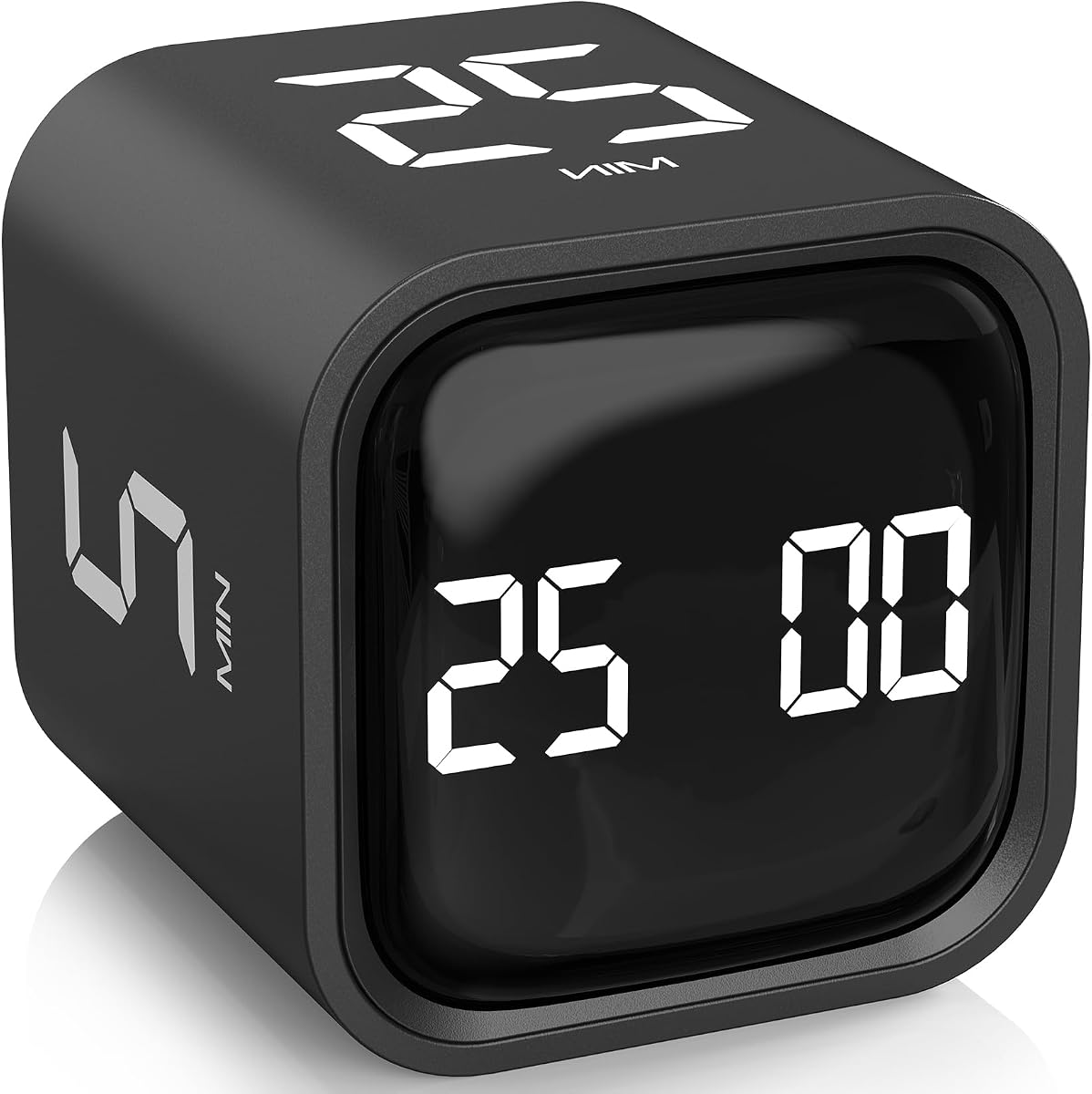
This cube timer uses a gravity sensor to start when you flip it. It is designed specifically for the Pomodoro technique with presets for 25-minute work sessions.
We may earn a commission when you buy through this link, at no additional cost to you.
The intuitive mechanism removes the friction of setting timers manually. You simply flip it to start working and flip it back to stop or reset.
It offers multiple volume settings to suit different environments. The silent mode uses vibration which is great for shared workspaces.
It is a strong choice for anyone struggling with time blindness. The physical interaction with the device reinforces the start and end of tasks.
Flipping the timer takes seconds compared to typing or scrolling on a phone, making it easier to start focus sessions.
Physical timers keep you off your phone, reducing the temptation to check notifications during work blocks.
We may earn a commission when you buy through this link, at no additional cost to you.
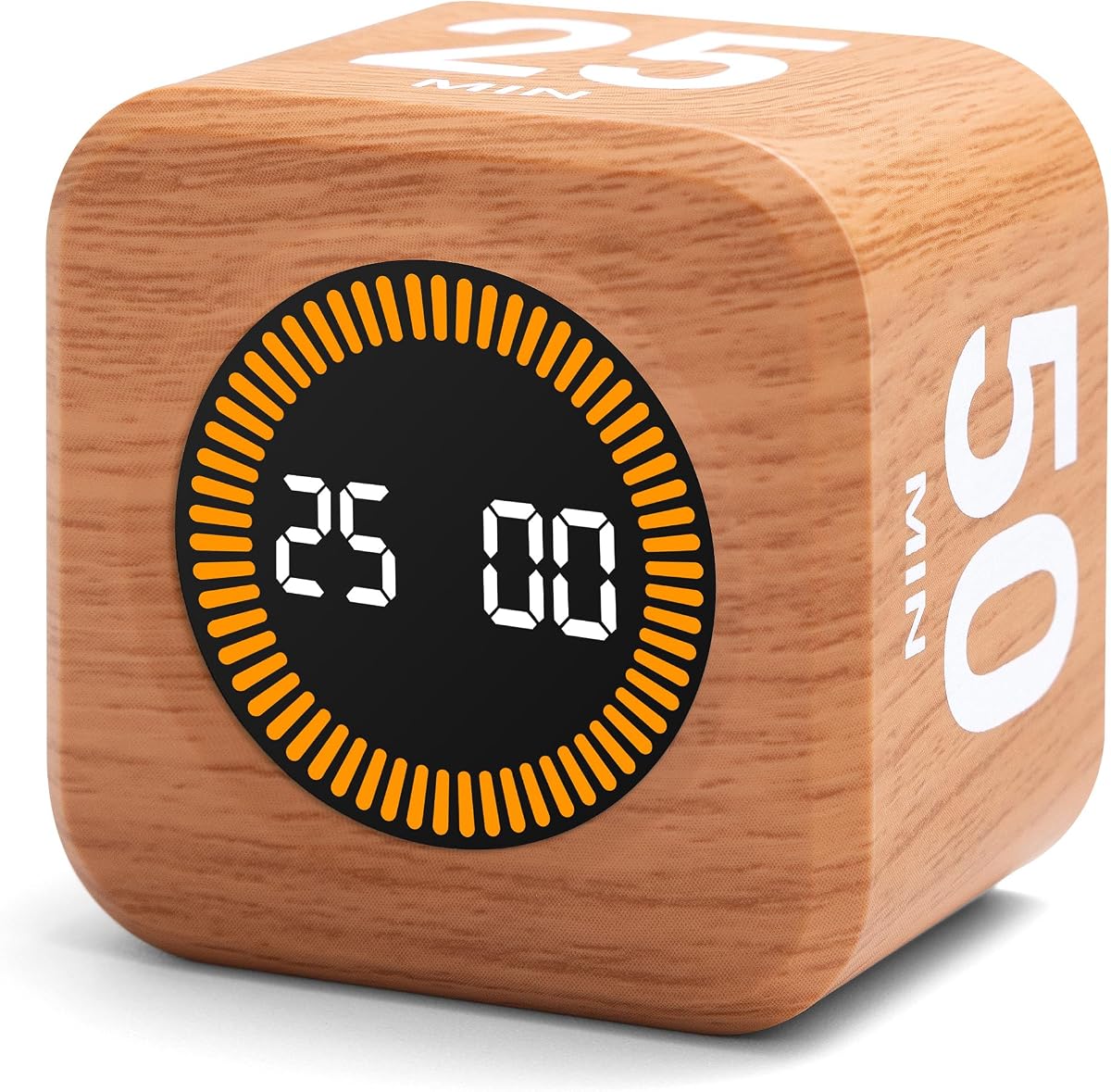
This timer offers similar functionality to other rotating models but with a stylish wood grain finish. It is a great addition for users who value aesthetics.
We may earn a commission when you buy through this link, at no additional cost to you.
The rechargeable battery means you do not need to buy replacements. The bright screen ensures it is visible even in bright lighting conditions.
You can customize the time settings beyond the presets if needed. The compact size makes it easy to move around your workspace.
It is suitable for those who want a premium look. The design adds a natural touch to modern office setups.
USB-C charging reduces battery waste, offering a sustainable alternative to disposable power sources.
The wood finish complements wooden furniture, blending seamlessly into your workspace decor.
We may earn a commission when you buy through this link, at no additional cost to you.
This daily checklist notepad helps you organize tasks without the complexity of a full planner. It features a transparent cover that protects the pages inside.
We may earn a commission when you buy through this link, at no additional cost to you.
The paper quality is excellent for writing without ink bleed-through. Each page provides plenty of space to jot down tasks and priorities.
The undated design means you can start using it at any time. It is perfect for quick daily planning sessions at home or work.
It is a reliable tool for anyone who prefers writing things down. The simple design ensures you stay focused on the tasks.
The 100gsm paper provides a smooth surface that works well with various pen types.
Multiple sections help you break down tasks into manageable lists for better clarity.
We may earn a commission when you buy through this link, at no additional cost to you.
This analog timer shows time passing visually, which helps with transitions. It is designed for users who benefit from seeing time rather than just reading numbers.
We may earn a commission when you buy through this link, at no additional cost to you.
The silent mode ensures it does not distract during focused activities. You can choose to enable the audible alert if you need a reminder.
It is widely used for homework and study sessions. The visual feedback helps users understand how much time remains.
It is particularly useful for those who struggle with time perception. The design is simple and effective for various tasks.
Seeing the disk disappear helps create a concrete understanding of time passing for better management.
The timer provides a clear signal for when to switch tasks, reducing resistance to change.
We may earn a commission when you buy through this link, at no additional cost to you.
This planner is tailored for neurodivergent adults who need structure and motivation. It includes a specific section for brainstorming and clearing your mind.
We may earn a commission when you buy through this link, at no additional cost to you.
The reward system is a key feature that helps maintain motivation. You can track small wins to stay engaged with your daily plan.
The undated format allows you to use it consistently without worrying about dates. This flexibility is essential for those who need a break.
It is best for those who want a dedicated space to plan. The A4 size provides ample room for lists and notes.
Reward sections encourage you to acknowledge progress, which helps sustain focus on long-term tasks.
The layout encourages you to prioritize tasks effectively, ensuring you focus on what matters most.
We may earn a commission when you buy through this link, at no additional cost to you.
This weekly planner helps you organize tasks across the entire week. It features sections for top and low priorities to help you manage your workload.
We may earn a commission when you buy through this link, at no additional cost to you.
The spiral binding allows you to lay it flat and turn pages easily. The transparent cover protects your plans from spills and scratches.
It includes a notes section for tracking daily events and habits. This makes it useful for personal and professional planning.
It is a solid choice for those who prefer a paper-based system. The clear layout helps you see the big picture of your week.
Planning weekly allows you to allocate time for tasks in advance, reducing last-minute stress.
Explicit sections for priorities ensure you tackle the most important tasks before moving to smaller items.
We may earn a commission when you buy through this link, at no additional cost to you.
This memo board uses a wooden base to hold sticky notes near your monitor. It is designed for people who want reminders without sticking things to their device.
We may earn a commission when you buy through this link, at no additional cost to you.
The dual slot design allows for vertical or angled placement. This flexibility helps you position notes exactly where you need them.
It includes 100 sticky notes so you can start using it immediately. The base is stable enough to hold notes securely.
It is ideal for laptop users who cannot stick things to their screens. The portability makes it easy to take with you.
Using a base avoids adhesive risks on screens, preserving your device while keeping notes accessible.
Angled slots let you adjust the view to reduce glare or improve visibility during work.
We may earn a commission when you buy through this link, at no additional cost to you.
This footrest helps maintain good posture during long work sessions. It features a textured surface with rollers to provide a foot massage.
We may earn a commission when you buy through this link, at no additional cost to you.
The swingable design allows you to adjust the angle for comfort. Elevating your feet reduces pressure on your legs.
It is made of durable material that is easy to clean. The non-slip pads keep it stable on the floor.
It is a great addition for anyone who sits for long periods. Comforting your physical needs helps improve focus.
Supporting your feet encourages proper sitting posture, which reduces back and neck fatigue over time.
The swinging motion allows subtle movement, helping to stay relaxed during sedentary work periods.
We may earn a commission when you buy through this link, at no additional cost to you.
Choosing the right desk accessories requires understanding your specific needs. Consider these factors to find tools that support your unique workflow.
Digital tools are convenient but can introduce distractions. Visual tools like physical timers or boards help you stay off devices and keep focus on the task at hand.
If you find yourself getting lost in apps, prioritize physical items that require manual interaction.
Many people with ADHD benefit from physical interactions that provide immediate feedback. Items you can touch, flip, or move can help ground your attention.
Look for products like cube timers or card systems that let you manipulate your schedule physically.
Having tasks visible reduces the cognitive load of remembering them. Desk accessories that display lists or timers help you see what is next without searching.
Choose items that place information directly in your line of sight to avoid distraction.
Complex setups often lead to tools being abandoned. The best accessories should be intuitive and require minimal setup to start using.
Opt for products with clear instructions and straightforward interfaces to ensure consistent usage.
Daily use items need to withstand wear and tear. Look for materials that are scratch-resistant and built to last for long-term value.
Check for reinforced edges and sturdy construction to avoid frequent replacements.
A pleasant looking workspace can encourage you to engage with it. Choose designs that fit your personal style to create a welcoming environment.
If a product looks good on your desk, you are more likely to use it regularly.
Being able to adjust settings to your needs is valuable. Look for timers or planners that allow changes to time or layout to suit different tasks.
Flexible tools adapt to your changing priorities better than rigid ones.
Price does not always equal quality. There are effective tools available at low cost that work just as well as expensive options.
Assess your specific needs before buying to ensure you get the best value for your investment.
Place timers and planners in locations where you naturally look. This ensures they are visible when you need to make a decision.
Clean acrylic and plastic items regularly with a soft cloth to maintain visibility. Avoid harsh chemicals that might damage surfaces.
Replace sticky notes or planner pages when they become full. Keep extra supplies nearby to maintain a smooth workflow without interruption.
Physical timers reduce screen distractions and provide tactile feedback which helps some users stay on track. They offer a clear start and stop signal that encourages focus without notifications.
It is best to replace them weekly to keep information fresh. Old notes can lead to confusion, so clearing the board regularly helps maintain clarity.
Yes, these accessories are designed for any workspace. Whether at home or office, they help create structure and reduce visual clutter effectively.
Many items like the visual timers and planners are suitable for children. They help teach time management and organization skills in an engaging way.
Choose analog if you prefer writing things down to remember them. Digital is better if you need to sync across devices, but analog reduces distractions.
Most products use acrylic, wood, and paper. These materials are durable and easy to clean. Always check specific product details for care instructions.
We reviewed ten products designed to help you manage your workspace effectively. From timers to planners, these tools offer practical ways to organize your day.
Prioritize items that fit your daily habits. The best accessory is one that you will use consistently to support your workflow.
Remember to check current prices and availability before buying. Deals change frequently so verify the latest offers to get the best value.