
Frameo 10.1 Inch WiFi Digital Picture Frame
4.7Editor score
32GB Large Storage Capacity
Secure Family Sharing App
Auto Rotate Wall Mount
Digital frames have evolved from simple photo slideshows into smart displays that use artificial intelligence to bring memories to life. These devices allow you to transform static images into moving videos or generate unique artwork based on your prompts. They blend technology with home decor seamlessly.
We compared ten leading models focusing on screen quality AI capabilities storage options and ease of sharing. Our analysis covers devices with electronic ink for eye comfort and LCD screens for vibrant colors. Each product offers distinct features for families and art lovers alike.
Each pick highlights key strengths and trade-offs to help you find the perfect match for your space. Note that availability and features may change over time so check the latest details before buying. We aim to provide clear insights for informed decisions without fluff or exaggeration.
4.7Editor score

4.4Editor score
3.8Editor score
As an Amazon Associate we earn from qualifying purchases.
This side by side comparison outlines the core specifications and unique selling points of every model listed. You can quickly see differences in screen technology storage size and sharing methods to narrow down your choices effectively.


This Magic Frame stands out for its unique ability to turn static photos into moving videos using AI. It received a solid 4.4 rating from users who appreciate the emotional impact of bringing memories to life. The device combines a clear touchscreen with advanced processing to animate old images effectively.
We may earn a commission when you buy through this link, at no additional cost to you.
The standout quality is its AI Photo to Video feature which lets you colorize old photos or add motion to faces and scenery. You get 2000 credits in the box to create up to twenty videos right away. Unlimited cloud storage ensures your library grows without running out of space or paying extra fees.
While the AI tools are impressive they rely on credits which cost money once you use up the initial bonus. This might limit frequent use if you want to animate many photos daily. Still the core function works well and the free storage balances out the trade-off for most families.
If you want a gift that surprises parents or grandparents with lively memories this frame is ideal. It bridges the gap between digital files and tangible nostalgia. We recommend it for anyone looking to preserve history in a dynamic and engaging way.
Use AI to colorize black and white images or make people in portraits wave and smile naturally.
Upload as many photos and videos as you want without worrying about paying for extra cloud space.
We may earn a commission when you buy through this link, at no additional cost to you.
The Frameo 10.1 Inch model delivers excellent reliability with a 4.7 rating reflecting high user satisfaction. It focuses on simplicity making it perfect for seniors or tech cautious family members. The large internal memory stores thousands of photos without needing constant management.
We may earn a commission when you buy through this link, at no additional cost to you.
Its key strength is the secure app which lets invited family members send photos instantly from anywhere. This fosters connection without complex account setups for the recipient. The screen is clear and the interface is intuitive enough for quick navigation through albums and settings.
Videos via the app are limited to fifteen seconds but you can bypass this by using an SD card. This minor limitation does not hinder daily photo sharing which is the main use case. The included wall mount and auto rotate feature add flexibility for placement.
For those seeking a hassle free frame that prioritizes stability and shared memories this is a top choice. It offers great value with generous storage and solid support. We recommend it for anyone wanting to keep in touch with relatives effortlessly.
The Frameo app makes it easy for friends to send photos directly to the frame with just a tap.
With 32GB of memory you can store over 80000 photos to keep all your favorites ready to view.
We may earn a commission when you buy through this link, at no additional cost to you.
This SwitchBot frame offers a premium wireless experience with a 3.8 rating indicating strong interest but mixed feedback on resolution. It uses electronic ink to mimic paper making it easy on the eyes and ideal for desks or bedrooms. The battery lasts years with infrequent updates.
We may earn a commission when you buy through this link, at no additional cost to you.
A unique feature is its ability to generate art using prompts via the app. This turns the frame into a digital canvas that evolves with your style or mood. The E Ink screen ensures content stays visible even when power is off which is rare for digital frames.
The main trade-off is the lower resolution due to the nature of E Ink technology. You need to view it from a distance to see images clearly. Additionally some art creation features require a small monthly fee. These are acceptable for those prioritizing aesthetics over sharpness.
If you value cordless placement and a classic art look this frame fits well. It works with Alexa for voice commands to change images quickly. We recommend it for art lovers who want a stylish display that does not need constant power.
Enjoy a clutter-free setup with a rechargeable battery that lasts up to two years with weekly updates.
Use the app to create custom AI artworks that adapt to your style or season without buying new prints.
We may earn a commission when you buy through this link, at no additional cost to you.
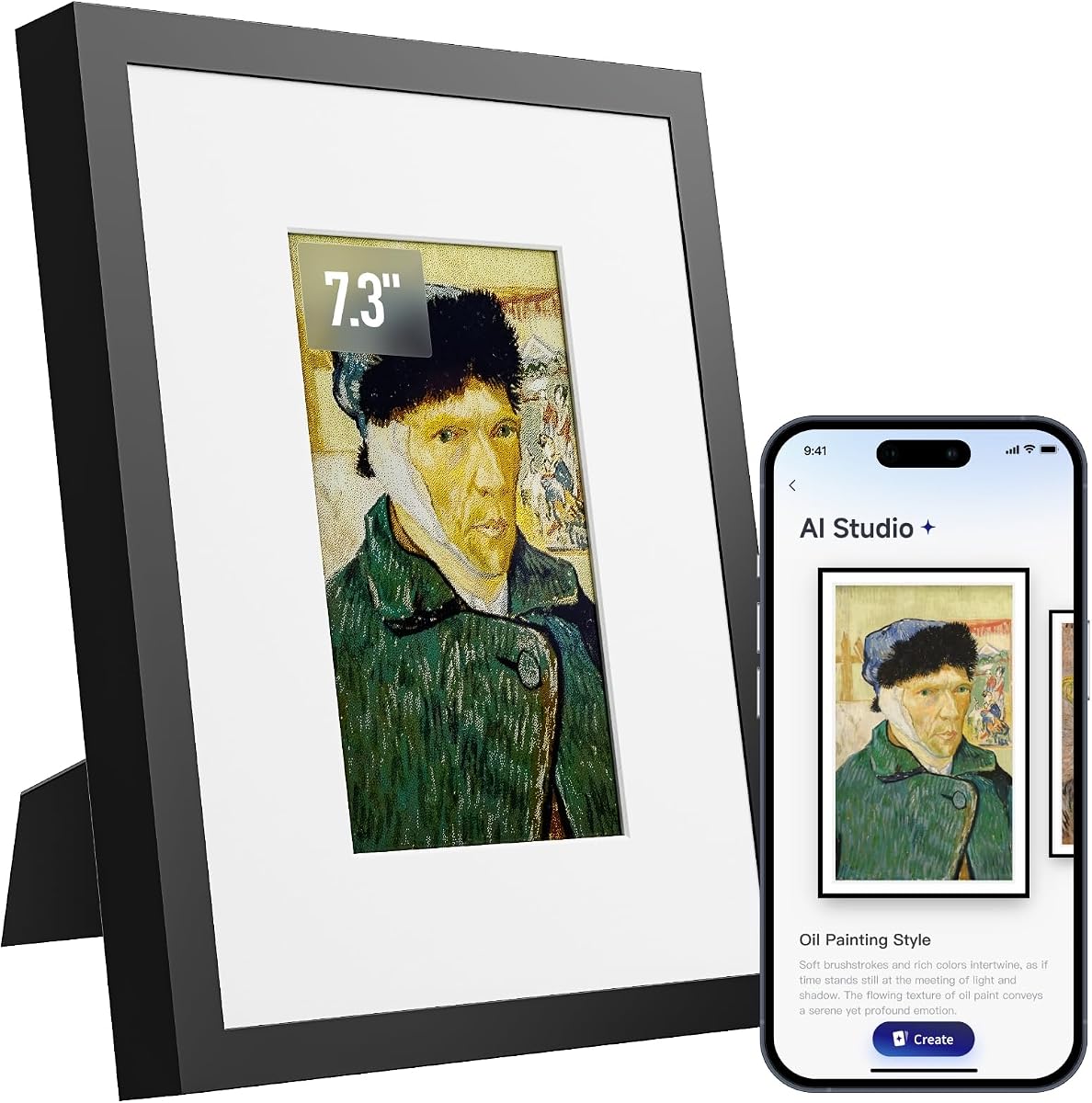
KoKonna AI a perfect 5.0 rating for its ability to create custom art through its app interface. The 6 Color E Ink display offers a refined look without harsh backlight. It supports voice and text prompts to transform ideas into visual art instantly.
We may earn a commission when you buy through this link, at no additional cost to you.
Its app allows users to turn drawings into finished artwork or stylize photos with ease. This creative freedom makes it special compared to standard photo frames. The unlimited cloud storage ensures you can save all creations without extra costs or limits on uploads.
The small 7.3 inch screen means it is best for desks or nightstands rather than large walls. The lower resolution of E Ink may not suit those wanting sharp details. However for art and simplicity it performs exceptionally well according to user feedback.
Ideal for creative families or parents who enjoy tech but prefer calm displays. The battery lasts years and setup is simple via WiFi. We recommend it for anyone wanting a unique gift that grows with their artistic expressions.
Generate custom artworks using text voice or drawings to personalize your space with unique pieces.
Upload endless photos and art to the cloud without needing a subscription or worrying about space limits.
We may earn a commission when you buy through this link, at no additional cost to you.
The Frameo 15.6 Inch model provides a cinematic experience with a big Full HD screen and 64GB memory. Users appreciate the clarity and the ability to store over 100000 photos. It supports video with sound when using USB or SD cards adding depth to memories.
We may earn a commission when you buy through this link, at no additional cost to you.
Its sharing is secure so only invited friends can send content to the frame. This protects privacy while keeping family connected. The touchscreen interface is friendly and allows for easy navigation through the large library of images.
Videos shared via the app are limited to fifteen seconds so longer memories need SD card input. This requires a bit more effort but ensures no quality loss. The large size works best on tables or walls where it can serve as a focal point.
Perfect for hosting or large families with many photos to store and view. The combination of size and storage is unmatched in this list. We recommend it for those who want a central hub for all visual memories with rich detail.
Store up to 100000 photos with 64GB built-in memory so you never delete favorites to make space.
The 15.6 inch screen provides lifelike colors and sharp detail for viewing photos from across the room.
We may earn a commission when you buy through this link, at no additional cost to you.
This Pastigio Frameo 15.6 Inch frame is excellent for those who find apps difficult. It allows non WiFi transmission via SD card or USB meaning no internet is needed to load photos. This simplicity leads to a 4.5 rating among users preferring straightforward solutions.
We may earn a commission when you buy through this link, at no additional cost to you.
The FHD display shows fine details like facial freckles and pet fur clearly. Touchscreen control makes it easy to browse and rotate photos manually. It is a great choice for seniors who want to enjoy photos without complex steps.
While the app sharing is limited to fifteen second videos the local upload has no time limit. This means you can play longer family videos via physical media easily. The frame includes features like sleep mode and weather display for added utility.
Ideal for users who prefer physical storage or have limited internet access. It balances high quality visuals with simple operation. We recommend it for grandparents or anyone who wants a frame that works without apps.
Upload photos via SD card or USB drive without WiFi so you can set up the frame easily at home.
See every detail with the 1920×1080 pixels which bring vivid color and exquisite clarity to images.
We may earn a commission when you buy through this link, at no additional cost to you.
This AI Powered E Paper Frame uses electronic ink to offer a glare free viewing experience. It optimizes images automatically to restore textures in old photos or travel snapshots. The battery lasts weeks on a single charge allowing flexible placement anywhere in the home.
We may earn a commission when you buy through this link, at no additional cost to you.
The wooden frame adds an artistic touch that suits various decor styles. It supports bulk uploads via a dedicated app to share moments with distant family quickly. The lack of backlight makes it suitable for long term viewing without eye strain.
Since it is a newer model there are no user ratings yet to confirm long term reliability. The size is small which limits it to desks or bedside tables. However the focus on art and power efficiency is unique in this category.
Great for minimalists who want a calm and stylish frame without constant power. The AI tuning ensures images look natural and rich. We recommend it for early adopters who value design and eco friendly tech.
AI algorithms automatically adjust color and contrast to make memories look natural and delicate on screen.
Uses minimal electricity so the battery lasts for weeks and you do not need to keep it plugged in.
We may earn a commission when you buy through this link, at no additional cost to you.
The Magic AI Frame has a strong 4.8 rating for its cinematic magic templates like Spellcasting and Living Oil Painting. These turn portraits into moving stories adding surprise and emotion to displays. It restores old photos in FHD to bring faces back into focus clearly.
We may earn a commission when you buy through this link, at no additional cost to you.
It includes 64GB local storage plus unlimited cloud to hold countless memories. The credit system gives control over how many videos you create with return options if results disappoint. This balance of creativity and storage makes it a favorite for families.
Some users may find the cost of additional credits a barrier over time. However the initial experience is rich and the core frame features are robust. The touchscreen allows easy navigation through the library and settings.
Perfect for those who want to turn albums into stories with motion. It combines beauty with practical sharing tools. We recommend it for gift givers seeking a memorable and magical digital experience.
Choose from four magical styles to turn still photos into videos with cinematic effects and surprises.
Create Magic Moments with a flexible credit system that allows refunds if results do not meet expectations.
We may earn a commission when you buy through this link, at no additional cost to you.
This AiMOR frame focuses on accessibility with large fonts and a sensitive touch interface. It received a 4.5 rating for being safe and private for family sharing. The auto brightness ensures the screen adapts to light conditions without manual changes.
We may earn a commission when you buy through this link, at no additional cost to you.
With 32GB storage and SD expansion it holds many photos securely. The app allows you to add captions which helps context for distant relatives. It supports up to 128GB cards for those with huge libraries.
Videos are limited to fifteen seconds via the app but this is standard for many frames. The interface is designed to prevent confusion making it ideal for elderly users. Lifetime support adds peace of mind for long term use.
Great for families wanting to connect with elders without tech stress. The interface and privacy features are well thought out. We recommend it for anyone prioritizing ease of use and connection for seniors.
Large fonts and simple menus make it easy for everyone to swipe through photos and adjust settings quickly.
Auto brightness fine-tunes screen brightness according to ambient light for comfortable viewing day or night.
We may earn a commission when you buy through this link, at no additional cost to you.
This Homture frame brings photos to life with motion sensors that light up when you approach. It earned a 4.6 rating for this smart interaction. The device automatically greets you with a lifelike gesture which adds a personal touch to everyday interactions.
We may earn a commission when you buy through this link, at no additional cost to you.
It includes 64GB local storage plus unlimited cloud to save endless memories. The gift mode with a six digit unlock surprise makes it a unique present for birthdays. Security is strong with GDPR and CCPA compliant cloud storage powered by AWS.
The sensor may sometimes miss approach if not angled correctly but works well in most cases. AI credits are included but extra videos may require purchase. This model is highly versatile for smart homes.
Ideal for tech savvy families wanting interactive displays. The security and storage features provide peace of mind. We recommend it for users who value convenience and smart home integration.
Advanced motion sensors automatically light up the frame when you approach to greet you with your photos.
Preload photos and unlock with a six digit code to create a surprise-filled gift for special occasions.
We may earn a commission when you buy through this link, at no additional cost to you.
Selecting the right frame depends on your needs for storage sharing and display type. This guide breaks down key factors to consider before you buy.
Choose between LCD and E Ink screens based on your environment. LCDs offer vibrant colors and video while E Ink is paper like and glare free. E Ink is better for long viewing and low power but videos are limited.
Look for high resolution if you want crisp details in photos and decide on brightness for your room light levels.
Some frames offer tools to turn photos into videos or generate art from text. Check if these features are included or require a subscription to keep using. Credits or fees may add up over time.
Ensure the AI tools match your goals whether restoring old photos or creating new art without extra costs.
Local storage like SD slots helps avoid subscription fees for cloud space. Frames with 64GB hold more than those with 16GB or 32GB internally. Unlimited cloud is a big plus for large families sharing often.
Verify if the frame supports SD expansion if you plan to store thousands of photos and videos locally.
App based sharing should be simple to invite friends and family. Some apps limit video length so check for SD options if you want longer clips. Consider how many people you want to send photos from.
Look for features like guest invitations or QR codes to make setup quick for everyone involved.
Wireless frames with batteries offer flexible placement but may need frequent recharging. E Ink models last years while LCDs usually need constant power. Check battery specs if you want to move the frame often.
Decide if you prefer a permanent wall mount or a cordless desk frame based on your power access.
Larger screens like 15.6 inches make great focal points while 7 inch models fit desks. Consider the distance you will view from to pick the right size. Big screens allow better details from afar.
Measure your shelf or wall space to ensure the frame fits nicely without blocking other items.
Ensure the app allows only invited friends to send content to protect family memories. Look for GDPR compliance or secure sharing options if privacy matters to you. Avoid public sharing unless you want open content.
Check if the frame allows you to control who sees photos and manages data storage securely.
Prices vary by features with basic models costing less than smart AI frames. Balance cost with storage and screen quality to get the best deal. Some brands include accessories like mounts which add value.
Set a price limit and prioritize features like unlimited storage or AI tools within that range.
Connect your frame to your home WiFi network using the provided app instructions. Create an account and invite family members to share photos. Ensure the device has a stable connection to avoid delays in updates.
Upload photos in bulk through the app or insert SD cards to fill storage. Organize albums to rotate your favorite memories daily. Adjust brightness and timing settings to match your home lighting.
Clean the screen gently with a soft cloth to avoid scratches. Place the frame in a spot without direct sunlight or extreme heat. Restart the device if you notice glitches to keep it running smoothly.
Most frames work without a subscription for basic photo display. Some AI tools or cloud storage may have fees. Check the specific model details for any recurring costs before buying.
Yes many models support videos via SD card or app. App videos are often limited to fifteen seconds but SD cards allow longer clips. Ensure your frame supports video formats like MP4.
Download the app provided by the frame manufacturer and pair the device. Invite family to send photos or add your own via the app. Some models also support direct WiFi transfer.
Yes several models use electronic ink to mimic paper. These are better for eye comfort and battery life. However they may not play videos or show vibrant colors like LCDs.
Many frames support SD cards or USB drives for extra space. Check the maximum supported size like 32GB or 128GB. This helps you store more photos without paying for cloud plans.
You can use local storage like SD cards without internet. However app sharing and AI features need WiFi. Some frames allow offline mode but sharing stops without a connection.
We reviewed ten frames ranging from budget models to smart AI displays. Top picks like the Magic Frame offer unique video features while the Frameo models focus on simplicity and ease of use.
Prioritize storage and display type based on how you view photos. If you want motion choose frames with AI tools and if you want simplicity pick those with large memory and secure sharing.
Remember to check current availability and details before making a purchase. Technology changes quickly so verify features on the official product page for the latest info and support.