
Thermaltake 200mm Pure 20 Series
4.5Editor score
High airflow thick design
Long life sleeve bearing
Quiet operation focused
Finding the right 200mm case fans ensures your system stays cool during intense gaming or work sessions. These larger fans move more air at lower speeds, reducing noise while maintaining thermal performance in mid tower and full tower chassis designs.
We evaluated ten top rated models based on airflow efficiency, noise levels, bearing longevity, and mounting compatibility. Our analysis focuses on real world performance data to help you identify which fan delivers the best balance of cooling power and acoustic comfort.
Each selection highlights specific strengths like PWM control, RGB lighting, or silent operation. Prices and availability change frequently so verify current details before purchasing. This guide provides the insights needed to upgrade your cooling setup with confidence and ease.
4.5Editor score
4.8Editor score
4.5Editor score
As an Amazon Associate we earn from qualifying purchases.
The following table offers a direct side by side comparison of all ten selected fans. Review each entry to quickly identify key specifications and choose the model that fits your cooling needs.


This Thermaltake Pure 20 fan is a solid choice for users needing high airflow without complex controls. It rates 4.5 stars and focuses on balance between silence and cooling performance in mid sized chassis.
We may earn a commission when you buy through this link, at no additional cost to you.
The thick 30mm profile pushes air through dense radiators efficiently. Its blade design minimizes noise while moving volume. The anti vibration mounting reduces case resonance during high load gaming or rendering.
While it lacks PWM auto speed control, manual adjust is possible via header voltage. The sleeve bearing offers decent lifespan though not as long as fluid dynamic types. Overall a great value for tight budgets.
Buy this if you need simple high flow for intake or exhaust in a budget build. It is best for standard cases where noise matters but smart speed adjustment is not required.
The thick 30mm frame delivers more static pressure than standard 25mm fans for better radiator cooling.
Rubber grommets help dampen vibration noise so the fan does not transmit hum into your case.
We may earn a commission when you buy through this link, at no additional cost to you.
This Noctua fan earns top praise for its silent performance and build quality. Rated 4.6 stars it uses A-series tech for balanced airflow and low noise up to 800 RPM on standard headers.
We may earn a commission when you buy through this link, at no additional cost to you.
Flow Acceleration Channels guide air smoothly to reduce turbulence noise. The frame acoustic optimization and anti vibration pads cut vibration transfer. Its chromax swap system lets you personalize color pads easily.
The main trade-off is cost compared to cheaper brands. While it does not offer RGB it shines on cooling silence. This model fits users who want a quiet system without fan noise distraction.
Choose this for premium silence in media centers or gaming rigs. Its wide mounting options make it compatible with many cases and cooling setups needing 200mm sizes.
Advanced blade and frame shapes minimize turbulence noise so the fan is barely audible during operation.
Includes swappable anti-vibration pads in multiple colors to match your build aesthetic without buying new fans.
We may earn a commission when you buy through this link, at no additional cost to you.
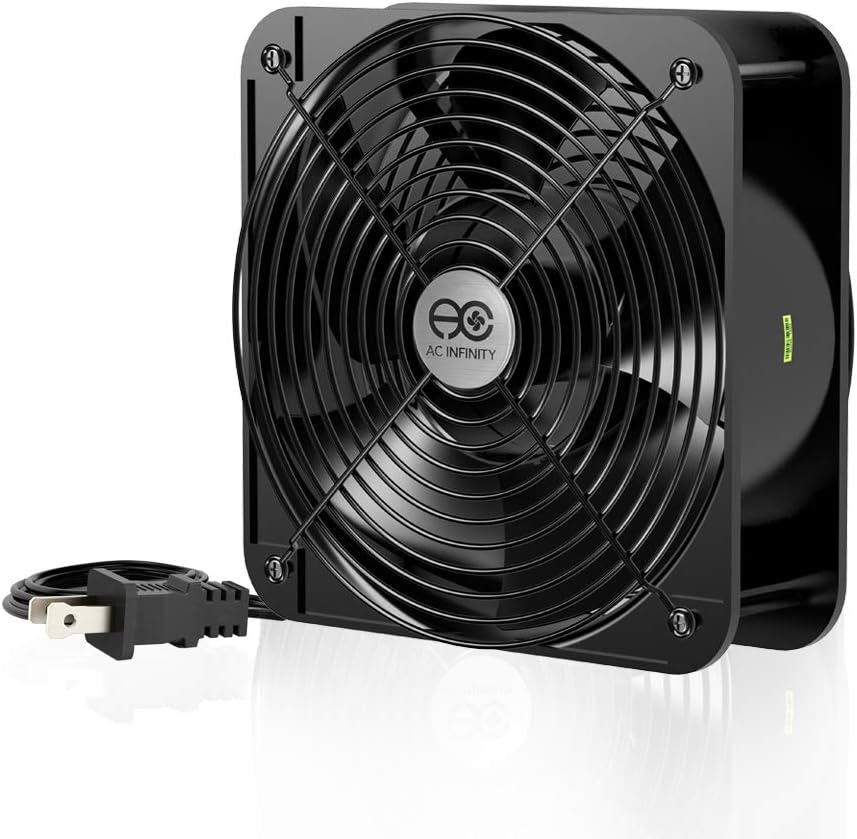
This industrial muffin fan offers raw cooling power beyond standard PC fans. Rated 4.5 stars it delivers 425 CFM airflow for heavy ventilation projects or server rack cooling setups.
We may earn a commission when you buy through this link, at no additional cost to you.
The aluminum frame and dual ball bearings ensure longevity under continuous high speed operation. It runs on standard AC power so no DC headers needed. Ideal for non standard enclosures needing tough airflow.
Noise is a major trade-off at full speed but it runs cooler under load. Not intended for silent gaming cases. This model suits workshops or specialized gear cooling where silence is less important than air movement.
Buy this for server racks or workshop cases needing high CFM. Its heavy duty design handles harsh conditions better than plastic computer case fans and fits deep mounts.
The thick 60mm fan design moves extreme air volumes ideal for industrial cooling or dense equipment racks.
Dual ball bearings extend lifespan to 67000 hours supporting 24 by7 operation in tough environments.
We may earn a commission when you buy through this link, at no additional cost to you.
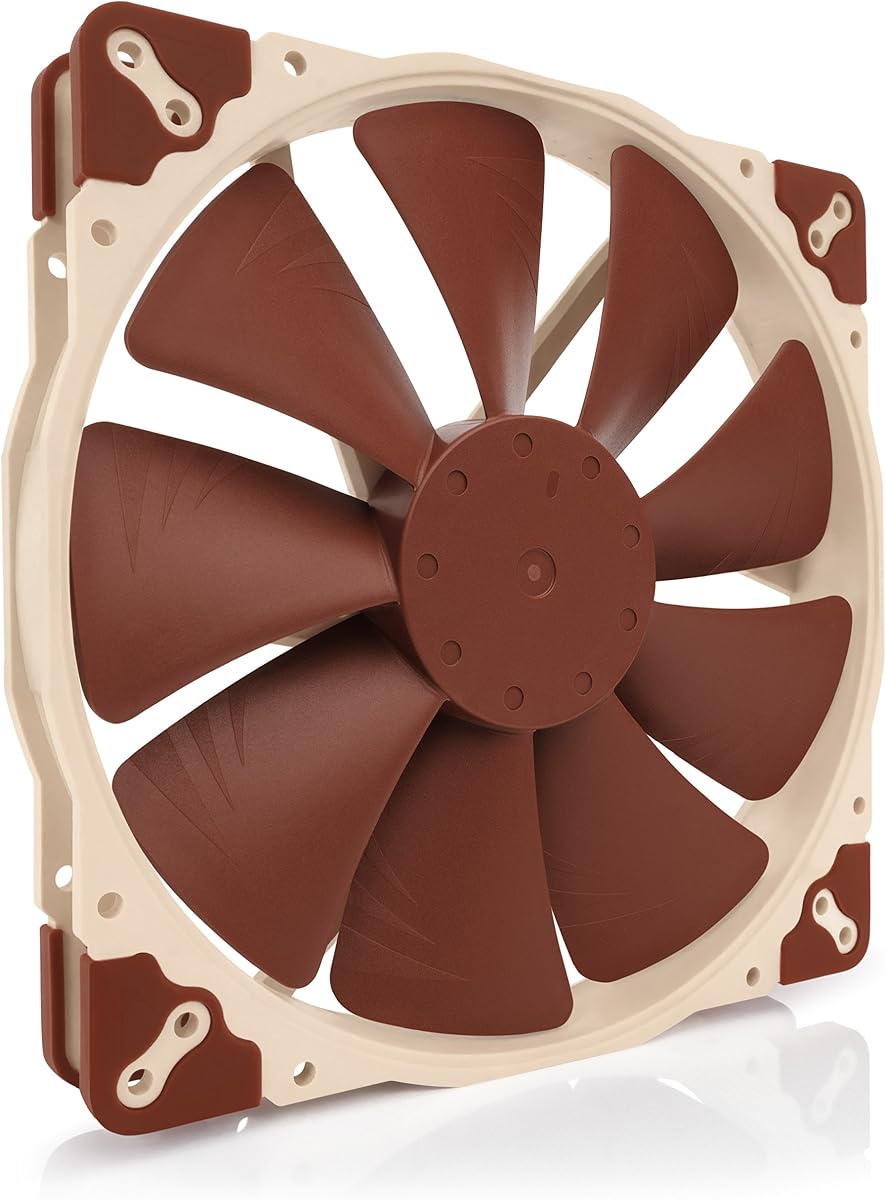
This standard Noctua NF-A20 PWM model is a top rated quiet performer. With a 4.8 star rating it balances low noise with efficient cooling using Flow Acceleration Channels and advanced frame optimization.
We may earn a commission when you buy through this link, at no additional cost to you.
The 4-pin PWM control adjusts speed automatically via motherboard headers. It includes a Low Noise Adaptor for even quieter fixed speeds. Mounting holes cover multiple standards for broad compatibility with modern cases.
The trade-off is limited customization compared to the chromax or RGB fans. It focuses on cooling silence without extra lights. This is ideal for users prioritizing function over style in their thermal build.
Choose this for reliable silent cooling in most PC cases. Its high rating and included accessories make it a versatile pick for any builder needing a standard PWM 200mm fan.
Automatically adjusts fan RPM based on system temperature to keep noise low when full cooling is not needed.
The Low Noise Adaptor reduces max speed for near silent operation without needing motherboard header voltage tweaks.
We may earn a commission when you buy through this link, at no additional cost to you.
This CT200 PWM fan provides solid cooling for builds needing extra airflow. It reaches 131.6 CFM and runs at speeds between 500 and 900 RPM with PWM control for better heat dissipation.
We may earn a commission when you buy through this link, at no additional cost to you.
The hydraulic bearing ensures reliable and silent operation over time. Daisy chain connectors simplify wiring by linking multiple fans to one header. This is good for matching existing CT style setups.
Noise is moderate but not as low as premium models. The design is purely functional with no lighting or color features. It is best for users needing simple cooling power in mid range systems.
Buy this for efficient cooling in CT series cases. Its high airflow and easy connectors make it a practical choice for builders needing more static pressure and simple wiring setups.
Hydraulic bearings reduce friction and noise for long reliable fan operation in continuous cooling applications.
Links multiple fans to a single PWM header so you can control speeds without needing extra motherboard ports.
We may earn a commission when you buy through this link, at no additional cost to you.
The SickleFlow 200 blends RGB flair with solid cooling performance. With a 4.6 rating it offers Gen2 lighting and PWM control for adjustable airflow up to 800 RPM without excess noise.
We may earn a commission when you buy through this link, at no additional cost to you.
The frosted blades diffuse light evenly for a clean glow. Hybrid PBT frame reduces resonance and vibration. A two-tier sealant protects the bearing from dust and oil leakage extending fan lifespan.
You will need a compatible ARGB header or controller to sync lighting. Without it the RGB will not work. It is a strong pick for builders wanting visual style along with reliable thermal control.
Choose this for RGB focused builds with cooling needs. The balance of light quality, PWM control, and frame stability makes it a versatile option for modern gaming PCs.
Frosted blades disperse aRGB light evenly for a uniform glow without hot spots across the fan frame.
The flexible hybrid frame minimizes resonance to keep noise levels lower during high RPM cooling operation.
We may earn a commission when you buy through this link, at no additional cost to you.
This FLX version uses 3-pin Molex with a Low Noise Adaptor to set fixed speeds. Rated 4.7 stars it offers silent cooling at 800 or 550 RPM depending on the adaptor connection.
We may earn a commission when you buy through this link, at no additional cost to you.
Flow Acceleration Channels and acoustic optimization reduce noise effectively. It shares the same strong frame and mounting options as other NF-A20 models. Ideal for users preferring simple connectors and stable speeds.
Without PWM you lose automatic speed control based on heat. This can mean constant speed even at idle. It fits systems where manual tuning is fine and simplicity is preferred over complexity.
Buy this for simple 3-pin setups needing quiet airflow. The LNA adaptor and reliable bearing make it a solid choice for steady cooling without header PWM control.
Choose between 800 RPM for max airflow or 550 RPM for near silent operation using the included adaptor.
Uses a standard 3-pin header for power with no PWM signal needed for basic motherboard fan control.
We may earn a commission when you buy through this link, at no additional cost to you.
This 5V PWM fan works with RGB fan headers or USB power sources. Rated 4.7 stars it maintains low noise while supporting 5V PWM control for automatic speed tuning via motherboard.
We may earn a commission when you buy through this link, at no additional cost to you.
It includes a USB adaptor to run off power banks or USB ports. OmniJoin adaptors link to proprietary headers for custom cases. This is useful for specialized builds needing 5V control.
Standard 12V headers may not work without extra adapters. The max speed is still 800 RPM for quiet flow. It suits users needing 5V sync with RGB lighting or non standard power sources.
Choose this for 5V PWM builds needing silent cooling. The USB adaptor and OmniJoin kit make it a flexible pick for niche systems or compact cases.
Run the fan via USB host ports or power banks so it does not need a standard motherboard power header.
Includes adapters to connect to proprietary fan headers found in specialized cases or custom cooling kits.
We may earn a commission when you buy through this link, at no additional cost to you.
This MF200R RGB fan targets silent intake with 90 CFM airflow. Rated 4.4 stars it uses a hybrid jet engine blade design to balance airflow and low noise without sacrificing cooling.
We may earn a commission when you buy through this link, at no additional cost to you.
Smart sensor protects the motor if jammed by objects. Sound absorbing rubber pads reduce vibration noise. RGB lighting syncs with major motherboard platforms for color control.
CFM is lower than some high performance fans so it fits quiet cases better than heavy cooling. You will need a separate RGB controller for lights. It is best for silent builds with style.
Choose this for silent intake and RGB lighting on a budget. The jam protection and noise reduction tech make it reliable for users prioritizing quiet operation over extreme airflow.
The hybrid blade shape improves airflow and static pressure without increasing noise during high speed operation.
Automatically stops the motor if an object jams the fan to protect hardware from damage or overheating.
We may earn a commission when you buy through this link, at no additional cost to you.
This CHICIRIS fan offers ARGB and airflow at an affordable price. It delivers 95 CFM with hydraulic bearings for quiet operation under 1000 RPM. The 34 LEDs create bright diffused lighting on the blades.
We may earn a commission when you buy through this link, at no additional cost to you.
The translucent blades spread light evenly for a uniform glow. It supports motherboard ARGB sync for color control. Mounting fits standard 200mm cases with included cables for easy tool free installation.
As a budget brand it lacks the premium bearing tech of top makers. Still, it performs well for standard cooling. This fits builds needing RGB and airflow without high cost.
Choose this for budget ARGB builds needing 95 CFM airflow. The lighting and hydraulic bearing offer good value for users upgrading aesthetics without big spending on premium fans.
34 LEDs on the inner and outer circles create bright uniform lighting that spreads evenly across the blade.
Supports 5V 3-pin ARGB sync with major motherboards to control lighting via system software.
We may earn a commission when you buy through this link, at no additional cost to you.
Selecting the right 200mm case fan depends on balancing cooling needs noise and case compatibility. This guide covers key factors to consider before making your choice.
Airflow is measured in CFM and shows how much air the fan moves. Static pressure measures force behind the air. High CFM is best for open intake. High static pressure helps push air through radiators or dense filters.
Choose high CFM for intake and high pressure for exhaust or radiator mounts.
Noise is rated in decibels (dBA). Lower dB means quieter operation. Fans with acoustic optimization or PWM control reduce noise at low RPM.
Look for models under 20 dBA for silent builds and above 30 dBA for high performance noise trade-offs.
Bearings affect fan life and noise. Sleeve bearings are affordable but wear faster. Hydraulic and fluid dynamic bearings reduce noise and last longer. Ball bearings last longest but can be louder.
Pick fluid dynamic or hydraulic bearings for long silent use.
200mm fans come with different screw hole patterns. Check if your case needs 154mm 170mm or 110x180mm holes. Some models include adaptors for extra flexibility.
Verify screw patterns before buying to avoid mounting issues.
PWM fans have 4-pin connectors for automatic speed control via motherboard headers. This adjusts fan speed based on temperature reducing noise when full power is not needed.
Use PWM fans for automatic cooling balance and noise reduction.
RGB fans offer visual customization but need a 5V or 12V header plus controller. Some models sync with motherboard software. Others use included remotes.
Check connector type and software support before buying RGB models.
Most 200mm fans are 25mm or 30mm thick. Thicker fans move more air but may not fit in slim cases or enclosures.
Measure available space to ensure the fan fits inside the chassis.
Look for strong blades and rubber dampers. Metal or hybrid frames reduce vibration noise. Good build quality improves lifespan and cooling stability.
Prioritize frames with anti vibration mounts for silent operation.
Mount the fan securely using the included screws and rubber pads to reduce vibration noise and ensure long term stability inside your case.
Connect PWM fans to a 4-pin header and ARGB fans to a compatible 5V or 12V connector. Check your motherboard manual for supported headers and control software.
Clean dust regularly with compressed air to maintain airflow efficiency. Avoid spinning blades with your finger and let them stop naturally after cleaning.
No you cannot use a 200mm fan in a 120mm mount without custom brackets. The fan diameter is much larger and the screw holes do not align. Always check case compatibility.
PWM fans use 4-pin headers for automatic speed control based on system temperature. FLX fans use 3-pin connectors and a Low Noise Adaptor for manual fixed speeds.
RGB fans need a compatible ARGB or RGB header on your motherboard to sync lighting. Some fans include a remote but syncing requires proper connection.
Loud noise may come from high RPM vibration or dust buildup. Check if it runs at max speed or has loose mounting. Clean dust and ensure rubber pads are in place.
200mm fans move more air at lower RPM which usually means less noise. They fit only cases supporting the size. 120mm fans are more common and fit tighter spaces.
Use compressed air to blow dust from blades and the motor housing. Hold the blades still to prevent spin damage. Avoid water or liquids.
This guide reviewed ten top 200mm case fans ranging from budget options to premium models. The Noctua NF-A20 PWM stands out for quiet reliability while Thermaltake options offer cost effective airflow.
Prioritize airflow and noise based on your usage. Silent builds need low dBA models while gaming rigs may prefer high CFM. Check case clearance and header support before buying.
Prices and stock fluctuate so verify current details before purchase. The right 200mm fan keeps your system cool and quiet for years to come.