
2Pcs Nano V3.0 Board
4.5Editor score
USB-C Port Included
CH340G Chip Support
Value Two Pack Kit
This guide compares the top Arduino Nano Board options for makers and engineers, evaluating performance, compatibility, and features to help you choose the
The Arduino Nano Board remains a cornerstone for electronics enthusiasts and professionals alike. Its compact size and robust functionality make it ideal for prototyping and embedded systems. Finding the right version ensures your projects run smoothly without unnecessary complications or compatibility issues.
We evaluated ten distinct options based on microcontroller type, connectivity, and build quality. Each product offers unique advantages depending on your specific needs, whether you prioritize wireless capabilities or classic reliability. Our analysis focuses on real-world usability and community support.
Every pick highlights key strengths and potential limitations for informed decision-making. Note that availability and pricing can fluctuate due to market demand and supply chains. Always verify current stock and shipping details before finalizing your purchase to ensure timely delivery.
4.5Editor score
4.6Editor score

4.6Editor score
This side-by-side comparison outlines the core specifications and unique traits of each listed board. Whether you need standard IO or advanced wireless features, this table helps you quickly identify the model that fits your project requirements.


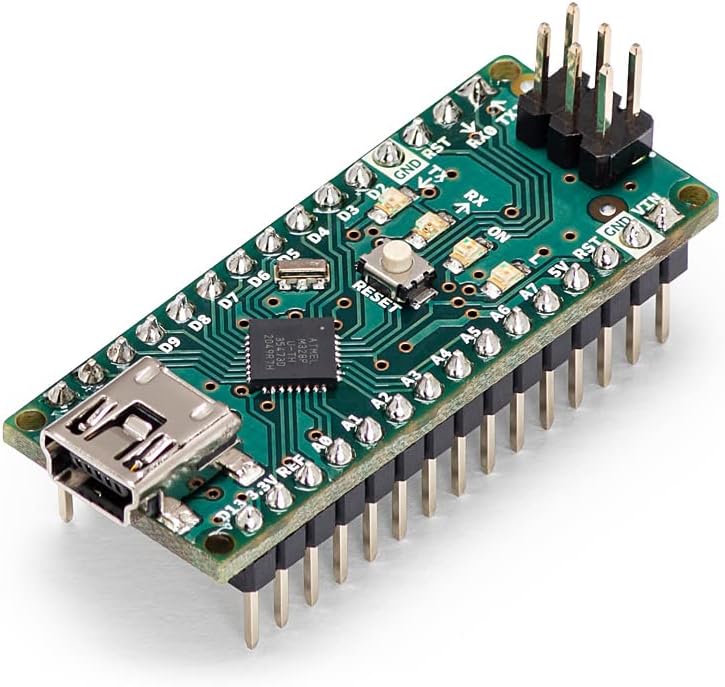
This official Arduino Nano stands out as the gold standard for reliable microcontroller projects. With a 4.6 rating, it proves its worth through consistent performance and widespread adoption in the maker community.
We may earn a commission when you buy through this link, at no additional cost to you.
Its ATmega328P processor provides ample power for standard tasks while maintaining a tiny footprint. The board includes 22 digital I/O pins and 8 analog inputs, offering versatile connectivity for sensors and actuators.
While the Mini USB port is less modern than USB-C, it ensures backward compatibility with existing cables and shields. The higher price point reflects the official branding and guaranteed quality standards.
Beginners and professionals alike should consider this board for projects requiring maximum stability. It remains the most trusted option for long-term embedded system development.
Official boards receive regular driver updates and extensive documentation from the Arduino team.
The pin layout supports common libraries and shields without requiring complex wiring modifications.
We may earn a commission when you buy through this link, at no additional cost to you.
The LAFVIN Nano V3.0 delivers excellent value with a highly competitive price point. Users appreciate the inclusion of USB cables and the high 4.6 rating indicating satisfaction with reliability.
We may earn a commission when you buy through this link, at no additional cost to you.
It uses the ATmega328P chip and CH340G driver, ensuring compatibility with Windows, Mac, and Linux systems. This makes it a practical choice for bulk purchases in educational or prototyping settings.
Some users may need to install specific drivers for the CH340G chip, which is a minor hurdle. Third-party manufacturing can lead to slight variations in component quality compared to official boards.
This option is ideal for students or hobbyists needing multiple boards for different projects. It provides the core functionality of the Nano at a fraction of the cost.
Buying multiple units allows for simultaneous testing across different prototypes without extra cost.
The CH340G driver works across major operating systems for flexible development environments.
We may earn a commission when you buy through this link, at no additional cost to you.
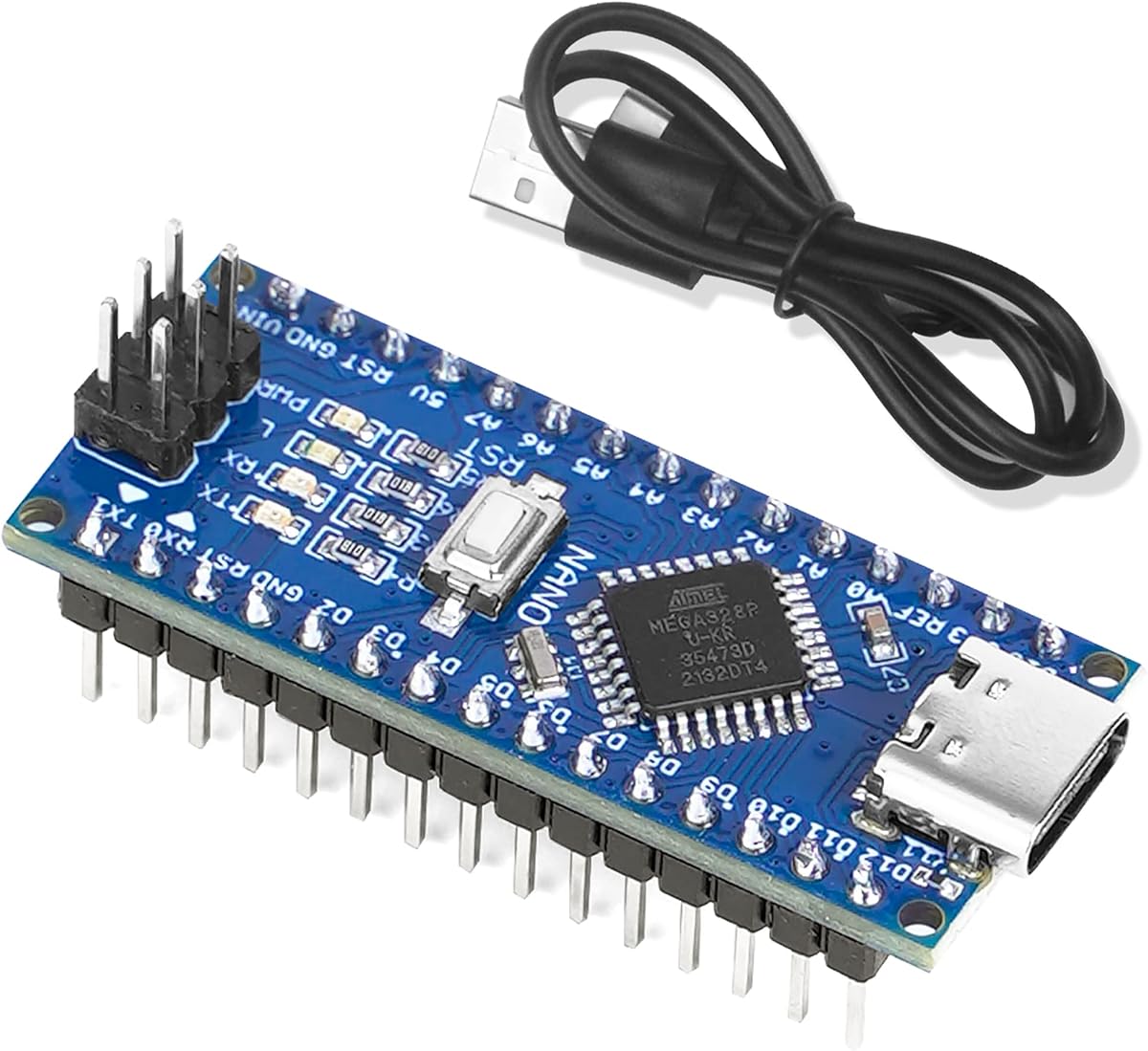
ELEGOO offers a convenient presoldered version that simplifies the initial setup process. With a 4.6 rating, users confirm the quality of the headers and the utility of the included USB-C cable.
We may earn a commission when you buy through this link, at no additional cost to you.
The board maintains the classic ATmega328P architecture but upgrades the port to USB-C for modern convenience. This removes the need for soldering headers before first use, saving significant time.
While it retains standard features without wireless capabilities, the build quality is robust for daily use. The price is slightly higher but justified by the added manufacturing effort included.
This product is perfect for those who want quick deployment without technical assembly hurdles. It bridges the gap between hobbyist needs and professional readiness.
Presoldered headers allow immediate connection to breadboards for instant prototyping.
USB-C ports ensure compatibility with newer cables and laptops without adapters.
We may earn a commission when you buy through this link, at no additional cost to you.
The Nano Every introduces the ATmega4809 microcontroller, offering improved performance over classic models. Its 4.6 rating highlights satisfaction with its efficiency and speed in demanding applications.
We may earn a commission when you buy through this link, at no additional cost to you.
With 48KB of flash memory and USB-C connectivity, it supports more complex code and modern cabling. The design retains the Nano form factor while optimizing power usage for battery projects.
Some compatibility issues may arise with older shields designed for the classic Nano due to pin differences. Users should verify their existing libraries before migrating to this enhanced version.
This board is excellent for projects needing more memory or better power management. It represents a logical evolution for those seeking modern features in a small package.
The new microcontroller provides better power management for battery-operated devices.
USB-C ensures fast data transfer and compatibility with modern charging standards.
We may earn a commission when you buy through this link, at no additional cost to you.
This ESP32-based board brings wireless capabilities to the Nano form factor seamlessly. A 4.6 rating confirms its effectiveness for IoT projects requiring remote data transmission.
We may earn a commission when you buy through this link, at no additional cost to you.
The dual-core processor and support for Wi-Fi and Bluetooth allow for advanced connectivity options. MicroPython compatibility opens the door for Python developers to enter embedded systems easily.
Cost and complexity are slightly higher due to the advanced features included on board. Users should ensure they are comfortable with wireless protocols before choosing this model.
For smart home or remote monitoring tasks, this board is the premier choice. It combines the familiarity of Arduino with modern wireless standards.
Integrated Wi-Fi and Bluetooth remove the need for external modules.
MicroPython support simplifies coding for those familiar with Python syntax.
We may earn a commission when you buy through this link, at no additional cost to you.
This two-pack offers significant value for those needing multiple units with USB-C support. A 4.5 rating suggests solid reliability and performance for typical DIY and educational projects.
We may earn a commission when you buy through this link, at no additional cost to you.
The inclusion of USB-C makes this version more future-ready than Mini USB counterparts. The CH340G chip ensures broad OS compatibility while maintaining standard Arduino functionality.
Drivers may need manual installation on some systems which can slow initial setup. Generic brands might have slight variations in component quality over time compared to official ones.
Ideal for classrooms or makers needing spares, this set ensures you always have a backup. The USB-C upgrade makes it a smart long-term investment.
Having multiple boards allows simultaneous development and testing without downtime.
USB-C offers reversible connection and broader cable compatibility for users.
We may earn a commission when you buy through this link, at no additional cost to you.
This three-pack provides ample units for larger class sets or extensive prototyping needs. The 4.5 rating reflects user satisfaction with the performance and connectivity features.
We may earn a commission when you buy through this link, at no additional cost to you.
It features the ATmega328P processor and USB-C port for modern connectivity and power. The automatic power switching simplifies external power supply integration without manual jumpers.
Standard third-party boards require driver installation which may be a minor technical hurdle. Without headers soldered, initial assembly might be needed for breadboard use.
This kit is perfect for schools or teams needing multiple boards for various stages. The USB-C upgrade makes it highly practical for modern development workflows.
Automatic power switching simplifies connection between USB and external sources.
Three units ensure you can prototype, test, and backup without extra costs.
We may earn a commission when you buy through this link, at no additional cost to you.
The R4 Max introduces the Renesas RA4M1 microcontroller with massive memory and USB-C. A 4.5 rating shows strong adoption among users needing advanced capabilities in a Nano body.
We may earn a commission when you buy through this link, at no additional cost to you.
Features like a Qwiic connector and programmable RGB LED streamline hardware expansion and debugging. These additions make complex projects significantly easier to manage visually.
Switching architectures may require new learning or library updates compared to older AVR boards. The higher price is a factor to consider for budget-conscious projects.
Choose this board for demanding embedded applications needing high processing power. It is a future-proof option for serious developers and engineers.
Qwiic connectors allow quick connection to sensors without manual wiring.
Programmable LED helps indicate status quickly without additional components.
We may earn a commission when you buy through this link, at no additional cost to you.
This variant is designed for integration into custom PCBs with castellated edges. The 4.2 rating indicates strong utility for specialized applications rather than simple prototyping.
We may earn a commission when you buy through this link, at no additional cost to you.
It shares the powerful Renesas RA4M1 microcontroller with the Max version but sacrifices pre-soldered headers for flexibility. This makes it ideal for embedding in permanent electronic designs.
Users should be comfortable with soldering to install the included header pins if needed. The lack of soldered headers may limit immediate use for non-soldering beginners.
Perfect for production prototypes or custom enclosures, this board balances performance and integration. It supports developers looking to move beyond breadboards.
Castellated edges allow direct mounting onto your own custom board designs.
Loose headers give you control over how you connect external interfaces.
We may earn a commission when you buy through this link, at no additional cost to you.
This module offers a simple entry into Nano projects with a USB-C port. The high 4.6 rating suggests users appreciate its reliability and ease of setup.
We may earn a commission when you buy through this link, at no additional cost to you.
It runs on the standard ATmega328P and CH340 chip ensuring full compatibility with existing code. This makes it an easy swap for older Mini USB boards.
The single unit format limits bulk utility but keeps individual costs low. Lack of advanced features means it suits simple tasks rather than complex systems.
Ideal for quick repairs or single prototypes, this module delivers core functionality effectively. It is a solid choice for beginners updating their hardware setup.
USB-C design makes it a straightforward upgrade for legacy projects.
Standard features ensure compatibility without learning new architectures.
We may earn a commission when you buy through this link, at no additional cost to you.
Selecting the right Nano board depends on your project requirements and technical expertise. We break down the key factors to help you narrow your options quickly.
The heart of the board is the microcontroller chip which dictates processing power and memory. Older models use the ATmega328P while newer ones like the Every use the ATmega4809. The ESP32 and R4 variants offer significantly higher performance and specific capabilities.
Choose a chip that matches your code complexity and memory needs.
Ports and wireless modules define how you interact with your board. Most modern boards now use USB-C for easier charging and data transfer compared to the older Mini USB standard.
Prioritize USB-C if you want future-proof cabling and simpler connections.
Flash memory determines how large your compiled code can be before upload. SRAM defines how much data can be stored temporarily during runtime execution.
Verify memory specs if your project requires storing complex data or large libraries.
Some boards support automatic switching between USB and external power sources while others need manual selection. This feature simplifies deployment in environments where power sources vary.
Look for auto-switching power logic if you plan to use batteries or external supplies.
The layout of digital and analog pins affects compatibility with existing shields. Official boards often maintain standard layouts while third-party variants might differ slightly.
Ensure your preferred shields will physically fit before purchasing a non-standard variant.
Many third-party boards use the CH340 chip which requires specific drivers for communication. This step is essential for successful sketch uploads and communication with your computer.
Check system compatibility and availability of drivers for your operating system beforehand.
Official boards from Arduino come with a quality guarantee and support but cost more. Third-party options often save money but may have slight variations in manufacturing consistency.
For critical projects, official products provide peace of mind and reliability.
Some boards include built-in Wi-Fi Bluetooth or RGB LEDs which add specific capabilities. These features might replace external components but increase complexity and cost.
Consider if a built-in feature simplifies your project rather than adding bulk.
Always connect your board to a stable power source before uploading sketches to avoid corruption. Use a data-capable USB cable rather than a charging-only cable to ensure proper communication.
Store unused boards in anti-static bags to protect sensitive components from electrostatic discharge. Avoid exposure to direct sunlight or extreme temperatures to maintain long-term reliability.
Regularly back up your code and libraries to ensure you do not lose critical project data. If a board stops responding, try reinstalling the drivers or resetting the chip before replacing it.
Yes, almost all Nano variants including the V3.0 Every and R4 are fully compatible with the latest IDE. You simply need to select the correct board type from the tools menu to ensure proper compilation.
The main difference is the connector type and modern compatibility. USB-C boards allow for reversible plugging and are compatible with newer laptops without adapters. Mini USB is the older standard found on classic models.
It depends on the specific variant. Many third-party boards come with headers already soldered for plug-and-play use while some R4 versions require you to solder loose pins yourself for integration.
Yes, but you should choose models with low power modes like the Nano Every. Ensure you manage current draw carefully since the standard regulator on some boards consumes energy even when idle.
This usually happens because the USB driver is not installed correctly. Check Device Manager for unrecognized devices and install the CH340 driver if your board uses that chip.
The Nano ESP32 is ideal for IoT because it includes built-in Wi-Fi and Bluetooth. This eliminates the need for external modules and allows for direct cloud communication with ease.
Many third-party boards are reliable and widely used by hobbyists globally. However, quality can vary so checking reviews is important before committing to bulk purchases.
We highlighted ten distinct options ranging from classic reliable models to advanced wireless variants. Each selection addresses specific needs ensuring there is a suitable board for every type of project.
Focus on what matters most to your workflow such as memory capacity wireless capability or ease of use. Balancing these factors will lead to a smoother development experience.
Always verify current stock and specifications on the retailer site before purchasing. Prices and availability shift frequently so checking the latest details ensures you get the right model.