
Comulytic Note Pro
4.4Editor score
Unlimited free transcription
Fast Wi-Fi sync
45 hour battery
Compare the top AI meeting transcription devices of October 2026 for accuracy, battery life, and privacy features to find the best recorder for your needs.
Modern professionals need reliable tools to capture every detail during important discussions without taking handwritten notes. AI meeting transcription devices automate this process by recording audio and converting it into searchable text instantly.
We evaluated ten leading models based on transcription accuracy, battery endurance, privacy security, and ease of integration with existing workflows. Each device was analyzed for its unique AI capabilities and hardware design strengths.
This guide presents detailed reviews and comparisons to help you choose the right recorder for your specific work environment. Please note that availability and pricing may fluctuate over time across retailers.
4.4Editor score

4.5Editor score
4.1Editor score
This side-by-side comparison highlights key specifications and capabilities across all ten evaluated models to help you quickly identify the best fit for your requirements.



The Plaud Note Pro stands out as a top-tier AI meeting transcription device with its innovative multimodal input capabilities. It captures audio, notes, and images simultaneously to provide richer context for every session.
We may earn a commission when you buy through this link, at no additional cost to you.
Its intelligent recording features include directional audio that minimizes background noise while enhancing speech clarity up to sixteen feet away. The device also supports seamless cross-device sync via desktop, web, and mobile apps.
While the starter plan offers generous transcription minutes, power users may find the need to upgrade for unlimited access. However, the hardware security compliance ensures sensitive conversations remain private and encrypted.
This device is ideal for professionals requiring high-fidelity recordings and secure data handling. The compact design and long battery life make it perfect for daily use.
Press a button to highlight key moments while snapping photos of documents for richer context.
Built with ISO and GDPR compliance to protect your data with local encryption and secure cloud.
We may earn a commission when you buy through this link, at no additional cost to you.
Pocket acts as a personal AI assistant that captures meetings and transcribes them instantly without interruption. Its MagSafe compatibility allows for hands-free recording on your iPhone or other supported devices.
We may earn a commission when you buy through this link, at no additional cost to you.
This device focuses on simplicity by offering one-tap recording and real-time summaries of key action items. The Ask Pocket feature lets you query your recordings to extract insights quickly.
Core features are included out of the box but advanced tools require an optional subscription. Despite this, the hardware quality and ease of use make it a strong contender for the budget category.
Best suited for everyday users who want a reliable recorder without complex setups. The four-day battery ensures it lasts through extended trips.
Attach easily to your phone for convenient hands-free recording during meetings.
More than a recorder, it organizes your ideas into structured conversation maps.
We may earn a commission when you buy through this link, at no additional cost to you.
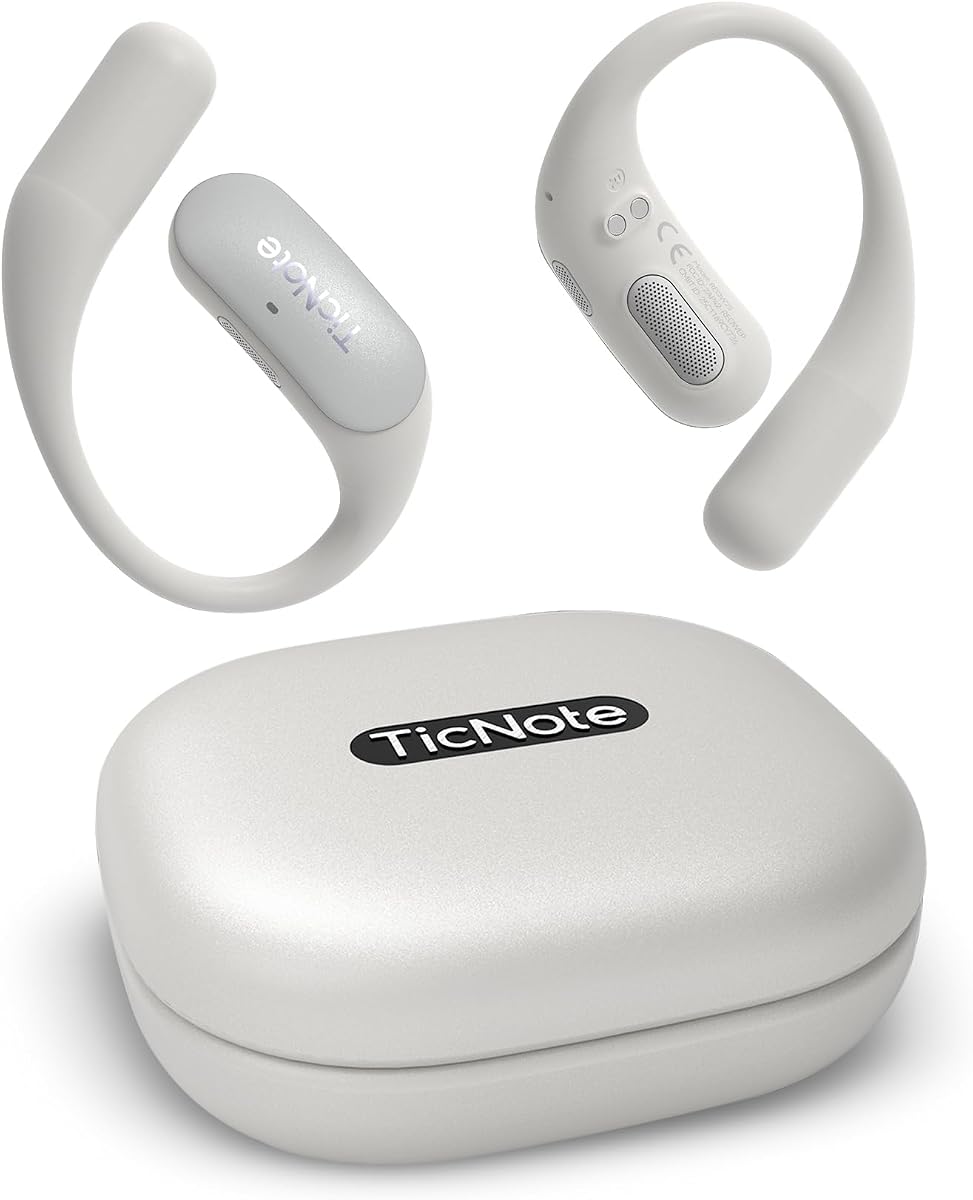
Mobvoi TicNote Pods are designed specifically for teams needing collaborative transcription in WiFi environments. Their wearable design helps you stay focused on the conversation rather than taking notes.
We may earn a commission when you buy through this link, at no additional cost to you.
The device supports over 120 languages for transcription and translation, making it ideal for international business. Shadow AI helps organize outputs for work and follow-up actions automatically.
Although it relies solely on WiFi and has a five-hour battery, it offers robust cloud storage and encryption. This makes it a premium choice for office-centric professionals.
Ideal for users who prioritize collaboration and multilingual support over long battery life. The cloud sync ensures everyone has access to shared notes.
Share notes and transcripts securely with your team via encrypted cloud storage.
Recording starts automatically when you speak, so you never miss a moment.
We may earn a commission when you buy through this link, at no additional cost to you.
EurekaMind Lite stands out because it can search the web to provide deeper insights beyond just recording audio. It turns conversations into actionable insights instantly with its Ask AI feature.
We may earn a commission when you buy through this link, at no additional cost to you.
The device is incredibly thin at three millimeters and fits easily into a wallet or card holder. It comes with a free starter plan offering unlimited transcription and AI summaries.
While the physical build is ultra-slim, it may feel less substantial to some users. However, the ability to add external web context makes it unique in its category.
Perfect for students and professionals who need quick research alongside transcription. The free plan ensures you never run out of recording minutes.
Use Ask AI to find context beyond your recording for smarter productivity.
Weighing only 1.02 oz, it slides easily into any card holder.
We may earn a commission when you buy through this link, at no additional cost to you.
Comulytic Note Pro offers a lifetime free starter plan with unlimited transcription, a rare feature in the market. It supports over 113 languages and includes real-time translation capabilities.
We may earn a commission when you buy through this link, at no additional cost to you.
Its Wi-Fi sync is ten times faster than Bluetooth, allowing real-time backup without interruption. The device comes with three magnetic accessories to snap it onto phones or notebooks.
Advanced features require a subscription, but the core functionality is robust for general use. The vertical knowledge base ensures industry terms are captured accurately.
This is the best choice for budget-conscious users who need unlimited transcription. The magnetic design ensures you never lose the device.
Enjoy unlimited free transcription with no monthly bills or subscription traps.
Push recordings to the cloud at up to ten times Bluetooth speed.
We may earn a commission when you buy through this link, at no additional cost to you.
Comu Action Pro boasts an impressive seventy-hour battery life, perfect for extended travel or events. It automatically drafts documents like slides and emails from your conversations.
We may earn a commission when you buy through this link, at no additional cost to you.
The six-mic setup with motion sensor captures clear sound even in noisy environments. It is also MagSafe compatible for convenient portability on your devices.
While the device is larger to accommodate the battery, the trade-off is worth the endurance. The core features are unlimited, making it great for heavy users.
Choose this if battery life is your priority. It reduces the need to recharge frequently during busy days.
Turn conversations into editable slides and emails without any prompts.
Four omnidirectional and two directional mics adapt to your environment.
We may earn a commission when you buy through this link, at no additional cost to you.
RECPOINT Note AI uses the cutting-edge GPT-5.5 engine to deliver industry-leading transcription accuracy. It supports over 150 languages for global collaboration and translation.
We may earn a commission when you buy through this link, at no additional cost to you.
Data sovereignty is a key focus here with end-to-end encryption and full control over your files. The rugged aluminum body is designed for durability and daily carry.
The AI analysis generates detailed mind maps and to-do lists automatically. However, premium features often come with subscription costs.
Ideal for academic or business users needing high accuracy and translation. The free monthly minutes help offset initial costs.
Industry-leading engine that creates structured summaries and mind maps.
Full data sovereignty ensures your files remain secure and private.
We may earn a commission when you buy through this link, at no additional cost to you.
Plaud Note Non-Pro is the thinnest AI note taker available at 0.12 inches and weighs only 1.06 oz. It captures audio in 112 languages with high accuracy.
We may earn a commission when you buy through this link, at no additional cost to you.
This version lacks the image input but includes dual-mode recording for calls and in-person meetings. It stores up to 64GB locally for secure recording without internet.
The device offers excellent security compliance similar to the Pro version. It is ideal for users who prioritize portability over advanced features.
Perfect for those who need a discreet and compact recorder. The magnetic case keeps it safe in your pocket.
Carry the world's thinnest AI note taker at only 0.12 inches thin.
Switch between call and meeting modes automatically for better audio.
We may earn a commission when you buy through this link, at no additional cost to you.
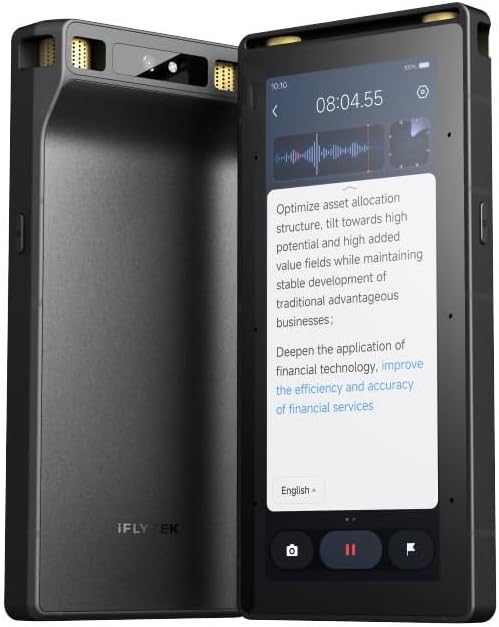
This device offers offline AI transcription and translation for five languages, ideal for areas without internet. It features a full touchscreen interface for direct interaction with data.
We may earn a commission when you buy through this link, at no additional cost to you.
Its 8-mic array can pick up audio from twenty meters away, great for large halls. A five-year pro membership is included to unlock premium AI features.
While expensive, the hardware security and offline capabilities justify the cost for some users. Screen projection allows real-time display of transcripts.
Best for international travel or secure environments where internet is restricted. The long range ensures you never miss a speaker.
Process information anywhere without internet dependency for secure cross-border use.
Achieve a seamless workflow with instant cloud synchronization across devices.
We may earn a commission when you buy through this link, at no additional cost to you.
This model repeats the value of the Comulytic Note Pro with unlimited free transcription and 113 language support. It includes the same fast Wi-Fi sync and adaptive recording features.
We may earn a commission when you buy through this link, at no additional cost to you.
The triple-mic array ensures clear audio up to five meters away in any environment. It comes with a Starter Plan that offers unlimited transcription for life.
Despite being a lower cost option, it maintains high accuracy and privacy standards. It is a strong choice for those who want reliability without a recurring fee.
Perfect for students and freelancers who need cost-effective tools. The cloud backup ensures your data is always safe.
Every user gets a free Starter Plan with unlimited free transcription.
Data is encrypted with AES technology and protected under CCPA laws.
We may earn a commission when you buy through this link, at no additional cost to you.
Selecting the right AI meeting transcription device requires considering several factors beyond just price. This section breaks down the key elements to evaluate for your specific workflow needs.
Accuracy is paramount for any transcription device. Look for models that claim 95% accuracy or higher and support multiple languages to handle diverse teams. Advanced AI engines like GPT-5.5 improve contextual understanding significantly.
Prioritize devices with proven accuracy metrics in reviews before making a purchase.
Battery life dictates how long you can use the device without interruption. Some models offer 30 hours while others provide 70 hours for extended travel. Consider your typical meeting duration when choosing.
Aim for at least 30 hours for all-day events without needing a charge.
Secure storage is essential for sensitive meetings. Look for encryption like AES and compliance standards such as GDPR or HIPAA. Local processing ensures data never leaves your device.
Ensure the device supports end-to-end encryption and meets legal compliance standards.
Connectivity methods like Wi-Fi, Bluetooth, or offline modes affect how quickly data is accessed. Wi-Fi is faster for backups while offline modes offer privacy. Dual connectivity adds flexibility.
Choose a device with fast Wi-Fi sync for immediate access to transcripts.
The physical size determines portability. Slim devices like credit cards are discreet but may lack battery life. Wearable options allow hands-free use but require charging often.
Select a slim design for discretion or a wearable for hands-free convenience.
Many devices require subscriptions for advanced features. Some offer free unlimited plans while others limit minutes. Always check the total cost of ownership before buying.
Look for models with free unlimited transcription to avoid recurring fees.
Global teams need multilingual support. Ensure the device covers all languages spoken by your participants. Some models offer over 150 languages for comprehensive coverage.
Verify the device supports all required languages for your international meetings.
Integration with email or calendars helps turn transcripts into action items. Devices with desktop apps or API access improve workflow efficiency. Look for tools that automate follow-ups.
Choose a device that integrates well with your existing productivity tools.
Begin by fully charging the device before your first use to ensure optimal battery performance. Place the recorder on a stable surface or clip it to your shirt to avoid noise interference during the session.
After the meeting, sync the recording to the companion app via Wi-Fi or Bluetooth. Review the generated transcript and edit any errors manually to ensure accuracy for future reference.
Regularly update the device firmware to access new features and security patches. Clean the microphone array gently with a dry cloth to maintain audio quality over time.
Most high-quality devices claim 95% to 98% accuracy. However, accuracy can vary based on background noise and speaker clarity. Using a device with multiple microphones improves results significantly.
Some models support offline transcription for a limited number of languages. Others require internet connectivity to process data. Always check the specifications before relying on offline use.
While core features are often free, advanced tools may require a subscription. Some models offer unlimited free transcription. Always review the pricing structure before purchasing.
Yes, most devices provide a text editor in their companion app. This allows you to correct errors and add highlights. Export options help you save documents in various formats.
Look for devices with AES encryption and compliance certifications. Local encryption keeps data on your device while cloud storage should be secure. Check privacy policies for details.
For full-day usage, aim for at least 30 hours of recording time. Some devices offer up to 70 hours for extended travel. Shorter battery life requires frequent recharging.
Many models are designed to be credit-card sized for discretion. Wearable devices are even less obtrusive during meetings. Check dimensions to ensure they fit your needs.
Top models support over 100 languages for global collaboration. Some even offer real-time translation during meetings. Verify language support before buying for specific needs.
We have reviewed ten top AI meeting transcription devices ranging from budget options to premium professional tools. Each offers unique features like Wi-Fi sync, offline modes, or multilingual support.
Consider your primary needs such as battery life, privacy compliance, and subscription costs before choosing. The right device should integrate seamlessly with your workflow.
Remember to check current availability and pricing as retailers update their listings regularly. Make an informed decision to streamline your productivity.