
HP OmniBook 3 14 inch
4.4Editor score
Long Battery Life
OLED Display
Lightweight Design
Artificial intelligence is reshaping how we use personal computers daily. Modern AI laptops integrate specialized hardware and smart software to boost productivity. These devices handle complex tasks faster than traditional models ever could.
We evaluated ten leading AI laptops based on performance and battery life. Each model offers unique features designed to enhance your workflow. Our comparison highlights the strengths and weaknesses of every option available today.
Every pick shows detailed specs and real-world performance insights for buyers. Prices change frequently so check current listings before purchasing. Use this guide to find the right laptop for your specific needs.
4.4Editor score
4.8Editor score

5.0Editor score
As an Amazon Associate we earn from qualifying purchases.
This table provides a side-by-side comparison of all ten AI laptops evaluated in this guide. Review the key specifications and features to find the model that best fits your requirements.


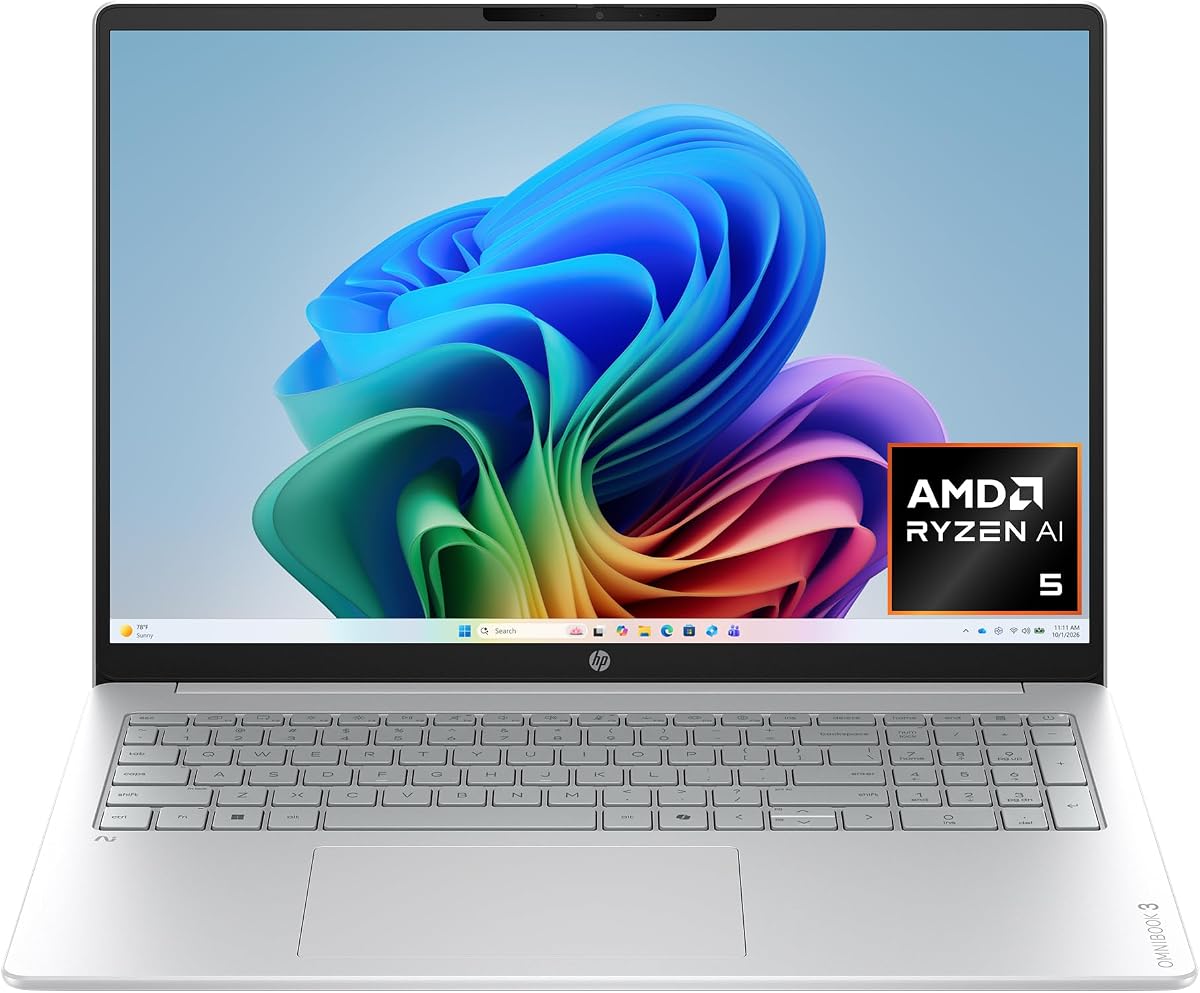
The HP OmniBook 3 16 inch is a top rated AI laptop. It scores 4.8 stars and delivers powerful performance with AMD Ryzen AI processors. Users praise its vibrant display and long battery life for daily tasks.
We may earn a commission when you buy through this link, at no additional cost to you.
This laptop shines with its AMD Ryzen AI 5 430 processor designed for Copilot+ PC experiences. The 2K IPS touchscreen offers detailed visuals ideal for work. Advanced AI noise reduction keeps calls clear without background distractions.
While it lacks a discrete GPU it handles most creative workloads well. The 512 GB SSD is efficient but may fill quickly with large files. These trade-offs are acceptable given its balanced performance and price.
Buyers seeking a reliable AI laptop for work and study will appreciate this model. It combines strong hardware with intelligent features to simplify your day. We recommend it for users valuing clarity and efficiency.
The 2K IPS touchscreen delivers wide viewing angles and lifelike color for immersive viewing experiences.
Advanced Personal Mode tracks your voice during calls filtering out other speakers for focused communication.
We may earn a commission when you buy through this link, at no additional cost to you.
The Lenovo ThinkBook 16 Gen 8 targets business users needing robust performance. It features an Intel Ultra 7 processor and Windows 11 Professional. With 32GB RAM it handles multiple apps without lag.
We may earn a commission when you buy through this link, at no additional cost to you.
Its mobile workstation design supports data analysis and presentations efficiently. WiFi 6E ensures stable connections for video conferencing. The fingerprint reader adds advanced security for sensitive data protection.
The FHD+ display provides ample space but lacks higher resolution. The price reflects its professional grade features and build quality. These trade-offs are acceptable for business environments prioritizing reliability.
Professionals handling complex spreadsheets and enterprise apps will value this laptop. Its balance of power and security makes it a strong contender. We recommend it for corporate workflows.
Windows 11 Professional and fingerprint readers protect sensitive business data with advanced security features.
WiFi 6E and Bluetooth 5.3 ensure stable connections for video conferencing and file sharing.
We may earn a commission when you buy through this link, at no additional cost to you.
The HP OmniBook X 14 offers a stunning 3K OLED touchscreen. It delivers deep blacks and enhanced color depth for rich visuals. Its battery life can last up to 27 hours for all day use.
We may earn a commission when you buy through this link, at no additional cost to you.
Intel Core Ultra 7 processors power this device with built-in graphics and AI. Smart Sense adjusts performance based on activity for comfort. The 5MP IR camera captures detailed video calls accurately.
While integrated graphics limit gaming it handles creative tasks well. The high price reflects its premium display and efficiency. These trade-offs are acceptable for users prioritizing visual quality.
Creators and mobile workers seeking immersive visuals and endurance will love this laptop. It revolutionizes how you work anywhere with its power. We recommend it for visual professionals.
The 3K OLED touchscreen brings deeper blacks for richer contrast and more power efficiency than LED.
AI driven optimizer switches modes to optimize performance based on your activity and environment.
We may earn a commission when you buy through this link, at no additional cost to you.
The HP OmniBook 5 16 provides a balanced AI experience. It features Intel Core Ultra 7 processors for intelligent performance. The large touchscreen makes interaction intuitive for various tasks.
We may earn a commission when you buy through this link, at no additional cost to you.
With 1TB SSD storage it handles large file collections easily. Copilot AI support helps you work smarter with faster workflows. The sleek design suits both business and everyday use.
Battery life estimates vary but it remains reliable for daily tasks. The weight may limit portability for frequent travelers. These trade-offs are acceptable for stationary work setups.
Users needing storage and a large display will appreciate this model. Its AI features enhance productivity effectively. We recommend it for home office use.
The large touchscreen with crisp visuals is perfect for work and creative tasks.
Copilot AI support helps you work smarter with intelligent suggestions and enhanced security.
We may earn a commission when you buy through this link, at no additional cost to you.
The HP OmniBook 5 16 Snapdragon excels in battery efficiency. Snapdragon processors deliver essential performance and long life. The 2K OLED display offers rich colors for productivity.
We may earn a commission when you buy through this link, at no additional cost to you.
Qualcomm Wi-Fi 6E provides fast wireless speeds. Otter.ai assistant records audio and transcribes meetings automatically. The 512 GB SSD ensures efficient storage for daily files.
Software compatibility may vary for specific legacy apps. Storage is adequate but may not suit massive media libraries. These trade-offs are acceptable for general productivity users.
Mobile professionals needing all-day endurance will find this laptop ideal. It combines efficiency with modern AI features. We recommend it for frequent travelers.
Enjoy up to 34 hours of battery life for efficient on-the-go productivity.
Otter.ai records audio and transcribes meetings so you save time staying organized.
We may earn a commission when you buy through this link, at no additional cost to you.
The HP OmniBook 3 14 Snapdragon offers affordability without sacrificing quality. It delivers long battery life up to 41 hours. The OLED display ensures rich visuals for daily tasks.
We may earn a commission when you buy through this link, at no additional cost to you.
Snapdragon processors handle on-the-go productivity efficiently. The device stays connected with Qualcomm Wi-Fi 6E. Otter.ai integration helps manage meeting notes automatically.
Storage is limited compared to premium models but adequate for many users. Upgrades are limited but the base specs handle tasks well. These trade-offs are acceptable for budget conscious buyers.
Students and light users seeking portable endurance will love this laptop. It balances cost and performance effectively. We recommend it as a top budget option.
Enjoy up to 41 hours of battery life for uninterrupted all-day use.
The lightweight form factor ensures effortless portability for daily commuting.
We may earn a commission when you buy through this link, at no additional cost to you.
The Dell 16 Plus targets high-end performance needs. It features an Intel Core Ultra 9 processor with Copilot+ PC features. Wi-Fi 7 support ensures future-ready connectivity speeds.
We may earn a commission when you buy through this link, at no additional cost to you.
Its design supports modern workstations with ample ports. The Intel Arc GPU handles AI-accelerated digital content creation. Noise cancellation enhances communication during important video calls.
The chassis may be heavy for daily carry. Display brightness is functional but not exceptional. These trade-offs are acceptable for desktop replacement users.
Creators and professionals needing raw power and connectivity will value this laptop. Its specs support demanding workflows. We recommend it for workstation users.
Wi-Fi 7 delivers unprecedented speeds and capacity for stable connections.
Intel Arc GPU is ideal for AI-accelerated content creation with creative apps.
We may earn a commission when you buy through this link, at no additional cost to you.
The ASUS Vivobook S16 stands out with a perfect 5.0 rating. It features AMD Ryzen AI 9 processors with 50 NPU TOPS. The OLED display offers stunning immersive visuals for work.
We may earn a commission when you buy through this link, at no additional cost to you.
Its design is just 3.75 lbs and 0.7 inches thin. Fast charge gives 60% battery in under 50 minutes. Windows Hello sign-ins ensure quick secure access daily.
The premium price reflects its top-tier build and efficiency. Lack of Thunderbolt limits some external accessory options. These trade-offs are acceptable for its overall excellence.
Users seeking quality and performance will find this laptop unmatched. Its design and AI features provide a confident edge. We recommend it as the top premium choice.
Up to 50 NPU TOPS keeps tasks running seamlessly with fast on-device AI.
The 16-inch OLED display delivers deep contrast and vivid detail.
We may earn a commission when you buy through this link, at no additional cost to you.
The Acer Aspire 16 AI offers next-level performance affordably. It uses Snapdragon X processors with an integrated NPU. The 120Hz display enhances responsiveness and visual clarity.
We may earn a commission when you buy through this link, at no additional cost to you.
Copilot+ PC features include Recall and Click to Do. AcerSense AI solutions streamline settings and optimize video presence. The 512GB SSD ensures fast speed for daily storage.
Build quality is functional but not exceptional. Performance suits general tasks but not heavy loads. These trade-offs are acceptable for budget focused buyers.
Users seeking modern AI features and speed at low cost will like it. It supports productivity efficiently without high prices. We recommend it for entry-level AI needs.
The 120Hz display acts as a panoramic playground for entertainment.
AcerSense AI solutions optimize video presence and streamline settings.
We may earn a commission when you buy through this link, at no additional cost to you.
The HP Omnibook 16 is a premium workstation laptop. It features AMD Ryzen AI 7 with 50 TOPS NPU. The 32GB DDR5 RAM ensures smooth touch screen experiences.
We may earn a commission when you buy through this link, at no additional cost to you.
Windows 11 Pro provides enterprise-grade security. The 16-inch 2K display offers crystal-clear detail. DTS:X Ultra audio enhances collaboration during calls.
Battery life is solid but weight may limit travel. Display brightness is standard but effective. These trade-offs are acceptable for office-focused use.
Professionals needing powerful multitasking and security will value this laptop. Its specs handle large project files easily. We recommend it for enterprise workflows.
Windows 11 Pro provides enterprise-grade security for secure collaboration.
32GB DDR5 RAM ensures smooth touch screen experiences for creativity.
We may earn a commission when you buy through this link, at no additional cost to you.
Choosing the right AI laptop requires understanding key factors that impact performance and value. This guide outlines essential considerations for informed decision making.
The NPU or Neural Processing Unit measures AI capability in TOPS. Higher TOPS scores mean faster on-device AI for tasks like image generation. Look for models with at least 40 TOPS for smooth Copilot+ experiences.
Prioritize laptops with dedicated NPUs for best AI performance.
Memory impacts multitasking ability significantly. AI models require 16GB RAM minimum but 32GB is ideal for heavy workflows. SSD speed affects load times and overall responsiveness.
Choose 32GB RAM and 512GB+ SSD for optimal performance.
Resolution and panel technology define visual comfort. OLED displays offer deeper blacks and better power efficiency than standard LED. Higher resolutions improve clarity for detailed work.
Prioritize OLED or high-resolution IPS screens for visual tasks.
Mobile work requires long battery endurance. AI features consume power but optimized processors help efficiency. Look for models offering 15+ hours of real-world usage.
Select laptops with efficient processors and large battery capacity.
Wireless standards like Wi-Fi 6E ensure fast stable connections. Ports determine device compatibility without hubs. USB-C and HDMI are essential for external monitors.
Ensure adequate ports and latest Wi-Fi standards are present.
Windows 11 Home works well for most users but Pro offers advanced security. Copilot+ features require specific OS versions for full functionality. Verify OS compatibility before purchasing.
Check OS version supports required AI features and security needs.
Durability affects long-term value and portability. Aluminum chassis resist wear better than plastic. Thin and light designs are easier to carry daily.
Invest in sturdy materials and compact form factors.
Comfort matters during extended work sessions. Backlit keyboards enable typing in low light. Touchscreens add intuitive interaction but may reduce battery life.
Evaluate keyboard comfort and touch requirements before buying.
Start by activating Copilot+ features for AI assistance. Configure settings to prioritize AI tasks for optimal performance.
Keep your OS updated for latest security patches. Use strong passwords and enable biometrics for protection.
Maintain battery health by avoiding extreme temperatures. Charge fully before first use and keep vents clear.
A Copilot+ PC is a laptop with a dedicated Neural Processing Unit for AI tasks. It offers features like Recall and instant image generation. All reviewed models support this standard.
AI laptops improve efficiency for complex workflows. They handle creative tasks faster than older models. If you value speed and automation they are worth the investment.
Yes, Copilot+ PCs process AI tasks on-device. This means features work without internet. Privacy is improved since data stays local.
Both AMD Ryzen AI and Snapdragon X perform well. Intel Core Ultra models are also strong contenders. Look for NPU performance over raw CPU speed.
Minimum 16GB is required but 32GB is recommended. Large models need memory for smooth operation. Less RAM slows AI features significantly.
Many Snapdragon models offer exceptional endurance up to 40 hours. Intel and AMD models vary but average 15-20 hours. Check specs for specific claims.
Our top picks include the HP OmniBook 3 for value and ASUS Vivobook S16 for premium performance. Each offers unique strengths for different users.
Prioritize NPU power and memory capacity for AI longevity. Ensure the display meets visual needs for your workflow.
Check current prices and availability before purchase. Tech deals change often so act quickly when you find a fit.