
Acer Nitro 27in QHD 2560×1440 IPS 180Hz Gaming Monitor KG271U N3bmiipx
4.5Editor score
180Hz refresh rate
0.5ms response time
AMD FreeSync support
95% DCI-P3 color
Discover the top 27 Inch WQHD 1440p Gaming Monitors for 2026. Our guide compares features, performance, and value to help you choose the perfect display.
Finding the right display can transform your gaming setup into a competitive advantage. A 27 Inch WQHD 1440p Gaming Monitor offers the perfect balance of screen real estate and pixel density for immersive visuals.
We have evaluated the top models based on refresh rates, response times, color accuracy, and build quality. Our comparison ensures you find a screen that handles fast-paced action without compromising on image fidelity.
Each selection highlights key strengths and potential trade-offs to match different needs and budgets. Prices and availability change frequently so verify current details before making your final purchase decision today.
4.5Editor score

4.6Editor score

4.6Editor score
This side-by-side comparison highlights the distinct specifications of each monitor to help you decide which model fits your specific gaming and creative needs best.


This Acer Nitro model stands out as a top contender for budget-conscious gamers seeking high performance. With a solid rating and impressive specs it delivers smooth visuals without breaking the bank.
We may earn a commission when you buy through this link, at no additional cost to you.
The 180Hz refresh rate ensures fluid motion while the 0.5ms response time minimizes ghosting in fast-paced games. Its IPS panel also offers wide viewing angles and accurate colors suitable for creative tasks.
While the stand offers tilt only you gain significant screen space with the zero-frame design. The lack of height adjustment is a trade-off but manageable with external risers if needed.
This monitor is perfect for competitive gamers who prioritize speed and color fidelity on a tight budget. It balances essential features well making it a reliable choice for any setup.
The 180Hz rate provides ultra-smooth motion that reduces motion blur effectively.
Supporting 95% DCI-P3 ensures vibrant and accurate color reproduction for all content.
We may earn a commission when you buy through this link, at no additional cost to you.
The ASUS TUF VG27AQ3A earns high praise for its advanced synchronization features. It combines ELMB with variable refresh rates to deliver sharp and tear-free visuals during intense gameplay.
We may earn a commission when you buy through this link, at no additional cost to you.
Its Fast IPS panel offers quick response times and wide viewing angles making it great for multiplayer sessions. The included Adobe Creative Cloud subscription adds value for users who edit media.
Although it costs more than budget options the technology justifies the price for serious gamers. The built-in audio is convenient though external speakers still provide better sound quality overall.
Ideal for those wanting a blend of gaming performance and creative utility this monitor excels in versatility. It handles high frame rates gracefully while maintaining color precision for work tasks.
Simultaneous ELMB and VRR use removes tearing while keeping motion crisp and clear.
Complementary Adobe Creative Cloud access enhances value for content creators needing accurate screens.
We may earn a commission when you buy through this link, at no additional cost to you.
This model distinguishes itself with a fully adjustable stand that supports height tilt swivel and pivot. Such ergonomics are rare at this price point ensuring comfort during long gaming or work sessions.
We may earn a commission when you buy through this link, at no additional cost to you.
It delivers 180Hz refresh rates over DisplayPort which is critical for smooth high frame rate gaming. The IPS panel maintains consistency across angles while the 1ms response keeps motion sharp.
While HDMI is capped at 144Hz the DisplayPort capability covers most high-end setups. The ergonomic flexibility outweighs the port limitation making it a solid choice for custom desk arrangements.
Gamers needing physical adjustability without spending premium dollars will appreciate this monitor. It balances functional design with strong performance metrics effectively for competitive environments.
Full height tilt swivel and pivot adjustments support healthy posture and viewing preferences.
DisplayPort delivers 180Hz while HDMI supports 144Hz to suit various cable needs.
We may earn a commission when you buy through this link, at no additional cost to you.
Samsungs G5 offers a curved design that enhances immersion in single-player games and simulators. The 1440p resolution packs dense pixels on a 27 inch panel for sharp text and details.
We may earn a commission when you buy through this link, at no additional cost to you.
Its 180Hz refresh rate paired with a 1ms response time ensures competitive play remains smooth and responsive. The Black Equalizer feature helps players spot enemies in dark corners effectively.
The ergonomic stand supports tilt pivot and height adjustments for a customized viewing experience. While the curve might not suit productivity for everyone it excels in gaming environments.
This monitor is ideal for those who prefer a curved display for better peripheral focus. It delivers strong visual performance with solid features that enhance the overall gaming experience.
The curved panel wraps around your field of view for a more engaging visual experience.
Black Equalizer technology brightens dark areas allowing you to see hidden enemies clearly.
We may earn a commission when you buy through this link, at no additional cost to you.
This SANSUI model pushes speed further with a 200Hz refresh rate over Adaptive Sync technology. It is a strong choice for gamers prioritizing frame rates without sacrificing color accuracy.
We may earn a commission when you buy through this link, at no additional cost to you.
The IPS panel covers 120% of the sRGB gamut ensuring vibrant visuals for both gaming and media. Built-in eye care technologies like Low Blue Light help reduce strain during extended sessions.
While it lacks speakers the dual DisplayPort inputs offer flexibility for multi-device setups. The metal stand adds durability though manual controls are kept minimal for simplicity.
If high refresh rates are your top priority this unit delivers exceptional value. It provides a smooth experience for competitive play while maintaining decent color reproduction for general use.
Adaptive Sync allows up to 200Hz for ultra-smooth gameplay in supported titles.
120% sRGB coverage ensures rich and accurate colors across various types of content.
We may earn a commission when you buy through this link, at no additional cost to you.
This variant of the SANSUI line adds full pivot capability making it ideal for vertical coding or browsing. The 200Hz speed ensures gaming remains fluid while productivity tasks gain screen height.
We may earn a commission when you buy through this link, at no additional cost to you.
With 400 nits brightness it handles bright rooms better than many peers in its class. The DCI-P3 95% coverage supports professional color needs beyond just entertainment use cases.
The Low Motion Blur technology sharpens moving images effectively for competitive titles. While setup can be time-consuming the ergonomic flexibility pays off in daily usability scenarios.
Gamers and developers alike benefit from the versatility of this screen. It bridges the gap between high-speed gaming and work-focused productivity features efficiently.
Vertical pivot support allows for comfortable coding or reading long documents efficiently.
400 nits brightness ensures visibility even in well-lit office or gaming environments.
We may earn a commission when you buy through this link, at no additional cost to you.
KOORUI brings a modern minimalist look to this lineup with an ultra-thin body and clean lines. It focuses on delivering core performance metrics without unnecessary aesthetic clutter.
We may earn a commission when you buy through this link, at no additional cost to you.
The 200Hz refresh rate and 1ms response time support high-speed gaming effectively. HDR400 certification provides decent contrast improvements although it is not as deep as HDR1000.
A robust warranty and technical support add reliability to the purchase. The color accuracy is consistent across angles thanks to the IPS panel technology used here.
If you prefer a simple and modern setup this monitor fits well. It balances style with performance ensuring you get a crisp display that blends into any room easily.
An ultra-thin body creates a modern look that suits contemporary desk aesthetics well.
A 3-year warranty and technical support offer peace of mind for long-term use.
We may earn a commission when you buy through this link, at no additional cost to you.
This Acer Nitro model features a deep 1500R curve that wraps around your vision. It creates an immersive environment perfect for racing or flight simulation games.
We may earn a commission when you buy through this link, at no additional cost to you.
The 180Hz refresh rate ensures smooth motion while the 1ms response time keeps visuals crisp. Zero-frame bezels maximize the screen area giving a borderless view experience.
Built-in speakers provide audio convenience although they are basic compared to dedicated setups. The curved design is less suitable for flat-screen tasks but excellent for immersive content.
If you prefer a curved experience for gaming this monitor delivers strong value. It combines smooth performance with engaging visuals that draw you into the game world.
The 1500R curvature wraps visuals around your field of view for better engagement.
Zero-frame bezels maximize screen real estate for a truly immersive viewing experience.
We may earn a commission when you buy through this link, at no additional cost to you.
The VG27AQL1A represents a premium tier in the lineup with overclocked refresh rates up to 170Hz. It is designed for professionals and enthusiasts who demand top-tier performance.
We may earn a commission when you buy through this link, at no additional cost to you.
ELMB Sync technology allows simultaneous motion blur reduction and variable refresh rates. This eliminates tearing without compromising the smoothness that high frame rates provide.
The DisplayHDR 400 certification ensures better contrast in bright and dark scenes. It also includes Adobe Creative Cloud access which adds significant value for creative professionals.
For those seeking a monitor that bridges gaming and high-end productivity this is a strong pick. It offers reliability and performance features that justify the higher price point well.
ELMB Sync combines ELMB and VRR for sharp visuals without tearing or motion blur.
Free Adobe Creative Cloud access adds professional value for design and video work.
We may earn a commission when you buy through this link, at no additional cost to you.
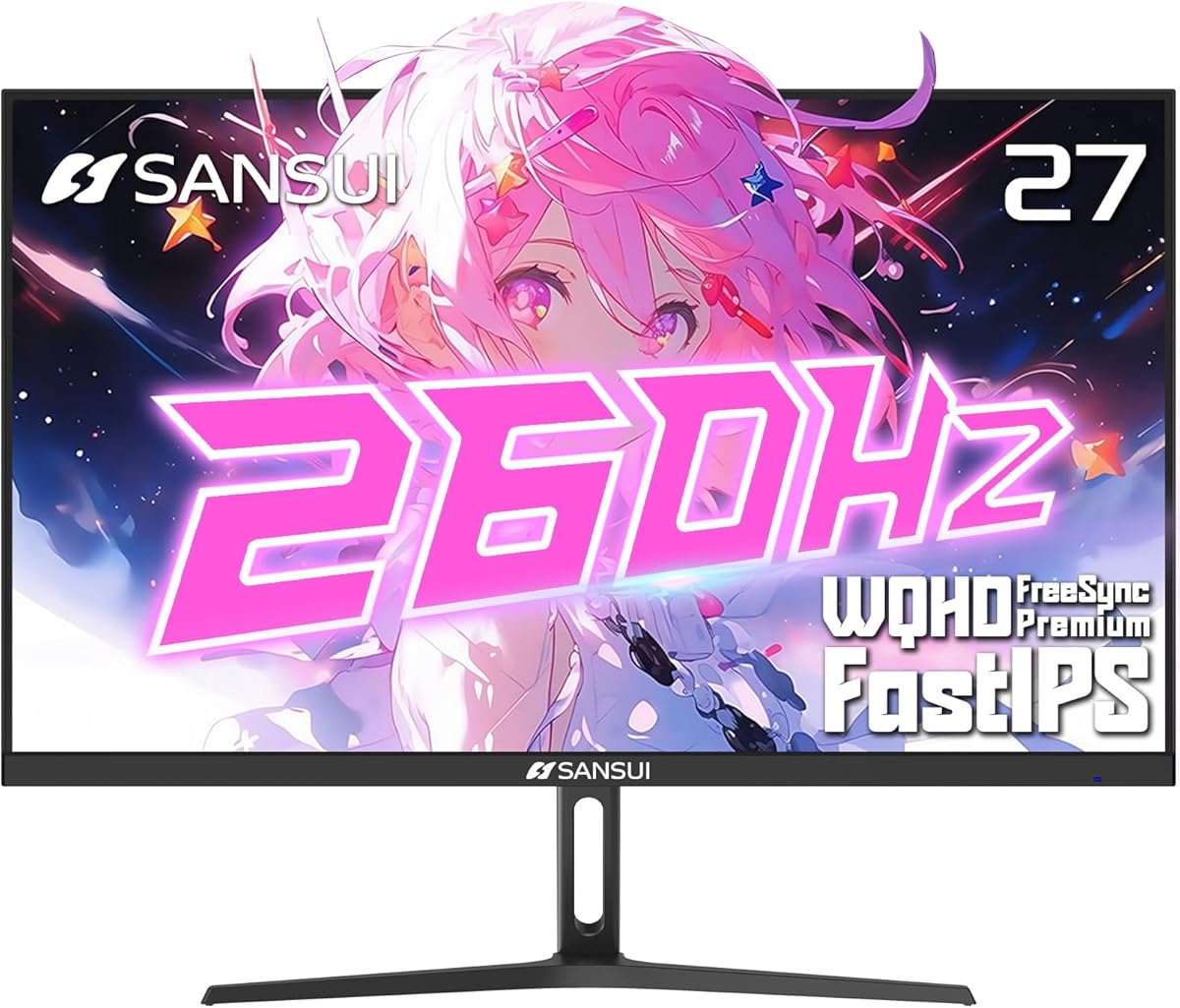
This SANSUI model pushes speed boundaries with 260Hz refresh rates over DisplayPort 1.4. It is ideal for competitive gamers who need every possible advantage in fast-paced shooters.
We may earn a commission when you buy through this link, at no additional cost to you.
The Fast IPS panel maintains color accuracy with 98% DCI-P3 coverage despite the high speed. Crosshair assistants in the OSD help with targeting precision in tactical games.
While the hardware demands a powerful GPU to utilize full speeds the performance is unmatched. It ensures fluid motion and minimal input lag for serious competitive play.
If maximum refresh rate is your main goal this monitor is a top choice. It delivers raw speed alongside decent color fidelity for a balanced high-performance solution.
260Hz refresh rate ensures fluid motion and minimal input lag for competitive play.
98% DCI-P3 coverage maintains vibrant colors even at high refresh rates.
We may earn a commission when you buy through this link, at no additional cost to you.
Choosing the right monitor involves balancing performance needs with specific use cases. Here are the critical factors to consider for a 27 inch WQHD display.
The refresh rate determines how many frames per second the monitor can display. For competitive gaming a rate of 144Hz or higher ensures smooth motion and reduced blur. Monitors supporting 180Hz or 200Hz offer even greater fluidity.
Look for a monitor that exceeds your graphics card capabilities to allow future upgrades.
Response time measures how quickly pixels change color. A lower number like 1ms or 0.5ms helps prevent ghosting in fast action games. This is critical for shooters where split-second clarity matters.
Prioritize models with gray-to-gray response times of 1ms or less for competitive play.
IPS panels provide superior color accuracy and viewing angles compared to VA or TN. While VA offers better contrast IPS is generally preferred for gaming due to faster motion handling. This makes it versatile for both work and entertainment.
IPS panels are the standard recommendation for most gamers and creators seeking color fidelity.
FreeSync and G-Sync eliminate screen tearing by syncing the refresh rate with the GPU. Ensure the monitor supports your hardware type to avoid visual artifacts. These technologies significantly improve smoothness during gameplay.
Check for AMD FreeSync or NVIDIA G-Sync compatibility based on your graphics card brand.
A monitor stand should allow for height adjustment tilt swivel and pivot to reduce neck strain. VESA mounting compatibility lets you use a third-party arm for custom positioning. Comfort is key for long sessions.
Ensure the stand supports height adjustment or plan to use a VESA mount immediately.
A wide color gamut ensures vibrant and accurate images. Look for high sRGB or DCI-P3 coverage if you work with photos or video. Good color consistency matters for visual tasks beyond gaming.
High sRGB or DCI-P3 coverage ensures accurate colors for both gaming and creative work.
Modern displays need sufficient ports for GPU PC and console connections. DisplayPort typically supports higher refresh rates than HDMI. Verify you have the right cables to unlock full monitor speed.
Confirm that DisplayPort 1.4 or HDMI 2.1 is present to support high refresh rates.
Curved screens offer deeper immersion for single-player games but limit utility for productivity. Flat screens provide accurate geometry for documents and spreadsheets. Choose based on your primary use case.
Choose a flat screen for mixed use or a curved one strictly for immersive gaming.
Connect your system using a high-bandwidth DisplayPort cable to ensure maximum refresh rates are reached. Adjust the display settings in your graphics driver to match the monitor capabilities.
Clean the screen with a soft microfiber cloth to avoid scratching the panel. Avoid using harsh chemicals or household cleaners that may damage the coating.
Enable adaptive sync and adjust brightness to comfortable levels to reduce eye strain. Use night mode features during evening hours to minimize blue light exposure.
1440p offers a balance of sharpness and performance. 4K is sharper but requires stronger hardware. For gaming 1440p often runs smoother on mid-range systems.
Yes you typically need a DisplayPort 1.2 or higher cable. HDMI may limit rates to 144Hz depending on the version. Check your port specs for maximum speed.
Adaptive sync aligns the monitor rate with the GPU output. This prevents screen tearing and stuttering during fast scenes. It ensures visuals remain smooth and consistent.
Curved monitors can enhance immersion in single-player games. Flat screens are better for productivity and mixed use. Your choice depends on your typical usage scenarios.
Look for response times of 1ms or lower to prevent ghosting. Faster responses help in competitive shooters. A lower number ensures cleaner motion on screen.
Yes 27 inches is the ideal size for 1440p. It provides a balance of pixel density and screen real estate. Text remains sharp while games look immersive.
This guide reviewed ten top models offering a range of features from budget speed to premium versatility. Each option brings unique strengths for different types of users and setups.
Prioritize refresh rate and response time if you play competitive games. For mixed use consider ergonomics and color accuracy to ensure long-term comfort.
Prices and availability shift often so double-check current details before purchasing. Verify that your GPU supports the speeds and connections listed for the model you choose.