
Ai Pen, Chat Gpt Pen
5.0Editor score
Offline translation for 150+ languages
HD touchscreen interface
Built-in GPT for studying
AI scan pens with Chatgpt integration are transforming how students and professionals interact with text. These devices combine optical character recognition with advanced language models to provide instant answers, translations, and study aids directly from printed pages.
We compared ten leading models based on their AI capabilities, scanning accuracy, language support, and user experience. Our analysis focuses on how well each device handles real-world tasks like homework help, language learning, and document digitization without relying on manual typing.
Each pick highlights specific strengths such as offline translation, dyslexia support, or smart note syncing. Prices and availability change frequently, so verify current details before purchasing. This guide helps you choose the right tool for your specific learning or workflow needs.
5.0Editor score

3.3Editor score

3.9Editor score
As an Amazon Associate we earn from qualifying purchases.
The following table provides a side-by-side comparison of all ten AI scan pens evaluated in this guide. It highlights key specifications such as language support, screen type, battery life, and special AI features to help you identify the best fit for your needs.




The Scanmarker AI Pen stands out as a top choice for those seeking integrated AI capabilities. It combines OCR scanning with a built-in screen and ChatGPT access to provide immediate context and answers from printed materials.
We may earn a commission when you buy through this link, at no additional cost to you.
Its standout feature is the ability to scan text and receive AI-generated explanations instantly. This makes it highly effective for studying complex topics where simple definitions are insufficient. The text-to-speech function also aids auditory learners.
While user ratings vary, the feature set remains robust. The trade-off is a higher cost compared to basic pens, but the added intelligence justifies the price for serious students. It works well for travel and research tasks.
This pen is ideal for users who need more than just translation. If you require detailed explanations and organized note-taking, the Scanmarker AI Pen delivers. It remains a strong recommendation for advanced learners.
The built-in ChatGPT integration allows users to ask questions about scanned text and receive detailed context without leaving the device.
Users can save scans and export them to their preferred formats, ensuring notes remain accessible for future study or work projects.
We may earn a commission when you buy through this link, at no additional cost to you.
The NEWYES AI Pen is designed with accessibility in mind. It offers tailored settings for dyslexia users including adjustable reading speeds and specialized fonts to reduce visual stress during study sessions.
We may earn a commission when you buy through this link, at no additional cost to you.
Beyond accessibility, it integrates AI tools like an AI Homework Checker and real-time chat. This makes it a comprehensive study buddy that can help solve problems rather than just translate text. The storage capacity is also generous.
The setup requires some initial configuration to maximize features. However, the resulting experience is highly personalized. The high cost reflects the advanced technology but offers strong value for those with specific learning needs.
This pen is best for students needing extra support with reading. It bridges the gap between traditional translation and active learning. We recommend it for anyone looking to reduce reading fatigue.
Adjustable word reading speeds and special font options help users process text more easily, making it ideal for those with dyslexia.
Integrated tools like the AI Homework Checker provide problem-solving assistance beyond simple translation, enhancing overall study efficiency.
We may earn a commission when you buy through this link, at no additional cost to you.
The XNote Smart Pen Set offers a unique approach to digital note-taking. It allows users to write on real paper while syncing strokes to an app via Bluetooth. The AI then organizes these notes into searchable summaries.
We may earn a commission when you buy through this link, at no additional cost to you.
This system is excellent for professionals who prefer handwriting but need digital archives. The AI features include auto-tagging and keyword search. While the pen lacks a microphone, the companion app handles audio recording effectively.
The battery life is impressive at 17 hours ensuring reliability during long workdays. The offline capability means you can continue working without constant connectivity. However, the ecosystem requires specific notebooks.
Ideal for creatives and professionals, this set bridges analog comfort with digital efficiency. We recommend it for meeting management. It simplifies note organization significantly.
Users enjoy the tactile feedback of pen on paper while all strokes are instantly captured and synchronized to a digital workspace.
AI features summarize lectures and meetings automatically helping users find specific details later without manual indexing.
We may earn a commission when you buy through this link, at no additional cost to you.
This translator pen is highly rated for its versatility in language learning. It supports translation across 142 languages and includes voice recording for capturing conversations or lectures directly.
We may earn a commission when you buy through this link, at no additional cost to you.
The HD camera allows for photo translation which is useful for menus or signs where scanning is difficult. The combination of scanning and photo recognition covers most translation scenarios effectively for travelers.
Users appreciate the offline capabilities which allow usage without data connections. The interface is straightforward making it accessible for adults and students alike. High satisfaction scores indicate reliability.
It is best for frequent travelers or language students. The all-in-one design reduces the need for multiple apps. We recommend it for practical on-the-go translation needs.
Translation works without internet for supported languages ensuring communication is possible even in areas with poor connectivity.
The built-in camera can capture text from images allowing for instant translation of documents that cannot be scanned directly.
We may earn a commission when you buy through this link, at no additional cost to you.
The Ai Pen Chat Gpt offers a compelling entry into AI writing pens. It features a full-screen interface with built-in GPT capabilities allowing for instant answers to academic questions while scanning text.
We may earn a commission when you buy through this link, at no additional cost to you.
It supports offline translation for over 150 languages making it a versatile travel tool. The price point makes it accessible for budget-conscious students who still want advanced AI features. User ratings are consistently high.
While build quality is basic, functionality remains strong. The file storage is sufficient for standard notes. It delivers on core promises of scanning and answering without high costs.
This is the top pick for value. It balances performance with affordability effectively. We recommend it for students needing quick academic support without a large investment.
At a lower price point than competitors this pen provides essential AI features like offline translation and instant answering capabilities.
Support for over 150 languages offline ensures users can translate text anywhere without needing an active internet connection.
We may earn a commission when you buy through this link, at no additional cost to you.
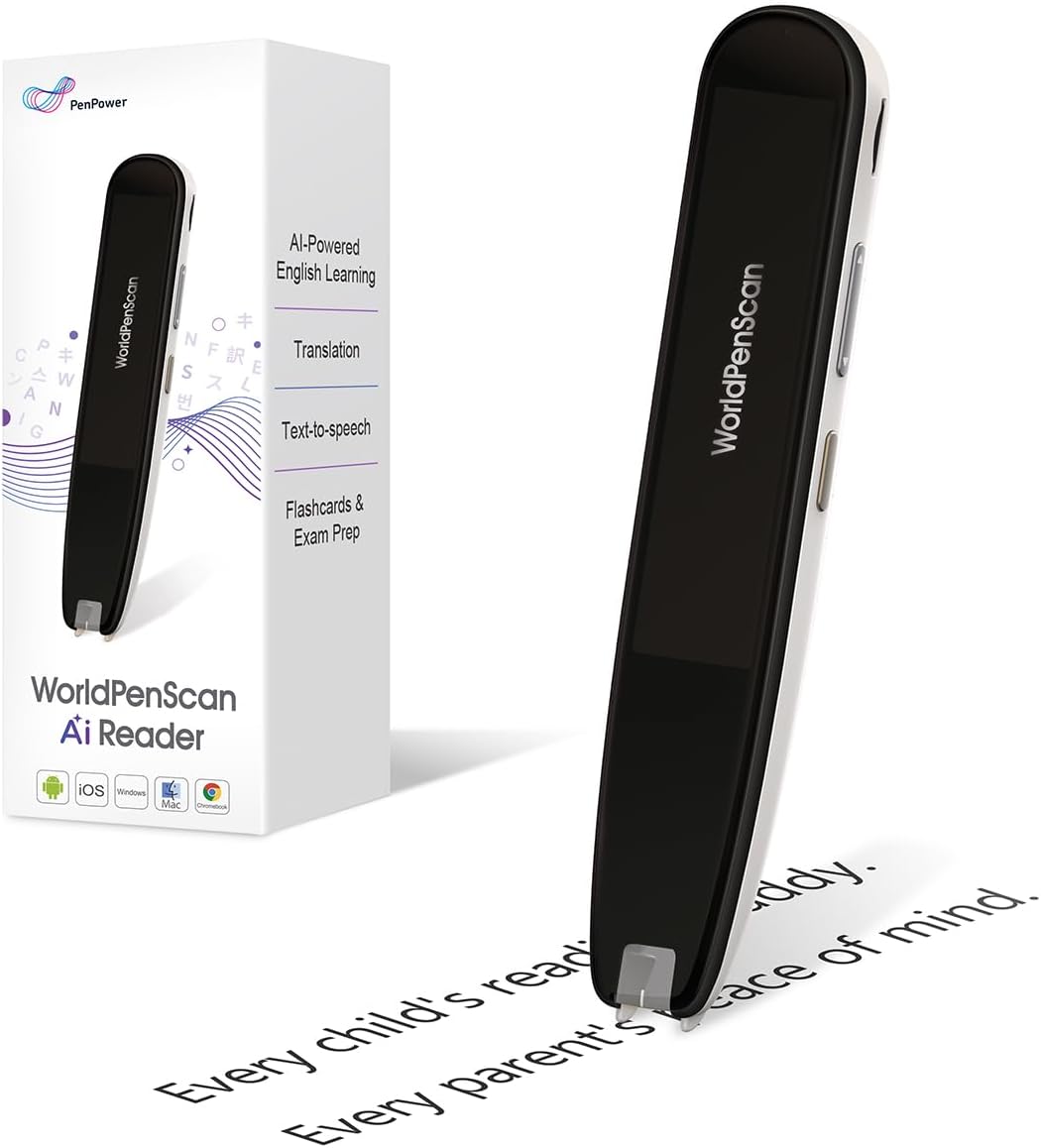
WorldPenScan is designed specifically for children who need reading support. It offers AI explanations that are age-appropriate helping kids understand difficult words without leaving the page.
We may earn a commission when you buy through this link, at no additional cost to you.
The AI Reading Buddy feature provides deeper context and quizzes to reinforce comprehension. This transforms reading from a struggle into an interactive learning session. The interface is simplified for younger users.
Offline tools ensure reading can happen anywhere. While the language range is specific English Spanish Chinese it covers the basics well. The investment supports long-term literacy skills.
Ideal for young learners and ESL students. It builds confidence by making reading interactive. We recommend it for parents seeking educational tools.
Quick AI simplifies complex ideas into language that children can understand helping them read independently with confidence.
Generated quizzes and fun facts turn reading sessions into active lessons reinforcing what is learned from the text.
We may earn a commission when you buy through this link, at no additional cost to you.
This pen focuses on academic subjects with instant answers for math and history. It integrates ChatGPT to provide context beyond simple translations. This is useful for essay writing or understanding complex concepts.
We may earn a commission when you buy through this link, at no additional cost to you.
The display is bright and readable which helps during long study sessions. Wi-Fi syncing allows for easy transfer of notes. It bridges the analog digital gap well for students.
Language support is decent but not the most extensive. The value lies in the academic assistance provided. Setup is straightforward for most users.
It is best for students needing subject-specific help. It supports active learning effectively. We recommend it for academic work.
The built-in GPT allows users to ask questions about specific topics like history or math and get direct answers.
Wi-Fi connectivity ensures that notes and scanned documents are backed up and accessible across different devices easily.
We may earn a commission when you buy through this link, at no additional cost to you.
This set combines a smart pen with a reusable notebook and AI transcription. You can speak notes and have them converted to text immediately. This is ideal for meetings or lectures.
We may earn a commission when you buy through this link, at no additional cost to you.
The handwriting recognition allows you to write naturally while the system captures it digitally. Wireless charging adds convenience to the daily workflow. It supports multiple languages for international use.
The reusable pages reduce waste which is an eco-friendly bonus. Users need to get used to the specific paper but the quality is good. Transcription is usually accurate in quiet environments.
Best for professionals in meeting-heavy roles. It streamlines the note-taking process effectively. We recommend it for productivity seekers.
Built-in microphones capture voice commands and meetings converting them into editable text documents in real time.
The notebook uses reusable pages that can be erased and written on again reducing paper waste significantly.
We may earn a commission when you buy through this link, at no additional cost to you.
The Scanmarker Pal is a lightweight option focused on translation. It supports over 100 languages and includes essential offline modes for key languages. It fits easily in a pocket.
We may earn a commission when you buy through this link, at no additional cost to you.
Text-to-speech is clear and works well for listening while walking. The export feature helps digitize documents. It is less complex than AI models but very reliable.
Users find it great for travel due to its simplicity. The battery life is usually good for daily use. It avoids complicated menus.
Ideal for travelers needing quick translation. It is reliable and easy to carry. We recommend it for on-the-go communication.
Its compact size fits in a pocket ensuring translation tools are always available during international trips.
Offline support for major languages means translation is available even when internet data is not reachable.
We may earn a commission when you buy through this link, at no additional cost to you.
This is a budget-friendly option with extensive language support. It scans and translates across 142 languages and includes photo translation capabilities. It also acts as a simple audio recorder.
We may earn a commission when you buy through this link, at no additional cost to you.
Photo translation is useful for images or labels. It allows saving documents easily. The build is basic but functional for standard tasks. It is accessible for entry-level users.
Some users report variability in accuracy. However, for basic translation needs, it is a solid entry. The price makes it easy to recommend for occasional use.
Best for budget travelers. It covers essential needs well. We recommend it for those who want multiple utilities for less.
Support for 142 languages ensures that users can communicate across borders without needing specialized tools.
Users can aim the camera at text and get instant translations from signs or documents without scanning.
We may earn a commission when you buy through this link, at no additional cost to you.
Choosing the right AI scan pen requires evaluating several technical and usability factors to ensure it fits your learning or professional needs. This guide breaks down the most critical aspects to consider before making a purchase.
Look for pens that offer more than basic scanning. Integration with models like ChatGPT allows for contextual answers and problem-solving rather than just text-to-text translation. Check if the device supports AI Homework Checkers or AI summaries.
Ensure the pen covers the languages you use most frequently. Some devices offer over 140 languages online while others focus on offline support for essential travel languages. Verify offline capabilities if you travel to areas with poor connectivity.
Screen size and resolution impact readability. HD touchscreens make scanning and reviewing text easier. Built-in screens allow for instant review without pairing with another device.
If you have dyslexia or visual challenges look for adjustable speeds, specialized fonts, and text-to-speech options. These features significantly improve reading fluency and reduce fatigue during study.
Consider how long the device lasts on a single charge. Aim for at least 10 to 17 hours if you plan to use it for full days of lectures or meetings. Fast charging is also a useful feature for frequent use.
Check how scans are stored and exported. Devices with Bluetooth or Wi-Fi sync allow you to save notes to your phone or computer. Look for options to export to PDF, DOCX, or TXT formats.
A built-in camera expands versatility beyond flat text. It allows for scanning photos of documents, menus, or labels. This is essential for travelers dealing with non-flat surfaces.
Since these are handheld tools they will be carried daily. Check for sturdy casing and included accessories like ink refills or notebooks. A good warranty can also provide peace of mind.
To get the best results hold the pen steady at a consistent speed across the text. Avoid tilting it too much which can cause OCR errors. Make sure the surface is flat for accurate scanning.
Clean the scanner head regularly with a soft dry cloth to remove dust or debris. Keep the software updated via the companion app to ensure you have the latest features and bug fixes.
Store the device in a protective case when not in use to prevent scratches or drops. Charge the battery fully before long trips to ensure uninterrupted performance. Avoid exposing it to extreme temperatures.
Many models offer offline translation for select languages but full AI features usually require an internet connection. Always check the specifications for offline support before traveling. Some devices allow offline scanning that syncs later.
Yes many pens include AI tools that explain math problems or summarize history texts. They act as tutors by providing step-by-step solutions or context for scanned questions. This helps students study independently.
Most pens scan printed text on standard paper effectively. However some complex layouts or curved pages may require photo mode. Always test with a sample page before committing to a specific model.
Modern OCR technology is highly accurate for clear printed text. Fonts that are stylized or handwritten may require manual correction. High resolution cameras improve accuracy significantly.
Basic scanning and translation usually work without subscriptions. However advanced AI features like unlimited transcripts or cloud storage may require a paid plan. Check the terms before buying.
Yes most devices support dozens to over a hundred languages. You can switch between languages instantly on the device or app. This makes them ideal for bilingual users.
Most models allow exporting to formats like PDF TXT or DOCX via their companion apps. This ensures you can access your data on computers. Always check file format compatibility.
Most brands offer a one-year limited warranty for hardware defects. Keep your proof of purchase to claim warranty service. Read the specific terms provided by the seller.
The best AI scan pens combine OCR scanning with advanced language models to transform how we read and learn. Our top picks like the Scanmarker AI Pen and NEWYES AI Pen offer the most comprehensive features for students.
Prioritize features that match your specific needs. If you are a traveler focus on language support and offline capabilities. If you are a student look for homework helpers and AI summaries to boost study efficiency.
Prices and availability change frequently so always check current listings before purchasing. These tools represent a significant investment in your productivity and learning but the right choice pays off quickly.