
UGREEN NAS DH4300 Plus
4.2Editor score
Entry level performance
AI photo albums
Simple setup process
This guide compares the best 4 Bay NAS solutions for home and office users to help you find reliable storage and media streaming.
Finding the right network attached storage can transform how you manage digital files at home or work. A 4 Bay NAS offers ample space for backups, media servers, and private cloud access without relying on external services.
We compared ten leading models based on performance, software features, and ease of use. Our analysis covers processors, memory, networking options, and compatibility with popular media platforms to help you choose wisely.
Each pick highlights specific strengths for different needs like budget, power, or simplicity. Keep in mind that pricing and stock fluctuate frequently so verify current details before making your final purchase decision online.
4.2Editor score

4.6Editor score

4.4Editor score
The following table provides a quick overview of key specifications for each model to help you compare processing power, memory, and network speeds at a glance.






The UGREEN NAS DXP4800 GT stands out as a powerhouse for creators and office teams needing robust storage solutions. With an AMD Ryzen Embedded processor and 8GB RAM it handles heavy workloads smoothly while maintaining energy efficiency for daily operations.
We may earn a commission when you buy through this link, at no additional cost to you.
Its Dual 10GbE networking ensures rapid file transfers ideal for editing video directly from storage. The built-in UOS Pro simplifies management with guided setup and supports Docker and virtual machines for extensive customization options tailored to power users.
While it offers excellent value users should note that ECC memory requires a separate upgrade for error correction. Additionally running Plex involves manual Docker configuration which might deter those seeking plug and play media server functionality right out of the box.
This model is best suited for tech enthusiasts and small teams who want flexibility and speed. Its combination of hardware specs and software ecosystem makes it a top choice for those looking to build a comprehensive private cloud system.
The hardware acceleration supports smooth playback of high resolution content making it suitable for home theaters or professional editing workflows without lag.
Local account modes and strong encryption standards keep your data safe from external threats while giving you full control over access permissions.
We may earn a commission when you buy through this link, at no additional cost to you.
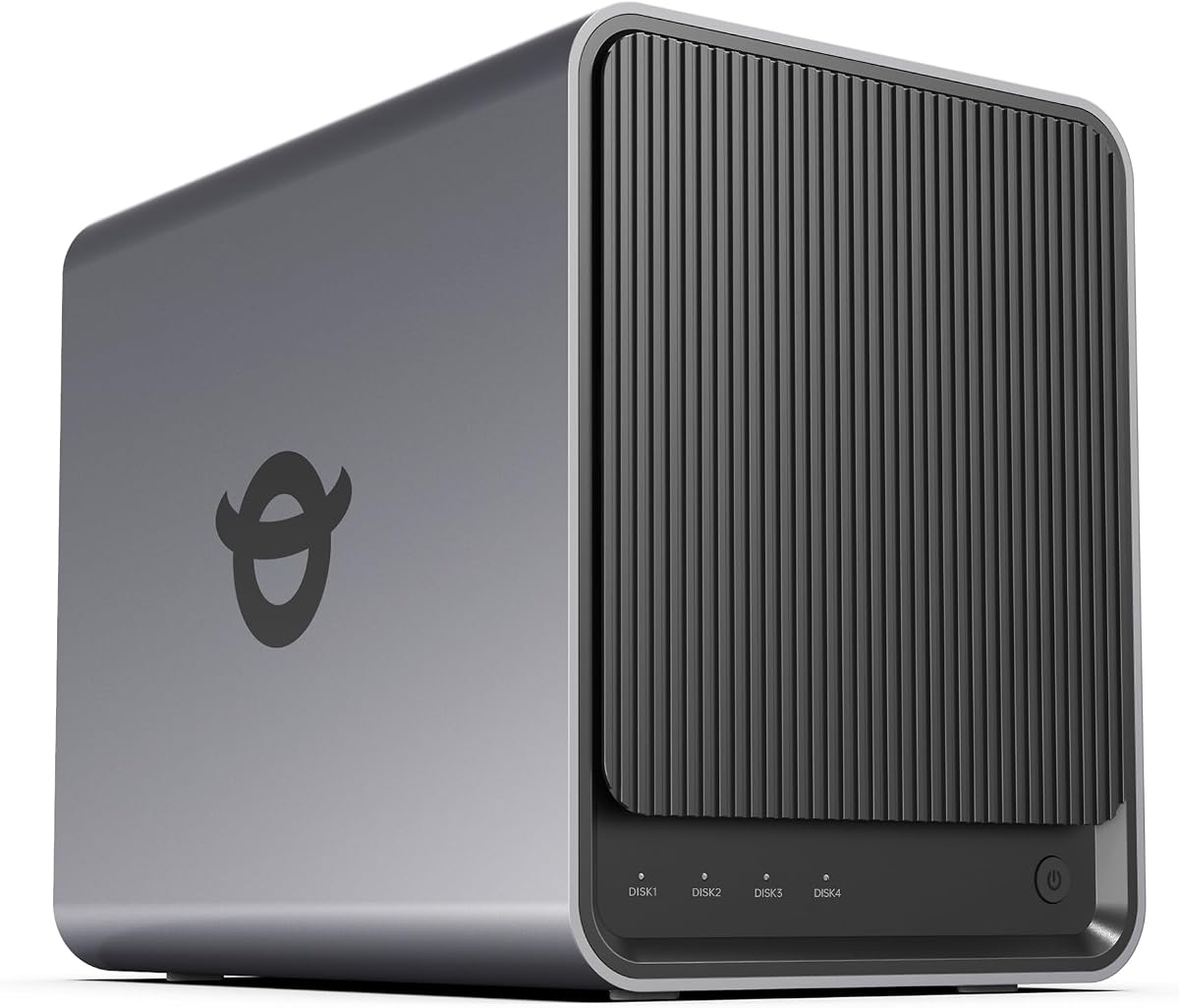
The UGREEN NAS DH4300 Plus is an excellent entry level device for families and remote workers transitioning from cloud storage. Its intuitive app and simple setup guide make it accessible even if you have little technical experience with network storage devices.
We may earn a commission when you buy through this link, at no additional cost to you.
AI features like photo albums and duplicate removal help keep your media organized automatically. The device handles multiple apps simultaneously and supports Docker for expanded functionality while keeping costs lower than premium alternatives available on the market.
It lacks virtual machine support which might limit advanced use cases but covers most home needs effectively. Also the absence of Wi-Fi means you must use a wired connection which can be restrictive in some home network setups.
For those prioritizing cost and ease of use this unit offers great value. It provides a secure private cloud experience with robust encryption and backup features that protect your personal data without monthly subscription fees.
Real time syncing ensures your mobile photos and videos are saved immediately protecting them from device loss or damage without manual intervention.
The mobile app and web interface are designed for simplicity allowing anyone to access files or configure settings from any browser or phone.
We may earn a commission when you buy through this link, at no additional cost to you.
The UGREEN NAS DXP4800 Pro is designed for professionals who demand top tier performance and security. With an Intel Core i3 processor and DDR5 RAM it delivers exceptional speed for virtualization and heavy data processing tasks common in business environments.
We may earn a commission when you buy through this link, at no additional cost to you.
It features a unique Data Vault for encrypting sensitive files and supports massive storage capacities up to 144TB. The hybrid network setup allows for ultra fast transfers ensuring that large files move quickly across your local network without bottlenecks.
While powerful it comes at a premium price that might not suit every budget. The interface and features are geared towards experienced users so beginners might find the learning curve steeper compared to simpler consumer focused models.
This device is ideal for developers and IT teams needing a private workstation. Its robust security certifications and granular permissions make it a reliable choice for protecting valuable business data and managing complex workflows efficiently.
The ability to run multiple virtual machines simultaneously allows teams to test environments or host local development servers without external dependencies.
Advanced encryption and privacy certifications ensure that your sensitive documents remain protected even if physical access to the device is compromised.
We may earn a commission when you buy through this link, at no additional cost to you.
The TERRAMASTER F4-425 is tailored for home entertainment with hardware level decoding for smooth 4K playback. It works seamlessly with Plex and Emby making it a strong choice for users focused on streaming media to TVs and mobile devices.
We may earn a commission when you buy through this link, at no additional cost to you.
Its ultra-quiet operation makes it suitable for living rooms or bedrooms where noise is a concern. The tool free drive trays allow quick installation and swapping of hard drives without needing special tools which is convenient for frequent maintenance.
Compared to newer models the RAM is lower which might limit multitasking capabilities for non media tasks. However for pure media streaming and backup needs it performs admirably with a user friendly interface and mobile app control.
For families looking to centralize photos and movies this unit delivers great value. Its support for various cloud services ensures you can back up data remotely while keeping local copies for quick access and offline viewing options.
Hardware decoding reduces CPU load during video playback ensuring smooth streaming without stuttering even on older devices connected to your home network.
The mobile app allows you to initialize the system without a PC which simplifies the process for users who prefer wireless configuration from their smartphones.
We may earn a commission when you buy through this link, at no additional cost to you.
The UGREEN DXP4800 Plus bridges the gap between home and business storage with features tailored for collaboration. It allows multiple users to access files securely while offering Docker support for developers who need custom application hosting environments.
We may earn a commission when you buy through this link, at no additional cost to you.
Super fast transfer speeds mean large media assets move quickly between workstations and the central server. The AI photo album helps organize personal and work images efficiently making it easier to find assets based on content or location tags.
Users should be aware that the price is higher than entry level options which might be a barrier for some. Also the reliance on wired connections means you need a stable Ethernet setup which limits placement options in some home offices.
This model is perfect for creators who need reliable central storage for projects. The combination of speed capacity and security features ensures your work is safe and accessible whenever you need it for remote work or team projects.
Granular permission controls allow you to share folders with specific team members ensuring everyone has access only to what they need to work effectively.
The AI system automatically tags and groups photos saving you time on organization and helping you locate specific images quickly without manual sorting.
We may earn a commission when you buy through this link, at no additional cost to you.
The Synology DS425+ is built for professional environments where data integrity and access control are critical. It supports high speed file sharing and provides detailed audit logs to track who accesses sensitive documents within your organization.
We may earn a commission when you buy through this link, at no additional cost to you.
Multi layered data protection with snapshots ensures that you can recover quickly from accidental deletions or ransomware attacks. The surveillance integration allows you to monitor business premises seamlessly using compatible IP cameras connected directly to the NAS.
While it is a powerful tool the cost is higher than home focused models. Additionally the focus on productivity means media features are present but not as enhanced as dedicated entertainment focused NAS units available in the market.
This unit is ideal for small businesses needing secure file storage. Its enterprise support options provide peace of mind for critical environments ensuring that you have help when needed to maintain uptime and security standards.
Snapshot technology captures the state of your storage at specific points allowing you to revert changes quickly if something goes wrong unexpectedly.
Audit logs record every file interaction helping you maintain compliance and security by keeping a clear record of who accessed what data.
We may earn a commission when you buy through this link, at no additional cost to you.
The Synology DS925+ offers a balanced mix of performance and reliability for general file management and virtualization needs. With dual 2.5GbE ports it ensures high throughput for large files while providing network redundancy to prevent downtime if a cable fails.
We may earn a commission when you buy through this link, at no additional cost to you.
Its file management tools are intuitive allowing you to organize documents and photos without complex configuration. The OS supports various apps including media servers and backup utilities which makes it versatile for different household or small office scenarios.
The price point reflects the premium support and software quality but might be steep for some buyers. You are paying for the ecosystem and stability which is valuable for users who want a reliable device that works out of the box.
This model is best for users who prioritize stability and ease of use. Whether you are backing up photos or running a home server the consistent performance and regular updates keep the system running smoothly over long periods of time.
Dual ports allow for link aggregation or failover keeping your connection stable even if one physical line has issues or gets disconnected accidentally.
Built-in support for virtual machines lets you run isolated systems for testing or hosting services without needing extra hardware components or devices.
We may earn a commission when you buy through this link, at no additional cost to you.
The Yxk Zero1 Pro delivers solid specs for an attractive price making it a great value option for home users. With an Intel N100 processor and 8GB RAM it handles daily tasks efficiently while keeping power consumption low for 24/7 operation.
We may earn a commission when you buy through this link, at no additional cost to you.
The HDMI output allows you to connect directly to a TV for local media playback without needing another device on the network. This feature is rare in this price range and adds versatility for home theater setups and local viewing needs.
As a newer brand support resources might not be as extensive as established names yet. The community support and manual quality are generally good but you may need to troubleshoot more independently compared to larger vendors offering help lines.
This device is perfect for budget conscious buyers who want powerful hardware. It offers plenty of room for expansion and media capabilities that rival more expensive models making it an intelligent choice for smart home storage setups.
Connecting the HDMI directly lets you stream media to a television without needing a separate media player or streaming stick for your living room entertainment.
The aluminum housing and dual fan design keep temperatures low during heavy usage ensuring stability and long life for the internal components and drives.
We may earn a commission when you buy through this link, at no additional cost to you.
The Asustor Drivestor 4 Gen 2 is an affordable option for users needing basic cloud access and media streaming. It supports 4K playback and includes enterprise grade protection features like immutable snapshots which help defend against ransomware attacks.
We may earn a commission when you buy through this link, at no additional cost to you.
The 2.5GbE network upgrade speeds up file transfers compared to standard gigabit systems which helps with backup efficiency. It also features multiple USB ports for quick local backups allowing you to copy data to external drives easily without using network bandwidth.
Its 1GB RAM is a limitation for running multiple services simultaneously which might slow down performance under heavy load. However for simple file sharing and media server roles it remains a solid and cost effective solution for small networks.
This unit is ideal for home users wanting a private cloud without high costs. It offers a good balance of features and price making it suitable for those who need reliable storage and basic security without needing complex enterprise level functions.
Btrfs snapshots create immutable copies of files at specific times allowing you to restore your data quickly even if malware tries to encrypt or delete it.
USB ports allow you to back up external drives directly to the NAS without needing a computer which is useful for rapid data migration and recovery workflows.
We may earn a commission when you buy through this link, at no additional cost to you.
The Synology DS423 focuses on simplicity and security for family and small business backups. It offers robust photo vault features and secure sharing tools that replace expensive subscription services while giving you full control over your personal data.
We may earn a commission when you buy through this link, at no additional cost to you.
It supports multiple backup destinations ensuring you can keep copies in different locations for safety. The surveillance integration helps monitor your home or business allowing you to store and review footage locally without relying on third party cloud storage.
While it is a slightly older model the software remains stable and reliable. The processor is less powerful than newer units but sufficient for standard backup and media tasks making it a budget friendly choice for reliable storage needs.
This device is perfect for families wanting a dedicated backup space. Its user friendly interface and strong data protection features ensure your important files and memories are safe and accessible from anywhere with a secure connection.
You can schedule backups to multiple locations such as external drives or other NAS units ensuring you have several copies of important data at all times.
Private folders allow you to store sensitive family photos securely with added encryption so they are not visible to other users on the network easily.
We may earn a commission when you buy through this link, at no additional cost to you.
Selecting the right NAS depends on your specific storage needs performance requirements and budget constraints. We break down the key factors to consider before making a purchase.
The CPU and RAM determine how well the NAS can handle multitasking and complex apps like media transcoding or virtual machines. Look for models with at least 4GB RAM and a capable processor if you plan to run heavy workloads.
Higher specs ensure smooth performance but increase costs. Balance your needs by choosing enough power for current tasks without overpaying for features you will not use regularly.
Network ports dictate how fast data moves between your devices and the NAS. Dual ports or higher speeds like 10GbE improve transfer rates significantly for large files or multiple users accessing data simultaneously.
Consider your router and Ethernet cables to ensure you can utilize the full potential of these ports. Faster networking is crucial for professionals who edit video directly from storage devices.
A 4 Bay NAS allows you to install four hard drives which can be configured in various ways to balance speed and redundancy. Estimate your future storage needs and ensure the unit supports high capacity drives per bay.
Remember that raw capacity differs from usable capacity due to formatting and RAID setups. Plan for expansion so you do not run out of space quickly as your data grows over time.
The operating system provides the interface and apps for managing files photos and settings. Choose a system with an intuitive UI and a rich app ecosystem to support your workflows like media servers or cloud syncing.
User friendly interfaces reduce setup time and frustration. Check if the software supports features like Docker or virtual machines if you want to extend the NAS functionality beyond simple storage.
Data security is critical for private clouds so look for encryption two factor authentication and snapshot technologies. These features protect your files from unauthorized access and malware attacks effectively.
Regular software updates are also essential to patch vulnerabilities. Choose a brand with a history of providing timely security patches to keep your system safe long term.
Expandability ensures your NAS can grow with your needs through additional RAM or drive slots. Some models offer slots for M.2 SSDs or expansion units which adds versatility for caching or extra storage.
Future proofing your investment allows you to upgrade components without replacing the whole system. Check upgrade paths before buying to avoid limitations later when your requirements change.
Since NAS devices often run 24/7 energy efficiency impacts your electricity bill and heat generation. Look for units with low idle power consumption and efficient sleep modes to save costs over time.
Lower power usage also means less heat output which contributes to quieter operation. This is particularly important if the device will be placed in living areas or offices.
A solid warranty and responsive support team provide peace of mind if hardware issues occur. Compare warranty lengths and the availability of technical support to ensure help is accessible when needed.
Longer warranties often reflect confidence in build quality. Investing in a brand with strong support channels can save you time and money if you encounter problems during setup or use.
Begin by installing your hard drives into the bays and connecting the NAS to your router with an Ethernet cable. Follow the mobile app or web setup wizard to initialize the system and create your first user accounts securely.
Organize your data into folders and set up automatic backups from your computers or phones. Install media server apps like Plex or Emby if you want to stream movies and music to your TV or mobile devices.
Regularly check for software updates to keep the system secure and efficient. Clean dust from vents and ensure proper airflow to prevent overheating which helps extend the lifespan of your device and drives.
Yes it is perfect for home use as it allows multiple members to store and access photos videos and documents from anywhere. You can also set up private media servers to stream content on your TVs and phones easily.
Most units come diskless meaning you must purchase hard drives separately. You can choose any compatible drives from brands like Seagate or Western Digital to fit your budget and storage capacity requirements.
Yes by setting up remote access you can retrieve files and photos from anywhere with an internet connection. Just ensure you secure your account with strong passwords and two factor authentication for safety.
A 4 Bay NAS offers centralized storage accessible by multiple devices and users simultaneously unlike a single external drive. It also provides better data protection through RAID configurations and automatic backups to protect against loss.
Enable snapshot features that keep point in time copies of your files so you can restore them quickly if infected. Also keep your system updated and limit access permissions to reduce the risk of unauthorized changes.
Most models support Plex either natively or via Docker which allows you to install custom apps. It is a popular choice for organizing and streaming your personal media library to various devices across your home.
Choosing the right 4 Bay NAS depends on whether you need a budget friendly solution for backups or a powerful unit for media streaming and professional workflows. The top picks cover a wide range of needs to help you decide.
Prioritize features like network speed and operating system usability based on your daily usage patterns. For families a simpler interface may be enough while creators might need higher RAM and Docker support for complex tasks.
Keep in mind that pricing and availability change frequently so verify current prices and stock before buying. Investing in a reliable NAS now will save you time and money while keeping your digital life organized and secure.