
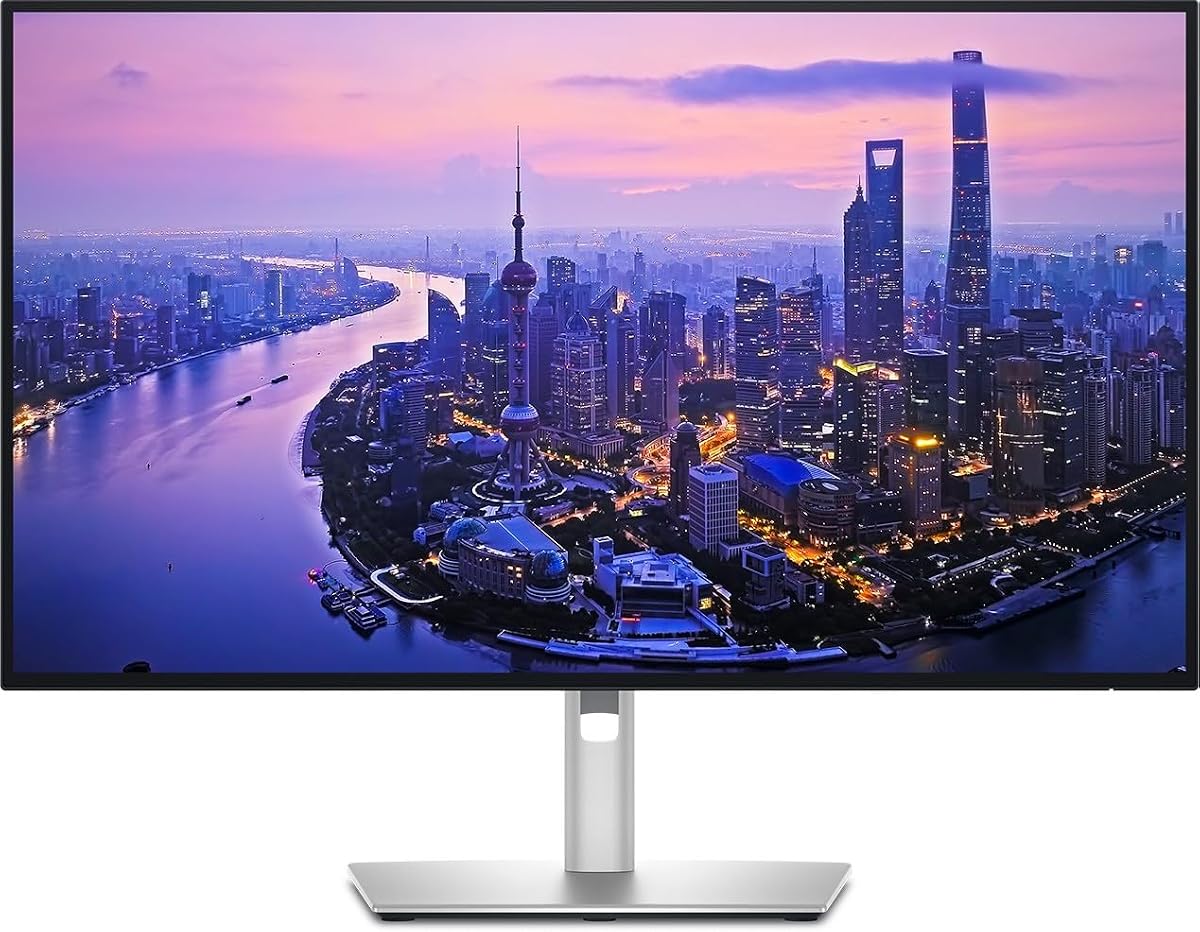
Dell UltraSharp 32 Thunderbolt Hub Monitor – U3226QER
4.6Editor score
Enhanced IPS Black panel contrast
Built-in KVM switch support
Premium light ash finish
This guide compares the top 4K monitors with Thunderbolt connectivity for creators and professionals, evaluating specs, performance, and value to help you
Finding the right display is crucial for modern workflows. A 4K monitor with Thunderbolt offers high resolution and fast data transfer. It simplifies desk setups with single cable connectivity and robust power delivery options for laptops.
We evaluated ten leading models based on color accuracy, refresh rates, and port selection. Each option provides distinct benefits for different users. Our analysis focuses on real-world performance and reliable connectivity features essential for daily tasks.
Every pick highlights specific strengths like color gamut coverage or ergonomic design. Prices fluctuate frequently due to market demand and sales events. Always verify current listings before purchasing to ensure you get the best deal available today.
4.6Editor score
4.4Editor score

4.8Editor score
This side-by-side comparison outlines key specifications across all ten selected models. We highlight resolution, panel types, refresh rates, and connectivity options to help you find the perfect match for your specific workstation requirements and budget constraints.


This monitor delivers top tier performance for professionals needing reliable connectivity. Its 4K resolution and IPS Black panel provide stunning visuals with deep blacks. The Thunderbolt 4 hub simplifies your desk by connecting devices via a single cable.
We may earn a commission when you buy through this link, at no additional cost to you.
Color accuracy is factory calibrated to Delta E less than 1.5 ensuring precise work. The 120Hz refresh rate makes workflows smooth and reduces motion blur effectively. You get up to 140W power delivery which charges laptops efficiently while transferring data.
Some users might find the price higher than standard displays. However the build quality and features justify the cost for critical tasks. Daisy chaining allows you to add more screens without cluttering your workspace.
Buy this if you need a unified solution for video editing or coding. It balances performance and connectivity better than most competitors. The ergonomic stand ensures comfort during long sessions.
The factory calibration ensures colors remain true to life for creative work.
Thunderbolt 4 allows video data and power over one cable connection.
We may earn a commission when you buy through this link, at no additional cost to you.
This large format display offers exceptional clarity for detailed design work. The IPS Black panel provides a contrast ratio of 3000 to 1 for deeper blacks. It includes a KVM switch allowing easy control over multiple devices.
We may earn a commission when you buy through this link, at no additional cost to you.
Color accuracy is vital for creators and this model delivers 99 percent Display P3. The near borderless screen enhances the viewing experience significantly. It is tested with macOS ensuring seamless integration for Apple users.
The price is steep but the features justify it for enterprise environments. You might need a larger desk to accommodate the 32 inch screen comfortably. The finish looks premium and suits modern office setups well.
Choose this if budget is secondary to performance and aesthetics. It supports multitasking across different machines without extra hardware. This is ideal for executives and designers seeking top tier tools.
Switch between two computers with one keyboard and mouse easily.
Delivers 47 percent deeper blacks than conventional IPS panels.
We may earn a commission when you buy through this link, at no additional cost to you.
This monitor offers incredible value for users needing a large high resolution screen. The 4K resolution reveals greater detail in your work. HDR10 optimization enhances contrast and color accuracy significantly.
We may earn a commission when you buy through this link, at no additional cost to you.
Eye Saver Mode reduces blue light to prevent strain during long tasks. The high pixel density ensures text remains crisp and easy to read. It provides ample space for complex diagrams and intricate designs.
While it lacks Thunderbolt 4 it still offers solid HDMI and DP connections. Some users might prefer USB-C but this price point makes up for it. The frame is clean and fits most professional environments well.
Pick this if you want a large display without breaking the bank. It is perfect for general productivity and content consumption. Prioritize size and clarity over advanced connectivity here.
Minimizes blue light and prevents screen flickering for comfort.
Offers more than 1 billion accurate colors with HDR10.
We may earn a commission when you buy through this link, at no additional cost to you.
This display transforms your desk into a full connectivity hub effortlessly. It supports daisy chaining to expand your workspace visually. The color coverage ensures true to life reproduction for creative tasks.
We may earn a commission when you buy through this link, at no additional cost to you.
Ergonomics are fully adjustable allowing you to find the perfect height. Dell also commits to sustainability with energy efficient operations. It serves well as a central point for all your peripherals.
The review score suggests some users found it inconsistent. Verify specific needs before purchasing as it is a professional tool. It might be pricey compared to standard displays without hubs.
Opt for this if you need extensive connectivity options. It handles complex setups well. Check current stock and feedback to ensure it meets your specific workflow.
Transforms the monitor into a hub for storage and accessories.
Simplifies setup with high speed data transfer over one link.
We may earn a commission when you buy through this link, at no additional cost to you.
This model excels in visual immersion with HDR support and audio features. The DisplayHDR 400 certification improves contrast and brightness levels significantly. It also includes a webOS platform for streaming directly.
We may earn a commission when you buy through this link, at no additional cost to you.
Color expression reaches 95 percent DCI-P3 which is vibrant for media. Built-in speakers with MaxxAudio provide decent sound without extra gear. USB-C offers power delivery up to 90W for laptops.
Lack of Thunderbolt limits high speed data transfer options. You might need adapters for some USB-C devices. However for media consumption it is a strong contender overall.
Select this if you prioritize screen quality and audio. It suits general work and entertainment well. Verify your laptop connections before buying to ensure compatibility.
Built-in speakers and webOS allow streaming without extra apps.
DisplayHDR 400 supports specific brightness levels for depth.
We may earn a commission when you buy through this link, at no additional cost to you.
This specific model variant offers standard Dell reliability for office tasks. It is a hub monitor designed to simplify cable management. The design aligns with typical professional requirements for stability.
We may earn a commission when you buy through this link, at no additional cost to you.
As a business class device it supports efficient workflows. Connectivity options allow for versatile peripheral usage. Expect consistent performance similar to other UltraSharp models.
Limited reviews might make it hard to judge specific issues. It is likely similar to the main U2725QE unit. Ensure the variant meets your specific port needs.
Choose this for enterprise deployments needing uniformity. It fits standard office setups well. Always check exact specifications before finalizing your purchase.
Designed for enterprise needs with standard professional features.
We may earn a commission when you buy through this link, at no additional cost to you.
This compact monitor fits well in smaller spaces while offering pro specs. It aligns perfectly with Mac visual performance standards. Thunderbolt 4 ensures fast data transfer up to 40Gbps.
We may earn a commission when you buy through this link, at no additional cost to you.
Pantone Validation confirms color fidelity for precise editing tasks. Power delivery reaches 100W keeping MacBooks charged during operation. The stand allows rotation and height adjustments for comfort.
The screen is smaller than 27 inch models limiting multitasking. Some users might need more pixels for large windows. However portability and accuracy make it a strong choice for Mac users.
Pick this if you need a dedicated Mac workstation. It offers high speed connectivity in a small form. Check your desk space to ensure it fits.
Designed to align with Mac color and visual standards.
Delivers 40Gbps transfer speeds over a single cable.
We may earn a commission when you buy through this link, at no additional cost to you.
This 32 inch monitor provides ample real estate for multitasking. The integrated hub reduces the need for external docks. Visuals remain crisp with high resolution detail throughout.
We may earn a commission when you buy through this link, at no additional cost to you.
Slim bezels offer a modern look that fits any environment. It streamlines your workspace by boosting efficiency directly. Colors remain vibrant for professional viewing sessions.
Price might fluctuate based on availability and demand. The unit is heavier than smaller models so stability matters. Ensure your desk can support the size comfortably.
Opt for this if you prioritize screen size above all. It is great for coding or design. Verify dimensions before buying to fit your setup.
Simplifies your setup with built-in connectivity options.
We may earn a commission when you buy through this link, at no additional cost to you.
This monitor allows connecting two 4K displays easily for more space. Daisy chaining simplifies cables when linking compatible PCs. It supports dual display modes for viewing two sources.
We may earn a commission when you buy through this link, at no additional cost to you.
VA panel offers wide viewing angles and deep blacks. It charges devices up to 90W over a single cable. Picture by Picture helps manage workflows without distractions.
Thunderbolt 3 is slightly slower than version 4. VA panels may have slower response times than IPS. However the connectivity options are strong for multitasking.
Select this if you need dual screens on one desk. It supports complex setups efficiently. Ensure your laptops support daisy chain before using.
Lets you bring monitors together with just one cable.
View separate sources simultaneously with PBP technology.
We may earn a commission when you buy through this link, at no additional cost to you.
This option offers high pixel density for lifelike image quality. It ensures highly legible fonts for extended reading sessions. The borderless frame creates a seamless look when mounted.
We may earn a commission when you buy through this link, at no additional cost to you.
HDR10 ensures accurate color replication for graphics and videos. Stand adjustability provides comfort during long work. It is VESA compatible for wall mounting if needed.
60Hz limits motion fluidity compared to 120Hz models. Lack of USB-C restricts single cable connectivity. However for standard desktops it is a solid choice.
Pick this if you need a large affordable screen. It offers high resolution without premium costs. Verify connection requirements before finalizing your choice.
Four times more pixels than standard Full HD monitors.
We may earn a commission when you buy through this link, at no additional cost to you.
Choosing the right 4K monitor with Thunderbolt requires evaluating several factors to match your workflow. Here are the key elements to consider before making a purchase.
Resolution determines the clarity of text and images. 4K resolution offers sharp detail for productivity. Panel types like IPS provide better color accuracy and viewing angles compared to VA.
Prioritize IPS for color critical work and consider panel speed if you edit video.
Thunderbolt versions vary from 3 to 4. Version 4 supports higher speeds and power delivery. Ensure your laptop supports the port you choose for full functionality.
Check if the monitor supports Thunderbolt 4 for maximum data transfer.
Power delivery through USB-C or Thunderbolt charges your laptop while working. Look for at least 65W to charge standard laptops. Higher wattage like 100W or 140W supports larger laptops.
Select a monitor with high wattage if you need to charge your device.
Refresh rate affects how smooth motion looks on screen. Standard rates are 60Hz but 120Hz provides smoother workflows. Higher rates help with gaming or fast scrolling.
Choose 120Hz if you want fluid motion in your daily tasks.
Professional work often requires precise color reproduction. Look for high DCI-P3 or sRGB coverage percentages. Factory calibration ensures the monitor matches real world colors.
Prioritize factory calibrated models for design or photography.
Ergonomic stands adjust height and tilt for comfort. A fully adjustable stand reduces neck strain during long hours. VESA compatibility allows for flexible mounting options.
Ensure the monitor stand offers height and tilt adjustments.
Additional ports like HDMI and DisplayPort add versatility. Some monitors offer USB hubs for peripherals. Check how many ports you need for your setup.
Look for a monitor with sufficient USB and video ports.
Design affects how the monitor fits your space. Borderless screens look modern and save desk space. Durability matters for long term use.
Consider the finish and bezel design for your workspace.
Connect your Thunderbolt cable directly to a compatible port on your laptop. Ensure the cable supports the required speed and power delivery. Verify that your laptop recognizes the monitor as a display and data device.
Adjust the stand to the optimal height for your posture. Use software settings to calibrate brightness if needed. Enable comfort features to reduce eye strain during long sessions.
Clean the screen with a microfiber cloth to avoid scratches. Do not use harsh chemicals or excessive water on the panel. Keep cables organized to prevent tripping or damage.
Thunderbolt combines video, data, and power into a single cable. This simplifies setup by reducing clutter and allows high-speed data transfers. It ensures your laptop charges while you work on your display.
Yes you need a certified Thunderbolt cable to get full performance. Standard USB-C cables might not support the same data speeds or power delivery. Check the packaging to ensure compatibility with your monitor.
Some models support 120Hz which is suitable for light gaming. However focus on refresh rates and response times for smooth gameplay. Look for features like AMD FreeSync Premium if you plan to game.
Many Thunderbolt monitors support daisy chaining to connect multiple screens. This allows you to expand your workspace without extra cables to your laptop. Verify the maximum number of displays supported in the manual.
120Hz refresh rate provides smoother motion compared to 60Hz. It helps reduce blur in fast-moving content and scrolling. For general office work 60Hz is sufficient but 120Hz feels more fluid.
Use a soft microfiber cloth to wipe the screen gently. Avoid sprays directly on the panel to prevent liquid from seeping in. Do not use abrasive cleaners that could damage the coating.
Color accuracy ensures your designs look the same on other devices. It helps editors match real world colors for photos and videos. High gamut coverage like DCI-P3 is vital for professional outputs.
Many models are tested for macOS and support high resolution scaling. Thunderbolt 4 often provides a seamless connection for Apple laptops. Check the specific model notes for Mac compatibility details.
We reviewed ten top models offering excellent 4K resolution and Thunderbolt connectivity. The Dell UltraSharp U2725QE stands out for its balance of speed and accuracy. Samsung's ViewFinity S7 offers a budget friendly large screen alternative.
Prioritize color accuracy and power delivery if you work on creative projects. For general office tasks focus on ergonomics and build quality. Match the refresh rate to your workflow needs for smooth performance.
Prices fluctuate regularly so check current listings before buying. Verify your laptop's ports to ensure full compatibility with your choice. Invest in a monitor that supports your long term professional goals.