
VEVOR 60W CO2 Laser Engraver
5.0Editor score
24 by 16 inch work area
Four way pass through doors
Compatible with LightBurn and RDWorks
Built in air assist system
Finding the right 60W laser engraver means balancing power with safety and ease of use. Whether you run a small shop or create custom gifts, this power level offers versatile cutting and marking without excessive cost. We look at features like enclosure, speed, and software support to help you choose wisely.
Our team analyzed ten real products based on user feedback, technical specs, and safety ratings. We focused on machines that deliver consistent results across common materials like wood, acrylic, and metal. Each entry highlights unique strengths to match different workflows and skill levels in professional or home settings.
Every pick includes key specs, pros, cons, and clear usage tips. Prices and availability change frequently, so always verify details on the product page before buying. This guide helps you avoid guesswork and select a machine that fits your project needs and safety requirements today.
5.0Editor score

4.5Editor score

4.2Editor score
As an Amazon Associate we earn from qualifying purchases.
This table summarizes key specs across all ten models to help you compare speed, safety class, and material support at a glance.




This machine leads the list with its Class 1 fully enclosed design, ensuring safe operation for users of all levels. It pairs a 60W main laser with a 1.6W module for fine detail work, supported by a clear HD camera for accurate alignment.
We may earn a commission when you buy through this link, at no additional cost to you.
The adjustable power settings allow seamless switching between 60W, 40W, and 22W outputs, making it versatile for wood, acrylic, leather, and metal. Integrated air assist and exhaust management keep cuts clean and reduce burn marks during long production runs.
While it carries a higher price point, the safety features and production-ready performance justify the investment for small businesses. The camera workflow reduces setup time significantly, improving consistency across batch jobs compared to manual alignment methods.
Buy this if you need a reliable, safe machine that handles both heavy cutting and fine engraving. Its LightBurn compatibility and enclosed safety make it a top choice for professional shops prioritizing user safety and throughput.
The fully enclosed structure minimizes laser exposure and contains smoke effectively. Safety monitoring and emergency stops add peace of mind for home or commercial use.
The 60W laser handles heavy cuts while the 1.6W module focuses on fine details. This dual setup enhances accuracy and flexibility across diverse materials without needing separate tools.
We may earn a commission when you buy through this link, at no additional cost to you.
This desktop unit delivers impressive batch processing capabilities with speeds exceeding 500mm per second. Its Class 1 enclosure ensures safe operation, while the built-in camera helps position materials accurately without manual measurement.
We may earn a commission when you buy through this link, at no additional cost to you.
With 240000mW output, it cuts through common materials like basswood and acrylic quickly. The simple drawer-based debris collection simplifies cleanup after long sessions, making it a practical choice for small studios or makers.
Some users report needing to fine-tune focus settings for best results, which can be a minor hurdle. Still, the quick assembly and one-key operation appeal to those seeking efficiency and safety in a compact form.
Pick this if you need a fast, safe desktop engraver for small runs. The camera and safety features offer solid value despite the lower rating, especially for focused woodworking or acrylic projects.
Speeds over 500mm per second reduce processing time for multiple items. This efficiency supports batch production workflows without compromising accuracy.
A pull-out drawer collects debris neatly, minimizing frequent cleaning. Simple assembly gets you started in under ten minutes for immediate use.
We may earn a commission when you buy through this link, at no additional cost to you.
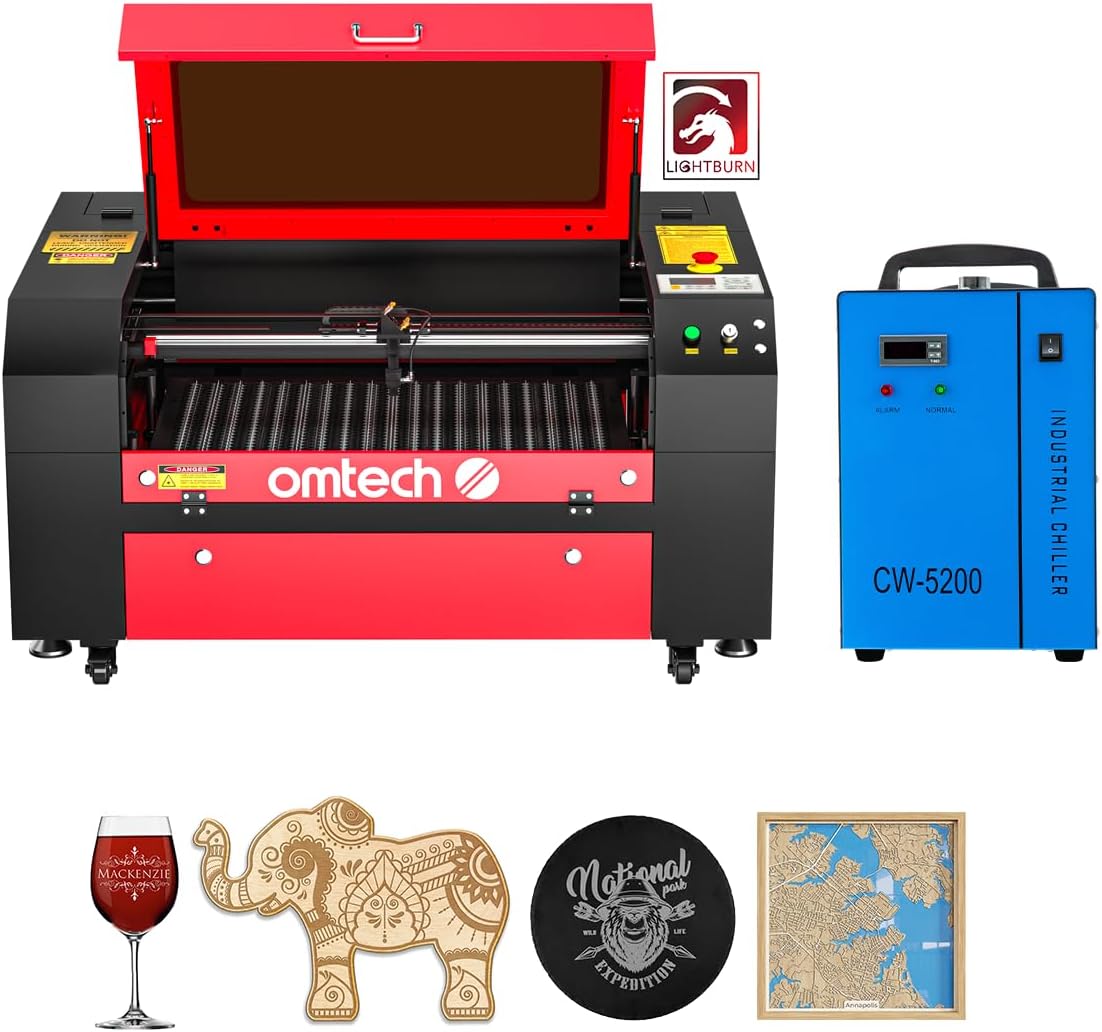
This CO2 laser offers great value with a bundled water chiller and LightBurn software. The 20 by 28 inch bed accommodates large projects, while autofocus simplifies setup by finding the right focal distance automatically.
We may earn a commission when you buy through this link, at no additional cost to you.
Air assist and flame retardant viewing windows enhance safety and lens protection. The high rating reflects consistent performance and support from OMTech, making it a trusted option for those new to CO2 technology.
As a Class 2 laser, it requires standard safety precautions during operation. CO2 tubes also need occasional maintenance compared to diode units, but the larger bed suits bigger cutting tasks well.
Choose this if you want a reliable CO2 machine with software and cooling included. Its size and autofocus features make it ideal for signs, decor, or larger acrylic projects.
LightBurn software and water chiller are included, saving extra costs. This bundle ensures consistent performance right out of the box for new users.
The 20 by 28 inch bed fits most standard projects. Four-way pass-through doors allow longer materials without needing to reposition frequently.
We may earn a commission when you buy through this link, at no additional cost to you.
This model prioritizes safety with a fire-resistant metal enclosure and auto-stop when the bottom drawer is removed. The built-in HD camera scans designs to improve consistency across batches when connected to LightBurn.
We may earn a commission when you buy through this link, at no additional cost to you.
Air assist and exhaust systems reduce smoke and noise for a more comfortable environment. Official after-sales service and videos help beginners get started quickly with minimal confusion during first use.
Some users report variable software compatibility outside of Creality Design Space. While performance is solid, the rating suggests some inconsistency compared to other top picks in similar price ranges.
Opt for this if safety and support are priorities. The camera and enclosure features offer good value, especially for home users wanting reliable assistance and easy cleanup.
The enclosure automatically stops when opened, preventing exposure. Fire-resistant materials add an extra layer of protection during long engraving sessions.
Includes Creality Design Space alongside support for LightBurn and LaserGRBL. Video guides and technical support help new users resolve issues quickly.
We may earn a commission when you buy through this link, at no additional cost to you.
This dual-laser unit stands out for its ability to mark metals in over 100 colors and cut up to 2mm metal. The MOPA fiber and diode combination cover nearly every material type from acrylic to fabric.
We may earn a commission when you buy through this link, at no additional cost to you.
Dual 48MP AI cameras boost positioning accuracy to 0.2mm and automate focus and preview steps. Operating speeds reach 15,000mm per second, reducing embossing time significantly compared to standard fiber units.
As a Class 4 laser, it requires strict safety protocols including professional training and protective measures. The price reflects its industrial capabilities, making it more suited to established studios than casual hobbyists.
Invest in this if you need metal coloring and high throughput in one system. Its AI and speed features justify the cost for businesses targeting diverse materials and precise results.
The 60W MOPA source enables vibrant color engraving on steel, brass, and titanium. Deep 3D engraving and welding tasks are also supported for detailed custom work.
Dual AI cameras detect materials and suggest settings automatically. One-click focus and preview streamline workflows, increasing precision and reducing setup time.
We may earn a commission when you buy through this link, at no additional cost to you.
Designed for metal marking, this unit offers a compact footprint with a 5.9 by 5.9 inch optimal area. The 60W fiber source supports a 100,000 hour lifespan, reducing maintenance costs over time.
We may earn a commission when you buy through this link, at no additional cost to you.
Its galvanometer system achieves 0.01mm accuracy, ideal for intricate designs on jewelry or small parts. Red dot pointer and LightBurn compatibility make setup and operation intuitive for various users.
The small area limits large sheet cutting but ensures high precision within range. Class 4 safety requires proper training, but the accuracy and lifespan suit professional engraving shops well.
Select this for precise metal marking on small items. Its durability and accuracy make it a reliable tool for detailed engraving tasks on stainless steel, brass, or titanium.
Custom reflectors and field mirrors enable 0.01mm accuracy. This level of detail supports intricate jewelry and small mechanical part engraving tasks.
The fiber source lasts up to 100,000 hours, minimizing replacement needs. Both LightBurn and included backup software ensure flexible workflow options.
We may earn a commission when you buy through this link, at no additional cost to you.
This model earns a perfect user rating thanks to its large 24 by 16 inch bed and robust safety features. The four-way pass-through design allows longer materials to pass through without moving the head.
We may earn a commission when you buy through this link, at no additional cost to you.
Air assist and waste tray help keep the workspace clean and cuts burr-free. Compatible with popular software like LightBurn and RDWorks, it offers flexibility for different design workflows and user preferences.
Manual focusing requires more steps compared to autofocus models, which can slow setup slightly. Despite this, the stability and spacious bed make it ideal for hobbyists or small businesses needing large-area cutting.
Choose this if you want a reliable large-bed CO2 machine at a competitive price. Its high user satisfaction and versatility suit projects needing more surface area or varied material types.
The 24 by 16 inch bed handles most standard projects. Four-way pass-through design allows long materials to feed through for continuous cutting tasks.
Supports LightBurn, CorelDRAW, and RDWorks for design flexibility. Built-in air assist and pull-out waste tray keep the workspace fresh and tidy during use.
We may earn a commission when you buy through this link, at no additional cost to you.
This commercial model includes a motorized autolift workbed, letting you adjust height with a button instead of manual knobs. The 20 by 28 inch bed fits most projects comfortably, with pass-through doors for longer materials.
We may earn a commission when you buy through this link, at no additional cost to you.
A bundled water chiller and LightBurn software ensure stable performance and intuitive navigation. The high-performance DC tube delivers consistent 60W power for up to 1,000 hours of use with proper care.
While it lacks some Class 1 features, the DC tube and autofocus help maintain reliable operation. The autolift feature saves time and effort during frequent setup changes, improving workflow efficiency.
Pick this for commercial use where speed and ease matter. The autolift and bundled accessories provide solid value for businesses focused on consistent engraving and cutting results.
The motorized workbed adjusts at the touch of a button. This reduces manual adjustments and guesswork, speeding up changeovers between different material thicknesses.
A high-performance DC tube with included water chiller ensures stable output. This setup supports consistent performance during long engraving or cutting sessions.
We may earn a commission when you buy through this link, at no additional cost to you.
This model offers a massive 26 by 21 inch bed with preview accuracy under 5 percent, reducing waste from trial and error. The Class 1 enclosed safety and one-touch auto focus make it safe and simple for varied users.
We may earn a commission when you buy through this link, at no additional cost to you.
High 20kHz frequency ensures sharp, clean results even at high speeds. Lightburn-ready support and local US technical assistance provide professional help, making it easier to adopt for small shops or hobbyists.
The preview and auto features save time and material but come with a higher price. Still, the SGS certification and support make it a dependable choice for quality-focused work.
Choose this if you need a large bed and high accuracy. The preview and safety features reduce waste and stress, fitting well for businesses wanting professional output at home.
Aliencell Space simulates engraving with under 5 percent deviation. Seeing exact depth before processing cuts guesswork and material waste significantly.
The 26 by 21 inch bed suits large-scale projects. US-based technical support helps users resolve issues quickly without long delays.
We may earn a commission when you buy through this link, at no additional cost to you.
This portable fiber unit specializes in metal engraving, supporting over 100 color markings and deep engraving up to 0.5mm. Two F-theta lenses allow flexibility in working area, suited for small parts or jewelry.
We may earn a commission when you buy through this link, at no additional cost to you.
The JPT MOPA source provides fast 10,000mm per second speeds and consistent quality. Certified to IEC and FDA standards, it delivers reliable performance with a 130mm manual lift column for taller objects.
Its compact design suits labs or travel setups, but small working limits suit large sheets. The high price reflects specialized metal capabilities not found in diode or CO2 units.
Select this for precise metal work like rings or rods. Its speed and color options make it a strong specialist tool for businesses focused on detailed engraving and marking tasks.
The JPT MOPA source enables 100 plus consistent color marks on metals. Vibrant engraving helps branding and customization on steel, brass, and titanium.
Two lenses allow different working areas for varied tasks. Safety certifications ensure compliance with global standards for safe and reliable operation.
We may earn a commission when you buy through this link, at no additional cost to you.
Selecting the right machine depends on material needs, safety, speed, and budget. This guide walks through key factors to help you choose with confidence.
60W units come in diode, CO2, and fiber variants. Diode and CO2 handle non-metals best, while fiber excels on metals. Power affects depth and speed, so match it to your primary material types.
Choose diode for wood or acrylic, CO2 for larger non-metal projects, and fiber for metals. Ensure the wattage supports your typical cut depth and speed needs.
Class 1 enclosures block laser exposure during operation and are ideal for homes or offices. Class 2 and 4 require more caution and safety gear. Look for features like auto-stop or flame detection.
Prioritize Class 1 if you work around children or pets. Proper safety reduces risk and makes daily use more comfortable and compliant.
Work area affects what you can engrave in one setup. Larger beds suit signs or decor, while smaller ones focus on jewelry. Pass-through doors let you handle long materials without moving the head.
Measure your common project sizes before buying. A slightly larger bed offers flexibility as your needs grow.
Engraving speeds range from 500mm to 15,000mm per second. Faster speeds reduce batch time but need good alignment. Accuracy features like autofocus or cameras improve consistency across materials.
For batches, prioritize speed and automation. For details, choose higher precision and focus options.
Most models support LightBurn, but some include custom software. Check OS support for Windows or macOS and file format options. Ease of use impacts learning time and workflow.
Pick machines with familiar tools to shorten setup. Compatibility saves headaches and ensures smoother file management.
CO2 lasers need water chillers, diodes often use air or heat sinks. Maintenance includes lens cleaning and tube checks. Built-in systems reduce manual steps and downtime.
Ensure cooling matches your usage intensity. Proper care extends the machine life and keeps cuts consistent.
Prices vary widely based on safety and features. A higher cost often brings better enclosure or speed. Consider total value including software and support.
Balance cost against needed features. Sometimes a mid-range model saves long-term headaches.
Look for warranties and technical support options. Video guides and response times help resolve issues fast. Good support protects your investment and learning curve.
Choose brands with clear support. Reliable help keeps you productive when problems arise.
Start by reading the manual for setup and safety. Ensure the enclosure is fully closed and the area is ventilated. Use protective eyewear when working with higher classes.
Calibrate focus using the recommended thickness for your material. Use the preview or autofocus features to save time. Run a test piece before starting full production.
Clean lenses and beds regularly to avoid buildup. Check cables and vents for debris. Follow manufacturer guidelines for maintenance to extend the machine life and performance.
Diode and CO2 units can only mark coated metals but not cut bare metal. Fiber 60W lasers can cut and engrave thin metals effectively. Choose fiber for uncoated metal work.
Class 1 lasers are fully enclosed and safe during normal operation. Class 2 lasers require caution and protective gear. Class 1 is preferred for home use to minimize risk.
Most support LightBurn but confirm before buying. Some include free alternatives. Check software requirements for your OS to ensure compatibility.
Diode modules often last years with proper care. CO2 tubes may need replacement after thousands of hours. Fiber sources can last 100,000 hours. Follow maintenance to extend life.
Wood, acrylic, leather, and coated metals are standard. Avoid PVC and vinyl due to toxic fumes. Ventilation and filtration help protect the workspace and lens.
Enclosed models often have built-in exhaust. Larger units may require external filtration. Check local codes and ventilation needs for safety.
Clean with isopropyl alcohol and lint-free cloth. Inspect for debris weekly. Protect from scratches with covers when idle.
Many arrive partially assembled with video guides. Basic tools are enough for setup. If unsure, consult the manual or support team.
The Creality Falcon2 Pro leads with safety and precision, while the xTool F2 Ultra excels for metal coloring. Budget options like the VEVOR offer large beds and solid performance.
Match your primary materials to laser type. Prioritize safety class and support features to protect users and investment. Consider future needs when choosing size and speed.
Always verify current pricing and availability on the product page. Changes happen often, so confirm details before buying. This guide helps you narrow choices to the right fit.