
8K 90 Degree DisplayPort 1.4 Adapter 2-Pack
4.4Editor score
Value two pack set
Corrosion resistant
Versatile angle options
This guide compares the top 90 Degree Displayport Adapter and Cable options for 2026, focusing on performance, build quality, and compatibility for all users.
Finding the right connection for your display is crucial for performance. A 90 Degree Displayport Adapter and Cable helps manage space and prevents strain on your ports. Whether you game or work, the right adapter ensures stability.
We analyzed ten top-rated products based on user feedback and technical specs. Our list covers various lengths, angles, and features to help you choose. Each option offers unique benefits for different setups and needs.
Every pick includes key specs and pros to guide your decision. Prices may change so verify current details before buying. This guide helps you find the perfect adapter for your specific display setup today.
4.4Editor score

4.8Editor score

4.5Editor score
This side-by-side comparison highlights the key specifications and unique features of each selected product. Use this table to quickly identify the best fit for your specific display and connection requirements.
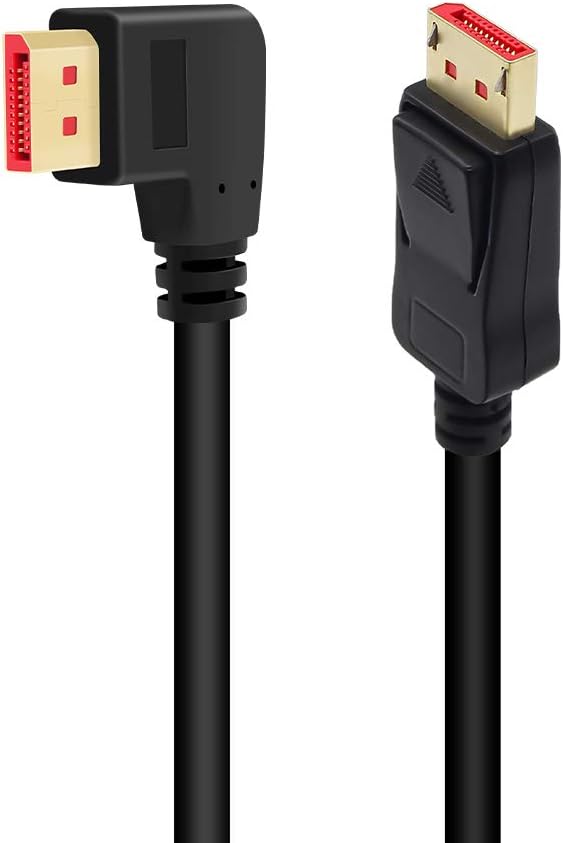

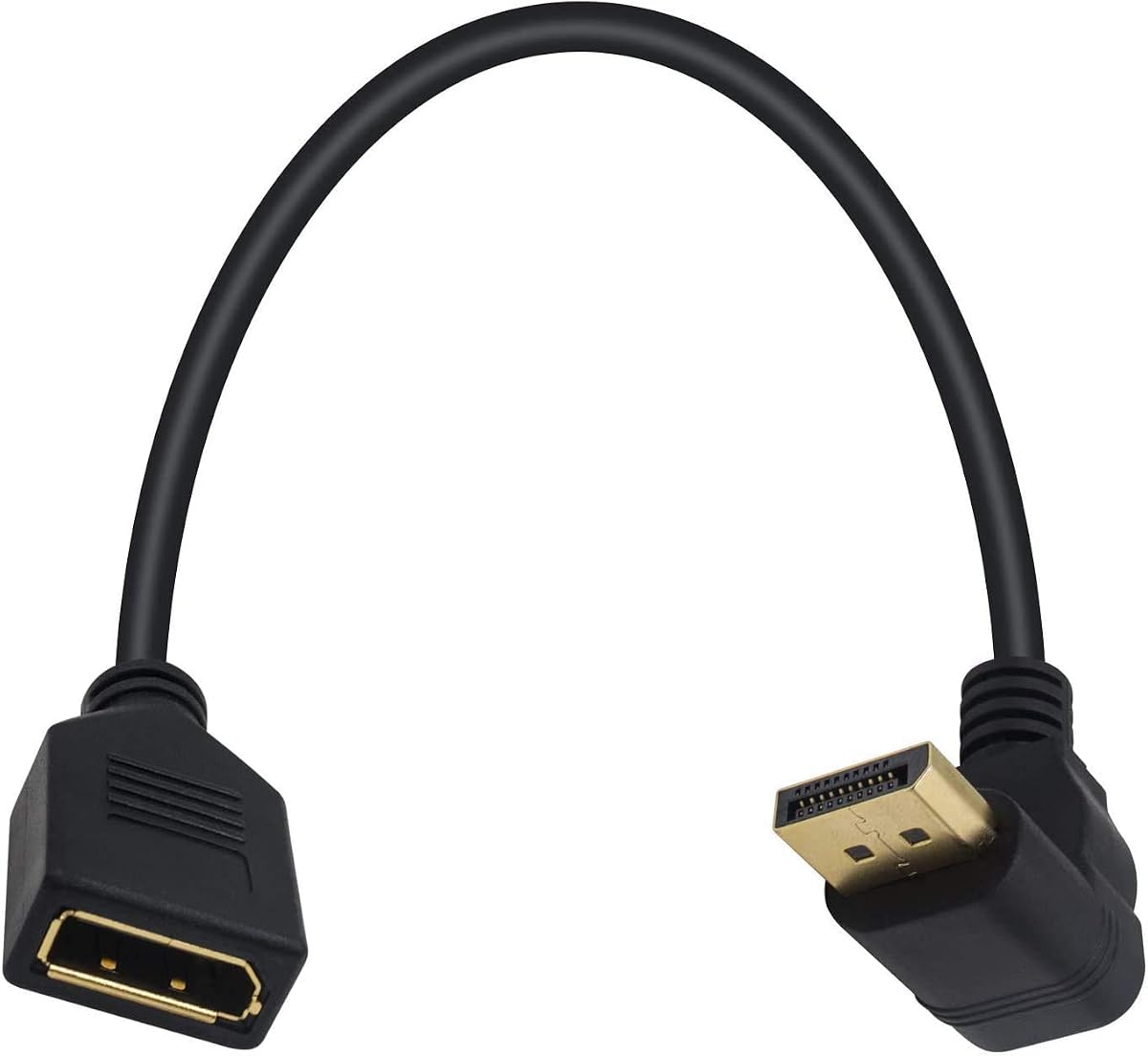


This adapter stands out as the top choice for users seeking reliability and high performance. With a strong rating, it delivers consistent connectivity for modern displays. Its design focuses on solving common cable management issues.
We may earn a commission when you buy through this link, at no additional cost to you.
The DisplayPort 1.4 support ensures you can utilize advanced features like 4K at 240Hz. This makes it ideal for gaming setups that demand high refresh rates. The audio support is also a significant plus for immersive media experiences.
While it is a single unit, the quality justifies the cost. Some users might prefer a multi-pack for multiple setups but the performance remains unmatched. The compact form factor ensures it fits in tight spaces behind TVs.
Buy this if you need a reliable connection that supports future-proof resolutions. It is perfect for gamers and home theater enthusiasts who value stability. The streamlined design keeps your workspace looking professional and organized.
Enjoy smooth gameplay with support for up to 240Hz at 4K resolution.
The 90 degree angle helps route cables cleanly behind your device.
We may earn a commission when you buy through this link, at no additional cost to you.
This cable offers a distinct advantage with its extra length for flexible setups. The 6ft span allows you to place your PC or console further from your monitor. It maintains signal integrity even over longer distances.
We may earn a commission when you buy through this link, at no additional cost to you.
The construction includes gold plated connectors and triple layer shielding. This ensures stable transmission and reduces interference from other electronics. It is built to last with durable materials throughout the assembly.
You should verify the angle direction before ordering as it is fixed. If your ports are aligned differently it might not fit your needs. However for compatible setups it provides excellent performance.
Choose this if you need reach without sacrificing quality. It works well for office setups where the computer is under the desk. The long length helps keep your workspace tidy and cable free.
The 6ft length provides flexibility for distant device placement.
Gold plating and shielding ensure long term reliability.
We may earn a commission when you buy through this link, at no additional cost to you.
This short cable is perfect for tight spaces where standard cables cause clutter. The 15cm length is ideal for connecting a laptop directly to a monitor. It bridges the gap without adding unnecessary slack.
We may earn a commission when you buy through this link, at no additional cost to you.
It supports high bandwidth features including 32.4Gbps transfer rates. This ensures you can run high resolution content without bottlenecks. The compatibility with G Sync and Free Sync makes it a strong gaming tool.
The small size means it is easy to lose or damage if not careful. It is not suitable for setups requiring distance between devices. Check your port spacing before purchasing to ensure fit.
Buy this for minimalist desks or laptop docking stations. It keeps the setup sleek and functional. The performance matches larger cables despite its reduced physical footprint.
Ideal for connecting laptops to external monitors directly.
Reduces cable clutter on your desktop surface.
We may earn a commission when you buy through this link, at no additional cost to you.
This extension provides a standard 30cm length that works for many setups. It extends the reach of existing cables without adding bulk. The low profile design prevents blocking adjacent ports on your PC.
We may earn a commission when you buy through this link, at no additional cost to you.
The gold plated connectors resist corrosion and ensure a stable signal. This is useful for long term use where connection quality matters. It supports 4K video which is sufficient for most standard monitors.
It may not support the highest refresh rates for competitive gaming. Users looking for 144Hz or higher might need a different option. The build quality is solid for general office or media use.
Choose this for a simple and affordable extension solution. It is great for office PCs where performance needs are moderate. The low profile helps keep your back panel clean and organized.
Low profile design ensures other ports remain accessible.
Gold plating helps maintain a reliable connection over time.
We may earn a commission when you buy through this link, at no additional cost to you.
This 2-pack offers excellent value by providing two adapters for multiple setups. It includes both up and down angles for versatility. This solves the issue of port orientation across different devices.
We may earn a commission when you buy through this link, at no additional cost to you.
The adapters support high resolution video up to 8K at 60Hz. This future proofs your setup for upcoming display technology. The gold plating adds a layer of durability against corrosion.
Since these are adapters you will need your own cables. Ensure your cables are compatible for the best results. The warranty provides peace of mind against potential defects.
Buy this for offices with multiple PCs or multi monitor setups. It is the best budget choice for flexibility. The variety of angles ensures you can find a fit for any port.
Includes both up and down angles for versatile routing.
Two adapters allow for simultaneous use across devices.
We may earn a commission when you buy through this link, at no additional cost to you.
This combo pack offers 90 and 270 degree adapters in one box. It gives you the flexibility to route cables in multiple directions. This is ideal for wall mounted setups with limited clearance.
We may earn a commission when you buy through this link, at no additional cost to you.
The performance supports up to 8K at 60Hz with high refresh rates. You get the benefit of a trusted brand known for quality. The flat design minimizes the profile against the wall.
It is an adapter pack so cables must be sourced separately. Ensure your existing cables are rated for the resolution you need. The packaging is convenient for organizing multiple connection points.
Select this for wall mounted monitors or dense server racks. It solves the challenge of cable exit direction efficiently. The variety ensures you have a solution for any specific angle.
Allows cable routing up or down depending on your port.
Flat design keeps cables close to the wall for a clean look.
We may earn a commission when you buy through this link, at no additional cost to you.
This cable features a specific upward angled joint for vertical routing. It solves the problem of tight space behind compact cases. The 3.3ft length provides enough slack for typical desk setups.
We may earn a commission when you buy through this link, at no additional cost to you.
It supports 8K resolution and high data transfer rates. This makes it suitable for high end workstations or gaming rigs. The design reduces bending which improves overall connection stability.
The upward angle is specific so verify your port orientation. If your cable needs to go down this model will not work. Check the connector direction to avoid returns.
Buy this if your port is on the bottom and needs up routing. It is excellent for PC cases with tight rear clearance. The length helps keep the area behind your desk tidy.
Upward angle helps manage cables in tight rear spaces.
Reduced bending strain increases connection longevity.
We may earn a commission when you buy through this link, at no additional cost to you.
This extension is rated for the highest resolutions including 16K video. It offers a massive bandwidth for data transmission. This is a top choice for users with next gen displays.
We may earn a commission when you buy through this link, at no additional cost to you.
The 15cm length is short but effective for close proximity connections. It maintains signal integrity for high end graphics cards. Compatibility is broad with many modern systems.
The short length limits where you can place your devices. It is not for long reach scenarios but for high speed links. Ensure you need the 16K capability before buying.
Choose this for high performance rigs where speed is critical. It bridges the gap between GPU and monitor efficiently. The bandwidth ensures no bottlenecks in data transfer.
Ready for 16K displays and future high bandwidth standards.
Short length ensures maximum signal quality for speed.
We may earn a commission when you buy through this link, at no additional cost to you.
This cable supports the DisplayPort 2.1 standard for maximum performance. The 54Gbps bandwidth is triple that of previous standards. It delivers smooth gaming with high refresh rates and dynamic HDR.
We may earn a commission when you buy through this link, at no additional cost to you.
The 1.5ft length is practical for most desktop setups. It keeps the signal path short to reduce latency. Triple shielding protects against interference for stable transmission.
It is a premium product so it costs more than standard cables. Ensure your GPU supports 2.1 to utilize the full bandwidth. Otherwise it is still compatible but limited.
Buy this for top tier gaming PCs and high end media centers. It ensures your display gets the best signal available. The performance is unmatched for professional users.
Uses DisplayPort 2.1 for maximum data throughput.
Supports high refresh rates and dynamic HDR features.
We may earn a commission when you buy through this link, at no additional cost to you.
This cable stands out with its ultrafine 4.0mm diameter. It is designed for extreme flexibility and tight routing needs. The down angled connector helps access ports facing downward.
We may earn a commission when you buy through this link, at no additional cost to you.
Despite being thin it supports high bandwidth and 8K video. The construction ensures a solid connection with gold plated contacts. It is ideal for rigs where space is very limited.
The short length means it is not for general extension. It works best for specific tight constraints or portable setups. Verify your port orientation before purchasing this model.
Choose this for portable monitors or tight industrial enclosures. It offers a high quality solution for routing constraints. The flexibility helps avoid kinks and damage over time.
Thin cable reduces bulk in tight connection points.
Designed for gimbal and stabilizer cable routing needs.
We may earn a commission when you buy through this link, at no additional cost to you.
Choosing the right adapter depends on your specific needs. Consider resolution, length, and angle to find the best fit for your setup.
Check the maximum resolution the adapter supports to ensure it matches your display. Higher bandwidth adapters support 8K and high refresh rates for gaming.
Always verify the adapter matches your display's maximum output capabilities.
Select a length that reaches from your device to your monitor without excess slack. Short cables are better for tight spaces while long ones offer flexibility.
Measure the distance between devices to avoid buying the wrong size.
Determine if you need an upward or downward angle based on your port orientation. Incorrect angles can cause strain or block adjacent ports.
Verify the direction of the angle before ordering to ensure it fits.
Look for gold plated connectors and shielding to ensure signal integrity. Durable materials prevent corrosion and physical wear over time.
Higher quality build ensures a stable connection and longer lifespan.
For gaming, ensure support for variable refresh rates and low latency modes. These features reduce screen tearing and improve responsiveness.
Check for features like G Sync compatibility to match your GPU.
Decide between a single adapter or a multi pack for multiple setups. Multi packs offer better value for offices with several computers.
Consider how many adapters you need to avoid buying individually.
Insert the adapter into the DisplayPort port on your device gently. Ensure the angle matches the direction you need for your cable routing.
Connect your cable to the adapter and plug it into your monitor. Secure the connection by clicking the latch if present to prevent movement.
Store cables loosely when not in use to prevent internal wire damage. Avoid bending the cable near the connector to maintain signal integrity.
Most 90 degree adapters are standard and work with any device having a DisplayPort input. Check your monitor for a standard DP port before buying to confirm fit.
Yes many models support high refresh rates up to 240Hz at 4K. Ensure the adapter is rated for your specific refresh rate to avoid limitations.
DisplayPort adapters carry audio and video together so sound will work through the monitor. Ensure your audio settings are configured correctly for the connection.
Most 1.4 adapters work with older 1.2 and 1.3 devices. They will function but may limit the resolution or bandwidth to the older standard.
An up angle routes the cable towards the top of your device while down routes it towards the bottom. Choose based on your port location for best fit.
Yes you can extend the signal using an extension cable but signal loss may occur over long distances. Keep the total cable length under 15 feet for best performance.
We highlighted ten top options with performance for space management. The Cable Matters adapter leads with reliability and high performance features.
Prioritize the right angle and resolution support for your specific needs. Choose a length that fits your workspace without clutter.
Verify the current prices before buying to ensure you get the best deal. These options cover all major use cases for desktop and laptop setups.