
HP Smart Tank 5003
4.1Editor score
Includes up to 3 years of ink
Mess-free refill system
Cartridge-free design
This guide compares the top 10 AI printers for home and office, analyzing smart features, print quality, and efficiency to help you choose the right model.
Modern printing has evolved beyond simple output. AI printers now optimize layouts, manage ink, and enhance security. This guide helps you find the smartest device for your needs.
We compared ten leading models based on speed, connectivity, and AI capabilities. Each entry details real-world performance, design quality, and unique smart features to guide your decision.
Every pick highlights key strengths, ideal use cases, and trade-offs. Prices change often, so verify current listings before buying. Our expert analysis ensures you invest in the right technology.
4.1Editor score

3.9Editor score

4.7Editor score
This table compares all ten models side by side. Each entry lists essential specs to help you quickly identify the best fit for your specific printing needs.



The HP OfficeJet Pro 8125 stands out as a reliable home office workhorse. It carries a 3.9 rating and delivers professional-quality color documents efficiently. The standout quality is HP AI, which optimizes print formatting to avoid wasted pages.
We may earn a commission when you buy through this link, at no additional cost to you.
HP AI removes unwanted content from web pages and emails, ensuring precision. It features fast color printing, auto duplex, and a 225-sheet tray. The 2.7-inch touchscreen makes navigation intuitive, similar to a phone interface. Dual-band Wi-Fi resolves connection issues automatically for smooth wireless printing.
The main trade-off is the cartridge lock. The printer blocks non-HP chips, limiting third-party ink options. While the Instant Ink trial saves money, a monthly fee applies later. However, the sustainable design and Wolf security features make these acceptable compromises for security-conscious users.
This model suits home offices needing frequent, high-quality printing. It handles reports, presentations, and flyers effortlessly. If you value AI-driven efficiency and security over third-party ink flexibility, this is a strong recommendation.
HP AI optimizes print formatting for web pages and emails to ensure precise layouts without wasting paper.
HP Wolf Essential Security bolsters network protection to keep your data safe from cyber threats.
We may earn a commission when you buy through this link, at no additional cost to you.
The HP Smart Tank 5003 offers exceptional value for high-volume printing. With a 4.1 rating, it eliminates the hassle of frequent ink replacements. Its standout feature is the inclusion of up to three years of ink right out of the box.
We may earn a commission when you buy through this link, at no additional cost to you.
This model delivers up to 6,000 color or black pages initially. The mess-free refill system lets you plug ink bottles directly into the tank without squeezing or spilling. It supports borderless prints and mobile wireless printing for convenient everyday use. AI capabilities ensure consistent quality.
The main limitation is the lack of specified auto-duplex. While manual double-sided printing works, it adds time. The basic control panel may feel simple compared to touchscreen models. However, the cost savings and refill ease make these trade-offs acceptable for budget-conscious buyers.
Buy this if you print frequently and want to avoid cartridge costs. It is perfect for homes needing reliable, high-volume output. If you prioritize long-term savings over advanced features, this Smart Tank model is the smart choice.
Get up to 3 years of HP Ink included to avoid frequent purchases and lower your printing costs.
The easy-access refill system allows you to simply plug ink bottles into the tank for spill-free replenishment.
We may earn a commission when you buy through this link, at no additional cost to you.
The Bambu Lab P2S Combo represents the cutting edge of AI-driven 3D printing. With a 4.7 rating, it combines speed, precision, and automation. The standout quality is its AI failure detection, which protects your prints and time.
We may earn a commission when you buy through this link, at no additional cost to you.
It prints up to 600 mm/s with exceptional accuracy using PMSM Servo Extruder. The AMS 2 Pro enables seamless multi-color printing with built-in filament drying. Adaptive airflow balances cooling and heat retention for any material. Setup takes just 15 minutes for quick professional results.
The main trade-off is the requirement for the Combo for multi-color. The base printer does not support this alone. The higher initial investment may deter casual users. However, the workflow integration and ease of use justify the cost for serious makers.
This model suits enthusiasts and professionals seeking top-tier performance. If you need speed, multi-material capability, and AI reliability, it is unmatched. For ambitious creators ready to invest, this P2S Combo is the ultimate choice.
AI failure detection helps avoid wasted prints by identifying issues early and allowing quick intervention.
Use Bambu Studio and Handy for a unified workflow from design to finished print on MakerWorld.
We may earn a commission when you buy through this link, at no additional cost to you.
The HP Envy 6155 is designed for homes printing everyday documents and photos. It holds a 4.2 rating and delivers high-quality color output. The standout quality is True-to-Screen P3 technology, ensuring vibrant photos matching your display.
We may earn a commission when you buy through this link, at no additional cost to you.
It prints up to 10 ppm black and 7 ppm color. HP AI optimizes formatting to save pages. The 2.4-inch touchscreen provides smooth navigation. Auto duplex and a 100-sheet tray handle homework and borderless photos efficiently. Dual-band Wi-Fi ensures reliable wireless connections.
The trade-offs include slower speeds and a smaller tray. This limits heavy office use. However, for light home tasks and photo quality, these are acceptable. The sustainable design and intuitive interface add value for families.
This printer suits households needing everyday documents and photos. If you prioritize vibrant photo output and ease of use, choose this model. It is ideal for students and families valuing quality and simplicity.
P3 technology ensures documents and photos look vibrant and true-to-screen for better visual results.
Made with at least 60% recycled plastic content to support environmental responsibility without sacrificing quality.
We may earn a commission when you buy through this link, at no additional cost to you.
The HP OfficeJet Pro 9135 targets busy offices needing speed and capacity. It has a 4.0 rating and delivers professional documents efficiently. The standout quality is its single-pass duplex scanning, saving significant time on document digitization.
We may earn a commission when you buy through this link, at no additional cost to you.
It prints up to 25 ppm black and 20 ppm color. Two 250-sheet trays reduce refill frequency. The 4.3-inch touchscreen offers intuitive navigation. HP AI optimizes formatting to prevent waste. HP Wolf Pro Security protects your network from threats.
The trade-offs include a higher price and subscription requirements. It may be overkill for light users. However, for offices requiring high volume and fast scanning, these are justified. The design supports seamless workflows.
This model suits offices printing presentations and brochures frequently. If you need speed and scanning efficiency, choose this. It is the top choice for businesses prioritizing productivity and security.
Single-pass 2-sided scanning saves time by digitizing both sides of documents in one pass.
HP Wolf Pro Security bolsters network protection to keep sensitive business data safe.
We may earn a commission when you buy through this link, at no additional cost to you.
The HP Smart Tank 7603 offers comprehensive home office features with minimal ink costs. It holds a 3.9 rating and supports faxing alongside printing. The standout quality is the inclusion of up to three years of ink right out of the box.
We may earn a commission when you buy through this link, at no additional cost to you.
It supports up to 8,000 color pages initially. The auto document feeder handles multi-page tasks efficiently. Magic touch controls provide quick access. The mess-free refill system ensures easy maintenance. AI capabilities maintain consistent quality for all tasks.
The trade-offs include a lower user rating and potentially complex controls. Some users may find the interface less intuitive. However, the fax function and long ink supply are unique advantages. These make it valuable for small businesses.
This model suits home offices needing fax capabilities and high volume. If you want reliable printing with included ink, choose this. It is ideal for those balancing traditional features with cost efficiency.
Print, copy, scan, and fax all in one device to handle traditional office tasks seamlessly.
Handle multi-page documents efficiently with the included auto document feeder for quick scanning.
We may earn a commission when you buy through this link, at no additional cost to you.
The HP OfficeJet Pro 8139 is tailored for home offices needing fax and extended ink savings. It has a 4.0 rating and professional-quality output. The standout quality is the included 1-year trial of Instant Ink, offering a year of savings.
We may earn a commission when you buy through this link, at no additional cost to you.
It prints up to 20 ppm black and 10 ppm color. HP AI optimizes formatting to prevent waste. The 2.7-inch touchscreen simplifies navigation. HP Wolf Essential Security protects network data. Auto duplex and ADF support efficient document handling.
The trade-offs include a higher initial price and cartridge locks. This limits third-party ink options. However, the extended trial offset costs significantly. For those valuing security and fax, these are acceptable compromises.
This model suits home offices needing faxing and document management. If you prioritize cost savings and security, choose this. It is perfect for professionals handling reports and presentations regularly.
Receive a 1-year trial of Instant Ink to save up to 50% on ink delivery to your door.
HP Wolf Essential Security bolsters your network to help keep data safe from cyber threats.
We may earn a commission when you buy through this link, at no additional cost to you.
The HP Smart Tank 7603 variant offers robust features for home offices. It holds a 4.0 rating and supports faxing and high-volume tasks. The standout quality is the inclusion of up to three years of ink right out of the box.
We may earn a commission when you buy through this link, at no additional cost to you.
It supports up to 8,000 color pages initially. The auto document feeder handles multi-page tasks efficiently. Magic touch controls provide quick access. The mess-free refill system ensures easy maintenance. AI capabilities maintain consistent quality for all tasks.
The trade-offs include a potentially complex interface and higher cost. Some users may find the controls less intuitive. However, the fax function and long ink supply are unique advantages. These make it valuable for small businesses needing reliability.
This model suits home offices needing fax capabilities and high volume. If you want reliable printing with included ink, choose this. It is ideal for those balancing traditional features with cost efficiency.
Print, copy, scan, and fax all in one device to handle traditional office tasks seamlessly.
Handle multi-page documents efficiently with the included auto document feeder for quick scanning.
We may earn a commission when you buy through this link, at no additional cost to you.
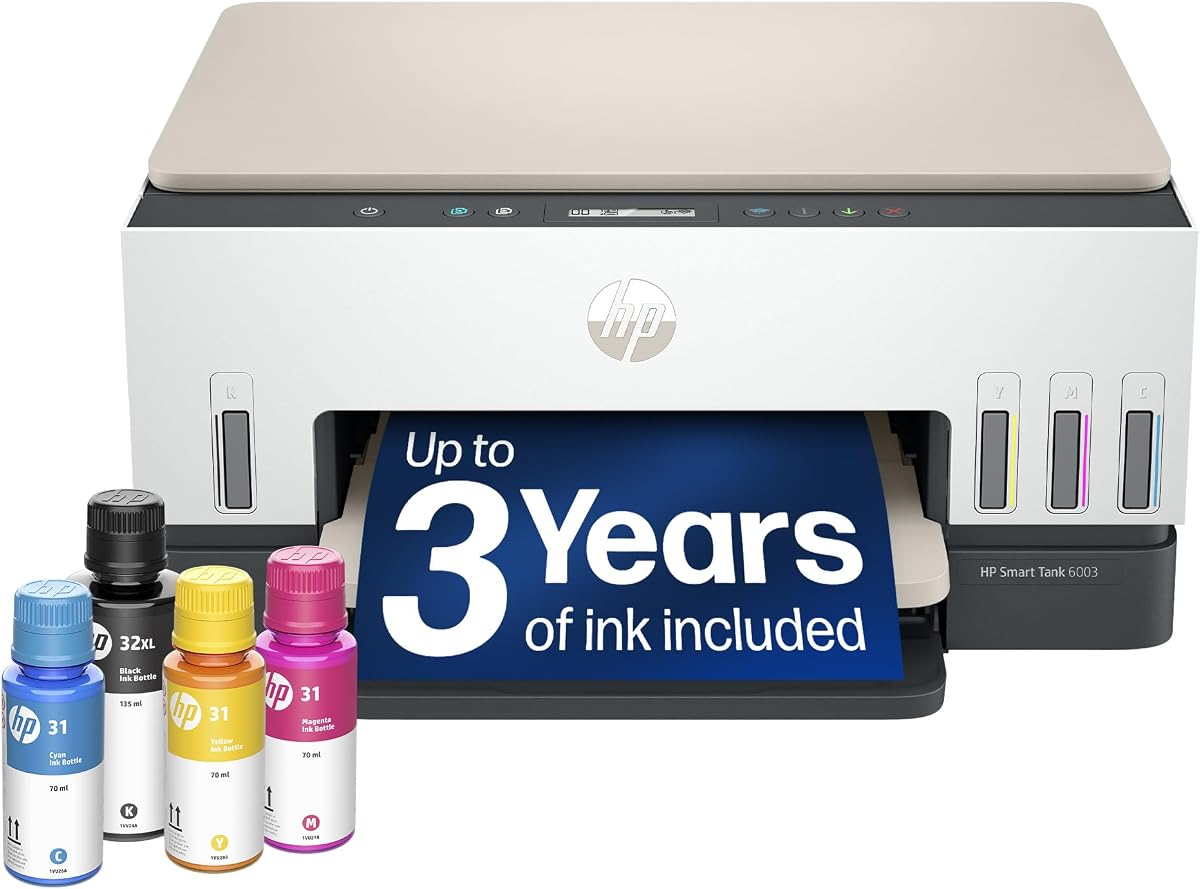
The HP Smart Tank 6003 provides an affordable entry into smart tank printing. It holds a 3.8 rating and supports high-volume needs. The standout quality is the inclusion of up to three years of ink right out of the box.
We may earn a commission when you buy through this link, at no additional cost to you.
It supports up to 8,000 color pages initially. The mess-free refill system ensures easy maintenance. It supports borderless prints and mobile wireless printing. AI capabilities maintain consistent quality for all tasks. This makes it ideal for daily home documents.
The trade-offs include a lower rating and lack of fax. It may not suit complex office needs. However, for basic home tasks, the cost savings are significant. The design supports seamless workflows.
This model suits households needing reliable, low-cost printing. If you want to avoid cartridges and manage volume, choose this. It is ideal for families balancing traditional features with cost efficiency.
Get up to 3 years of HP Ink included to avoid frequent purchases and lower your printing costs.
The easy-access refill system allows you to simply plug ink bottles into the tank for spill-free replenishment.
We may earn a commission when you buy through this link, at no additional cost to you.
The Liene PixCut S1 is a unique AI-driven device for stickers and labels. It holds a 4.2 rating and integrates printing and cutting. The standout quality is AI image extraction, which automatically recognizes subjects for precise die-cutting.
We may earn a commission when you buy through this link, at no additional cost to you.
It uses 300 DPI thermal dye-sublimation for vibrant colors. The AI Lab transforms photos into art or anime characters. The stickers are waterproof and scratch-resistant. The app provides free images and templates without paywalls. This enables effortless DIY projects.
The trade-offs include being specialized for stickers. It cannot handle standard documents. However, for crafters and gift-givers, the features are unmatched. The no-subscription model ensures creative freedom.
This model suits crafters and businesses creating custom labels. If you want to print and cut without separate machines, choose this. It is perfect for those valuing AI creativity and convenience.
AI automatically recognizes and extracts subjects from photos to ensure precise die-cutting for every sticker.
Four-layer thermal dye-sublimation creates waterproof and scratch-resistant stickers that remain vibrant over time.
We may earn a commission when you buy through this link, at no additional cost to you.
Selecting the right AI printer requires considering your volume, features, and workflow needs. This guide highlights key factors to help you decide.
Modern AI printers offer features like layout optimization and image extraction. Look for models that reduce waste or enhance creativity.
Prioritize AI tools that fit your tasks, such as HP AI for layouts or PixCut S1 for stickers.
High-volume users benefit from ink tanks or large trays. These reduce refills and lower long-term costs.
Choose Smart Tank models for homes needing thousands of pages without cartridge hassles.
Dual-band Wi-Fi ensures reliable wireless connections. This prevents interruptions during critical print jobs.
Look for printers with automatic connection resolution to maintain seamless workflows.
HP Wolf Security bolsters network protection against cyber threats. This is vital for business data privacy.
Ensure your printer includes advanced security features like HP Wolf Essential or Pro.
Print speeds measured in ppm affect productivity. Offices benefit from faster black and color output.
Choose models with 20+ ppm black speed to keep up with high-volume demands.
Different models handle various media. Some focus on documents, others on photos or labels.
Ensure the printer supports your required media, whether paper, photos, or sticker rolls.
Instant Ink and other subscriptions can save money. Consider if the trial periods fit your budget.
Review terms carefully; subscriptions may auto-renew with monthly fees after trials.
Many printers use recycled plastic content. This reduces environmental impact without sacrificing quality.
Look for models with 45% or more recycled content for a greener choice.
Set up your printer with dual-band Wi-Fi to ensure stable connectivity. Use the manufacturer app to enable AI features like layout optimization or image extraction.
Keep firmware updated to access the latest AI tools and security patches. Regularly run maintenance cycles to prevent nozzle clogs or print head issues.
Store ink cartridges or bottles properly to prevent drying. Avoid exposure to direct sunlight or extreme temperatures. Clean exterior surfaces with a soft, damp cloth.
AI in printers refers to features that automate tasks like layout optimization, image extraction, or failure detection. These tools enhance efficiency by reducing waste or improving print quality automatically.
HP printers often block non-HP cartridges due to chip restrictions. To avoid errors, use original HP chips or authorized ink supplies consistently.
Ink tanks provide years of ink out of the box. This reduces the cost per page compared to traditional cartridges.
Yes, models like Envy use P3 technology to ensure vibrant colors. This helps photos match your screen's quality accurately.
Instant Ink offers savings up to 50%. It delivers ink before you run out but requires a subscription after trials.
The Liene PixCut S1 combines AI image extraction with precise die-cutting for custom stickers.
Yes, models like Bambu Lab use AI for failure detection and calibration. This ensures high accuracy and fewer failed prints.
Dual-band Wi-Fi reduces interference and maintains stable wireless connections. This prevents delays during print jobs.
Our top picks include the HP OfficeJet Pro 8125 for home offices, the HP Smart Tank 5003 for budget high-volume, and the Bambu Lab P2S for premium 3D printing.
Prioritize AI features that match your workflow. Whether you need layout optimization, high capacity, or creative sticker tools, choose based on your core requirements.
Prices change often. Verify current listings before purchasing to ensure you get the best value for your investment.