
Dell Latitude 5420
3.8Editor score
Affordable price point
Fast SSD storage
Windows 11 Pro
Finding a reliable laptop without breaking the bank is a common challenge for students and professionals alike. Amazon Renewed Laptop options provide a sustainable and cost-effective solution by offering refurbished devices that have been rigorously inspected. These machines often come with warranties and technical support, ensuring peace of mind for buyers seeking quality at a lower price point.
We have carefully selected and analyzed ten top-tier models available through the Amazon Renewed program to create this comprehensive roundup. Each laptop was chosen based on its processor power, memory capacity, storage speed, and overall user feedback. Our goal is to highlight devices that balance performance and affordability for various use cases, from office work to light multimedia tasks.
Every pick in this list includes detailed specifications, pros, cons, and expert insights to guide your decision-making process. Keep in mind that product availability and pricing can fluctuate frequently on the marketplace due to demand and inventory levels. Always verify the current status and warranty details before completing your purchase to ensure you get the best deal available today.
3.8Editor score

4.0Editor score

3.9Editor score
As an Amazon Associate we earn from qualifying purchases.
The following table provides a side-by-side comparison of all ten models featured in this guide. It highlights key specifications such as processor type, memory size, storage capacity, and display resolution to help you quickly identify which device aligns best with your specific workflow and budget requirements.


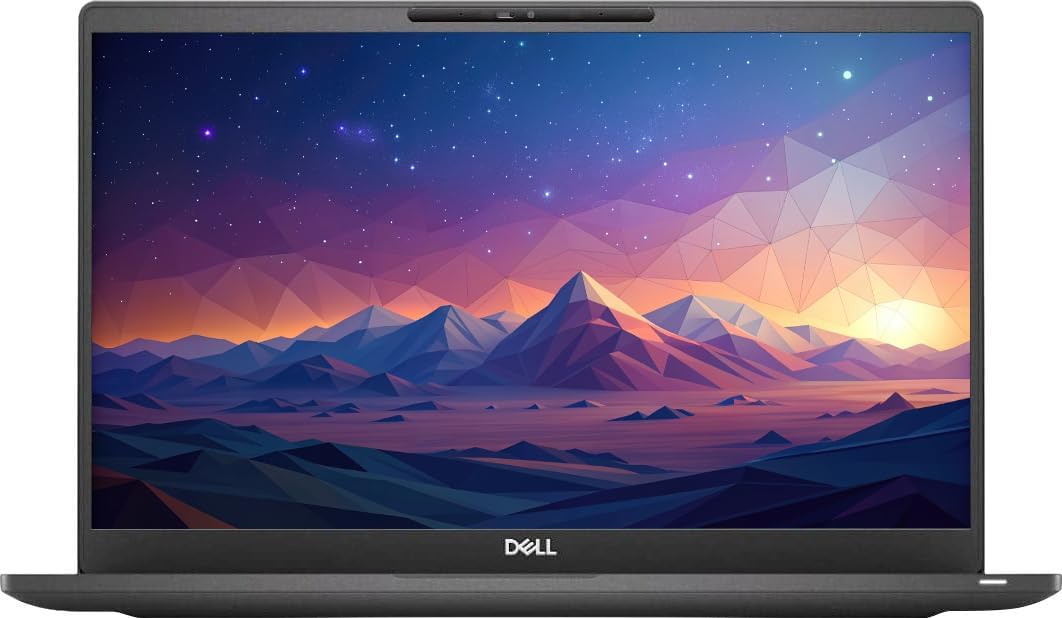


The Dell Latitude 5420 stands out as a reliable workhorse for business users seeking a balanced refurbished option. With an 11th Gen Intel Core i5 processor and 16GB of RAM, it handles everyday productivity tasks with ease. The Windows 11 Pro operating system adds a layer of professionalism and security that is essential for corporate environments.
We may earn a commission when you buy through this link, at no additional cost to you.
Performance is where this laptop truly shines thanks to the combination of a quad-core processor and sufficient memory. The 256GB SSD ensures that applications launch quickly and files load without noticeable lag. Users will appreciate the inclusion of essential ports like HDMI, which makes connecting to external monitors straightforward during presentations.
While the machine is robust, the display brightness might be a limitation for outdoor use or very bright offices. Additionally, the storage capacity is modest, so heavy media users may need to rely on cloud storage or external drives. However, for standard office work, these trade-offs are generally acceptable given the price point.
If you need a dependable laptop for daily business operations, this model is a strong candidate. It offers the right mix of speed, memory, and modern software support without breaking the bank. We recommend it for professionals who prioritize performance and reliability over flashy features.
The 11th Gen i5 processor provides enough headroom for running multiple applications simultaneously without slowing down.
Windows 11 Pro comes pre-installed, offering advanced security features and management tools suitable for enterprise use.
We may earn a commission when you buy through this link, at no additional cost to you.
The Dell Latitude 7420 represents a higher tier in the renewed lineup with its carbon fiber build and powerful i7 processor. This machine is designed for users who need extra performance and a premium feel. The 512GB SSD provides ample room for documents, photos, and applications without needing immediate upgrades.
We may earn a commission when you buy through this link, at no additional cost to you.
The Intel Core i7-1165G7 processor delivers excellent speed for demanding tasks like data analysis or heavy web browsing. With Intel Iris Xe graphics, it can even handle light graphical work better than many integrated solutions. The backlit keyboard is a thoughtful addition that improves usability in low-light environments like conference rooms or late-night work sessions.
While it is a premium choice, the absence of a DVD drive is something modern users might not miss, but it is worth noting if you still use optical media. The price is higher than basic models, but the build quality and performance justify the investment for power users. The carbon fiber construction also makes it durable and lightweight for travel.
This laptop is ideal for professionals who need reliability and speed in a portable package. It strikes a great balance between high-end specs and the affordability of the renewed program. If you want a device that feels like a flagship business machine, this is a top recommendation.
The carbon fiber chassis offers superior durability and a lightweight profile that is perfect for frequent travelers.
Support for Wi-Fi 6 ensures fast and stable wireless connections, which is crucial for remote work environments.
We may earn a commission when you buy through this link, at no additional cost to you.
The Lenovo ThinkPad L14 brings AMD Ryzen power to the Amazon Renewed selection, offering a compelling alternative to Intel-based models. The 6-core Ryzen 5 PRO processor is impressive for multitasking and general productivity work. Its IPS display ensures better color accuracy and viewing angles, which is a nice upgrade over standard TN panels.
We may earn a commission when you buy through this link, at no additional cost to you.
ThinkPads are known for their keyboards, and this model maintains that legacy with the classic TrackPoint. While it might take some getting used to, it allows for precise cursor control without lifting your hands from the typing position. The connectivity options are extensive, including USB-C, HDMI 2.1, and even an Ethernet port for stable wired connections.
The main drawback is the 256GB storage, which fills up quickly if you store many files locally. However, the performance per dollar is excellent, making it a smart choice for budget-conscious buyers who do not want to sacrifice processing power. The inclusion of WiFi 6E future-proofs the device for faster wireless networks.
If you are looking for a robust business laptop with great typing experience and strong CPU performance, this is a great pick. It is versatile enough for students and professionals alike. We recommend checking if the storage meets your needs or planning for cloud integration before purchasing.
The classic ThinkPad keyboard with TrackPoint offers precise control and comfortable typing for long work sessions.
Multiple USB ports and an Ethernet jack ensure you can connect to any peripheral or network without adapters.
We may earn a commission when you buy through this link, at no additional cost to you.
This Dell Latitude 7420 model is another strong contender in the business category with a focus on storage. The 512GB SSD offers double the space of many competitors, reducing the need for external drives. With 16GB of RAM and an 11th Gen i5, it delivers smooth performance for everyday tasks like email, browsing, and document editing.
We may earn a commission when you buy through this link, at no additional cost to you.
The professional finish of the laptop makes it suitable for both office and home environments. It includes a webcam and microphone, which are essential for video conferencing. The build quality feels sturdy, and the keyboard is comfortable for extended typing sessions. Users will appreciate the stability of the Windows 11 Pro installation.
While it is not the lightest laptop on the market, its durability makes it a good choice for those who move between desks frequently. Battery life is average, so keeping the charger handy is advisable for all-day use. Overall, it is a reliable machine that does not compromise on essential specifications.
For users who need extra storage space without paying for a premium model, this is an excellent option. It balances performance and utility well. We suggest it for anyone who needs a dependable daily driver for professional tasks.
With 512GB of SSD storage, you have plenty of room for files, applications, and media without constant cleanup.
Built-in Wi-Fi and Bluetooth ensure easy connection to peripherals and networks right out of the box.
We may earn a commission when you buy through this link, at no additional cost to you.
The Dell 7400 Latitude is a fantastic entry-level business laptop that does not skimp on memory. Despite having an older 8th Gen processor, the 16GB of RAM allows for smooth multitasking. The NVMe SSD ensures that boot times are fast and the system remains responsive during daily operations.
We may earn a commission when you buy through this link, at no additional cost to you.
This model is a solid choice for those who need a machine for basic productivity tasks like word processing and spreadsheets. The presence of USB-C and HDMI ports makes it versatile for connecting to modern displays and docking stations. The 14-inch FHD screen provides a decent workspace for multiple windows.
The processor is not the latest, but it still handles standard office apps well. If you are not doing heavy video editing or gaming, this will not be a bottleneck. The price is very competitive, making it accessible for students or small business owners. It is a workhorse that gets the job done reliably.
If your priority is value and performance for standard tasks, this laptop is a great pick. It offers modern connectivity and memory on a budget. We recommend it for users who want a solid machine without paying for the latest generation features.
16GB of RAM at this price point is rare, allowing you to run many tabs and applications simultaneously.
The M.2 NVMe SSD provides rapid data access speeds that make the system feel much faster than older hard drives.
We may earn a commission when you buy through this link, at no additional cost to you.
This Dell Latitude 5400 unit has a high rating from users, indicating satisfaction with its condition and performance. It features a capable i5 processor and plenty of RAM for general use. While the screen is HD rather than Full HD, it is sufficient for text and simple work tasks. The device comes with Windows 11 Pro pre-installed.
We may earn a commission when you buy through this link, at no additional cost to you.
The build quality is robust, typical of the Latitude line. It includes essential ports like USB 3.1 and HDMI, which are practical for connecting accessories. The webcam is included for video calls, and the system is free of bloatware. This makes it a clean slate for setting up your work environment quickly.
For users who do not need high-resolution media viewing, the HD display is not a dealbreaker. The 16GB RAM ensures that performance remains smooth even with many background processes. The high user rating suggests that these units are inspected carefully and arrive in good working order. It is a practical choice for budget-conscious buyers.
If you need a dependable laptop for office tasks and want a high chance of receiving a good unit, this is a strong option. It prioritizes performance and reliability over visual specs. We recommend it for standard professional or educational use cases.
With a strong user rating, this model has proven to be a reliable choice for previous buyers seeking quality value.
The laptop arrives with Windows 11 Pro and no bloatware, saving time on setup and unwanted software removal.
We may earn a commission when you buy through this link, at no additional cost to you.
This model is an ideal entry point for those needing a basic business laptop with modern features. The 11th Gen i5 processor provides decent speed, and the 256GB SSD keeps things snappy. While it has 8GB of RAM, it is suitable for light multitasking and standard office applications. It is a great pick for students or home use.
We may earn a commission when you buy through this link, at no additional cost to you.
The laptop is lightweight and easy to carry, making it convenient for commuting or moving between classrooms. It supports Windows 11 Pro, which offers a modern interface and security features. The webcam and Bluetooth connectivity are included, ensuring you can connect to peripherals easily. It is a no-frills machine that works well.
The main limitation is the 8GB RAM, which might struggle if you open too many tabs. However, for typical browsing and document work, it holds up. The low price makes it accessible for almost any budget. If you are just starting your search for a renewed laptop, this is a solid baseline option.
We recommend this for users who need a simple, affordable machine for basic tasks. It offers good performance for the cost. If you anticipate heavy usage, consider a model with more RAM. For others, this is a practical and cost-effective solution.
This unit delivers sufficient power for essential tasks like web browsing, word processing, and email management.
With a lower price tag, it is perfect for buyers who need functionality without paying for unnecessary high-end specs.
We may earn a commission when you buy through this link, at no additional cost to you.
The Dell Latitude 5490 offers a great balance of storage and screen quality. It comes with a 512GB SSD which is generous for a refurbished unit. The Full HD display ensures that images and text look sharp, which is better than the HD options found on some other models. This makes it a nice choice for media consumption.
We may earn a commission when you buy through this link, at no additional cost to you.
With 16GB of RAM, this machine handles multitasking well despite the older processor generation. It is designed for durability and professional use, so it feels sturdy in hand. The webcam and audio inputs are ready for video conferencing needs. Users report high satisfaction with the condition and performance of this model.
The processor is not the fastest, but it is sufficient for daily tasks. If you prioritize storage and screen quality over raw CPU speed, this is a good pick. It is a reliable workhorse that can serve as a main device for office work. The high rating suggests consistent quality in the renewed pool.
For users who want a larger screen and storage without spending a lot, this laptop is a smart buy. It covers the basics very well. We recommend it for anyone who needs a dependable machine for work or school with good visual output.
The Full HD screen provides sharp detail that improves the experience when working with documents or watching videos.
With 512GB of SSD storage, you can store all your work files locally without worrying about running out of space.
We may earn a commission when you buy through this link, at no additional cost to you.
This Dell Latitude 5400 is notable for offering a Full HD display at a budget price. The screen resolution makes text crisp and colors vibrant enough for general use. The processor supports fast turbo speeds which helps with quick bursts of activity. It runs Windows 11 Pro, providing a modern software experience for business users.
We may earn a commission when you buy through this link, at no additional cost to you.
The 8GB of RAM is adequate for light multitasking but might slow down if you run heavy apps. The SSD ensures the system boots up quickly and stays responsive. It is a practical choice for users who need a reliable laptop for school or work. The black finish gives it a sleek and professional look.
The connectivity options include USB and HDMI which makes it easy to set up with external monitors. The webcam is included for video calls, which is essential for remote work or online classes. This model is a good middle ground between performance and affordability. It is a solid pick for students and entry-level professionals.
If you want a clearer screen than standard HD offers without paying extra, this is a strong candidate. It handles daily tasks well. We recommend it for anyone looking for a modern display and OS at a competitive price point.
The 1080p Full HD screen improves readability and visual comfort during long work sessions compared to lower resolutions.
Windows 11 Pro ensures you have access to the latest security patches and interface features for a modern workflow.
We may earn a commission when you buy through this link, at no additional cost to you.
This Dell 5420 Latitude is the most powerful laptop on our list with 32GB of RAM. It is designed for power users who need to run virtual machines, heavy data tools, or many applications. The 11th Gen i7 processor supports high performance, and the NVMe SSD ensures everything loads instantly. Thunderbolt 4 support adds great versatility for docking.
We may earn a commission when you buy through this link, at no additional cost to you.
The 512GB storage is fast and reliable for storing project files and systems images. This machine handles heavy workloads that would stall other models. It is a fantastic choice for developers or engineers who need reliability and speed. The webcam and Bluetooth are included to keep you connected to your network.
The price is higher than the basic models, but the specs are hard to match at this level. Battery drain may be higher due to the performance components, so keeping it plugged in is recommended for heavy tasks. It is a professional tool that delivers serious power for demanding workflows and high-end tasks.
If you need top-tier specs for advanced work, this is the best option in the renewed category. It offers desktop-level performance in a laptop form. We recommend it for technical professionals who need the extra memory and processing power to get work done efficiently.
With 32GB of RAM, this device can handle complex tasks like coding and data analysis without performance drops.
Thunderbolt 4 support allows for fast data transfer and high-speed docking with a single cable connection.
We may earn a commission when you buy through this link, at no additional cost to you.
Selecting the right renewed laptop involves understanding key specifications and your specific needs. This guide breaks down the most important factors to consider before you make a purchase.
The processor is the brain of your laptop and determines how fast it can handle tasks. For general office work, an Intel Core i5 or AMD Ryzen 5 is sufficient. If you plan to run heavier applications or multitask frequently, look for an i7 or Ryzen 7 with at least four cores. Pay attention to the generation number to ensure you are getting a relatively modern chip.
Prioritize the latest generations available in the renewed list for better efficiency and longevity.
RAM affects how many programs you can run simultaneously without slowing down. 8GB is the minimum for smooth operation today, while 16GB offers a comfortable buffer for multiple tabs and apps. If you are a power user or work with large files, 32GB is ideal. Always check if the RAM is upgradeable for future needs.
Aim for at least 16GB for a versatile machine that will remain useful for years.
Storage speed is crucial for system responsiveness. An SSD is standard now, but ensure it is an NVMe SSD rather than a SATA drive for faster speeds. Look for at least 256GB for the operating system and apps. If you have large media files, 512GB is a safer bet to avoid running out of space quickly.
Choose an SSD with enough space to store your files locally without relying on external drives.
The screen is what you look at all day, so resolution matters. Full HD (1920×1080) is preferred over HD for sharper text and better color. If possible, look for IPS panels which offer better viewing angles than TN panels. A 14-inch size is a good balance between portability and usability.
Opt for a Full HD IPS screen to reduce eye strain and improve visual clarity.
Connectivity ensures you can plug in your peripherals and network cables. Check for USB-C for modern charging and data transfer. HDMI is useful for connecting to projectors or external monitors. Wi-Fi 6 support is a bonus for faster wireless speeds. Ensure there is enough variety in ports to fit your current setup.
Verify that the laptop has the specific ports you need before buying to avoid buying extra adapters.
Windows 11 Pro is the standard for business renewed laptops and offers better security than Home. It supports domain joining and advanced management tools. Ensure the system is activated and genuine. This avoids issues with updates and licensing later on.
Choose a model that includes Windows 11 Pro for better security and business features.
Amazon Renewed laptops are graded by condition. Look for units that are described as 'like new' or in good cosmetic condition. Check if accessories are original or compatible. A higher condition grade usually means a more reliable device with fewer physical defects. Read the seller's notes carefully.
Select devices in good or like new condition to ensure they are ready for professional use.
All renewed laptops come with a minimum 90-day warranty. This protects you if the device fails shortly after purchase. Some sellers may offer extended warranties which are worth considering. Check the return policy to ensure you can get a refund if the laptop does not meet your expectations.
Prioritize sellers that offer clear warranty terms and responsive support for peace of mind.
When you receive your laptop, start by checking all ports and peripherals to ensure everything works correctly. Update the operating system and drivers immediately to get the latest security patches and performance improvements. Set up your user account and restore your files from backups if needed.
Treat the laptop with care to maintain its condition over time. Use a soft cloth to clean the screen and keyboard to remove dust and fingerprints. Avoid placing heavy objects on the closed lid to prevent damage to the screen or hinges. Keep it away from liquids to prevent spills.
Manage your battery health by avoiding leaving it plugged in for extended periods when not in use. Use the power settings to balance performance and battery life based on your tasks. For long storage periods, keep the battery charged at around 50 percent to prevent degradation. Regular cleaning of the fans helps prevent overheating.
An Amazon Renewed Laptop is a pre-owned device that has been professionally inspected and tested to work and look like new. It is refurbished by qualified vendors who ensure it meets Amazon's high standards for functionality and cosmetic condition. These devices are backed by a warranty to provide buyer confidence.
Yes, Amazon Renewed laptops are generally reliable because they undergo a strict inspection process before being sold. The vendors test all major components like the processor, RAM, and storage to ensure they work correctly. The warranty coverage also protects against early hardware failures giving you peace of mind.
All Amazon Renewed laptops come with a minimum 90-day warranty that covers hardware issues. This warranty ensures that if the device malfunctions within the first few months, you can request a replacement or refund. Some sellers offer extended warranty options for additional protection beyond the standard period.
Many business laptops like Dell Latitude and ThinkPad models allow for RAM and storage upgrades. However, this depends on the specific model design and availability of free slots. Check the product specifications to see if the components are user-accessible or soldered to the motherboard before purchasing.
Renewed laptops usually come with essential accessories like a charger and sometimes a cable. Some sellers use compatible accessories that function exactly like the originals. It is a good idea to verify the listed contents on the product page to know what is included in the box.
Amazon Renewed laptops are graded based on their cosmetic condition. Categories range from Premium to Acceptable depending on visible wear. Premium units look almost new while Acceptable units may show minor scratches. All grades must be fully functional regardless of their cosmetic appearance.
Yes, renewed laptops are typically much cheaper than brand-new models of the same class. You get significant savings on powerful hardware that would cost much more if purchased new. This makes them a great option for budget buyers who still need high performance for work or study.
If you are not satisfied with the laptop you received, you can use the warranty to get a replacement or refund within the first 90 days. Amazon also offers a standard return policy for most electronics allowing you to send it back if it does not meet your expectations.
This guide has explored ten top options for Amazon Renewed Laptops ranging from budget picks to high-performance models. The Dell Latitude 5420 and Lenovo ThinkPad L14 stand out for offering excellent value and reliable performance for daily tasks. Each option brings unique strengths to help you find the right fit.
Prioritize the specifications that matter most to your workflow such as RAM for multitasking or storage for file capacity. A modern processor and SSD are essential for a smooth experience. Consider your budget but do not compromise on reliability since a business laptop should last for years.
Prices and availability for renewed laptops change frequently so check the current details before clicking buy. Always verify the warranty and return policy to ensure you are protected. With the right research you can find a high-quality device that meets all your professional needs.