
ASUS Prime B350-Plus
4.4Editor score
Supports Ryzen AM4 processors
M.2 NVMe and USB 3.1
SafeSlot Core PCIe protection
This guide compares the top AMD B350 motherboards for gaming and productivity, highlighting features, compatibility, and performance ratings.
Choosing the right motherboard is crucial for building a stable and high-performing AMD Ryzen system. The B350 chipset offers a balance of features and affordability for enthusiasts.
We evaluated ten top-rated boards based on connectivity, power delivery, expansion slots, and overall user feedback. Each model supports AM4 processors with varying feature sets.
Every pick highlights specific strengths like audio quality, RGB support, or overclocking headroom. Prices fluctuate frequently so check current listings before purchasing your build.
4.4Editor score
4.5Editor score
3.9Editor score
The following table provides a quick side-by-side comparison of all ten motherboards evaluated in this guide to help you find the right fit.



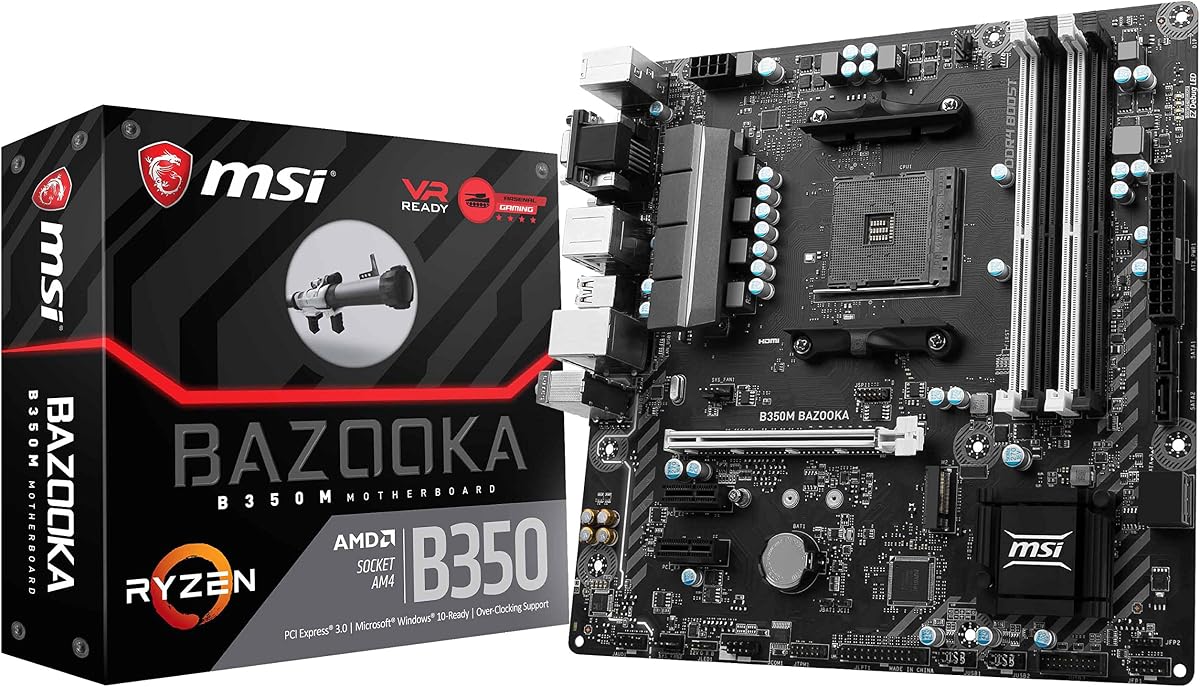
This MSI Gaming motherboard stands out for its compact Micro-ATX design while still delivering core features for AM4 Ryzen processors. It has a solid 3.9 rating from users who appreciate its straightforward gaming focus and reliable power delivery.
We may earn a commission when you buy through this link, at no additional cost to you.
The board supports high-speed DDR4 memory up to 3200MHz and includes MSI’s Game Boost tool for quick overclocking. Its audio section promises studio-grade quality, though the real-world performance often depends on the specific codec implementation.
While it lacks extensive RGB lighting options compared to newer models, the EZ Debug LEDs make it very user-friendly for first-time builders. This trade-off ensures easier troubleshooting without requiring extra software or complex diagnostics.
This board is best suited for budget-conscious builders seeking a reliable foundation for a compact gaming rig. If you prioritize quick setup and basic gaming features over flashy aesthetics, this remains a solid entry-level option.
Tools like Game Boost and X-Boost allow users to easily optimize performance without entering the BIOS.
The EZ Debug LED system provides visual indicators for memory and CPU issues reducing setup friction significantly.
We may earn a commission when you buy through this link, at no additional cost to you.
The ASUS Prime B350-Plus earns its spot as the top pick due to its exceptional balance of reliability and features for AM4 systems. With a 4.4 rating it offers robust connectivity including M.2 NVMe and USB 3.1 ports essential for modern builds.
We may earn a commission when you buy through this link, at no additional cost to you.
ASUS hardware-level safeguards ensure component longevity while the patented SafeSlot Core protects your GPU from damage. The FanXpert 2+ utility delivers precise cooling control which is crucial for maintaining stability under heavy gaming loads.
However the VRM design is relatively basic which may limit overclocking potential for high-end Ryzen CPUs. Additionally the fan headers are grouped closely together sometimes complicating cable management for larger cooling setups.
This motherboard is ideal for users wanting a dependable platform with excellent warranty support and essential gaming connectivity. Its proven track record makes it a safe bet for mainstream gaming and productivity workloads.
The SafeSlot Core technology reinforces PCIe slots to prevent damage from heavy GPUs during installation or use.
Advanced fan control through FanXpert ensures your system stays cool without sacrificing acoustic comfort.
We may earn a commission when you buy through this link, at no additional cost to you.
This Micro-ATX board offers excellent value for those building smaller systems without sacrificing critical modern connectivity. It boasts a 4.6 rating reflecting user satisfaction with its stability and feature set tailored for AM4 Ryzen processors.
We may earn a commission when you buy through this link, at no additional cost to you.
Designed with 2nd Gen Ryzen support it provides future-proofing alongside legacy port options like PS2 which are rare on modern boards. The Aura Sync header allows users to integrate RGB lighting across compatible devices effectively.
A limitation is the modest VRM heatsink which may limit overclocking headroom for Ryzen CPUs that run hot. Also the limited number of Gen2 USB ports might not satisfy users with multiple high-speed peripheral needs.
The board is perfect for compact builds needing reliability and basic RGB customization. Its Corporate Stable Model variant is especially useful for business environments requiring long lifecycle support and easy replacements.
Supporting 2nd Gen Ryzen ensures users can upgrade processors easily without needing a new motherboard.
The Aura Sync header enables seamless synchronization of lighting effects across a variety of peripherals.
We may earn a commission when you buy through this link, at no additional cost to you.
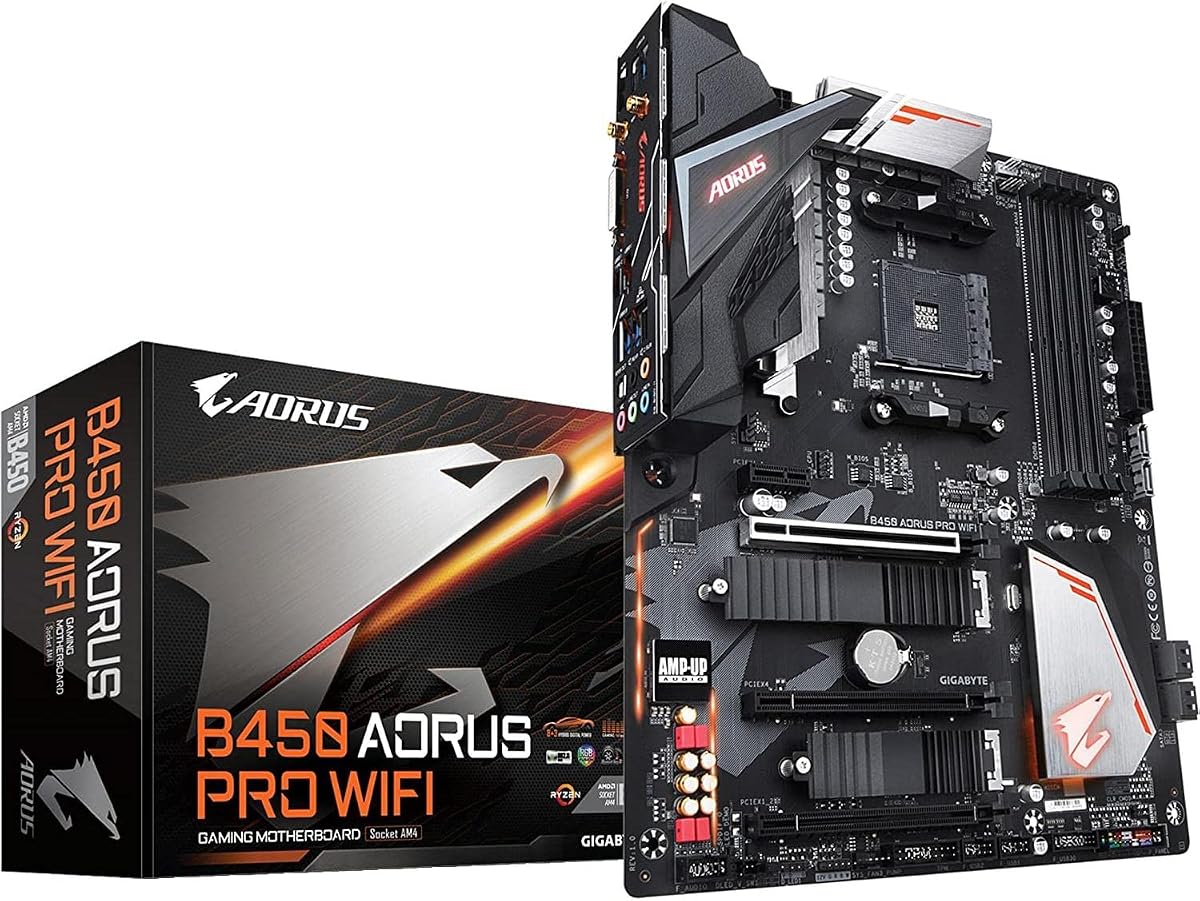
This ATX motherboard stands out for its integrated Wi-Fi and dual M.2 slots providing exceptional connectivity for modern gaming setups. It has achieved a 4.5 rating thanks to its robust thermal protection and high-end audio features.
We may earn a commission when you buy through this link, at no additional cost to you.
The inclusion of WIMA capacitors enhances audio clarity while Smart Fan 5 optimizes cooling with intelligent fan stop functionality. Dual thermal guards prevent storage throttling ensuring sustained performance even during extended gaming sessions.
Users may experience variable Wi-Fi range depending on their environment which can be a downside for wireless setups. Additionally configuring the full RGB effect ecosystem requires installing GIGABYTE’s specific software suite.
This board is ideal for users wanting top-tier connectivity and cooling without compromising on style. The comprehensive port selection and audio quality make it a compelling choice for enthusiasts.
Dual thermal guards on M.2 slots maintain high speeds by preventing storage throttling during heavy use.
Enhanced audio circuitry with WIMA capacitors delivers studio-grade sound quality for immersive gaming.
We may earn a commission when you buy through this link, at no additional cost to you.
This ATX powerhouse prepares your system for next-gen Ryzen processors with PCIe 4.0 support and WiFi 6E networking. Its 4.6 rating reflects high user satisfaction with its robust power delivery and advanced connectivity options.
We may earn a commission when you buy through this link, at no additional cost to you.
The board supports Ryzen 5000 series CPUs and features HDMI 2.1 for modern displays. A standout feature is the BIOS Flashback which allows updates without needing a compatible CPU initially.
Despite its premium price and slightly complex BIOS the ProCool power connectors ensure stability under heavy loads. The 12+2 power stages provide excellent headroom for overclocking high-performance CPUs.
This motherboard is perfect for enthusiasts planning to upgrade to Ryzen 5000 CPUs soon. Its networking and storage features ensure you won't need another board for years to come.
WiFi 6E and 2.5Gb Ethernet provide ultra-fast network speeds essential for competitive gaming and large transfers.
The 12+2 power stages with ProCool connectors deliver clean energy to the CPU for stable performance.
We may earn a commission when you buy through this link, at no additional cost to you.
This Micro-ATX board offers excellent value for small form factor builds with support for Ryzen 5000 series processors. It maintains a 4.4 rating among users looking for a budget-friendly platform with modern PCIe 4.0 connectivity.
We may earn a commission when you buy through this link, at no additional cost to you.
The digital 3+3 VRM design provides steady power delivery suitable for mid-range CPUs. Its dual M.2 slots and robust chipset heatsink ensure the system runs cool even during intensive tasks.
The audio and RGB features are basic compared to higher-end models which limits customization for enthusiasts. However this is acceptable for users prioritizing performance and cost over flashy aesthetics.
This motherboard is best for compact builds requiring modern specs at a low cost. Its reliable power and storage options make it a strong contender for budget-conscious gamers.
PCIe 4.0 support ensures your graphics card and NVMe storage run at peak speeds.
A dedicated chipset heatsink improves airflow and keeps system temperatures stable during long sessions.
We may earn a commission when you buy through this link, at no additional cost to you.
This ATX board balances performance and features effectively for mainstream gamers needing reliable power and modern connectivity. With a 4.5 rating it is praised for its robust power solution and ease of building with its included I/O shield.
We may earn a commission when you buy through this link, at no additional cost to you.
The 10+3 power phase design handles Ryzen 5000 series CPUs with ease while the integrated shield simplifies assembly. Front USB-C support ensures compatibility with modern devices without requiring adapters.
The absence of Wi-Fi may require an add-in card for wireless users. Additionally configuring the RGB lighting requires installing specific software to unlock the full visual potential.
This board is a strong choice for builders seeking solid power delivery and a clean look. Its comprehensive connectivity and build-friendly features make it a versatile pick for gaming rigs.
The integrated I/O shield saves time and prevents lost panels during the build process.
Front USB-C ports provide convenient access for controllers and other high-speed devices.
We may earn a commission when you buy through this link, at no additional cost to you.
This Micro-ATX motherboard delivers reliable performance for Ryzen 5000 systems with excellent integrated connectivity options. Its 4.5 rating highlights user satisfaction with the Flash BIOS button and thermal design features.
We may earn a commission when you buy through this link, at no additional cost to you.
Supporting memory speeds up to 4400MHz and using M.2 Shield Frozr prevents storage overheating during heavy workloads. The Flash BIOS button ensures updates can happen even without a CPU installed.
USB Type-C ports are limited to front panels which may not suit all setups. The basic audio codec is functional but lacks the fidelity found in higher-end gaming boards.
This motherboard is ideal for users needing a compact and efficient build with Wi-Fi. Its cooling and flash features make it a practical choice for professionals and gamers alike.
The Flash BIOS button simplifies updates allowing users to refresh firmware without installing CPU components.
Support for 4400MHz memory ensures your system runs applications and games smoothly with fast access.
We may earn a commission when you buy through this link, at no additional cost to you.
This budget Micro-ATX board provides a stable base for AMD Ryzen 5000 builds with essential modern connectivity. A 4.3 rating reflects its ability to handle standard tasks without unnecessary complexity or high costs.
We may earn a commission when you buy through this link, at no additional cost to you.
The Memory Boost feature allows users to achieve higher RAM speeds which benefits overall system performance. Passive cooling on the chipset ensures silent operation for environments where noise is a concern.
Lacking Wi-Fi and having a simple VRM means this board is not for enthusiasts seeking overclocking. It prioritizes reliability over features which makes it less versatile for power users.
This motherboard is best for simple office or gaming builds needing basic specs. Its stable power delivery and silent operation make it a good fit for entry-level systems.
Passive chipset cooling ensures the motherboard runs silently without the need for noisy fans.
Memory Boost helps extract maximum performance from DDR4 modules for smoother application loads.
We may earn a commission when you buy through this link, at no additional cost to you.
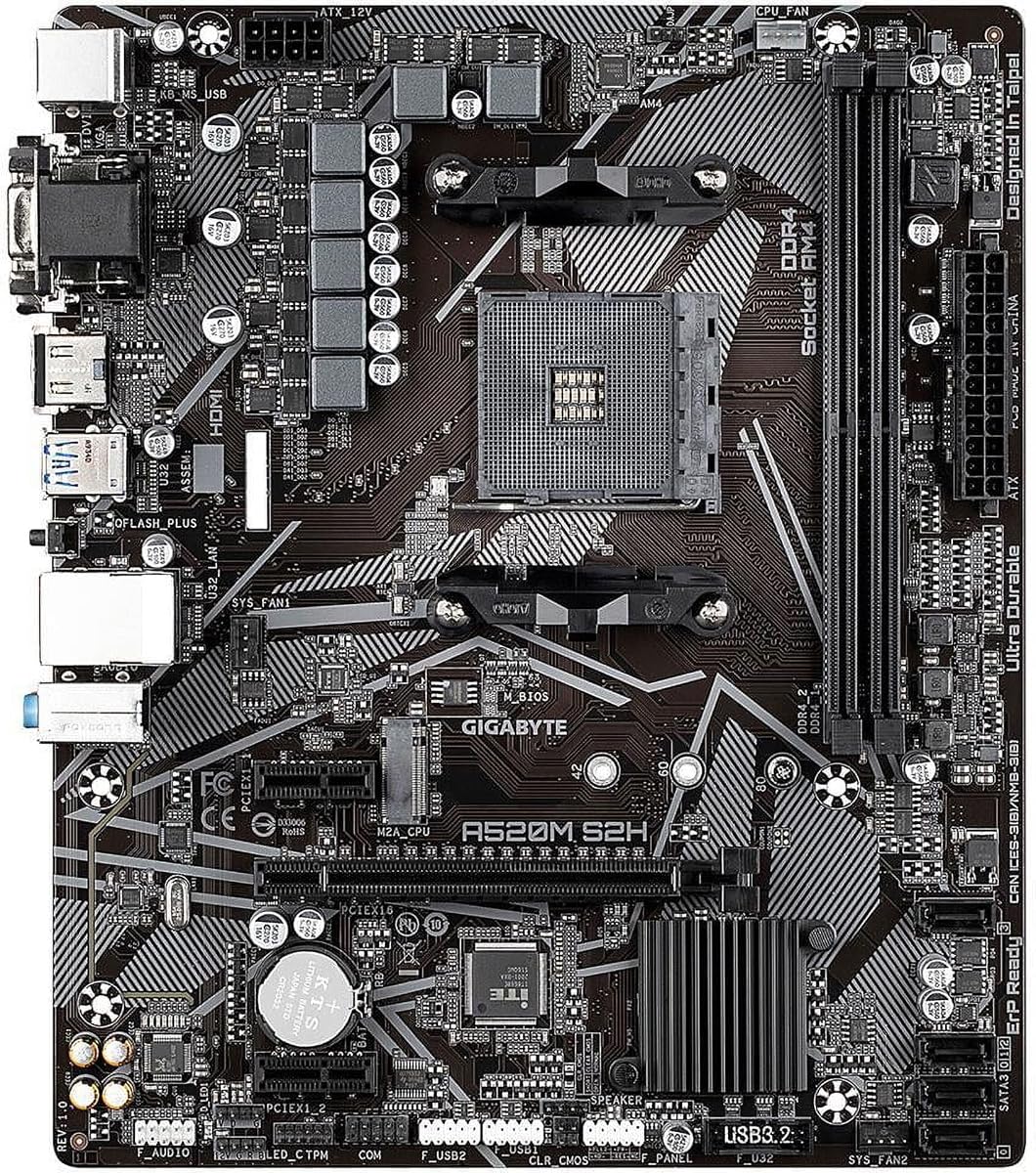
This board offers a low-cost entry point for AMD Ryzen 3rd Gen builds with essential connectivity and stability features. It has a 4.5 rating reflecting strong user feedback regarding its value and reliable power management.
We may earn a commission when you buy through this link, at no additional cost to you.
The digital PWM ensures steady power delivery for Ryzen processors while Q-Flash Plus simplifies BIOS updates. Multiple display outputs allow flexibility for users utilizing integrated graphics or multiple monitors.
The lack of PCIe 4.0 support limits future expandability for next-gen storage and graphics cards. USB-C options are also minimal which might inconvenience users with modern peripherals.
This motherboard is perfect for budget builds or office PCs needing basic performance. Its cost-effective design and reliable features make it an ideal choice for casual users.
Three display interfaces allow users to connect multiple screens or use integrated graphics effectively.
Digital PWM technology ensures consistent power to the CPU for stable system performance.
We may earn a commission when you buy through this link, at no additional cost to you.
Selecting the right AMD B350 motherboard requires understanding key compatibility and feature factors that match your specific build needs and performance goals.
Ensure the motherboard explicitly supports your Ryzen generation since B350 boards may need BIOS updates for newer CPUs. Most boards listed support AM4 sockets but checking the manufacturer compatibility list is essential before purchasing.
Always verify the QVL (Qualified Vendor List) on the manufacturer site to confirm your CPU will work without complex firmware updates.
The Voltage Regulator Module (VRM) determines how stable your CPU power supply is during overclocking or heavy loads. Look for boards with more power phases like 10+3 or higher for better stability and thermal management.
A strong VRM ensures your system remains stable under stress without throttling performance or causing unexpected shutdowns.
Modern boards should offer at least one M.2 slot for NVMe storage with PCIe 3.0 or 4.0 speeds depending on the chipset. Check the number of SATA ports and PCIe slots available for future upgrades.
Sufficient storage and expansion slots are crucial for accommodating high-speed SSDs and high-end graphics cards comfortably.
Effective cooling is vital for longevity especially when running high-performance Ryzen processors under load. Look for VRM heatsinks M.2 thermal guards and adequate fan headers for custom cooling loops.
Proper thermal design prevents overheating and ensures your system runs quietly without sacrificing long-term reliability.
Audio codecs and Ethernet controllers vary significantly across boards. High-end models often feature WIMA capacitors and superior LAN controllers while budget boards may use standard components.
Prioritize audio quality if you stream or game directly from speakers and check LAN speeds for competitive gaming needs.
Choose between ATX Micro-ATX or Mini-ITX based on your case size. Micro-ATX boards offer a balance of size and features while ATX provides more expansion options.
Always measure your case compatibility to ensure the motherboard fits properly without obstructing cable routing or airflow.
If aesthetics matter ensure the board supports the RGB ecosystem you prefer such as ASUS Aura Sync or MSI Mystic Light. Some boards include integrated lighting while others require separate LED strips.
Consistent RGB control across all your hardware components simplifies setup and enhances your overall build visual appeal.
Features like BIOS Flashback allow you to update firmware without a CPU which is crucial for compatibility with newer processors. Look for intuitive UEFI interfaces that simplify overclocking or settings adjustments.
A user-friendly BIOS helps prevent accidental misconfigurations and makes routine maintenance tasks easier for all skill levels.
Start by installing the motherboard into the case using proper standoffs to avoid short circuits. Connect front panel headers carefully using the included manual to guide cable placement for power reset and USB ports.
Update the BIOS immediately upon first boot to ensure support for your specific CPU generation. Use the manufacturer’s tool like Q-Flash or Flash BIOS button to simplify this process safely.
Maintain your system by cleaning dust regularly from VRM heatsinks and M.2 guards using compressed air. Monitor temperatures with software tools to ensure your cooling system remains effective over time.
Most B350 boards do not support Ryzen 5000 series natively. They may work with a BIOS update but compatibility is not guaranteed across all models. Always check the manufacturer’s QVL for specific support details.
Yes all B350 motherboards support DDR4 memory modules. However speeds may vary based on the board’s memory controller capabilities. Check the supported memory speed limits listed on the product page.
B550 supports newer CPUs and features PCIe 4.0 while B350 is limited to PCIe 3.0. B550 boards also offer better VRM and modern connectivity. Choose B550 for future-proofing and B350 for budget builds.
Use the manufacturer’s BIOS update tool via USB or Flash BIOS button if available. Download the correct file from the official site and follow instructions precisely. Never update power during the process.
Older B350 boards were designed before USB-C became standard. Many models only have USB 3.0 or 3.1 ports. If USB-C is essential check the board specs or use a separate adapter.
Most B350 boards include basic heatsinks but high-speed NVMe drives may benefit from additional cooling. Check if your board includes M.2 thermal guards or purchase aftermarket solutions if needed.
B350 boards support CPU overclocking but may lack the robust VRM design of higher-end models. Ensure your CPU and cooling solution are adequate before attempting significant performance tweaks.
The ASUS Prime B350-Plus and MSI Gaming B350 top our list for their balance of performance and value. Each offers distinct strengths depending on whether you prioritize connectivity budget or aesthetics.
When choosing prioritize VRM stability and thermal features to ensure your system runs reliably under load. Avoid skimping on essential connectivity like M.2 NVMe or Ethernet speed for modern gaming needs.
Always verify your chosen motherboard’s CPU compatibility and BIOS version before purchase. Prices change frequently so check current listings to secure the best deal for your build.