
KAIGERR Gaming Laptop AMD Ryzen 7430U
4.7Editor score
Affordable Price Point
512GB SSD Storage
15.6 Inch Screen
WiFi 6 Support
Finding the right portable gaming machine requires balancing power with mobility. The Amd Ryzen 7430U Light Gaming Laptop category offers a compelling mix of efficiency and capability for modern users seeking versatility.
We analyzed ten top models based on processor speed, graphics performance, display quality, and build durability. Each entry was selected for its ability to handle light gaming and demanding productivity tasks seamlessly.
This guide details specific features like battery capacity and screen resolution for every model. Note that availability and pricing can fluctuate frequently, so verify details before purchasing your new device.
4.7Editor score

5.0Editor score

4.2Editor score
As an Amazon Associate we earn from qualifying purchases.
This side-by-side comparison highlights the key specifications and features of the top ten Amd Ryzen 7430U Light Gaming Laptop options available this month for informed decision-making.


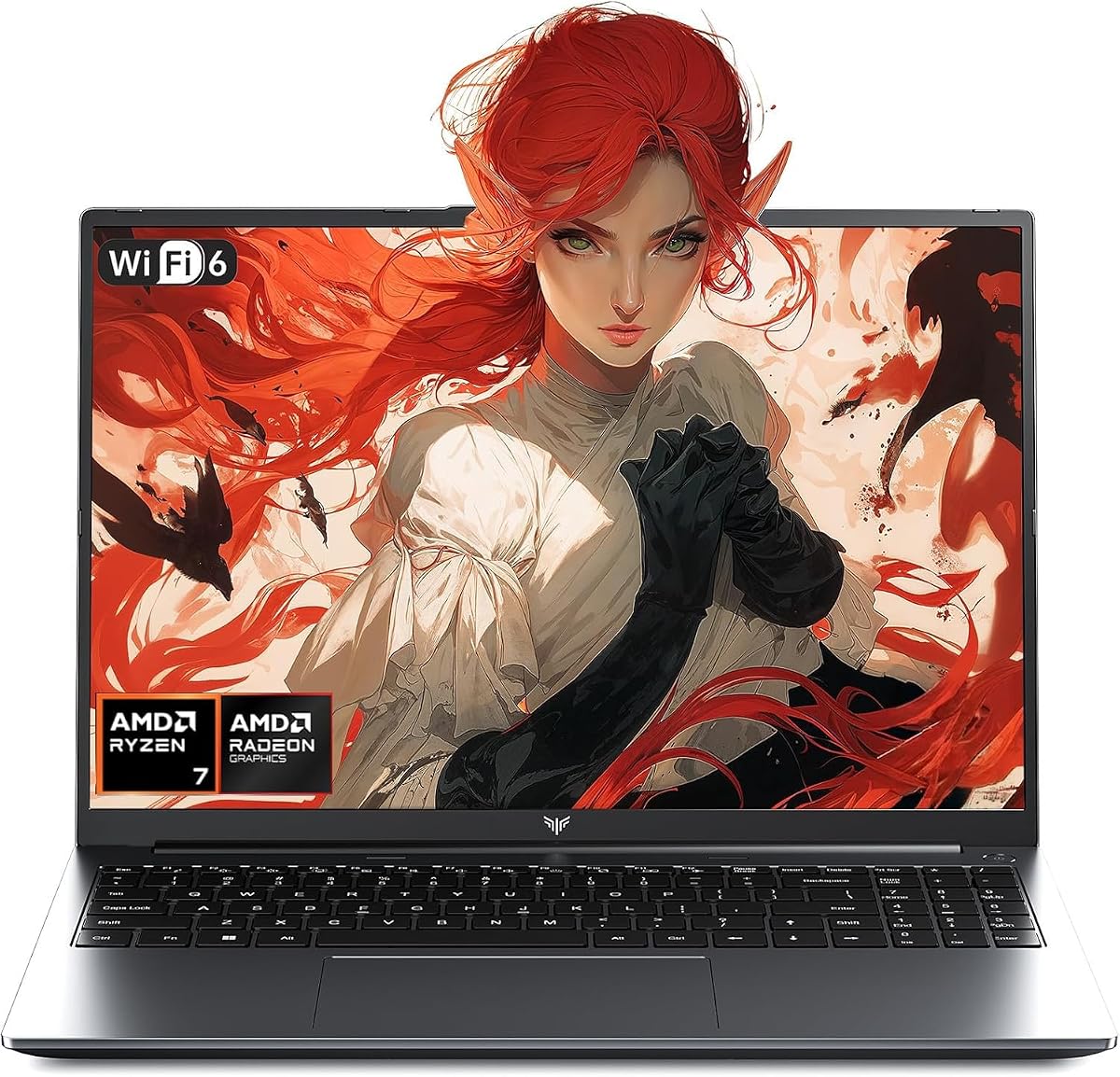


This KAIGERR laptop stands out as the top choice with a perfect rating and robust AMD Ryzen 7430U processor. It delivers reliable performance for both gaming and daily tasks.
We may earn a commission when you buy through this link, at no additional cost to you.
The 16GB DDR4 RAM and 512GB SSD ensure smooth operation even when running multiple applications simultaneously. The display offers vivid colors that enhance media consumption experiences significantly.
While it uses integrated graphics, the UHD card is sufficient for light gaming titles. Closing background programs before gaming helps maintain smooth performance during sessions.
Ideal for students or professionals needing portability, this model balances power and endurance well. It remains our strongest recommendation for those prioritizing overall reliability and support.
The 6 cores and 12 threads handle heavy workloads better than typical entry-level chips.
A 38Wh battery supports up to 8 hours of usage without needing a power outlet.
We may earn a commission when you buy through this link, at no additional cost to you.
Featuring an 18.5 inch screen, this model offers a spacious visual experience ideal for creative work or gaming. The large battery ensures you can work remotely for extended periods.
We may earn a commission when you buy through this link, at no additional cost to you.
The inclusion of an RJ45 port provides a reliable internet connection where Wi-Fi might be unstable. This makes it suitable for critical video calls and large file transfers.
Portability is compromised due to the larger chassis and screen size. It is better suited for desk setups or short commutes rather than daily carrying.
Choose this if screen real estate and battery life are your top priorities. The audio and camera features add significant value for remote communication needs.
The 18.5 inch display reduces eye strain with sharp rendering and accurate colors.
Anti-interference Ethernet ensures stable connections for uninterrupted online productivity.
We may earn a commission when you buy through this link, at no additional cost to you.
This KAIGERR model offers a high-performance configuration with a 16 inch display and strong multitasking abilities. It presents a solid value proposition for users seeking efficiency.
We may earn a commission when you buy through this link, at no additional cost to you.
The system allows for storage expansion via a TF card, which adds flexibility for media files. The integrated UHD graphics card provides decent processing power for casual games.
Lack of customer reviews makes verifying real-world performance difficult. Ensure you check warranty terms carefully before purchasing this specific configuration.
It is a good choice for budget-conscious buyers needing a capable machine. Focus on the hardware specs to gauge if it meets your specific performance needs.
Supports up to a 64GB TF card to supplement the internal 512GB SSD.
Thin bezels maximize screen space for an immersive viewing experience.
We may earn a commission when you buy through this link, at no additional cost to you.
Powered by the advanced ZEN 3 architecture, this laptop provides significant processing power for office work and light gaming. The 18.5 inch display offers ample space for productivity.
We may earn a commission when you buy through this link, at no additional cost to you.
Connectivity includes WiFi 6 and Bluetooth 5.2 for fast wireless connections. The NVMe SSD ensures rapid application loading which keeps workflow efficient throughout the day.
The size makes it less ideal for frequent travelers due to weight. It is best used as a portable workstation rather than a pure laptop.
Buy this if you need a large screen and high performance in a mobile chassis. The 12 hour support window adds confidence to the purchase decision.
Zen 3 architecture delivers exceptional loading and processing power for all tasks.
HDMI, Type-C, and USB3.2 ports offer versatile peripheral connection options.
We may earn a commission when you buy through this link, at no additional cost to you.
This model highlights strong integrated graphics performance suitable for casual gaming. The processor frequency ensures quick responsiveness during daily tasks and media playback.
We may earn a commission when you buy through this link, at no additional cost to you.
The large 16GB RAM capacity helps reduce latency when switching between heavy applications. Boot times are fast due to the NVMe SSD technology used in the system.
Portability is a key feature here with a compact design for easy carrying. It fits well in backpacks but may sacrifice some thermal headroom for cooling.
Select this for a balance of graphics capability and portability in a light chassis. It works well for students needing a versatile machine for school and entertainment.
The brilliant FHD display maximizes screen space for immersive viewing.
High-frequency processor delivers robust multitasking capabilities for daily work.
We may earn a commission when you buy through this link, at no additional cost to you.
Ships with Windows 11 pre-installed for a modern user experience right out of the box. The 54.72Wh battery provides extended usage time for travel or office work.
We may earn a commission when you buy through this link, at no additional cost to you.
Support for TF card storage expansion helps accommodate larger media files easily. The thin bezel design offers more screen real estate within a compact 15.6 inch frame.
The screen size is smaller than the 18 inch options which may limit immersion. Ensure your workflow benefits from the portability offered by this size.
This is an excellent pick for those who value a larger battery and latest software. It fits well into daily commutes while maintaining strong performance.
A 54.72Wh battery allows flexibility for work or play anywhere for hours.
Pre-installed OS ensures immediate setup and usage without delays.
We may earn a commission when you buy through this link, at no additional cost to you.
Offering a competitive price point, this version maintains the essential specs like 16GB RAM and 512GB SSD. It runs Windows 11 smoothly for standard productivity tasks.
We may earn a commission when you buy through this link, at no additional cost to you.
The performance boost over DDR3 machines is noticeable in daily use. Seemless operation ensures that you can switch between apps without significant lag.
Budget models often use simpler materials which may not be as durable long term. Check the warranty details to protect your investment against hardware failures.
Choose this if cost is the primary driver but you still need solid specs. It is a practical choice for users with limited budgets.
The configuration ensures seamless system operation while accommodating your personal files.
Thin bezel design offers more screen real estate for immersive viewing.
We may earn a commission when you buy through this link, at no additional cost to you.
This MALLRACE model focuses on rich connectivity with multiple USB and Type-C ports. The backlit keyboard helps for typing in low light environments effectively.
We may earn a commission when you buy through this link, at no additional cost to you.
The numeric keypad is a useful feature for data entry and spreadsheet work. Upgrading memory to 64GB is supported for future performance needs.
Charging takes roughly 2.5 to 3 hours which is standard but not exceptional. The build feels sturdy but not particularly lightweight for frequent travel.
It is a strong contender for users needing input versatility and expandable storage. The high-speed Wi-Fi 6 ensures quick data transfers and stable connections.
A 54.72Wh battery can be fully charged in just 2.5 to 3 hours.
Dual channel memory supports upgrades to 64GB for heavy workloads.
We may earn a commission when you buy through this link, at no additional cost to you.
This 2026 model offers a significant performance increase over previous generations. It is designed to handle demanding tasks like photo and video editing efficiently.
We may earn a commission when you buy through this link, at no additional cost to you.
The 16GB RAM can be upgraded to 64GB ensuring longevity for your investment. Full-featured ports like Type-C allow for rapid charging and external display connections.
Price may be higher than competitors but justified by the performance gains. The webcam slide adds an extra layer of privacy for remote workers.
Ideal for power users who need a desktop replacement that can travel. Prioritize this if you need raw processing power for creative applications.
Delivers a 35% performance increase compared to the previous Intel models.
Meet all connectivity needs with versatile ports for easy connection.
We may earn a commission when you buy through this link, at no additional cost to you.
The standout feature here is the Radeon 680M GPU which offers exceptional visual precision. Combined with DDR5 memory, it handles creative workloads smoothly and efficiently.
We may earn a commission when you buy through this link, at no additional cost to you.
Storage is generous at 1TB with fast NVMe speeds. The fingerprint sensor provides quick secure access without needing to type passwords constantly.
The premium cost reflects the higher end hardware components used in this build. Ensure your budget allows for these upgrades before committing to the purchase.
This is the best pick for creators needing powerful graphics and fast storage. It serves well as a versatile tool for business and professional creative tasks.
Accelerate productivity with local AI tools and automated video background removal.
The included 100W Type-C PD charger rapidly juices up your device.
We may earn a commission when you buy through this link, at no additional cost to you.
Selecting the right Amd Ryzen 7430U Light Gaming Laptop involves balancing several critical hardware factors to meet your specific performance needs.
The AMD Ryzen 7430U typically offers 6 cores and 12 threads which provide significant multitasking power. Look for models that mention turbo speeds up to 4.3GHz for responsive performance.
Prioritize processors with modern architectures like ZEN 3 for better efficiency and thermal management during long sessions.
16GB of DDR4 or DDR5 RAM is the standard for these laptops to ensure smooth operation across multiple applications. Check if the RAM is soldered or upgradeable for future needs.
Models supporting expansions to 64GB offer better longevity and performance headroom for intensive workloads.
A 512GB or 1TB NVMe SSD is essential for fast boot times and quick application loading. Avoid older HDD storage types that slow down system responsiveness.
Ensure the chassis supports secondary M.2 slots or SD card expansion for additional file storage.
15.6 inch and 16 inch displays are common balancing portability with screen real estate. Look for FHD resolution and IPS panels for better color accuracy and viewing angles.
Larger 18.5 inch screens offer more workspace but increase the overall weight and bulk of the device.
Integrated Radeon Graphics provide decent performance for casual gaming and creative tasks. The specific GPU architecture matters for rendering speeds and video editing capabilities.
Avoid expecting high-end gaming frame rates; focus on models that emphasize Radeon 680M for the best visual fidelity.
Battery capacity ranges from 38Wh to 7000mAh affecting how long you can work unplugged. A capacity above 50Wh generally supports 8 hours of typical productivity tasks.
Check if fast charging is supported to minimize downtime when needing power on the go.
Modern laptops should include USB Type-C, HDMI, and USB 3.2 ports for versatile peripheral connections. Ethernet ports are rare but valuable for stable wired network access.
Verify the presence of Wi-Fi 6 and Bluetooth 5.2 for faster wireless data transfer speeds.
Light gaming laptops should prioritize compact chassis designs that fit easily into backpacks. Durable materials ensure the device can handle daily commuting stress.
Check the weight and dimensions to ensure it meets your mobility requirements for travel.
Keep the laptop clean by dusting the keyboard and screen with a microfiber cloth regularly. Avoid using harsh chemicals on the display to prevent damage to the coating.
Manage background applications to ensure smoother gaming performance by closing unused programs before starting sessions. This helps maximize available RAM for active tasks.
Store the device in a protective case when transporting to prevent physical damage. Avoid leaving it in extreme heat or cold which can harm the battery lifespan.
Yes it is suitable for light gaming and casual titles thanks to its integrated Radeon graphics. For best results close background apps and play optimized games for smooth performance.
Many models support upgrades to 64GB via dual channel slots but some have soldered memory. Check the specific product description for upgradeability before purchasing to confirm options.
Battery life varies by usage but typically lasts around 8 hours with a standard 50Wh capacity. Large batteries up to 7000mAh offer extended time for remote work sessions.
Most models feature a 1920×1080 Full HD display for crisp visuals. Some larger screens offer wide viewing angles and vibrant colors for immersive media experiences.
Yes most units come with Windows 11 pre-installed for immediate use. Ensure you check the listing for OS details before purchase to confirm availability.
They handle basic photo and video editing well due to their multi core processors. However complex rendering tasks may benefit from higher end dedicated graphics cards.
We have reviewed ten top models ranging from budget friendly options to premium performance machines. The KAIGERR 16 inch model stands out as the top choice for its balanced specs and support.
When selecting a laptop prioritize battery life and RAM capacity for daily productivity. Consider the display size based on whether you need portability or a larger workspace.
Remember that pricing and availability change frequently so check current offers before buying. These models provide excellent value for students and professionals seeking versatile portable computing.