GeeekPi EmbodiQ AI Starter Kit
3.7Editor score
Natural Language Control
AI Agent HAT Included
4GB RAM 32GB Storage
This guide compares the top Arduino Uno Q boards and accessories to help you choose the right hybrid platform for your AI and robotics projects.
The Arduino Uno Q represents a significant leap forward in embedded development, merging classic microcontroller simplicity with powerful single-board computing capabilities. This hybrid approach allows makers to run complex AI models while maintaining real-time control over sensors and actuators without needing separate hardware.
To create this comprehensive list, we evaluated ten distinct products ranging from the official board to specialized kits that expand its connectivity and usability. We considered factors like processing power, memory capacity, included accessories, and community support to determine which options offer the best value for different project needs.
Each pick in this guide highlights specific strengths such as native Linux support, enhanced AI processing, or beginner-friendly kits with comprehensive components. Please note that prices and availability can change frequently on Amazon, so always verify the current listing before making your final purchase decision today.
3.7Editor score

4.4Editor score

4.8Editor score
This side-by-side comparison highlights the key specifications and unique selling points of each product to help you quickly identify the best fit for your specific development requirements.


This top-rated product stands out as the premier choice for developers needing both edge AI capabilities and traditional microcontroller control. With a robust rating, it delivers a seamless blend of the Qualcomm Dragonwing processor and the STM32U585 MCU to handle complex tasks without external hardware.
We may earn a commission when you buy through this link, at no additional cost to you.
The dual-brain architecture allows you to run heavy AI models on the quad-core ARM Cortex-A53 while using the real-time MCU for precise sensor reading and motor control. This separation ensures that your robot or IoT device remains responsive even when processing intensive visual data.
While the performance is exceptional, the board requires careful consideration of power needs and potential heat management during heavy loads. The price reflects the advanced silicon, which might be overkill for simple LED blinking projects but is ideal for professional prototyping.
If you are building an advanced robotics system or an AI-powered IoT device that requires local data processing, this board is the definitive choice. It bridges the gap between single-board computers and microcontrollers better than any other option currently on the market.
The unique combination of ARM A53 for high-level logic and Cortex-M55 for real-time tasks provides a unified development experience that simplifies complex project workflows significantly.
Running Debian OS allows direct access to standard Linux tools and libraries, enabling Python developers to integrate machine learning models without needing cloud connectivity for inference.
We may earn a commission when you buy through this link, at no additional cost to you.
This premium option is ideal for engineers who want a complete solution that handles the power requirements of the high-performance Arduino UNO Q right out of the box. The inclusion of a 45W USB-C power supply ensures that the board can sustain heavy AI tasks without voltage drops or instability.
We may earn a commission when you buy through this link, at no additional cost to you.
Developers building industrial IoT systems will appreciate the robust power delivery that supports peripherals like cameras and motor drivers simultaneously. The board itself offers the same powerful hybrid processing found in the standard Q model, making it a reliable choice for scaling projects.
The only notable drawback is the lack of user ratings in the product listing, which suggests it may be a newer or less commonly purchased bundle compared to the standalone board. However, the technical specs align perfectly with the needs of professional development environments.
For teams that need to deploy reliable AI robotics systems quickly, this kit removes the guesswork from power selection. It ensures your device runs smoothly under maximum load, making it a strong candidate for production prototypes and industrial applications.
The 45W power supply is specifically matched to the board's power spikes during AI inference, preventing crashes that can occur with lower wattage chargers.
Designed for engineers building scalable AI systems, the bundle supports long-term testing and deployment where stability is critical for operational success.
We may earn a commission when you buy through this link, at no additional cost to you.
This comprehensive kit transforms the bare board into a fully functional computer setup by including essential peripherals like an aluminum case, power supply, and connectivity hub. The 4.6-star rating indicates high satisfaction among users who value convenience and physical protection for their development hardware.
We may earn a commission when you buy through this link, at no additional cost to you.
The aluminum case not only protects the board from dust and impacts but also acts as a passive heatsink which is crucial for maintaining performance during extended use. The inclusion of an Ethernet port via the USB-C hub addresses a limitation of wireless-only connectivity for stable local network access.
While the board inside has slightly less RAM than the official 4GB version, it is sufficient for many embedded development tasks and learning projects. The trade-off in memory is offset by the significant convenience of having all necessary cables and mounting hardware included in one package.
For educators or hobbyists who want a plug-and-play experience without hunting down separate power bricks and display cables, this kit is an excellent choice. It provides the physical durability needed for classroom environments or field testing where robust hardware is essential.
The rugged aluminum housing shields the delicate components from static electricity and physical shocks, extending the lifespan of your development board in active environments.
The included USB-C hub with Ethernet port allows for reliable wired network connections, which are often necessary for industrial automation tasks requiring stable data transmission.
We may earn a commission when you buy through this link, at no additional cost to you.
While not a Q model, the classic Uno REV3 remains a critical reference point for anyone considering the evolution of Arduino boards. With a massive 4.8-star rating, it represents the gold standard for reliability and beginner friendliness in the hobbyist electronics space.
We may earn a commission when you buy through this link, at no additional cost to you.
The ATmega328P microcontroller provides enough power for basic robotics, lighting projects, and sensor data logging without the complexity of an operating system. Its simplicity is its greatest strength, allowing users to focus on logic and hardware connections rather than OS configuration.
The primary limitation compared to the Q series is the lack of built-in wireless connectivity and AI processing power. However, for simple automation tasks or educational purposes, the cost and ease of use make it an unbeatable option for entry-level makers.
If your project does not require computer vision or voice recognition, this board will serve you perfectly for years. It is the perfect stepping stone to understand microcontroller basics before moving up to the more complex and powerful hybrid Q boards.
With decades of history, the Uno REV3 has the largest library of tutorials and shields, making it the easiest board to find help and resources for online.
The straightforward architecture eliminates the learning curve associated with Linux systems, allowing new users to write code and upload it immediately via USB.
We may earn a commission when you buy through this link, at no additional cost to you.
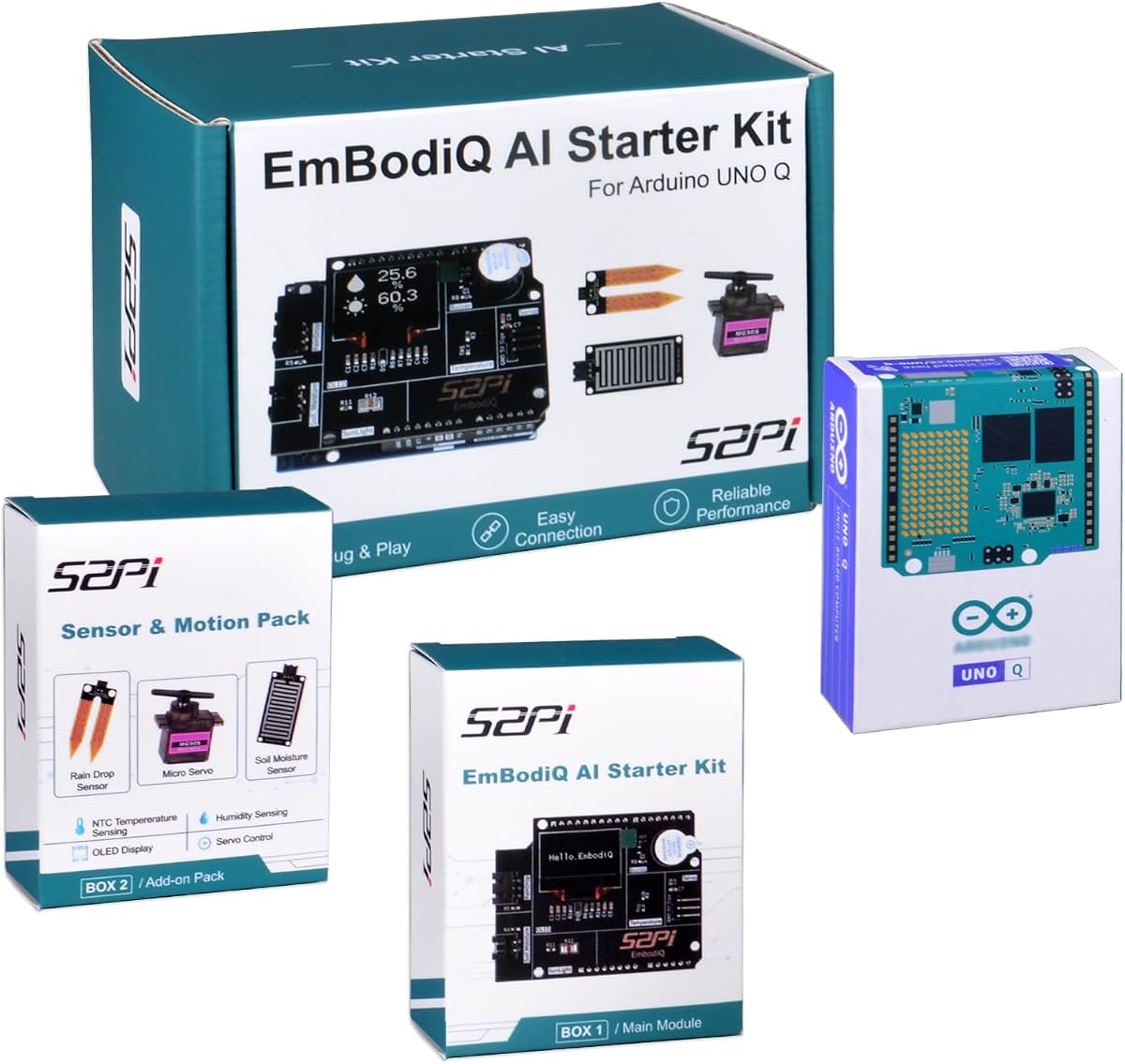
This innovative kit leverages the power of the Arduino UNO Q to allow users to control hardware using natural language instructions rather than traditional code. The inclusion of an AI Agent HAT makes it a unique entry point for those interested in conversational robotics and smart automation.
We may earn a commission when you buy through this link, at no additional cost to you.
The ability to simply tell your device to water plants when the soil is dry removes the need to write complex logic chains manually. This interface is particularly powerful for educators or non-coders who still want to build smart home or gardening solutions.
However, the reliance on external APIs like OpenAI means the project depends on internet connectivity and subscription costs for full functionality. The lower rating suggests users might encounter setup challenges or latency issues when communicating with the cloud-based models.
For enthusiasts who want to experiment with cutting-edge AI agent capabilities without building the infrastructure from scratch, this kit is highly recommended. It offers a glimpse into the future of human-computer interaction within the physical IoT space.
The ability to interact with hardware via speech or text commands allows for intuitive control that lowers the barrier to entry for complex automation projects.
Users can switch between different AI models via a terminal or web interface, providing flexibility in how intelligence is processed and acted upon by the sensors.
We may earn a commission when you buy through this link, at no additional cost to you.
The UNO R4 WiFi bridges the gap between the classic Uno and modern connectivity needs with built-in wireless features and enhanced analog capabilities. Its high 4.7-star rating reflects its success as a versatile board for IoT projects that do not require heavy Linux-based AI processing.
We may earn a commission when you buy through this link, at no additional cost to you.
The dual-core design combining the Renesas microcontroller with an ESP32-S3 allows for efficient handling of wireless protocols and real-time control. This makes it an ideal choice for smart devices that need to connect to networks while maintaining precise timing for sensors.
While it lacks the full Linux power of the Q series, the 12-bit DAC and operational amplifier provide advanced audio and signal processing options. The integrated LED matrix also offers visual feedback possibilities that are rare on standard microcontroller boards.
For builders who need wireless connectivity and analog precision without the complexity of managing an operating system, this board is the perfect middle ground. It supports the Arduino ecosystem fully while adding modern features needed for today's connected world.
The integrated Wi-Fi and Bluetooth module ensures stable connections for IoT devices without requiring additional shields or external modules for basic communication tasks.
The 12-bit DAC allows for high-quality signal generation, making this board suitable for audio projects or applications requiring precise control over analog voltage levels.
We may earn a commission when you buy through this link, at no additional cost to you.
If your goal is to learn the basics of electronics and programming before tackling advanced AI boards, this kit is a proven educational resource. The high rating and comprehensive component list make it a favorite for classrooms and hobbyists starting their journey into embedded systems.
We may earn a commission when you buy through this link, at no additional cost to you.
The kit includes a wide variety of sensors and actuators that allow you to build real-world projects immediately. The guided lessons provide a structured path to understanding how code interacts with physical hardware, which builds a strong foundation for future complex development.
The lack of soldering requirements means you can focus on the logic and circuit design without needing extra tools. This approach speeds up the learning process and reduces the frustration often associated with wiring fragile components for the first time.
This starter kit is perfect for anyone who wants to understand the fundamentals before moving to the more complex Arduino UNO Q. It provides the confidence and knowledge needed to eventually tackle advanced projects without hitting a knowledge wall.
The organized lessons guide you through logic and circuit design in a step-by-step manner, ensuring you understand the core principles before building complex projects.
Having all necessary sensors and motors in one box allows for immediate experimentation, encouraging creativity and rapid prototyping without waiting for parts delivery.
We may earn a commission when you buy through this link, at no additional cost to you.
For those who need a replacement for a lost or damaged original board, this ELEGOO option provides a reliable and compatible alternative. The consistent 4.7-star rating indicates that users find it performs identically to the standard Arduino boards for everyday tasks.
We may earn a commission when you buy through this link, at no additional cost to you.
The inclusion of a USB cable simplifies the setup process and ensures you can start programming immediately after unboxing. The clear labeling on the headers helps prevent wiring mistakes, which is a common issue for beginners working with breadboards.
While it lacks the advanced features of the Q series, its core performance is stable and well-suited for standard Arduino projects. It is an economical choice for projects that do not require complex processing or wireless capabilities.
This board is a solid workhorse for maintaining your existing projects or expanding your inventory with extra boards for different prototypes. Its compatibility with shields and existing code means you can drop it into any standard Uno setup without issues.
The ATmega16U2 chip ensures stable communication with your computer, making sketch uploads fast and serial monitoring reliable during debugging sessions.
The headers are designed to match standard Arduino dimensions, allowing you to stack shields and modules just like you would with the official original board.
We may earn a commission when you buy through this link, at no additional cost to you.
This straightforward board provides the essential hardware needed for basic Arduino development without any extra frills or bundled components. It is a functional option for users who already have the necessary accessories and only need the core controller unit.
We may earn a commission when you buy through this link, at no additional cost to you.
The standard communication interfaces like SPI and I2C make it easy to connect a wide range of peripheral devices. This flexibility ensures that you can expand your project capabilities without hitting the limits of the base board architecture.
The lower rating compared to other boards might indicate variability in quality or a simpler packaging experience. However, the core performance remains consistent with the expected behavior of an ATmega328P microcontroller.
For experienced users who know exactly what they need and want a cost-effective way to get a reliable controller, this board serves its purpose well. It is a functional choice for rapid prototyping where cost is a primary factor.
Integrated communication protocols allow seamless connection to displays and sensors, expanding your project capabilities without requiring extra interface modules.
Full compatibility with the Arduino IDE and various shields ensures access to a vast library of community code and resources for your development needs.
We may earn a commission when you buy through this link, at no additional cost to you.
This board is marketed as a versatile development option that integrates well with Raspberry Pi systems, making it a good choice for hybrid setups. The 4.5-star rating suggests a reliable performance level that meets user expectations for standard microcontroller tasks.
We may earn a commission when you buy through this link, at no additional cost to you.
The open-source design allows for customization and modification, which is appealing for hobbyists who enjoy tinkering with hardware. It provides ample connectivity options to control motors and sensors effectively while maintaining standard communication protocols.
While it does not offer the advanced features of the UNO Q, it serves as a capable companion for projects requiring physical control that a Raspberry Pi might struggle to handle directly. The PWM support is particularly useful for motor control applications.
For users looking to expand their Raspberry Pi projects with dedicated hardware control, this board is a practical addition to your toolkit. It complements higher-level computing devices by managing the real-time tasks efficiently.
Designed to work seamlessly with Raspberry Pi models, this board offers a way to offload hardware control tasks to a dedicated microcontroller for better system stability.
The open-source nature and versatile I/O pins invite creativity, allowing you to build innovative electronic systems that combine computing power with real-time control.
We may earn a commission when you buy through this link, at no additional cost to you.
Selecting the right board for your project involves balancing processing power, memory, and specific features like wireless connectivity or AI capabilities to ensure your hardware meets your development goals.
The Arduino Uno Q features a dual-brain architecture that combines a powerful Qualcomm processor for AI and Linux tasks with an STM32 microcontroller for real-time control. Ensure the board has at least 4GB of RAM and 32GB of storage if you plan to run complex machine learning models locally without cloud dependency.
For basic tasks like reading sensors, a standard Uno REV3 might suffice, but for advanced robotics, the hybrid power of the Q is essential to handle the workload efficiently.
If you need to run Linux Debian, Python scripts, or containerized applications, the Arduino Uno Q is the clear choice. Traditional microcontrollers like the Uno REV3 only run firmware and cannot support a full operating system.
This distinction is critical for developers who want to use high-level tools and libraries that require an OS environment while still controlling physical hardware.
Modern IoT projects require robust wireless communication to interface with networks and other devices. Boards like the UNO R4 WiFi offer integrated Wi-Fi and Bluetooth, whereas the Q model also provides strong connectivity with Wi-Fi 5 and Bluetooth 5.1.
Always check if your board includes the necessary ports like Ethernet or USB-C hubs if you plan to connect multiple peripherals that require stable wired connections.
High-performance boards like the UNO Q consume significantly more power than standard microcontrollers. Ensure your power supply can deliver enough wattage, such as the 45W USB-C supply included in some kits, to prevent instability during peak usage.
Using an inadequate power source can cause the board to reset unexpectedly, which is frustrating during testing and can lead to data loss or corrupted sketches.
One of the strengths of the Arduino ecosystem is the vast library of shields and add-on boards. The Q maintains the classic UNO form factor, allowing it to work with many existing shields designed for previous generations.
However, verify the physical dimensions of your shields to ensure they fit correctly over the headers, especially if you are using custom enclosures or cases.
Consider your familiarity with Linux environments versus traditional embedded development. The Arduino UNO Q allows you to work in both modes, using the Arduino IDE for the microcontroller side and standard terminal tools for the Linux side.
This flexibility is beneficial for teams with mixed skill sets, but it also adds complexity to the setup process compared to a simple Uno board.
Assess whether your project requires advanced features like computer vision or voice recognition which demand the processing power of the Q series. Simple automation projects can often be achieved with a lower-cost board like the UNO R3 to save money and effort.
Choosing the right tool for the scale of your project ensures you do not overspend on unnecessary hardware while still having enough capacity for future growth.
Newer boards like the UNO Q have growing but less mature community resources compared to the classic Uno series. Check online forums and documentation to ensure there are enough guides available to help you troubleshoot issues during development.
A strong community support network is vital for learning new platforms and finding solutions to specific problems you might encounter during your build process.
To begin using your Arduino UNO Q, connect it to your computer via the USB-C cable to power up the board and establish a communication link. Install the latest Arduino IDE software which supports the Q series, ensuring that you select the correct board type in the tools menu before attempting to upload any code.
When working with the Linux side of the Q, you can access it via a terminal interface over USB or SSH if connected to a network. This allows you to run Python scripts and manage files directly on the board. Remember that the board runs Debian, so familiarizing yourself with basic Linux commands will enhance your development experience.
Always ensure proper ventilation for the board during heavy workloads to prevent overheating. The Q processor can generate significant heat when running AI models, so using a case or heatsink as recommended in the product description will help maintain stable performance and extend the lifespan of your hardware.
Yes, the Arduino Uno Q runs Linux Debian which allows you to write and execute Python scripts directly on the board. This feature enables complex logic and machine learning tasks to be processed locally without sending data to a cloud server.
Yes, the Arduino UNO Q maintains the classic UNO form factor, which means it is compatible with most standard Arduino shields designed for previous generations. This compatibility ensures you can expand functionality without needing custom breakout boards.
The UNO Q is a hybrid board with Linux capabilities and AI processing, while the R4 WiFi is a standard microcontroller with added wireless features. The Q is more powerful but complex whereas the R4 is simpler and cheaper for typical IoT tasks.
The UNO Q requires a higher wattage USB-C power supply compared to standard boards to handle its performance needs. Using a supply with insufficient power can lead to instability, so check the product description for compatible wattage requirements before purchase.
Yes, the UNO Q is excellent for robotics because it combines real-time control for motors with the AI vision capabilities needed for object detection and navigation. This makes it ideal for advanced robots that need to understand their environment.
While the Arduino IDE is easy to use, the Linux aspect of the Q adds complexity that beginners might find challenging. New users might want to start with a standard Uno REV3 to learn basics before moving to the more advanced Q platform.
The UNO Q runs Debian Linux which provides a powerful environment for application development and data processing. This allows users to leverage standard Linux tools and software packages directly on the microcontroller.
The standard UNO Q model comes with 4GB of LPDDR4 RAM which is sufficient for running multiple applications and handling AI models. Some kits may offer variations with less memory depending on the specific bundle configuration.
The Arduino Uno Q represents a transformative step in embedded development by merging the simplicity of microcontrollers with the power of single-board computers. The top picks in this guide cater to different needs ranging from raw AI performance to complete starter kits that include essential accessories.
When making your final decision, prioritize the features that are critical for your specific project. If you need to process images or voice commands locally, the Q series is unmatched. If you only need wireless connectivity, the UNO R4 WiFi might be a more efficient choice.
Remember to check the current price and availability before purchasing as Amazon listings can change frequently. Investing in the right hardware now will save you time and effort during development ensuring your project runs smoothly from prototype to production.