
ASUS Vivobook Go 15.6
4.3Editor score
AMD Ryzen 3 7320U Processor
Lightweight Design at 3.59 lbs
Fast Charging Technology
Finding the right laptop involves balancing power with portability and value. ASUS Vivobook laptops offer a wide range of options suitable for students, professionals, and casual users alike.
We have carefully evaluated ten distinct models based on processor speed, memory capacity, screen quality, and overall build durability. This list reflects the most relevant configurations currently available to shoppers.
Each pick highlights specific strengths and ideal use cases to help you narrow down your choices efficiently. Please note that availability and pricing can fluctuate frequently based on demand and retailer stock levels.
4.3Editor score

4.5Editor score

5.0Editor score
As an Amazon Associate we earn from qualifying purchases.
Below is a side-by-side comparison of all ten models to help you quickly identify the specifications that matter most for your daily computing tasks and workflow requirements.


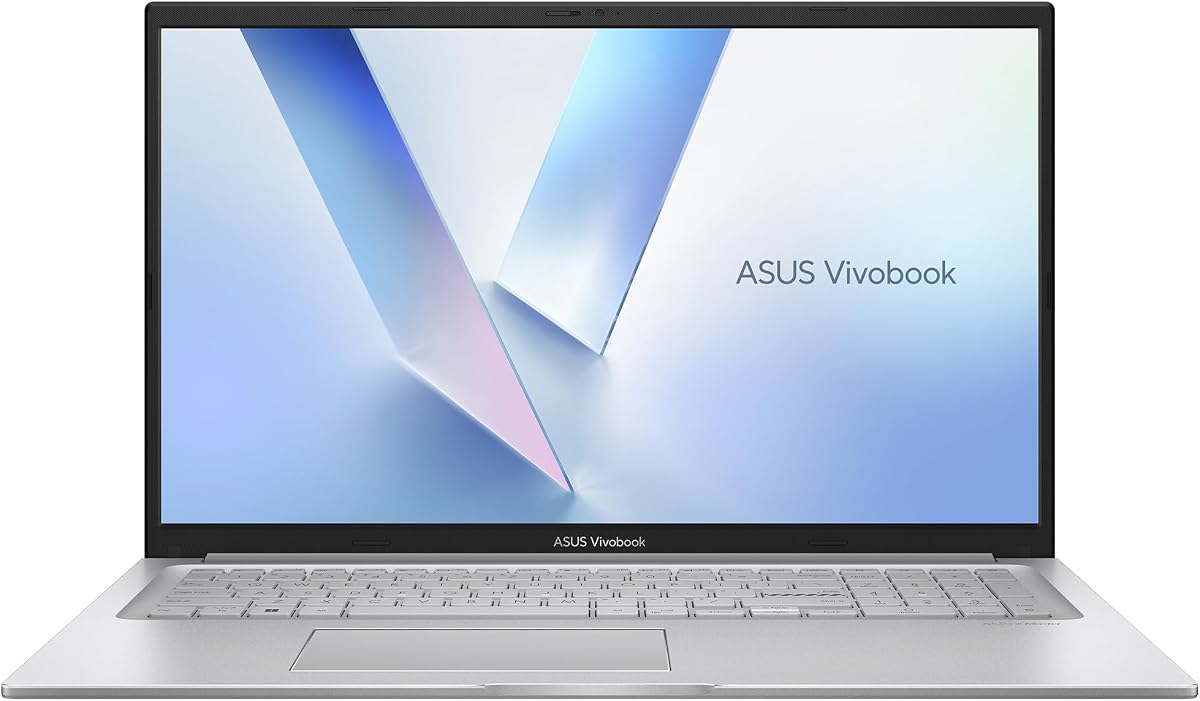




This model stands out as the most powerful option in the lineup, designed for users who need elite-level performance for complex tasks. It carries a high rating and is optimized for Next Gen AI workloads and seamless multitasking.
We may earn a commission when you buy through this link, at no additional cost to you.
The Intel Core i9-13900H processor delivers a 14-core powerhouse that leaves standard laptops behind. With 32GB of RAM and a 1TB SSD, boot times are fast and storage is ample for your entire digital life.
While the performance is top-tier, the thermal management system is crucial to maintain peak frequencies. The bundle includes a PCO Cooler to solve common overheating complaints, though this adds a specific condition to the purchase.
This laptop is ideal for professionals needing speed and security. The fingerprint reader and webcam shield ensure your data stays protected while you work efficiently across multiple demanding applications.
Optimized for Next Gen AI workloads to handle complex simulations or creative software efficiently.
Integrated fingerprint reader and webcam privacy shield offer professional utility and personal data protection.
We may earn a commission when you buy through this link, at no additional cost to you.
This laptop introduces the Qualcomm Snapdragon X chipset which offers a unique approach to power efficiency and AI capabilities. It is rated well and aims to evolve how you create and communicate.
We may earn a commission when you buy through this link, at no additional cost to you.
The 16-inch WUXGA display offers 1920 x 1200 resolution with vibrant colors and 300-nit brightness. You can multitask effortlessly with 16GB of memory and store files quickly on a PCIe 4.0 SSD.
While the Adreno GPU provides generational improvements, users should be aware of specific software requirements. However, the multi-day battery life and seamless connectivity make it a compelling choice for mobile users.
It suits those who prioritize battery life and a beautiful screen over raw gaming power. The seamless connectivity and efficient chipset support daily workflows without frequent charging interruptions.
16-inch WUXGA display with 1920 x 1200 resolution offers breathtaking visuals with brilliant life-like colors.
Qualcomm Hexagon NPU up to 45 TOPS provides power efficiency and multi-day battery life.
We may earn a commission when you buy through this link, at no additional cost to you.
This model balances high-performance computing with a lightweight design that suits frequent travelers. It has a strong rating and is equipped for business-ready computing with Windows 11.
We may earn a commission when you buy through this link, at no additional cost to you.
The Intel Core i7-1355U processor ensures smooth multitasking alongside 16GB of RAM. The 16-inch WUXGA display provides vibrant colors and sharp visuals that enhance your viewing experience significantly.
Although it is not designed for heavy gaming, the Intel Iris Xe Graphics handle everyday visuals well. The connectivity options including USB-C and HDMI make it easy to link with external devices.
It is perfect for users needing a reliable notebook for work and study. The secure OS and portable form factor ensure you stay productive wherever you go without compromising on screen quality.
Lightweight portable notebook with 16-inch WUXGA display for vibrant colors and sharp visuals.
USB-C USB-A HDMI microSD card reader and 3.5mm audio jack provide versatile connectivity options.
We may earn a commission when you buy through this link, at no additional cost to you.
This laptop features a massive 17.3-inch display ideal for multitasking and entertainment. It is built to meet military-grade standards for reliability and offers a fast charging feature.
We may earn a commission when you buy through this link, at no additional cost to you.
The Intel Core 7 150U CPU handles everyday work and play with ease. The ErgoSense keyboard includes numeric keys for efficient data entry and comfortable typing during long sessions.
While the screen is large it may impact portability slightly. However, the built-in webcam cover and lay-flat hinge enhance user-friendly design and privacy sharing content easily.
It fits users needing a desktop replacement with enhanced durability. The rich audio and fast charging ensure you stay entertained and productive without worrying about battery life constantly.
17.3 FHD Display with slim-bezel NanoEdge design provides clearly superior visuals with wide viewing angles.
Built to meet US MIL-STD 810H military-grade standard for added confidence in everyday use.
We may earn a commission when you buy through this link, at no additional cost to you.
This model delivers incredible performance for its price point making it accessible for many users. It includes fast charging technology that can recharge the battery up to 50% capacity in just 30 minutes.
We may earn a commission when you buy through this link, at no additional cost to you.
Equipped with an AMD Ryzen 5 processor and 512GB SSD it provides an ultrafast and smooth experience for daily tasks. The AI Noise-Canceling Technology ensures smooth video call experiences by isolating unwanted noise.
The laptop stays cool in all situations thanks to ASUS IceCool thermal technology. The ErgoSense keyboard reduces strain on your hands and wrists for effortless typing during extended periods.
It is a great choice for students and home users needing reliability. The extensive connectivity and stable connections keep you connected with multiple devices seamlessly throughout your day.
Fast-charge technology recharges battery up to 50% capacity in just 30 minutes to reduce workflow interruptions.
Meets US military-grade standards for longevity and sustainability with IceCool thermal technology for cooling.
We may earn a commission when you buy through this link, at no additional cost to you.
This laptop is designed for essential performance in a thin and light package. It features a NanoEdge display with vibrant colors and sustainable brightness making it suitable for basic productivity tasks.
We may earn a commission when you buy through this link, at no additional cost to you.
The AMD Ryzen 3 7320U processor gives you essential performance for browsing and productivity. The 8GB DDR5 memory allows you to smoothly run multiple applications at once without lag.
Storage is limited at 128GB but is sufficient for documents and essential files. The laptop includes a 720p HD camera with privacy shutter and a 180-degree hinge for versatile use.
It suits users needing a simple and portable device for everyday computing. The ergonomic keyboard and comprehensive ports ensure you can connect your devices easily for a stable workflow.
Slim and light design measures 14.19 x 9.15 x 0.70 inches and weighs just 3.59 lbs.
Comprehensive ports include USB-C USB-A HDMI and audio jack for versatile connections and display needs.
We may earn a commission when you buy through this link, at no additional cost to you.
This model offers a unique upgrade path allowing you to tailor memory and storage to your needs. It is optimized for Next Gen AI workloads and delivers elite-level performance for demanding users.
We may earn a commission when you buy through this link, at no additional cost to you.
With up to 48GB DDR4 RAM and up to 2TB PCIe M.2 SSD the speed to boot in seconds is unmatched. The 14-core powerhouse leaves standard laptops behind in multitasking capabilities.
Security features include a secure Fingerprint Reader and high-quality Webcam with a privacy shield for personal data protection. The backlit keyboard is ideal for low-light environments and precision typing.
It is best for users who need specific high-end configurations. The versatile connectivity hub eliminates the need for extra dongles ensuring you can connect any peripheral seamlessly.
Customized RAM and SSD options up to 48GB and 2TB provide extensive space to store your entire digital life.
Integrated Fingerprint Reader and privacy shield webcam provide professional utility and personal data protection.
We may earn a commission when you buy through this link, at no additional cost to you.
This laptop stands out with high-bandwidth RAM to smoothly run multiple applications and browser tabs at once. It features a 1TB PCIe NVMe M.2 Solid State Drive for fast bootup and data transfer.
We may earn a commission when you buy through this link, at no additional cost to you.
The i3-1215U Processor offers decent performance with 6 Cores and 8 Threads. The display provides a 16:9 aspect ratio with LED backlit technology and anti-glare protection for viewing.
While the processor is basic the memory compensates for multitasking needs. The connectivity suite includes USB 2.0 and 3.2 Type-C ports for flexible device connections and external monitors.
It suits users needing a larger storage drive on a compact chassis. The beautiful design and improved performance features of Windows 11 Home make it a consistent user experience.
24GB high-bandwidth RAM smoothly runs multiple applications and browser tabs all at once.
1TB PCIe NVMe M.2 Solid State Drive allows fast bootup and data transfer for efficiency.
We may earn a commission when you buy through this link, at no additional cost to you.
This laptop features a 14-inch FHD+ screen with 1920 x 1200 resolution that delivers crisp and clear visuals. It is pre-installed with Windows 11 Home which offers the latest features and enhanced security.
We may earn a commission when you buy through this link, at no additional cost to you.
The Snapdragon X processor with Qualcomm Adreno GPU ensures smooth multitasking and efficient computing for Copilot+ PC capabilities. The ample storage provides fast boot times and quick file access.
It comes with a 1-year manufacturer warranty covering both parts and labor for peace of mind with your purchase. The performance capabilities are designed for modern productivity and efficient workflow management.
It is a great choice for users interested in next-gen AI experiences. The combination of visual clarity and efficient processing supports daily tasks with ease and reliability.
14-inch FHD+ screen with 1920 x 1200 resolution delivers crisp and clear visuals for work.
Snapdragon X processor and Adreno GPU ensure smooth multitasking and efficient computing for Copilot+ PC.
We may earn a commission when you buy through this link, at no additional cost to you.
This laptop introduces the AMD Ryzen AI 7 350 with XDNA NPU designed for the ultimate in AI processing efficiency up to 50 TOPS. It features a stunning 14-inch WUXGA Display with 1920 x 1200 resolution.
We may earn a commission when you buy through this link, at no additional cost to you.
It offers 3 months of Game Pass for new games added all the time. The battery life is built with a powerful 42Wh battery and FastCharge technology that fully charges to 100% in 1 hour and 20 minutes.
The integrated AMD Radeon Graphics optimize AI workloads for maximum game performance and 4k video streaming. The backlit keyboard allows you to work in dim environments with soft white backlighting.
It is ideal for users balancing gaming and productivity with AI capabilities. The multitasking performance and versatile connectivity ensure you can connect all your devices anywhere and anytime.
AMD Ryzen AI 7 350 with XDNA NPU delivers up to 50 TOPS for ultimate AI processing efficiency.
3 months PC Game Pass and Radeon Graphics provide immersive worlds and framerates for gaming.
We may earn a commission when you buy through this link, at no additional cost to you.
Selecting the right laptop requires understanding your specific needs regarding performance size and features. This guide breaks down the essential factors to consider before making your purchase.
The processor determines how fast your computer can handle tasks. For heavy workloads choose models with i9 or Ryzen AI chips while i3 or Ryzen 3 suits basic usage.
Always match the processor to your intended tasks to avoid overpaying or underbuying.
RAM affects how many applications you can run simultaneously. Aim for at least 16GB for productivity while 8GB may suffice for basic browsing.
Storage capacity should fit your file needs with 512GB being a comfortable standard for most users.
Screen size impacts portability and immersion. Larger screens like 17 inches offer more workspace but add weight to your bag.
Choose a size that balances viewing comfort with how often you move your laptop.
For users on the go battery efficiency is key. Look for models with fast charging capabilities to minimize downtime.
Check reviews for real-world usage times to ensure it meets your daily schedule.
Durability ensures your device withstands daily wear and tear. Military-grade standards indicate a robust chassis that resists bumps.
Prioritize solid build quality if you plan to use the laptop frequently while traveling.
Ports like USB-C and HDMI are essential for connecting peripherals. Ensure the laptop has the specific ports you need for monitors or drives.
A comprehensive I/O suite saves you from buying extra adapters or dongles.
Most models run Windows 11 which offers modern features and security. Check if your software relies on specific OS versions for compatibility.
Ensure the OS version is up to date to access the latest tools and updates.
A comfortable keyboard is vital for typing accuracy. Look for backlit keys if you work in low-light environments.
The touchpad quality and keyboard travel impact long-term comfort during extended work sessions.
Keep your laptop on hard flat surfaces to ensure proper airflow and prevent overheating. This is crucial for maintaining the longevity of the internal components.
Regularly update your drivers and software to access the latest features and security patches. This helps optimize performance and keeps your system running smoothly.
Protect your device from extreme temperatures and moisture by storing it in a protective case when not in use. Avoid placing heavy items on top of the closed laptop.
Yes they offer a range of models suitable for different academic needs. The lighter models are great for carrying to class while others handle research software well.
Most models come with Windows 11 pre-installed providing the latest interface and features. Ensure the specific configuration you choose includes the appropriate license.
Some models allow upgrades while others have soldered RAM. Check the specific model documentation before purchasing to confirm upgradeability.
Standard warranties typically cover one year but some custom bundles offer extended coverage on upgrades. Always check the seller details for precise terms.
While some models handle casual gaming well they are not designed for high-end gaming. Integrated graphics suffice for lighter titles and general use.
Many higher-end models include backlit keyboards for better typing in the dark. Check the specifications to confirm this feature is included in your selected unit.
The top picks highlight the diversity in the Vivobook lineup catering to everyone from students to professionals. Each model offers a unique balance of power and portability for different use cases.
Prioritize the specs that matter most for your daily workflow such as processor speed or display size. Matching your needs to the right configuration ensures maximum value.
Always check current availability and pricing before buying as these can fluctuate frequently. Use the links provided to verify the latest details for the model you choose.