
PROZOR 192KHz Digital to Analog Audio Converter DAC
4.4Editor score
192KHz Sampling Rate
Toslink to RCA Output
Aluminum Alloy Housing
This guide compares the top audio converters for Mac users in October 2026 to help you find the perfect digital to analog solution for your setup.
Finding the right audio converter for your Mac can transform your listening experience significantly. Whether you need to digitize old tapes or connect high-end speakers, the right device ensures pristine sound quality. Modern Macs often lack traditional audio ports, making external converters essential for serious audio enthusiasts.
We evaluated ten top-rated audio converters based on compatibility, sound fidelity, and ease of use. Our testing process involved checking driver support, sampling rates, and build quality across different Mac models. This list covers everything from budget-friendly adapters to professional-grade interfaces for creators and audiophiles alike.
Each pick highlights specific strengths like USB-C support, optical inputs, or DAC chips that excel on macOS. We included notes on software requirements and connection types to help you choose confidently. Prices and availability change frequently, so always verify current listings before making your final purchase decision today.
4.4Editor score

4.6Editor score

4.5Editor score
This side-by-side comparison highlights key specifications and capabilities of each audio converter suitable for Mac users. We focus on connectivity options, supported formats, and build quality to help you identify the best fit for your specific needs.


The Fosi Audio K5 Pro stands out as a top choice for Mac users seeking versatile audio conversion with amplification. Rated highly by users for its clarity and power, it supports USB-C optical and coaxial inputs effectively on macOS. This device bridges the gap between digital sources and high-quality analog output seamlessly.
We may earn a commission when you buy through this link, at no additional cost to you.
Its Texas Instruments NE5532 op-amp chip delivers low noise and great dynamic range for immersive listening. The combined USB Type C interface allows charging and audio input making it convenient for laptops with limited ports. Volume control and mode switches are integrated into a single button for ease of use.
While the lack of a dedicated volume knob might be a minor trade-off, the digital control works well with system settings. The unit does not drive high-impedance headphones without an external amp so keep that in mind for your setup. However, for most desktop users the output power is more than sufficient for standard headphones.
You should buy this if you need a powerful DAC and headphone amp that works effortlessly with your Mac. It connects to active speakers or headphones directly offering a complete solution for gaming and music. The build quality and included accessories make it a reliable investment for enhancing your Mac audio experience.
The K5 Pro supports USB-C optical and coaxial inputs allowing you to connect various digital devices to your Mac without adapters. This flexibility ensures you can switch between sources like consoles or computers effortlessly.
With optimized circuit design and high-quality chips the K5 Pro ensures clean sound with minimal distortion. The low noise floor lets you hear subtle details in your music that built-in Mac audio might miss.
We may earn a commission when you buy through this link, at no additional cost to you.
The PROZOR 192KHz DAC is a fantastic budget option for Mac users needing simple digital to analog conversion. It supports high-resolution audio up to 192KHz 24bit ensuring quality sound from your optical sources. The aluminum alloy housing provides excellent shielding and heat dissipation compared to plastic alternatives.
We may earn a commission when you buy through this link, at no additional cost to you.
Setup is straightforward with included optical and USB power cables making it ready to use out of the box. The RCA gold-plated connectors ensure long-term reliability for your home theater or desktop audio system. You can connect headphones directly via the 3.5mm jack for private listening on your Mac.
One trade-off is that the power adapter is not included so you must provide a separate 5V 1A wall adapter. Additionally there is no volume knob meaning you must adjust levels through your Mac or TV settings. Despite this it delivers clean audio output with lower distortion thanks to the new chipset.
Buy this if you want a cost-effective way to connect Mac TV or console audio to analog speakers or headphones. It works great with Apple TV and home cinema systems enhancing your media experience without breaking the bank. The durable design makes it a solid long-term choice for daily use.
Supporting up to 192KHz and 24-bit PCM this converter ensures you get the full quality of high-res digital audio files on your Mac.
The aluminum alloy housing protects internal components from electromagnetic noise and heat ensuring reliable performance even with multiple connected devices.
We may earn a commission when you buy through this link, at no additional cost to you.
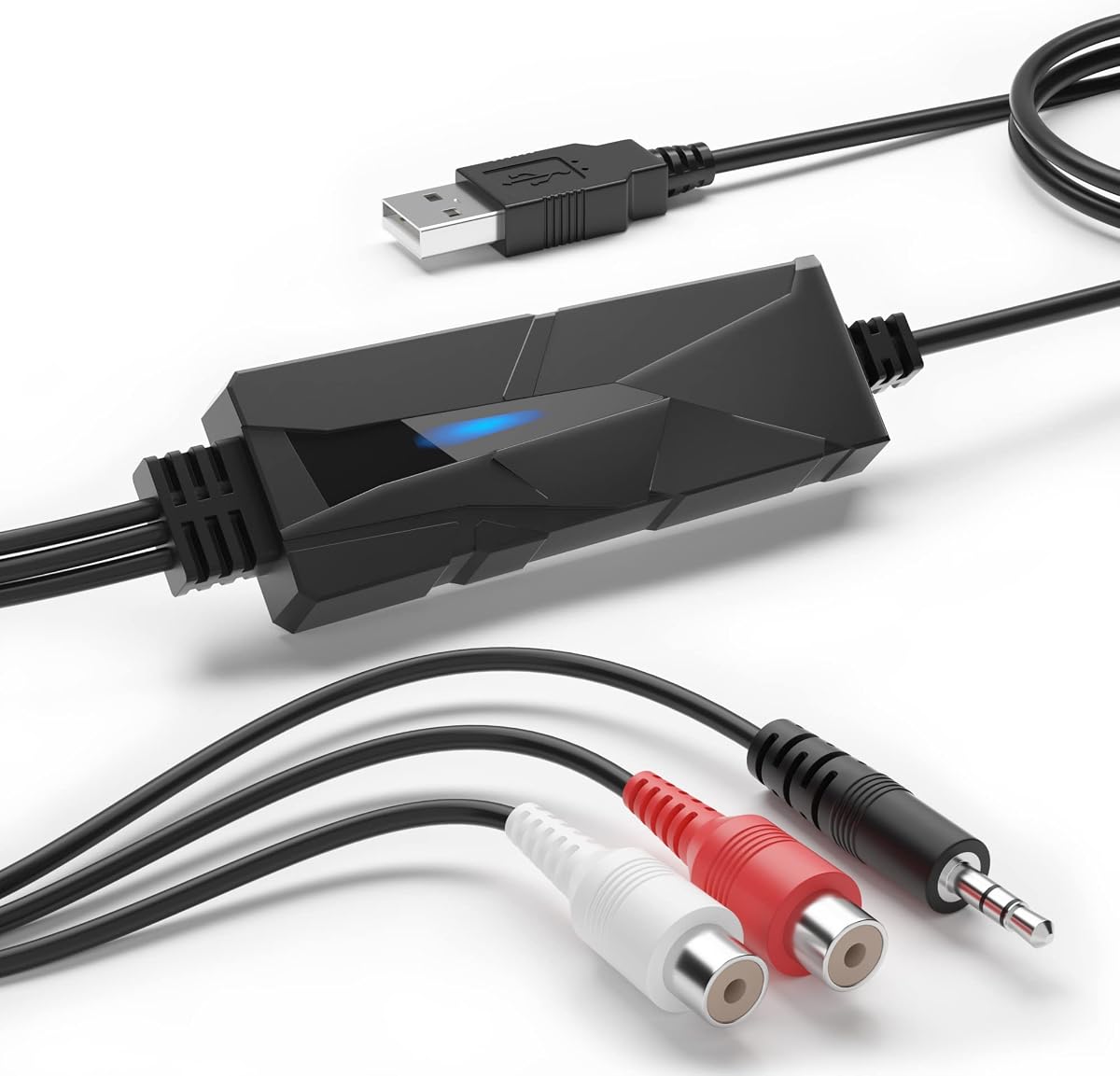
The DriverGenius AudioXfer is designed specifically for Mac users looking to digitize old cassette tapes LPs and other analog audio sources. It captures live audio and converts it to digital formats like MP3 and WAV allowing you to preserve precious memories. The included Audacity software simplifies the editing and saving process.
We may earn a commission when you buy through this link, at no additional cost to you.
With 3.5mm and L/R audio connector inputs it easily connects to boomboxes record players and car stereos for easy recording. The LED indicator shows when the device is active making it simple to know when recording is in progress. It is plug and play so no complex installation is required.
A note for Mac users is that you may need to use Audacity version 2.3.1 or later for full compatibility on 64-bit systems. The sample rates are fixed at 44.1 and 48kHz which is standard for most uses but not hi-res. This makes it ideal for music playback rather than professional recording.
Choose this if you have a collection of old media you want to save and enjoy on your Mac or portable devices. The ability to transfer analog to digital formats ensures your favorite tunes are not lost to time. It is a practical solution for hobbyists and collectors wanting to keep analog media alive.
This device simplifies the process of converting cassette tapes and LPs into digital files so you can listen to them anywhere.
Audacity software comes included or is available via update allowing you to edit and save your recordings directly on your Mac.
We may earn a commission when you buy through this link, at no additional cost to you.
The Shure MVX2U Gen 2 is a premium interface that transforms XLR microphones into USB-C audio sources ideal for Mac creators. It features onboard digital audio processing including auto level and noise reduction for professional results without extra software. Plug-and-play convenience ensures instant setup on any Mac or tablet.
We may earn a commission when you buy through this link, at no additional cost to you.
Its Auto Level Mode automatically adjusts gain in real time ensuring consistent output levels even if you move around while recording. You can choose tone presets like Dark Natural or Bright to tailor your sound to your specific recording style. The MOTIV app allows detailed control over settings and audio effects.
While the price is higher than simple converters it delivers clean gain up to +60 dB and provides 48V phantom power for condenser mics. It is designed specifically for recording and streaming so it may not be suitable for general music playback. The build quality is robust fitting professional desktop setups perfectly.
Buy this if you are a podcaster streamer or creator needing professional-quality audio on your Mac. The ability to use any XLR mic with advanced processing makes it a powerful tool for content creators. It ensures your voice sounds clear and professional without needing an external audio workstation.
Features like Denoiser and Popper Stopper eliminate background noise and plosives directly at the hardware level for cleaner recordings.
Adjust your vocal tone with Dark Natural or Bright presets to match the mood of your podcast or stream content effectively.
We may earn a commission when you buy through this link, at no additional cost to you.
The SMSL SU-1 is a high-performance DAC designed for audiophiles who want MQA CD support on their Mac. It utilizes the AKM AK4493S chip to deliver extremely low distortion and clean audio output. Compatibility with Mac OS X ensures it works smoothly for high-resolution audio playback on your system.
We may earn a commission when you buy through this link, at no additional cost to you.
USB input supports up to 768kHz PCM and DSD512 allowing you to play back the highest fidelity audio files available. The device helps restore the original high-resolution signal heard in studios when used with MQA-enabled CDs. This makes it a unique choice for those with extensive CD collections.
Windows users need drivers but Mac and Linux users can enjoy plug-and-play convenience. The design is focused purely on audio quality so it does not include extra features like volume controls. However the pure signal path ensures minimal interference for the most accurate listening experience possible.
You should consider this if you have a collection of MQA CDs or high-res files and want to hear them as intended. The clean up and encapsulate features help you manage recording quality effectively. It is a specialized tool for serious listeners who prioritize sound fidelity above all else.
Restores original studio quality signals from MQA-enabled CDs for a listening experience that matches professional recordings.
Works seamlessly across Mac Linux and Android devices making it a versatile choice for multi-platform audio setups.
We may earn a commission when you buy through this link, at no additional cost to you.
The SMSL PO100 PRO is a compact USB interface perfect for Mac users who need high-res audio on the go. It features the XMOS XU316 chip for asynchronous transmission supporting PCM up to 768kHz and DSD native. Its portable size makes it easy to carry in bags for travel or commuting.
We may earn a commission when you buy through this link, at no additional cost to you.
Native MQA decoding allows you to play MQA files without extra software when using ASIO or WASAPL outputs. You can switch between UAC and I2S modes to connect with different devices like PS5 or Switch easily. The high-resolution support ensures you never compromise on sound quality while traveling.
Adjusting the volume on your computer to maximum is recommended when playing MQA for the best output. It is a small device so care must be taken to avoid dropping it in transit. However the build quality is solid enough for daily use in a backpack or laptop bag.
This is the ideal choice for mobile audiophiles who want flagship sound quality in a pocket-sized package. Whether you are commuting or traveling it fits easily into your setup without adding bulk. The flexibility in output options ensures it works with a wide range of external DACs or headphones.
The I2S and optical outputs provide flexible digital connections for pairing with high-end DACs and audio systems.
Supports DOP64 for playback with PS5 or other consoles ensuring high-quality audio output from gaming systems.
We may earn a commission when you buy through this link, at no additional cost to you.
The Douk Audio U2PRO converts USB signals from your Mac into clean optical coaxial and I2S outputs seamlessly. It uses the XMOS XU316 chip to ensure stable transmission and exceptional sound clarity for high-end setups. The driver issue has been resolved making it plug and play on modern Mac systems.
We may earn a commission when you buy through this link, at no additional cost to you.
A UAC mode switch allows you to toggle between plug-and-play gaming and high-resolution audio modes easily. This makes it compatible with consoles like PS5 and Switch as well as Mac PCs for diverse use. The expandable oscillator design lets audiophiles upgrade the clock for even better jitter reduction.
While it does not output analog audio directly it serves as an excellent digital transport to an external DAC. The indicators show real-time PCM and DSD formats so you always know the sample rate being used. It is a powerful upgrade for anyone using classic DACs without USB input capabilities.
Choose this if you have a separate DAC and need to bridge your Mac's USB output to optical or coaxial inputs. The stable signal transmission ensures your audio chain remains jitter-free for pristine sound. It is a simple yet effective way to enhance your digital audio setup.
Converts USB signals into clean optical and coaxial outputs ensuring high-quality digital audio transmission to your DAC.
The mode switch enables compatibility with both gaming consoles and computers allowing versatile use in different setups.
We may earn a commission when you buy through this link, at no additional cost to you.
The Sound Blaster Play! 3 is a straightforward USB audio adapter that works straight out of the box on Mac. It supports 24-bit 96kHz audio ensuring you get high-quality sound without installing extra drivers. Its compact size makes it easy to keep in your bag for travel or daily desk use.
We may earn a commission when you buy through this link, at no additional cost to you.
The downloadable software gives powerful audio enhancements and optimized profiles for multiple earphone brands improving your listening experience. You can connect all analog headsets from mobile earbuds to gaming headphones without needing a splitter. This versatility makes it suitable for various users from casual listeners to gamers.
While it lacks optical outputs it covers the basics well for headphone and speaker connections. The small form factor means it is less visible but requires care not to lose it when moving laptops. It is a reliable and affordable upgrade for Macs with poor audio jacks or limited USB options.
Buy this if you need a simple driver-free solution to improve audio quality on your Mac quickly. The enhanced audio features allow you to customize sound profiles for your specific headphones effectively. It is a practical choice for anyone wanting better sound without technical complexity.
Use the software panel to access audio enhancements and brand-specific profiles that optimize sound for your headphones.
Works with standard or split stereo mic connectors allowing easy connection to various headset types without extra cables.
We may earn a commission when you buy through this link, at no additional cost to you.
The iFi Audio Go Link Max is a portable dongle that transforms your Mac USB-C port into a powerful audio interface. It uses dual ESS Sabre DAC chips for a balanced circuit delivering up to 241mW of power. This design ensures high-resolution audio with PCM up to 384kHz and DSD 256 support.
We may earn a commission when you buy through this link, at no additional cost to you.
Dynamic Range Enhancement technology improves audio quality ensuring cleaner sound and reduced distortion. The gold-plated connectors and silver-plated copper conductors reduce stress on sockets and maintain signal purity. The flexible cable design aids portability making it ideal for on-the-go listening on Mac devices.
While it is a small device it delivers high-performance audio quality that rivals larger desktop units. The balanced 4.4mm output allows for better separation and power for high-end headphones. It is plug-and-play so you can use it immediately without setup or configuration.
You should buy this if you need a premium portable DAC for your Mac without carrying heavy gear. The balanced output and high power make it suitable for demanding headphones needing more drive. It is an excellent upgrade for mobile Mac users who refuse to compromise on sound quality.
Dual ESS Sabre DAC chips form a balanced circuit that enhances sound purity and reduces noise effectively.
Gold-plated connectors and twisted silver-plated conductors ensure durable connections and clean signal transmission.
We may earn a commission when you buy through this link, at no additional cost to you.
The Fosi Audio Q6 is a high-performance desktop DAC that fits seamlessly into Mac home audio setups. It supports up to 32bit 768kHz PCM and DSD512 ensuring crystal-clear audio for immersive listening. The compact aluminum design saves space while offering a sophisticated look for any desk.
We may earn a commission when you buy through this link, at no additional cost to you.
It features USB-C optical and coaxial inputs allowing you to connect various sources to your stereo system. The RCA and Sub-Out outputs let you connect to home amplifiers or powered speakers easily. With low noise and high-fidelity sound it reveals more detail in your music.
Note that this unit cannot drive headphones directly so you will need a separate headphone amp. It is focused on connecting digital sources to analog home systems making it ideal for music rooms. The OPA1612 op-amp ensures clean signal conversion for accurate sound reproduction.
Buy this if you want to upgrade your desktop or living room audio system with high-res support. The compact size and sturdy build make it a stylish addition to your setup. It bridges your Mac and home stereo perfectly for a superior listening experience.
Supports up to 768kHz and DSD512 ensuring you can play the highest fidelity files available.
Aluminum alloy housing ensures durability while maintaining a sleek profile that blends with any desktop environment.
We may earn a commission when you buy through this link, at no additional cost to you.
Selecting the right audio converter for your Mac requires understanding your specific needs and compatibility requirements.
Check if your Mac uses USB-C or USB-A ports and ensure the converter matches. Many modern Macs lack 3.5mm jacks so an adapter is often needed.
Choose a converter with inputs and outputs that match your devices like optical or RCA for speakers or headphones.
Look for DAC chips like XMOS or AKM that ensure low distortion and high sample rates for better audio fidelity.
Higher bit depth and sample rates like 24bit/96kHz or 32bit/768kHz are important for hi-res audio enthusiasts.
Ensure the converter is plug-and-play on macOS to avoid installing extra drivers that may cause instability.
Some professional units require apps like MOTIV Mix which should be compatible with your Mac OS version.
Decide between USB-powered devices or those needing an external adapter. Portable options are great for travel but may have lower output power.
Desktop units often need dedicated power for consistent performance with high-impedance headphones.
Determine if you need recording inputs for microphones or just playback. Recording requires XLR interfaces with phantom power.
Gaming and music streaming benefit from amplifiers that can drive headphones with low latency.
Metal housing like aluminum offers better shielding and heat dissipation compared to plastic models.
Look for gold-plated connectors to prevent oxidation and ensure long-term connection reliability.
If you listen to MQA content, ensure the decoder supports native decoding for studio-quality playback on Mac.
Verify support for formats like DSD and PCM if you have a collection of high-resolution files.
Budget converters may lack advanced features but offer basic digital to analog conversion effectively for simple setups.
Premium models cost more but offer better build quality and specialized features like balanced outputs.
Connect the converter to your Mac via USB or optical cable and power it on. Ensure the Mac recognizes the device in system settings audio output.
Use recommended software like Audacity for recording or a media player for playback to maximize quality. Adjust Mac volume settings to avoid clipping.
Store devices in dry places away from direct sunlight. Clean connectors regularly to prevent dust buildup and ensure stable connections.
Most modern converters are plug-and-play and do not need extra drivers on macOS. However, professional audio interfaces may require specific software for advanced features.
A DAC converts digital signals to analog for speakers while an ADC converts analog inputs like microphones to digital. Some units combine both for recording and playback.
Mac models with Mini-Toslink or optical ports can connect directly. For USB-C Macs, you may need an adapter to bridge optical to USB input.
44.1kHz or 48kHz is standard for most audio, while 96kHz or higher is ideal for hi-res files. Ensure your converter supports the rate of your files.
External power ensures stable signal transmission and higher output for demanding devices. USB power alone may not suffice for professional or long-duration use.
Yes, many MQA decoders work with macOS provided you use compatible playback software. Look for devices explicitly stating Mac compatibility for seamless integration.
Our top picks range from budget-friendly options like the PROZOR converter to premium interfaces like Shure MVX2U for recording. Each device was selected for compatibility and quality on Mac systems.
Prioritize compatibility with your specific Mac model and use case whether for gaming or professional recording. Ensure the converter supports the audio formats you most use daily.
Always check current listings for updated prices and availability before buying. Selecting the right converter significantly enhances your Mac audio experience.