
Blackmagic Design Teranex Mini Audio to SDI 12G
3.8Editor score
12G-SDI Support
4K Ultra HD Compatible
Timecode Input Option
This guide compares the top audio to sdi embedder models for professional video production, broadcasting, and live events based on features and reliability.
Audio to SDI embedders are essential tools for professionals who need to integrate high-quality sound into video signals seamlessly. These devices convert analog or digital audio inputs into embedded streams that travel alongside SDI video, ensuring synchronized delivery for broadcast and production workflows.
We evaluated ten top-rated models from leading manufacturers like Blackmagic Design and AJA to find the most reliable solutions. Our analysis focuses on video format support, audio channel capacity, redundancy features, and overall build quality to help you choose the right unit for your studio or field setup.
Each pick highlights specific strengths such as 4K compatibility, redundant inputs, or cost-effective design. While prices may fluctuate over time, the technical capabilities listed here remain consistent across current models. Use this guide to compare specifications and find the perfect fit for your specific audio embedding needs.
3.8Editor score

4.9Editor score

4.5Editor score
The following table provides a side-by-side comparison of all ten models featured in this guide. Review the key specifications for each unit to understand their unique capabilities and find the best match for your specific production requirements.




The Blackmagic Design Mini Converter Audio to SDI 2 stands out as a top-tier solution for integrating audio into SDI workflows. With a near perfect rating from users, it delivers consistent performance in critical broadcast environments. Its compact design makes it easy to mount in racks or place on desktop workstations without taking up much space.
We may earn a commission when you buy through this link, at no additional cost to you.
Key strengths include its redundant SDI input feature which ensures continuous operation even if the primary cable fails. The auto switching capability means that if the main signal is lost, the unit instantly switches to the backup source without interrupting the feed. This reliability is crucial for live events and broadcast studios where downtime is not an option.
While the device is robust, it does require an external power supply which can add to cable clutter in tight spaces. Additionally, some users find the settings adjustment process slightly technical for beginners who are not familiar with SDI standards. However these trade-offs are acceptable given the professional reliability it provides.
This unit is ideal for professional videographers and broadcast engineers who need a dependable audio embedding tool. If your workflow requires uninterrupted signal integrity and high compatibility with SDI standards, this model is a highly recommended choice for your production kit.
The redundant input ensures that critical broadcasts continue even if a cable gets damaged during an event.
Its small form factor allows for easy installation in crowded rack setups without blocking adjacent equipment.
We may earn a commission when you buy through this link, at no additional cost to you.
The Teranex Mini Audio to SDI 12G is designed for high-end productions that require support for Ultra HD and 4K video formats. It offers professional grade audio inputs including AES/EBU and optical options which cater to demanding broadcast standards. This model is built to handle the latest video technologies ensuring your workflow remains compatible with future cameras.
We may earn a commission when you buy through this link, at no additional cost to you.
One of its main advantages is the ability to handle 12G-SDI signals which allows for high bandwidth transmission required for 4K content. The inclusion of a timecode input on the right XLR connector is a valuable feature for post production synchronization. This level of detail makes it suitable for professional film and television production environments.
The higher price reflects its advanced capabilities but might be a barrier for smaller productions or independent creators. Additionally, the sheer number of supported formats can make initial configuration overwhelming for users who are not experts in video engineering. However, once set up it performs exceptionally well in demanding scenarios.
If you are working with 4K content or need timecode precision in your audio embedding workflow this is a premium choice. It is best suited for studios and production houses that require future proofing and robust signal processing capabilities in their signal chain.
Supports 12G-SDI inputs ensuring high bandwidth transmission for modern Ultra HD broadcast requirements.
Dedicated timecode input on XLR allows for accurate synchronization between audio and video sources.
We may earn a commission when you buy through this link, at no additional cost to you.
This Mini Converter provides an affordable entry point into professional SDI audio embedding without compromising on essential features. It supports a huge range of video standards from NTSC to 1080i making it versatile for various production needs. The included universal power supply with international adapters makes it easy to use anywhere in the world.
We may earn a commission when you buy through this link, at no additional cost to you.
The auto switching between standard and high definition is seamless ensuring that the output format always matches the input source. This reduces the need for manual intervention when dealing with mixed format feeds. The redundant input option adds a layer of reliability that is rare in budget friendly converters.
Changing settings requires using the pen tool on the device which can be slightly inconvenient compared to software interfaces. While the feature set is basic compared to premium models it covers all the fundamental needs for embedding audio into SDI signals effectively. Users should be aware of the physical interface limitations.
For independent creators and small studios looking for a reliable and cost effective embedder this model is an excellent choice. It balances performance and price well making it a strong contender for those who need professional results without a high budget.
The universal power supply with international adapters allows for trouble free use in any country.
Auto switches between SD and HD formats to ensure compatibility with various video standards.
We may earn a commission when you buy through this link, at no additional cost to you.
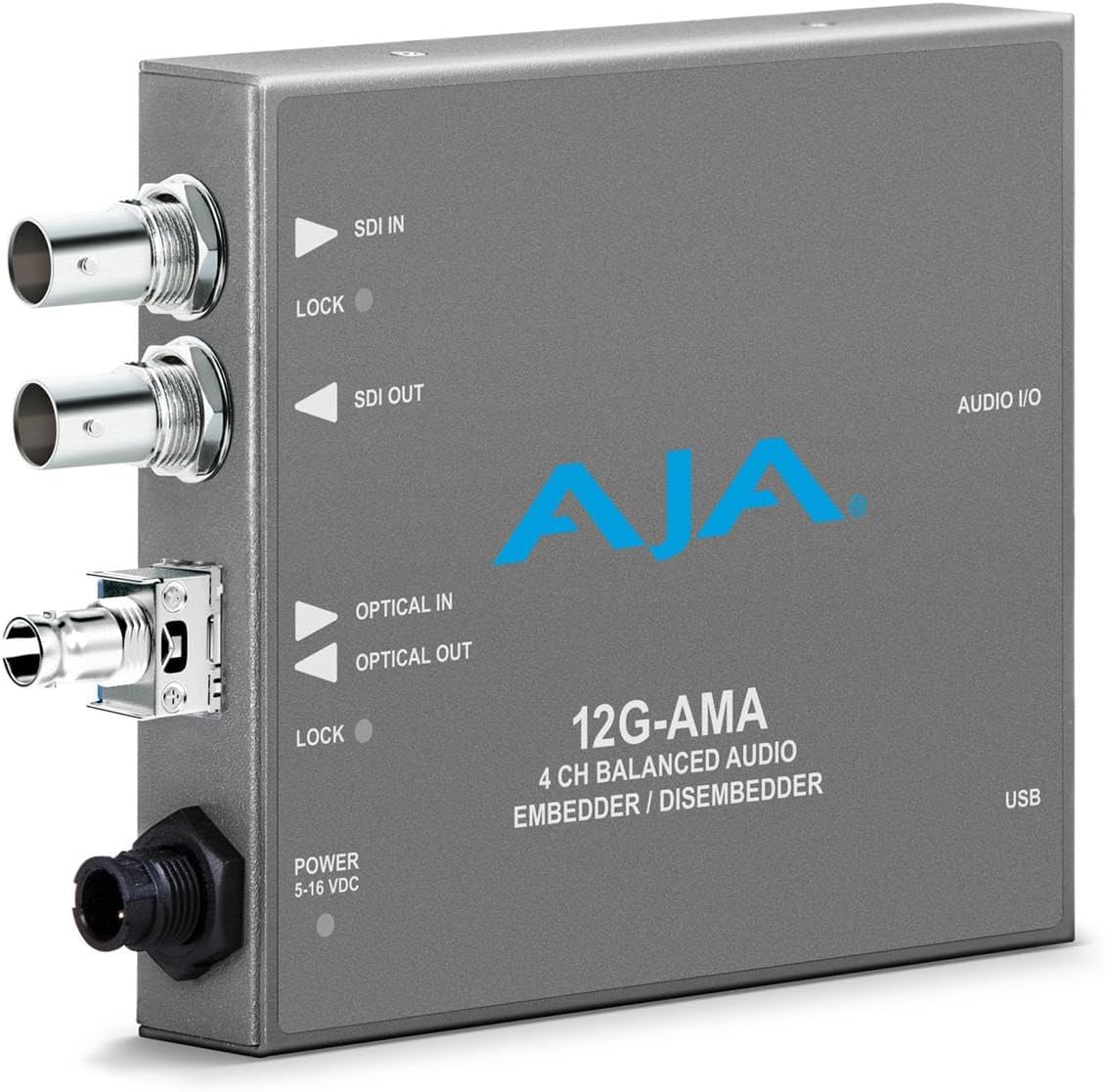
This AJA unit is designed for environments that require fiber optic connectivity alongside traditional SDI interfaces. It supports balanced audio embedding which ensures high fidelity sound transmission over long distances without interference. The ability to function as both an embedder and disembedder adds significant flexibility to your production setup.
We may earn a commission when you buy through this link, at no additional cost to you.
The inclusion of fiber options makes it ideal for large venues where signal distance is a major concern. Balanced audio inputs prevent noise and hum which is critical for clean sound in live broadcasts and recording sessions. This model represents the top end of professional converter technology available today.
The high price point means it may not be suitable for small budget projects or casual users. Configuring fiber links also requires specific knowledge and equipment which adds to the complexity of installation. However for large scale productions the investment in reliability is often worth the cost.
Select this unit if you are building a large scale production system that demands fiber connectivity and high quality audio. It is best suited for broadcast centers and large event production companies that need the most robust tools available.
Fiber optic options allow you to run audio and video signals over very long distances without degradation.
Acts as both an embedder and disembedder giving you maximum flexibility in signal routing options.
We may earn a commission when you buy through this link, at no additional cost to you.
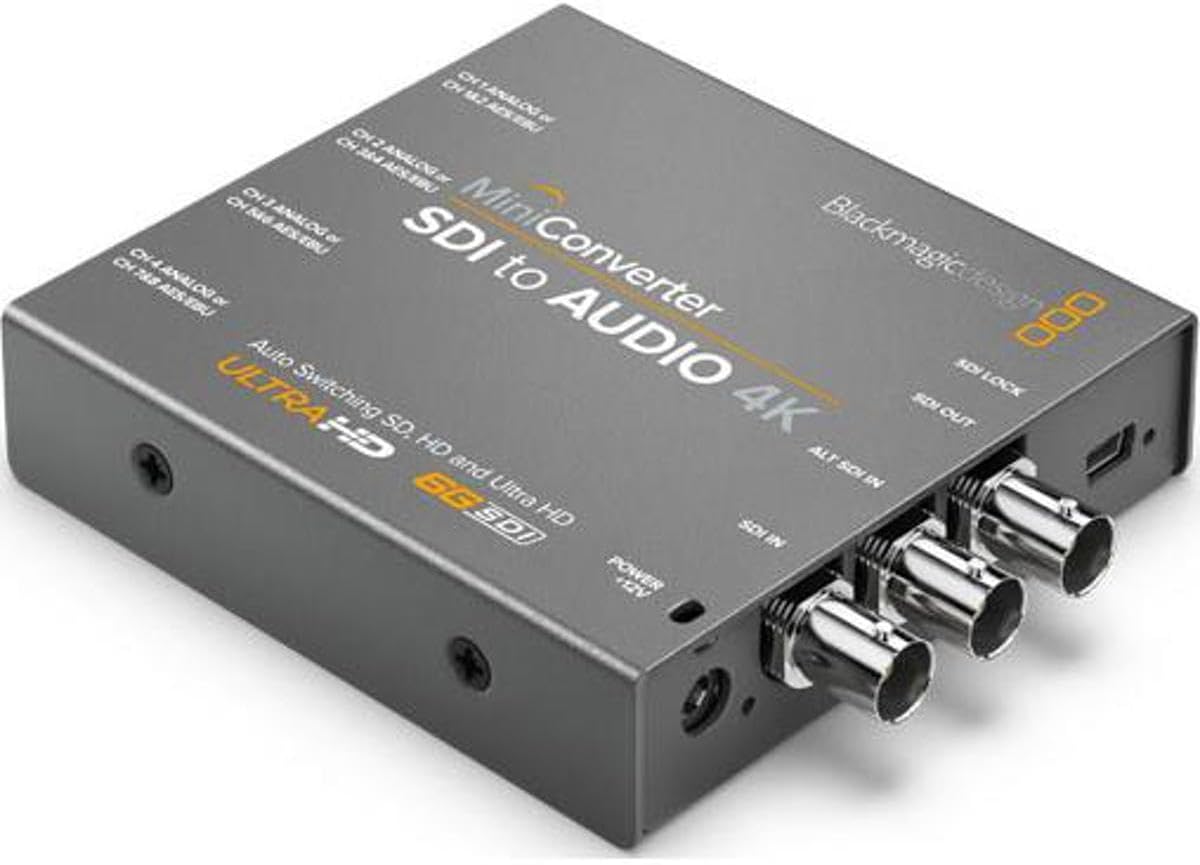
This converter is optimized for extracting high quality audio from an SDI signal which is useful for monitoring and recording. It comes with a power supply that includes multinational adapters making it versatile for travel and field use. The compact design allows it to fit easily into a portable production kit for on location shoots.
We may earn a commission when you buy through this link, at no additional cost to you.
It performs its core function of de-embedding audio with high reliability ensuring that sound is clean and synchronized with video. This is particularly useful when you need to capture audio independently or route it to external recording devices. The stable conversion ensures that there is no jitter or dropouts in the audio stream.
While it is excellent for audio extraction it does not offer video output options which limits its use to audio specific tasks. The lack of advanced monitoring features means you will need additional gear if you need to analyze the signal in detail. For basic extraction tasks it is highly effective.
Use this device when your primary need is to pull audio from an SDI feed for recording or monitoring. It is a great addition to a field kit where simplicity and reliability are prioritized over complex feature sets.
Compact size and universal power make it ideal for capturing clean audio on remote locations.
Allows you to separate audio from video for independent monitoring during complex production shoots.
We may earn a commission when you buy through this link, at no additional cost to you.
This converter allows you to connect modern SDI sources to legacy analog monitors and systems. It provides high quality conversion for both video and audio ensuring that the signal remains clean during the transition. The balanced audio output is a key feature that helps maintain signal integrity over longer cable runs.
We may earn a commission when you buy through this link, at no additional cost to you.
It is particularly useful in environments where older equipment is still in use alongside new digital cameras. The ability to de-embed audio separately via AES/EBU or analog connections gives you flexibility in how you route sound. This ensures compatibility with a wide range of existing production infrastructure.
If your workflow is entirely digital this unit may not be necessary for your setup. However for studios that are transitioning from analog to digital it offers a reliable bridge that maintains quality. It requires specific cables for the analog outputs which should be factored into your budget.
Choose this model if you need to integrate modern SDI cameras into older analog monitoring setups. It is a robust solution for mixed environments that require flexibility in both video and audio signal routing.
Enables smooth integration of modern digital cameras into older analog monitor setups without signal loss.
Provides both balanced analog and digital AES/EBU outputs for versatile sound signal management.
We may earn a commission when you buy through this link, at no additional cost to you.
Designed for high resolution workflows this converter ensures that audio quality matches your 4K video standards. It supports up to eight channels of digital audio which is essential for surround sound and complex production environments. The redundant input feature adds a layer of safety ensuring that audio extraction continues even if the main signal drops.
We may earn a commission when you buy through this link, at no additional cost to you.
The balance between analog and digital outputs makes it versatile for various monitoring and recording needs. You can choose to route audio as balanced analog or digital AES/EBU depending on your recording equipment. This flexibility is valuable in multi-track recording scenarios where audio isolation is critical.
The unit consumes slightly more power than standard models due to the high processing requirements for 4K signals. Additionally it is optimized for high resolution inputs so it may not be the most cost effective choice for SD workflows. However for 4K productions its performance is outstanding.
Select this model if you are working with 4K video and need high fidelity audio extraction. It is best suited for professional studios and production houses that require multichannel audio capabilities.
Supports 8 channels of digital audio for complex surround sound and multi-track recording applications.
Automatic switching to backup input prevents audio loss during critical production moments.
We may earn a commission when you buy through this link, at no additional cost to you.
This device allows you to bring legacy analog video sources into modern SDI workflows with high quality. It accepts a wide range of analog signals including component and S-video ensuring compatibility with older cameras and decks. The embedded audio support ensures that sound is captured and converted alongside the video signal.
We may earn a commission when you buy through this link, at no additional cost to you.
Using balanced AES/EBU audio inputs helps to minimize noise and ensure clean sound transmission. This is particularly useful when connecting to analog mixers that have balanced outputs. The conversion process is seamless allowing you to use modern switchers with older equipment.
The unit requires manual configuration for some settings which can be time consuming for users new to the setup. Additionally the audio quality is dependent on the source analog signal which may limit the final output quality. However for digitizing legacy sources it performs very well.
Choose this unit if you need to digitize analog tapes or connect older cameras to SDI switchers. It is a practical solution for preservation projects and mixed production environments.
Converts analog tapes and cameras to SDI enabling them to work with modern production switchers.
Balanced AES/EBU inputs reduce noise ensuring clean sound when capturing from analog sources.
We may earn a commission when you buy through this link, at no additional cost to you.
This unit is optimized for low latency performance ensuring that audio and video stay perfectly synchronized in live environments. It supports 3G-SDI video which provides high bandwidth for HD and 3G signals. The flexible configuration via MiniConfig software allows for precise control over audio levels and embedding settings.
We may earn a commission when you buy through this link, at no additional cost to you.
The 4-channel balanced analog input via XLR breakout makes it easy to connect professional audio mixers. This ensures that sound quality remains high even in complex live broadcast scenarios. The low latency is critical for live events where synchronization errors are noticeable to the audience.
Configuring the unit requires a connection to a PC or Mac which can be an inconvenience for quick field setups. Additionally the cost is higher than standard embedded options. However for professional live production this control and performance are worth the investment.
Use this model if you require precise audio level control and low latency for live broadcasting. It is ideal for event production teams that need reliable synchronization and detailed configuration options.
Ultra-low latency ensures perfect audio and video sync for live broadcasts and events.
MiniConfig software allows for precise adjustment of audio levels and embedding settings.
We may earn a commission when you buy through this link, at no additional cost to you.
This Mini Converter is designed to bring professional audio into 4K workflows ensuring that sound matches the resolution of the video. It supports up to 8 channels of AES/EBU digital audio which is essential for high fidelity broadcast. The redundant input feature adds reliability ensuring continuous operation even if the primary signal is lost.
We may earn a commission when you buy through this link, at no additional cost to you.
The 4:4:4 video sampling ensures that color precision and audio fidelity are maintained throughout the production process. This is important for high-end productions where quality cannot be compromised. The compact chassis fits easily into standard production racks without taking up excessive space.
The high price and requirement for 4K workflows make it less suitable for standard HD or SD production. It is an investment in future-proofing your setup for higher resolution standards. However for high-end studios this level of quality is necessary.
Select this unit if you are working with 4K video and need professional grade audio integration. It is best suited for post-production houses and broadcast facilities that prioritize high resolution standards.
4:4:4 video sampling and 48kHz audio sampling ensure the highest quality for broadcast productions.
Redundant input ensures that your feed is never interrupted even if a cable fails.
We may earn a commission when you buy through this link, at no additional cost to you.
Selecting the right audio to SDI embedder depends on your specific production needs and budget. This guide outlines the key factors you should consider to ensure compatibility and performance.
Ensure the embedder supports the video formats you currently use. Models vary from SD to 4K Ultra HD support so choose one that matches your camera and switcher capabilities. If you plan to upgrade to higher resolutions later, consider a unit that is future proof.
Always verify that the supported formats include your current workflow requirements to avoid signal loss.
Check the available audio inputs to see if they match your source equipment. Some units accept analog balanced audio while others support AES/EBU digital inputs. The number of channels available will determine how many audio tracks you can embed simultaneously.
Look for units with sufficient channel count to match your mixing board output.
For critical productions, redundancy features are essential. Look for units with redundant SDI inputs that allow for automatic switching if the main signal fails. This ensures that your broadcast or live event continues without interruption due to cable damage or signal loss.
Prioritize reliability features if you are working in high stakes environments where downtime is unacceptable.
The physical construction of the device matters for durability. Metal chassis units are more robust than plastic alternatives and are better for long term use. A compact design is also beneficial for portable setups where space is limited.
Choose a build that can withstand the rigors of your specific work environment.
Power supply needs vary between models. Some include universal power supplies with international adapters which is convenient for field work. Others may require external power bricks that can add to cable clutter. Consider how you plan to power the device in your typical setup.
Ensure the power requirements fit your available outlets and travel needs.
Some advanced models require software for configuration such as MiniConfig for AJA units. This allows for precise control over audio levels and settings. However, it can also mean you need a computer nearby to make changes which might be inconvenient on set.
Decide if software control is a necessary feature for your workflow flexibility.
Low latency is critical for live events where synchronization is key. Some units offer ultra low latency performance which keeps audio and video in perfect sync. Check the latency specs to ensure they meet your broadcast or live production standards.
Select a unit with low latency to prevent audio lag issues during live feeds.
Prices for embedders range from budget friendly to premium professional grades. Determine your budget limits and compare the features available at that price point. While cheaper options exist, they may lack critical features like redundancy or high resolution support.
Balance your budget against the essential features you need for reliable operation.
Connect your audio source to the input ports on the embedder using appropriate cables. Ensure that the audio levels are set correctly on your mixer to avoid clipping or low volume issues. Connect the video signal to the SDI input and route the output to your switcher or recorder.
Adjust any necessary settings via the device controls or software interface to match your video format. Verify that the embedding settings are enabled so that audio is included in the SDI stream. Test the signal to ensure audio and video are synchronized correctly before going live.
Maintain your equipment by keeping it free from dust and moisture. Store it in a protective case when not in use to prevent damage to the connectors. Periodically check cables for wear and tear to ensure consistent performance over time.
An audio to SDI embedder is used to combine audio signals with SDI video signals so they travel over a single cable. This simplifies cabling in broadcast and production environments by reducing the number of cables needed between cameras and switchers. It ensures that audio and video remain synchronized during transmission.
Yes, you will need high quality SDI cables to ensure the signal integrity is maintained. While standard BNC cables might work for short distances, it is best to use cables designed for 3G or 12G SDI depending on your resolution. This prevents signal loss and ensures reliable transmission.
You can embed audio from a standard mixer if the embedder supports the input type your mixer uses. Many embedders support balanced analog inputs which match standard mixer outputs. However, you should check if your mixer outputs digital audio if you require AES/EBU embedding.
Redundant input is necessary if you are working on critical productions like live broadcasts or major events. It provides a safety net by automatically switching to a backup cable if the main signal fails. For casual or small production work, it may not be essential but it adds significant reliability.
Configuration methods vary by model. Some devices use physical settings via a pen tool while others require software on a PC or Mac. Refer to the user manual for your specific unit to learn how to access and adjust the necessary settings for your format.
Not all units are compatible with 4K video so you must check the specifications before buying. Models specifically labeled as 4K or 12G support are required for higher resolution workflows. Standard SDI embedders may only support up to 1080p depending on the manufacturer.
If the SDI signal is lost, the output will typically be a black screen or no signal. However, if you have a redundant input enabled, the device will switch to the backup source to maintain the feed. This is why redundancy features are highly recommended for professional setups.
Some models allow for firmware updates via USB to add support for new video formats. It is good practice to check the manufacturer's website for updates before starting a new production. Keeping the firmware current ensures compatibility with the latest camera and switcher technologies.
Choosing the right audio to SDI embedder is crucial for maintaining high quality sound and video in your productions. The Blackmagic Design Mini Converter Audio to SDI 2 stands out as a top choice for reliability and ease of use. Its redundant input feature provides peace of mind for critical workflows.
For those working with higher resolution content, the Teranex Mini Audio to SDI 12G offers the best premium features. It supports 4K and 12G signals ensuring your workflow remains future proof. If budget is a concern, the Mini Converter Audio to SDI CONVMCAUDS provides excellent value without sacrificing essential performance.
Remember to check the current prices and availability as these can change frequently. Always ensure the model you select matches your specific video formats and audio requirements. With the right embedder, you can streamline your production setup and deliver professional results.