
BenQ TH671ST
4.4Editor score
3000 Lumens brightness
Short throw design
Low input lag gaming
This guide compares the top Benq projectors for golf simulator setups, evaluating brightness, resolution, throw distance, and features to help you build the
Finding the right projector for your indoor golf setup is crucial for realistic play. You need bright, sharp visuals that handle quick swings without blur while fitting into limited room space.
We reviewed ten top models focusing on throw ratio, lumens, and connectivity. Our analysis covers laser and LED options designed for simulators or home entertainment with low lag.
Each pick highlights key specs and ideal use cases for your budget. Prices vary by seller and change frequently, so verify current deals before purchasing your new simulation display.
4.4Editor score

3.5Editor score

5.0Editor score
The following table compares all ten projectors side by side, showing resolution, brightness, throw ratio, and key features to help you decide which model fits your simulator room best.
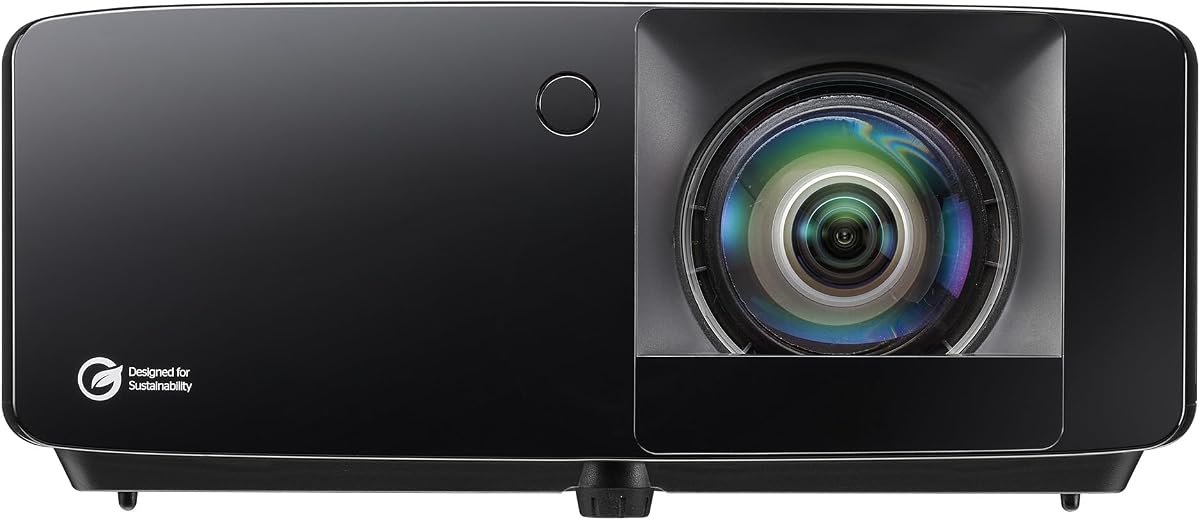
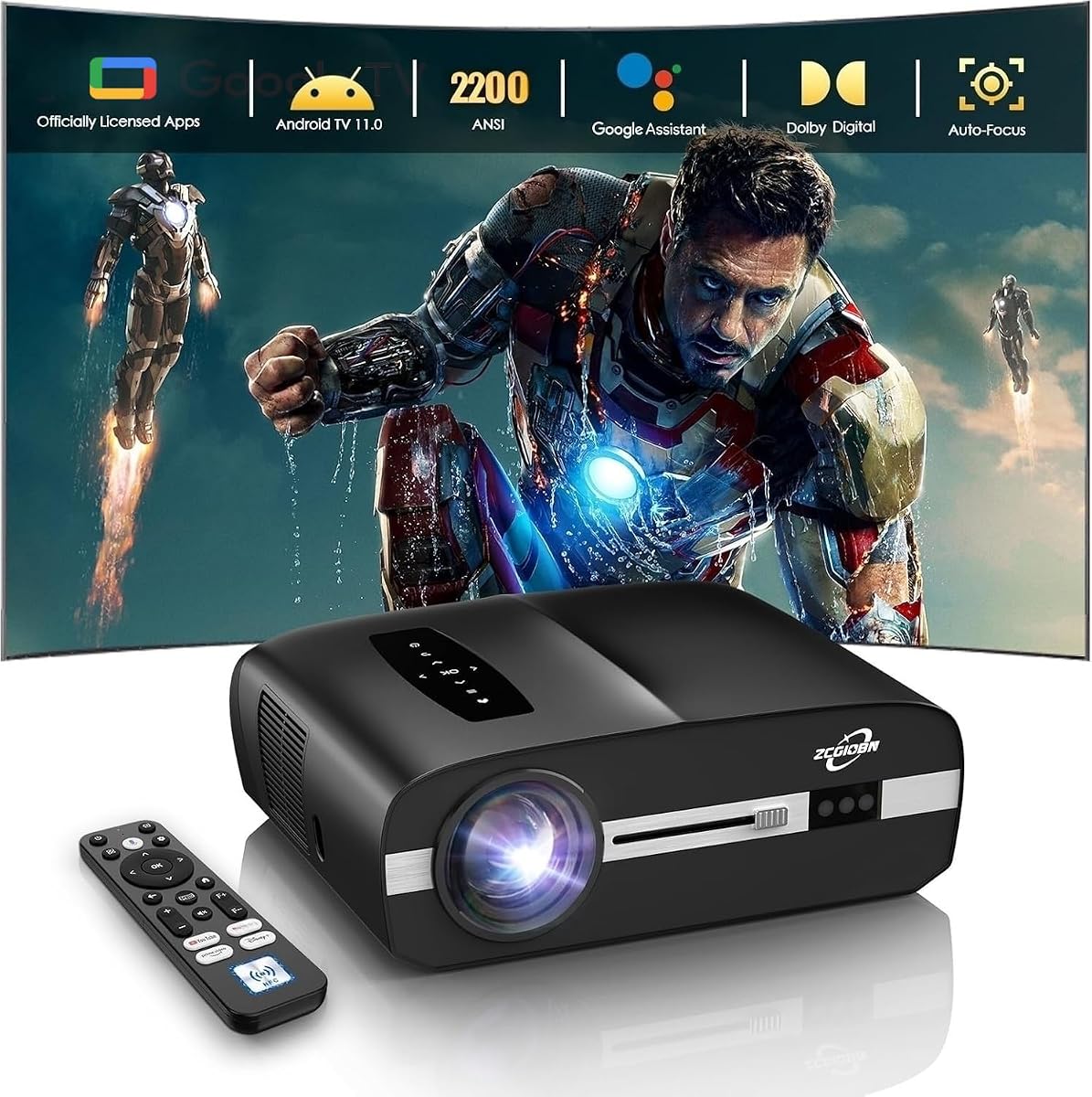


The BenQ AH700ST offers powerful 4000 lumens and a dedicated golf mode for vibrant simulation visuals. Its short throw design suits tighter spaces while laser tech ensures consistent brightness over time.
We may earn a commission when you buy through this link, at no additional cost to you.
With Full HD resolution and 95% Rec.709 coverage, colors remain true to life on virtual courses. The 1.2x zoom and versatile inputs support seamless integration with PCs and consoles.
While bright, the short throw ratio can limit ceiling placement compared to standard options. However, its optimized golf mode and reliable performance make it a top pick for serious indoor golfers.
Ideal for home simulators needing high brightness and laser reliability. If you value sharp visuals and built-in golf optimization, this projector delivers a premium experience despite the price.
The 4000 ANSI lumens ensure vivid images even with lights on, reducing glare and enhancing course details during daytime practice sessions.
Dedicated picture modes enhance green contrast and sky clarity, making virtual courses look more authentic and improving overall immersion during play.
We may earn a commission when you buy through this link, at no additional cost to you.
The BenQ TH671ST is a cost-effective short throw projector with 3000 lumens and low input lag. It delivers sharp Full HD visuals ideal for casual indoor golf setups on tight budgets.
We may earn a commission when you buy through this link, at no additional cost to you.
Its gaming-oriented design ensures smooth motion during fast-paced play without blur. The 100-inch screen from five feet away makes installation easy in garages or basements.
Lack of native 4K resolution may disappoint users seeking ultra-sharp course textures. However, its reliability and low lag make it a solid entry point for golf simulation enthusiasts.
Best for budget-conscious buyers needing bright, lag-free projection. If you prioritize value and quick setup over 4K detail, this model offers impressive performance for home use.
Ultra-fast input lag ensures your swing actions reflect instantly on screen, preventing delay and keeping gameplay responsive during competitive simulator sessions.
Projects large 100-inch images from just five feet, freeing up floor space for your hitting area while keeping the projector safely away from the swing zone.
We may earn a commission when you buy through this link, at no additional cost to you.
The BenQ LK936ST combines native 4K resolution with 5100 lumens for unmatched clarity and brightness. Its short throw and lens shift allow versatile placement for large simulator screens.
We may earn a commission when you buy through this link, at no additional cost to you.
Professional-grade performance supports high-end setups needing precise image alignment and vivid course details. The laser source ensures long-term consistency without frequent maintenance.
Cost and size make it less suited for casual budgets or small garages. However, its 4K sharpness and reliability justify the investment for commercial or serious home golfers.
Ideal for users seeking top-tier visual fidelity and brightness. If you demand 4K precision and flexible installation, this projector delivers a professional-grade simulation experience.
Native 4K UHD resolution delivers razor-sharp grass and ball details, enhancing realism and providing clearer feedback on your swing mechanics during simulation.
Vertical and horizontal lens shift allows image adjustment without moving the projector, simplifying setup in complex room layouts or ceiling-mounted configurations.
We may earn a commission when you buy through this link, at no additional cost to you.
The Optoma GT3900UHD features true 4K resolution and an ultra-short throw lens for large images in tight spaces. With 4000 lumens, it handles ambient light well for indoor golf.
We may earn a commission when you buy through this link, at no additional cost to you.
DuraCore laser technology offers 30000 hours of maintenance-free brightness. Its low lag and HDR compatibility provide smooth, realistic gameplay for fast swing tracking.
While powerful, setup might require extra calibration for best color accuracy. Still, its 4K performance and throw ratio make it competitive with higher-end models.
Best for users wanting 4K clarity in compact rooms. If you need a bright, low-lag projector for simulation, this model delivers strong value and reliability.
With a 0.496:1 throw ratio, it projects large images from very close, maximizing room space and reducing swing interference or shadow issues during play.
DuraCore laser ensures 30000 hours of consistent brightness without lamp replacements, reducing long-term maintenance costs and downtime for your simulator setup.
We may earn a commission when you buy through this link, at no additional cost to you.
This 4K projector offers auto focus and Google TV for convenient setup without extra hardware. Its 2200 lumens deliver decent brightness for dimmed garage or basement simulators.
We may earn a commission when you buy through this link, at no additional cost to you.
Flexible ceiling mounting leaves swing space clear while MEMC tech reduces motion blur during play. Google TV adds streaming apps for entertainment between practice sessions.
Lower brightness compared to laser options may limit use in well-lit rooms. However, ease of use and smart features make it appealing for casual golfers.
Ideal for those wanting plug-and-play simplicity with 4K visuals. If you prioritize smart functions and auto alignment, this projector simplifies your indoor golf experience.
Built-in sensors auto-adjust focus and alignment from any angle, saving time and ensuring a perfectly squared image without manual tweaks during setup.
Google TV OS includes streaming apps and voice control, allowing entertainment beyond simulation while maintaining stable wireless connections via Wi-Fi 6.
We may earn a commission when you buy through this link, at no additional cost to you.
The BenQ TH575i offers 3800lm brightness and 16.7ms input lag for responsive visuals. With Google TV, it doubles as a smart entertainment device for home use.
We may earn a commission when you buy through this link, at no additional cost to you.
120-inch screens are achievable for immersive golf simulation, while sports and game modes enhance clarity. Auto keystone simplifies positioning for quick setup.
Larger throw distance may limit placement in tight simulator rooms. Still, its brightness and smart features support dual use as a theater and simulator projector.
Best for users needing multi-purpose functionality. If you want a bright, low-lag projector for both movies and golf, this model provides flexible entertainment.
3800lm brightness ensures clear 120-inch images even in lit rooms, providing immersive visuals for both golf simulation and movie nights.
Licensed Google TV dongle offers endless streaming access to apps like Netflix and YouTube, enhancing entertainment value beyond simulation use.
We may earn a commission when you buy through this link, at no additional cost to you.
The BenQ LU935ST features 5500 ANSI lumens and WUXGA resolution for sharp visuals in bright spaces. Its short throw and lens shift allow flexible ceiling mounting.
We may earn a commission when you buy through this link, at no additional cost to you.
Professional connectivity like HDBaseT ensures stable signals for large setups. With 20000 hours laser life, it offers reliable performance for commercial or intensive use.
Resolution falls short of 1080p for some golf details. Still, its brightness and throw ratio make it suitable for large rooms or facilities needing power.
Best for commercial or high-ambient-light settings. If you need maximum brightness and stable connectivity for simulation, this model delivers robust performance.
5500 ANSI lumens ensure vivid, visible images in bright conference or garage rooms, preventing washout and maintaining detail clarity during play.
HDBaseT and LAN control offer reliable, long-distance signal transmission for complex setups, enhancing connectivity for multiple devices in simulation environments.
We may earn a commission when you buy through this link, at no additional cost to you.
The BenQ W4100i offers 4K HDR and 100% DCI-P3 color for cinematic visuals. With 3200 lumens, it handles indoor spaces well for combined golf and movie use.
We may earn a commission when you buy through this link, at no additional cost to you.
Factory-calibrated accuracy ensures vibrant course colors. Android TV adds streaming apps, while 2D lens shift provides flexible setup for various room layouts.
Standard throw requires more room space than short models. However, its color accuracy and 4K resolution make it a great dual-purpose projector for simulators and theater.
Best for users seeking color fidelity and entertainment. If you want rich visuals for golf and movies with built-in smart features, this model offers strong performance.
100% DCI-P3 coverage ensures vibrant, true-to-life colors, enhancing grass and sky realism in golf simulations and providing accurate movie playback.
2D lens shift and 1.3x zoom allow placement flexibility in AV rooms or home theaters, adapting to different mounting setups without image loss.
We may earn a commission when you buy through this link, at no additional cost to you.
The ViewSonic LS740W delivers 5500 lumens with a specialized golf mode for enhanced greens and blues. Its 360-degree projection allows versatile ceiling or wall mounting.
We may earn a commission when you buy through this link, at no additional cost to you.
WXGA resolution suits basic golf simulations, while high brightness ensures visibility in well-lit spaces. Instant power features reduce wait time for practice sessions.
Resolution is lower than 1080p for detailed textures. However, its brightness and golf mode make it a viable option for bright commercial or indoor facilities.
Best for high-ambient-light environments. If you need powerful brightness and specialized golf features, this laser projector provides reliable performance.
Built-in golf mode boosts greens and blues, enhancing visual realism for courses and improving accuracy for training centers seeking world-class simulation.
360-degree projection and portrait mode adapt to any layout, enabling flexible ceiling or wall setups for unique room configurations without image distortion.
We may earn a commission when you buy through this link, at no additional cost to you.
The GoSports cover offers floor-mounted protection for LED projectors without ceiling mounts. Made from HDPE with polycarbonate panels, it shields against mishits during swings.
We may earn a commission when you buy through this link, at no additional cost to you.
Turf design blends into your golf simulator while side vents allow airflow and cable routing. No assembly simplifies installation and setup for your projector.
Not waterproof and not for high heat, limit use to low-heat LED models. Still, its protection and ease of use make it a valuable accessory for simulator safety.
Best for protecting floor-mounted projectors. If you want safe, discreet protection against ball strikes, this cover simplifies and secures your setup.
Polycarbonate panels protect projector from ball strikes at any swing speed, preventing costly damage and extending device lifespan in active simulator environments.
Fits most projector models under specified dimensions, offering versatile protection without custom sizing for your setup needs.
We may earn a commission when you buy through this link, at no additional cost to you.
Selecting the right projector for your golf simulator requires evaluating brightness, throw distance, resolution, and durability. Here are key factors to consider before you buy.
Brightness is measured in ANSI lumens and determines how clear the image remains in ambient light. For indoor golf in garages or lit rooms, look for at least 3000 lumens to avoid washed-out colors during play. Higher brightness ensures greens and skies look true even with overhead lighting on.
Choose a projector with enough lumens to match your room's lighting conditions for best visual clarity.
Throw ratio affects how far the projector sits from the screen. Short throw models (below 1.0) are essential for simulators to avoid blocking your swing path. An ultra-short throw can project a 100-inch image from just a few feet, maximizing floor space for your hitting area.
Opt for a short or ultra-short throw to keep the projector safely out of your swing zone.
Resolution impacts how detailed the virtual course looks. Full HD (1080p) is sufficient for most golf sims, but 4K UHD provides sharper ball and grass textures. For serious training where ball flight and club positioning matter, higher resolution adds realism.
Prioritize at least 1080p resolution, with 4K for premium detail and clarity.
Input lag refers to the delay between your action and the on-screen response. Low lag (under 20ms) ensures your swing feedback feels real-time. High lag can cause a disconnect between hitting the ball and seeing the result.
Choose a projector labeled with low input lag for responsive and immersive golf simulation.
LED and laser light sources last longer than traditional lamps and require less maintenance. Laser projectors can offer 20000 hours or more of usage without bulb replacements. LED units also provide stable brightness over time without dimming.
Select laser or LED for long-term reliability and reduced upkeep costs.
Modern projectors may include built-in Android TV or Google TV for streaming without extra devices. Ensure HDMI ports support your golf simulator PC or console. Auto focus and keystone correction simplify setup if you move your projector often.
Look for smart OS and multiple HDMI inputs for seamless integration and setup ease.
Indoor golf can lead to accidental ball strikes. Consider using a projector cover or enclosure to shield against mishits. Sealed optical engines resist dust and humidity, which is helpful in garage environments where debris may accumulate.
Invest in protective covers or choose sealed engines to extend device life in simulator rooms.
Lens shift and zoom allow you to position the projector without precise alignment. Ceiling mounts are common for simulators but add complexity. Floor placement with a protective cover is simpler and safer for avoiding swing interference.
Choose models with lens shift and zoom to simplify your setup and reduce alignment issues.
Mount your projector securely on the ceiling or place it on a stable table behind you. Use a throw distance calculator to ensure the projected image fits your screen size without stretching or distortion.
Connect your golf simulator PC via HDMI and calibrate colors using built-in modes. Enable any golf-specific picture settings to enhance course contrast and reduce motion blur during swing analysis.
Clean the projector lens gently with a soft cloth and keep vents free of dust. Use a protective cover if mounted near your hitting area to avoid damage from stray balls or moisture.
Short throw ratios below 1.0 are ideal as they allow the projector to sit closer to the screen. This reduces the chance of your swing interfering with the projector and saves space in smaller rooms. Ultra-short throw is best for tight spaces.
While standard projectors work, those with low input lag and short throw distances suit simulators best. Dedicated golf modes or high brightness improve visual realism. Most simulators connect via HDMI to any compatible display device.
For rooms with ambient light, aim for at least 3000 ANSI lumens to ensure vibrant colors and sharp details. In completely dark rooms, lower brightness may suffice. Higher lumens help maintain image quality during daytime practice.
Yes, LED projectors are great for simulators due to their durability and stable color output. They often have lower heat and longer lifespans than lamp models. Ensure they have enough brightness and low lag for smooth performance.
Use a protective floor-mounted cover with polycarbonate panels to shield against mishits. Positioning the projector out of the swing zone or mounting it on the ceiling also reduces impact risk. Covers add safety without blocking ventilation.
At least one HDMI input is required to connect your simulator PC or console. Additional USB ports help for firmware updates or peripherals. Ensure your projector supports HDMI 2.0b for high bandwidth video and audio.
Laser projectors offer brighter images and longer lifespans than lamp models, which suits frequent use. They maintain consistent brightness over time. While more expensive, the reduced maintenance and performance justify the cost for serious golfers.
Enable the projector's game mode to disable image processing that causes delay. Ensure your HDMI cable supports high bandwidth to minimize signal lag. Choose a model rated for low input lag to maintain real-time swing responsiveness.
The BenQ AH700ST, TH671ST, and LK936ST stand out for brightness, value, and 4K performance. Each caters to different room sizes and simulator needs, from compact garages to commercial setups with premium visuals.
Prioritize throw ratio and input lag to ensure safe, responsive gameplay. Pair your projector with proper placement and protection to avoid damage and maximize swing space.
Prices vary by seller and change frequently, so verify current deals before purchasing. Your perfect indoor golf experience starts with the right display choice.