
LinkStation 210 6TB
3.9Editor score
6TB capacity included
Subscription-free personal cloud
Closed system security
Explore our expert roundup of the best Buffalo NAS devices for home and business, comparing storage, security, and performance features.
Buffalo NAS devices offer reliable network attached storage for home and small office users. They provide centralized data access, backup capabilities, and media streaming without subscription fees.
We evaluated ten top models based on capacity, drive inclusion, RAID support, network speeds, and warranty terms. Each product offers unique strengths for different storage needs and budgets.
Our guide highlights key features, pros, cons, and ideal use cases for every pick. Prices and availability change frequently, so verify details before purchasing your preferred model today.
3.9Editor score

4.8Editor score
4.3Editor score
This comparison table lists all ten featured Buffalo NAS models side by side. Review each device capacity specifications, connectivity options, and warranty coverage to find your ideal match.


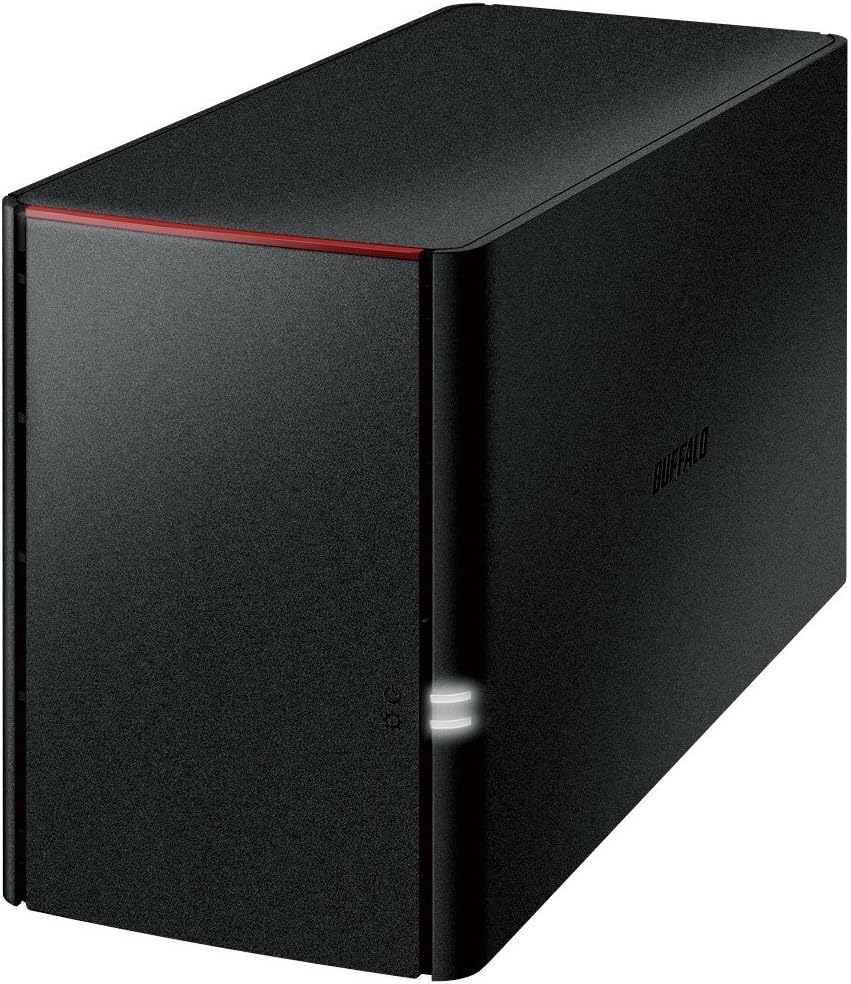


The LinkStation 210 6TB is a straightforward entry-level NAS designed for home users needing centralized storage. It comes with a pre-installed drive, making it ready for immediate use upon setup.
We may earn a commission when you buy through this link, at no additional cost to you.
This model offers a subscription-free personal cloud experience. You can back up photos, videos, and music without paying ongoing fees. SSL encryption secures your file transfers over the network.
While it lacks advanced multi-drive redundancy options beyond basic RAID, the closed system design reduces vulnerabilities from third-party apps. This makes it safe for typical home environments.
Ideal for families wanting shared access to media files across devices. If you need expandable storage or faster network speeds, consider upgrading to a multi-bay model instead.
Enjoy secure remote file access without paying monthly cloud storage fees.
Closed system architecture minimizes exposure to external security threats.
We may earn a commission when you buy through this link, at no additional cost to you.
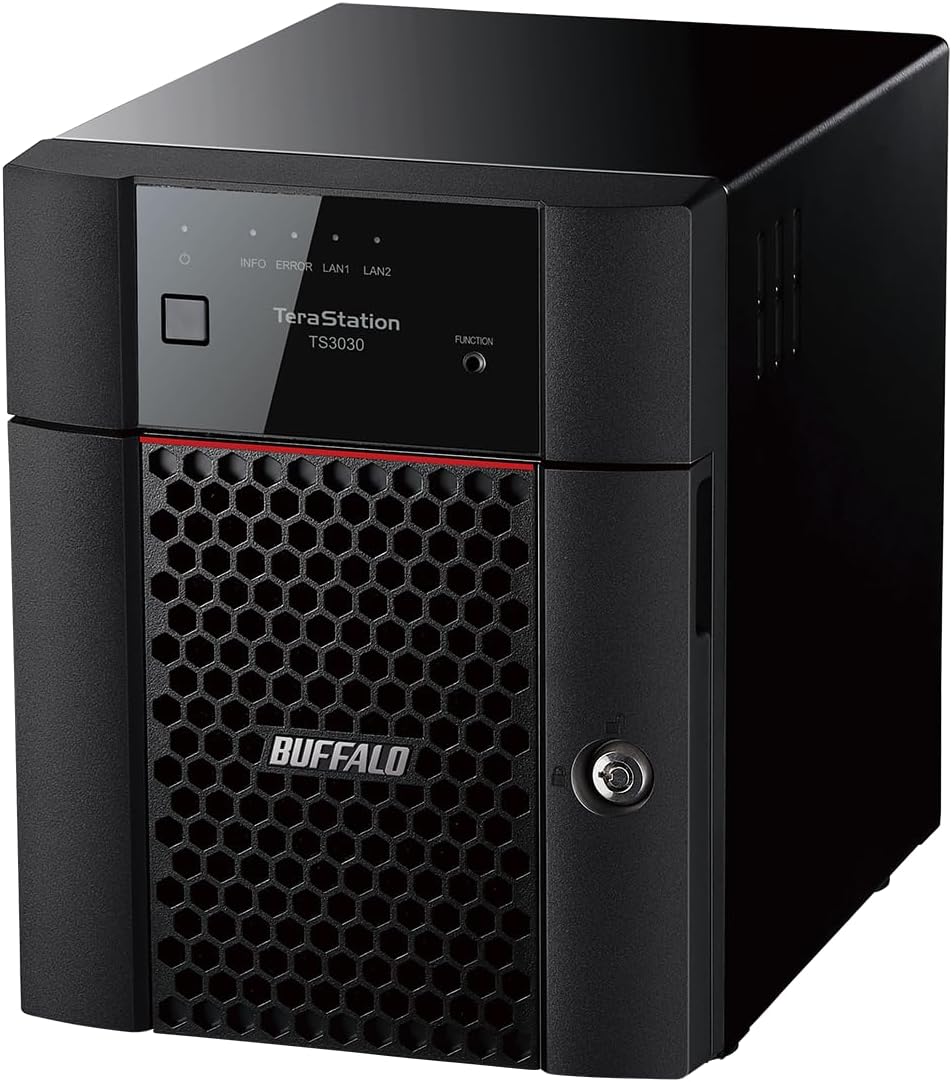
The TeraStation Essentials 24TB delivers professional-grade storage for small businesses. It ships with four pre-tested drives totaling 24TB, configured in RAID 5 for balanced redundancy and capacity.
We may earn a commission when you buy through this link, at no additional cost to you.
Its native 2.5GbE port enables faster file transfers without requiring cable upgrades. You can also sync with Amazon S3, Dropbox, or Azure for hybrid cloud backup flexibility.
256-bit drive encryption and a closed system keep your data protected. The 3-year warranty covers both the unit and included hard drives for added peace of mind.
Choose this model for growing teams needing robust, scalable storage. It balances cost and performance well for organizations ready to move beyond entry-level NAS solutions.
Leverage 2.5GbE connectivity for improved data transfer rates.
Extend your storage with cloud services for backup redundancy.
We may earn a commission when you buy through this link, at no additional cost to you.
The TeraStation 5420DN stands out as the top performer for demanding business environments. It includes four 8TB drives and a native 10GbE port for ultra-fast data transfers.
We may earn a commission when you buy through this link, at no additional cost to you.
Snapshots allow instant data recovery without system disruption, mitigating ransomware risks effectively. Two-factor authentication and 256-bit drive encryption add layers of critical protection.
Although it costs more, the included iSCSI support and hybrid cloud sync justify the investment. This unit handles heavy data loads while maintaining stability and high performance.
It is the ideal choice for IT departments or creative studios needing speed and security. If budget allows, this NAS offers the most comprehensive feature set available.
Recover files instantly using snapshot technology during disruptions.
Maximize throughput with native 10GbE connectivity standards.
We may earn a commission when you buy through this link, at no additional cost to you.
The LinkStation SoHo 220 is tailored for small office or home office setups needing shared file access. It includes two drives configured in RAID 1 for automatic data mirroring.
We may earn a commission when you buy through this link, at no additional cost to you.
Direct Copy functionality lets you back up files via USB without needing a computer. This simplifies tasks for users managing multiple devices in a small office environment.
While not as fast as higher-end models, it balances cost and functionality well. Note that it currently supports macOS 15 or earlier, so verify compatibility if needed.
This model suits freelancers or startups needing secure network storage. It provides essential features like subscription-free cloud access and robust data protection at a reasonable cost.
Copy files directly to the NAS via USB port easily.
Automatic drive mirroring ensures data redundancy out of box.
We may earn a commission when you buy through this link, at no additional cost to you.
This rackmount NAS fits seamlessly into server cabinets for organized IT infrastructure. It includes four pre-tested drives totaling 8TB, optimized for centralized storage and backup tasks.
We may earn a commission when you buy through this link, at no additional cost to you.
The 2.5GbE port delivers faster file transfers without needing a network upgrade. Cloud sync features with Dropbox or S3 add an extra layer of backup flexibility for businesses.
While 8TB is modest compared to 24TB options, the form factor suits specific space constraints. It offers robust encryption and replication features to keep business data safe.
Perfect for companies needing to consolidate storage into existing racks. Its reliable performance and warranty make it a practical choice for IT administrators seeking order.
Install directly in standard server racks for easy management.
Utilize 2.5GbE for quicker data movement and backups.
We may earn a commission when you buy through this link, at no additional cost to you.
This model runs native Windows Server IoT 2025, offering enhanced management features for Windows-centric environments. It includes two drives configured for RAID 1 out of the box.
We may earn a commission when you buy through this link, at no additional cost to you.
You avoid Client Access License fees since it supports Workgroup edition. Included NovaBACKUP software enables versatile server and PC backups without extra purchases.
Integration with Azure and OneDrive creates a seamless hybrid cloud strategy. However, familiarity with Windows Server administration helps maximize its potential effectively.
Choose this if you prefer a Windows-native storage experience. It simplifies backup workflows for offices already invested in the Microsoft ecosystem and software suite.
No additional client access licenses required for usage.
NovaBACKUP software provides professional server protection easily.
We may earn a commission when you buy through this link, at no additional cost to you.
An older but reliable option, this LinkStation provides essential network storage capabilities. It features two drives totaling 4TB and supports DLNA for media streaming to compatible devices.
We may earn a commission when you buy through this link, at no additional cost to you.
The ARMADA 370 processor handles typical file transfer tasks without issue. Gigabit LAN ensures reasonable speeds for home or light office use cases.
While newer models offer faster ports and cloud options, this unit remains functional for straightforward storage needs. It is suitable if you need simple network shares quickly.
Consider it if budget is tight and modern features are not critical. Verify warranty status as availability may vary for discontinued stock in current markets.
Stream photos and videos directly to DLNA compatible players.
Reliable hardware ensures consistent network storage performance.
We may earn a commission when you buy through this link, at no additional cost to you.
The TeraStation 1200D offers straightforward desktop storage with included drives and pre-configured RAID. It simplifies setup for users needing immediate network storage without complex configuration.
We may earn a commission when you buy through this link, at no additional cost to you.
Personal cloud access lets you reach files from any device over the internet. Bundled recovery software helps manage backups for PCs and servers connected to the network.
While features are basic, this model focuses on essential reliability and ease of use. It is suitable for small offices looking for stable, low-maintenance storage.
Pick this if you want a no-fuss network drive. It delivers core functionality effectively without the cost or complexity of high-end business NAS units.
Connect to router for instant network storage availability.
Access files from anywhere without third-party cloud services.
We may earn a commission when you buy through this link, at no additional cost to you.
Designed with mobile users in mind, this series allows easy access from smartphones and tablets. It includes two drives with mirroring capabilities to protect important data effectively.
We may earn a commission when you buy through this link, at no additional cost to you.
USB ports enable direct backup from external devices without needing a computer. This convenience helps users manage data flows from phones or external hard drives quickly.
While interface elements may feel dated compared to modern UIs, the core storage remains reliable. It serves well for personal use where simplicity is prioritized over complex settings.
Ideal for casual users needing shared media storage. Ensure your network environment supports legacy protocols if you rely on specific access features available on this unit.
Access files effortlessly from tablets and smartphones anywhere.
Automatic data mirroring safeguards against single drive failure.
We may earn a commission when you buy through this link, at no additional cost to you.
While technically an external DAS, the DriveStation Duo offers 8TB capacity with RAID 1 protection. It connects via USB 3.2 for high-speed direct transfers to PCs and servers.
We may earn a commission when you buy through this link, at no additional cost to you.
Hot swap features allow replacing a drive without powering down. This ensures minimal downtime if a drive failure occurs during critical usage times for work.
Time Machine support makes it excellent for Mac backups. However, it lacks network sharing unless connected directly to a router or server for broader access.
Use this for localized high-capacity storage needs. If network sharing is essential, verify network compatibility or consider a traditional NAS model instead for full connectivity.
USB 3.2 provides rapid data movement to connected devices.
Schedule automated backups for macOS systems seamlessly.
We may earn a commission when you buy through this link, at no additional cost to you.
Selecting the right Buffalo NAS depends on storage needs, budget, and desired connectivity. Consider these factors to ensure the device meets your current and future requirements effectively.
Determine how much data you need to store now and plan for growth. Multi-bay models offer expandability and RAID options that single-bay units cannot provide.
Choose a capacity that accommodates your files plus a buffer for future expansion.
Gigabit ports are standard but 2.5GbE or 10GbE ports significantly boost transfer speeds. Ensure your router and cables support the selected port speed for optimal performance.
Faster ports reduce wait times when moving large files across the network.
RAID protects data by mirroring or distributing files across multiple drives. RAID 1 offers redundancy while RAID 0 provides full capacity without backup.
Select RAID modes that balance safety and storage space based on your data value.
Many modern NAS units support syncing with Amazon S3, Azure, or OneDrive. Hybrid cloud setups add an extra layer of backup security for critical business files.
Verify supported services match your existing cloud strategy for seamless data protection.
Look for devices with drive encryption and closed system architectures. These features help prevent unauthorized access and reduce vulnerability to malicious third-party apps.
Strong security ensures your sensitive data remains safe from external threats.
Buffalo typically offers 2 to 3-year warranties covering both the unit and included drives. Check if data recovery services are included or available as an option.
A comprehensive warranty protects your investment against unexpected hardware failures.
Ensure the NAS supports your current OS version like macOS Sequoia or Windows Server IoT. Some models may restrict newer OS versions due to software dependencies.
Confirm compatibility to avoid setup issues and access limitations after purchase.
Desktop models fit easily on shelves while rackmount units require a server cabinet. Choose based on available space and whether you have a dedicated server room.
Proper ventilation and power access matter for long-term stability and cooling.
Connect the NAS to your router using an Ethernet cable and power it on. Access the setup wizard through a web browser to configure drives and user accounts.
Set up automated backups for all devices using included tools like NAS Navigator. Schedule these tasks during off-peak hours to minimize network impact on daily work.
Keep firmware updated via the admin panel for security patches. Monitor drive health regularly to detect potential failures before they cause data loss.
Most Buffalo NAS models offer subscription-free personal cloud access. You do not pay monthly fees to store or back up files. Additional cloud services like S3 may have separate costs.
Yes, many models allow drive upgrades but backup data before removal. Some desktop units require opening the case, while rackmount versions support hot-swapping depending on configuration.
Many units come with RAID pre-configured for simplicity. You can usually change modes via the web interface. Follow the manual for safe conversion steps.
LinkStation targets home users with simpler features while TeraStation serves businesses. TeraStation offers faster ports, more RAID options, and better security for enterprise environments.
Configure the personal cloud settings in the admin panel. Use the companion app on smartphones or access via browser. Secure login ensures safe remote file retrieval.
Most support macOS 15 or earlier. Check specific product notes for macOS 26 compatibility. Formatting drives to compatible file systems may be required for full access.
Our top picks cover home, SOHO, and business needs with varying capacities and features. From the affordable LinkStation 210 to the powerful TeraStation 5420DN, each offers distinct advantages.
Prioritize factors like network speed, security, and RAID options based on your specific use case. Ensuring compatibility with your existing systems will save time during setup.
Verify current pricing and stock levels before purchasing as these change frequently. Regularly back up critical data regardless of RAID status to ensure maximum protection.