
GIGABYTE B550M K
4.4Editor score
AMD AM4 Socket Support
DDR4 Memory Support
PCIe 4.0 Ready
We compare ten affordable motherboards across Intel and AMD platforms to help you find the best cheap motherboard for your budget build without sacrificing
Finding a reliable cheap motherboard does not mean sacrificing quality or performance. Modern budget boards support the latest processors and offer essential connectivity for gaming and productivity tasks.
Our team analyzed ten top-rated options from major brands. We focused on build quality, feature sets, and user feedback to ensure each pick delivers value for money in the current market.
Each review highlights specific strengths and trade-offs to help you decide. Prices fluctuate frequently so always check current listings before making your final purchase decision today.
4.4Editor score

4.5Editor score

4.5Editor score
This side-by-side comparison highlights the key specifications and features of each selected model to help you quickly identify the best fit for your specific needs and budget constraints.




This Gigabyte model stands out as an excellent entry point for AMD builders seeking a cheap motherboard without compromising core performance capabilities.
We may earn a commission when you buy through this link, at no additional cost to you.
It features a digital 3+3 power phase design that ensures steady power delivery for Ryzen 5000 series processors while maintaining low heat output during normal use.
While it lacks advanced audio features or extensive RGB headers the two M.2 slots and PCIe 4.0 support provide modern storage and GPU connectivity options.
It is ideal for budget-conscious gamers or office workstations needing reliable performance with future upgrade paths for storage and graphics cards.
The digital VRM design helps maintain system stability even under moderate loads ensuring your CPU performs consistently without throttling.
Having two M.2 slots allows for fast NVMe storage configuration without needing additional PCIe adapters or slower SATA connections.
We may earn a commission when you buy through this link, at no additional cost to you.
This option is uniquely positioned for users needing to repurpose older hardware or build a system with specific legacy Intel processors for minimal investment.
We may earn a commission when you buy through this link, at no additional cost to you.
It supports a wide range of second and third generation Core processors including Xeon E3 variants which offer strong performance per dollar for specific workloads.
The inclusion of an M.2 slot allows upgrading to faster NVMe storage even on older platforms which significantly improves system responsiveness over traditional hard drives.
Buyers should note the lack of documentation but community support and driver tools can help overcome initial setup challenges for this specialized board.
If you already own compatible Intel 2nd or 3rd gen CPUs this board gives you a cost effective way to utilize them efficiently today.
Adding an NVMe drive via the M.2 slot transforms the boot and load times of older systems without requiring a full system rebuild.
We may earn a commission when you buy through this link, at no additional cost to you.
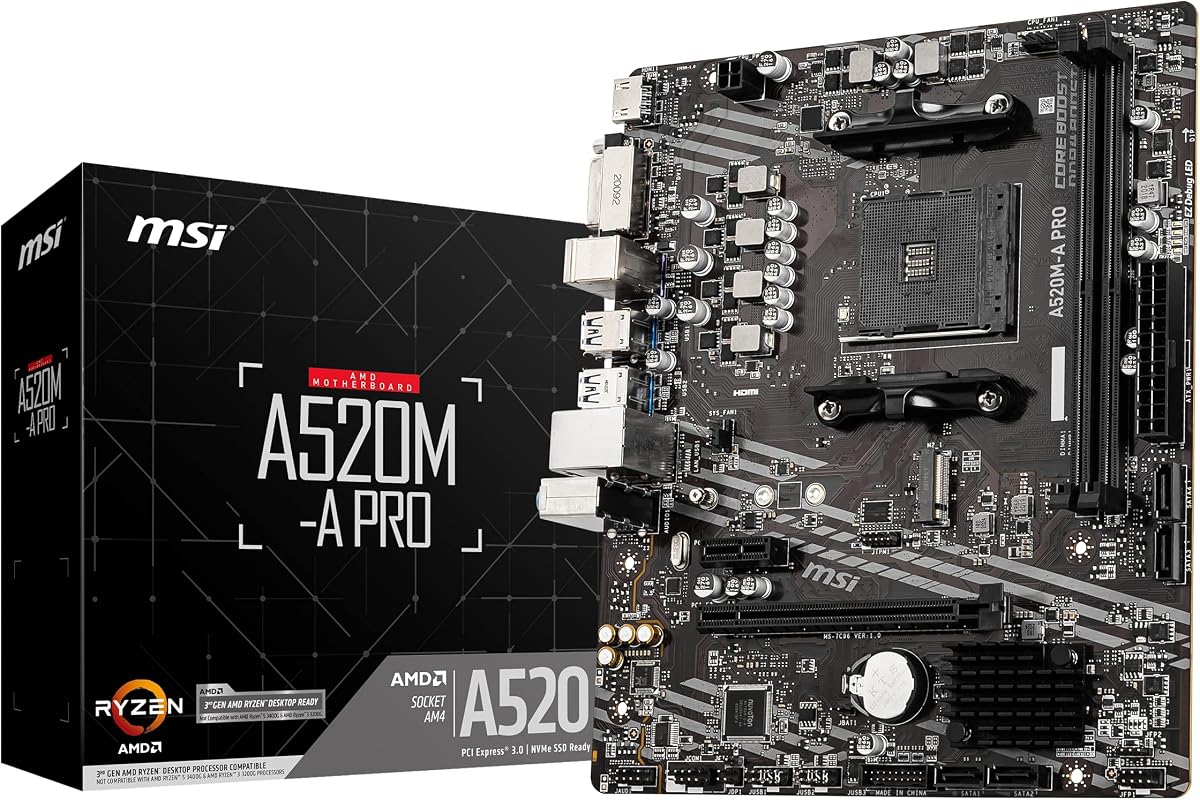
MSI delivers a solid entry level board that supports the latest Ryzen 5000 series with reliable performance for general computing and light gaming needs.
We may earn a commission when you buy through this link, at no additional cost to you.
The Turbo M.2 slot running at PCIe Gen3 x4 ensures your SSDs can reach high speeds making it great for systems that require fast storage access daily.
Audio Boost technology enhances sound quality for users who do not use external speakers providing a more immersive experience during gaming or media consumption.
It is a safe choice for those who prioritize stability and brand reputation over cutting edge features like PCIe 4.0 or extensive overclocking headroom.
The dedicated M.2 slot allows your operating system to run on a fast drive ensuring quick boot times and responsive application launches.
Dragon Center provides an integrated interface for managing system performance settings monitoring temperatures and optimizing fan speeds easily.
We may earn a commission when you buy through this link, at no additional cost to you.
This ASRock board offers exceptional flexibility with multiple video outputs making it versatile for office setups that need to connect multiple monitors simultaneously.
We may earn a commission when you buy through this link, at no additional cost to you.
It supports high speed DDR4 memory up to 4733MHz which helps maximize the performance of compatible Ryzen processors for productivity and gaming tasks.
The inclusion of Full Spike Protection safeguards your components against electrical surges ensuring longevity and reliability for daily work or home use scenarios.
Users needing multiple display outputs without extra graphics cards will find this board particularly useful for multi-monitor configurations on a budget.
With HDMI DVI and VGA outputs you can connect up to three displays without requiring a dedicated graphics card for basic tasks.
Full Spike Protection monitors electrical inputs to prevent damage from power surges keeping your system safe in unstable environments.
We may earn a commission when you buy through this link, at no additional cost to you.
MSI equips this model with Core Boost technology which optimizes power circuit layouts to deliver steady current to the CPU for stable performance under load.
We may earn a commission when you buy through this link, at no additional cost to you.
AI Cooling automatically adjusts fan settings based on system temperatures helping to maintain quiet operation while preventing overheating during intensive tasks or gaming.
Two M.2 connectors allow you to run both a fast OS drive and a secondary storage drive in a compact micro-ATX form factor without using SATA cables.
It serves well for users wanting a balance of features and price without needing extensive overclocking or high-end audio capabilities for their daily computing.
Frozr AI Cooling helps maintain optimal temperatures by adjusting fans dynamically which reduces noise levels while protecting your hardware.
Dual M.2 slots provide the flexibility to mix NVMe and SATA drives allowing flexible storage configurations for different performance needs.
We may earn a commission when you buy through this link, at no additional cost to you.
This model earns our top choice due to its comprehensive connectivity including integrated Wi-Fi and Bluetooth which simplifies building modern wireless capable systems.
We may earn a commission when you buy through this link, at no additional cost to you.
The Flash BIOS Button is a critical feature that allows users to update the firmware without needing a CPU or memory installed making upgrades safer and easier.
Core Boost and Premium Thermal Solution ensure the CPU stays cool and stable during heavy workloads providing long term reliability for daily use or gaming.
It is the best all around choice for buyers who want a complete feature set without needing extra adapters or worrying about outdated connectivity standards.
Built-in Wi-Fi and Bluetooth eliminates the need for separate network cards saving ports and ensuring cleaner cable management inside your case.
Flash BIOS Button simplifies firmware updates by allowing you to use a USB drive without installing other components for a safer process.
We may earn a commission when you buy through this link, at no additional cost to you.
Although priced higher than others this board offers premium features like a robust 10+3 power phase design that supports high performance Ryzen CPUs with ease.
We may earn a commission when you buy through this link, at no additional cost to you.
The inclusion of a front USB-C port ensures compatibility with modern cases and peripherals allowing for convenient connections at the front of your chassis.
RGB Fusion lighting control lets you customize aesthetics without needing extra software and Q-Flash Plus makes BIOS updates simple without hardware installation hassles.
It is ideal for users wanting a premium build experience and advanced features without stepping up to flagship board pricing or sacrificing core performance.
The twin 10+3 phase design ensures clean power delivery to the CPU allowing for stability during intensive gaming or video editing sessions.
Front USB-C support aligns with newer case designs offering fast data transfer and power delivery options for modern peripherals directly.
We may earn a commission when you buy through this link, at no additional cost to you.
This board is designed for simplicity fitting into compact cabinets while still supporting modern DDR4 memory and essential connectivity for home or office use.
We may earn a commission when you buy through this link, at no additional cost to you.
It provides a reliable platform for standard computing tasks with a focus on stability and ease of use for builders who do not need advanced features.
The inclusion of HDMI and D-Sub outputs ensures compatibility with both modern and legacy monitors making it versatile for various display configurations.
It is a good pick for basic workstations or entry level builds where cost and reliability are more important than gaming features or overclocking.
Micro-ATX form factor allows you to build smaller PCs without sacrificing core functionality or compatibility with standard components.
DDR4 support enables future RAM upgrades to improve system responsiveness without needing to replace the motherboard or processor.
We may earn a commission when you buy through this link, at no additional cost to you.
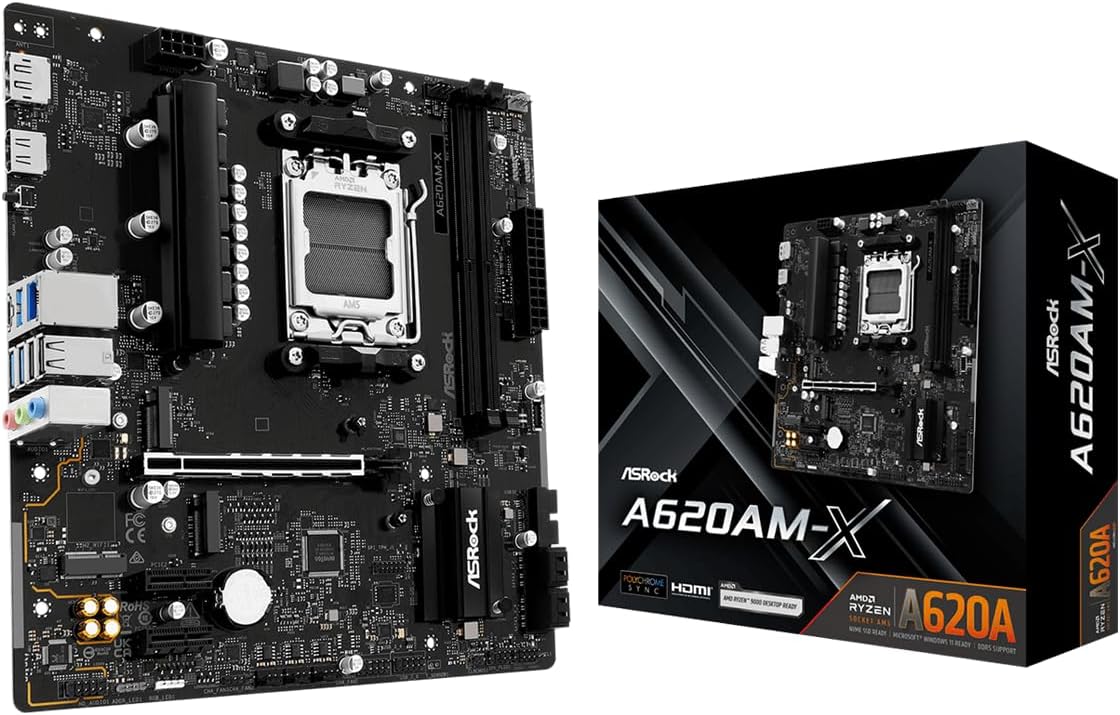
This board offers an affordable entry into the AM5 ecosystem supporting the latest Ryzen processors and DDR5 memory for long term system relevance.
We may earn a commission when you buy through this link, at no additional cost to you.
Its ability to handle DDR5 speeds up to 8000+ provides a head start for future memory performance as kits become cheaper and more standardized.
2.5G LAN ensures fast wired networking which is beneficial for large file transfers and online gaming without needing an extra network card.
It is perfect for users building a modern system who want to future-proof their investment against upcoming CPU generations and memory standards.
AM5 socket support means your motherboard will likely work with future CPU generations extending the useful life of your build.
The 2.5 Gigabit Ethernet port provides faster local network speeds compared to standard 1 Gigabit options on other budget boards.
We may earn a commission when you buy through this link, at no additional cost to you.
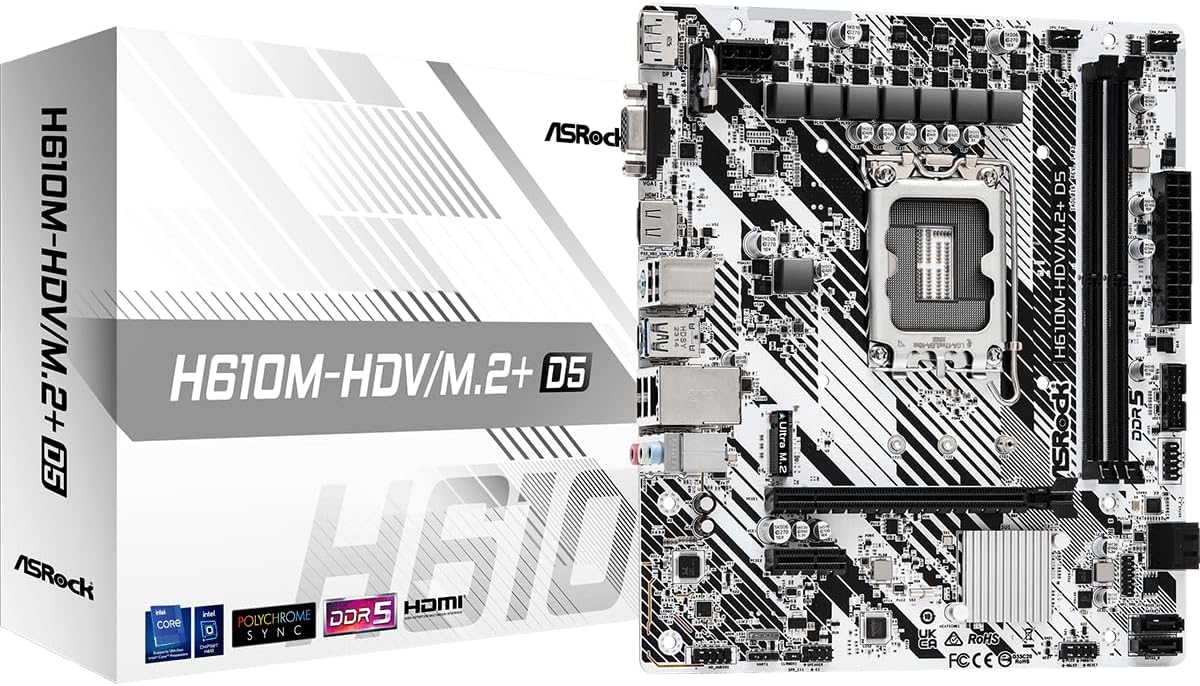
This Intel board supports the latest 14th and 13th Gen processors allowing you to build a modern system with DDR5 memory at a low price point.
We may earn a commission when you buy through this link, at no additional cost to you.
Multiple video outputs like HDMI DisplayPort and D-Sub make it suitable for office tasks that require connecting multiple screens without extra adapters.
PCIe 4.0 support on the primary slot ensures your graphics card can perform at its full potential even on a budget-friendly chipset platform.
It is the ideal choice for Intel users looking for a reliable cheap motherboard that supports modern memory and processor standards without overspending.
Compatibility with 12th to 14th Gen CPUs ensures you have options for current and future Intel processors on this affordable platform.
Having three video outputs gives you the flexibility to connect different types of monitors easily for a multi-screen productivity setup.
We may earn a commission when you buy through this link, at no additional cost to you.
Selecting a budget motherboard requires balancing essential features with price to ensure your system meets performance needs today and remains viable for future upgrades.
Always verify the CPU socket type matches your processor such as AM4 for AMD Ryzen or LGA1700 for Intel Core. A mismatch will prevent the system from booting or working at all.
Check the CPU support list on the manufacturer site before buying to ensure your specific processor model is supported with the default BIOS.
DDR5 is becoming standard on newer boards but DDR4 is still common and cheaper on older chipsets. Consider how much you will spend on RAM versus the motherboard.
Look for supported speeds to ensure your CPU can utilize the RAM fully without throttling performance or requiring manual BIOS adjustments.
Micro-ATX boards are smaller and cheaper than ATX but may offer fewer slots or ports. Ensure your case supports the size you choose to fit everything correctly.
ATX boards usually have better airflow and expansion options but cost more and require larger cases which increases overall build expenses.
NVMe M.2 slots are essential for fast operating system drives. Check how many slots are available and if they support PCIe 4.0 for modern SSD speeds.
SATA ports are useful for bulk storage but rely on slower cables which can clutter a build. Balance the number of drives you need with available ports.
If you plan to use integrated graphics ensure the board has the right ports like HDMI or DisplayPort for your monitor. Some boards offer multiple outputs for multi-monitor setups.
D-Sub or VGA is still useful for legacy monitors or office setups while HDMI is standard for modern displays and TVs in home environments.
USB 3.2 Gen 1 ports are standard but some boards include Type-C which is more versatile. Count how many devices you will connect to avoid buying hubs.
Ethernet and Wi-Fi are essential for internet access. Some budget boards lack Wi-Fi so consider if you need a wired connection or want wireless built in.
A motherboard with adequate VRM phases ensures your CPU gets stable power especially if you plan to use higher performance chips or overclock.
Basic boards may throttle under heavy load so check reviews to see if the power design matches the CPU you intend to install for reliable operation.
Choose a platform that has a long support life like AM5 or newer Intel sockets to avoid replacing the motherboard for future CPU upgrades.
Consider how many expansion slots are available for adding more storage or network cards later without needing to rebuild your entire system from scratch.
Install the motherboard in a static free environment and use an anti-static wrist strap to prevent damage to sensitive components during assembly.
Ensure all cables are neatly routed to avoid blocking airflow which helps keep components cool and extends the lifespan of the hardware over time.
Regularly update the BIOS using official tools to patch security vulnerabilities and improve compatibility with newer processors and memory kits.
Yes many budget boards provide stable performance for gaming as long as they support your CPU and have decent power delivery. Look for models with good reviews regarding thermal performance and VRM stability.
Not necessarily. If your PC is near a router an Ethernet cable offers faster and more stable speeds. However built-in Wi-Fi adds convenience if running a cable is difficult.
Most support multiple CPU generations if the socket matches but check the manufacturer support list. Some may require a BIOS update to recognize newer processors.
AM4 uses DDR4 memory and older CPUs while AM5 uses DDR5 and newer Ryzen 7000 or 9000 series. AM5 offers better long term upgradability but costs more initially.
Micro-ATX is generally cheaper and fits most cases while offering enough ports for basic needs. ATX provides more expansion slots but costs more and needs a larger case.
Use the manufacturer official tool like Q-Flash or Flash BIOS Button to update. Do not turn off the PC during the process and follow instructions precisely to avoid corruption.
Our top picks like the MSI B550M PRO-VDH WiFi and Gigabyte B550M K offer strong value across different budgets and platform needs for AMD and Intel users.
Prioritize features you actually need such as specific storage slots or connectivity rather than paying for extras you will not use in your build.
Prices change frequently so verify current deals on these models before buying to ensure you get the best value available for your specific requirements.