
RDS – Licensed Nintendo Action Grip NES Classic Controller
4.5Editor score
Licensed by Nintendo
Textured silicone material
Comfortable grip design
Compare the top Classic Nes Controller Replacement options for performance and durability. This guide reviews ten wired and wireless pads for retro gaming
Finding the right Classic Nes Controller Replacement is essential for anyone who wants to enjoy retro gaming without technical interruptions. Whether your original controllers wear out or you need extra pads for friends, choosing a reliable replacement ensures smooth gameplay. The best options offer responsive buttons, durable cables, and comfortable grips for long sessions.
We compared ten top-rated controllers based on build quality, compatibility, and user feedback to help you make an informed decision. Our analysis covers wired and wireless models designed for various consoles and PC emulators. Each product was evaluated for button responsiveness, cable length, and overall value to ensure you get the most reliable hardware.
Each pick in this guide highlights specific strengths like turbo functions, ergonomic design, or extensive compatibility with retro systems. Prices and availability change frequently so always verify current details before purchasing. This list serves as a trusted resource for gamers seeking authentic control and lasting performance for their classic gaming setups.
4.5Editor score

4.8Editor score

4.3Editor score
The following table provides a side by side comparison of all ten controllers featured in this guide to help you quickly identify the right fit for your setup.


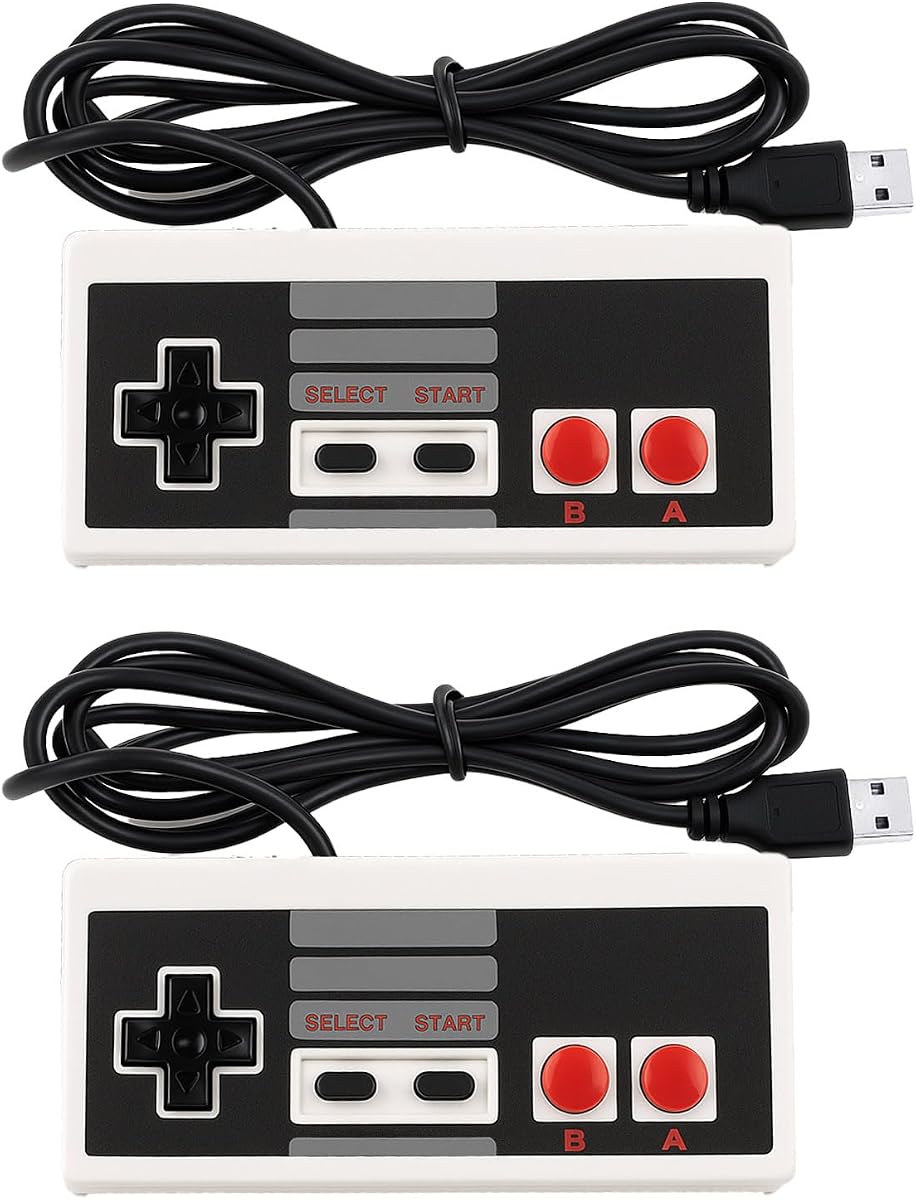


This controller replacement stands out with an impressive 4.8 rating from users who value authentic retro gaming experiences. It features a classic design that mimics original hardware while offering modern reliability for AV 620 and similar consoles. The 2 pack ensures you can share gaming moments without needing extra purchases.
We may earn a commission when you buy through this link, at no additional cost to you.
Users highlight the continuous fire function as a key advantage for games requiring rapid inputs. The 9 pin DB9 plug design ensures secure connectivity to specific retro consoles like the HD 621. It is designed for ease of use with a simple plug and play setup that requires no technical knowledge.
While highly rated, buyers should confirm compatibility with their specific console model before purchasing. The product is a third party alternative which may differ slightly from official hardware in feel. However, the performance and value make it a strong choice for dedicated retro gamers.
This option is ideal for owners of AV 620 or HD 821 consoles seeking reliable replacements. It delivers consistent performance for multiplayer sessions and long gaming nights. We recommend it for those prioritizing functionality and ease of use in their retro setup.
The continuous fire button allows for rapid repeated inputs without holding down the key manually.
No drivers or software configuration are needed to start playing immediately after connection.
We may earn a commission when you buy through this link, at no additional cost to you.
This SNES style controller offers premium ergonomics tailored for PC and Mac users running emulators. It features a frosted concave cross key that resists sweat and slips during intense sessions. The design fits the natural contour of hands providing comfort over long periods of play.
We may earn a commission when you buy through this link, at no additional cost to you.
It supports a wide range of operating systems including Windows Mac and Raspberry Pi making it versatile for various setups. Users appreciate the precise button layout which mimics the feel of classic hardware. The 5ft cable provides enough reach for couch gaming or desk setups.
Manual configuration of buttons within emulators is required as the controller does not auto assign axes. It is designed for PC use so it will not work with original SNES hardware directly. Despite this it remains a top choice for emulator enthusiasts seeking authentic feel.
Ideal for PC gamers looking to relive classic titles with modern reliability. The build quality and design comfort justify its premium positioning in the market. We suggest it for those who prioritize ergonomics and cross platform compatibility.
The frosted concave design on the cross key prevents slipping during extended use.
Works seamlessly with popular emulators like RetroArch and VirtuaNES on various systems.
We may earn a commission when you buy through this link, at no additional cost to you.
This controller is officially licensed by Nintendo ensuring it meets strict quality standards for the Classic Mini. It features a textured silicone material that enhances grip and comfort during gameplay. The red color adds a stylish touch to your retro setup while maintaining authentic aesthetics.
We may earn a commission when you buy through this link, at no additional cost to you.
Users report improved precision due to the ergonomic shape which extends control range effectively. It is a cost effective solution for replacing worn out original controllers without sacrificing build quality. The licensed status provides peace of mind regarding durability and function.
The package includes only one controller which might require multiple purchases for multiplayer. It is designed specifically for the Classic Edition so compatibility is assured for that console. Budget buyers will appreciate the balance of price and official licensing.
Perfect for fans who want an authentic experience without third party risks. The licensed branding and tactile improvements make it a standout budget option. We recommend it for single player sessions or as a spare controller for your collection.
Being licensed by Nintendo ensures the product meets high quality and safety standards.
The silicone material provides a comfortable hold that prevents slipping during use.
We may earn a commission when you buy through this link, at no additional cost to you.
This pack offers a significant advantage with 10ft cables that allow players to sit further from the screen. It includes two controllers making it perfect for multiplayer sessions right out of the box. The buttons are designed to be sensitive for precise control during retro gameplay.
We may earn a commission when you buy through this link, at no additional cost to you.
The extended cable length helps reduce screen strain by enabling a more comfortable viewing distance. It is specifically compatible with the 2016 NES Classic model featuring HDMI connectivity. Setup is straightforward with a plug and play design that requires no drivers.
While functional the overall rating suggests some variability in long term durability or button feel. The cables are sturdy but might add some bulk when coiled or managed during play. It remains a practical choice for those prioritizing reach over premium features.
Ideal for living room setups where distance from the TV is important. The 2 pack ensures everyone has a controller without needing additional accessories. We suggest it for casual gamers needing reliable extra reach and quantity.
The 10ft cable allows players to sit back and enjoy gaming from a comfortable distance.
Two controllers included in one pack so friends can play together immediately.
We may earn a commission when you buy through this link, at no additional cost to you.
These controllers provide a wireless experience designed for PC and Linux users rather than console gaming. They feature a rechargeable battery that lasts around 100 hours on a single charge. The turbo function can be configured for rapid button presses during intense gaming moments.
We may earn a commission when you buy through this link, at no additional cost to you.
The wireless range reaches up to 10 meters allowing flexibility in where you sit relative to your computer. Setup may require downloading a joystick mapper to configure keys for specific emulators. This adds a step to setup but allows customization for different games.
Buyers must note these are not compatible with the NES Classic Mini or Super Nintendo consoles. The focus is on PC emulation so compatibility varies by target system. For those looking to escape cables on PC this is a strong candidate.
Perfect for PC gamers using emulators who want untethered gameplay. The battery life and turbo features add value for long sessions. We recommend checking system compatibility before purchase to ensure it fits your emulation needs.
The built in rechargeable battery supports around 100 hours of continuous play time.
Programmable turbo buttons allow for rapid repeated inputs with a single press.
We may earn a commission when you buy through this link, at no additional cost to you.
This controller is designed for users running RetroPie and other Linux based emulation systems on PC or Raspberry Pi. It connects via USB 2.0 for immediate recognition without needing additional drivers. The 5.6ft cable offers a practical balance between reach and manageability.
We may earn a commission when you buy through this link, at no additional cost to you.
Users praise its authentic feel which replicates the classic design while supporting modern emulation platforms. The 2 pack ensures multiplayer is ready for local sessions. It works across Windows Mac and Linux offering broad versatility for different operating systems.
While it supports many systems it is not compatible with Switch or Wii devices. The cable length is fixed so users needing extra reach might require extensions. It remains a solid budget option for dedicated retro PC setups.
Ideal for owners of Raspberry Pi or PC emulators seeking reliable wired inputs. The wide system support and authentic feel make it a practical choice. We suggest it for users prioritizing plug and play simplicity.
Supports RetroPie systems for easy integration into homebrew and emulation setups.
No drivers are needed and the controller works instantly when connected to USB.
We may earn a commission when you buy through this link, at no additional cost to you.
This adapter allows you to use existing NES or SNES controllers on Wii and Wii U systems. It includes built in turbo functionality and does not require installing additional drivers. The D pad and left stick can be exchanged for customization based on preference.
We may earn a commission when you buy through this link, at no additional cost to you.
It serves as a bridge for retro controller fans who want to play on newer Nintendo consoles. Users appreciate the plug and play design which simplifies setup significantly. The turbo feature adds value for games requiring rapid inputs.
Since it is an adapter you must already own compatible controllers to use it effectively. It is not a full controller replacement but an accessory to expand compatibility. This makes it a niche but useful tool for specific setups.
Perfect for Wii U owners wanting to use legacy hardware. The ease of use and turbo function make it a smart accessory. We recommend it for those looking to repurpose existing controllers.
Allows original NES and SNES controllers to work seamlessly on Wii systems.
The D pad and stick can be swapped to suit different player preferences.
We may earn a commission when you buy through this link, at no additional cost to you.
This product is a replacement housing for Nintendo Switch Joycons designed to give them a classic NES look. It includes all buttons and installation tools to guide you through the modification process. The ergonomic D pad version is optimized for games that rely heavily on directional control.
We may earn a commission when you buy through this link, at no additional cost to you.
Users enjoy the unique personality it adds to standard Switch hardware while improving D-pad responsiveness. The soft touch material provides a comfortable grip that prevents slipping during play. Installation requires moderate skill so patience and care are necessary for success.
It does not include electronics so you must provide the Joycon internals to make it functional. This makes it a niche choice for modders rather than general gamers seeking a ready made pad. The customization potential is the main draw.
Ideal for Switch owners wanting a retro aesthetic without buying new hardware. The build quality and included tools support a rewarding modification project. We suggest it for those comfortable with basic electronics assembly.
The ergonomic D pad enhances precision and comfort for directional intensive games.
The package comes with screwdrivers and spare screws to assist in the installation.
We may earn a commission when you buy through this link, at no additional cost to you.
This bundle provides essential accessories including a controller power supply and extension cables for the Classic Mini. It aims to offer a complete solution for users needing replacements for multiple parts. The 6ft cables provide additional length for more flexible seating positions.
We may earn a commission when you buy through this link, at no additional cost to you.
Users appreciate the inclusion of a power supply which simplifies setup for those missing original parts. The controller functions for standard gameplay though build quality may differ from first party items. It is a convenience focused option for basic repairs.
Lower ratings suggest inconsistencies in performance or durability over time. The cables might not be as robust as dedicated replacements from other brands. It remains useful for those wanting a one stop solution for multiple needs.
Best for buyers needing a controller and power supply together. The extension cables add versatility for couch gaming. We recommend comparing individual items if quality is the highest priority.
The bundle includes a controller power supply and cables to cover basic needs.
Two extension cables allow for greater distance between console and player.
We may earn a commission when you buy through this link, at no additional cost to you.
This controller offers a classic design tailored for PC and Mac users seeking an authentic feel. It connects via USB without requiring any driver installations for immediate use. The ergonomic D pad and A B buttons are designed for precise control during long sessions.
We may earn a commission when you buy through this link, at no additional cost to you.
Users note the durability and high quality construction materials used in its build. The 6-foot cable offers a comfortable reach for desk or couch gaming. It supports all major operating systems including Windows and macOS for broad compatibility.
The low rating indicates potential issues with responsiveness or build consistency over time. While the design is appealing users should expect a basic feature set without advanced options like turbo. It serves as a straightforward retro style input device.
Ideal for collectors wanting a visual nod to classic hardware. The simple design and OS support make it a practical tool for emulation. We suggest it for those prioritizing style and basic functionality.
The retro design evokes nostalgia while fitting seamlessly into modern PC setups.
Simply plug into the USB port and start playing without additional software.
We may earn a commission when you buy through this link, at no additional cost to you.
Selecting the right replacement requires understanding compatibility cable length and features that match your gaming style and system.
Ensure the controller matches your console such as Classic Mini Wii U or PC emulator system. Third party pads often specify supported hardware so check descriptions carefully. Using an incompatible pad can lead to connection issues or unresponsive buttons.
Verify the product lists your console explicitly before purchasing to avoid returns.
Wired controllers should have cables long enough for your setup to prevent strain. Look for 6ft to 10ft options depending on whether you sit close or far from the screen. Sturdy braided materials often last longer than standard rubber coatings.
Choose a length that allows comfortable seating without restricting movement during play.
The best replacements offer sensitive and responsive buttons that mimic original hardware. Delay or dead zones can ruin retro gameplay experience especially in platformers. Check user reviews for mentions of input lag or stickiness over time.
Responsive buttons ensure accurate inputs and reduce frustration during intense game moments.
Comfort is key for long sessions so look for shapes that fit natural hand contours. Soft touch materials or textured surfaces prevent slipping during sweaty or extended play. An ergonomic D pad is crucial for games that rely heavily on directional control.
Prioritize controllers with comfortable grips to avoid hand fatigue during gaming.
Some replacements include turbo buttons or wireless connectivity for added convenience. Turbo functions are useful for shooting games while wireless eliminates cable clutter for PC users. Decide if these extras justify the price or if simple wired pads meet your needs.
Choose features that align with your specific game library and gaming habits.
Quality construction ensures the controller withstands repeated use without failure. Look for items made with sturdy plastics and reinforced cables. A warranty or return policy adds security in case of manufacturing defects.
Investing in durable hardware saves money and hassle in the long run.
If you plan to host local gaming sessions consider 2-pack bundles. Single controllers may be cheaper but buying two separately can cost more overall. Check that both controllers in a pack have consistent performance and ratings.
Bundles offer convenience and value for groups wanting to play together immediately.
Compare prices across different sellers to ensure you get fair value. Higher prices do not always guarantee better quality so read reviews critically. Balance your budget with the features you actually need for your setup.
Focus on value rather than just the lowest price to ensure satisfaction.
Plug the controller into the corresponding port on your console or PC. Ensure the connection is secure to avoid intermittent signal loss during gameplay. For USB models simply connect to a free port and let the system recognize it automatically.
Store the controller in a cool dry place to prevent damage from moisture or heat. Avoid pulling on cables forcefully when unplugging to maintain wire integrity over time. For wireless models charge the battery fully before extended gaming sessions.
Clean the buttons and surface periodically with a soft cloth to remove dust. Avoid using harsh chemicals that could degrade the material or labels. Proper care extends the lifespan and keeps the experience consistent throughout use.
Generally no Classic NES controllers do not natively work on Switch or PS5 without adapters. Third party adapters may allow this but require setup and often have limitations. Check specific product descriptions for modern system compatibility before purchasing.
Wireless options reduce clutter but may introduce slight latency not ideal for fast retro games. Wired controllers offer consistent connection and lower latency which is often preferred for precision. Choose based on whether convenience or performance is your priority.
Check the cable connection and try different ports if using USB on PC. Ensure no software emulators are conflicting with input settings. Updating firmware or trying a different cable might resolve intermittent lag issues.
Most replacements are designed for Classic Mini or PC emulation not original cartridges. Original hardware requires specific ports and protocols that standard USB pads do not support. Use official adapters or retro consoles designed for cartridge support.
A cable length between 8 to 10 feet is usually ideal for couch gaming. This allows you to sit comfortably away from the TV without tension on the cord. Shorter cables might limit your movement depending on console placement.
Some sellers offer limited warranties but third party items vary widely. Check the product page or contact the seller directly for warranty terms. Official licensed products are more likely to include support guarantees.
This guide reviewed ten top options offering wired and wireless choices for various retro setups. The happymaxplus controller stands out for its high rating and turbo features making it a top pick. RDS and KIWITATA offer strong value for budget and premium buyers respectively.
Prioritize compatibility and ergonomics to ensure comfortable and reliable gameplay sessions. Consider your specific console setup whether Classic Mini Wii U or PC emulator before buying. Balancing cable length and button responsiveness will enhance your overall retro gaming experience.
Always check current prices and availability since these details change frequently. Selecting the right replacement ensures you can continue enjoying classic titles without interruptions. We hope this guide helps you find the perfect hardware for your collection.