
Anautin Ring Light for Video Conference Lighting
4.2Editor score
High CRI for lifelike colors
Universal clip for thin screens
Long USB cable included
Finding the right lighting for your workspace can transform how you appear on camera during meetings or creative projects. A clip on ring light for laptop offers a convenient solution to enhance your video quality without cluttering your desk with bulky equipment. These devices attach directly to your screen or stand nearby to provide even illumination.
We have evaluated ten top-rated models based on their brightness levels, color temperature options, build quality, and ease of use. Each product was assessed for its ability to reduce shadows and improve skin tone reproduction during calls. Our analysis focuses on real-world performance and user feedback to help you make an informed decision.
Each pick in this list highlights specific strengths such as portability, battery life, or advanced color settings. We explain what makes each option stand out for different needs like streaming or professional calls. Keep in mind that prices and availability may change over time so check current listings before purchasing.
4.2Editor score

4.4Editor score

4.4Editor score
As an Amazon Associate we earn from qualifying purchases.
The following table provides a side-by-side comparison of the ten selected clip on ring light for laptop options. It highlights key specifications and features to help you quickly identify which model fits your specific workflow and display setup.




The Evershop Ring Light stands out as a top choice for those needing reliable lighting for video calls and content creation. With a rating of 4.4 stars it has earned trust among users for its consistent performance and ease of setup. This model features an adjustable stand that allows you to secure it on various screen types without slipping or causing damage.
We may earn a commission when you buy through this link, at no additional cost to you.
Its standout quality is the high color rendering index which ensures your skin tones appear natural on camera. The light offers ten levels of brightness and three color temperature options to suit any environment. The flexible structure allows you to rotate the light head to find the perfect angle for your workspace setup.
While the build is primarily plastic it feels sturdy enough for daily use. The only notable trade-off is the relatively short power cable which might require a USB extension for some desks. However for most laptop users the convenience of the clip and stand design outweighs this minor limitation.
This light is ideal for professionals who want to improve their video presence without investing in expensive studio gear. Whether you are taking Zoom calls or recording content the Evershop Ring Light provides the brightness and quality needed to look your best during every session.
The high CRI value ensures that colors are rendered accurately making your video feed look professional and natural.
With both a clip and a stand option you can adapt this light to different screens or desk setups easily.
We may earn a commission when you buy through this link, at no additional cost to you.
The Cyezcor Video Conference Lighting Kit offers a straightforward solution for improving your lighting during remote work. It focuses on providing essential features like adjustable brightness and color temperature to help you look better on camera. The ring design ensures that light is distributed evenly across your face reducing harsh shadows.
We may earn a commission when you buy through this link, at no additional cost to you.
Its key strength lies in the wide range of color temperatures available from warm to cool settings. This allows you to match the lighting to your room environment or personal preference. The clip is designed to be stable so you can move around without worrying about the light falling off your monitor.
On the downside it lacks some advanced features like battery power or advanced mounting systems. However for a basic lighting solution it does exactly what it promises. The soft light output is easy on the eyes making it suitable for long work sessions.
This kit is perfect for users who want a simple plug and play experience without dealing with complex settings. It works well for those who primarily use it for standard video calls and need a reliable light that stays in place throughout the day.
The ring shape ensures that light reaches your face from all angles minimizing shadows and glare effectively.
Switching between modes is simple allowing you to adjust your look quickly before a meeting starts.
We may earn a commission when you buy through this link, at no additional cost to you.
The ALTSON 60 LED Light is a versatile option for those who need lighting flexibility both for their laptop and camera setups. It comes with a rechargeable battery which frees you from needing a constant power source during use. This makes it particularly useful for on-the-go recording or when desk ports are limited.
We may earn a commission when you buy through this link, at no additional cost to you.
Its high CRI value ensures that colors are rendered accurately on your video feed. The light supports multiple mounting options including a tripod adapter which adds to its versatility. You can use it as a clip on light for your laptop or mount it separately for a more professional setup.
While the battery life is decent it may not last through extended recording sessions without recharging. The light head is also smaller than some other models which might limit the coverage area for larger screens. However the convenience of portability makes up for these minor drawbacks.
This product is ideal for content creators who need a portable lighting solution that can be used with various devices. Whether you are filming outdoors or taking a break from your desk the battery powered design ensures you always have light when you need it.
The rechargeable battery means you can use this light anywhere without being tethered to a power outlet.
The included tripod adapter allows for more stable and flexible positioning during content creation.
We may earn a commission when you buy through this link, at no additional cost to you.
The ACMEZING Video Light offers a comprehensive kit that includes both a clip and a flexible tripod for various mounting needs. This dual approach allows you to secure the light on your screen or place it on your desk for different lighting angles. The variety of color temperatures helps you adapt to any indoor environment easily.
We may earn a commission when you buy through this link, at no additional cost to you.
Its strength is the inclusion of a tripod which adds stability when you cannot clip it directly to a monitor. The light provides soft and even illumination which is gentle on the eyes and flattering for skin tones. The controls are straightforward making it easy to switch between different brightness levels.
The power cord is of decent length but might still be short for larger desks. The basic control interface limits fine-tuning but covers the essential needs for most users. Overall the flexibility of the mounting options makes it a versatile choice for different setups.
This option is great for users who want a one-stop solution for all their video lighting needs. Whether you are working from a desktop or a laptop the included accessories ensure you can set up effective lighting quickly without extra purchases.
With both a clip and a tripod you can use this light in many different scenarios and locations easily.
Five color temperature options allow you to match the light to your room or personal preference.
We may earn a commission when you buy through this link, at no additional cost to you.
The LitONES Diffused Light is designed to provide a softer more natural look that is easy on your eyes during long calls. It uses a specialized optical panel that diffuses the light to eliminate harsh glare and ring reflections. This makes it an excellent choice for those who are sensitive to bright direct light.
We may earn a commission when you buy through this link, at no additional cost to you.
The screen-safe hanging clip ensures that your device is not damaged during installation. The light offers a wide range of color temperatures so you can adjust the mood of your video feed. The build quality is robust enough to stay in place without sliding off your monitor.
While it is slightly heavier than some other options the stability is a trade-off that benefits your setup. The price is higher than basic models but the comfort and quality of light justify the cost for many users. The lack of ring reflections is a standout feature that sets it apart.
This light is ideal for professionals who spend hours on video calls and need a comfortable lighting solution. The soft output ensures you look natural on camera while keeping your eyes relaxed throughout the workday.
The diffusion technology ensures that there are no distracting reflections on your screen or glasses.
The clip is designed to prevent scratches making it safe for all types of laptop and monitor screens.
We may earn a commission when you buy through this link, at no additional cost to you.
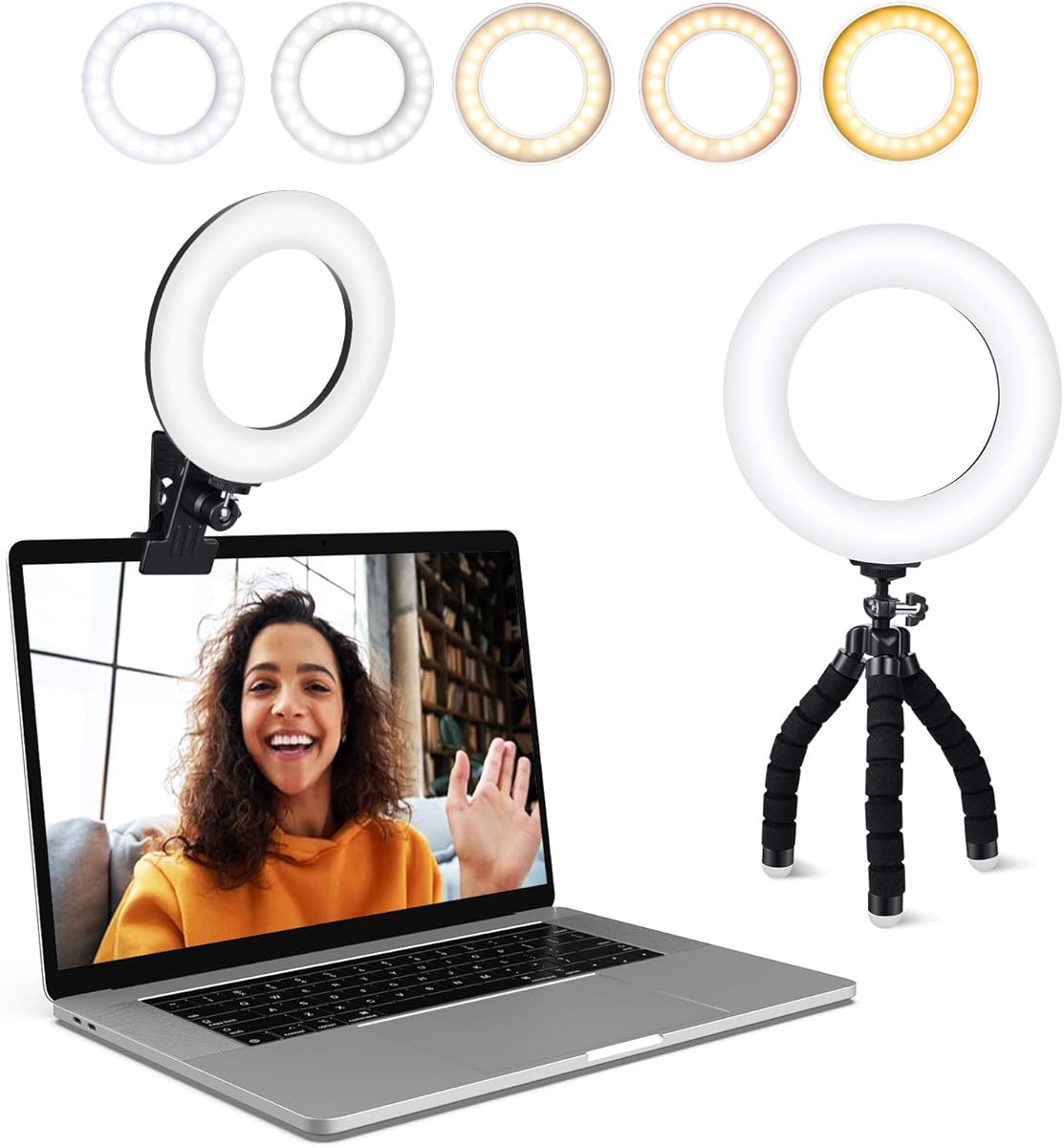
The Anautin Ring Light is an affordable option that does not compromise on color quality. It features a high CRI rating which ensures that your skin tones are rendered accurately on video. The 360-degree rotation allows you to position the light exactly where you need it for optimal illumination.
We may earn a commission when you buy through this link, at no additional cost to you.
Its clip design is simple and effective for securing the light to thin screens. The long USB cable provides flexibility in placement without needing an extension. The controls are straightforward and easy to use for basic adjustments during your workday.
The build is simple and lacks some premium features found in higher-end models. However the value it provides for the price is hard to beat for budget-conscious buyers. It covers all the essential bases for a good video call lighting setup.
This model is perfect for users who want a reliable light without spending too much. It is a great starting point for anyone looking to improve their video quality for meetings or casual streaming.
The high CRI ensures your video looks natural and professional even on a budget friendly device.
The long USB cable allows you to position the light further from the power source if needed.
We may earn a commission when you buy through this link, at no additional cost to you.
This ring light stands out due to its larger 6-inch head which provides wider coverage for your face and screen. The thicker coating on the lampshade helps to diffuse the light more effectively reducing glare. It offers a high CRI rating ensuring that colors are accurate in your video feed.
We may earn a commission when you buy through this link, at no additional cost to you.
The light is dimmable allowing you to adjust the intensity to suit your room lighting. It is designed to be user-friendly with simple controls that make it easy to switch modes. The build feels sturdy enough to withstand regular use on your desk.
The larger size might not fit all compact setups or thin laptops easily. However for desktop monitors it provides excellent coverage and brightness. The simplicity of the controls means you might lack precise tuning but it covers the essentials well.
This light is ideal for users with larger monitors who need broader illumination for their workspace. It works well for those who want a robust light that can handle different lighting scenarios without complicated settings.
The larger 6-inch head ensures that light reaches more of your face for a more even look.
The thicker lampshade coating helps to soften the light reducing harsh shadows effectively.
We may earn a commission when you buy through this link, at no additional cost to you.
The LitONES Computer Light is a premium option that focuses on eye comfort and high-quality light output. It features an advanced light panel that diffuses light to reduce shadows and glare significantly. The high CRI rating ensures that colors are vibrant and true to life on your screen.
We may earn a commission when you buy through this link, at no additional cost to you.
Its 50 dimmable modes provide a wide range of color temperatures and brightness levels for any situation. The screen-safe hanging clip allows for easy installation without damaging your device. The build quality is robust providing a stable and reliable lighting solution.
While it is more expensive than other models the features and build quality justify the price. It requires a specific power adapter for optimal performance which might be an extra consideration. The long warranty adds peace of mind for those investing in a high-end product.
This light is perfect for professionals who need the best possible lighting quality for streaming or important calls. The advanced technology ensures you look sharp and professional in any environment.
The 4-layer soft panel ensures that light is diffused evenly reducing harsh shadows on your face.
With a CRI of 97.8 your video feed will look vibrant and natural with accurate skin tones.
We may earn a commission when you buy through this link, at no additional cost to you.
The Selfila Ring Light is designed to be lightweight and portable making it easy to carry between locations. It offers a range of color temperatures to suit different environments and preferences. The 5-inch design is compact yet provides enough light for standard video calls.
We may earn a commission when you buy through this link, at no additional cost to you.
Its clip is stable and secure on most laptop and monitor screens. The controls are simple allowing for quick adjustments of brightness and temperature. It is a practical choice for those who need a reliable light on the go.
It lacks some advanced features like a stand or dimming knobs found in other models. However for a portable solution it performs well for basic needs. The build is durable enough for daily travel and use.
This light is ideal for remote workers who move around frequently and need a portable lighting solution. It ensures you look well-lit in any room without adding much weight to your bag.
The lightweight design makes it easy to pack and use in different locations without hassle.
Five color temperatures allow you to adapt the light to any room environment.
We may earn a commission when you buy through this link, at no additional cost to you.
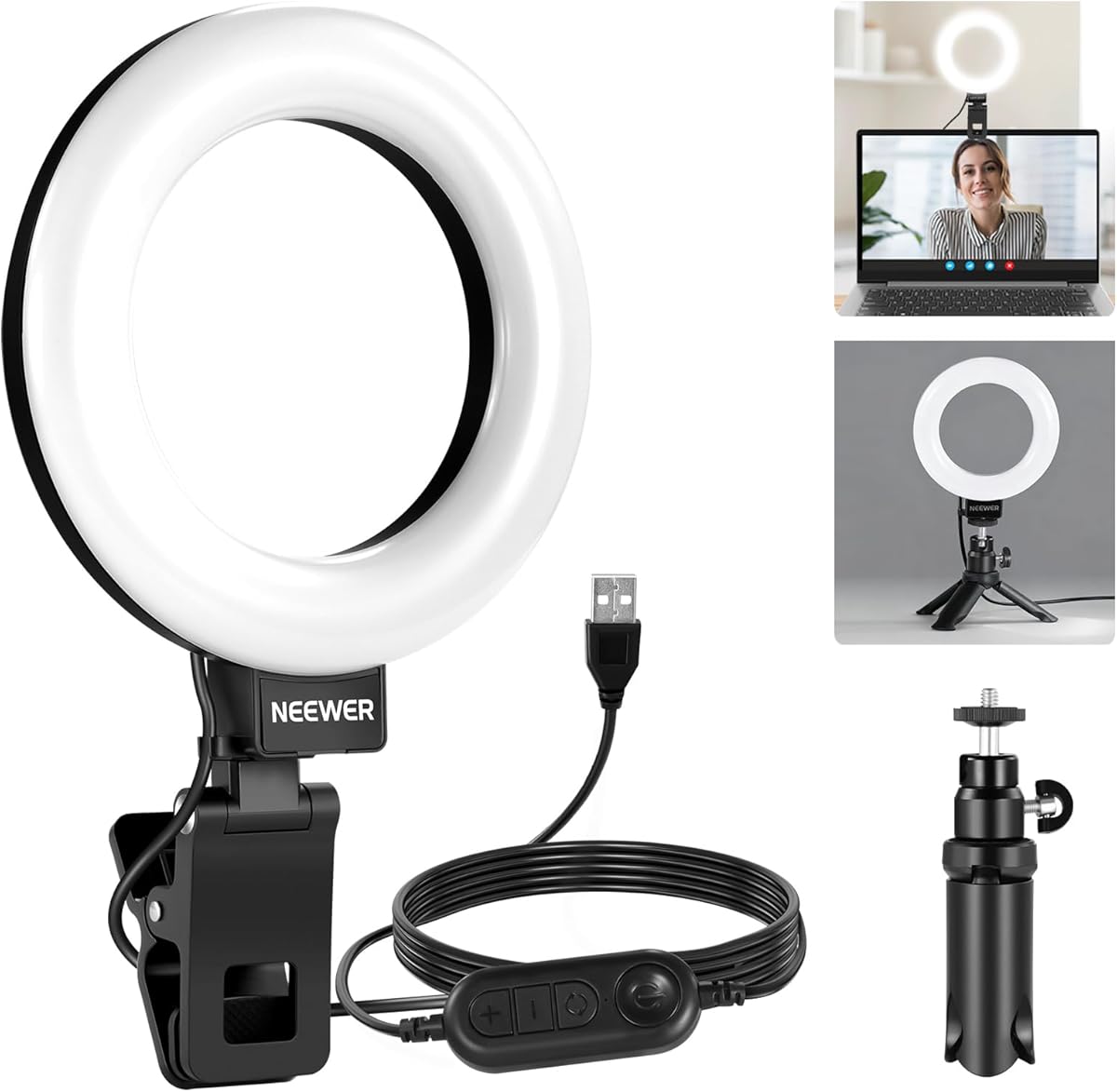
The NEEWER Basics BR60 is a practical choice that comes with a tripod for versatile mounting options. It provides high-quality illumination with a high CRI rating for accurate color reproduction. The clip is stable on most screens allowing for easy setup.
We may earn a commission when you buy through this link, at no additional cost to you.
Its tilt adjustment allows you to direct the light exactly where you need it. The controls are intuitive making it easy to switch between different lighting modes. The included tripod adds value by offering a flexible alternative to clipping it to your screen.
While the build is basic it is sufficient for everyday use. The clip might not fit thicker screens perfectly but works well for standard laptops. The overall package offers good value for those needing a reliable light and stand.
This kit is perfect for users who want a complete solution without buying extra accessories. It works well for both desk setups and mobile use with its included tripod.
With both a clip and a tripod you can position the light in many ways for optimal results.
The high CRI ensures your video looks professional with accurate colors during any call.
We may earn a commission when you buy through this link, at no additional cost to you.
Selecting the right lighting involves considering factors like brightness, color accuracy, and ease of setup. This guide breaks down the key features to help you find the perfect match for your needs.
Color temperature determines the warmth or coolness of the light which affects how your skin looks on camera. Look for models with adjustable ranges to match your room lighting. A high Color Rendering Index ensures that colors are reproduced accurately without making you look washed out.
Prioritize lights with a CRI above 95 for natural skin tones and adjustable color temperatures to suit your environment.
Consider how you want to attach the light to your device. Some clips are designed for thin screens while others work better on thicker monitors. Tripods can offer more flexibility if you prefer placing the light on your desk.
Choose a mounting system that fits your screen thickness and provides stability during use.
Most clip on lights are USB powered but some offer battery options for portability. If you plan to move around a lot a rechargeable model might be better. Ensure the power cable is long enough to reach your outlet or hub.
Decide between USB or battery power based on your mobility needs and desk setup.
Look for lights with multiple brightness levels to avoid being too bright in dark rooms. Dimming functions allow you to customize the intensity throughout the day. More levels provide better control over your lighting environment.
Select a light with a wide range of brightness options to adapt to different times of day.
A sturdy clip and durable materials ensure the light stays in place without breaking. Check reviews for mentions of stability and material quality. Higher-end models often use better plastics or metal components for longevity.
Invest in a model with a robust build to prevent damage during transport or frequent adjustments.
If you travel often a smaller lighter model will be easier to carry. However larger light heads provide better coverage for your face. Balance the size with the need for adequate illumination.
Choose a size that fits your travel bag while still providing enough light for your needs.
Intuitive controls make it easy to adjust settings without interrupting your workflow. Touch panels or physical buttons should be responsive and simple to operate. Avoid overly complex interfaces if you need quick changes.
Opt for a model with straightforward controls that allow you to make changes quickly.
Determine your budget and compare it against the features offered. Some models come with longer warranties which can save money on replacements. Higher price does not always mean better performance for your specific use.
Look for a good balance between price and warranty coverage to protect your investment.
To install the light simply align the clip with the top or side edge of your screen and gently close it until it is secure. If your screen is curved use a model with a flexible arm or rubber padding to avoid scratching. Adjust the angle to face you directly for even lighting.
For maintenance keep the lens clean by wiping it with a soft dry cloth to prevent dust from affecting light output. Avoid bending the clip excessively to prevent metal fatigue. If the light is portable store it in a protective case when not in use.
If using a USB power source ensure you plug it into a sufficient power supply to avoid flickering. For battery models charge them fully before long sessions to prevent interruptions. Regularly check the connection points to ensure they remain stable over time.
Most quality lights come with soft rubber padding to prevent scratches. However ensure the clip is not too tight especially on thin bezels. It is recommended to check the pressure before leaving it on for long periods to avoid stress on the screen.
Most models are USB powered and can run off your laptop or a wall adapter. Some rechargeable options exist for portability. If using a laptop check that the USB port provides enough power to avoid flickering during use.
Yes battery powered models are ideal for outdoor use. Ensure the light is bright enough to overcome ambient sunlight. If it is very sunny you might need a light with high output to ensure your face is well-lit.
Most lights have a dedicated button or dial to cycle through settings. Press the button to switch between warm cool or natural light. Refer to the manual for specific instructions on your model to avoid confusion.
Ring lights provide more even lighting around your face which reduces shadows. Desk lamps often create harsh shadows under the eyes. The clip on design keeps your desk clear and ensures consistent lighting during calls.
A CRI of 95 or higher is ideal for accurate color reproduction. This ensures your skin tones look natural on camera. Avoid lights with low CRI as they may make you look washed out or unnatural.
Yes clip on lights work with laptops monitors and some tablets. Ensure the clip fits the thickness of the device. If moving between devices look for a model with a flexible arm or tripod for versatility.
Most models require you to unplug them or turn them off manually. Closing the laptop might disconnect the USB power. If you need continuous lighting keep the laptop open or use a model with a battery.
We explored ten top options for clip on ring light for laptop users focusing on performance and value. The Evershop model stands out for its balance of features and reliability making it a solid choice for most users. Other picks like the LitONES premium option offer advanced diffusers for those seeking superior comfort.
When selecting a light consider your specific needs such as portability or color accuracy. Ensure the mounting system fits your screen and that the power source is convenient for your setup. Prioritizing CRI and adjustability will make the biggest difference in your video quality.
Always check the latest pricing and availability before making a purchase as deals change frequently. Investing in a good light now can improve your professional presence and content quality for years to come. Choose the model that best fits your workflow and budget today.