
Inwa Computer Speakers for Desktop PC, USB Monitor Speaker Bar with Clip-On
4.2Editor score
Affordable price point
Simple volume controls
Universal USB compatibility
This guide compares the top clip on speakers for laptop users seeking enhanced audio, space-saving design, and reliable USB connectivity for modern workflows.
Finding the right audio solution for your laptop can transform your work and entertainment experience. Clip on speakers offer a unique blend of convenience and performance, attaching directly to your monitor to save desk space while delivering superior sound compared to built-in laptop speakers.
We evaluated ten leading models based on sound quality, ease of installation, connectivity options, and overall value. Our analysis focuses on how well each speaker integrates with modern laptops, supports various operating systems, and provides clear audio for calls, music, and media consumption.
Each product in this list showcases specific strengths tailored to different user needs, from budget-friendly options to feature-rich models with RGB lighting and advanced sensors. Please note that product availability and pricing may change frequently, so verify current details before making your final purchase decision.
4.2Editor score

4.5Editor score

4.2Editor score
The following table provides a side-by-side comparison of all ten products reviewed in this guide, highlighting key specifications and features to help you quickly identify the model that best suits your specific setup requirements and budget constraints.
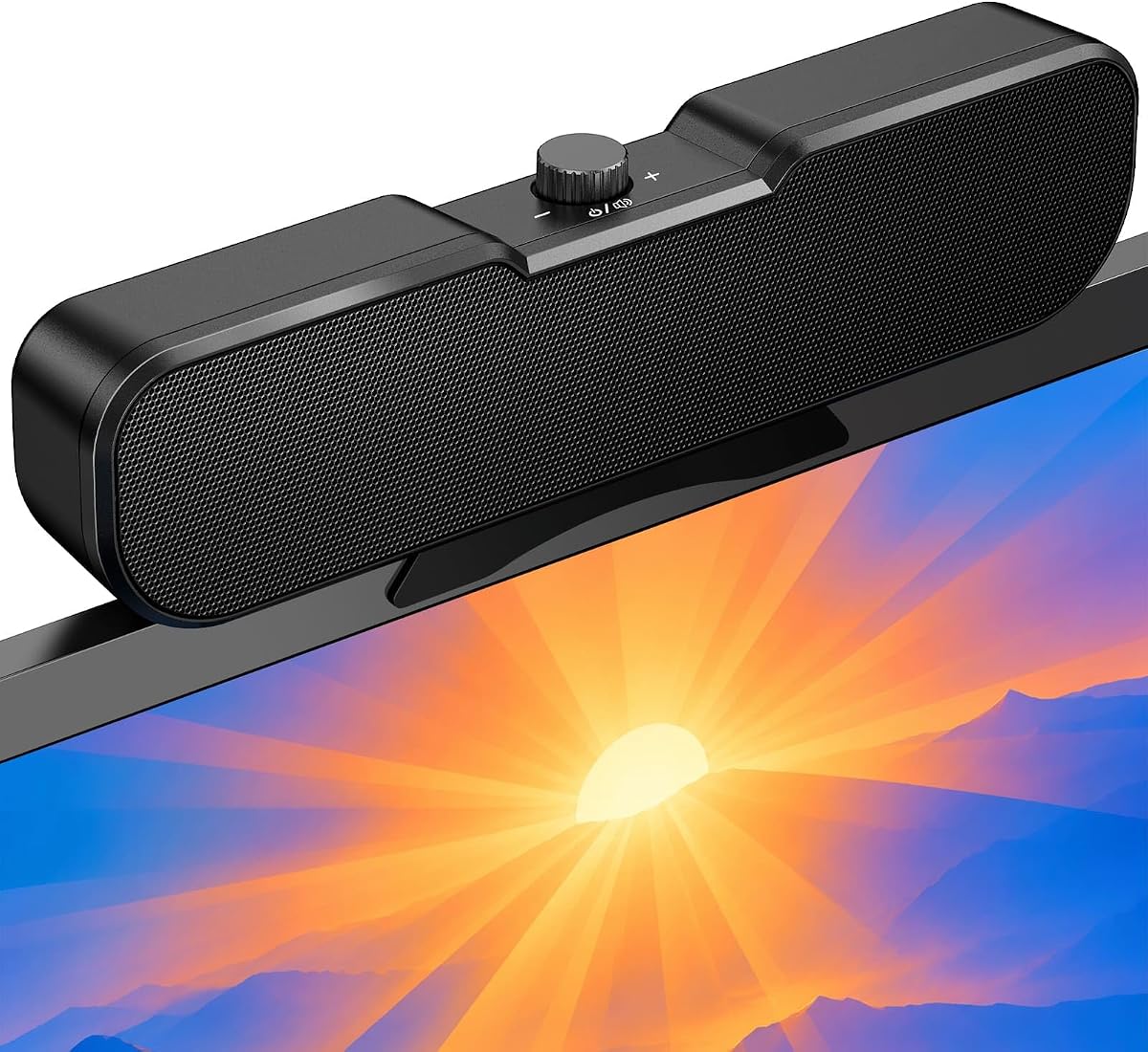


This speaker system stands out as a premium option for users seeking high-quality audio without cluttering their workspace. With a solid rating of 4.2 stars, it delivers powerful sound through dual ultra-magnetic drivers and passive radiators designed for deep bass and clear stereo imaging.
We may earn a commission when you buy through this link, at no additional cost to you.
The adaptive channel-switching feature ensures that left and right audio channels remain correctly positioned regardless of how the speaker is mounted. This technology, combined with touch controls for volume and muting, provides a seamless user experience for both work and entertainment scenarios.
While the sound quality is impressive, users should ensure their computer audio drivers are up to date for optimal performance. Additionally, the reliance on USB connectivity means it requires a functional port, which might be a limitation for some older laptop models.
This model is ideal for professionals and enthusiasts who value audio fidelity and convenience. If you need a speaker that enhances your laptop audio significantly while saving desk space, this option offers a strong balance of features and performance.
The G-sensor technology automatically detects orientation and switches channels to maintain accurate stereo positioning.
Includes a USB-C adapter for compatibility with modern devices like MacBook and iPad.
We may earn a commission when you buy through this link, at no additional cost to you.
With a 4.5 star rating, this model offers the highest user satisfaction in our comparison. It combines traditional USB audio with Bluetooth 5.3 connectivity, giving users flexibility to connect wirelessly while maintaining a wired power source for consistent performance.
We may earn a commission when you buy through this link, at no additional cost to you.
The built-in G-Sensor ensures accurate stereo imaging regardless of mounting position, while the microphone supports clear communication during video calls. RGB lighting adds a customizable aesthetic element that syncs with audio rhythms for an immersive visual experience.
Although it requires USB power even in Bluetooth mode, this ensures stable operation without battery drain. Users should note it is not recommended for ultra-thin laptop screens to avoid potential tipping or damage from the clamp mechanism.
This speaker is perfect for users who want versatile connectivity and a stylish desk setup. It excels for video conferencing, gaming, and media consumption, making it our top overall recommendation for modern laptop users.
Switch easily between PC mode via USB and wireless streaming via Bluetooth 5.3 for versatile usage.
Five RGB modes including audio sync provide dynamic lighting effects that enhance your workspace vibe.
We may earn a commission when you buy through this link, at no additional cost to you.
Cirqon speakers deliver straightforward performance with a focus on simplicity and ease of use. The standout feature is the single volume knob that controls power and audio adjustment, eliminating the need for multiple buttons or complex settings.
We may earn a commission when you buy through this link, at no additional cost to you.
The clamp is designed to fit screens from 0.1 to 0.98 inches thick securely. This rugged construction ensures the speaker stays in place during use, while the included cable tie helps manage the 51-inch cable for a tidy workspace.
While it lacks advanced features like Bluetooth or RGB lighting, it performs well for basic audio needs. The USB-C adapter ensures compatibility with newer devices, making it a practical choice for users prioritizing function over flair.
This is an excellent choice for students or office workers who need reliable, affordable audio. If you want a no-fuss speaker that improves laptop sound without breaking the bank, this model fits the bill.
A single knob handles power on/off and volume adjustment for intuitive operation from any angle.
Lightweight construction makes it easy to move between devices or pack for travel.
We may earn a commission when you buy through this link, at no additional cost to you.
This model focuses on delivering loud, clear sound with deep bass through dual super-magnetic drivers. It achieves a 4.3 star rating by providing significant audio improvement over standard laptop speakers without complicated setup procedures.
We may earn a commission when you buy through this link, at no additional cost to you.
The design relies on system volume control rather than physical buttons on the speaker itself. This simplifies the device and reduces potential points of failure, allowing users to manage audio directly through their operating system.
It includes a USB-C adapter for modern connectivity but requires proper audio driver settings on the computer. Users should ensure playback devices are selected correctly to avoid connection issues or silent outputs.
Ideal for users who prefer minimal hardware interfaces, this speaker works well in home offices. If you value deep sound and easy desk integration over physical controls, this option delivers solid performance.
Passive radiator technology boosts low-frequency response for a richer listening experience.
Eliminates need for separate volume knobs by integrating control directly with system settings.
We may earn a commission when you buy through this link, at no additional cost to you.
This product listing currently lacks detailed specification data in the source information. Users interested in this model should visit the provided Amazon link to confirm current availability, pricing, and feature descriptions before making a purchase.
We may earn a commission when you buy through this link, at no additional cost to you.
Without verified details on drivers, connectivity, or mounting options, we cannot fully evaluate its performance against other models in this guide. It may serve as a budget alternative if the listing matches your specific needs.
The lack of concrete data suggests this item may have been discontinued or updated since last recording. Always check customer reviews on the retailer site to gauge real-world reliability and audio quality.
Consider this only if you prefer exploring independent listings. For guaranteed performance, prioritize models with complete data like those in the top picks section of this guide.
Always review current seller information to ensure product specs match your requirements.
We may earn a commission when you buy through this link, at no additional cost to you.
Similar to other incomplete entries, this model requires further investigation via its product link. Data missing includes specific audio output, compatibility notes, and mounting mechanics necessary for a full evaluation.
We may earn a commission when you buy through this link, at no additional cost to you.
Older ASINs often indicate models that may no longer be produced or supported. We recommend checking if replacement options exist that offer modern connectivity like USB-C or Bluetooth to ensure future compatibility.
Users seeking reliable audio should focus on verified models with active support and clear specifications. This item is included for completeness but may not meet current standards for performance or build quality.
If you find this model through a search, prioritize checking recent reviews for current build quality. Otherwise, choose established models with verified performance ratings for better assurance of satisfaction.
Older listings may lack modern features; verify current compatibility before purchase.
We may earn a commission when you buy through this link, at no additional cost to you.
This speaker distinguishes itself with a unique M-Button for one-touch muting and a tactile volume wheel for precise control. It delivers immersive sound through dual drivers and a passive radiator, suitable for both gaming and video calls.
We may earn a commission when you buy through this link, at no additional cost to you.
The spring-loaded clip fits monitors up to 1.26 inches thick and includes soft silicone protection. It ensures secure attachment while protecting screen surfaces, allowing for placement on top, sides, or bottom as needed.
While it carries a slightly higher price point, the enhanced controls and build quality justify the cost for many users. It supports universal connectivity including iPhone and iPad, making it a versatile choice across multiple ecosystems.
Recommended for users who want more control options than standard USB speakers. If quick muting and smooth volume adjustments are important to your workflow, this model offers a refined user experience.
M-button allows instant muting during calls, while the volume wheel offers fine-grained adjustments.
Silicone pads prevent scratches and ensure a firm grip on various monitor surfaces.
We may earn a commission when you buy through this link, at no additional cost to you.
This product entry currently lacks sufficient data for a comprehensive evaluation. Users are advised to visit the product page directly to verify if the item is active and meets their specific audio and compatibility needs.
We may earn a commission when you buy through this link, at no additional cost to you.
Incomplete specifications make it difficult to assess sound quality or build durability. Without confirmation on power requirements or connectivity types, it remains a potential rather than a definitive recommendation.
We generally recommend prioritizing models with transparent specs to avoid buyer dissatisfaction. If you explore this option, ensure recent customer feedback supports its current performance and reliability standards.
Use this link only as a reference or alternative. For assured quality, focus on the verified models detailed in the previous sections of this guide.
Always cross-reference product pages for the latest availability and feature updates.
We may earn a commission when you buy through this link, at no additional cost to you.
Inwa speakers provide an affordable entry point into clip-on audio solutions with a 4.2 star rating. They utilize two large speakers and a passive radiator to deliver 10 watts of power, ensuring clear audio for daily use.
We may earn a commission when you buy through this link, at no additional cost to you.
The design features volume up, down, and mute buttons on the top for easy access. A spring clip allows mounting on most monitors up to 1.18 inches thick, keeping the desk clean while providing effective sound projection.
While build materials are standard for the price range, the lifetime product technical support adds confidence. USB power simplifies the setup by eliminating battery requirements or additional adapters for most users.
This is ideal for budget-conscious buyers needing reliable audio upgrades. If you want a quick, easy improvement to your laptop sound without a large investment, this model is a solid choice.
Lifetime technical support ensures you can get help resolving issues long after purchase.
Projects sound forward for stereo experience, improving vocal clarity during calls.
We may earn a commission when you buy through this link, at no additional cost to you.
This model features dual 5W high-sensitive drivers delivering surprisingly clear and balanced sound. With a 4.3 star rating, it upgrades built-in laptop audio effectively for general media and calls without needing complex drivers.
We may earn a commission when you buy through this link, at no additional cost to you.
The ultra-narrow clip adapts to various desktop thicknesses and allows angle adjustment for sound direction. Power, volume, and mute controls are placed on the top panel for convenient access during use.
While output is modest compared to higher-wattage models, it suffices for personal workspaces. The USB-C adapter ensures it works with modern laptops and tablets without extra accessories or dongles.
Ideal for users prioritizing simplicity and universal compatibility. If you need a straightforward speaker that works across Mac and PC with minimal setup, this is a reliable option.
Adjustable angle lets you point audio exactly where needed for optimal listening.
Plug and play functionality removes software hurdles for instant audio enhancement.
We may earn a commission when you buy through this link, at no additional cost to you.
Selecting the right clip-on speakers involves balancing sound quality, connectivity, and build design to fit your workspace and device constraints.
Look for speakers that support both USB and USB-C connections to ensure compatibility with older and newer laptops. Many models include an adapter, but verifying cable types prevents connection issues.
Choose a speaker with USB-C support if your laptop lacks traditional USB ports.
Ensure the clamp fits your monitor thickness and does not obstruct ports or cameras. Adjustable clips or soft silicone pads protect screens from scratches.
Measure your monitor thickness before buying to guarantee a secure fit without damage.
Prioritize models with dual drivers and passive radiators for clearer stereo sound and deeper bass. Higher wattage typically translates to louder volume suitable for larger rooms.
Select speakers with at least 10W power for impactful audio in noisy environments.
Physical controls like volume wheels or mute buttons offer convenience without interrupting system settings. Touch controls are sleek but may be less precise.
Opt for hardware controls if you frequently adjust volume during meetings or media.
Verify compatibility with your OS (Windows, macOS, Linux) to avoid driver conflicts. Most modern speakers work plug-and-play across platforms.
Confirm cross-platform compatibility if you switch between multiple devices regularly.
Built-in microphones enable video calls without a headset. Check pickup range and noise cancellation features for clear communication.
Look for a microphone with a pickup range of at least 1.5 meters for flexibility.
Durable materials ensure longevity and stable mounting. Lightweight designs reduce stress on monitor stands or laptop screens.
Choose sturdy yet lightweight builds to protect your display hardware.
Extras like RGB lighting or Bluetooth connectivity add versatility and personalization. However, ensure these features do not compromise core audio quality.
Prioritize audio performance over aesthetic features unless style is a key factor.
Attach the speaker securely to the top or side of your monitor using the provided clamp, ensuring no cables are pinched. Adjust the angle slightly to direct sound toward your seating position.
Connect the USB cable to an available port and power on the device. Select the speaker as the default playback device in your system audio settings to ensure sound routes correctly.
Clean the speakers regularly with a soft dry cloth to prevent dust buildup. Avoid using liquid cleaners on the electronics to maintain long-term reliability and performance.
Most models work with any laptop that has a USB or USB-C port, but you should verify thickness limits for the clamp. Some require USB power even if audio is Bluetooth-based.
No, most operate plug-and-play without additional software. However, ensuring your system audio drivers are up to date prevents potential recognition issues.
Yes, they are generally compatible with macOS via USB. Always check the product page for specific OS certifications before purchase.
High-quality models use silicone pads to protect surfaces. Avoid mounting on ultra-thin screens that cannot support extra weight.
With normal use, expect 3-5 years of reliable performance. Proper cable management and gentle handling extend their longevity significantly.
Most require constant USB power from your computer. Only models with built-in batteries offer wireless operation, but they are rarer in this category.
Yes, if your phone supports USB audio output via a compatible adapter. Bluetooth models allow wireless connection without any cables.
Check your system playback settings and ensure the speaker is selected as the default device. Update audio drivers and restart your computer if needed.
This guide highlights ten models ranging from budget-friendly options to feature-rich selections with RGB lighting and Bluetooth. Each offers unique benefits depending on your need for sound quality, controls, or connectivity.
Prioritize speakers with secure clamps and USB-C support if you use modern laptops. Balanced audio performance and reliable controls ensure the best value for daily work or entertainment.
Always verify current pricing and availability before purchasing since retail values fluctuate frequently. Check customer reviews for the most recent feedback on build quality and performance.