
Brother BU330CL Belt Unit
4.3Editor score
Approximate 50000 page yield
Retail packaging included
Fits multiple Brother laser models
This guide compares the top computer printer transfer belts for reliability and speed. Find the best belt for your Zebra, Brother, HP, Oki, or Lexmark model.
Computer printer transfer belts are critical components that ensure consistent image quality and smooth paper handling in laser and thermal printers. Choosing the right belt prevents jams, reduces downtime, and extends the life of your expensive printing equipment.
We compared ten leading transfer belt units based on compatibility, yield capacity, material quality, and user feedback. Our analysis covers OEM and third-party options for popular brands like Brother, HP, Zebra, Oki, and Lexmark to help you make an informed decision.
Each pick highlights specific strengths like high page yield or durable materials. Please note that availability and pricing change frequently, so verify compatibility with your exact printer model before purchasing to ensure a perfect fit.
4.3Editor score

4.6Editor score
5.0Editor score
The following table provides a side-by-side comparison of all ten transfer belt options. Each entry lists the short product name, image, link, and key specifications to help you quickly identify the right fit for your printer.



This main drive belt is designed specifically for Zebra ZT410 ZT411 ZT420 and ZT421 thermal barcode printers with 203dpi resolution. With a strong 4.6 rating from users, it stands out for its durability in heavy-duty environments.
We may earn a commission when you buy through this link, at no additional cost to you.
The belt uses a high-strength reinforced composite material that offers great tensile strength and heat resistance. This construction effectively avoids cracking, powder shedding, and permanent deformation even under continuous thermal printing workloads.
The main trade-off is that it strictly fits 203dpi models and will not work with 300dpi versions of the ZT410 or ZT420. However, for the intended models, the anti-aging performance ensures long run continuous operation without frequent replacement.
If you operate a warehouse or logistics center using Zebra thermal printers, this belt is a reliable choice to maintain uptime. It combines robust materials with thoughtful after-sales support to keep your printing workflow running smoothly.
The reinforced composite material is built to withstand the stress of long runs and heat exposure, ensuring the belt maintains its shape and function over time.
Verified compatibility with specific part numbers like ZT410A2-T010000Z ensures you receive the correct drive belt for your machine without compatibility issues.
We may earn a commission when you buy through this link, at no additional cost to you.
The Brother Genuine BU223CL Belt Unit is engineered to deliver superior laser print quality with seamless integration into compatible Brother all-in-one models. It has a solid rating and is designed to yield up to 50,000 pages.
We may earn a commission when you buy through this link, at no additional cost to you.
As part of a complete printing system, this belt unit ensures that your laser printer produces sharp prints that withstand the test of time. The intelligent engineering helps maintain consistent professional color quality output you can rely on for daily tasks.
While it comes at a higher price than some alternatives, the focus on quality and longevity justifies the cost for business users. Brother also offers an environmentally responsible way to dispose of the belt unit at the end of its life.
If you need reliable color laser output for an office environment, this genuine unit is a smart investment. It works seamlessly with models like the HL-L3210CW and MFC-L3710CW to keep your printing operations running without interruption.
The belt unit is optimized to work with Brother's laser technology, ensuring that every print comes out with sharp, consistent color quality.
With a yield of up to 50,000 pages, this unit reduces the frequency of replacements, making it cost-effective for high-volume printing.
We may earn a commission when you buy through this link, at no additional cost to you.
The Brother BU330CL Belt Unit is a versatile option that fits several high-end Brother laser printers including the HL8260CDW and HL8360CDW. It comes in retail packaging and offers an approximate 50,000 page yield.
We may earn a commission when you buy through this link, at no additional cost to you.
This unit is designed to be a standard replacement for worn transfer belts ensuring your printer continues to function correctly. The 4.3 rating reflects its ability to maintain print quality while being a cost-effective choice for many users.
Some users might notice slight variations in packaging or fit depending on the printer's manufacturing batch, so checking the specific model list is recommended. However, the core performance remains solid for typical office printing workloads.
For small businesses or home offices using compatible Brother models, this belt unit provides a reliable balance of quality and affordability. It ensures your printer delivers clear and consistent prints without frequent intervention.
This unit works with a range of Brother HL and MFC models, making it a flexible choice if you own multiple devices from the same brand.
The product arrives in retail packaging which helps protect the unit during shipping and indicates it is a genuine or high-quality aftermarket part.
We may earn a commission when you buy through this link, at no additional cost to you.
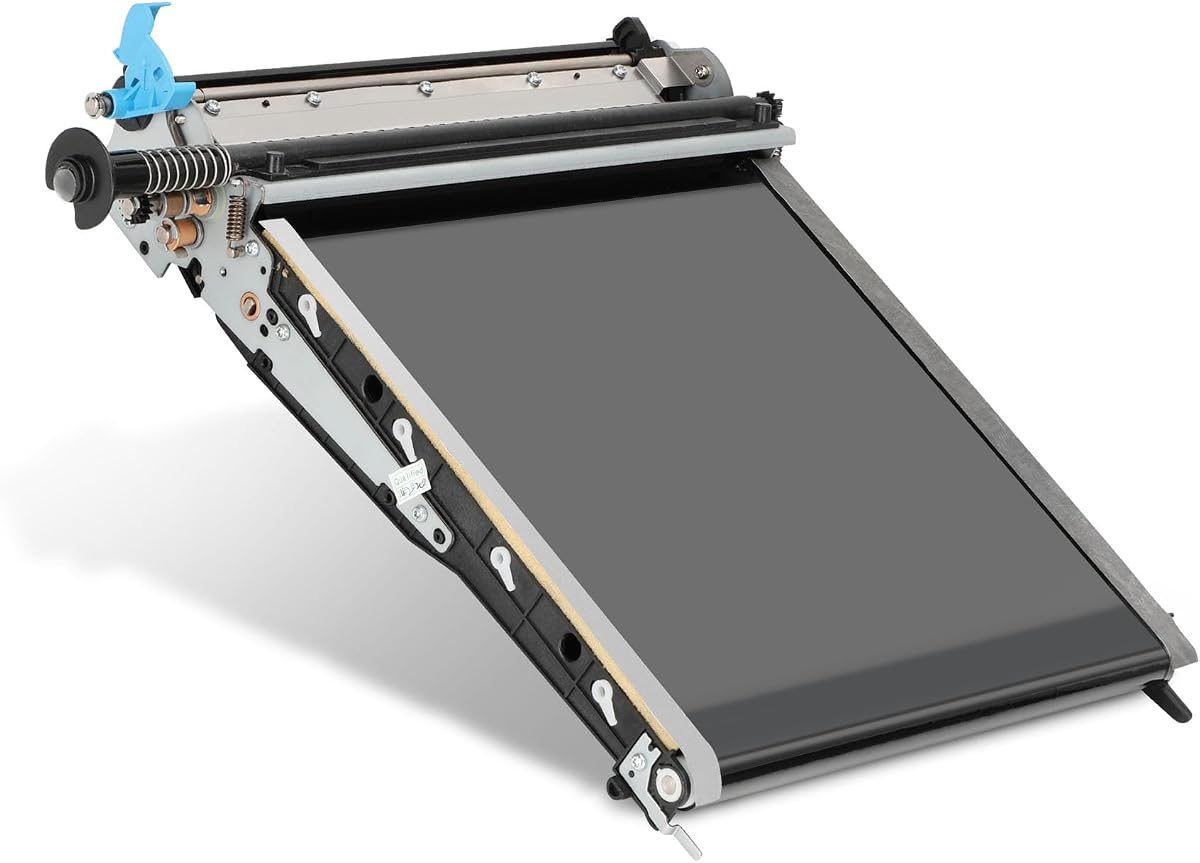
This CE249A Transfer Kit is a comprehensive solution for HP Color LaserJet models like CP4025 and M651. It includes not just the intermediate transfer belt but also secondary transfer and pickup rollers to refresh the entire system.
We may earn a commission when you buy through this link, at no additional cost to you.
Rated 5.0 by users, this kit uses high quality raw materials and is factory tested to ensure peak performance. The package includes gloves and multiple feed and separation rollers to make the replacement process smoother.
The professional anti-drop box ensures the integrity of the product during shipping which is critical for delicate printer parts. While it requires some effort to install, the inclusion of all necessary rollers makes it a complete upgrade package.
If you maintain HP color printers and want to restore full functionality at once this kit is an excellent choice. The dedicated customer service team provides support within 24 hours to address any setup questions.
Beyond just the belt, this kit includes rollers and gloves, allowing you to perform a full maintenance cycle without buying extra parts separately.
Each kit undergoes factory testing to verify functionality ensuring you receive a product that meets high standards for performance and reliability.
We may earn a commission when you buy through this link, at no additional cost to you.
The Brother Genuine Transfer Unit Belt BU220CL is designed for specific models including HL-3140CW and MFC-9130CW. It comes without retail packaging but is a genuine unit that maintains the printer's original performance standards.
We may earn a commission when you buy through this link, at no additional cost to you.
With a strong 4.6 rating users appreciate that this belt fits well and functions correctly to restore print quality. The unit weighs 1.52 kilograms and is manufactured to meet Brother's specifications for reliable color laser printing.
Since it does not come with retail packaging, it might be a more cost-effective option for those who prioritize function over presentation. Always double check your printer model against the list to ensure it is the correct belt.
If your Brother printer needs a replacement belt and you want a genuine part, this is a dependable choice. It keeps your MFC or HL series printer running smoothly without the need for complex recalibration.
As a genuine Brother unit this belt is designed to fit specific models exactly, ensuring compatibility and reliable performance without third-party variances.
The standard design allows for straightforward installation, making it easy for technicians or users to replace the belt and resume printing quickly.
We may earn a commission when you buy through this link, at no additional cost to you.
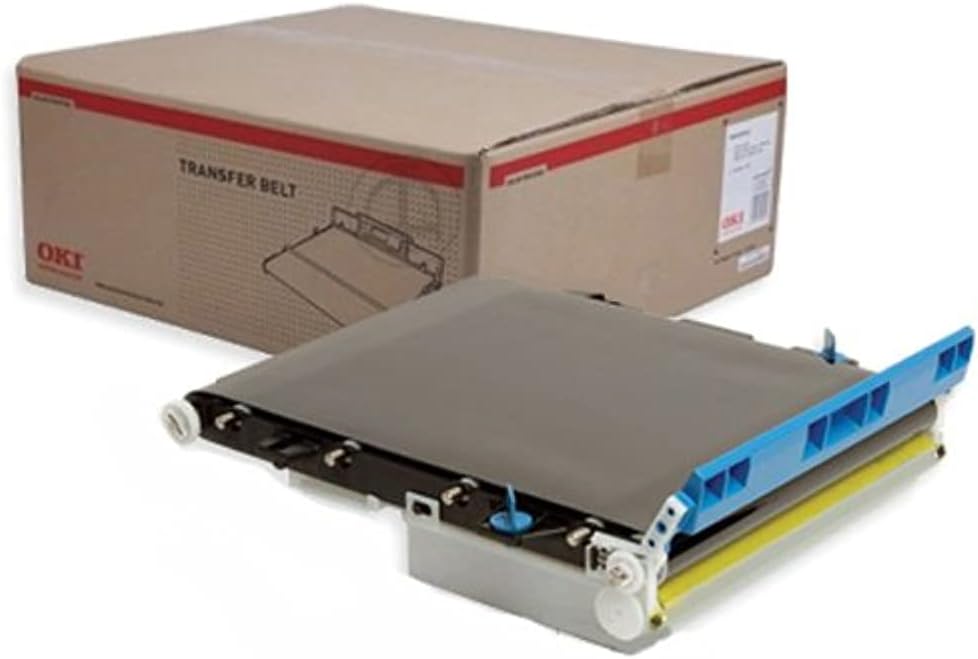
This Oki Transfer Belt is engineered for high volume environments offering a 60,000 yield capacity. With a perfect 5.0 rating it is praised for reducing machine downtime and increasing overall productivity.
We may earn a commission when you buy through this link, at no additional cost to you.
Regular replacement of critical parts like this belt is essential for longer machine life. The product is manufactured in China and is designed to meet the strict standards required by Oki printers to ensure consistent output.
While the cost is higher than some alternatives the long-term savings from reduced downtime justify the investment. The belt helps maintain peak performance so you do not face unexpected stops during busy printing jobs.
If you rely on an Oki printer for daily business operations this belt is a premium choice that keeps everything running smoothly. Its high yield rating means fewer changes and more time focused on core tasks.
With a capacity of 60,000 pages this belt is built to handle heavy workloads without frequent replacement reducing maintenance overhead.
By reducing the frequency of part failures this belt helps keep your workflow uninterrupted improving overall office productivity.
We may earn a commission when you buy through this link, at no additional cost to you.
This Hewlett Packard CC468 service kit is an authentic OEM solution for the HP Color LJ CM3530 MFPCP3525 series. It offers a massive 150000 yield rating making it suitable for high volume industrial environments.
We may earn a commission when you buy through this link, at no additional cost to you.
As an OEM part it is guaranteed to match the original specifications exactly. The service kit includes the Intermediate Transfer Belt designed to restore the printer to its factory performance levels.
Installation should be done by an experienced technician to ensure proper fitting and avoid issues. While the user rating is moderate the product serves a specific niche for those needing genuine parts for older HP color laser systems.
For businesses with HP CM3530 series printers this kit provides the reliability of an original part. It ensures that your printer maintains the quality and speed required for professional color printing tasks.
With a 150000 yield this belt is built to last through extensive printing cycles reducing the need for frequent maintenance intervals.
Being an authentic HP part ensures that all components meet the manufacturer's original standards for safety and performance.
We may earn a commission when you buy through this link, at no additional cost to you.
The P1B93A Transfer Belt Kit is compatible with Color LaserJet Enterprise M652 and M653 printers and serves as a replacement for M681 and M682. It includes the intermediate transfer belt and secondary transfer roller.
We may earn a commission when you buy through this link, at no additional cost to you.
The kit is made of high quality plastic and undergoes a strict production process ensuring each part is smooth and runs without hindrance. It is designed to bring your printer back to life and accompany you for a longer time.
Since this product does not have user ratings yet you should confirm compatibility with your model before purchasing. The manufacturer promises superior performance through strict control levels and quality tests during production.
If you manage enterprise printers like the M652 this kit provides the necessary components to maintain optimal performance. Customer satisfaction is a priority with support available to solve any questions within 24 hours.
The kit includes multiple rollers and the main belt ensuring all related parts are updated for consistent performance.
The manufacturer offers 24 hour support to help customers with any issues ensuring a smooth replacement experience.
We may earn a commission when you buy through this link, at no additional cost to you.
The 40X9929 Transfer Belt Assembly is compatible with Lexmark CS720 CS725 CX725 and XC4140 XC4150 printers. It offers a 150000 yield and is crafted from high-quality materials.
We may earn a commission when you buy through this link, at no additional cost to you.
The assembly undergoes rigorous factory testing to ensure optimal printer performance. It comes in anti-drop packaging which enhances resilience and durability to safeguard product integrity during shipping.
While there are no user ratings available this product promises superior customer service with a dedicated team ready to address inquiries within 24 hours. It is a strong candidate for those needing a replacement for these specific Lexmark models.
If you use a Lexmark CS720 or similar printer this assembly helps maintain your machine's efficiency. The secure packaging ensures you receive the part in perfect condition for installation.
With a 150000 yield this assembly is designed to handle large print volumes without frequent maintenance stops.
Rigorous factory testing ensures that the assembly meets performance standards before reaching the customer.
We may earn a commission when you buy through this link, at no additional cost to you.
This 40X9929 Transfer Belt Assembly is a compatible alternative for Lexmark CS720de CS725 CX725 and XC4140 XC4150 series printers. It offers a 150000 yield and premium quality materials.
We may earn a commission when you buy through this link, at no additional cost to you.
The unit is crafted from high-quality materials and tested for optimal printer performance. It arrives in secure anti-drop packaging designed to enhance resilience and durability during transit.
The manufacturer provides superior customer service with a dedicated team to address concerns within 24 hours. Since there are no user ratings yet you should confirm that your exact model is on the compatibility list.
If you need a replacement for your Lexmark printer this assembly provides the necessary components to keep printing running. The secure packaging ensures the part arrives in good condition for installation.
With a 150000 yield this assembly is built to last through extensive printing cycles without frequent replacement.
The anti-drop packaging protects the assembly during shipping ensuring it arrives in perfect condition for installation.
We may earn a commission when you buy through this link, at no additional cost to you.
Selecting the right transfer belt requires careful attention to compatibility, yield, and material quality. These factors ensure your printer runs smoothly and delivers consistent output.
The most critical factor is ensuring the belt fits your exact printer model. Check the part number and supported models like ZT410 or HL-L3210CW to avoid purchasing a belt that does not fit.
Always verify the compatibility list on the product page or manufacturer documentation before buying to ensure a perfect match.
Transfer belts come with different page yields ranging from 50,000 to 150,000 pages. Choose a higher yield belt for high-volume environments to reduce the frequency of replacements.
Higher yield belts are often more cost-effective for businesses that print daily as they lower long-term maintenance costs.
Look for belts made from high-strength reinforced composite materials that offer heat resistance and anti-aging properties. These materials prevent cracking and deformation under heavy-duty conditions.
Premium materials ensure the belt maintains its shape and function over time improving overall print quality.
Original Equipment Manufacturer (OEM) belts guarantee exact specifications but may cost more. Aftermarket options can be cost-effective but check for quality certifications and user reviews.
For critical business printers OEM is often safer while aftermarket suits less urgent needs.
Some kits include multiple rollers and gloves to simplify installation while others are single units. Check if professional installation is recommended to avoid damage.
Choose a kit that matches your technical comfort level to ensure a smooth replacement process.
Transfer belts are sensitive to damage during shipping. Look for products with anti-drop packaging or protective multi-layer boxes to ensure integrity.
Secure packaging ensures the belt arrives in perfect condition ready for installation without defects.
Access to responsive customer support is vital if you encounter issues. Check for warranties or 24-hour support options from the seller.
Reliable support helps resolve installation or compatibility questions quickly minimizing printer downtime.
When replacing a transfer belt always turn off the printer and let it cool down to avoid burns from hot internal components. Follow the manufacturer's guide to access the belt assembly and remove the old unit carefully.
Clean the internal rollers and sensors before installing the new belt to remove any dust or toner buildup. Ensure the new belt is seated correctly and secured according to the manual to prevent jams.
Keep your printer in a clean environment with controlled temperature and humidity to extend the life of the transfer belt. Regularly check for wear signs like streaks or faded prints to know when to replace.
A transfer belt is a critical component in laser and thermal printers that moves the toner or ink from the drum to the paper. It ensures consistent image quality and smooth paper handling during the printing process.
Check your printer model number on the label on the device. Compare it with the compatibility list on the product page. Matching the part number exactly guarantees the belt fits your specific printer model.
Yes, aftermarket belts are available and often cost-effective. However ensure they have good user reviews and quality certifications to match OEM performance. Verify compatibility before purchasing to avoid issues.
Replacement depends on the yield capacity and usage volume. For high-yield models, this can be every 50,000 to 150,000 pages. Watch for print quality issues like streaks or faded prints as signs to replace.
Many sellers and manufacturers offer warranties ranging from 30 days to 1 year. Check the product details or contact customer service to confirm warranty terms before making your purchase decision.
Incorrect installation can cause paper jams, poor print quality, or machine damage. Always follow the manual and ensure the belt is seated correctly. If unsure, ask a professional technician for help.
The 79866M Main Drive Belt, Brother BU330CL, and Oki Transfer Belt stand out as top choices for Zebra, Brother, and Oki users respectively. Each offers reliable performance and quality materials for consistent printing.
When selecting a belt prioritize compatibility and yield capacity to match your printing volume. High-quality materials and secure packaging ensure your investment protects your printer and maintains output standards.
Always check current pricing and availability before buying as these can change frequently. Confirm your model number to ensure a perfect fit and keep your printing operations running smoothly.