
SAMSUNG QB43R 43 inch 4K UHD
5.0Editor score
Compact 43-inch size
Built-in media player
Energy efficient operation
Finding the right conference room monitor is essential for modern business communication. A good display ensures clear visuals during video calls and presentations. It must support various inputs and offer reliable performance in busy office environments.
We compared ten top models based on resolution, size, and commercial features. Our analysis focuses on brightness, connectivity options, and ease of integration with popular video conferencing platforms. Each product was evaluated for its suitability in different meeting room sizes.
Each pick highlights key strengths and ideal use cases for your space. Prices and availability may change frequently so check current listings before buying. This guide helps you narrow down options to find the best fit for your team needs.
5.0Editor score

4.8Editor score

4.9Editor score
As an Amazon Associate we earn from qualifying purchases.
Below is a side-by-side comparison of the top ten monitors. Each entry lists key specifications to help you evaluate features like size resolution and connectivity options for your specific meeting room requirements.


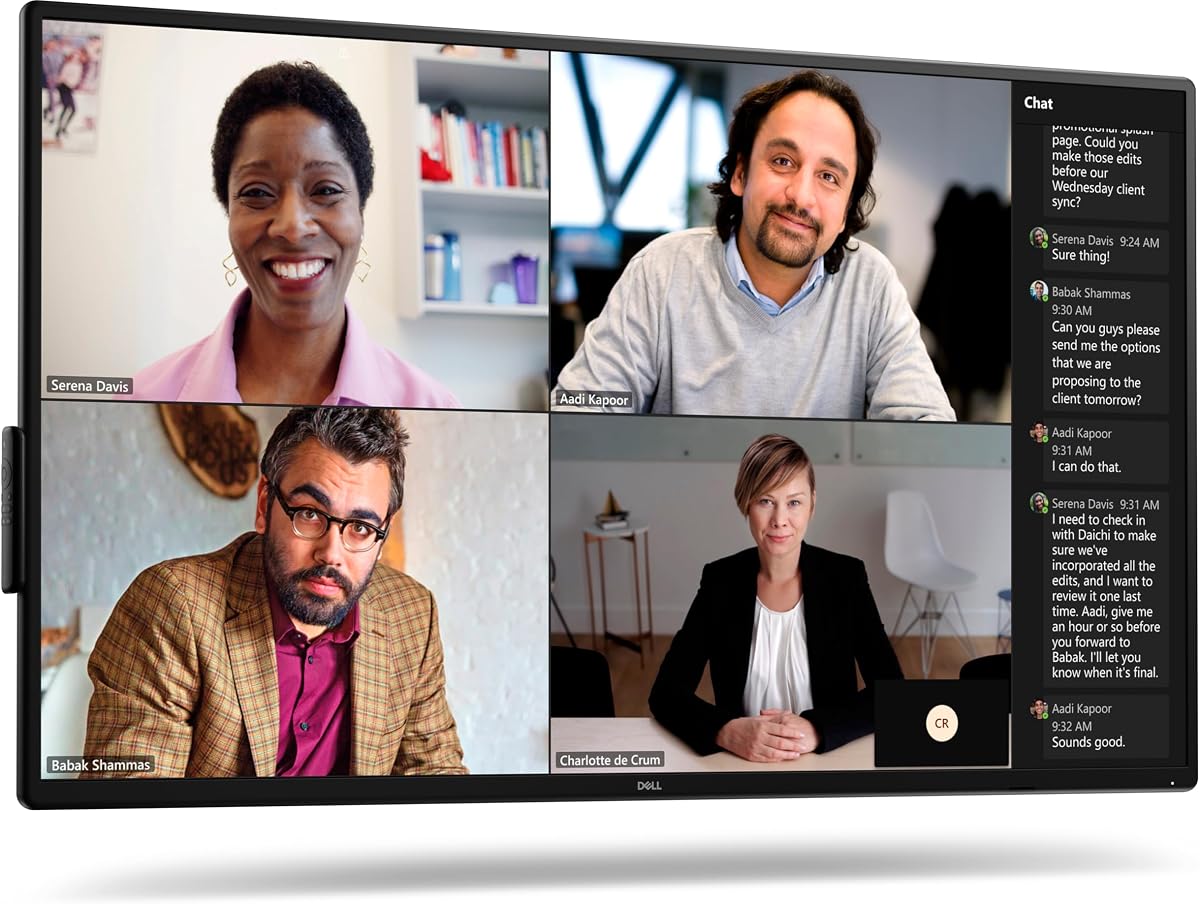


The Dell P5524Q stands out as a top choice for modern conference rooms. It offers a 55-inch 4K display that ensures every detail is visible to participants. Its design prioritizes clarity and ease of use for daily meetings.
We may earn a commission when you buy through this link, at no additional cost to you.
Key strengths include the integrated speakers which reduce cable clutter. The anti-glare coating is essential for rooms with bright lighting or windows. Wide viewing angles ensure everyone sees the same image regardless of where they sit.
While it is a premium option, the cost is justified by its build quality. Some users may find the price higher than smaller alternatives. However, the durability and features support long-term business needs effectively.
Businesses needing a reliable central display should choose this model. It works well for hybrid meetings requiring high visual fidelity. It is a solid investment for professional environments prioritizing presentation quality.
The 55-inch screen provides ample space for sharing documents or video feeds. This helps larger teams engage without straining to see small text.
Built-in speakers eliminate the need for external sound systems. This reduces installation time and keeps the setup looking clean.
We may earn a commission when you buy through this link, at no additional cost to you.
This Samsung model offers a massive 65-inch canvas ideal for big boardrooms. It is designed to handle commercial use with reliability and sharp 4K visuals. The integration of smart features makes it versatile for different meeting types.
We may earn a commission when you buy through this link, at no additional cost to you.
It supports Cisco WebEx room kits which simplifies conferencing setups. Wireless connectivity allows easy content sharing from mobile devices. The intelligent upscaling ensures even standard resolution content looks crisp on the large panel.
While the size is impressive it requires careful planning for installation. Ensure your room has enough space and mounting support for this display. Power needs may also be higher than smaller models.
Large organizations needing a commanding display will appreciate this option. It is well-suited for spaces where visibility from the back of the room is critical. Choose this when size is your top priority.
Built-in Wi-Fi and Bluetooth enable seamless wireless presentations. This allows presenters to share content without connecting cables directly.
Designed for all-day commercial use it withstands frequent operation. The display maintains consistent performance over long business hours.
We may earn a commission when you buy through this link, at no additional cost to you.
The LG UL3G bundle provides a convenient package for setting up meeting spaces. It includes the display plus necessary cables and protection items. The 43-inch size fits well in smaller to medium conference rooms.
We may earn a commission when you buy through this link, at no additional cost to you.
Its IPS panel ensures consistent colors across different viewing angles. The System on Chip allows for media playback without extra hardware. This reduces clutter and keeps the focus on the content being presented.
While it is a complete kit check if additional cables are needed for your specific devices. The 43-inch screen might be too small for very large halls. It is a balanced choice for standard meeting areas.
Teams looking for a ready-to-install solution will find this valuable. It saves time on sourcing accessories and ensures compatibility. Choose this for cost-effective setups in standard meeting rooms.
Receiving HDMI cables and a surge protector simplifies immediate use. This saves the hassle of buying separate accessories.
The webOS interface allows easy navigation and content management. Users can customize settings quickly without technical expertise.
We may earn a commission when you buy through this link, at no additional cost to you.
This HORION display offers a huge 75-inch screen ideal for prominent boardrooms. It features unique all-in-one tools like agenda timers and voting systems. The wireless casting capabilities make it easy to share content from various devices.
We may earn a commission when you buy through this link, at no additional cost to you.
The dual WiFi system ensures a stable connection even with multiple users. This prevents interruptions during critical meetings. The design supports both landscape and portrait orientations for flexible room layouts.
Installing a 75-inch unit requires sturdy mounting hardware. Ensure the wall or stand can support the weight and size. The price reflects the large size and commercial grade features included.
Organizations prioritizing visibility and interactive features will benefit most. It is a great choice for modern spaces needing engagement tools. Select this for high-impact presentations in large rooms.
Built-in agenda timers and voting tools enhance collaboration. This removes the need for separate software during meetings.
The unit supports portrait mode which is great for lobbies. This versatility adds value beyond standard meeting room use.
We may earn a commission when you buy through this link, at no additional cost to you.
The Dell P5525QC focuses on modern connectivity options. It features USB-C inputs that simplify connection for laptop users. The display delivers a clean 4K experience suitable for detailed work.
We may earn a commission when you buy through this link, at no additional cost to you.
Its 60Hz refresh rate ensures smooth video playback during calls. This is crucial for maintaining natural motion in web conferencing. The build quality aligns with Dell standards for commercial use.
Check your laptop ports to see if adapters are needed for USB-C. While it supports high-resolution video cable management may still be required. Ensure your setup matches the display requirements.
Teams relying heavily on laptops will appreciate the USB-C support. It streamlines the connection process for presenters. Choose this if you prioritize easy modern connectivity options.
USB-C inputs allow single cable connection for video and power. This reduces desk clutter and speeds up setup time.
The 60Hz rate helps prevent motion blur during calls. This ensures a professional look during video conferences.
We may earn a commission when you buy through this link, at no additional cost to you.
This Philips monitor includes a built-in webcam which is rare for standard displays. It is designed for small huddle rooms or personal workspaces. The UltraWide format allows side-by-side work during meetings.
We may earn a commission when you buy through this link, at no additional cost to you.
The webcam supports Windows Hello for secure login. It works well with standard video platforms for basic conferencing. USB-C docking allows charging while connecting video to simplify cabling.
Note that it is smaller than typical conference room displays. For large groups a bigger screen may be better for visibility. However, it is a great all-in-one choice for smaller teams.
Small offices looking to save on separate webcams will like this. It provides a streamlined solution for video calling needs. Select this for compact spaces where integration is key.
The built-in webcam supports facial recognition login. This adds a layer of security for office access.
The 21:9 ratio allows viewing multiple documents easily. This helps during complex presentations or analysis.
We may earn a commission when you buy through this link, at no additional cost to you.
The Samsung QB43R offers a cost-effective entry into commercial displays. It features 4K resolution and upscaling to make content look sharp. This is ideal for teams needing a professional look without high costs.
We may earn a commission when you buy through this link, at no additional cost to you.
The included 3-year warranty provides peace of mind for business use. Its slim bezels help the monitor blend into modern office designs. The display handles standard and high-definition content well.
Check audio needs since speakers are basic compared to premium models. It may need external audio for larger rooms. Overall it balances price and quality effectively for many users.
Startups and smaller businesses will find this a reliable choice. It meets essential conference needs without unnecessary complexity. Choose this when budget is a primary factor.
It delivers commercial durability at a lower price point. This makes advanced displays accessible to smaller companies.
The 3-year warranty ensures long-term support. This reduces worries about potential repair costs.
We may earn a commission when you buy through this link, at no additional cost to you.
Sony brings premium quality to this 75-inch commercial monitor. The HDR support ensures rich colors and contrast for detailed visuals. It is built to handle demanding commercial environments with ease.
We may earn a commission when you buy through this link, at no additional cost to you.
The VA LCD panel provides deep blacks and high brightness. This is perfect for rooms with varied lighting conditions. The design focuses on performance and reliability for professional users.
The investment cost is higher than many competitors. It requires careful handling and professional mounting for safety. Ensure your budget allows for this premium level of quality.
Enterprises needing top visual performance should consider this model. It is a statement piece for high-end meeting spaces. Choose this when quality is more important than cost.
HDR support brings out details in bright and dark areas. This creates a more immersive viewing experience.
Built for rigorous use this monitor maintains consistency. It is a trusted option for critical business meetings.
We may earn a commission when you buy through this link, at no additional cost to you.
This Samsung model is designed for continuous use throughout the week. It supports 16/7 operation which is ideal for active workspaces. The 50-inch size fits standard rooms well.
We may earn a commission when you buy through this link, at no additional cost to you.
The built-in media player allows direct content playback from USB. This reduces the need for connected computers. The dust-proof rating helps maintain internal components over time.
Its brightness is slightly lower than premium commercial screens. It works well in controlled lighting environments. Check the room lighting to ensure visibility is sufficient.
Teams with frequent daily meetings will benefit from the durability. It is a practical choice for regular office use. Select this for consistent performance in standard rooms.
The 16/7 rating ensures reliability during long shifts. This supports high-frequency meeting schedules.
Direct USB playback simplifies content sharing. This allows quick access to local files.
We may earn a commission when you buy through this link, at no additional cost to you.
The Logitech MeetUp adds premium video and audio to existing setups. It is designed for huddle and small rooms needing high quality. The 4K sensor ensures sharp video for remote participants.
We may earn a commission when you buy through this link, at no additional cost to you.
The three microphones capture voices clearly from across the room. The pan and tilt feature allows flexible viewing angles. It integrates well with major conferencing platforms like Teams.
Note this is a system not a monitor. You still need a separate display to show content. It is perfect when video quality is more critical than screen size.
Teams prioritizing hybrid meeting quality will find this valuable. It bridges the gap between small huddles and full rooms. Choose this to upgrade audio and video capabilities.
Beamforming microphones isolate voices for clear audio. This reduces background noise effectively.
The 120 degree view ensures all participants are seen. This improves engagement during virtual meetings.
We may earn a commission when you buy through this link, at no additional cost to you.
Selecting the right monitor involves balancing size features and budget. This section outlines key factors to consider for your specific meeting room needs.
Screen size determines visibility. For small rooms 32 to 43 inches may suffice while larger spaces need 55 or 65 inches. Resolution should be at least 4K for sharp text and detail.
Prioritize size based on room capacity.
IPS panels offer wider viewing angles compared to VA or TN. Brightness matters for rooms with windows or overhead lights. Look for models with high nits for better visibility.
Choose brightness that matches your room lighting.
Ensure the monitor supports HDMI and USB inputs. USB-C is useful for modern laptops. Check for wireless casting options to reduce cable clutter.
Verify inputs match your devices.
Integrated speakers can simplify setups. However commercial displays often have basic audio. Check if external speakers are needed for larger rooms.
Decide if built-in audio is sufficient.
Some monitors support video conferencing software directly. Look for WebEx or Teams compatibility. Built-in media players can also reduce the need for computers.
Check software compatibility for your needs.
Commercial monitors are built for longer daily use. Check the warranty length for peace of mind. Look for dust-proof ratings for longevity.
Invest in commercial grade for reliability.
VESA compatibility allows wall mounting. Ensure the mount fits your wall type. Some models offer vertical orientation for lobbies or directories.
Plan for secure and appropriate mounting.
Prices vary based on size and features. Consider total cost including cables and mounts. Balance features with your available budget.
Compare value rather than just price.
Start by ensuring the monitor is placed in a stable location. Use the correct mount to secure it properly. This prevents accidents and ensures a safe viewing angle.
Connect all necessary cables before powering on. Use quality HDMI cables to maintain signal integrity. Check the display settings to calibrate colors and brightness.
Clean the screen with a soft microfiber cloth regularly. Avoid chemicals that might damage the anti-glare coating. This keeps the display looking professional and functioning well.
For a 10 person room a 55 inch monitor is usually ideal. It balances visibility with space. Ensure the screen is placed so everyone can see without straining their necks.
Yes commercial monitors are built for longer daily operation. They often have better brightness and durability. They are designed to handle continuous use without overheating.
Many commercial monitors support digital signage features. Look for built-in media players or SoC technology. This allows you to display info without a computer.
Yes HDMI cables have a max effective length. Use high quality cables to avoid signal loss. If you need long cables check if they support extended distances.
Use a wall mount rated for the display weight. Install on a solid wall like drywall with studs. Follow the manufacturer instructions for safe installation.
USB-C allows for single cable video and power. This simplifies setup for modern laptops. It reduces desk clutter and makes connecting easier.
The top picks include the Dell 55-inch for overall quality and Samsung QB43R for budget. For premium needs the Sony FW75BZ30L stands out. Each offers unique features depending on your room size.
Prioritize features like resolution and connectivity for your setup. Ensure the monitor fits your meeting space and budget. Compatibility with your software is also critical.
Remember to check current prices and availability before buying. Specs and offers may change over time. Use this guide to make a confident choice for your business.