
Switch 2 Pro Controller Charging Station
3.5Editor score
Dual charging ports for pros
LED indicators show status clearly
Compact design saves desk space
This guide compares the top ten controller charging docks for Switch 2 to help you find the best storage and charging solution for your gaming setup.
Finding the right controller charging dock for Switch 2 ensures your gaming sessions remain uninterrupted. A quality dock keeps your devices organized while providing reliable power delivery for long play times.
We evaluated ten top-rated models based on charging speed compatibility and design features. Each product offers unique benefits tailored to different gaming preferences and desk setups.
Every pick includes detailed specs and pros to help you decide quickly. Please note that availability and pricing may change over time so verify details before purchasing.
3.5Editor score

4.7Editor score
4.6Editor score
This side-by-side comparison highlights the key differences across all ten models to help you identify the best fit for your specific Switch 2 controller needs.


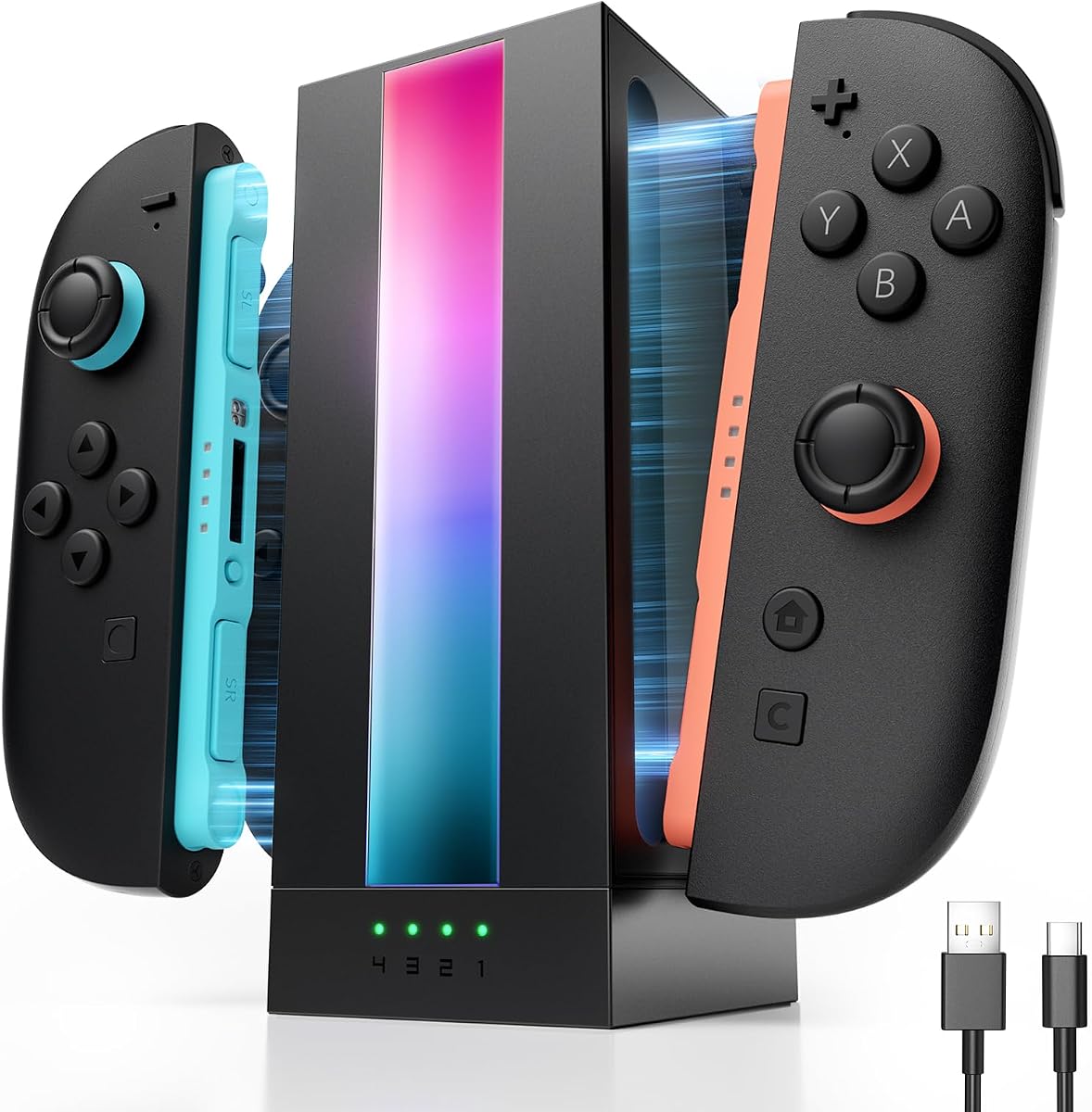
This magnetic dock is designed exclusively for Nintendo Switch 2 Joycons and supports four controllers at once. It offers a seamless charging experience with automatic alignment and a high satisfaction rating from users.
We may earn a commission when you buy through this link, at no additional cost to you.
The magnetic alignment eliminates guesswork when docking Joycons and prevents damage to ports. Users appreciate the fast charging time and the memory function that retains their preferred lighting settings.
While the RGB lights enhance ambiance they might be too bright for dimly lit rooms despite the off button. The lack of a wall adapter means you must source a compatible power supply separately.
Ideal for households with multiple players this dock keeps your controllers organized and ready. It is a top choice for those seeking convenience and a modern aesthetic for their gaming desk.
The magnetic design ensures Joycons snap into place securely without needing to align positive or negative sides manually.
Touch controls let you switch between nine lighting modes or turn them off completely for a focused gaming environment.
We may earn a commission when you buy through this link, at no additional cost to you.
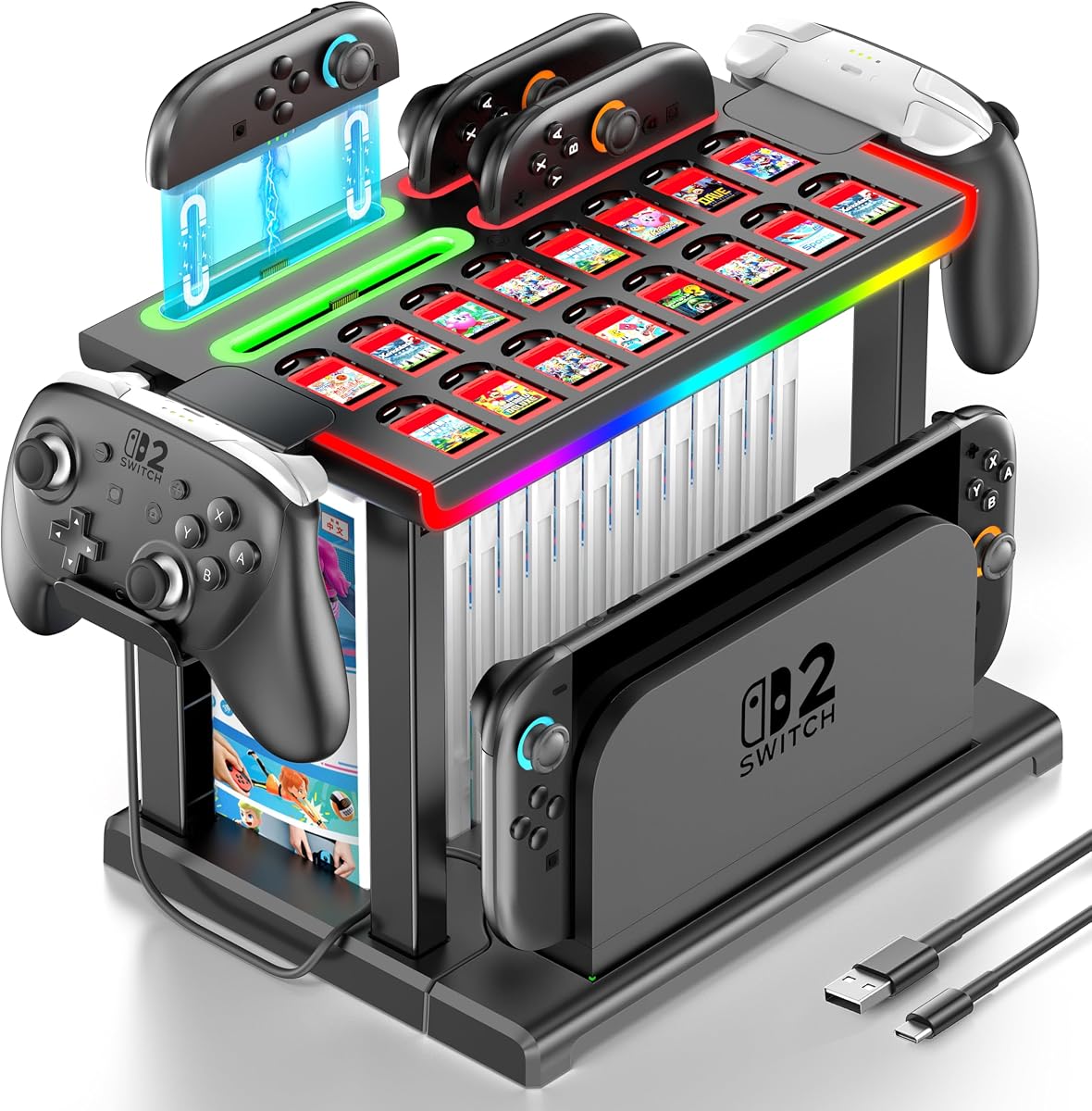
This organizer station combines charging with extensive storage for your entire Switch 2 setup. It holds game cases cards and controllers while offering fast charging for Joycons and vibrant RGB lighting effects.
We may earn a commission when you buy through this link, at no additional cost to you.
The large capacity storage ensures your gaming area remains clutter-free with slots for sixteen game cases and cards. Charging indicators show status clearly and the RGB lights add a dynamic visual layer to your room.
The stand is sturdy but occupies significant desk space which might be an issue for smaller setups. Remember that the Switch 2 TV dock must be placed here separately as it is not included.
Perfect for enthusiasts who want a centralized hub for all accessories this station streamlines your setup. It is an excellent gift for players who value organization and style in their gaming environment.
Keep up to sixteen game cases and accessories organized in one place for easy access during gameplay sessions.
Press and hold to toggle lights and cycle modes to match your mood and enhance visual immersion.
We may earn a commission when you buy through this link, at no additional cost to you.
This dual station is designed specifically for Switch 2 Pro Controllers and offers a straightforward charging solution. It features clear LED indicators and a compact design that fits well on most gaming desks.
We may earn a commission when you buy through this link, at no additional cost to you.
Users benefit from simultaneous charging which reduces downtime between sessions. The built-in protection chips help prevent overheating and overcharging ensuring safe operation for your hardware investments.
The station lacks versatility for Joycons which limits its appeal for those with hybrid setups. Ratings are lower than competitors suggesting potential durability or stability concerns compared to other models.
If you primarily use Pro Controllers and need a simple affordable dock this is a practical option. It serves well as a basic backup charger for maintaining power levels during intense gaming sessions.
Simultaneously charge two Pro Controllers to ensure you always have a ready backup for multiplayer sessions.
Red and green lights provide instant visual confirmation of charging progress at a glance.
We may earn a commission when you buy through this link, at no additional cost to you.
This station supports a wide range of controllers including Switch Pro and Xbox Series models. It features removable Type-C adapters for easy charging and clear LED indicators to track status efficiently.
We may earn a commission when you buy through this link, at no additional cost to you.
The 5V2A recommendation ensures stable power delivery and prevents intermittent charging issues. Users appreciate the versatility of docking different controller types without needing multiple dedicated stations for different games.
PowerA controllers are explicitly not supported so verify your hardware before purchase. You will need to provide your own wall adapter as the unit does not include a power supply in the box.
Multi console gamers will find this dock highly practical for keeping diverse controllers charged. It is a reliable choice for those who want one unified solution for their mixed gaming ecosystem.
Dock Switch Pro and Xbox Series controllers simultaneously for seamless transitions between gaming platforms.
Adapters slide into the dock to protect ports and simplify the charging process significantly.
We may earn a commission when you buy through this link, at no additional cost to you.
This base provides official compatibility for Switch controllers and supports both Joycons and wireless types. It features LED indicators to show when devices are fully charged and maintains a bold aesthetic.
We may earn a commission when you buy through this link, at no additional cost to you.
Users value the reliability of a known brand like PowerA which often ensures better build quality. The simultaneous charging capability allows you to keep multiple controllers ready without rotating them manually.
The design is stylish but lacks advanced features like RGB lighting or game case storage found in others. It focuses purely on charging function rather than organization or immersive visual effects.
For those who prefer official accessories this base delivers dependable performance for daily charging. It is a solid choice if you want simplicity and trust in the brand behind your gear.
Fully compatible with Nintendo Switch Pro Controllers and wireless variants for guaranteed performance.
LED lights clearly show when controllers are charging versus fully charged status for peace of mind.
We may earn a commission when you buy through this link, at no additional cost to you.
This versatile charger handles Joycons Pros and PS5 controllers in one unit. It offers up to six charging slots and uses a fireproof panel for safe power delivery across multiple devices.
We may earn a commission when you buy through this link, at no additional cost to you.
The ability to charge Joycons and PS5 controllers simultaneously makes it a great hub for multi-console players. Built-in IC chips protect against overvoltage and short circuits ensuring safe operation over time.
While versatile the larger footprint might not fit all compact desk setups comfortably. You will need to ensure your power source is capable of handling the load for six devices simultaneously.
Ideal for gamers who own both Nintendo and PlayStation consoles this station consolidates charging needs. It is a smart investment for those looking to minimize cable clutter and simplify their routine.
Seamlessly transition between Switch and PS5 controllers without needing separate docking stations for each.
Built-in chip ensures over-voltage and short-circuit protection for safe long-term use.
We may earn a commission when you buy through this link, at no additional cost to you.
This dock is designed specifically for Switch Pro and Switch 2 Pro Controllers with dual USB-C support. It includes adapters for easy drop-in charging and offers clear LED indicators for status monitoring.
We may earn a commission when you buy through this link, at no additional cost to you.
Stable power input is recommended to avoid slow charging which can be frustrating during long sessions. The compact design ensures it fits neatly on desks without taking up unnecessary space for your setup.
Compatibility is limited to specific pro models and excludes third party brands like PowerA. Users should ensure they have a suitable power adapter for optimal performance rather than relying on weak USB ports.
For owners of Pro Controllers needing a simple dual charger this dock serves well. It provides a dedicated spot to charge two units simultaneously keeping them organized and ready for action.
Includes adapters for drop-in charging reducing wear on controller ports significantly.
Low-standby footprint fits neatly on desks or TV stands without obstruction.
We may earn a commission when you buy through this link, at no additional cost to you.
SUPCASE offers a four-slot dock designed for Switch 2 Joycons with dual-side charging support. It uses magnetic design for secure placement and features LED indicators to show real-time charging status clearly.
We may earn a commission when you buy through this link, at no additional cost to you.
Charging efficiency improves significantly with four slots allowing multiple pairs to charge at once. The smart chip detects full charge and stops power delivery preventing overcharging and extending battery life effectively.
The Joycons are not included so ensure you purchase them separately. While the magnetic feature is convenient it may not hold as firmly as dedicated latching mechanisms for every model.
This dock is ideal for families or local multiplayer gamers who need multiple controllers charged. It helps keep your desktop tidy with a dedicated spot for all your Joycons in one place.
Charge up to four Joycons at the same time for seamless transitions during game nights.
Supports placement from either side ensuring stable charging no matter how you position the controllers.
We may earn a commission when you buy through this link, at no additional cost to you.
This charger supports multiple Switch generations including 2 1 and OLED models for broad compatibility. It offers ten slots for Joycons and Pro controllers plus two USB ports for additional device charging.
We may earn a commission when you buy through this link, at no additional cost to you.
The Y-type cable allows you to draw power directly from an official dock which simplifies setup. RGB lighting options add visual flair and touch controls let you customize modes to match your gaming ambiance.
Compatibility is limited to official controllers and excludes third party brands which may disappoint some users. The dock relies on specific power sources so ensure your setup supports the Y-cable configuration for best results.
It is a robust solution for users with multiple Switch consoles needing unified charging. It keeps your desktop tidy and provides extra USB ports for transferring data or powering small accessories.
Work seamlessly across Switch 2 1 and OLED models for unified charging across devices.
Two extra USB 2.0 ports allow for data transfer or charging additional devices.
We may earn a commission when you buy through this link, at no additional cost to you.
This dock is designed exclusively for Switch 2 Joycons and offers high speed charging for up to four units. It features an RGB bar and multi-level safety protection to ensure your controllers stay safe while powered.
We may earn a commission when you buy through this link, at no additional cost to you.
The fast charging efficiency significantly reduces waiting time between sessions and keeps all controllers ready. Independent LEDs per port let you verify status at a glance without guessing which controller needs attention.
It is only compatible with Switch 2 Joycons excluding older OLED or 2017 models. Users must provide their own power adapter as only a cable is included in the package.
Ideal for dedicated Switch 2 owners this dock balances speed and safety effectively. It is a smart addition to your setup if you value performance and a modern RGB aesthetic.
Charge all four Joycons in roughly two and a half hours to reduce waiting time significantly.
Add a modern touch to your setup with a dynamic RGB light bar for immersive gaming.
We may earn a commission when you buy through this link, at no additional cost to you.
Choosing the right dock involves evaluating several factors to ensure it meets your gaming needs and desk constraints.
Ensure the dock explicitly supports the new Switch 2 Joycon design as not all models support the 2025 release. Some chargers are tailored specifically for the new magnetic or alignment features while others may not fit.
Always verify the product description mentions Switch 2 compatibility before purchasing to avoid returns or functional issues.
Look for docks that support at least 5V2A input for stable and fast charging of multiple controllers simultaneously. Insufficient power can lead to slow charging times or intermittent interruptions during use.
Check if the package includes a compatible wall adapter or cable since some models rely on you providing one separately.
Decide how many controllers you need to charge at once and whether you require slots for Pro or Joycon controllers. Some units offer six or ten slots which may be useful for families or multiplayer groups.
Consider if you need support for multiple console types like Xbox or PS5 if you have a mixed gaming ecosystem.
A good dock should include smart chips that protect against overcharging overheating and short circuits to preserve battery health. These features ensure safe operation and extend the lifespan of your controllers.
Look for clear certifications or mentions of safety IC chips in the product details to confirm reliability.
LED indicators are essential for knowing when controllers are fully charged without checking battery levels on the console. Some docks offer RGB lighting which adds aesthetic value but ensure it has an off option.
Choose a design that fits your style preference as lighting can be distracting in dark rooms if not controlled well.
Consider the physical footprint of the dock as larger units with game storage may take up significant desk space. Compact designs are better for small setups while organizers offer extra utility for game cases.
Non-slip pads are a valuable feature to prevent the dock from sliding during setup and avoid surface scratches.
Check if a cable is included and its length to ensure it reaches your power source comfortably without tension. A longer cable offers flexibility in positioning while a shorter one may require careful placement.
Some docks support powering via console docks which can simplify your setup if you want fewer wall outlets.
Opt for brands with positive user feedback and reliable customer support to ensure a good experience over time. Warranty policies can protect your investment and resolve issues if the dock fails prematurely.
Reading user reviews helps identify common issues and ensures the product performs consistently over long periods.
Begin by connecting the dock to a stable power source using the provided cable or an adapter rated for 5V2A. Ensure the dock sits on a flat surface to prevent controllers from tipping over during the charging process.
Place your controllers into the slots ensuring magnetic or alignment guides are respected for proper connection. Watch the LED indicators to confirm charging status and remove the controllers once they show fully charged.
Regularly inspect the charging ports and connectors for dust or debris to maintain a clean electrical contact. Avoid exposing the dock to liquids or excessive heat to extend its operational life for your gaming needs.
Many of the recommended docks specifically support Switch 2 Joycons with magnetic or dedicated slots. Always check the product details for explicit compatibility with the 2025 release model to ensure proper fit and function.
Most docks do not include a wall adapter so you will need to provide a compatible USB power source. Ensure the adapter supports at least 5V2A for stable and efficient charging performance.
Charging times vary by model but most support full charge within two to three hours for Joycons. Simultaneous charging does not significantly increase individual times on quality docks with sufficient power input.
RGB lights are optional and primarily serve aesthetic purposes for your gaming setup. Choose a dock with an off switch if you prefer a cleaner look without distracting glowing effects.
Some models offer mixed slots that support both Joycons and Pro Controllers simultaneously. Verify the port layout to ensure you can charge different controller types at once if needed.
Quality docks include smart protection chips that stop charging when batteries are full preventing overcharging. However it is still good practice to unplug when not in use to maximize efficiency.
Designs vary so check the dimensions carefully if you plan to place the dock under a TV stand. Compact models fit easily but larger organizers may require dedicated desk or stand space.
Our top picks offer a variety of options from magnetic convenience to all-in-one organization. Each model brings unique features like RGB lighting or massive storage capacity to enhance your setup.
Prioritize compatibility and power requirements to ensure the dock meets your specific needs for multiple controllers. Consider how much desk space you have and whether you need support for different controller types.
Keep in mind that prices and availability may change so verify current details before making your final purchase. With the right dock you can enjoy uninterrupted gaming sessions with all your controllers ready.