
Crucial P310 1TB
4.7Editor score
7100MB/s read speeds
Compatible with consoles
Includes recovery software
This guide compares the top Crucial Internal NVME SSDs for 2026, analyzing speed, capacity, and compatibility to help you choose the perfect storage upgrade.
Finding the right storage solution is critical for modern computing. The Crucial Internal NVME SSD offers reliable performance for gamers and professionals. These drives deliver fast boot times and smooth multitasking capabilities.
We evaluated ten top models based on speed, capacity, and compatibility. Our analysis covers Gen4 and Gen5 options suitable for laptops and desktops. Each product brings unique strengths for different user needs and budgets.
Every pick highlights key specs and real-world benefits clearly. Prices and availability may vary over time on retailer sites. Always check current listings before making your final purchase decision.
4.7Editor score
4.8Editor score

4.6Editor score
This table provides a side-by-side view of all ten selected models. It highlights key specifications like interface type and capacity to streamline your decision-making process.


This drive stands out with high speeds and reliable quality. It earns a 4.7 rating for consistent performance across tasks. Gamers and home users appreciate its balance of capacity and speed.
We may earn a commission when you buy through this link, at no additional cost to you.
The read speeds reach up to 7,100MB/s which aids bootups. It supports laptops and handheld consoles like ROG Ally. The included Acronis software helps with easy data transfers.
Some users note thermal management varies under sustained loads. While acceptable for most, heavy users may prefer extra cooling. This trade-off is common in high performance compact drives.
Buy this if you want a versatile upgrade for laptops or desktops. Its broad compatibility makes it a safe choice for most systems. The included software adds value for first time upgrades.
Load games quickly with Gen4 speeds. The drive handles AAA titles effectively.
Data recovery tools are included. This saves time during setup and migration.
We may earn a commission when you buy through this link, at no additional cost to you.
This model adds a heatsink for better thermal stability. It maintains the same fast speeds as the standard version. The added cooling is ideal for consoles and laptops.
We may earn a commission when you buy through this link, at no additional cost to you.
It meets PlayStation 5 specifications directly for seamless use. You avoid extra costs for third party heatsinks. This convenience simplifies the upgrade process significantly.
The fixed heatsink might not fit all slim slots. Some desktops may have clearance issues with this design. Check your case or slot space before buying.
Choose this for PS5 upgrades or laptops needing cooling. It offers great value without sacrificing performance. The integrated design makes it a practical pick.
Meets strict console specs for instant use. No extra parts needed for setup.
Built-in heatsink keeps temps low. Ensures consistent speeds under load.
We may earn a commission when you buy through this link, at no additional cost to you.
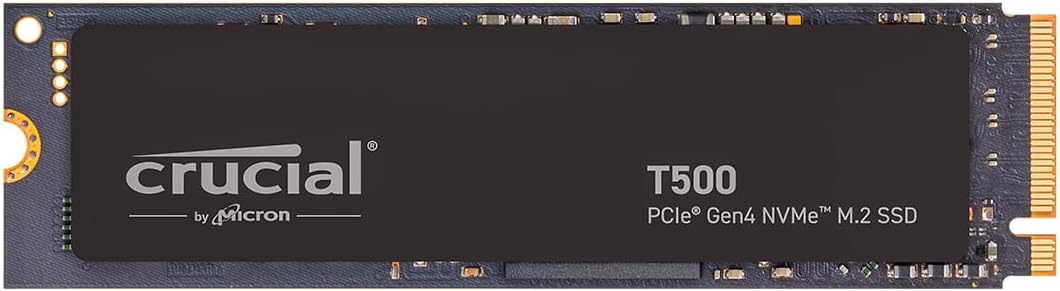
The T500 is a top Gen4 performer with TLC NAND. It earns a 4.8 rating for reliability and speed. Creatives love the Adobe subscription included with purchase.
We may earn a commission when you buy through this link, at no additional cost to you.
It loads games up to 16% faster with DirectStorage. Rendering times drop significantly for video tasks. This drive is built for high performance needs.
The lack of a heatsink requires planning. You need a separate cooling solution for sustained work. This adds cost but ensures peak performance.
Buy this for creative workflows and serious gaming. The TLC NAND ensures long term reliability. It is a premium choice for power users.
Boost rendering by up to 42%. Great for video editing and 3D projects.
Uses TLC for consistent performance. More durable than QLC alternatives.
We may earn a commission when you buy through this link, at no additional cost to you.
This 2TB model offers plenty of room for large libraries. It maintains the speed of the 1TB version but doubles space. Ideal for users with huge game collections.
We may earn a commission when you buy through this link, at no additional cost to you.
Storage is key for modern titles and media files. You avoid constant file management or cloud subscriptions. This drive keeps your media library local.
Heat output is higher with more active NAND chips. Ensure good airflow in your case. Overheating can throttle speeds during heavy tasks.
Select this if you need massive local storage. It fits well in desktops needing bulk drives. The cost per gigabyte is often better.
Fit games and files locally. Ideal for media libraries and archives.
Same fast speeds as smaller sizes. Speed does not drop with capacity.
We may earn a commission when you buy through this link, at no additional cost to you.
The P510 brings Gen5 speeds at a lower cost. It reads up to 11,000MB/s for faster workflows. This is a great entry point for next gen tech.
We may earn a commission when you buy through this link, at no additional cost to you.
It supports backward compatibility with older systems. You can use it safely without upgrading your motherboard. This ensures long term utility for your purchase.
Gen5 drives run hotter than Gen4 ones. You need a heatsink to avoid throttling. Without it, speeds may drop during long sessions.
Buy this if you plan for future upgrades. It fits desktops with Gen5 slots. The speed gain is noticeable in large file tasks.
Read speeds exceed 11GB/s. Ideal for large data transfers.
Gen5 ready for tomorrow. Ensures longevity of the drive.
We may earn a commission when you buy through this link, at no additional cost to you.
This drive tops the charts with massive throughput speeds. It handles 8K+ video assets smoothly. Security is high with hardware encryption support.
We may earn a commission when you buy through this link, at no additional cost to you.
Hardcore gamers and pros appreciate the speed. It is designed for high performance workloads. The encryption protects sensitive files from theft.
Thermal throttling is a real risk without cooling. You must use a compatible heatsink for best results. Ignoring this can ruin performance.
Choose this for top tier desktops and servers. It justifies cost with raw power. Use it for demanding creative or data tasks.
Built-in AES-256 encryption. Protects sensitive files effectively.
Blazing fast Gen5 speeds. Handles massive transfers easily.
We may earn a commission when you buy through this link, at no additional cost to you.
The E100 is a compact option for entry level users. It is fast enough for daily tasks and bootups. The price makes it accessible for tight budgets.
We may earn a commission when you buy through this link, at no additional cost to you.
It uses Gen4 tech but at lower speeds. This is fine for office work and light gaming. The build quality remains trusted by many users.
Space is limited compared to larger models. You may struggle with many large apps. This is best for boot drives or OS installs.
Buy this for basic laptop upgrades or older machines. It is reliable and affordable. Perfect for budget friendly system revitalization.
Bootups and apps load fast. Ideal for office work.
480GB fits OS and apps. Not for heavy storage.
We may earn a commission when you buy through this link, at no additional cost to you.
QLC technology makes this drive cost efficient. It offers great capacity at a lower cost. Speeds are decent for most standard tasks.
We may earn a commission when you buy through this link, at no additional cost to you.
It handles everyday usage well without issues. However, sustained writes can slow down. This is a trade-off for the lower price.
Write endurance is lower than TLC options. For heavy recording this is less ideal. But for games and apps it is fine.
Select this for budget builds with space needs. It is great for bulk storage on a budget. Ensure you have backup needs covered.
Lowest cost per GB. Good for tight budgets.
Fast reads, slower writes. Best for read-heavy use.
We may earn a commission when you buy through this link, at no additional cost to you.
This variant is built for PS5 with TLC NAND. It includes the heatsink needed for console compliance. It is top tier for game storage expansion.
We may earn a commission when you buy through this link, at no additional cost to you.
The included bundle adds value beyond storage. It offers Adobe tools for creative users. Performance is consistent for high demand games.
It is pricier than generic drives. Ensure you need the top tier features. Otherwise standard drives may suffice.
Buy this for top PS5 storage needs. It ensures compatibility and speed. Perfect for high end console users.
Meets PS5 specs fully. No extra heatsink needed.
Reliable NAND for speed. Consistent performance always.
We may earn a commission when you buy through this link, at no additional cost to you.
This drive is for those seeking raw Gen5 speed. It loads files quickly and handles large assets. It fits well in high end desktops.
We may earn a commission when you buy through this link, at no additional cost to you.
Speed is unmatched for this capacity. However, it requires careful cooling. Throttling risks are real without proper airflow.
The cost is high for casual users. But pros will benefit from the throughput. It is a powerful addition for rigs.
Buy this for hardcore gaming or data rigs. The speed is noticeable in daily tasks. Ensure your system supports Gen5.
Optimized for gaming. Fast loads and high IOPS.
Massive read speeds. Ideal for media workflows.
We may earn a commission when you buy through this link, at no additional cost to you.
Choosing the right drive depends on several factors. This guide breaks down key elements to consider.
PCIe Gen4 offers up to 7000MB/s speeds. Gen5 pushes this to over 14000MB/s. Check your motherboard support to ensure compatibility.
Match the drive speed to your system capabilities.
Capacity ranges from 480GB to 2TB in this list. Larger drives hold more games and media. Consider how many titles you plan to keep installed.
Select capacity based on storage requirements.
TLC drives offer better endurance and speed. QLC drives are cheaper but slower on writes. For most users, TLC is preferred.
Pick TLC for reliability and speed.
High performance drives generate heat. Some include heatsinks while others do not. Desktops need cooling to prevent thermal throttling.
Ensure adequate cooling for the drive.
Gamers need speed for quick loading. Creatives need consistency for video editing. Choose a model matching your primary use case.
Align drive features with your tasks.
Check if your system has M.2 slots. Consoles like PS5 have specific requirements. Verify compatibility to avoid fitting issues.
Verify system compatibility before purchase.
Look for a warranty like the 5-year offer. Trusted brands provide better support. This ensures peace of mind for your investment.
Prioritize reliable warranties for longevity.
Some drives include software like Acronis or Adobe. These add value for data transfers. Check what extras come with your drive.
Consider included software as added value.
Install the drive in an available M.2 slot. Secure it with the screw provided. Ensure it is firmly seated for connection.
Use cloning software to transfer your OS. Acronis is often included. This makes the transition smooth without reinstalling apps.
Update firmware through the Crucial Storage Executive tool. This keeps performance optimized. Avoid running the drive at 100% capacity.
Yes, the T500 with a heatsink meets PS5 specs. Ensure you buy the model with an integrated heatsink. It installs easily in the expansion slot.
Most models fit standard 2280 M.2 slots. Check your laptop manual for clearance limits. Many laptops support Gen4 drives well.
Gen5 drives are faster but run hotter. Gen4 is sufficient for most gaming. Choose Gen5 for high bandwidth data tasks.
Yes, they are excellent as system drives. Boot times improve significantly over SATA. They support Windows and Linux systems well.
Most laptops handle thermal throttling well. Desktops usually require one. Check your specific laptop model for limits.
1TB is standard for gaming and general use. Go for 2TB if you store media files. Ensure space for future games.
TLC offers better speed and endurance. QLC is cheaper for bulk storage. Choose TLC for performance tasks.
Some drives include Acronis and Adobe CC. This helps with cloning and creativity. Check the product listing for bundles.
We explored ten top Crucial drives for 2026. The T500 and P310 lead in value and speed. Each model serves different needs well.
Prioritize speed if you game heavily. Opt for capacity if you store large files. Ensure your system supports the drive specs.
Check current availability before purchasing. Retailers update stock frequently. Use the links provided to find the best deals.