
NICE-POWER DC Power Supply Variable
4.5Editor score
Compact and lightweight design
Encoder button precise adjustment
Wide input voltage range
This guide compares the top DC Power Supply for Laptop Repairing options available in 2026 to help technicians choose the most reliable bench supply for
Finding the right DC Power Supply for Laptop Repairing is critical for any technician working on modern electronics. A stable and precise power source ensures that delicate circuits are not damaged during diagnostics or testing phases.
We have evaluated ten top-rated models based on output stability, protection features, and usability for bench work. Each product offers unique strengths suitable for different levels of repair complexity and budget constraints.
This list details key specifications and real-world performance traits to guide your purchasing decision. Remember that product availability and terms may change over time so verify current details before ordering.
4.5Editor score

4.6Editor score

4.2Editor score
The following table provides a side-by-side comparison of all ten units to help you quickly identify which model matches your specific laptop repair needs and workspace requirements.


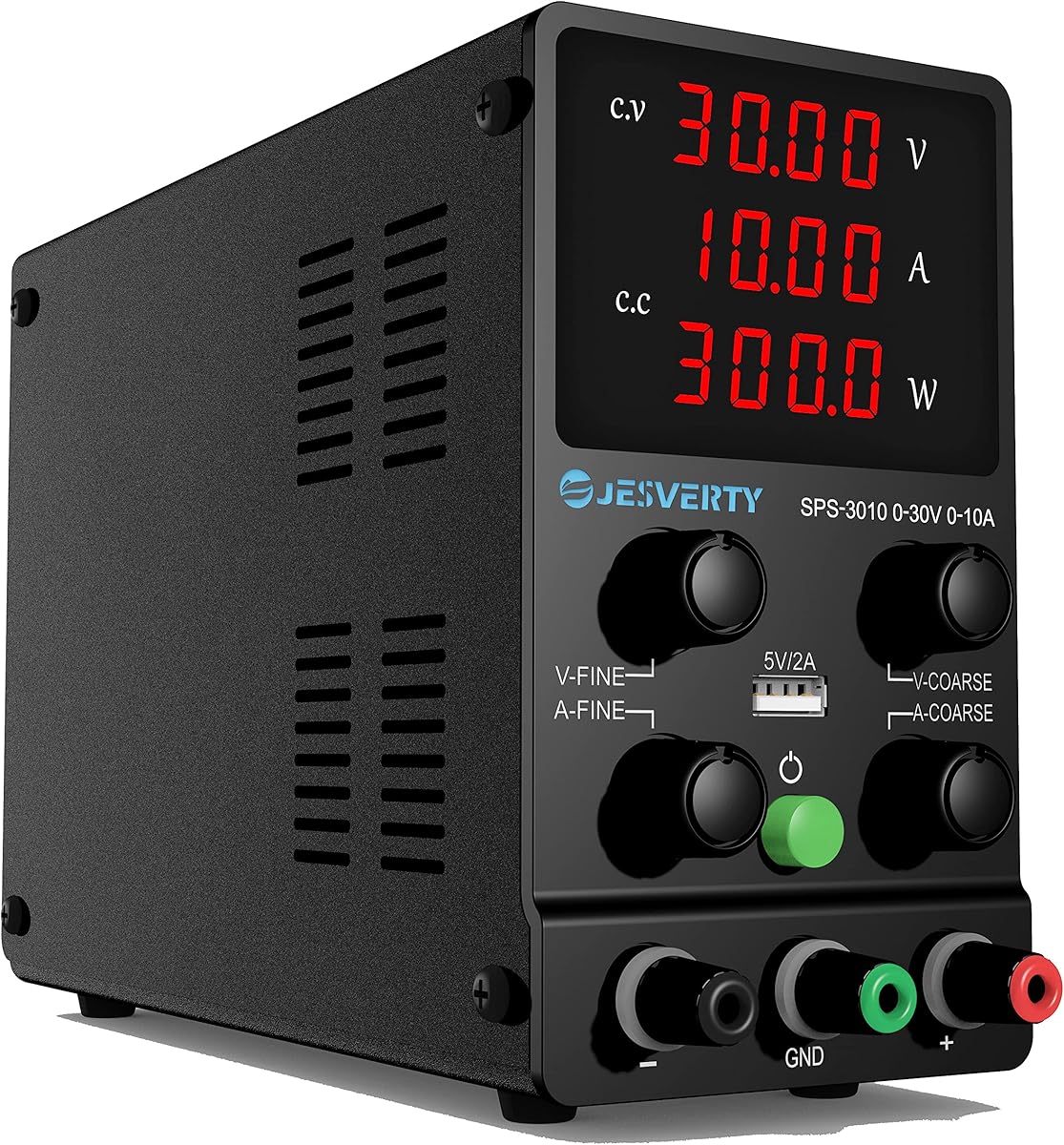

This unit stands out as the top choice for professionals needing precision and safety in one compact package. Its high rating reflects consistent performance across various testing scenarios including laptop diagnostics and component stress tests.
We may earn a commission when you buy through this link, at no additional cost to you.
The inclusion of both coarse and fine tuning knobs allows for extremely accurate voltage settings which is vital when dealing with sensitive laptop motherboard circuits. The automatic voltage detection feature simplifies setup by removing the need for manual switching between 110V and 220V inputs.
While the fan can be slightly noticeable under heavy loads it ensures the unit stays cool during extended use which is a fair trade-off for reliability. The Type-C port is a welcome addition for powering peripheral devices without needing extra outlets.
Technicians looking for a reliable bench supply that balances advanced features with ease of use should consider this model. It offers the protection and control needed for serious repair work while maintaining a user-friendly interface.
The dual knob system ensures you can set exact voltage levels to avoid damaging delicate laptop components during repair.
Short circuit and overcurrent protection automatically cut power to prevent costly accidents during testing sessions.
We may earn a commission when you buy through this link, at no additional cost to you.
The YIHUA model is known for its quiet operation which makes it ideal for environments where noise pollution is a concern. It delivers stable power suitable for precise laptop repairs and diagnostic tasks without introducing electrical noise.
We may earn a commission when you buy through this link, at no additional cost to you.
Its display shows voltage current and power parameters with high precision allowing technicians to monitor exactly what the device is receiving. The lightweight design and fanless cooling system make it easy to move around the workshop without hassle.
Although it lacks the Type-C charging port found in other models it still includes essential accessories like alligator clips for quick connections. The fixed plug standard may limit international use without an adapter.
This power supply is a strong choice for repair shops prioritizing a quiet and reliable bench station. Its high precision and safety features ensure safe testing of laptop components without risking additional damage.
The fanless design ensures the unit runs silently which is perfect for shared workspaces or quiet labs.
The LED screen provides real-time data on voltage and current so you never lose track of load changes.
We may earn a commission when you buy through this link, at no additional cost to you.
This model offers premium features like memory recall which allows technicians to save frequently used voltage and current settings for quick access. It is built with robust protection modes that safeguard both the unit and the device under test.
We may earn a commission when you buy through this link, at no additional cost to you.
The inclusion of multiple sets of test leads and a precise rotary encoder dial enhances usability and workflow efficiency. The lock/unlock function prevents accidental changes to settings during long-term testing or aging processes.
While it comes at a higher price than basic models the added durability and feature set justify the investment for professional repair shops. The US brand support and warranty also add peace of mind for long-term use.
If you need a power supply that offers advanced control options and reliable protection this unit is a top-tier choice. It excels in scenarios requiring frequent changes to settings without losing calibration or stability.
Save up to three sets of parameters to quickly recall common settings for different laptop models.
Five protection modes including over-voltage and over-current ensure maximum safety for sensitive electronics.
We may earn a commission when you buy through this link, at no additional cost to you.
This power supply stands out due to its USB-C PC control capability which allows for automated testing sequences and logging. It is ideal for repair shops that need precise tracking of power parameters during complex diagnostics.
We may earn a commission when you buy through this link, at no additional cost to you.
The dual display shows both the set value and the actual output in real-time which helps prevent drift errors during repair work. The one-key OCP protection makes setting current limits quick and intuitive for safe testing.
While the full potential requires a computer connection the unit is still usable as a standalone bench supply. The lock function ensures that settings remain stable during long-term experiments or aging tests.
For technicians who need automated testing or precise data logging this model offers unique value. It bridges the gap between a simple bench supply and a full programmable power system without a huge cost increase.
Connect to a laptop to run automated test sequences and log data for detailed repair analysis.
Compare set and actual output values side-by-side to ensure stability during sensitive repairs.
We may earn a commission when you buy through this link, at no additional cost to you.
This unit offers exceptional value for its price point making it a top contender for beginners or those on a tight budget. It provides essential features like encoder buttons and auto fan start to keep the unit cool and efficient.
We may earn a commission when you buy through this link, at no additional cost to you.
The compact design allows it to fit easily into small workspaces while the wide input voltage range ensures it can be used in many regions. The encoder buttons allow for quick and accurate setting of voltage and current values.
While it lacks some of the advanced features of premium models it covers all the basics needed for standard laptop repair work. The auto fan ensures the unit does not overheat during extended use sessions.
If you need a reliable and affordable power supply for general repair tasks this model is an excellent starting point. It balances cost and functionality well without sacrificing essential safety protections.
Its small footprint makes it ideal for repair benches with limited surface area or mobile work setups.
Delivers reliable performance for basic repair tasks without the high cost of advanced bench models.
We may earn a commission when you buy through this link, at no additional cost to you.
This model focuses heavily on safety with features like a dedicated output enable/disable button to prevent accidental power surges. The short circuit alarm provides immediate feedback if a fault is detected during repair work.
We may earn a commission when you buy through this link, at no additional cost to you.
The precision encoder knob ensures that you can set values accurately while the four-digit LED display provides clear readings. The USB quick-charge port is a handy addition for powering up devices or charging phones on the bench.
While the fan noise might be noticeable it plays a crucial role in keeping the unit cool during high-current output sessions. The output button is a simple but effective feature that protects against human error during operation.
For technicians who prioritize safety and accident prevention this power supply is a strong candidate. It combines essential protections with user-friendly controls to make bench work safer and more efficient.
The output enable button ensures the supply only delivers power when you explicitly intend it to.
A short circuit alarm sounds instantly if a fault occurs giving you time to react and protect equipment.
We may earn a commission when you buy through this link, at no additional cost to you.
This unit is designed to be portable and lightweight making it easy to move around a workshop or take to client sites. It provides a four-digit display for clear readings and includes essential test leads in the package.
We may earn a commission when you buy through this link, at no additional cost to you.
The coarse and fine adjustment system allows for precise voltage settings which is crucial for matching laptop power requirements accurately. The temperature regulated fan ensures the unit operates efficiently without unnecessary noise.
While the protection features are standard for this class the unit still provides reliable performance for most repair tasks. Its compact size is a major advantage for technicians with limited bench space.
If you need a portable and lightweight power supply that does not sacrifice basic accuracy this model is a great fit. It offers the flexibility to work anywhere while maintaining stable output for diagnostics.
Its lightweight design makes it easy to carry for on-site repairs or small workshop setups.
The bright four-digit display ensures you can read voltage and current values clearly in any lighting.
We may earn a commission when you buy through this link, at no additional cost to you.
This unit features a unique flip display that can be viewed from multiple angles which is helpful when working at different stations. The IPS color screen provides clear and vibrant data visualization for voltage and current monitoring.
We may earn a commission when you buy through this link, at no additional cost to you.
Its PC programmable capability allows for preset groups of output parameters which streamlines testing workflows. The eight protection mechanisms ensure that both the supply and the connected devices remain safe from various electrical faults.
While the unit is limited to 5A output which is sufficient for most laptop repairs the display quality sets it apart from competitors. The flip design adds a touch of modern ergonomics to the bench setup.
For technicians who value visual feedback and modern design features this model stands out. It combines robust protection with a user-friendly interface to enhance the overall repair experience.
The flip display allows you to adjust the screen angle for better visibility from any position.
Eight built-in safety mechanisms provide comprehensive protection against voltage and current faults.
We may earn a commission when you buy through this link, at no additional cost to you.
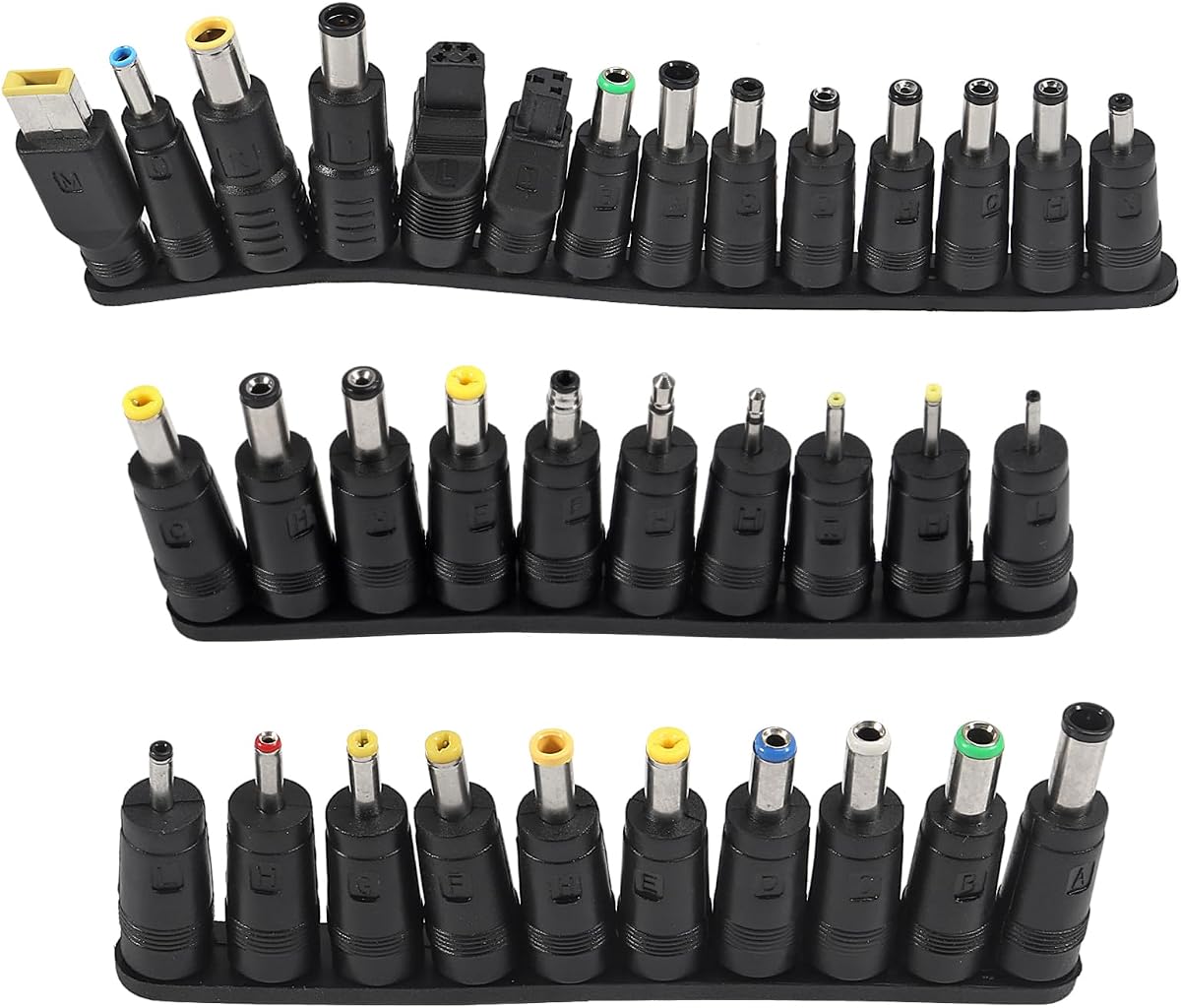
This kit is not a power supply but an essential accessory kit for adapting different laptop connector sizes. It includes a wide variety of tips such as square and circular connectors to match many laptop brands.
We may earn a commission when you buy through this link, at no additional cost to you.
Using these adapters allows technicians to connect various laptop models to a single DC power supply without needing multiple chargers. The kit is particularly useful for universal repair stations where many brands are serviced.
While it is a simple accessory it saves time and money by eliminating the need to buy individual adapters for each laptop model. The variety of tips ensures compatibility with most major manufacturers.
For any repair shop needing a universal adapter set this kit provides excellent value and convenience. It complements a DC power supply perfectly by ensuring you can physically connect to the device being repaired.
The large variety of tips ensures you can connect to almost any laptop charger port you encounter.
Buying a kit is cheaper than purchasing individual adapters for each laptop model you service.
We may earn a commission when you buy through this link, at no additional cost to you.
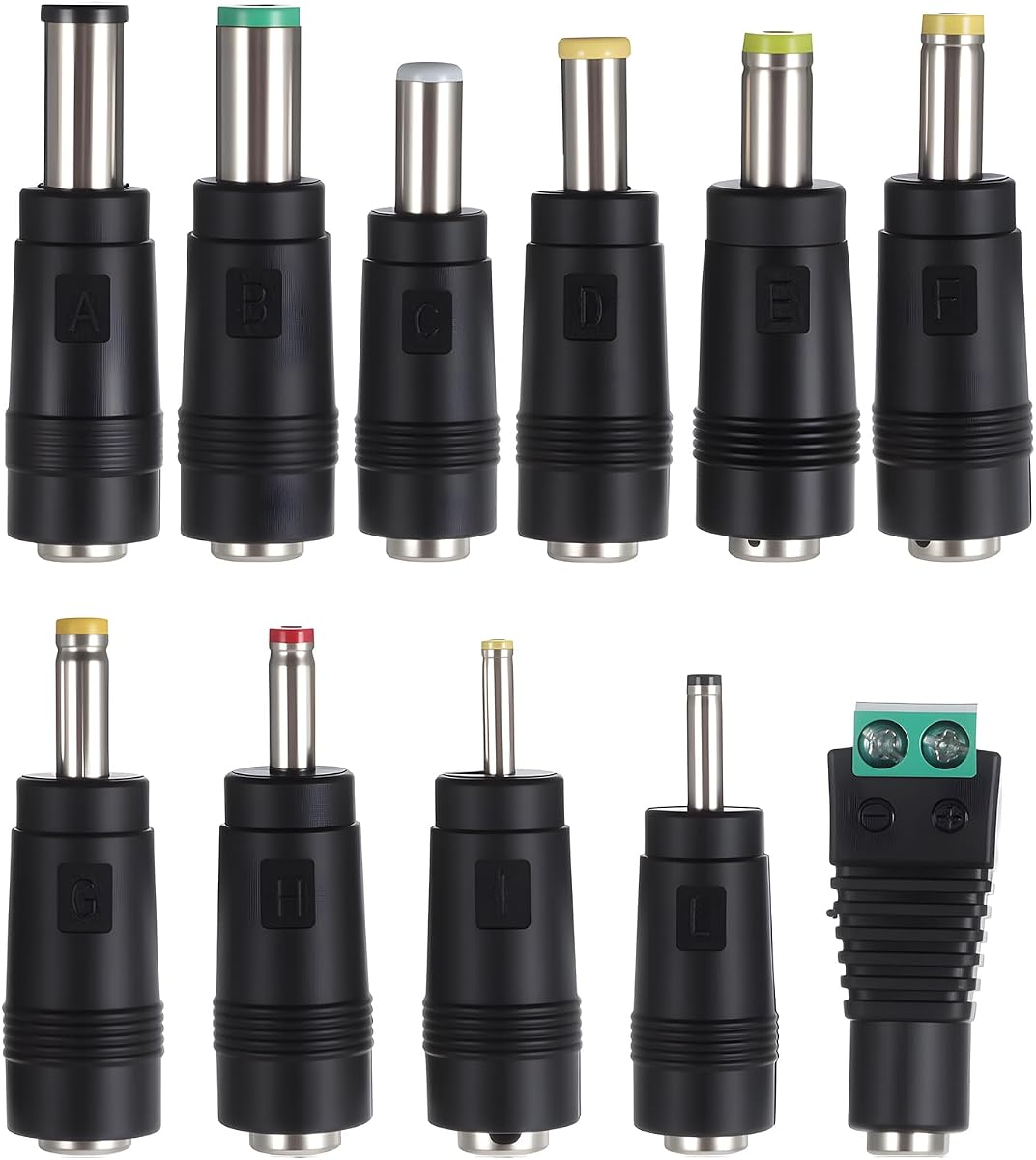
This kit offers a smaller but essential selection of adapter tips for common laptop connector sizes. It is designed for portability and ease of use allowing technicians to quickly find a matching adapter.
We may earn a commission when you buy through this link, at no additional cost to you.
The tips support universal DC jacks which cover most standard laptop connectors. The compact design makes it easy to store in a toolbox or carry for on-site repairs.
While it has fewer tips than larger kits it covers the most common sizes needed for typical repair jobs. It is a cost-effective addition to any bench setup to ensure connectivity.
For technicians needing a basic adapter set without bulk this model is a practical choice. It ensures you can connect to devices quickly without searching for the right power cord every time.
Its compact size makes it easy to carry along when visiting client sites for repairs.
Includes the most common tip sizes to handle typical laptop and electronic device connections.
We may earn a commission when you buy through this link, at no additional cost to you.
Selecting the right power supply requires understanding your repair needs and the technical requirements of the devices you service.
Laptop repair often requires varying voltage and current levels to test different components. A supply that offers a wide range such as 0-30V and 0-10A ensures you can handle most modern laptop power requirements without needing multiple units.
Always ensure the maximum current output exceeds the draw of the laptop or component you are testing to prevent overloading the supply during stress tests.
Accurate voltage settings are crucial to avoid frying sensitive motherboard circuits. Look for models with encoder knobs or digital displays that allow you to set values precisely down to millivolts.
A clear four-digit LED display helps you monitor real-time changes in voltage and current which is essential for diagnosing power issues effectively.
Safety features such as over-voltage protection over-current protection and short-circuit protection are non-negotiable for professional repair work. These features prevent accidental damage to both the device under test and the power supply itself.
Prioritize units that offer audible alarms for faults so you are immediately alerted to any wiring errors or component failures during repair.
Power supplies generate heat during operation so adequate cooling is necessary to maintain reliability. Units with temperature-regulated fans strike a balance between cooling efficiency and noise levels.
For quiet workspaces consider models with passive cooling or low noise fans to avoid disrupting your environment during extended repair sessions.
Modern repair work benefits from additional features like USB ports for charging devices or PC control for automated testing. These extra capabilities can streamline workflows and reduce the need for additional chargers.
If you plan to do automated testing or logging choose a unit that supports computer control or programmable output presets for better efficiency.
A sturdy build ensures the unit will withstand daily use in a busy repair shop. Look for units with robust casing and reliable components that have good user ratings for longevity.
Consider brands that offer strong warranties and customer support to ensure you are covered if the unit malfunctions after heavy use.
If you travel or service clients in different regions ensure the unit supports automatic voltage detection for 110V and 220V inputs. This removes the need for manual switching or external transformers.
Universal input support makes the unit more versatile and convenient for use in different locations without risk of electrical damage.
While budget models offer essential features premium models provide more accuracy and safety features. Determine how critical precision and automation are to your workflow before spending more.
For hobbyists or casual repairs a basic unit may suffice but professional shops should invest in models that offer reliability and advanced protection.
Always start by setting the voltage and current limits to the safe range recommended by the laptop manufacturer before connecting the device. Use the coarse and fine knobs to adjust values accurately before engaging the output.
Ensure the leads are securely attached to the laptop connector or test points to avoid intermittent connections which can cause sparks or damage. Use alligator clips or probe leads depending on the accessibility of the test points.
Regularly check the power supply for any signs of overheating or unusual noise which could indicate a need for cleaning or maintenance. Keep the vents clear of dust to ensure proper airflow and cooling during operation.
A DC power supply allows you to inject stable voltage into a laptop motherboard without using the original charger. This helps identify if the board is shorted or if components are faulty before applying full power.
You can use a power supply to inject voltage into the charging circuit but you should not bypass the battery charging IC. Always use a power supply to test if the board can charge properly before connecting the battery.
Constant voltage maintains a set voltage regardless of load while constant current maintains a set current. For laptop repair you usually use constant voltage with current limiting to prevent overheating short circuits.
Yes most laptops use specific connector tips so an adapter kit is essential to connect your universal power supply to different laptop models. Ensure the polarity matches the laptop specification before testing.
Set the voltage to the required level then increase the current limit gradually until the supply shows stable output. Keep the current limit lower than the expected draw to prevent damage during testing.
It is safe if the unit has automatic shut-off or thermal protection. Ensure the fan is working and the unit is in a well-ventilated area to avoid overheating during long testing sessions.
Direct charging is not recommended as modern laptops use sophisticated charging circuits. Instead use the power supply to test if the charging port accepts power properly before connecting the battery.
Choosing the right DC power supply for laptop repairing depends on your specific needs and budget. The models listed above cover a range of options from budget-friendly basic units to advanced programmable models.
Prioritize safety features and precision controls when selecting a unit to protect your valuable equipment and ensure accurate diagnostics. The best choice will provide stable output and reliable protection for your repair work.
Prices and availability change frequently so check current listings and reviews before purchasing to ensure you get the best value. A reliable power supply is an investment that will pay off through improved repair quality and efficiency.