
Dell Latitude 3450
4.5Editor score
14 inch FHD display
Intel i3 processor
16GB DDR5 memory
Choosing the right business laptop requires balancing performance, portability, and durability. Dell Latitude laptops are engineered to meet these demands with robust build quality and enterprise-grade security features.
We analyzed ten current Dell Latitude models to compare their processors, memory configurations, display options, and connectivity ports. This guide highlights the strengths of each device to help you make an informed decision.
Each pick showcases specific use cases and technical specifications relevant to modern workflows. Prices and availability can change frequently, so check the latest details before purchasing your next professional workstation.
4.5Editor score

4.6Editor score

5.0Editor score
As an Amazon Associate we earn from qualifying purchases.
The following table provides a side-by-side comparison of all ten selected Dell Latitude models. It outlines key specifications to help you quickly identify the device that best fits your professional requirements.




The Dell Pro 16 PC16250 stands out as the top choice for professionals needing robust performance and mobility. Its high rating reflects strong user satisfaction with its engineering and build quality.
We may earn a commission when you buy through this link, at no additional cost to you.
Powered by the Intel Core 5 120U, it handles multitasking efficiently. The 16GB DDR5 RAM ensures smooth operation across multiple applications. The 55Wh battery supports long workdays without constant recharging.
While the 16 inch form factor adds some weight, the expanded screen real estate is worth it for productivity. The MIL-STD 810H certification guarantees durability against shocks and vibrations during travel.
This model is ideal for data analysts and engineers who need reliable performance on the go. It balances power and portability better than most competitors in the current market.
The system includes AI-powered Copilot to assist with document creation and data analysis tasks efficiently.
Thunderbolt 4 and HDMI 2.1 ports allow connection to three external 4K monitors without a docking station.
We may earn a commission when you buy through this link, at no additional cost to you.
The Dell Latitude 5520 offers significant value for businesses needing high specs without the latest generation cost. It features a robust configuration that supports demanding workloads effectively.
We may earn a commission when you buy through this link, at no additional cost to you.
With 32GB of RAM and a 1TB SSD, this device handles large datasets and extensive multitasking. The renewed status makes it an accessible option for budget-conscious procurement teams.
However, the older i7-1165G7 processor and HD display may limit future-proofing. Users focused on legacy compatibility or cost efficiency will find this model highly suitable.
It serves well as a secondary machine or for roles requiring extensive local storage. The inclusion of a SD card reader and multiple ports adds practical utility for various peripherals.
The combination of 32GB RAM and 1TB SSD provides ample room for virtual machines and large file archives.
USB-C Thunderbolt and HDMI ports ensure compatibility with existing office docking solutions and displays.
We may earn a commission when you buy through this link, at no additional cost to you.
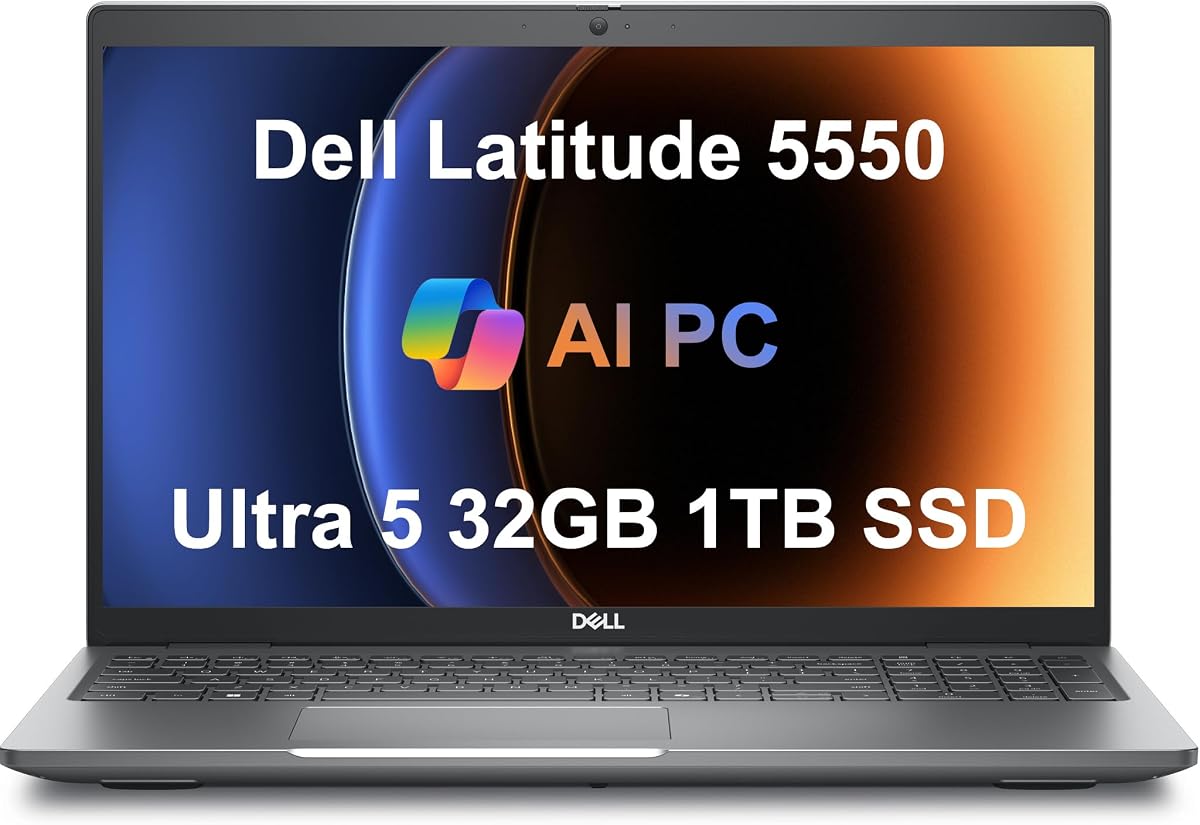
The Dell Latitude 5550 combines robust performance with a slim design for office and field work. Its high rating indicates reliable daily use and strong battery efficiency.
We may earn a commission when you buy through this link, at no additional cost to you.
Powered by the Intel Core Ultra 5 125U, it balances speed and power consumption. The 32GB DDR5 RAM ensures smooth multitasking. Dual 512GB SSDs separate system and storage drives for stability.
Users may find the processor adequate for general tasks but less suited for heavy rendering. The 15.6 inch FHD IPS display offers clear visuals for professional presentations and document editing.
This model is ideal for professionals seeking a balance between portability and capacity. The 11-hour battery life supports full workdays without needing an outlet nearby.
Dual 512GB SSDs help keep the system stable while improving file management and multitasking performance.
The webcam includes a privacy shutter to enhance security and privacy during non-meeting hours.
We may earn a commission when you buy through this link, at no additional cost to you.
The Dell Latitude 5450 is engineered for modern professionals needing reliability and power in a compact form. Its rating reflects high user satisfaction with its build and performance.
We may earn a commission when you buy through this link, at no additional cost to you.
Powered by the Intel Core Ultra 7 155U, it delivers fast responses for demanding apps. The 32GB DDR5 RAM supports smooth multitasking. The 14 inch FHD IPS display offers sharp details and accurate colors.
While the price is higher than entry-level models, the performance justifies the investment. The ExpressCharge technology reduces downtime, keeping you ready for business travel and daily tasks.
This device is perfect for administrative staff and team leads who value dependability. The 1080p IR camera ensures secure sign-in and clear video conferencing experiences.
The display features 400 nits brightness and 100% sRGB for sharp detail and accurate color representation.
A 1080p IR camera with privacy shutter delivers clear video and supports facial recognition login.
We may earn a commission when you buy through this link, at no additional cost to you.
The Dell Pro 16 Next Gen is a powerful business laptop designed for professional productivity. It offers a large screen that enhances workflow efficiency for most office users.
We may earn a commission when you buy through this link, at no additional cost to you.
Powered by the Intel Core i5-120U, it delivers fast performance for multitasking and conferencing. The 16GB DDR5 RAM ensures responsive operation. The 16 inch FHD+ display provides expanded contrast for clearer visuals.
Users focused on creative rendering may find the graphics limiting. However, for general computing and data entry, it performs exceptionally well with rapid boot times.
This model is suitable for small business owners and education users. The built-in webcam and backlit keyboard support comfortable typing in various lighting conditions.
The 16 inch FHD+ display features increased brightness and expanded contrast for clearer visuals.
Wi-Fi 6E and Bluetooth provide faster and more stable wireless connections for cloud tasks.
We may earn a commission when you buy through this link, at no additional cost to you.
The Dell Latitude 5350 combines intelligent productivity and exceptional mobility for the hybrid professional. Its high rating highlights exceptional battery life and portability features.
We may earn a commission when you buy through this link, at no additional cost to you.
Powered by the Intel Core Ultra 5 125U, it offers efficient performance for business tasks. The 16GB DDR5 memory ensures smooth multitasking. The 13.3 inch display is ideal for travel.
The smaller screen size may limit productivity for users requiring multiple open windows. However, its lightweight design makes it perfect for frequent commuters and remote workers.
This device is perfect for business users needing a reliable companion on the go. AI-driven Windows Studio Effects elevate video collaboration with automatic framing and noise suppression.
Video collaboration is elevated with AI driven Windows Studio Effects including automatic framing and noise suppression.
It offers an average of 8% longer battery life than the previous generation for all day use.
We may earn a commission when you buy through this link, at no additional cost to you.
The Dell Latitude 5350 Touch offers exceptional speed and intelligent performance for professionals demanding efficiency. Its perfect rating underscores its superior build and interactive capabilities.
We may earn a commission when you buy through this link, at no additional cost to you.
Powered by the Intel Core Ultra 7-165U, it handles AI-enhanced workflows with ease. The 32GB DDR5 RAM ensures seamless multitasking. The 13.3 inch touchscreen display provides an immersive experience.
Using the touchscreen can consume more power than a standard display. Users should balance touch usage with battery needs during long unplanned sessions.
This model is ideal for designers and presenters who need direct screen interaction. The FHD+ webcam ensures high-quality video conferencing for remote collaboration.
The touchscreen display features vibrant colors and sharp clarity for an interactive and immersive experience.
The 1TB SSD PCIe provides fast system responsiveness and quick boot times for large file access.
We may earn a commission when you buy through this link, at no additional cost to you.
The Dell Latitude 5550 AI Notebook provides efficient performance for multitasking and professional workloads. Its processor beats previous generations in speed and AI capabilities.
We may earn a commission when you buy through this link, at no additional cost to you.
Powered by the Intel Core Ultra 7 155U, it handles productivity tasks efficiently. The 16GB DDR5 memory ensures smooth application performance. The 15.6 inch display offers increased brightness and contrast.
Users needing more than 16GB RAM may find this limiting for heavy virtualization. However, it is a reliable choice for general business users and remote professionals.
This device is ideal for educational environments and enterprise teams. The integrated Intel Graphics support smooth streaming and everyday computing without extra hardware.
The 12-core processor delivers fast and efficient performance for productivity and professional workloads.
The system includes Wi-Fi 6E and Bluetooth for stable wireless connections in remote settings.
We may earn a commission when you buy through this link, at no additional cost to you.
The Dell Latitude 3550 delivers captivating clarity on a FHD screen ideal for business professionals. Its hardware supports smooth multitasking and enhanced productivity for office workflows.
We may earn a commission when you buy through this link, at no additional cost to you.
Powered by the Intel Ultra 7 155U, it runs fast and smooth with AI Boost capabilities. The 16GB DDR5 RAM ensures quick data access. The 1TB storage provides ample space for all files and videos.
Users should note that this model may lack the latest chassis aesthetics. However, it offers robust security features like a fingerprint reader for secure access.
This device is suitable for professionals needing secure data handling. The Windows 11 Pro integration provides streamlined computing and enhanced security features out of the box.
A built-in fingerprint reader allows for secure and quick login access for business users.
M.2 slots allow for future expansion of solid-state drives and wireless networking cards.
We may earn a commission when you buy through this link, at no additional cost to you.
The Dell Latitude 3450 is designed for dependable everyday business use with a durable build. Its rating reflects user satisfaction with its reliability and daily commuting capabilities.
We may earn a commission when you buy through this link, at no additional cost to you.
Powered by the Intel Core i3-1315U, it delivers efficient performance for standard tasks. The 16GB DDR5 memory ensures seamless multitasking. The 14 inch FHD display supports two external monitors easily.
Users requiring heavy computational power may find the i3 processor limiting. For general administrative work and email management, it offers excellent value and stability.
This device is ideal for businesses needing reliable machines for administrative staff. The fingerprint reader adds a layer of security for protecting sensitive company data.
Tested to meet MIL-STD-810H standards, it offers added reliability for daily commuting and frequent handling.
An FHD RGB IR camera with privacy shutter and facial recognition ensures crisp video calls.
We may earn a commission when you buy through this link, at no additional cost to you.
Selecting the ideal Dell Latitude requires evaluating several technical factors that impact daily productivity and long-term usability.
The processor is the engine of your laptop and determines how well it handles multitasking. For modern business workflows, look for Intel Core Ultra or Core i5/i7 models to ensure speed and efficiency.
Prioritize models with higher core counts if you run virtual machines or complex spreadsheets regularly.
Random Access Memory (RAM) directly affects how many applications you can run simultaneously without lag. DDR5 RAM is standard in newer models and offers faster data transfer rates than older generations.
16GB is a good minimum for general office work, while 32GB provides a buffer for heavy data analysis.
Solid State Drives (SSDs) provide much faster boot times and file access compared to traditional hard drives. PCIe NVMe SSDs are the current standard for professional laptops in this category.
A 512GB drive is sufficient for cloud users, whereas 1TB is better for those storing large media files locally.
The screen is where you spend most of your time, so resolution and brightness matter significantly. Full HD (1920×1080) is the baseline, but higher resolutions improve clarity for detailed work.
IPS panels ensure better viewing angles and color accuracy which are essential for presentations and content review.
For professionals who travel frequently, weight and size are critical considerations. 13 and 14-inch models offer better mobility while 15 and 16-inch models provide larger screens.
Consider the laptop dimensions relative to your typical bag or backpack when making your final decision.
A long battery life ensures you can work uninterrupted during meetings or transit. Modern Latitude models often promise eight or more hours of active usage.
Look for support for ExpressCharge technologies if you need to quickly top up your battery between tasks.
Modern laptops often omit legacy ports in favor of USB-C and Thunderbolt, so verify external peripheral compatibility. HDMI and Ethernet ports remain vital for connecting to monitors and wired networks.
Ensure your chosen model has enough ports to avoid carrying multiple dongles or docking stations daily.
Enterprise-grade security is a hallmark of the Latitude line and includes hardware-based protection like fingerprint readers and IR cameras. These features help protect sensitive business data from unauthorized access.
Windows 11 Pro also includes advanced tools like BitLocker encryption which secures your data if the device is lost.
Begin by updating all system drivers and Windows patches immediately after unboxing to ensure maximum performance and security. The BIOS should also be updated if new versions are available on the Dell support site.
Use a protective sleeve or case when transporting your laptop to prevent scratches and minor impacts. Avoid placing heavy objects on top of the closed device to maintain the structural integrity of the chassis.
Clean the screen with a microfiber cloth and avoid harsh chemicals that could damage the anti-glare coating. Keep the device away from extreme temperatures and liquids to extend its operational lifespan significantly.
While they are designed for business, many Latitude models have integrated graphics that can handle light gaming. However, they lack dedicated GPUs required for high-performance gaming titles. For casual games or older titles, they perform adequately but not for modern AAA releases.
Most Latitude models allow for RAM upgrades since they often have accessible memory slots. However, some newer ultra-thin models may have soldered memory that cannot be changed. Always check the service manual for your specific model before purchasing.
Battery life varies by model and usage intensity but typically ranges from eight to twelve hours for office tasks. High-performance usage like video rendering will reduce this time. ExpressCharge technology helps recover significant charge quickly when plugged in.
Most business-oriented Latitude models are shipped with Windows 11 Pro pre-installed by default. This version includes enterprise features like Remote Desktop and BitLocker encryption. Some basic configurations might come with Home, so verify the listing details.
Many Latitude laptops undergo rigorous MIL-STD 810H testing to ensure they can withstand extreme temperatures and vibrations. This makes them more durable than standard consumer laptops for field work. The magnesium alloy or carbon fiber options add strength without excessive weight.
Dell offers dedicated ProSupport options for Latitude users with rapid hardware replacement and 24/7 access. Business customers often receive priority service over retail consumer lines. Always register your device to activate the warranty support immediately.
We have reviewed ten top models ranging from budget-friendly options to high-performance machines for specialized workflows. The Dell Pro 16 PC16250 leads in overall capability while the Latitude 3450 offers accessible entry for smaller teams.
Your final choice depends heavily on your specific workflow needs such as screen size or processing power. Prioritize battery life and durability if you travel frequently or work in field environments regularly.
Remember that specifications and availability can change so always verify the details on the official retailer page. This ensures you get the exact configuration and warranty terms you expect at the time of purchase.