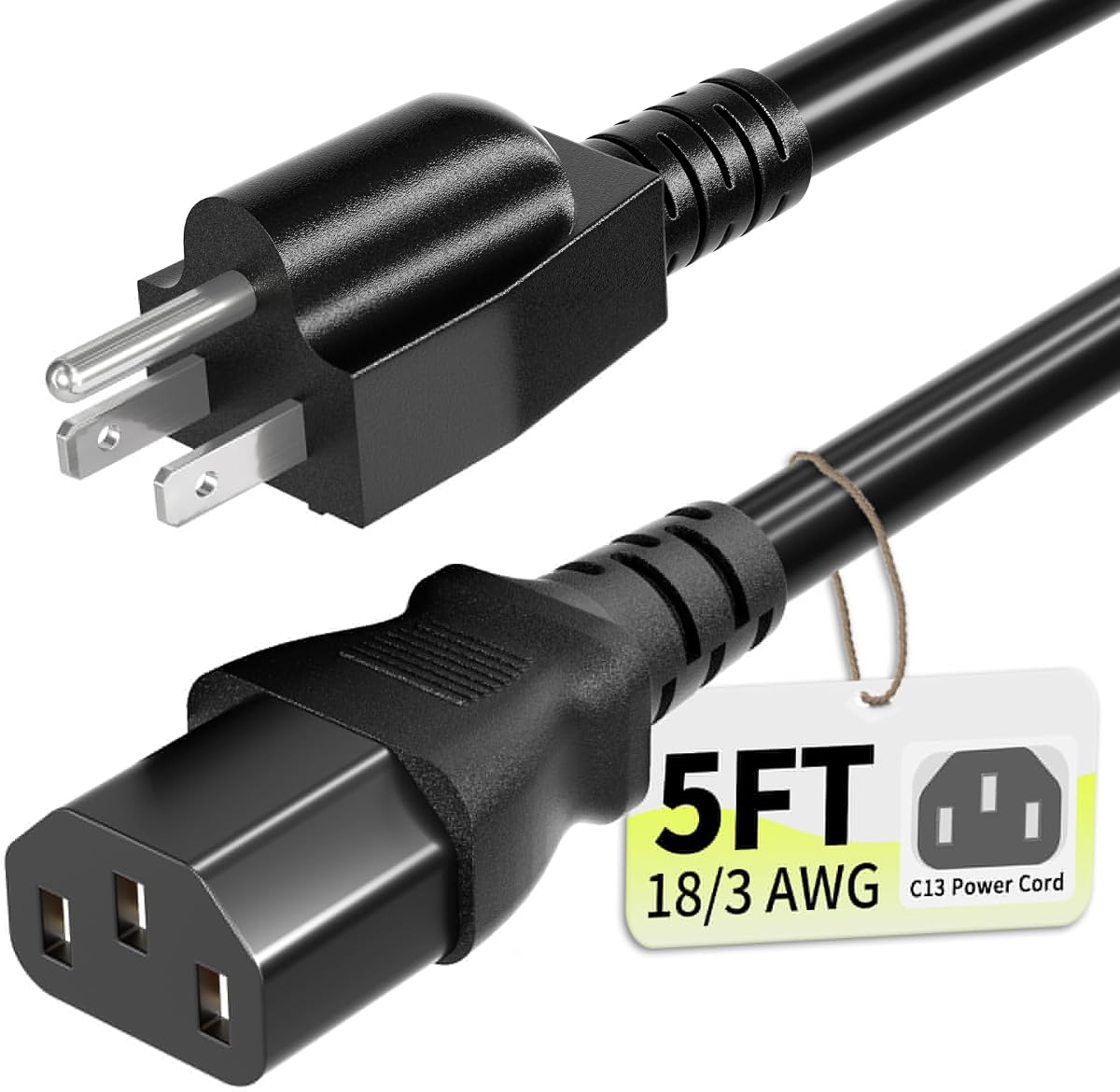
Vockjour Universal 5ft Power Cord
4.8Editor score
Pure copper construction for conductivity
ETL listed safety certification
Universal 3-prong compatibility
Finding a reliable power source is essential for keeping your workspace running smoothly. A damaged or missing cable can disrupt your workflow and leave your display useless. Choosing the correct replacement ensures your monitor receives stable voltage without risking internal components.
This guide evaluates ten highly rated options available on the market today. We analyze compatibility with various Dell series, cable length, safety certifications, and build quality. Our goal is to simplify your search for the perfect match for your specific setup.
Each selection highlights key features, pros, and cons to help you decide quickly. Note that product availability and costs fluctuate regularly based on demand. Always verify the connector type and voltage requirements before finalizing your purchase to avoid returns.
4.8Editor score
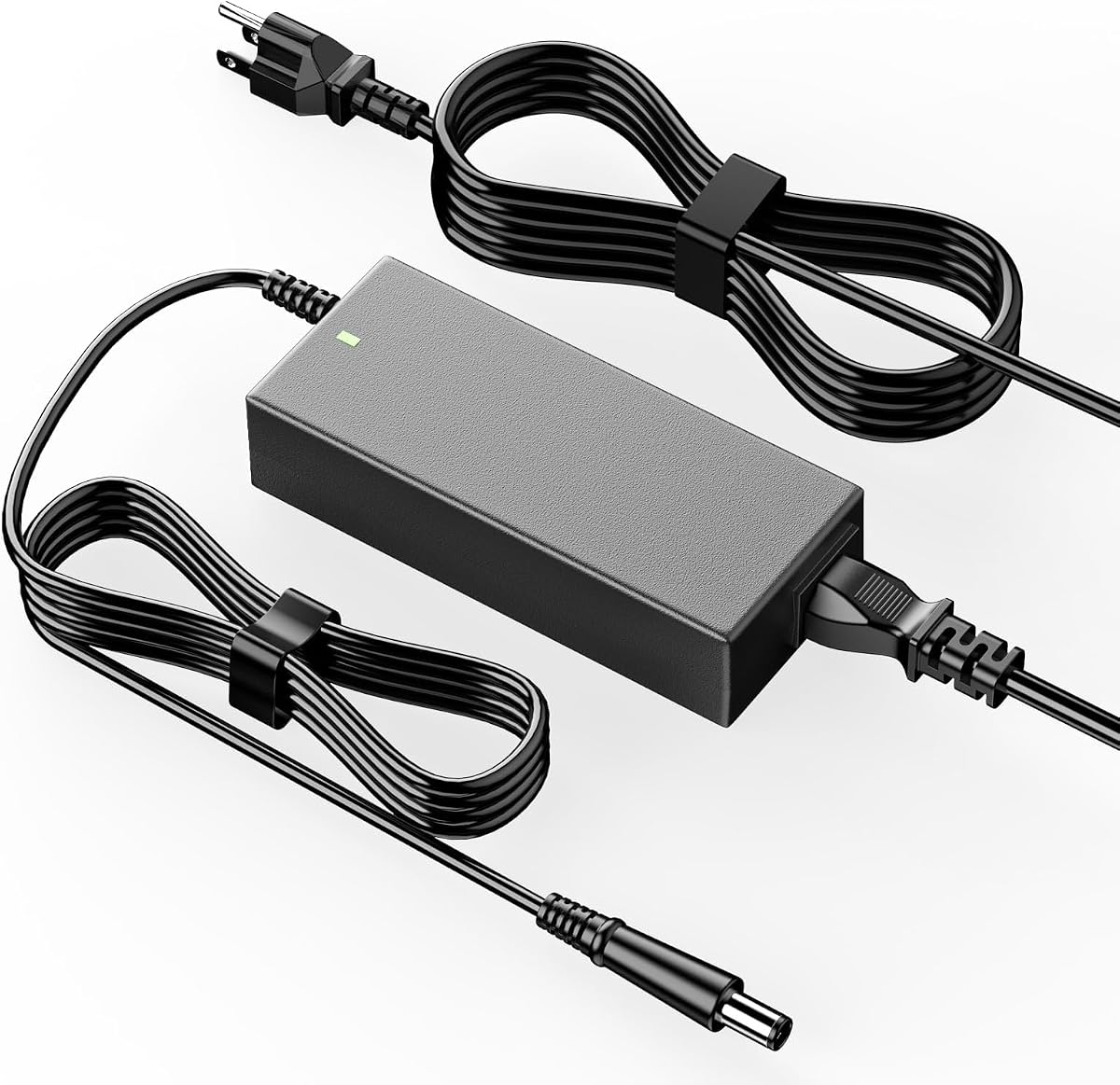
4.9Editor score

4.7Editor score
As an Amazon Associate we earn from qualifying purchases.
This table provides a side-by-side view of all ten selected products. It highlights key specifications like voltage, connector type, and cable length so you can quickly identify which unit fits your specific Dell monitor model.

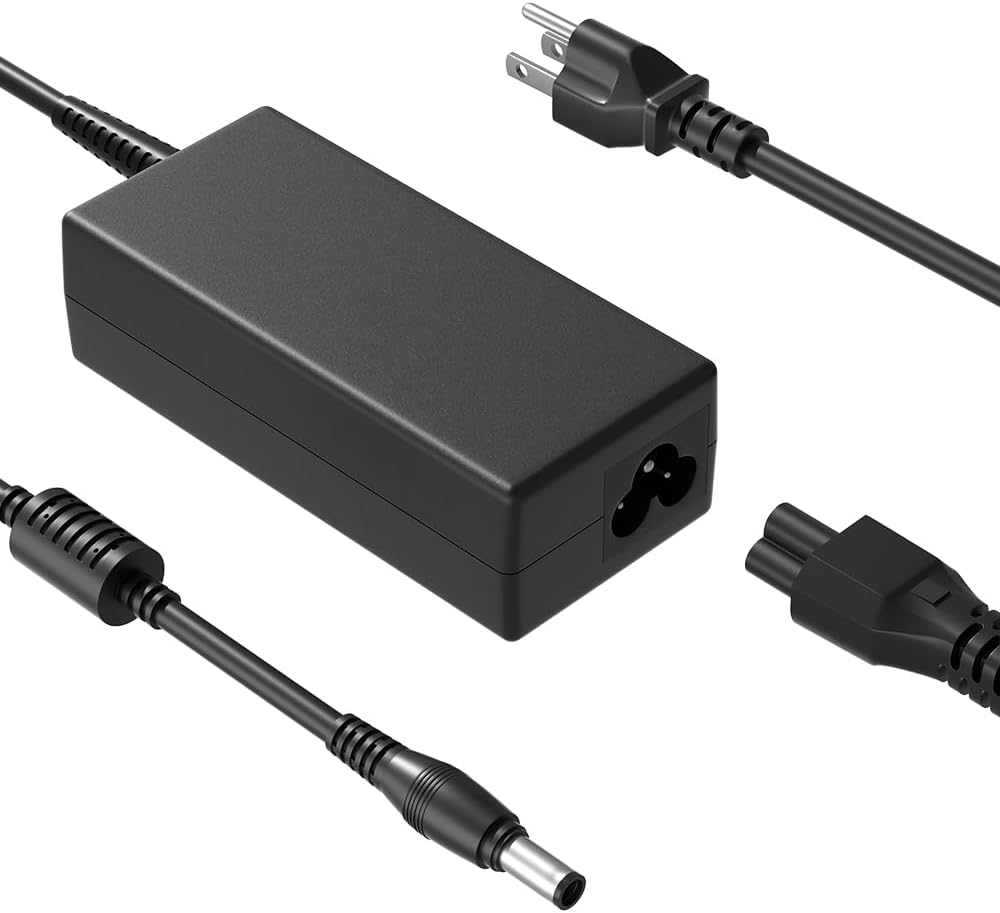


This standard power cord is a go-to choice for users needing a quick replacement for their Dell monitor. With a 4.7-star rating it is well-regarded for its durability and universal compatibility. The black cable is designed to blend into most desktop setups seamlessly.
We may earn a commission when you buy through this link, at no additional cost to you.
Its heavy-duty 18 AWG gauge ensures reliable power delivery to your device. The fully molded design adds an extra layer of protection against wear and tear at the connection points. This makes it a long-lasting solution for daily office or home use.
While the 5ft length is standard it might not reach distant outlets for some setups. Additionally the design is functional rather than stylish which might matter to minimalists. However for most users the utility outweighs these minor drawbacks significantly.
If you need a straightforward replacement for a generic power input this is an excellent choice. It is compatible with most Dell models that use a standard C13 input. For basic needs without extra features it delivers consistent performance.
The heavy-duty gauge and molded plugs ensure the cable survives daily bending and moving without internal wire damage.
This cord works with a wide range of electronics beyond monitors making it a versatile addition to any desk.
We may earn a commission when you buy through this link, at no additional cost to you.
This adapter is designed for users with specific Dell S-series monitors that require a 12V input. It covers a vast range of models from S2216H to S2740LB making it a great replacement if you have an older unit. The 4.2-star rating reflects decent performance with room for improvement.
We may earn a commission when you buy through this link, at no additional cost to you.
Safety is a strong point here with CE FCC and RoHS certifications ensuring safe operation. The built-in safeguards protect against overcurrent and overheating which is crucial for monitor longevity. It also features a smart chip that adjusts output based on temperature.
Some users may find the unit runs warm during extended sessions which is normal but worth noting. The compatibility list is long but you must double-check your exact model number before buying to avoid mismatches. Ensure the voltage matches your requirements.
Ideal for business travelers or those with older Dell screens needing a reliable power brick. The global input voltage means you can use it anywhere in the world. For the price it offers good protection and compatibility for specific needs.
Multiple layers of protection including over-voltage and short-circuit prevention keep your monitor safe from electrical surges.
With an input of 100-240V this adapter is perfect for international use without needing a separate voltage converter.
We may earn a commission when you buy through this link, at no additional cost to you.
This adapter stands out with an impressive 4.9-star rating indicating high user satisfaction. It is engineered to match OEM specifications exactly which prevents flickering or random shutdowns common with generic units. It is perfect for S-series and P-series touch monitors requiring specific voltage.
We may earn a commission when you buy through this link, at no additional cost to you.
The 19.5V 3.34A output is strictly regulated to prevent damage to your monitor. internal circuit. Intelligent temperature monitoring actively regulates heat keeping the adapter cool even during long work sessions. This level of engineering justifies its top pick status.
The proprietary 7.4×5.0mm connector with a center pin is specific to Dell models so verify your needs carefully. While the price is higher than standard cords it provides peace of mind with superior build and safety features. You are paying for reliability.
If you have a newer Dell monitor needing precise power input this is the best choice. The included detachable cord allows for easy transport or replacement. It is a premium solution for users who cannot afford any risk of power failure.
Every unit is tested before shipment to ensure the output matches Dell standards precisely for immediate reliability.
The built-in temperature system prevents overheating which extends the lifespan of both the adapter and your monitor.
We may earn a commission when you buy through this link, at no additional cost to you.
This cord is crafted with 100% pure copper which ensures high conductivity and low power loss compared to cheaper alternatives. The ETL listing provides peace of mind regarding safety and compliance with performance standards. It achieves a strong 4.8-star rating among buyers.
We may earn a commission when you buy through this link, at no additional cost to you.
The flexible PVC jacket makes it easy to route under desks or around tight corners without kinking. It is designed to work with any device using a standard 3-pin connection including monitors and TVs. The black color is discreet and matches most setups.
It is a straightforward replacement with no extra features like adapters or surge protection. The 5ft length might be short for setups where the outlet is far from the desk. However for standard layouts it offers reliable performance at a competitive price.
Best for users who want a safe and durable cable without breaking the bank. The pure copper construction is a significant upgrade over standard aluminum wires found in budget cables. It is a solid choice for daily reliability.
Pure copper reduces resistance which means your monitor gets stable power without unnecessary energy loss or heat.
ETL listing ensures the cord has passed rigorous safety tests for insulation and fire resistance.
We may earn a commission when you buy through this link, at no additional cost to you.
This power cord targets a wide array of Dell S-series monitors including 22 to 27 inch screens. It features an 8ft cable which offers more flexibility for desk arrangements than standard shorter cords. The 4.2-star rating suggests it is a decent but not perfect option.
We may earn a commission when you buy through this link, at no additional cost to you.
It includes a built-in chip that automatically adjusts power based on your devices temperature and status. This helps reduce heat generation and promotes safer charging. It is constructed with flame retardant materials to ensure safety during use.
Ensure your monitor does not require more than 65W before purchasing as this unit is designed for lower power draws. The connector size is standard for many Dell models but verification is essential. It is a practical choice for office setups.
Ideal for those who need extra reach and a reliable 12V supply. The safety features add value for peace of mind in a busy environment. Just verify your exact model requirements to ensure full compatibility with your display.
The 8ft length helps avoid the need for extension cords when outlets are placed far from your monitor.
Automatic adjustments based on temperature help prevent overheating issues during long hours of operation.
We may earn a commission when you buy through this link, at no additional cost to you.
This adapter delivers stable 12V power with multiple safety certifications ensuring it meets global safety standards. It uses pure copper wire core for efficient performance and low heat generation which is great for long sessions. The 4.8-star rating highlights user satisfaction.
We may earn a commission when you buy through this link, at no additional cost to you.
The 8ft cable offers generous length for flexible placement options in any room. It is compatible with a specific set of Dell 22 to 27 inch monitors. The lightweight design makes it easy to move around if you change desks often.
It works best for devices requiring exactly 12V and not higher wattage systems. The safety features protect against overcurrent and short circuits which adds value. It is a reliable choice for general replacement needs without extra bells and whistles.
Best for users seeking a certified safe replacement with good cable length. The certifications give confidence in its reliability for daily use. Always check your monitor model against the list provided to ensure proper fit.
The use of pure copper wire reduces energy loss and keeps the unit cooler during operation.
CE FCC and RoHS marks indicate the product meets strict safety and environmental standards.
We may earn a commission when you buy through this link, at no additional cost to you.
This supply has a perfect 5.0-star rating indicating high quality and user satisfaction for those it fits. It is designed to work with specific flat panel monitors like the P1913 and U2711. If you have one of these models it is a perfect match.
We may earn a commission when you buy through this link, at no additional cost to you.
Each unit is tested to ensure it is in great working condition before shipping. This testing process adds to the reliability and high rating. The 3-prong USA standard design ensures it plugs in easily to standard wall outlets.
The 6ft cable length is practical for most desk setups. However it is extremely specific so check your model number carefully before buying. It is a straightforward solution with no extra tech features beyond power delivery.
Ideal for owners of older Dell flat panels needing a direct replacement. The high rating suggests it performs exactly as expected without issues. For the right model it is the safest and most effective choice available.
Every unit undergoes testing to ensure it is in great working condition before it leaves the warehouse.
Designed for specific models like P1913 and U2711 this cord ensures a secure fit and stable power delivery.
We may earn a commission when you buy through this link, at no additional cost to you.
This power cable has a 5.0 rating and is intended for specific Dell monitors like the E2014H and U2412M. It is a simple cord-only package that allows you to restore power quickly. The packaging clearly states compatibility to avoid confusion.
We may earn a commission when you buy through this link, at no additional cost to you.
The 5ft length is standard for desktop use. It functions as a direct replacement for the original cable without any extra steps. The 3-prong connector ensures it fits securely into your monitor and wall outlet.
It lacks any extra features like surge protection or long cables but that keeps the cost down. If you just need a working cord and have the right model this is an efficient solution. It is a no-frills option for basic needs.
Best for users who want a simple affordable fix for a lost or broken cable. It is important to verify the model list matches your monitor exactly. For the right device it provides reliable performance at a low cost.
The plug-and-play design means you can get your monitor up and running in seconds.
This cable is designed to match the exact specifications of the original equipment manufacturer.
We may earn a commission when you buy through this link, at no additional cost to you.
This pack offers an incredible 15-foot length which is rare in standard replacement cords. It comes as a pack of two allowing you to keep a spare for another device or backup. The 4.8-star rating reflects strong reliability and safety trust.
We may earn a commission when you buy through this link, at no additional cost to you.
The 18 AWG wire provides sufficient gauge for most PC and monitor needs. UL listing ensures it meets strict safety guidelines for fire resistance and insulation. It is a versatile choice for TVs printers and computers as well as monitors.
Managing a 15-foot cable might require tie straps or organizers to keep the desk clean. However the reach is a huge benefit if your outlet is far away. It is a practical investment for any workspace needing flexibility.
Best for users needing maximum reach without using dangerous extension cords. The pack of two adds value for multi-device setups. It is a safe and durable option backed by the trusted Amazon Basics brand.
The 15-foot length allows you to place your monitor wherever you like without being limited by outlet position.
Getting two cords in one package means you have a backup ready for your next device or replacement.
We may earn a commission when you buy through this link, at no additional cost to you.
This power supply is designed for monitors drawing up to 60W and features a quiet operation without noticeable coil whine. It includes a smart IC chip that defends against over-voltage and short circuits for added safety. The 4.3-star rating suggests it is a solid choice.
We may earn a commission when you buy through this link, at no additional cost to you.
The 8.6ft cable provides enough reach for most home office setups. It works with selected Dell S-series and other brand monitors. The shell is designed to handle normal operating temperatures making it safe for long use.
It is not suitable for laptops or devices needing more than 60W so check your specs first. The connector size is standard 5.5×2.5mm which is common for many monitors. It is a reliable backup for dual-screen setups.
Best for users seeking a quiet and safe power brick for their display. The protections ensure safe operation even during daily busy sessions. Verify your monitor wattage to ensure it is fully compatible with this unit.
Engineered to be quiet it does not produce coil whine which helps keep your workspace peaceful.
A smart IC chip monitors the system to prevent electrical faults and protect your equipment.
We may earn a commission when you buy through this link, at no additional cost to you.
Choosing the right power cord requires attention to voltage connector type and safety features. This guide helps you evaluate key factors to ensure your Dell monitor receives the correct power without risk.
The most critical step is verifying the physical connector size and shape. Many Dell monitors use a specific 7.4×5.0mm tip with a center pin while others use a 5.5×2.5mm barrel. Using the wrong size can prevent the cable from fitting or cause power issues.
Always check your original adapter or monitor manual for the exact connector dimensions before buying.
Matching the voltage and amperage is vital to prevent damage to your display. If your monitor requires 19.5V you must find an adapter with that specific output. Mismatched voltage can lead to unstable performance or permanent hardware failure.
Verify the output specifications on the product page to ensure they align with your monitor requirements.
Consider the distance between your monitor and the nearest wall outlet. Standard cords are often 5 to 6 feet which may not reach in larger offices. If you need extra length look for models with 8 to 15 feet of cable to avoid extension cords.
Select a length that allows clean cable management without tripping hazards or loose wires.
Look for cords that carry UL ETL or CE certifications to ensure they meet safety standards. These marks indicate the product has been tested for fire resistance and electrical safety. Using uncertified cords can pose a fire risk especially during long usage sessions.
Prioritize brands that list these certifications clearly to guarantee safe operation.
High-quality cables often use pure copper conductors and thick PVC jackets for durability. Pure copper improves conductivity and reduces heat compared to cheaper aluminum alternatives. A molded plug design also adds protection against wear at the connection points.
Invest in a sturdy cable to ensure long-term reliability and better power efficiency.
Dell monitors are divided into series like S P or U which often share power specs. Ensure the replacement lists your specific model or series in its description. A cable compatible with one series might not fit another even if they look similar.
Check the product compatibility list to confirm it supports your exact monitor model number.
Modern adapters may include smart chips that adjust power based on temperature or device status. These features help prevent overheating and extend the life of both the adapter and your monitor. It is a valuable addition for high-performance displays.
Look for products mentioning built-in safeguards like overcurrent or overvoltage protection for extra safety.
While price matters you should not sacrifice safety for a cheaper option. Standard power cords are affordable but adapters for specific monitors cost more due to technical requirements. Determine if you need a simple cable or a full adapter brick based on your setup.
Balance your budget with the necessary features to find the best value for your needs.
When installing your new power cord start by ensuring the monitor and outlet are powered off. Plug the adapter or cord into the monitor first and then into the wall outlet to prevent sparking. Ensure the connector is pushed in firmly to avoid loose connections.
To maintain the longevity of your cord avoid bending or kinking the cable near the plug. Regularly inspect the cable for signs of fraying or damage and replace it if necessary. Keep the adapter away from direct sunlight and heat sources to prevent overheating.
If you need to move your setup unplug the cord from the monitor before moving it. This reduces stress on the internal wires. Store any extra cords in a dry cool place away from moisture to prevent degradation over time.
Not necessarily. While some Dell monitors use a standard C13 connector others require a specific barrel tip like 5.5×2.5mm or 7.4×5.0mm. Always check the input port on your monitor to confirm the required connector type before purchasing.
Voltage must match the monitor requirement exactly to ensure safe operation. Using a lower voltage may cause the monitor to flicker while a higher voltage can damage the internal power supply permanently.
Yes certifications like CE and ETL indicate the product has passed safety testing for fire and electrical resistance. They provide assurance that the cord is built to handle standard operating conditions safely.
First check that the outlet is working by testing another device. Ensure the connector is fully inserted and the voltage matches your monitor. If the monitor still does not turn on the adapter might be faulty or incompatible.
It is generally safe to leave them plugged in but unplugging can save energy and reduce heat buildup. Many adapters consume small standby power even when not delivering current to the monitor.
Look at the power port on the back of your monitor. If it is a round hole it needs a barrel tip. If it is a rectangular socket it likely uses a C13 or 3-prong cord. Check your manual for confirmation.
Finding the right replacement power cord ensures your Dell monitor continues to perform reliably. Whether you need a simple cable or a complex adapter there are options for every model and setup.
Prioritize safety certifications and exact compatibility to avoid risks of damage to your equipment. A small investment in a quality cord can save you from costly repairs in the future.
Remember to check your monitor model number and required specifications before ordering. Prices and availability change so always confirm details on the product page before finalizing your purchase.