
3 in 1 Wireless Charging Station
4.3Editor score
Foldable magnetic design
Includes 20W PD adapter
Minimalist Apple style look
Keeping your gadgets powered up without cluttering your desk with cables is a modern necessity. A good charging mat for multiple devices offers a centralized spot to recharge phones, earbuds, and watches simultaneously. Look for broad compatibility, fast charging speeds, and a sleek design that fits your workspace seamlessly.
We compared ten top-rated wireless charging mats based on user reviews, technical specifications, and real-world performance. Each option was evaluated for ease of use, safety features, and how well it handles mixed-device households. Our goal is to help you find the perfect station that reduces cable clutter effectively.
Each pick below highlights key features, pros, and cons to guide your decision-making process. Remember that pricing and availability can change frequently on major retail platforms. Always check the latest details before purchasing to ensure you get the best value for your specific charging needs.
4.3Editor score
4.0Editor score

4.4Editor score
As an Amazon Associate we earn from qualifying purchases.
The following table provides a side-by-side comparison of all ten wireless charging mats selected for this guide. It highlights key specifications like charging zones, adapter inclusion, and special features to help you quickly identify the right fit for your setup.



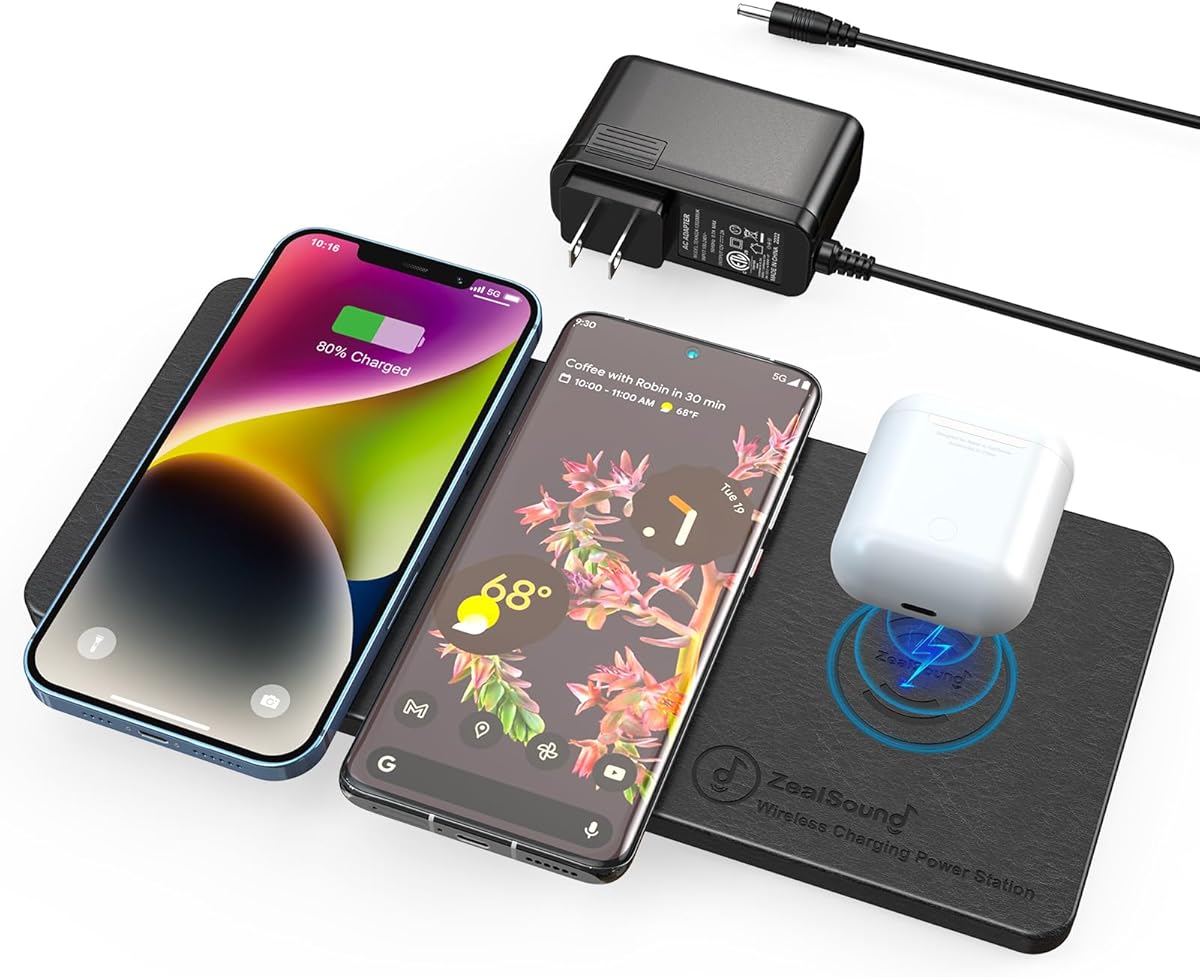
This ZealSound Wireless Charging Pad stands out as a top contender for households needing a unified charging solution. It holds a solid 4 rating from users who appreciate its ability to charge three devices at once without cables. The PU leather finish gives it a premium look that suits office desks and nightstands well.
We may earn a commission when you buy through this link, at no additional cost to you.
The key strength lies in its convenience. You can drop your phone, AirPods, or Galaxy Buds on the mat and they start charging instantly. The included 24W adapter means you do not need to hunt for a separate wall plug. It supports most nonmetal cases up to 0.24 inches thick which saves time daily.
One trade-off is that it does not support Apple Watch or Galaxy Watch charging. Users with smartwatches will need a separate spot for those devices. However, the lack of bright indicator lights is a huge plus for light sleepers who want a dark bedroom environment.
If you want a reliable charger for phones and earbuds, this mat is a great choice. It reduces clutter effectively and looks good while doing it. For mixed device homes with iPhones and Androids, the broad compatibility ensures everyone can power up in one place.
You do not need to remove your phone case to charge. The pad works through most materials under 0.24 inches thick making nightly routines smoother.
Measuring only 0.24 inches thick it packs easily in bags. The included adapter ensures you have everything needed for hotels or offices.
We may earn a commission when you buy through this link, at no additional cost to you.
The Mophie 4-in-1 Mat is designed for users deeply invested in the Apple ecosystem. It allows simultaneous charging for phones, earbuds, and an Apple Watch via a dedicated stand. The fabric finish adds a touch of style that blends well with home office decor.
We may earn a commission when you buy through this link, at no additional cost to you.
A major advantage is the inclusion of an Apple Watch charging stand which many competitors lack. The multiple charging coils ensure you can place devices in different spots without fuss. Intuitive markings help you find the sweet spot quickly for consistent power delivery.
However, the product details note an input voltage of 230 volts which might limit use in regions with 110V outlets unless an adapter is used. This is a critical detail for international travelers or those in specific power grids to consider before buying.
For Apple users wanting a clean desk setup with Watch support, this mat is a strong option. The design is sleek and the ability to charge four devices at once is impressive. Just ensure your power outlet matches the voltage requirements for safe operation.
The included stand ensures your Watch charges securely without needing a separate cable. It integrates neatly into the mat design for a tidy look.
The fabric finish is easy to clean and resists fingerprints. It looks more like a desk accessory than a utilitarian charger.
We may earn a commission when you buy through this link, at no additional cost to you.
This 40W Dual Charging Pad focuses on speed with 20W fast charging support for compatible iPhones and Samsungs. It is ideal for users who want their devices topped up quickly without waiting. The slim profile keeps it discreet on any surface.
We may earn a commission when you buy through this link, at no additional cost to you.
The built-in smart chip identifies your phone to select the optimal power. Heat dissipation holes at the bottom help keep devices cool during use. It comes with the necessary cables to get started, though you must supply your own adapter.
A key consideration is that you need a PD 18W adapter which is not included in the box. This adds a step to the setup process if you do not already have a compatible wall brick. However, the low cost of the mat itself is a major benefit.
If you prioritize charging speed and want a budget friendly option, this pad delivers. It handles two devices well and works through cases up to 6mm. Just remember to grab a fast adapter to unlock its full potential.
Up to 20W output means quicker top-ups for your phone. The smart chip ensures safe power delivery without overheating issues.
At just 1cm thick it is easy to slide into a bag. It does not take up much space on your desk or nightstand.
We may earn a commission when you buy through this link, at no additional cost to you.
This foldable magnetic station offers a cost effective way to charge multiple Apple devices. It is highly rated at 4.2 for its portability and ease of use. The magnetic feature ensures your phone aligns perfectly every time you drop it on the pad.
We may earn a commission when you buy through this link, at no additional cost to you.
The 180 degree fold allows it to double as a viewing stand for videos or calls while charging. It includes an 18W adapter and cable so you are ready right out of the box. The design is compact enough to fit in a laptop sleeve.
It works best with MagSafe iPhones and Apple Watch but not older non-magnetic models. This limits its use for some but simplifies the experience for newer users. The one cord solution for three devices keeps cable mess to a minimum.
For travelers with iPhones who need a reliable charging solution on the go, this is excellent. It combines a stand and charger into one portable unit. The price point makes it an attractive choice for students or occasional travelers.
The magnetic suction ensures precise placement for maximum efficiency. Your phone snaps into place without you needing to adjust it manually.
Only one cord is needed for three devices which reduces outlet usage. The included adapter ensures you have the right power source.
We may earn a commission when you buy through this link, at no additional cost to you.
This upgraded ZealSound pad improves on the original with a narrower layout and a 36W adapter. It targets mixed-device homes with a focus on stability and power headroom. The ultra-narrow zones help align large camera phones more easily.
We may earn a commission when you buy through this link, at no additional cost to you.
The 36W adapter provides ample power for multiple devices at once without throttling speeds. It also features a heat management design to keep your phones cool. The lack of lights makes it perfect for bedside use without light pollution.
While it is great for phones and earbuds it does not support smartwatches. Metal rings or magnetic attachments on cases will block charging so you must remove them. The leather surface is easy to wipe clean and looks sophisticated.
If you want a reliable charger that comes fully prepared, this is a top pick. The included adapter is a nice touch that saves money. It fits well in modern offices or dorm rooms where style matters as much as function.
The narrow design gives room for large camera bumps. It helps your phone sit flatter on the pad for better contact.
No lights or sounds means it wont disturb your sleep. Ideal for light sleepers who need overnight charging nearby.
We may earn a commission when you buy through this link, at no additional cost to you.
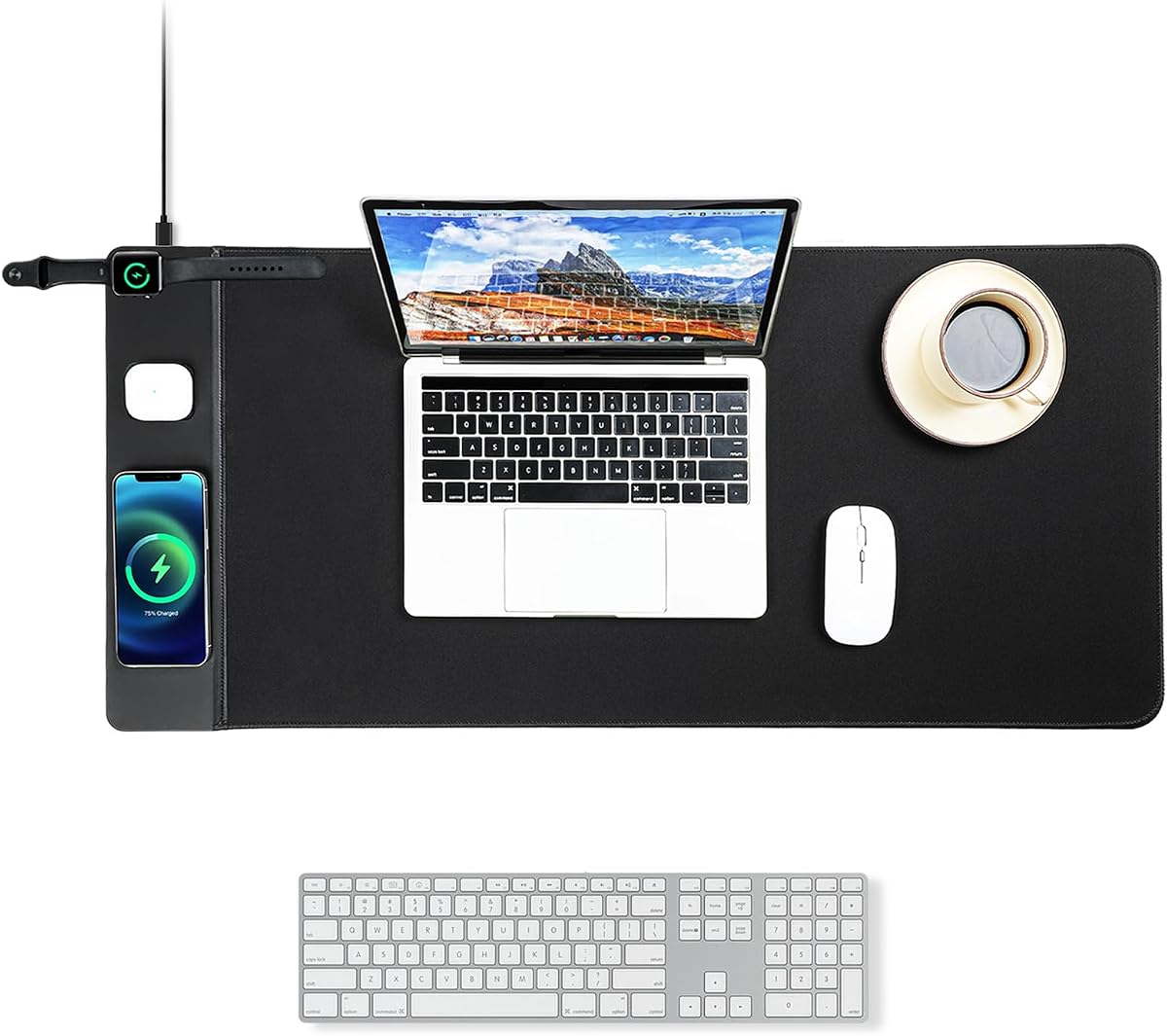
This VOVIPO pad combines a large desk mat with wireless charging zones. It is perfect for gamers or office workers who need space for keyboard and mouse plus charging. The size allows you to keep your laptop and phone on one surface.
We may earn a commission when you buy through this link, at no additional cost to you.
The surface is waterproof and scratch proof which protects the internal components from spills. It supports phones and watches efficiently. However, you must supply a 25W adapter yourself which is a key setup step.
The rubber base keeps the pad from sliding on your desk. It feels soft and comfortable for long sessions. The charging zone is integrated seamlessly so it does not disrupt your workflow.
For those wanting a unified desk setup that saves space, this mat is unique. It reduces cable clutter by offering a single spot for work and power. Just ensure you have the right adapter to get the fastest charge.
The waterproof surface protects against coffee spills. It keeps your desk safe while you work or game.
The large size fits laptops and peripherals easily. It reduces the need for multiple mats on your table.
We may earn a commission when you buy through this link, at no additional cost to you.
This RTOPS charger is a highly rated foldable option for Apple users. It uses magnetic isolation to reduce electromagnetic exposure for family safety. The skin-like silicone surface is durable and resists scratches well.
We may earn a commission when you buy through this link, at no additional cost to you.
It charges your iPhone Watch and AirPods all at once. The 20W adapter ensures fast speeds. The foldable design allows it to be packed flat in a travel bag which is great for trips.
The isolation sheet adds a layer of health protection for kids and seniors. It is FCC certified for safety. However, it only supports Apple devices so it will not work for Android users.
If you need a safe and portable charger for your Apple gadgets, this is a great buy. It balances power and protection well. The included adapter makes it a complete package for home or travel.
Magnetic isolation sheet reduces electromagnetic radiation. It is designed to protect users during long charging sessions.
The foldable design makes it easy to carry. It fits in bags without taking up much room.
We may earn a commission when you buy through this link, at no additional cost to you.
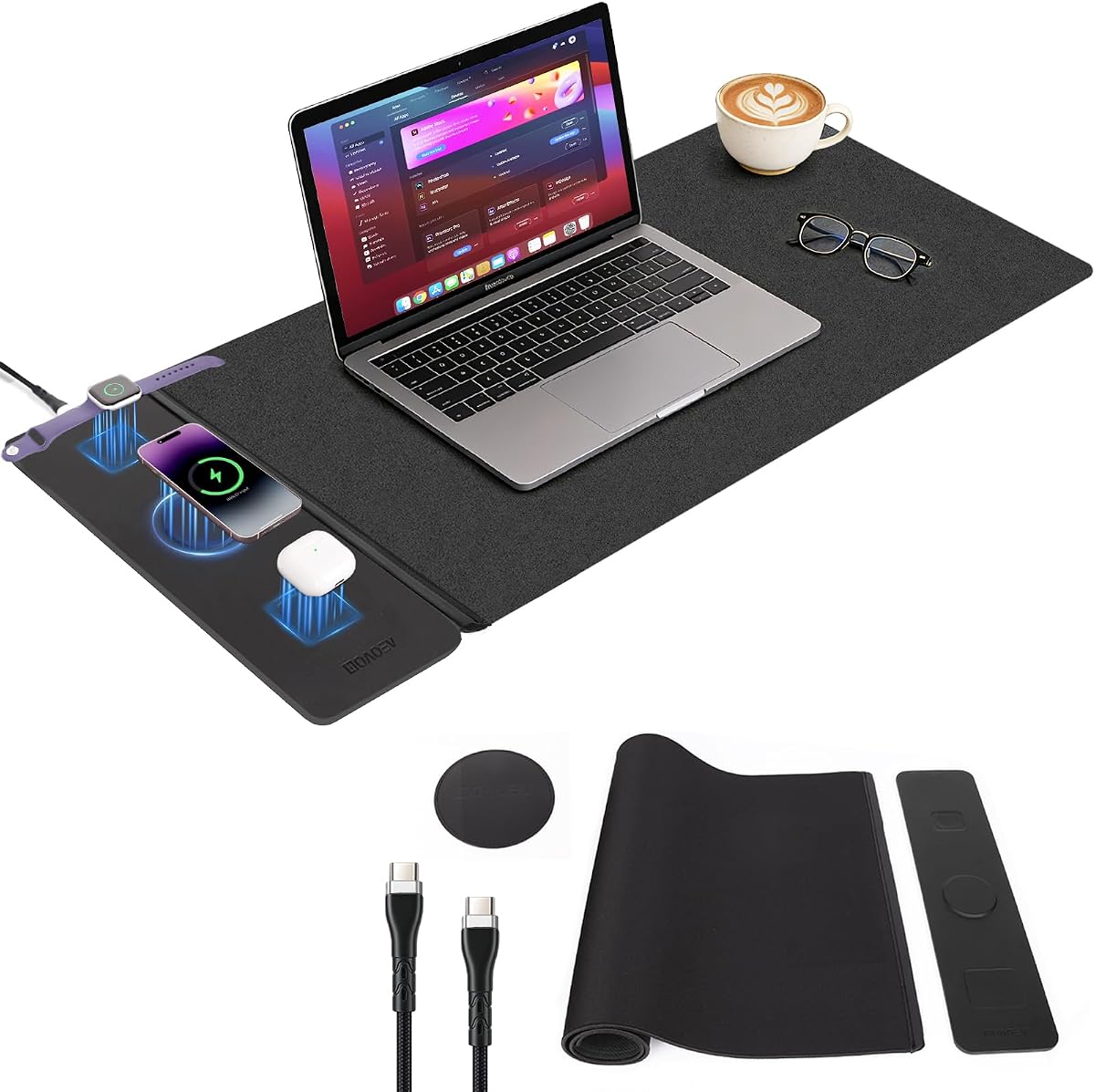
The 2nd Gen pad offers 40% higher efficiency than older models. It has a detachable magnetic panel which makes cleaning easier. The jacquard fabric provides a smooth surface for gaming and office work.
We may earn a commission when you buy through this link, at no additional cost to you.
It is waterproof to resist spills and keeps internal parts safe. The size fits keyboards and mice comfortably. It charges phones and watches simultaneously with good power.
The magnetic panel adds versatility for use as a nightstand charger. It is durable and resists wear. However, it is pricier than standard mats so ensure you need the charging feature.
For gamers who want a premium desk setup, this is a smart choice. It merges high-quality gaming features with daily charging. The fabric looks and feels good under your hand.
The panel detaches for quick cleaning. It keeps the mat looking new for a long time.
The fabric allows precise mouse control. It is smooth enough for competitive gaming needs.
We may earn a commission when you buy through this link, at no additional cost to you.
Samsung Trio is a premium choice for Galaxy users wanting reliability. It uses six coils to make alignment easy so your device charges instantly. The dedicated spot for Galaxy Watch is secure and convenient.
We may earn a commission when you buy through this link, at no additional cost to you.
LED lights show status which helps you know if charging started. It charges cases up to 3mm thick. The fast charging capability ensures you get power quickly in the morning.
While it works for iPhones and other Qi devices it shines with Samsungs. The price is higher but the build quality justifies it. It looks sleek on any desk with its minimalist design.
If you want a trusted brand with great build quality, this is the pick. The alignment features save daily frustration. It is a solid investment for your desk setup.
Six internal coils mean less guesswork. You can place your phone anywhere on the pads.
Dedicated space for Galaxy Watch ensures secure charging. It keeps your watch visible and powered.
We may earn a commission when you buy through this link, at no additional cost to you.
This ASOMETECH hub is a powerhouse for charging many devices at once. It includes a wireless zone plus four USB ports. The LCD display shows voltage and current for precise monitoring.
We may earn a commission when you buy through this link, at no additional cost to you.
The 65W USB C port can charge laptops like MacBooks. This makes it versatile for work setups. It handles multiple devices without slowing down thanks to the 160W capacity.
It is more of a dock than a flat mat but serves the same purpose of reducing cables. The display is useful for tech lovers who want data. It takes up some space but offers great flexibility.
If you have a laptop and multiple phones you need this hub. It consolidates all your power needs into one box. The monitoring feature gives peace of mind for expensive devices.
LCD display shows current power usage. It helps you manage your charging needs efficiently.
65W PD port handles laptops. It is a complete solution for desktop power.
We may earn a commission when you buy through this link, at no additional cost to you.
Choosing the right charging mat requires looking beyond just price. You need to consider compatibility, power output, and design fit for your space. These factors ensure you get a product that works well with your specific gadgets.
Ensure the mat supports all your devices. Some mats only work for iPhones or specific Android models. Check if it charges earbuds and watches if needed.
Always verify compatibility lists before buying to avoid issues.
Look for mats that offer fast charging like 15W or higher. A total output of 20W+ is ideal for multiple devices. Weak mats may charge slowly when several devices are connected.
Higher wattage ensures your devices stay powered efficiently.
A good mat works through phone cases up to 4mm. This saves you from removing cases every time you charge. Thick or metal cases may interfere with the charging signal.
Choose a mat that allows case drop-and-charge convenience.
Overheat protection is critical for daily use. Look for built-in chips that manage temperature. Safety certifications like FCC ensure the product meets standards.
Safety features prevent battery damage and ensure safe charging.
Decide between a flat mat or a dock style. Mats are better for travel and desks. Docks may hold phones upright for better viewing.
Pick a shape that fits your desk layout and travel needs.
Some mats come with a power adapter while others do not. Buying a separate adapter can add cost. Check if the adapter supports fast charging protocols.
An included adapter makes setup faster and easier.
Light-free designs are better for bedrooms. Bright LEDs can disturb sleep. Look for dimmable or no-light options if using bedside.
No lights ensure a dark and restful sleep environment.
Larger mats provide more space for multiple devices. Mouse pad hybrids offer extra desk utility. Smaller mats are more portable.
Select a size that matches your device count and space.
Place the mat on a flat dry surface away from direct sunlight. Connect the power adapter to the mat and a wall outlet. Ensure all devices are Qi-compatible for wireless charging.
Center your phone on the charging zones for optimal power. Remove metal cases or rings as they block wireless signals. Allow devices to sit until the charging light turns green.
Clean the surface with a dry soft cloth to remove dust. Avoid using liquid cleaners directly on the pad. Store in a cool place when not in use to extend life.
Most mats work with cases up to 4mm thick. Metal cases or magnetic rings will block charging. It is best to use non-metal cases for best results. Some mats may require case removal for thicker shells.
Yes many mats support simultaneous charging. Check the total wattage to ensure speed is not reduced. Some mats slow down when all ports are used. Look for models with high total output for best performance.
Some mats include adapters but others do not. A fast adapter is needed for optimal charging speed. Check the box contents before buying. Using the wrong adapter may result in slow charging.
Heat is normal during wireless charging. Ensure the pad has ventilation holes. Remove your case if it gets too hot. Avoid using the phone while it charges to reduce heat.
Yes certified mats have safety chips. They manage temperature and voltage to protect batteries. Overheat protection stops charging if needed. Always use certified products to ensure safety.
Only some mats support Apple Watch. Check if a dedicated stand is included. Standard Qi mats do not charge Watches. Look for 3-in-1 models with Watch zones.
The ZealSound, Mophie, and Samsung mats offer the best balance of features. They cover different needs from travel to desk use. Each provides reliable charging for your mixed devices.
Focus on compatibility and power output when making your decision. Safety features and design are also key factors. Choose one that fits your daily workflow and home decor.
Prices and availability change often so check current deals. Ensure you have the right adapters for fast charging. A good mat simplifies your tech setup significantly.