
Kasa Smart Light Bulbs
4.5Editor score
No Hub Required
Energy Monitoring
Auto White Adjustment
This guide compares the top ten smart bulbs compatible with Google Home for seamless voice control and automation in your smart home setup.
Smart lighting transforms how you interact with your home environment. Choosing the right bulbs for Google Home ensures smooth voice control and automation without frustrating setup hurdles.
We evaluated ten leading smart bulbs based on connectivity, color range, energy efficiency, and ease of integration with Google Assistant to help you find the perfect fit.
Each pick highlights key strengths and real-world performance notes. Keep in mind that availability and pricing change frequently, so verify details before purchasing your new smart bulbs.
4.5Editor score

4.5Editor score

4.5Editor score
The following table offers a side-by-side overview of all ten models selected for this guide so you can quickly compare their core specifications and capabilities.



The Govee Smart Light Bulb stands out as a top contender for Google Home users seeking vibrant color control. With a rating of 4.5 stars, it balances performance with ease of use effectively.
We may earn a commission when you buy through this link, at no additional cost to you.
Its 16 million color options and music sync capabilities provide dynamic lighting experiences. Users can control it via voice commands and the dedicated app for seamless integration.
While it lacks support for traditional dimmer switches, the app-based dimming is responsive. The requirement for 2.4GHz WiFi is common but worth noting for dual-band router setups.
This bulb is ideal for those wanting customizable lighting without a hub. It delivers reliable performance and rich colors suitable for both ambient and task lighting needs.
Explore 16 million colors and 54 preset scene modes to match any mood. This flexibility makes it perfect for parties or relaxed evenings at home.
Control bulbs with simple voice commands or group them for simultaneous management. This feature simplifies daily routines and enhances smart home convenience.
We may earn a commission when you buy through this link, at no additional cost to you.
The Kasa Smart Light Bulbs offer a cost-effective entry into smart lighting without sacrificing essential features. Rated 4.5 stars, this 2-pack provides reliable color changing capabilities for any room.
We may earn a commission when you buy through this link, at no additional cost to you.
Key strengths include energy monitoring and auto white adjustment to match natural light patterns. These features help users save energy while maintaining a comfortable home environment.
It requires a 2.4GHz Wi-Fi connection which is standard for many smart devices. The absence of a hub requirement simplifies installation significantly for new smart home adopters.
Best suited for budget-conscious shoppers who want quality performance. The trusted Kasa brand ensures durability and consistent connectivity across multiple bulbs in your home.
Monitor real-time energy usage to drive down consumption without losing quality. This tool helps you manage costs effectively while using smart lighting daily.
Control your smart light bulb from anywhere using your smartphone and voice commands. This flexibility ensures you never have to manually switch lights again.
We may earn a commission when you buy through this link, at no additional cost to you.
Linkind Smart Light Bulbs feature a unique WiFi and Bluetooth dual connection that enhances reliability. This setup allows for faster responses and uninterrupted control even when WiFi is unavailable.
We may earn a commission when you buy through this link, at no additional cost to you.
The bulbs offer 16 million colors and sync with music detected by your phone's microphone. This creates immersive audio-visual experiences for parties and gatherings with minimal effort.
While you must use the AiDot App for setup and control, the features like Light Show provide creative customization. The lack of traditional dimmer compatibility is a standard limitation to note.
Recommended for users seeking stable connectivity and rich features. The energy-saving schedule functions and high color rendering index make it a practical choice for daily use.
Enjoy anytime, anywhere control with Bluetooth backup when WiFi is off. This ensures you stay connected even in areas with weak network signals.
Create custom light effects using the Light Show and join the Light Lab Community. This turns your bulbs into a creative playground for unique lighting designs.
We may earn a commission when you buy through this link, at no additional cost to you.
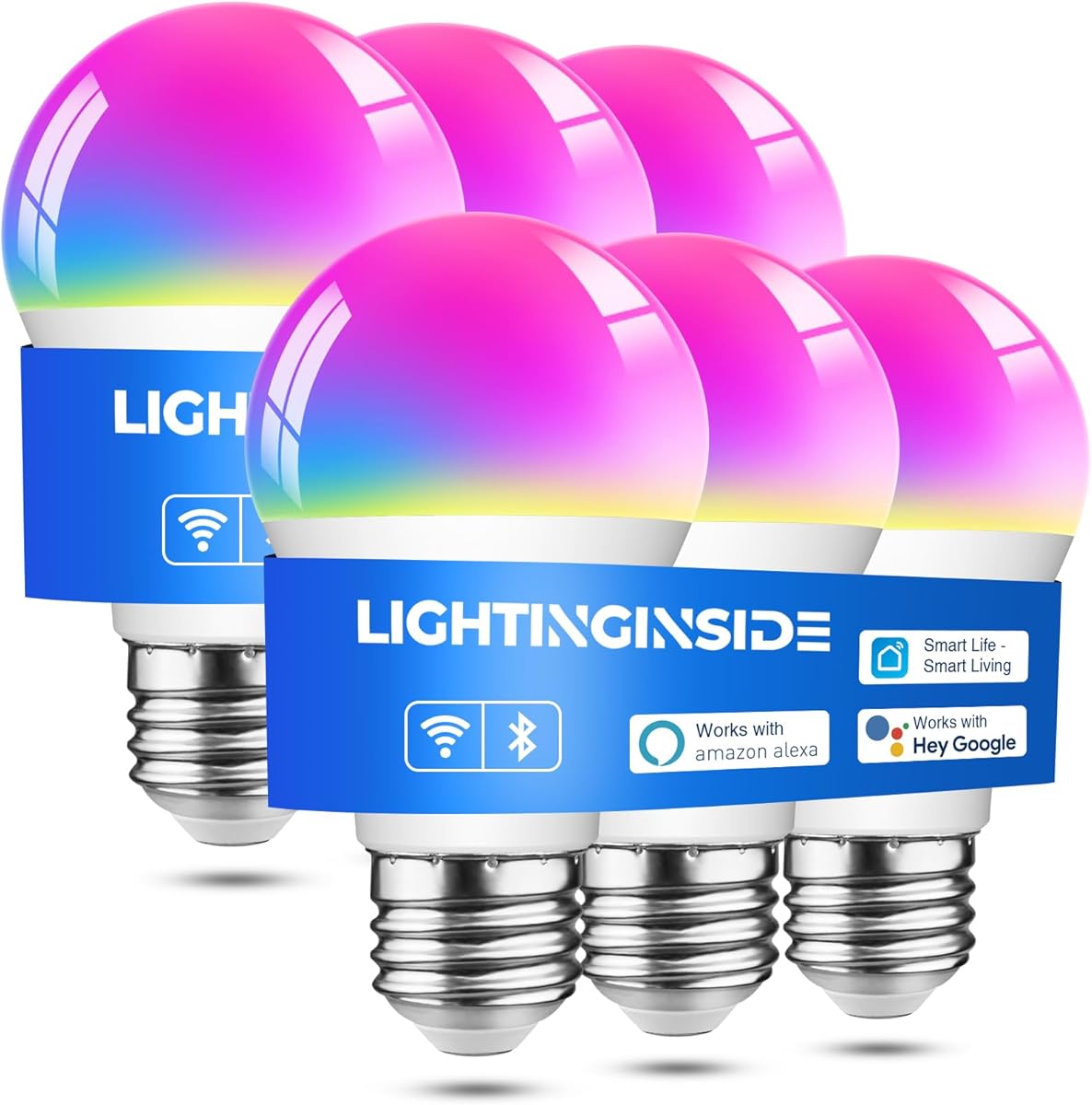
This 6-pack of Lightinginside Smart Light Bulbs offers exceptional value for outfitting multiple rooms at once. The 2nd-generation chip makes setup faster and more reliable than many competitors.
We may earn a commission when you buy through this link, at no additional cost to you.
It supports local control via BLE even if Wi-Fi goes down, ensuring your lights remain functional. This feature is particularly useful for maintaining basic lighting during internet outages.
The bulbs offer over 16 million RGB colors and tunable white options for any occasion. While they require the SmartLife app, the flexibility of grouping and scheduling enhances daily convenience.
Ideal for large homes needing bulk upgrades without breaking the bank. The 2-year warranty adds peace of mind for long-term performance and reliability across all six units.
With an upgraded 2nd-generation BLE + Wi-Fi dual-channel chip setup is up to 3 times faster. This reliability ensures smooth integration with your smart home ecosystem.
Connect locally via BLE or Wi-Fi and enjoy remote control when away. The bulb intelligently switches between connections as needed for optimal performance.
We may earn a commission when you buy through this link, at no additional cost to you.
The DAYBETTER A19 E26 Smart Light Bulbs provide a standard entry-level option for Google Home users. With a 4.3 rating, it offers basic color changing and scheduling features effectively.
We may earn a commission when you buy through this link, at no additional cost to you.
Its key strengths include support for voice control via Alexa and Google Home without a hub. You can set custom schedules and group bulbs to manage multiple lights efficiently.
You must use the DayBetter app exclusively which limits integration with other platforms like Matter. Also note that physical dimmer switches are not compatible with these bulbs.
Best for users who want simple voice control and preset scenes. It is a reliable choice for basic lighting needs in bedrooms or living rooms with standard fixtures.
Experience true hands-free convenience by simply saying turn on the lights. No hub is required for this standard E26 base bulb to function.
Our smart bulbs support both Wi-Fi and Bluetooth for fast reliable connectivity. Follow the manual to customize your lighting settings after pairing.
We may earn a commission when you buy through this link, at no additional cost to you.
Philips Hue Essential Smart LED Bulbs bring a premium experience to smart lighting with reliable performance and rich features. With a 4.5 rating, they are ideal for those valuing ecosystem stability.
We may earn a commission when you buy through this link, at no additional cost to you.
The bulbs offer millions of colors and preset light scenes designed by lighting experts. This attention to detail ensures high-quality light output for various moods and activities.
You can expand your setup with a Hue Bridge for advanced features like home security. The smooth dimming feature allows you to adjust brightness precisely for comfort and ambiance.
Recommended for users investing in a long-term smart home system. While more expensive, the quality and support make it a dependable choice for daily illumination.
Simply screw in your new smart bulb and start controlling it remotely via the Hue app. This setup process is designed to be intuitive and quick.
Find the right light with millions of colors and a packed library of preset scenes. This lets you tailor the environment to any occasion easily.
We may earn a commission when you buy through this link, at no additional cost to you.
This Linkind Smart Light Bulb focuses on high-quality tunable white light for focused tasks. With a 4.4 rating, it is designed to replace multiple separate white light bulbs effectively.
We may earn a commission when you buy through this link, at no additional cost to you.
Its CRI is greater than 90 which restores true colors of furniture and decor. This feature is perfect for makeup, food photography, or art display where color accuracy matters.
You can use Bluetooth local control without WiFi after initial setup. However, it does not support Matter or other smart home platforms like Apple Home or Tuya.
Best for those prioritizing light quality over color effects. The energy-saving schedule functions help cut electricity bills while providing consistent lighting performance.
With CRI greater than 90 this bulb restores true colors of objects. This makes it ideal for tasks requiring accurate color rendering.
Add multiple bulbs to a group for one-tap control. Bluetooth local control ensures you can adjust lights even when the internet is down.
We may earn a commission when you buy through this link, at no additional cost to you.
The OREiN Matter Smart Light Bulb offers strong compatibility across multiple smart home systems. With a 4.4 rating, it uses the Matter protocol for seamless interoperation.
We may earn a commission when you buy through this link, at no additional cost to you.
It provides over 16 million vivid colors and supports music sync for immersive experiences. You can integrate it directly into apps like Alexa or Apple Home without extra bridges.
While secure and reliable on local networks, it only supports 2.4GHz WiFi. This limitation requires careful router configuration to avoid connectivity issues during setup.
Best for users wanting future-proof Matter compatibility across brands. The robust security and multi-platform interop make it a versatile choice for diverse smart homes.
Enables simultaneous operation across multiple smart home systems. This interoperability lets you control devices from different brands seamlessly.
Matter secures devices with proven standard cryptographic algorithms. This ensures user information remains protected and strengthens measures overall.
We may earn a commission when you buy through this link, at no additional cost to you.
This Linkind Matter Smart Light Bulb is certified for the Matter platform to integrate all your smart home devices. With a 4.5 rating, it simplifies control by eliminating app switching.
We may earn a commission when you buy through this link, at no additional cost to you.
It offers 16 million RGB colors and 104 preset scenes for every mood. Music sync features via the AiDot App allow you to enjoy audio-visual immersion easily.
The high-quality design provides 800 lumens with a lifespan over 25,000 hours. While it supports Apple Home and Google Home, it still requires the AiDot App for full setup.
Best for households with multiple smart home ecosystems. Its seamless integration ensures you can control all devices from one system without extra hubs.
Eliminates the need for switching between multiple apps. It works seamlessly with Matter-certified hubs for multi-platform control.
Equipped with 16 million RGB colors and 104 preset scenes. This provides a perfect atmosphere for every occasion in your home.
We may earn a commission when you buy through this link, at no additional cost to you.
These Kasa Smart Light Bulbs provide a reliable soft white option for task lighting. With a 4.4 rating, they are ideal for kitchens and reading nooks requiring focused illumination.
We may earn a commission when you buy through this link, at no additional cost to you.
They include energy monitoring to drive down consumption without losing quality. The dimming range from 1% to 100% offers precise control for any activity.
You can use remote control via the free Kasa app from anywhere. Note that these bulbs are soft white only and do not support color changing features.
Best for spaces where color is unnecessary but brightness control is needed. The high CRI ensures accurate color rendering for everyday lighting tasks.
With a dimming range from 1% up to 100% you can set the right brightness. This is ideal for creating the perfect atmosphere for any activity.
Monitor real-time energy usage and use timer or schedules to automate lighting. This helps you manage consumption while maintaining quality.
We may earn a commission when you buy through this link, at no additional cost to you.
Selecting the right smart bulb involves understanding connectivity protocols compatibility and specific features that match your lifestyle.
Ensure the bulb connects to your network using WiFi or Bluetooth. Most models require 2.4GHz WiFi which is standard but may need router configuration.
Look for dual-band support if you have complex network setups to avoid connection drops.
Check that the bulb is explicitly labeled as compatible with Google Home or Google Assistant. This ensures seamless voice command execution without extra bridges.
Most options support both Alexa and Google Home which offers flexibility if you add other ecosystems.
Decide if you need full RGB color changing or just tunable white. Color bulbs provide ambiance while white bulbs focus on task lighting and energy efficiency.
Look for bulbs with 800 lumens or higher to ensure sufficient brightness for larger rooms.
Many smart bulbs are hub-free which simplifies installation and reduces costs. This means you can install them directly into a socket and connect via WiFi.
Some premium systems may require a bridge for advanced features which adds to the initial cost and setup time.
Evaluate the mobile app quality for control and automation features. Some apps offer rich scene libraries while others are basic and limited.
Ensure the app supports scheduling and grouping so you can manage multiple bulbs easily.
Avoid using traditional physical dimmer switches with smart bulbs as this may cause flickering. Instead use the built-in app or voice control to dim lights.
Check if the bulb explicitly states it is not compatible with traditional dimmer switches.
Smart bulbs are generally energy efficient but some models offer monitoring features to track usage. This helps you manage electricity bills effectively.
Look for LED technology with low wattage ratings to maximize savings.
Check the manufacturer stated lifespan which is often around 25,000 hours. This translates to roughly 10 years of use for standard lighting schedules.
A warranty of at least 2 years indicates confidence in the product's durability and reliability.
Begin by screwing the bulb into a standard E26 socket and powering it on. Download the associated app and follow the pairing instructions which usually involve connecting to your 2.4GHz network.
Once connected open Google Home and add the device under your smart home settings. Assign the bulb to a room or group so you can control it easily with voice commands.
Avoid using physical dimmer switches as they may damage the bulb. Use the app or voice to adjust brightness and colors for optimal performance and longevity.
Not all smart bulbs work with Google Home automatically. You must choose those explicitly listed as compatible with Google Home or Google Assistant to ensure seamless integration and voice control features.
No traditional physical dimmer switches are not compatible with smart bulbs. Using them can cause flickering or buzzing. Instead use the app or voice control to dim the lights properly.
Most modern smart bulbs do not need a hub as they connect directly to your home WiFi network. However some premium ecosystems may require a bridge for advanced features like automation.
Most smart bulbs require a 2.4GHz WiFi connection. While some dual-band routers work fine ensure the 2.4GHz band is available and properly configured during setup.
To reset a smart bulb turn the power on and off quickly several times. Then re-pair it using the app. Specific steps may vary by manufacturer so check the manual.
Yes smart bulbs are highly energy efficient compared to traditional incandescent bulbs. They use LED technology which consumes less power while providing high brightness.
Choosing the right bulbs for Google Home enhances your home automation experience. Our top picks include the Govee Smart Light Bulbs for color versatility and Kasa for budget-friendly reliability.
Prioritize connectivity stability and app usability when making your decision. Look for options with strong ratings and energy-saving features to maximize value over time.
Remember that pricing and availability change frequently. Always verify current details and reviews on the retailer site before finalizing your purchase.