
K7 Cassette Player Built-in Microphone 16GB Card
4.2Editor score
Rechargeable battery included
Built-in microphone feature
Portable lightweight design
This guide compares the top 10 cassette to MP3 converters for 2026, evaluating portability, sound quality, and digital conversion features to help you preserve
Preserving analog memories requires the right tools to bridge the gap between vintage cassettes and modern digital devices. A reliable converter ensures your favorite tapes survive the transition to cloud storage or MP3 players without losing fidelity or quality over time.
We evaluated ten leading cassette to MP3 converters based on user feedback, conversion speed, and ease of use. Each product was scrutinized for battery life, storage options, and the clarity of the audio output produced during the digitization process.
Each pick below highlights key strengths and trade-offs to help you find the best match for your needs. Please note that product availability and prices change frequently, so verify current details before making your final purchase decision today.
4.2Editor score

4.5Editor score

4.3Editor score
The following table provides a side-by-side overview of key specifications and features across all ten selected cassette to MP3 converters to help you quickly identify the model that best fits your specific audio digitization requirements.

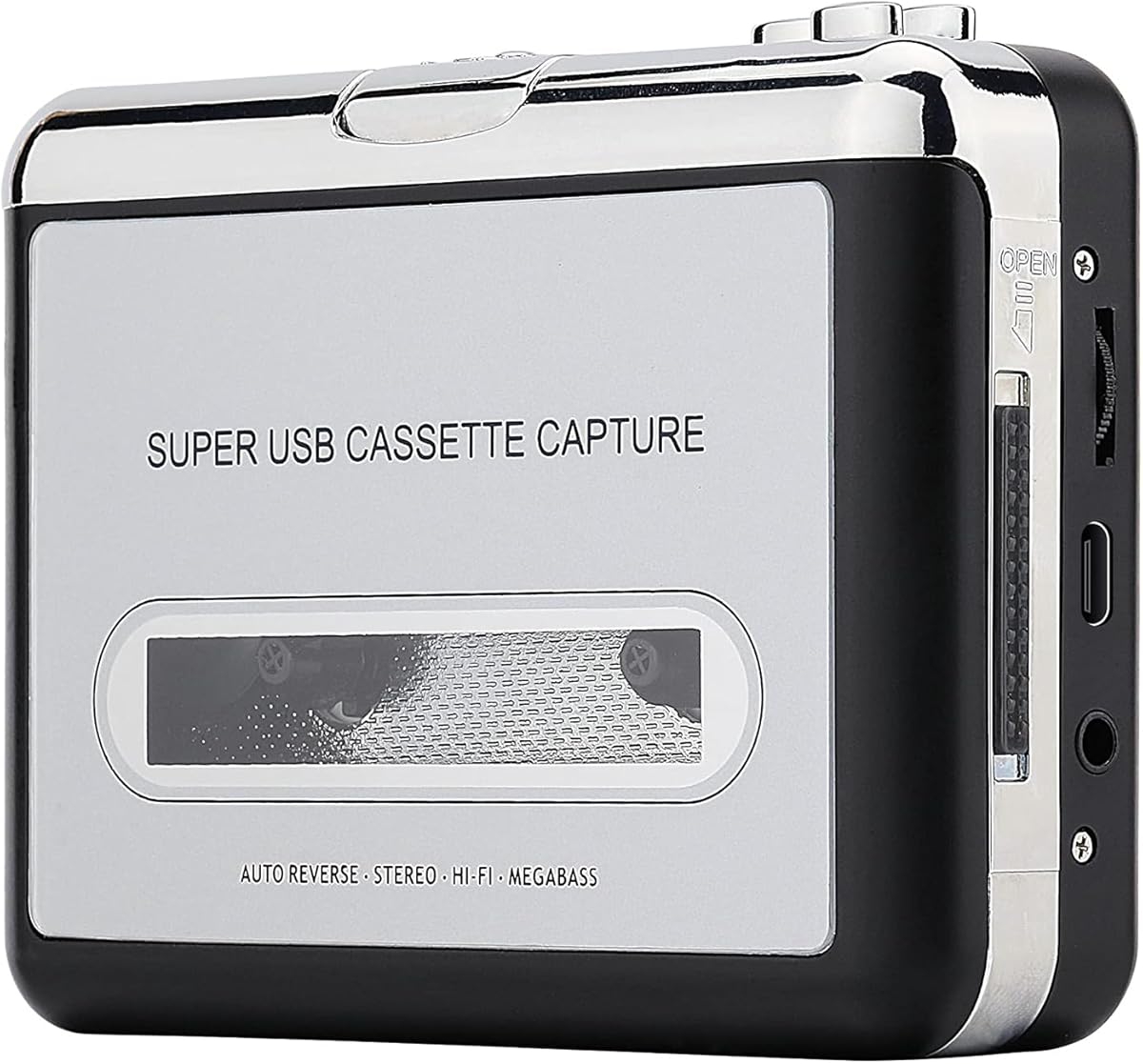


The ClearClick Cassette Tape to USB 2.0 converter stands out as a top choice for those seeking simplicity in digitizing analog audio. With a 4.5-star rating, it delivers high-quality MP3 files directly to a USB flash drive without needing extra software or drivers.
We may earn a commission when you buy through this link, at no additional cost to you.
Its automatic track splitting mode ensures each song is saved as a separate file, saving time on manual editing. The device doubles as a portable cassette player with included earbuds, making it versatile for both conversion and playback tasks.
While the included 16GB USB drive is sufficient for many collections, power users might need additional storage for larger libraries. The lack of software dependencies simplifies setup but limits advanced customization options for audiophiles seeking precise control over conversion settings.
This converter is ideal for families looking to preserve old tapes quickly and efficiently without technical hassle. We recommend it for anyone prioritizing ease of use and reliable performance over advanced features or high-capacity internal storage options today.
You can start converting tapes immediately after plugging in the USB cable since no driver installation or software downloads are required for basic operation.
The device detects pauses between songs to split files automatically, ensuring your digital library is organized neatly without manual file management after conversion.
We may earn a commission when you buy through this link, at no additional cost to you.
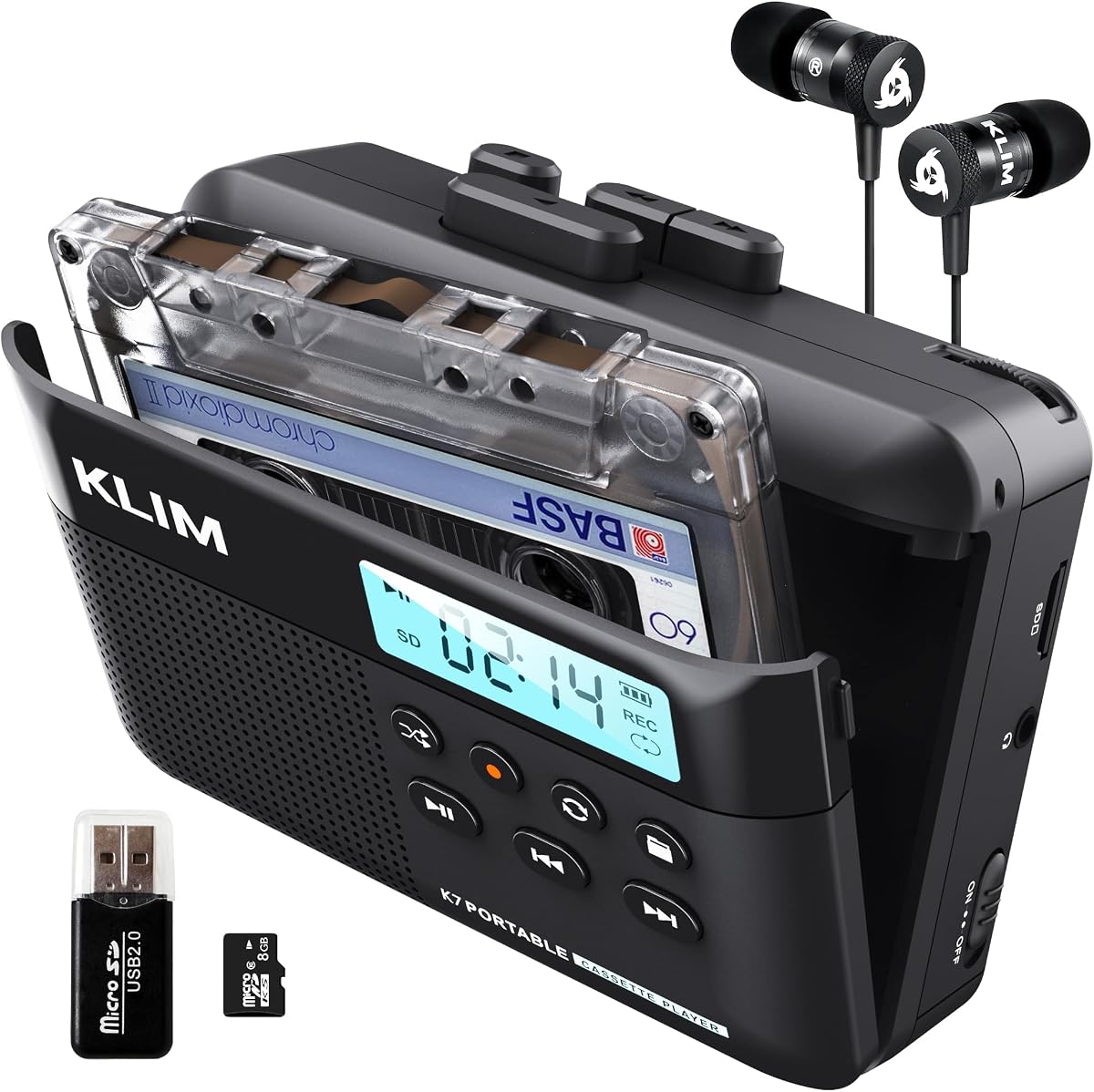
The K7 Cassette Player offers an accessible entry point for digitizing tapes with its compact design and included accessories. Users appreciate the ability to record thoughts or meetings via the built-in microphone while converting tapes directly to MP3 format.
We may earn a commission when you buy through this link, at no additional cost to you.
Included in the package is a 16GB SD card and card reader, providing immediate storage for your digital files without extra purchases. The rechargeable battery ensures you can use the device on the go, making it perfect for travel or outdoor listening sessions.
Although it does not support recording back onto cassette tapes, this limitation is acceptable for users focused solely on digitization. The sound quality is functional for standard listening though audiophiles may prefer more advanced units with higher fidelity output options.
We recommend this model for students or casual users needing a reliable portable solution for tape conversion. Its all-in-one package with headphones and SD card makes it an excellent value for those seeking immediate utility without technical setup.
You can use the built-in microphone to capture live audio directly onto the SD card, adding versatility beyond simple tape conversion tasks.
The inclusion of headphones and a card reader in the box means you have everything needed to start listening and converting right away.
We may earn a commission when you buy through this link, at no additional cost to you.
The Gracioso Bluetooth Cassette to MP3 Converter bridges vintage and modern tech with its dual Bluetooth capabilities. A 4.3-star rating reflects user satisfaction with its ability to stream audio wirelessly while converting tapes to digital files via USB.
We may earn a commission when you buy through this link, at no additional cost to you.
Its 2000mAh battery supports extended playback and conversion sessions, while the 6W speaker delivers clear sound without needing external headphones. The receiver mode allows you to play digital music through the cassette player, creating a versatile audio hub for any room.
While the price is higher than basic models, the added functionality justifies the cost for power users. However, the larger size may reduce portability compared to compact players, and those prioritizing ultra-lightweight designs might find it less convenient to carry daily.
This unit is ideal for audiophiles or home users wanting a centralized audio system. We recommend it for anyone seeking maximum versatility in converting and streaming audio without compromising on sound quality or battery longevity during long listening sessions.
Transmitter mode lets you send tape audio to Bluetooth headphones or speakers, offering a modern way to listen to classic cassettes.
You can record music from your phone onto blank cassettes using the receiver mode, allowing you to create custom mixtapes with ease.
We may earn a commission when you buy through this link, at no additional cost to you.
The SEMIER Small Cassette Tape Player is designed for portability and ease of use with its compact dimensions and LCD display. It supports recording to SD cards or computers via USB, offering flexible options for organizing your digital audio files.
We may earn a commission when you buy through this link, at no additional cost to you.
Its two-way conversion capability allows you to digitize tapes or record new content from digital sources, adding creative flexibility to the device. The included software and 16GB SD card streamline the process, making it accessible for users of varying technical skill levels.
Users should note that it does not support Type IV metal tapes, which may limit compatibility with specific audio formats. The sound quality is decent for standard use, though the device is primarily focused on function rather than high-fidelity output features.
This player is suitable for users needing a portable solution with screen feedback for settings. We recommend it for travelers or casual collectors who prioritize convenience and dual functionality over premium audio performance or metal tape support.
You can power the device using a USB-C cable or four AA batteries, giving you freedom to use it anywhere without needing a power outlet.
The built-in LCD screen helps you navigate settings easily, providing clear visual feedback during recording and playback operations.
We may earn a commission when you buy through this link, at no additional cost to you.
The Reshow Cassette Tape Player offers a sleek vintage style that fits well with retro decor while providing modern digital conversion capabilities. It connects via USB to laptops to convert tapes into MP3 files without requiring additional drivers for setup.
We may earn a commission when you buy through this link, at no additional cost to you.
Its lightweight design makes it easy to transport, and the standard 3.5mm jack ensures compatibility with most headphones. The included software guides users through the transfer process, ensuring that even non-technical users can manage their digital music collections effectively.
However, some users report mixed experiences with durability and sound clarity, reflected in its lower rating. While functional for basic digitization, it may not satisfy those seeking robust build quality or high-end audio performance features during daily use.
We recommend this player for users valuing aesthetics and basic functionality. It suits those with small tape collections who need a simple converter without needing advanced features or premium materials in their audio equipment.
The silver finish gives the device a classic look that appeals to fans of retro electronics while still delivering modern USB connectivity.
You can plug in any standard headphones to listen while converting, ensuring compatibility with existing audio accessories you already own.
We may earn a commission when you buy through this link, at no additional cost to you.
The K7 Cassette Player with 8GB SD card provides a streamlined solution for converting tapes to MP3 files with minimal fuss. Its built-in microphone allows for additional recording needs, while the rechargeable battery ensures long usage between charges.
We may earn a commission when you buy through this link, at no additional cost to you.
The 8GB capacity is adequate for moderate collections, covering several hours of audio without needing immediate file management. The lightweight build makes it easy to carry, and the included card reader simplifies transferring files to your computer for safekeeping.
Users focused on large archives might find the storage limit restrictive compared to higher-capacity models. However, for casual listeners looking to digitize favorite albums or mixes, this model offers a balanced mix of features and convenience at a competitive price point.
We recommend this variant for those with smaller tape libraries or beginners entering the world of digital preservation. Its simplicity and all-in-one accessory package make it an efficient choice for quick and reliable tape digitization.
The included SD card reader allows you to quickly move files from the device to your computer without needing extra cables.
You can use the built-in mic to record notes or voice memos directly, expanding the utility of the device beyond simple playback.
We may earn a commission when you buy through this link, at no additional cost to you.
The K7 Cassette Player with 32GB SD card is an excellent choice for those with extensive cassette collections. It maintains the same convenient design as its smaller counterpart but offers significantly more space for storing digital MP3 files.
We may earn a commission when you buy through this link, at no additional cost to you.
With 32GB included, users can digitize dozens of tapes without worrying about filling up storage too quickly. The device remains lightweight and includes all necessary accessories such as the card reader and charger, ensuring you are ready to convert immediately upon unboxing.
While the cost is marginally higher than the 8GB version, the added capacity justifies the expense for serious collectors. Those with very large libraries may still need external drives eventually, but this model handles a substantial amount of data out of the box.
We recommend this model for users planning to digitize their entire music collection in one go. It offers a reliable, user-friendly interface with ample storage to keep your converted files organized and accessible for future playback needs.
The 32GB card lets you store a large number of converted files, reducing the need for constant file transfers or storage management.
This version keeps the same microphone and portable design as other K7 models, so you get reliability along with increased storage space.
We may earn a commission when you buy through this link, at no additional cost to you.
The Reshow Cassette Tape Player in Black offers a modern alternative to the silver version while maintaining the same core functionality. It provides a straightforward USB connection to laptops for converting tapes into digital MP3 files without needing extra drivers or software.
We may earn a commission when you buy through this link, at no additional cost to you.
Its compact size and standard 3.5mm jack make it versatile for different environments and headphone setups. The included software guides users through the process, ensuring that transferring audio to your computer is as easy as possible for non-technical users.
While it delivers solid basic performance, some users find the build quality average compared to higher-end models. If you need a functional converter for a small batch of tapes without spending extra, this model serves its purpose adequately for basic digitization needs.
We recommend this model for users who prefer a darker aesthetic and simple operation. It works well for those looking to preserve a few favorite cassettes without needing advanced features or premium audio quality specifications.
The black finish gives the player a modern, understated look that blends well with contemporary home office or bedroom setups.
The USB connection allows for immediate use with most computers, removing the need for complex installation steps before you start converting.
We may earn a commission when you buy through this link, at no additional cost to you.
The USB Cassette to MP3 Converter is designed for users who want to digitize tapes without using a computer. It features auto reverse functionality to handle both sides of the cassette automatically, streamlining the conversion process significantly.
We may earn a commission when you buy through this link, at no additional cost to you.
Its classic walkman-style design ensures compatibility with standard headphones while providing dedicated buttons for volume control during recording. The device works with USB 2.0 and 3.0 flash drives, offering flexibility for users with different storage hardware options available.
Users should note that it requires FAT32 formatted drives which may need reformatting if your drive uses a different file system. While the sound quality is functional for basic conversion, audiophiles might prefer more advanced units with better fidelity options.
We recommend this model for users needing a quick and easy solution without software. It is ideal for those who want to preserve tapes using only a USB drive and avoid the hassle of connecting to a PC or managing drivers.
This feature allows the player to flip sides automatically, saving you time and effort during the conversion of longer tapes.
You can switch to manual mode for precise control over track splitting, giving you flexibility to save specific segments of audio.
We may earn a commission when you buy through this link, at no additional cost to you.
The K7 Cassette Tape Player with MP3 Converter rounds out our list with a balanced feature set that appeals to general users. It comes with a 16GB SD card and reader, ensuring you have immediate storage to save your converted MP3 files.
We may earn a commission when you buy through this link, at no additional cost to you.
Its rechargeable battery and built-in microphone add utility for recording and playback without needing external power sources constantly. The lightweight design makes it easy to carry, and the included accessories ensure you have everything needed for a smooth setup experience.
While it lacks the ability to record back onto cassettes, this limitation is acceptable for most digitization tasks. The sound quality is clear enough for casual listening, though those seeking studio-grade output may need to look elsewhere for more specialized equipment.
We recommend this model for anyone looking for a reliable, easy-to-use converter. It is a great choice for households wanting to convert old tapes into digital files without dealing with complex software or expensive hardware options.
Included accessories like the SD card and reader mean you can start converting immediately without needing to buy extra items.
The rechargeable battery ensures you can convert tapes anywhere, making it perfect for sessions where power outlets are not available.
We may earn a commission when you buy through this link, at no additional cost to you.
Choosing the right cassette to MP3 converter depends on your specific needs regarding storage, portability, and ease of use. Understanding key features ensures you get a device that preserves your audio quality while offering the convenience you expect.
Storage capacity determines how much audio you can digitize before needing to offload files. Many models come with SD cards or USB drives ranging from 8GB to 32GB or more. Consider how large your cassette collection is to decide if the included storage is sufficient for your needs.
Look for models that support expandable storage options like SD cards for future-proofing. If you have a vast archive, ensure the device supports cards larger than the default included storage to accommodate your growing digital library without extra hardware.
Power source affects portability and usability during long sessions. Some devices rely on AA batteries while others include rechargeable batteries. Rechargeable options are more sustainable and convenient for home use, whereas battery-operated units offer flexibility for travel or outdoor sessions.
Check the battery life if you plan to convert multiple tapes without access to a wall outlet. A longer battery life ensures uninterrupted operation, especially for models with automatic track splitting that run longer than manual conversions.
Conversion method determines how you transfer audio to your digital library. Some models require computer software to process files while others save directly to USB or SD cards. Direct transfer models are faster and simpler for non-technical users seeking immediate results.
If you prefer editing tracks manually, look for software-compatible models that allow detailed control over file splitting. However, if ease of use is your priority, choose a device that saves files directly without extra steps or installations.
Audio quality varies based on the device's internal components and sampling rates. Higher sampling rates and better internal circuitry ensure clearer sound and less noise during transfer. Check specifications for bit depth and sample rates to gauge expected fidelity.
While most budget converters are adequate for casual listening, audiophiles should look for models with advanced noise reduction features. Clear sound quality ensures your digital files sound as close to the original as possible without digital artifacts or hiss.
Portability is key if you plan to convert tapes in different locations. Lightweight designs with built-in speakers or headphone jacks make it easier to listen to tapes while converting. Compact sizes fit better in bags for travel or on-the-go digitization sessions.
Consider if the device can double as a playback unit. Many portable converters allow you to listen to cassettes without connecting to a computer, adding value if you still want to play physical tapes directly.
Some converters offer built-in microphones to record thoughts or meetings directly onto storage. This versatility adds value beyond simple tape conversion, allowing the device to serve as a portable recorder for other audio needs.
Check if recording to cassettes is supported if you wish to mix digital tracks back to physical media. Not all devices support two-way conversion, so confirm this feature if you want to create custom mixes on blank tapes.
Ease of use impacts how quickly you can start converting. Models with auto track splitting and instant setup without drivers are ideal for quick processing. Look for clear displays or guides that make navigating settings straightforward for all users.
Consider the included accessories and software complexity. A good package comes with necessary cables, card readers, and clear manuals to avoid frustration. Simple interfaces ensure you focus on your tapes rather than troubleshooting technical issues.
Durability ensures your device lasts through frequent use or multiple conversion sessions. Sturdy build materials prevent wear and tear from handling. Also check warranty terms to ensure you have support if something fails after purchase.
Some brands offer multi-year warranties or customer support services for added peace of mind. Investing in a durable unit reduces the risk of needing replacements and ensures consistent performance over time.
To begin, insert your cassette tape and the included storage card or drive into the converter. Ensure the tape is in good condition by rewinding and playing it briefly to remove dust or loose tape before digitizing to protect the device head.
Connect the device to power using the provided USB cable or batteries. Press the play and record buttons to start conversion, monitoring the process to ensure audio levels are balanced. Most devices show progress via LED indicators or a screen.
After conversion, safely eject the storage media before removing it to prevent data corruption. Clean the tape heads regularly with a cotton swab to maintain audio quality over time. Store the device in a dry place to avoid moisture damage to internal electronics.
Not necessarily. Many modern converters save directly to USB drives or SD cards without requiring a computer. However, models that rely on software will need a PC or Mac to complete the digitization process and organize files.
Yes, several models feature automatic track splitting that detects pauses to separate songs. This saves time compared to manual splitting and ensures your digital library is organized into individual files automatically during conversion.
It depends on your collection size. Most tapes take roughly 50MB to 100MB each at standard quality. A 16GB card can hold hundreds of tracks, while 32GB or larger is better if you plan to digitize a large archive.
Conversion usually takes the same length of time as the tape, plus a few minutes for setup. Automatic splitting adds a small overhead, but overall you can expect a real-time process where the tape must play through once.
Most converters output standard MP3 quality around 192kbps which is suitable for casual listening. While not lossless, these files are generally clear and small enough for easy storage on most devices and cloud services.
Some advanced converters support recording digital audio back to blank cassettes via Bluetooth or aux input. Check the product details specifically for two-way conversion if you wish to create physical mixes from digital files.
Converting damaged tapes may result in clicks or noise. You can clean tapes gently before converting and use software later to reduce noise. If the magnetic tape is deteriorating, prioritize immediate conversion to preserve the content before it degrades.
Most converters support standard Type I tapes but may not work with metal Type IV tapes. Check your specific model's compatibility notes to ensure it supports your specific cassette types before purchasing for your collection.
We have explored ten top cassette to MP3 converters ranging from budget-friendly options to feature-rich premium models. Each offers unique strengths in terms of portability, storage, and ease of use to suit different digitization needs.
Prioritize storage capacity and conversion method when choosing your unit. If you value simplicity, look for devices that save directly to USB or SD cards without software. If audio quality is critical, consider models with advanced features and better hardware specs.
Remember that product availability and prices change frequently so check current details before purchasing. We hope this guide helps you find the perfect converter to preserve your analog memories in a modern digital format.